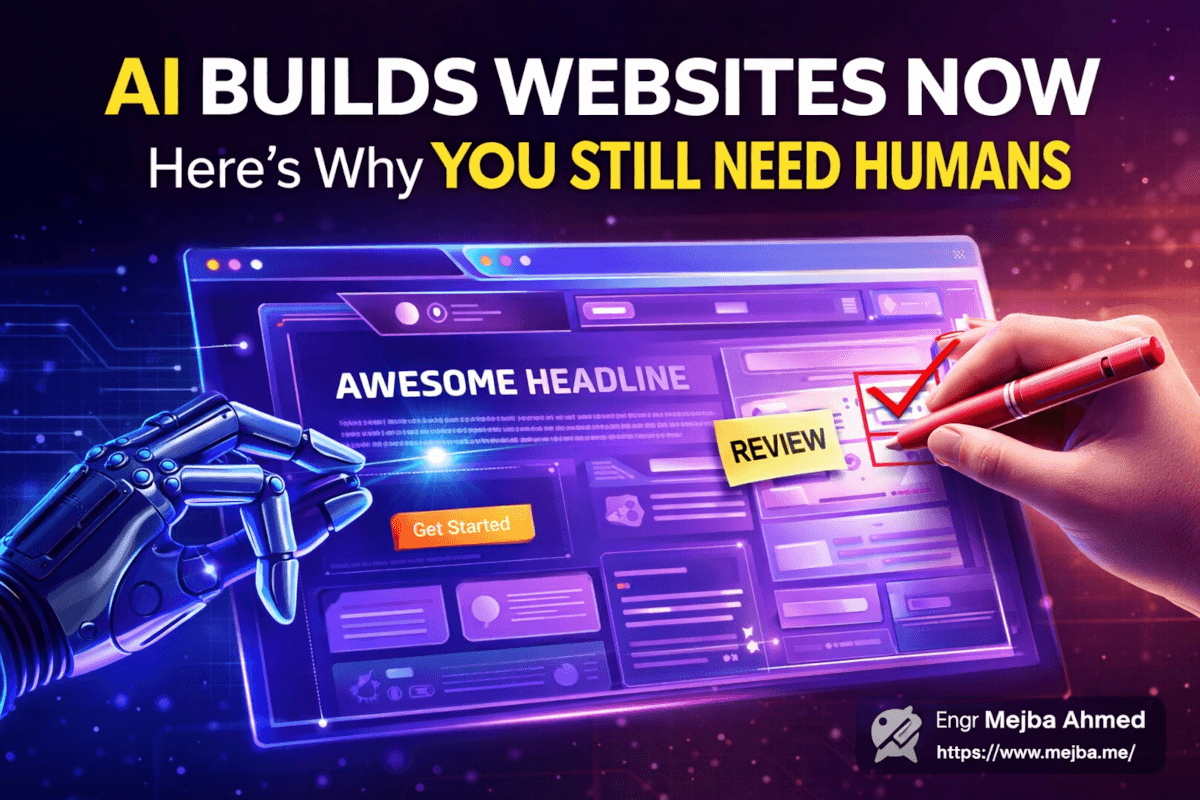
AI Builds Websites Now. Here's Why You Still Need Humans
I watched a YC visiting partner tear apart twelve startup websites in forty minutes. Not with cruelty — with precision. Raphael Shod sat there, screen-sharing each landing page, pointing out the exact same AI-generated design patterns showing up across companies that had never spoken to each other. Purple gradients. Floating particle backgrounds. Scroll-hijacked hero sections. Fade-in animations on every single element. It was like watching someone identify the same fingerprint at twelve different crime scenes.
The culprit wasn't a lazy designer. It was AI itself.
Here's what made that session genuinely uncomfortable: several of these startups had raised real money. They had strong products, clever founders, and genuine traction. But their websites — the very first thing a potential customer or investor sees — looked like they'd been stamped out of the same template factory. And in a way, they had been. The AI tools they used to generate those sites all drew from similar training data, similar design trends, similar "best practices" that produced sites that were technically competent but fundamentally interchangeable.
That design review session with Raphael changed how I think about AI-assisted web design. Not because AI is bad at it — quite the opposite. AI has gotten frighteningly good at producing professional-looking websites. The problem is more subtle and more dangerous than bad design. The problem is that AI produces design that looks good enough to fool the person building it, but not good enough to fool the person landing on it for the first time.
I spent the next two weeks rebuilding my own approach to AI-generated web design based on what I learned. What follows is everything that session taught me — the patterns to watch for, the principles that separate forgettable AI sites from genuinely effective ones, and the specific role humans need to play in a process that increasingly feels automated end to end.
There's one insight from Raphael that fundamentally reframed my entire approach. I'll get to it, but you need the context first.
The Democratization Miracle Nobody Warned Us About
Something extraordinary happened over the past eighteen months. The barrier to creating a professional-looking website dropped from "hire a designer and developer" to "describe what you want in plain English." Tools like Bolt, v0, Lovable, and a dozen others can generate complete, responsive, deployed websites from a text prompt. I've used most of them. Some of the output is genuinely impressive.
A founder with zero design training can now produce a landing page that would have cost $5,000-$15,000 from an agency two years ago. That's not hyperbole — I've compared outputs side by side. The spacing is correct. The typography hierarchy works. The color palettes are harmonious. The responsive breakpoints function properly. On a surface level, these AI-generated sites are professional.
This is a genuine miracle for early-stage startups. You can test a positioning statement, validate messaging, and start collecting leads before you've spent a dollar on design. I've personally shipped three landing pages using AI tools in the past year where the total design time was under two hours each.
But miracles come with fine print.
What I started noticing — and what Raphael articulated better than anyone I've heard — is that democratization created a new problem. When everyone has access to the same tools trained on the same data, everyone's output converges toward the same aesthetic. The playing field didn't just level. It flattened into a uniform surface where nothing stands out.
Think about what happened when Canva democratized graphic design. Suddenly every small business had access to professional templates. The quality floor rose dramatically. But walk through any craft market or scroll through any Instagram feed of small businesses, and you'll see the same Canva templates everywhere. The tools solved the competence problem but created a differentiation problem.
AI web design is following the same trajectory, except faster and with higher stakes. Your website isn't a social media post that scrolls past in two seconds. It's the place where buying decisions happen. And when your site looks like everyone else's, you've already lost ground before the visitor reads a single word.
That differentiation gap is exactly what showed up in the design review. But the specific patterns were wilder than I expected.
The AI Design Fingerprint: Patterns I Can't Unsee
After that session with Raphael, I started cataloging the recurring patterns in AI-generated startup sites. Once you see them, you truly cannot unsee them. I now spot an AI-designed site within three seconds of landing on it, and so will your more design-savvy visitors.
The Purple Gradient Epidemic. I'm not sure who decided that purple-to-blue gradients represent "innovation" and "AI," but the memo went out to every generative design tool simultaneously. Raphael pulled up six startup sites in a row during the review. Five of them used some variation of purple gradients as their primary visual treatment. New.ai had it. Rosebud AI had it. Get Crux had it. The color purple has become the unofficial uniform of "we used AI to build this site."
Why does this happen? Because AI models are trained on the current web. And the current web — especially in the AI/tech startup space — is saturated with purple. The models learn that "modern tech startup" equals purple gradient, and they reproduce it faithfully. They're not wrong, exactly. Purple gradients do look modern. The problem is that when your site uses the same color story as your direct competitors, you've surrendered one of your most powerful branding signals before the conversation even starts.
Scroll Hijacking and Parallax Overload. Multiple sites in the review had implemented custom scroll behaviors — where the page takes over your scroll wheel and moves at its own pace, or where elements fly in from different directions as you scroll. Raphael's reaction was immediate: "This makes me feel like the site is fighting me."
He's right. Scroll hijacking was a trendy technique in 2019-2020. AI models learned from sites that implemented it. Now those models reproduce it without understanding the usability backlash that followed. Users expect their scroll wheel to behave predictably. When a site overrides that expectation, it creates a micro-frustration that most visitors won't consciously identify — they'll just feel like the site is "annoying" and leave.
The Fade-In-Everything Problem. Open almost any AI-generated site and scroll down. Watch what happens. Every. Single. Element. Fades. In. Headings fade in. Paragraphs fade in. Images fade in. Buttons fade in. Cards fade in from the left, then the right, then the left again. It's like the site is playing peekaboo with you.
Selective animation is powerful. Animation on everything is noise. When every element animates, nothing feels important. The eye has no hierarchy to follow because everything is competing for attention simultaneously. I counted the fade-in animations on one startup's landing page during the review. Forty-seven. Forty-seven separate fade-in animations on a single page. That's not a design choice — that's a default setting nobody bothered to question.
Hover Effects as a Personality Substitute. Cards that lift and glow on hover. Buttons that pulse. Images that zoom. These micro-interactions feel delightful the first time you encounter them. By the fifth site using identical hover treatments, they feel generic. AI tools add these because they make demos look impressive. But they contribute nothing to conversion and everything to the "I've seen this before" feeling.
The Hero Section Arms Race. Animated particle backgrounds, 3D gradient blobs, morphing shapes — AI-generated hero sections have become increasingly theatrical. Build Zero's site had an animated mesh gradient that genuinely looked cool in isolation. But when Raphael asked the founder "what does this communicate about your product?" the room went quiet. The honest answer was nothing. It communicated "we have a website" and nothing more.
Here's what fascinated me about these patterns: none of them are technically bad. A purple gradient is fine. A fade-in animation is fine. A hover effect is fine. The problem is accumulation and uniformity. When AI applies all of these simultaneously, and when every AI tool applies the same ones, the result is a visual monoculture that trains visitors to tune out.
But the design patterns are only half the story. The real damage shows up in something harder to measure.
The Branding Crisis Nobody's Talking About
Raphael said something during the review that I've been turning over in my mind for weeks. He was looking at Sphinx's landing page — clean layout, professional typography, solid spacing — and he said: "This is a good website for no company in particular."
That sentence hit like a truck.
The site was objectively well-designed. If you scored it on a rubric — layout, typography, color, responsiveness — it would pass with high marks. But it had zero personality. Zero brand distinctiveness. You could swap the logo and company name with any of ten other startups and nothing would feel wrong. The design served no specific brand because it wasn't designed for a specific brand. It was generated for a generic "professional SaaS startup."
This is the branding crisis AI design creates. Brand identity isn't just about looking professional. It's about looking like you. It's about visual choices that reflect your specific values, personality, and positioning. When Apple chose stark minimalism, that communicated something specific about their brand philosophy. When Stripe chose their signature gradient typography, that became instantly recognizable. These weren't defaults — they were deliberate choices that said "this is who we are."
AI tools can't make those choices because they don't know who you are. They know what "a SaaS startup" looks like. They know what "a modern tech company" looks like. They don't know what your company looks like. That requires human judgment — someone who understands the brand deeply enough to make visual choices that reflect its specific identity.
These tools are extraordinary at producing the median of web design. And the median is pretty good. But brands aren't built at the median. Brands are built at the edges — through distinctive choices that might not test well in a generic focus group but become unmistakably yours over time.
Zarna AI's site during the review was one of the few that felt somewhat distinctive. Not because it was dramatically different in layout, but because someone had clearly made specific choices about their illustration style and color palette that didn't feel like AI defaults. When I asked the founder about it later, they confirmed: they'd used AI to generate the initial layout but then spent considerable time customizing the visual identity elements. The AI got them to 60%. The last 40% — the part that actually made the site feel like their brand — required human intention.
That 60/40 ratio kept coming up. And it completely changed how I think about the human role in this process.
You're Not a Designer Anymore. You're an Editor.
Here's the insight from Raphael that I promised at the beginning — the one that reframed everything for me.
He said: "The AI is your first draft writer. You are the editor-in-chief. And most founders are publishing first drafts."
The shift is fundamental. Before AI, building a website meant starting from nothing. You (or your designer) made every choice — layout, colors, typography, spacing, interactions. The human was the creator. Now, AI handles the creation. The human role has shifted to curation, editing, and quality control.
This sounds like less work. It's actually harder.
Creating from scratch has a natural quality gate: if you don't know what you're doing, the result looks obviously amateur, and you know to get help. But editing AI output is treacherous because the output looks professional enough to fool you into thinking it's finished. The gaps are subtle — a color that's technically harmonious but strategically wrong for your brand, an animation that's technically smooth but functionally distracting, a layout that's technically responsive but emotionally flat.
Being a good editor of AI design output requires skills that most founders don't naturally have:
Knowing what to remove. AI tools are additive by nature — they add effects, animations, gradients, and decorations because those elements exist in their training data. A good human editor strips away everything that doesn't serve a specific purpose. That cool particle background? Remove it unless it directly reinforces your product metaphor. Those fade-in animations? Keep maybe three of them on the entire page — the hero headline, the primary CTA, and one key visual. Delete the rest.
Knowing what's on-brand versus what's on-trend. AI follows trends. Brands sometimes need to resist trends. If every competitor in your space has a dark-mode site with neon accents, maybe your competitive advantage is being the one that looks warm, approachable, and light. AI won't suggest that contrarian move. A human editor will.
Knowing what serves conversion versus what serves ego. This was a recurring theme in the review. Founders loved their hero animations and parallax effects because they felt impressive. Raphael kept asking: "Does this help someone understand what you do and decide to try it?" Usually, the answer was no. The impressive elements were serving the founder's desire to feel like they had a "real" website, not the visitor's need to quickly understand the value proposition and take action.
I started applying this editor mindset to my own projects immediately. My process now looks like this: generate the initial design with AI, then systematically challenge every element. Does this color reflect my brand or just look "nice"? Does this animation guide the user's attention or distract from the message? Does this layout prioritize the information the visitor needs or the information I want to show off?
The results are dramatically better. Not because the AI output improved — because my editing improved.
But editing visual design requires knowing what "good" actually looks like. Which brings us to the principles that separate sites that convert from sites that merely impress.
Five Design Principles That AI Gets Wrong (And How to Fix Them)
I distilled the review session into five principles that kept surfacing across every critique. These aren't abstract design theory — they're practical guidelines I now apply to every AI-generated site I work on.
1. Visual Hierarchy Is a Conversation, Not a Shout
When everything on a page is bold, nothing is bold. AI tools tend to make every element visually prominent because prominent elements appear in their training data more often — they're literally more visible in screenshots. The result is pages where headings, subheadings, body text, CTAs, and decorative elements all compete for equal attention.
Fix this by establishing a clear visual hierarchy with exactly three levels of emphasis. Your primary element (usually the main headline and CTA) gets maximum visual weight. Your secondary elements (subheadings, key features) get moderate weight. Everything else recedes into the background. I go through AI-generated pages and literally assign each element a priority: 1, 2, or 3. Anything that isn't clearly a 1 or 2 gets visually quieted — smaller font, lighter color, less spacing.
One practical technique: squint at your page. Actually squint until it's blurry. The elements you can still make out are your visual hierarchy. If everything blurs into a uniform haze, your hierarchy is broken.
2. Consistency Beats Creativity Every Time
During the review, Raphael pointed out something on Rosebud AI's site that I'd never have caught. The site used three different card styles across three different sections. One had rounded corners with a subtle shadow. Another had sharp corners with a border. A third had rounded corners with no shadow but a background color change. Each style looked fine in isolation. Together, they created a subtle feeling of visual disorder.
AI tools often introduce inconsistency because they generate each section somewhat independently. They don't maintain a rigid component system across an entire page the way a design system would. The fix is manual: after generating a site, audit every repeated element. Cards should all look the same. Buttons should all use the same style. Spacing should follow a consistent rhythm.
I now create a simple checklist after every AI generation: card style, button style, heading sizes, spacing units, border radius, shadow values. If any element deviates from the pattern, I normalize it. This takes maybe twenty minutes and makes the entire site feel dramatically more polished.
3. Quality Assets or No Assets
Get Crux's site during the review had a beautiful layout. The typography was strong. The spacing was confident. And then you hit the product screenshots, and they were low-resolution captures clearly taken on a MacBook with default wallpaper visible in the window chrome. The entire premium feeling of the site collapsed in that moment.
AI can generate layouts all day. What it can't generate is your actual product imagery, your team photos, your real case study visuals. These human-sourced assets are often the weakest link in an otherwise strong AI-generated site. And they're the elements visitors pay the most attention to — real screenshots and photos carry more trust signal than any amount of polished layout.
My rule now: if you can't provide high-quality assets for a section, remove the section. A clean text-based section with strong copy beats a beautiful layout stuffed with mediocre images every single time. And when you do include screenshots, invest the time to capture them properly — clean browser chrome, thoughtful sample data, appropriate viewport size.
4. Mobile Isn't a Smaller Version of Desktop
This one drove Raphael genuinely crazy. Several of the reviewed sites looked gorgeous on desktop and fell apart on mobile. Text too small. Buttons too close together. Hero sections with text overlapping images. Horizontal scroll breaking the layout.
AI tools handle responsive design mechanically — they shrink and stack elements according to breakpoint rules. But mechanical responsiveness and good mobile experience are different things. On mobile, the headline that worked at 48px on desktop might need to be 28px. The two-column feature grid that looked balanced on a wide screen might need to become a single column with different spacing. The fancy hover effects literally don't exist on touch devices.
After every AI site generation, I check the entire page on an actual phone. Not a browser resize — a real device, held in my hand, used with my thumb. The issues that surface are always different from what responsive mode in Chrome shows. Always.
5. Speed Is a Design Element
Nobody in the review talked about page speed directly. But Raphael made an observation that stuck with me: "The sites that feel the best to browse are the ones that load instantly." He was right. The sites with the most AI-generated visual effects — particle backgrounds, animated gradients, scroll-triggered animations — were also the slowest. And that slowness undermined the very professionalism those effects were supposed to create.
Every animation, every gradient mesh, every parallax effect adds to your page weight and rendering cost. A site that loads in 1.2 seconds with simple design will always feel more professional than a site that loads in 4 seconds with stunning effects. Visitors don't consciously time page loads. They just feel the difference between "this site is sharp" and "this site is sluggish."
I now treat my Lighthouse performance score as a design constraint. Nothing ships below 90. That means sacrificing some AI-generated visual flourishes, and I'm completely fine with that trade-off.
What makes these principles powerful is applying them as a systematic filter to AI output. The AI produces the raw material. These principles shape it into something that actually works.
Speaking of what actually works — there's a practical question most founders skip entirely.
The QA Gap: Where AI Sites Go to Die
Here's a confession. Before that review session, I was shipping AI-generated sites with minimal testing. Generate, review on my laptop, maybe check one mobile breakpoint, deploy. I figured if the AI got the code right (and it usually does), there wasn't much to test.
I was wrong, and Raphael's review proved it in real time.
He opened one startup's site on Firefox, and the hero section animation was broken — a CSS animation property that Chrome handled gracefully but Firefox rendered with a visible stutter. He tried another site's mobile menu, and the hamburger icon triggered but the menu panel slid in from the wrong side, overlapping the content instead of pushing it. He clicked a "Get Started" CTA on a third site, and it scrolled to a section that had a contact form with a broken submit action.
None of these bugs were visible in the happy-path demo environment. All of them were trivially discoverable with basic QA. And every single one of them would cause a potential customer to question whether this company could be trusted with their business. If your website doesn't work, why would your product?
AI-generated code is correct in the same way AI-generated design is professional — it works for the default case. Edge cases, browser quirks, interaction states, error handling — these still require human verification. And the stakes are asymmetric: a hundred things working correctly create a baseline expectation, but one thing breaking creates a lasting negative impression.
My QA checklist for AI-generated sites now includes:
Cross-browser testing. Chrome, Firefox, Safari, and Edge. Not just "does it render" but "does every interaction work." I caught a Safari-specific flexbox gap issue on my last project that would have broken the pricing section for roughly 25% of my Mac-using visitors.
Real device testing. My actual iPhone, my partner's Android phone, a tablet if I can borrow one. Touch targets, scroll behavior, form inputs, and the back button behavior. AI sites sometimes break browser navigation with their routing implementations.
Form testing. Every form gets submitted with real data, empty data, and malformed data. Broken forms are the most expensive bug on a marketing site because they silently eat leads.
Link auditing. Every link clicked, every anchor checked. AI tools sometimes generate placeholder links or internal anchors that point to non-existent sections.
Performance profiling. Lighthouse audit on mobile. Check for oversized images, render-blocking scripts, and excessive DOM manipulation from animations.
This testing adds maybe two hours to a project. The number of issues I've caught has never been zero. Not once.
But even a well-tested site can fail at its most fundamental job — and that's the lesson most founders still haven't internalized.
Your Landing Page Is a Sales Channel, Not a Trophy Case
This was the thread running through every critique in the review, and it's the insight I wish someone had tattooed on my forehead three years ago: your landing page exists to acquire customers. Period. Not to impress investors. Not to showcase your design taste. Not to demonstrate technical sophistication. To turn a visitor into a lead, trial user, or customer.
Every element on the page should serve that conversion goal. Every design choice should be evaluated through the lens of "does this make it easier or harder for someone to understand what we do and take the next step?"
When Raphael reviewed New.ai's site, he acknowledged the design was visually striking. Then he asked: "If I landed here knowing nothing about this company, could I explain what they do in ten seconds?" The founder paused. The answer was no. The hero section had a beautiful animated gradient, a clever tagline, and a "Get Started" button. What it didn't have was a clear, specific description of what the product actually does.
This is the most common failure mode I see in AI-generated landing pages. The design looks amazing. The copy is polished. But the fundamental communication job — "here's what this is, here's who it's for, here's why you should care" — gets buried under aesthetic choices. The AI optimized for visual impression because that's what it was trained to produce. Nobody told it to optimize for comprehension.
I now evaluate every landing page I build with what I call the "stranger test." I show the page to someone who's never heard of the product, give them ten seconds, then take it away and ask three questions: What does this product do? Who is it for? What should you do next? If they can't answer all three, the page has failed — no matter how beautiful it is.
Build Zero had an interesting approach that Raphael praised. Their site wasn't the most visually sophisticated in the review. The design was clean but restrained. What it did exceptionally well was communicate. The headline told you exactly what the product did. The subheadline told you who it was for. The first section showed you the product in action. The CTA was clear and specific. Within five seconds of landing, you understood the proposition. That clarity is worth more than any gradient animation ever created.
The founders who nailed their landing pages had something in common: they treated the page as a customer acquisition instrument, not a design portfolio piece. They made choices that served the visitor, not choices that served their own aesthetic preferences. And almost without exception, those choices meant overriding some of what the AI had generated.
What This Means for How I Build Now
That review session was six weeks ago. Since then, I've completely restructured my approach to AI-assisted web design, and the results speak for themselves. My last three projects have seen measurably better engagement — longer session times, lower bounce rates, and higher conversion rates on CTAs — compared to projects where I shipped AI output with minimal editing.
Here's my current workflow, refined through those six weeks of iteration:
Phase 1: Strategy before generation. Before I touch any AI tool, I write a one-page brief. Who is the target visitor? What do they need to understand? What action should they take? What makes this brand visually distinct from competitors? This brief becomes my editing rubric later.
Phase 2: AI generation with constraints. I give the AI tool specific constraints based on my brief. Not "build me a SaaS landing page" but "build a landing page for a developer tool that helps teams debug faster, using a warm color palette with green accents, minimal animations, and a hero section that leads with a product screenshot." Constrained prompts produce more distinctive output.
Phase 3: The editorial pass. This is where I apply those five design principles systematically. Audit visual hierarchy. Check consistency. Evaluate asset quality. Test mobile experience. Profile performance. Anything that doesn't serve the communication goal gets removed or simplified.
Phase 4: Brand injection. Replace AI-default colors with actual brand colors. Swap generic illustrations with real product visuals. Adjust typography to match brand personality. Add the distinctive touches that make this site feel like this company and nobody else.
Phase 5: QA and testing. The full checklist. Cross-browser. Real devices. Forms. Links. Performance. Accessibility basics (contrast ratios, alt text, keyboard navigation). Nothing ships without passing.
Phase 6: The stranger test. Show it to three people who've never seen it. Ten seconds each. Can they answer the three questions? If not, back to phase 3.
This process takes longer than generating and shipping. Obviously. But the difference in outcome quality is not incremental — it's transformational. My AI-assisted sites now perform at a level that pure AI-generated sites simply don't reach. The AI does 60% of the work in 10% of the time. The human editing does 40% of the work in 90% of the time. And that 40% is the difference between a website that exists and a website that converts.
The Uncomfortable Truth About Where This Is Heading
I want to be honest about something. The AI tools will get better. They'll learn to avoid the purple gradient cliche. They'll generate more distinctive designs. They'll handle responsive layouts more intelligently. They'll optimize for conversion, not just aesthetics. Some of the specific issues I've described in this post will be solved within a year.
But the fundamental dynamic won't change. AI will always produce output that converges toward the center of its training distribution. That's not a bug — it's how the technology works. The center will shift and improve, but it will always be a center. And brands that want to stand out will always need to push away from it.
The human role in design isn't going away. It's transforming. We're moving from craftspeople to creative directors. From people who push pixels to people who make strategic decisions about which pixels matter. From designers to design editors. And honestly? I think that's a more interesting job. The tedious parts — spacing, alignment, responsive breakpoints, basic layout — those are handled. What's left is the interesting stuff: brand strategy, communication design, conversion optimization, the choices that require understanding your specific business and your specific customers.
The founders who will win in this new landscape aren't the ones who generate the most impressive AI websites. They're the ones who edit most ruthlessly, test most thoroughly, and never forget that a landing page is a sales channel that happens to be visual.
That session with Raphael taught me something I keep coming back to: the best websites aren't the ones that look the most impressive. They're the ones that do their job most effectively. Sometimes those overlap. Often they don't.
The AI will give you impressive. The human job is to make it effective.
So here's my challenge to you. Pull up your website right now — the one you're currently using. Run the stranger test. Show it to someone who doesn't know your product. Give them ten seconds. Ask the three questions. If the answers come back muddy, you've got work to do. And now you know exactly what that work looks like.
Let's Work Together
Looking to build AI systems, automate workflows, or scale your tech infrastructure? I'd love to help.
- Fiverr (custom builds & integrations): fiverr.com/s/EgxYmWD
- Portfolio: mejba.me
- Ramlit Limited (enterprise solutions): ramlit.com
- ColorPark (design & branding): colorpark.io
- xCyberSecurity (security services): xcybersecurity.io