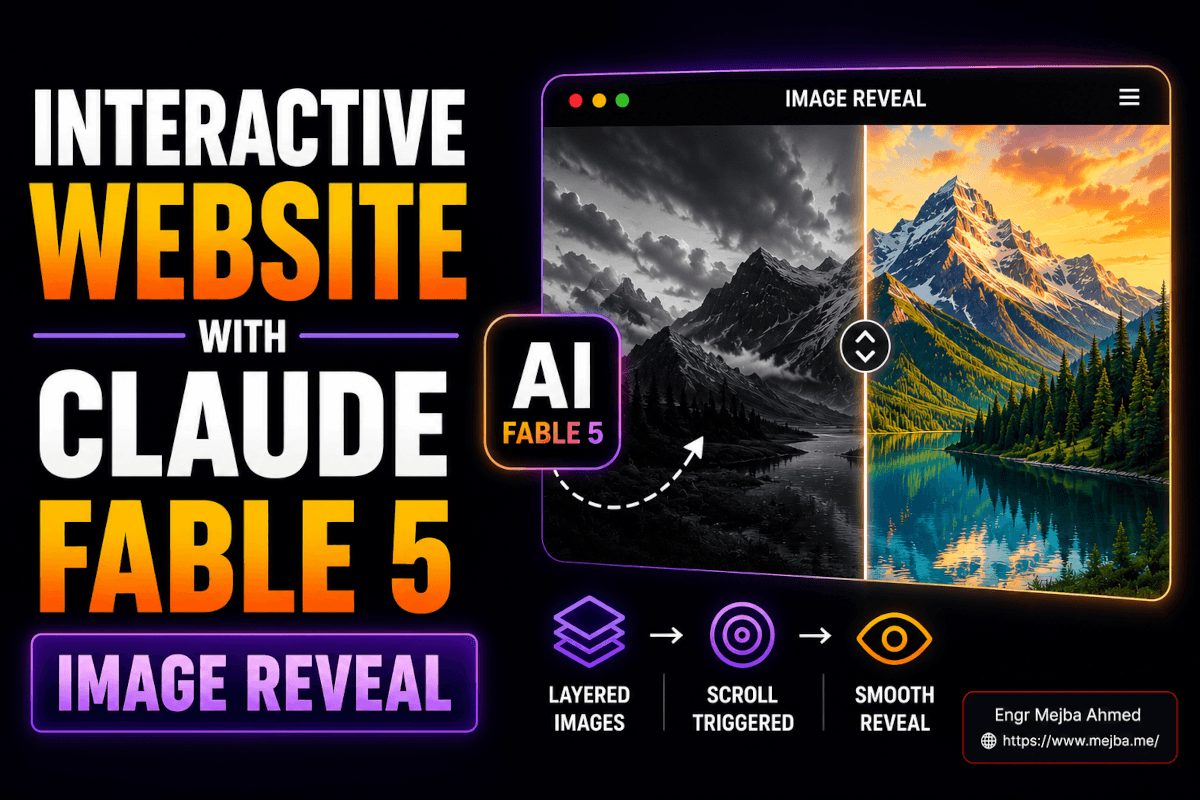
I Built 3D Scroll Websites in 15 Minutes for $5
Six months ago, a client asked me to build a landing page with a 3D rotating globe that animated on scroll. The kind of effect where each pixel of your scroll wheel triggers the next frame of a cinematic animation—the globe spins, continents emerge, data points light up. Stunning stuff. The freelancer they'd initially hired quoted $8,000 and a three-week timeline. I took the project, spent four days hand-coding Three.js scenes, wrestling with scroll-linked animation timing, and compressing video assets until my eyes blurred. The final invoice was $5,500, and I considered that a deal.
Last Tuesday, I built four websites with similar 3D scroll effects. Total time: roughly 15 minutes. Total cost: somewhere between $2 and $5 in AI tokens.
I sat there staring at the fourth deployed site, a space station interior with smooth parallax scrolling and frame-by-frame 3D animation, and honestly felt a little sick. Not because the quality was bad—it was genuinely good. Because I'd spent years learning the hard way to do something that AI tools now handle in the time it takes to brew coffee.
Here's the thing, though. That feeling passed quickly, replaced by something better: excitement about what this means for the projects I can take on now. The ceiling just got blown off. And I want to walk you through exactly how this pipeline works, because it's way simpler than the tutorials and Twitter threads are making it out to be.
The Old Way Cost Thousands. The New Way Costs Pocket Change.
To understand why this matters, you need to know what building 3D scroll-effect websites traditionally involved.
A scroll-linked 3D animation isn't just a video playing in the background. The user's scroll position controls which frame of the animation displays at any given moment. Scroll down 10%? You see frame 30 out of 300. Scroll to 50%? Frame 150. This creates the illusion that your scrolling is physically manipulating a 3D object—rotating it, zooming into it, exploding it apart.
Getting this right required a stack of specialized skills. You needed a 3D artist to create the model and render the animation in something like Blender or Cinema 4D. Then a motion designer to export frames at the right resolution and frame rate. A front-end developer comfortable with Intersection Observer, requestAnimationFrame, and scroll normalization math. And someone with enough optimization knowledge to compress 300+ high-res frames into something that wouldn't take 45 seconds to load on mobile.
Each of those specialists charged real money. A single 3D asset could run $500-$2,000. A developer implementing scroll-linked frame animation? $2,000-$5,000 depending on complexity. Optimization and cross-browser testing? Another $500-$1,000. You were looking at $5,000-$10,000 minimum for a single page with one 3D scroll effect.
I know these numbers because I've been on both sides of those invoices.
The AI pipeline I'm about to show you collapses this entire chain—3D asset creation, website design, scroll animation implementation, optimization, and deployment—into a workflow that costs less than a fancy latte. The quality gap between the $8,000 version and the $5 version is shrinking faster than anyone in the web development industry wants to admit.
But before I walk you through the tools, let me show you the actual workflow from start to deployed site. Because the tools only matter if you understand how they fit together.
What Does the 3D Scroll Effect Website AI Pipeline Actually Look Like?
The entire process breaks into four stages, and each one is handled by a different AI tool. Think of it as an assembly line where each station does one job extremely well.
Stage 1: You give Claude Code a set of bullet points describing what you want. Not a detailed spec. Not wireframes. Bullet points. "Luxury real estate landing page. Hero section with rotating 3D globe. Dark theme. Gold accents. Three feature sections. Contact form at the bottom." That's it. Claude Code generates a complete, styled website.
Stage 2: You generate your 3D animations using Cling 3.0, accessed through the Kling AI platform. Upload a reference image or describe what you want—a rotating Earth, an exploded-view diagram of a product, a space station flythrough—and Cling 3.0 produces a high-quality 3D video in about two minutes.
Stage 3: You break that video into individual JPEG frames and wire them to the scroll position using a technique Claude Code implements automatically when you ask it to. The result: butter-smooth frame-by-frame animation controlled entirely by the user's scroll wheel.
Stage 4: You deploy the whole thing to Netlify for free, with global CDN caching so it loads fast everywhere.
That's the pipeline. Four stages. Three AI tools doing the heavy lifting. Your job is mostly describing what you want and clicking "deploy." The part that blew my mind wasn't any single tool—it was how cleanly they chain together. Each output feeds directly into the next input with almost zero friction.
Now, I want to take you through each stage in detail, because the devil is in the specifics. And the specifics are where this gets really powerful.
Stage 1: Claude Code Turns Bullet Points into Luxury Websites
I've been using Claude Code for months—building AI agents, automating workflows, writing backend services. But watching it generate polished front-end websites from minimal input is a different kind of impressive.
Here's what I actually typed for my first test:
Build a luxury real estate website landing page.
- Dark background, gold accent colors
- Hero section: full-width, with space for a background video
- "Discover Exceptional Living" as the headline
- Three property feature cards below the hero
- Smooth scroll behavior
- Contact section at the bottom
- Modern, clean typography
- Mobile responsive
That's the entire prompt. Bullet points. No framework preferences, no CSS specifics, no component architecture decisions. Claude Code took those bullets and generated a complete HTML/CSS/JavaScript site with:
- A dark-themed layout with actual gold (#C5A572) accent colors that looked intentional, not random
- A hero section pre-structured for a background video element
- Three property cards with hover animations
- Smooth scrolling with tasteful fade-in effects on scroll
- A responsive grid that collapsed gracefully on mobile viewports
- Clean typography using Inter and Playfair Display—fonts that actually pair well together
The output looked like something a competent designer and front-end developer spent two or three days building. Not a rough prototype. A deployment-ready page.
The Secret Sauce: Skills That Supercharge Claude Code
Here's a detail that makes a massive difference. There's a Claude Code "skill"—essentially a specialized prompt module—that was developed by a remarkably talented 16-year-old developer. This skill tells Claude Code to apply luxury design principles automatically: proper whitespace ratios, typography hierarchies, color contrast that meets accessibility standards while still looking premium, subtle micro-animations on interactive elements.
When you activate this skill, the difference is night and day. Without it, Claude Code produces functional but generic-looking sites. With it, the output has actual design sophistication. The kind of subtle polish that separates a template from a branded experience.
I'm not going to pretend I understand exactly what's in that skill prompt—it's been shared in various AI developer communities—but the results speak for themselves. If you're working with Claude Code for website generation, finding and applying quality skills is the single biggest lever for output quality.
Running Claude Code: The Environment Setup
You need an environment to run Claude Code in. I use VS Code with the Claude Code extension, but the workflow I saw demonstrated used Anti-Gravity IDE, which provides a clean interface for prompt-driven development.
The environment doesn't matter much. What matters is that Claude Code has access to create and modify files in a project directory, and that you can preview the output in a browser. Any modern IDE with Claude Code integration handles this.
The cost for this stage? Roughly $0.50-$1.00 in tokens for a complete website generation, depending on how many revisions you ask for. Compare that to $2,000-$5,000 for a human designer-developer team, and you start to understand why I felt queasy looking at those four finished sites.
But a beautiful static page isn't what we're after. We need 3D animations. And that's where the second tool enters the pipeline.
Stage 2: Cling 3.0 Generates Cinematic 3D Animations
Cling 3.0 is a video generation model that handles 3D animation with a level of quality I genuinely didn't expect. I'd played with earlier versions and found them underwhelming—floaty physics, inconsistent geometry, that unmistakable "AI-generated" look. Version 3.0 is different.
You access Cling 3.0 through the Kling AI platform. The pricing model is straightforward: roughly $30 gets you 600 credits, and each video generation costs between 10-50 credits depending on length and resolution. For our purposes—short 3-5 second loops at 720p or 1080p—each generation runs about 10-20 credits.
What I Generated (And How)
For my first website, I wanted a rotating globe. Not a flat texture-mapped sphere—a globe with visible depth, atmospheric haze, and realistic lighting that shifted as it rotated. I uploaded a reference image of a stylized Earth render and prompted:
Slowly rotating 3D globe with visible atmosphere.
Cinematic lighting from the upper left.
Dark space background. Smooth, continuous rotation.
High detail on continental geography.
Two minutes later, Cling 3.0 delivered a 5-second video that looked like it came from a Blender artist who'd spent a full day on the render. The atmospheric scattering was convincing. The rotation was smooth and continuous. The lighting had genuine depth.
For the second website, I went more ambitious: an exploded-view diagram of a luxury watch, with components floating apart and slowly rotating to reveal internal mechanisms. This is the kind of animation that typically requires a 3D modeler with CAD experience and several days of rendering time. Cling 3.0 produced it from a text prompt and a reference image in about three minutes.
The third site featured an abstract architectural interior—think a futuristic hallway with impossible geometry and dramatic lighting. The fourth was a space station environment with a slow camera dolly through a corridor.
Each generation cost roughly $0.50-$1.00 worth of credits. Each took under three minutes. The quality wasn't indistinguishable from professional 3D renders—an experienced eye can spot the AI tells—but for website hero animations viewed at 60-70% opacity behind text? The quality was more than sufficient. It was genuinely impressive.
Tips for Getting Better Results from Cling 3.0
After running about 20 generations across those four websites, I picked up some patterns.
Reference images matter enormously. Cling 3.0 produces dramatically better results when you give it a starting frame. I used Nano Banana, an AI image generation tool, to create high-quality still images as reference points. Feed Cling 3.0 a crisp, well-composed reference image plus a motion description, and the output quality jumps noticeably compared to text-only prompts.
Keep motions simple and continuous. "Slowly rotating" works better than "rotating and then zooming in and then exploding." Complex multi-phase motions confuse the model. Generate separate clips for separate motions.
Specify lighting explicitly. "Cinematic lighting from upper left" or "soft ambient glow with rim lighting" gives Cling 3.0 concrete direction. Vague lighting prompts produce flat, evenly-lit results that look amateurish.
Loop-friendly motion is critical. Since we're tying this to scroll position, the animation needs to feel continuous. Rotations and slow camera moves work best. Animations with distinct start and end states (an object assembling, then disassembling) work too, but require more careful frame mapping.
With your 3D video assets generated, you're about 60% done. The next part—turning video files into scroll-driven animations—is where most tutorials overcomplicate things. It's actually the simplest stage if you let Claude Code handle it.
How Do You Turn a Video into a Scroll-Driven 3D Animation?
This is the technique that makes the whole thing feel magical, and understanding how it works demystifies the entire effect.
A scroll-linked animation isn't actually a video playing. It's a sequence of still images—frames extracted from the video—displayed one at a time based on the user's scroll position. The browser calculates how far the user has scrolled as a percentage of the page (or a specific section), maps that percentage to a frame number, and displays that frame.
Scroll at 0%? Frame 1. Scroll at 50%? Frame 150. Scroll at 100%? Frame 300. Because the frames update faster than the human eye can perceive discontinuity, it looks like you're controlling a 3D animation with your scroll wheel.
Here's the implementation process:
Step 1: Extract Frames from Your Video
You need to convert your Cling 3.0 video into individual JPEG frames. FFmpeg handles this in one command:
ffmpeg -i rotating-globe.mp4 -vf "fps=30" frames/frame_%04d.jpg
This extracts 30 frames per second. For a 5-second video, that's 150 frames. You can adjust the frame rate—15fps gives smoother scrolling at lower file sizes, 30fps gives ultra-smooth results but more weight. I've found 24-30fps hits the sweet spot.
Step 2: Compress the Frames
This is where optimization becomes critical. 150 uncompressed JPEG frames can easily total 50-100MB. Nobody's waiting for that to load.
Claude Code handles this beautifully when you ask it to. I prompted:
Optimize these extracted JPEG frames for web performance.
Target: under 300KB total for the frame sequence.
Use aggressive JPEG compression while maintaining visual quality.
Consider reducing resolution to 1280px width maximum.
Claude Code wrote a Node.js script using Sharp that:
- Resized each frame to 1280px width (maintaining aspect ratio)
- Applied JPEG compression at quality 65 (visually still good, dramatically smaller)
- Stripped EXIF metadata
- Generated a WebP fallback set for browsers that support it
The result? A 5.3MB frame sequence compressed to 252KB. That's not a typo. 252KB for 150 frames of a cinematic 3D globe animation. The compression pipeline turned what would have been a performance disaster into something that loads near-instantly even on 3G connections.
Step 3: Wire Frames to Scroll Position
Here's where Claude Code really earns its keep. I gave it this prompt:
Add scroll-driven animation to the hero section.
Use the extracted JPEG frames in the /frames directory.
Map the user's scroll position within the hero section
to frame numbers. Preload frames for smooth playback.
Use canvas element for rendering. Add a gradient mask
overlay so text remains readable over the animation.
Claude Code generated JavaScript that:
// Core scroll-frame mapping logic (simplified)
const canvas = document.getElementById('scroll-canvas');
const ctx = canvas.getContext('2d');
const frameCount = 150;
const frames = [];

// Preload all frames into memory
for (let i = 1; i <= frameCount; i++) {
  const img = new Image();
  img.src = `frames/frame_${String(i).padStart(4, '0')}.jpg`;
  frames.push(img);
}

// Map scroll position to frame index
window.addEventListener('scroll', () => {
  const scrollTop = window.scrollY;
  const maxScroll = document.body.scrollHeight - window.innerHeight;
  const scrollFraction = scrollTop / maxScroll;
  const frameIndex = Math.min(
    frameCount - 1,
    Math.floor(scrollFraction * frameCount)
  );

  // Draw current frame to canvas
  if (frames[frameIndex].complete) {
    ctx.drawImage(frames[frameIndex], 0, 0, canvas.width, canvas.height);
  }
});
The actual implementation Claude Code produced was more sophisticated—it included requestAnimationFrame debouncing, intersection observer for lazy initialization, progressive frame loading, and fallback behavior for browsers with scroll performance issues. But the core logic above is the mental model.
Step 4: Add the Gradient Mask
One detail that separates amateur scroll animations from professional ones: text readability. If you slap text directly over a 3D animation, it's unreadable half the time as bright frames wash out white text.
Claude Code added a CSS gradient overlay—a semi-transparent dark gradient that sits between the canvas animation and the text layer. The animation remains visible and impressive, but the text has guaranteed contrast at every frame.
.hero-overlay {
  position: absolute;
  inset: 0;
  background: linear-gradient(
    180deg,
    rgba(0, 0, 0, 0.3) 0%,
    rgba(0, 0, 0, 0.7) 100%
  );
  z-index: 1;
}

.hero-text {
  position: relative;
  z-index: 2;
}
Small detail. Massive impact on the final product's polish.
If you'd rather have someone build this entire setup from scratch, I take on custom web development and AI integration projects. You can see what I've built at fiverr.com/s/EgxYmWD.
Stage 4: Deploy to Netlify in Under 60 Seconds
With the site built, animations integrated, and everything optimized, deployment takes about a minute.
Netlify offers free hosting with a global CDN, which means your compressed JPEG frames get cached on servers worldwide. A visitor in Tokyo loads the same frames as fast as someone in New York.
The deployment process:
# Install Netlify CLI if you haven't
npm install -g netlify-cli

# Initialize and deploy
netlify init
netlify deploy --prod
That's it. Netlify detects your static files, uploads them, provisions a CDN, and gives you a live URL. The free tier handles up to 100GB of bandwidth per month—more than enough for a portfolio site or landing page getting moderate traffic.
For custom domains, you point your DNS to Netlify's servers and they handle SSL certificates automatically. Total ongoing cost: whatever you pay for the domain ($10-15/year). Hosting is genuinely free.
I deployed all four test sites to Netlify subdomains in under five minutes. Each one loaded in under 2 seconds on a cold cache, including the 3D scroll animations. On repeat visits with cached frames, the animations were instantaneous.
Here's what made me laugh about the whole process: the deployment stage—the part that used to stress me out with server configurations, SSL setup, build pipelines, and CDN provisioning—is now the easiest, most boring part of the workflow. The AI handles the creative and technical heavy lifting. Deployment is just clicking a button.
But I want to be honest about something most people writing about AI web development tools conveniently skip over.
What This Pipeline Gets Wrong (And What Still Needs Human Judgment)
I'd be doing you a disservice if I painted this as a magic wand. After building four sites with this workflow, I hit real limitations that are worth knowing about before you invest time.
The 3D animations have a shelf life. Cling 3.0 produces impressive results today, but they have a subtle quality signature that trained eyes recognize as AI-generated. The physics aren't quite right—light diffuses slightly too evenly, reflections lack the micro-imperfections of real 3D renders, and complex geometry sometimes warps at the edges. For hero backgrounds at 60-70% opacity, this is invisible. For a product page where the 3D model IS the product? You'd notice.
Claude Code's design taste is improving but still generic. Even with the luxury design skill activated, the output follows predictable patterns. Dark theme plus gold accents plus serif headlines plus card-based layouts. It's a template aesthetic—polished, yes, but if you lined up ten Claude Code-generated luxury sites, you'd spot the family resemblance. For a client who wants a genuinely distinctive brand experience, you still need a human designer making opinionated choices.
Scroll performance varies wildly across devices. My test sites ran beautifully on my M2 MacBook and recent iPhones. On a three-year-old Android phone? The frame-by-frame scroll animation stuttered noticeably during fast scrolling. Progressive enhancement—falling back to a static image or simple video on lower-powered devices—is something you need to implement manually. Claude Code can help write the detection logic, but you need to think about it and ask for it.
Mobile optimization isn't automatic. Claude Code generates responsive layouts, but scroll-linked animations behave differently on mobile. Touch scrolling has momentum and bounce physics that don't map cleanly to frame indices. I had to ask Claude Code specifically to implement touch-scroll normalization, and the first solution it produced was jittery. Took two more iterations to get smooth mobile scroll animation. Still way faster than coding it by hand, but not a one-shot solution.
Content strategy is still your job. These tools generate beautiful containers. But a beautiful container with weak messaging is just a pretty waste of bandwidth. The headline, the value proposition, the call to action, the information hierarchy—that's still human judgment work. AI can suggest copy, but the strategic decisions about what to say and in what order require understanding your audience in ways AI doesn't yet match.
I used to think acknowledging limitations undermined the pitch. Now I think it does the opposite. When someone tells you what a tool can't do, you trust them more about what it can do.
The Real Cost Breakdown: $5 vs $5,000
Let me put real numbers on this, because the cost difference is the part that fundamentally changes who can build these kinds of websites.
Traditional approach:
- 3D asset creation (Blender artist): $500-$2,000
- Website design (UI/UX designer): $1,000-$3,000
- Front-end development (scroll animation specialist): $2,000-$5,000
- Optimization and testing: $500-$1,000
- Total: $4,000-$11,000
- Timeline: 1-3 weeks
AI pipeline approach:
- Claude Code tokens (website generation + revisions): $0.50-$1.50
- Cling 3.0 credits (2-3 video generations): $1.00-$2.00
- Nano Banana (reference images): $0.50-$1.00
- Netlify hosting: $0.00
- Total: $2.00-$4.50
- Timeline: 15-30 minutes
That's a 99.95% cost reduction. I double-checked that math because it seemed wrong. It's not.
Now, there's a massive asterisk here. The traditional approach gives you a custom, hand-crafted result with exactly the design decisions you specified. The AI pipeline gives you a very good result that follows recognizable patterns. For a startup landing page, a portfolio site, a conference microsite, or a proof of concept? The AI pipeline is absurdly cost-effective. For a Fortune 500 rebrand or a design-award-contender? You still want humans in the loop.
The democratization angle is what excites me most. A freelancer in Lagos or Dhaka or Medellin can now ship 3D scroll-effect websites to clients for $200-$500—work that would have been technologically out of reach two years ago—and still maintain healthy margins. That's not a small thing. That's an entire tier of web development becoming accessible to people who were previously priced out.
What I'd Build Next With This Pipeline
After those four test sites, my brain started spinning with applications. The pattern of "AI generates 3D animation + Claude Code builds the interactive wrapper" applies to way more than landing pages.
Product demos with scroll-controlled rotation. Imagine an e-commerce page where scrolling rotates the product 360 degrees—a shoe, a piece of furniture, a piece of hardware. Cling 3.0 generates the rotation video from product photos, Claude Code builds the scroll interaction. The customer feels like they're physically manipulating the product.
Educational content with scroll-driven diagrams. A biology site where scrolling through the cell chapter animates a 3D cell model—zooming into organelles, exploding the membrane, revealing internal structures. A physics explainer where scrolling controls the trajectory of a projectile with real-time variable visualization.
Architectural walkthroughs. A real estate developer's site where scrolling walks you through a building—exterior approach, lobby entrance, elevator ride, penthouse reveal. Each scroll zone triggers a different phase of the 3D walkthrough animation.
Interactive storytelling. A narrative site where the reader's scroll drives the visual environment—landscape changes, day turns to night, weather shifts, characters move through scenes. The 3D animation becomes the illustration layer for a digital story.
The common thread: any context where controlling visual progression through scrolling enhances the user's sense of agency and engagement. That's a wide category, and it's mostly unexplored because the production costs were prohibitive until now.
Your 30-Minute Challenge: Build Your First 3D Scroll Site
I don't want you to just read this and move on. I want you to build something. Here's a path that gets you from zero to deployed site in 30 minutes—even if you've never touched Claude Code or Cling 3.0.
Minutes 1-5: Set up your tools.
- Install Claude Code in your IDE (VS Code, Cursor, or use Anti-Gravity IDE)
- Create an account on Kling AI for Cling 3.0 access (starting credits are affordable at roughly $30 for 600)
- Create a free Netlify account if you don't have one
Minutes 5-10: Generate your 3D animation.
- Go to Kling AI and select Cling 3.0
- First, generate a reference image using any AI image tool (Nano Banana, Midjourney, or even DALL-E)—describe the starting frame of your desired animation
- Upload that reference image and describe the motion: "Slow 360-degree rotation, cinematic lighting, dark background"
- Generate the video. While it processes (2-3 minutes), move to the next step
Minutes 10-18: Build the website with Claude Code.
- Open your IDE and create a new project folder
- Tell Claude Code what you want. Use bullet points. Be specific about the hero section needing space for a scroll-driven video animation
- Let Claude Code generate the site. Review the output, ask for adjustments if needed
- Download your Cling 3.0 video when it's ready
Minutes 18-25: Integrate the animation.
- Use FFmpeg to extract frames (install it via Homebrew on Mac:
brew install ffmpeg) - Ask Claude Code to compress the frames and implement scroll-driven animation
- Ask for a gradient overlay on the hero section for text readability
- Test locally by scrolling through the page
Minutes 25-30: Deploy.
- Run
netlify deploy --prodfrom your project directory - Share the URL. You just built something that would have cost thousands six months ago.
If you get stuck at any step, Claude Code itself is your debugging partner. Describe what's going wrong, paste any error messages, and it'll generate fixes. I hit three bugs during my test builds, and Claude Code resolved each one in under a minute.
Where This Is All Heading
I keep coming back to that feeling from last Tuesday—staring at four deployed 3D scroll-effect websites built in 15 minutes for the cost of a coffee. It wasn't the technology that struck me. It was the implication.
We're watching the production cost of impressive web experiences collapse toward zero. Not slowly, over decades. Right now. In months. The tools I used last Tuesday didn't exist in their current form six months ago. Six months from now, they'll be dramatically better.
The people who thrive in this new landscape won't be the ones who can hand-code Three.js scroll animations—that skill just got commoditized. They'll be the ones who know what to build, who to build it for, and how to make it matter. Strategy. Taste. Understanding what a rotating 3D globe communicates versus a simple parallax image, and when each one is the right choice.
The tools handle the "how." Your job—my job—is the "why" and the "what."
I spent four days hand-coding that 3D globe animation six months ago. I'd spend those same four days very differently now. Not coding the animation. Planning what story the animation tells. Choosing the moments in the scroll journey where the 3D effect supports the narrative versus where a static image would work better. Making the creative decisions that no AI model is making for you yet.
That's where the real value lives now. And honestly? That's the part of this work I always liked best anyway.
FAQ
Frequently Asked Questions
Everything you need to know about this topic
The full pipeline—Claude Code tokens, Cling 3.0 credits, and AI image generation—runs $2-$5 total per website. Hosting on Netlify is free. This replaces a traditional workflow that typically costs $5,000-$10,000 with freelancers or agencies.
Yes, but it requires specific touch-scroll normalization that Claude Code can implement when asked. Performance varies by device—recent phones handle it well, while older devices may need a fallback to static images. For the full optimization approach, see the mobile optimization notes in the implementation section above.
Cling 3.0 is a 3D video generation model available through the Kling AI platform. As of March 2026, $30 buys approximately 600 credits, with each short video generation costing 10-50 credits depending on length and resolution. It generates cinematic 3D animations from text prompts and reference images in 2-3 minutes.
The scroll-driven frame animation works well for product rotation and exploded-view diagrams. For hero backgrounds and general product showcases, AI-generated 3D animations are compelling. For product detail pages where the 3D model represents the actual product being sold, carefully review the output—AI-generated geometry can have subtle inaccuracies that matter when customers are making purchase decisions.
Minimal. Claude Code handles the website generation and scroll animation implementation from natural language prompts. You need basic comfort with a terminal to run FFmpeg and deploy to Netlify, but the actual commands are copy-pasteable. The biggest skill you bring is creative direction—knowing what you want the site to look and feel like.
Let's Work Together
Looking to build AI systems, automate workflows, or scale your tech infrastructure? I'd love to help.
- Fiverr (custom builds & integrations): fiverr.com/s/EgxYmWD
- Portfolio: mejba.me
- Ramlit Limited (enterprise solutions): ramlit.com
- ColorPark (design & branding): colorpark.io
- xCyberSecurity (security services): xcybersecurity.io