"Quick context: Ramlit is the software agency, ColorPark is the design studio, xCyberSecurity is the security practice, and mejba.me is my personal site. Different audiences, different voices."
I have typed some version of that explanation more times than I can count.
A new Claude chat starts.
I explain the brands.
A Cowork task starts.
I explain them again.
Then I explain that ColorPark should not sound like xCyberSecurity, my personal writing should not sound like corporate agency copy, and a rule that applies to one brand is not automatically a rule for all four.
On August 25, 2026, Anthropic changed that workflow with its updated Claude memory system.
Claude can now maintain editable memory topics, keep Project memory isolated from general memory, and carry remembered context between normal Claude chat and Claude Cowork when Cowork runs in the cloud.
But cross-surface memory is not the part I found most important.
The important change is that memory became inspectable.
I can open Claude's memory settings and see what it believes about my work.
I can correct a wrong assumption.
I can remove something that should not persist.
I can keep context inside a specific Project instead of letting it affect unrelated conversations.
And the first setting I checked was the one I had the least reason to enable:
sensitive-topic memory.
For my work account, I keep it off.
That decision matters less than the reasoning behind it.
Because the useful question with AI memory is no longer:
Can Claude remember this?
It is:
Should this information become standing context for future work?
What Claude Unified Memory Actually Changed
Anthropic announced the new memory experience on August 25, 2026.
The update introduced several related capabilities:
- memory represented as individual editable topics;
- real-time memory updates while you chat;
- isolated memory for individual Projects;
- shared memory between regular Claude chat and cloud-based Cowork;
- controls to pause or reset memory;
- separate handling for sensitive topics;
- visibility into what Claude has stored;
- memory import and export.
Anthropic describes the goal as reducing the need to repeatedly brief Claude on information it has already learned about your work.
The distinction between cloud Cowork and local Cowork matters.
Memory shared between Claude chat and Cowork applies when Cowork runs in the cloud. Anthropic's current documentation explicitly says local Cowork sessions on your computer do not use that shared memory.
That is an important limitation if you move between both modes.
Claude Memory Is Not a Transcript
A memory entry is not simply a copy of a conversation.
Claude extracts information that appears useful for future collaboration and stores it as structured memory.
Anthropic says the system focuses primarily on work-related context such as:
- your role;
- projects;
- professional context;
- communication preferences;
- working style;
- technical preferences;
- coding style;
- ongoing project information.
That distinction matters.
Imagine I say this during a conversation:
For mejba.me articles, keep the writing first-person, technically specific, and willing to explain what did not work.
Claude does not need to replay the entire conversation every time I write an article.
The useful persistent context is the rule itself.
Something like:
Personal site writing: First-person expert voice. Prefer concrete implementation details over generic claims. Include limitations or failures when they materially improve the analysis.
That is much more useful than preserving twenty pages of conversation.
And because I can inspect the memory, I can immediately spot when Claude has inferred too much.
Why Editable Memory Matters More Than Automatic Memory

An invisible memory system creates a strange problem.
It may make outputs more personalized while making failures harder to diagnose.
Suppose Claude starts producing every article at 800 words because I once asked:
Make this post shorter.
If I cannot inspect the stored assumption, I only see the symptom.
Every few conversations I am correcting:
This one can be detailed.
Don't shorten this article.
The earlier request applied only to that post.
With inspectable memory, I can fix the underlying assumption once.
That is what makes the new system much more useful to me.
Memory becomes something closer to configuration.
Not perfect configuration—Claude still generates and updates it automatically—but something I can review.
For anyone using Claude professionally, that distinction is important.
Persistent context should be auditable.
The First Thing I Checked: Sensitive-Topic Memory

Claude does not include certain sensitive subjects in memory by default.
Anthropic gives examples including health and beliefs, with a separate setting available for users who explicitly want those subjects remembered.
There are reasonable personal uses for that option.
Someone using Claude for meal planning may want it to remember a food allergy.
Someone using it regularly for fitness discussions may prefer not to repeat relevant personal context.
My usage is different.
I primarily use Claude for:
- software engineering;
- AI development;
- content;
- business operations;
- cybersecurity;
- design work;
- client projects.
For that environment, remembering sensitive personal categories offers me very little operational benefit.
So I keep that option off.
This is not a universal recommendation that nobody should use sensitive memory.
It is a simple risk-versus-value test.
If persistent information makes future work substantially better, storing it may be useful.
If it provides almost no benefit, there is little reason to expand what the system retains.
That is the rule I apply to the rest of memory too.
The Better Question: Does This Need to Persist?
People often treat AI memory as though more memory must be better.
I think the opposite framing is safer:
Persist the minimum context that produces a meaningful improvement.
For my workflow, useful persistent information includes:
- brand positioning;
- writing preferences;
- recurring project conventions;
- role information;
- tool preferences;
- communication style.
Information I would rather not turn into standing context includes:
- credentials;
- temporary secrets;
- confidential client details that are useful once;
- unreleased product information that does not need to survive the task;
- financial data;
- private contractual information;
- personal information with no ongoing work value.
The difference is not whether Claude can discuss the information.
The difference is whether Claude needs to remember it after the conversation is over.
Projects Are the Most Important Memory Boundary
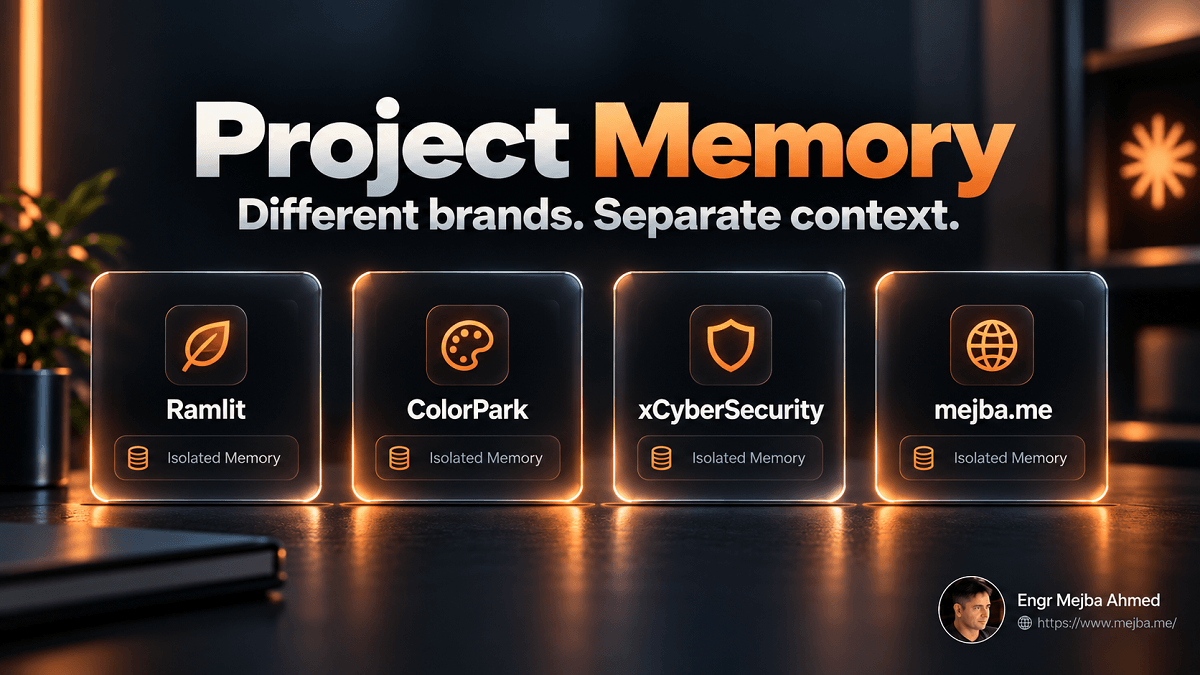
For someone working across multiple businesses, Project memory may be more important than global memory.
Anthropic gives each Project its own separate memory space.
Context learned inside one Project does not automatically become Project memory in another.
That solves a major problem for my setup.
Consider my four brands.
Ramlit Limited
Software engineering, AI development, automation, applications, enterprise technical work.
ColorPark
Branding, design, creative strategy, UI/UX, visual communication.
xCyberSecurity
Cybersecurity, defensive security, risk, technical security content.
mejba.me
Personal expertise, experiments, engineering experience, tutorials, technical opinions.
Those businesses should not share one undifferentiated voice.
If I put every brand instruction into one global memory, Claude must constantly decide which rule applies.
That creates avoidable ambiguity.
Instead, I use a simple rule:
If information is true only inside one context, it belongs inside that context.
For my workflow that means:
General memory
- my general formatting preferences;
- how I prefer technical claims handled;
- tools I commonly use;
- broad professional context;
- writing preferences that genuinely apply everywhere.
Ramlit Project memory
- Ramlit positioning;
- audience;
- services;
- brand voice;
- recurring deliverables.
ColorPark Project memory
- design positioning;
- creative tone;
- visual-language preferences;
- audience.
xCyberSecurity Project memory
- security voice;
- terminology;
- audience;
- risk-communication standards.
Personal Project memory
- first-person writing;
- personal positioning;
- portfolio conventions;
- founder perspectives.
This dramatically reduces cross-brand contamination.
General Memory vs Project Memory
A practical way to decide where information belongs:
| Information | General memory | Project memory |
|---|---|---|
| "I prefer concise status updates" | ✅ | |
| "ColorPark should sound design-forward" | ✅ | |
| "Use evidence for technical claims" | ✅ | |
| "xCyberSecurity must avoid fear-based marketing" | ✅ | |
| "This project's launch date is October 14" | ✅ | |
| "I commonly work with Laravel and Python" | ✅ | |
| "This client uses AWS eu-west-1" | ✅ | |
| "Use first person on mejba.me" | ✅ |
The test is simple:
Would this memory still be correct if I switched to a completely different project?
If yes, general memory may be appropriate.
If no, scope it more narrowly.
Memory Is Not the Same as Chat Search
Claude also has the ability to search past conversations.
That sounds similar to memory, but the two capabilities solve different problems.
Memory keeps selected standing context available.
Chat search retrieves specific details from previous conversations when relevant.
For example:
I prefer implementation-focused technical articles.
That is useful as memory.
But:
What API error did we encounter during the PlayStation Shop deployment in April?
That is more naturally a past-chat search.
You do not necessarily want every historical detail promoted into permanent memory.
A healthy system uses memory for recurring context and retrieval for historical context.
How I Audit Claude Memory
I treat memory review a little like code review.
I am not checking whether every sentence sounds nice.
I am looking for errors that could compound later.
There are four categories I care about.
1. Over-Generalization
This is the easiest way for a helpful preference to become an annoying rule.
You say:
Keep this LinkedIn caption short.
Claude remembers:
Prefers short writing.
Those are not equivalent.
When I see an entry like that, I narrow it.
For example:
Prefers short, highly scannable copy for social-media captions unless detailed content is explicitly requested.
Scope matters.
2. Stale Information
Persistent context has a maintenance cost.
Information most likely to become stale includes:
- pricing;
- company positioning;
- service lists;
- product names;
- team roles;
- deadlines;
- software versions;
- client status;
- contact information.
A memory system can confidently repeat stale information indefinitely.
That is worse than having to ask.
3. Context Bleed
A useful rule in one environment may be wrong elsewhere.
For example:
Avoid unnecessary technical jargon.
Reasonable for a client-facing ColorPark article.
Potentially damaging if Claude applies it to a deep software-engineering tutorial where precise terminology is the point.
That information belongs in the appropriate scope.
4. Information That Should Not Be Persistent
The final category is not necessarily information Anthropic prohibits from memory.
It is information I do not want there.
That may include confidential business facts that were relevant to one task but should not become standing context.
This is where human judgment still matters.
Pause Memory and Reset Memory Are Not the Same
Claude provides two very different ways to stop memory.
Pause Memory
Pausing preserves the existing memory but stops Claude from using it or generating new memories while the pause is active.
Anthropic also says conversations held while memory is paused are not later backfilled into memory after you turn it back on.
That makes Pause useful when you temporarily want a memory-free workflow without destroying what you have already curated.
Reset Memory
Reset is fundamentally different.
It permanently deletes the memory, including Project memories.
Anthropic explicitly says this action cannot be undone.
Use Reset when you actually want a clean start.
Do not use it as a temporary privacy switch.
For temporary separation, Pause or Incognito is usually the more appropriate concept.
Incognito Is Useful—But Understand What It Means
Claude's Incognito mode creates conversations that are not saved to your normal chat history and are not incorporated into memory.
Claude also does not use your existing memory inside the Incognito conversation.
That makes it useful when I want a conversation to stay outside my persistent context.
But Incognito does not mean:
Anthropic immediately stores nothing anywhere.
Anthropic's current documentation says Incognito chats are retained for 30 days by default, or according to an organization's longer custom retention setting where applicable.
For Team and Enterprise accounts, Incognito conversations may also appear in organizational exports, and Enterprise organizations can access them through the Compliance API.
That distinction matters.
Incognito is primarily a history and memory boundary.
It is not necessarily a compliance or retention boundary.
If you work inside an organization, do not assume "not in my sidebar" means "not available to the organization."
Incognito Is Also Not Available Inside Projects
Another useful limitation:
Anthropic currently says Incognito conversations can be started outside Projects.
You cannot simply switch a Project chat into Incognito while retaining that Project context.
That makes sense architecturally.
A Project is designed around persistent context.
Incognito is designed to avoid persistence.
If I need a memory-free conversation, I start it outside the Project and explicitly provide only the context necessary for that task.
Claude Memory Now Has Import and Export
This is a useful addition that was missing from the first version of my workflow.
Anthropic now lets users import memory from another AI assistant or export Claude memory for backup or migration.
The feature is currently described as experimental.
That gives memory a useful portability layer.
Before making major changes, I can export what Claude currently knows.
If I migrate between tools, I have something more useful than a giant conversation archive.
And if an AI provider becomes part of my daily work, I increasingly think memory portability should be considered a basic requirement.
Your accumulated working context should not become invisible lock-in.
Anthropic also notes that importing memory does not guarantee every imported detail will be retained. Claude is designed to prioritize useful work-related context.
So export is useful.
Import still needs verification.
Claude Memory and Claude Code Memory Are Different Systems
This is especially important for developers.
Claude's account-level memory for chat and cloud Cowork is not the same thing as Claude Code's project memory.
Claude Code uses mechanisms such as:
CLAUDE.md;- user-level
~/.claude/CLAUDE.md; - repository
CLAUDE.md; - module-level
CLAUDE.md; - Claude Code auto-memory stored locally for the project.
Anthropic documents auto-memory under a local path such as:
~/.claude/projects/<project>/memory/
These systems solve different problems.
| Claude memory | Claude Code memory | |
|---|---|---|
| Main use | Personal/work continuity | Coding and repository context |
| Storage model | Account/cloud feature | Files/local project memory |
| Project isolation | Yes | Repository/directory scope |
| Version control | No | CLAUDE.md can be committed |
| Team review | Not like Git | Yes, for committed instructions |
| Chat use | Yes | No |
| Cloud Cowork use | Yes | No direct shared-memory bridge |
| Claude Code use | No automatic bridge | Yes |
This separation is healthy.
Project architecture should not depend on one engineer's private AI memory.
If your Laravel application requires service classes to follow a specific pattern, put that in the repository's CLAUDE.md.
Then everyone—and every Claude Code session—can use the same rule.
If the information is:
I prefer technical explanations to include the reason behind the decision.
That is personal workflow context and fits account-level memory much better.
For a deeper technical breakdown, see my guide to Claude Code memory systems.
CLAUDE.md Wins When the Context Belongs to the Team
I use a simple test.
Ask:
Should another engineer be able to review this instruction in Git?
If yes, it probably does not belong only in personal Claude memory.
Examples:
Use pnpm rather than npm.
All tenant queries must be scoped by tenant_id.
New API endpoints require integration tests.
Never modify production migrations after deployment.
Those are project rules.
Put them somewhere durable, reviewable, and version-controlled.
Memory is useful for personalization.
It should not become shadow documentation.
What I Deliberately Keep Out of Memory
My rule here is stricter than the product's technical limits.
Credentials
Never API keys.
Never passwords.
Never private keys.
Never access tokens.
Never database credentials.
AI memory does not create the reason for this rule. It makes the consequences of ignoring it easier to understand.
Temporary Client Secrets
Suppose a client tells me the codename of an unreleased product.
Claude may need that information to complete one task.
That does not mean I want it carried into future conversations.
Temporary relevance is not a reason for persistence.
Highly Confidential Commercial Information
Internal margins.
Unannounced acquisitions.
Negotiation positions.
Sensitive contract terms.
Private security findings.
If that information does not materially improve future work, I do not want it becoming standing context.
Context That Expires Quickly
Temporary staging URLs.
One-off deadlines.
Short-lived workarounds.
Old pricing.
Anything likely to become false soon deserves skepticism before becoming permanent memory.
Deleted Conversations and Memory Are Separate Things
This is an important current detail.
Anthropic says deleting or expiring the original conversation does not necessarily remove memory entries that were generated from that conversation.
Those memory entries must be managed separately.
That is another reason to periodically review memory directly rather than assuming conversation cleanup also cleans persistent context.
Think of them as different layers:
Conversation history is one record.
Memory derived from it is another.
Removing one is not automatically the same as removing the other.
Team and Enterprise Need a Memory Policy Before a Rollout
Individual memory management is mostly a personal workflow issue.
Organization-wide memory introduces governance.
Anthropic gives organization owners controls over whether memory is available, and current documentation warns that disabling memory at the organization level can permanently delete existing memory data for users in the organization.
That is not a casual toggle.
If I were rolling memory out across a company, I would document four things before enabling it broadly.
What Is Appropriate to Store?
Give employees examples.
Not:
Don't store sensitive stuff.
Instead:
Good candidates
- communication preferences;
- workflow conventions;
- recurring project context.
Bad candidates
- credentials;
- confidential HR matters;
- unnecessary customer data;
- unreleased commercial information;
- secrets that belong in dedicated systems.
Who Controls Sensitive Topics?
Treat sensitive-topic memory as a separate policy decision rather than assuming ordinary memory approval covers everything.
What Does Incognito Actually Do?
Make sure staff understand that Incognito prevents normal memory/history use but does not necessarily bypass organizational retention and compliance systems.
What Happens If an Admin Disables Memory?
Document the destructive nature of the organization-level off switch before another administrator discovers it during a configuration test.
Do Team Admins See Individual Memories?
Anthropic's current documentation separates organization-level capability control from users' individual memory management.
That distinction matters.
An organization may control whether memory is allowed.
That does not make memory a shared company knowledge base.
If the organization needs durable shared context, put that information in systems designed for shared ownership:
- Projects;
- company documentation;
- Git repositories;
- knowledge bases;
- project instructions;
- approved internal tools.
Personal AI memory should not quietly become the company's only source of truth.
My Four-Brand Setup
The architecture I use is simple.
General Memory
Only information I genuinely want available across my work.
For example:
- professional background;
- broad communication preferences;
- common technical tools;
- how I prefer factual claims handled;
- general writing standards.
Ramlit Project
Ramlit-specific:
- positioning;
- service context;
- technical audience;
- company voice;
- recurring content rules.
ColorPark Project
ColorPark-specific:
- branding audience;
- design positioning;
- creative tone;
- visual strategy.
xCyberSecurity Project
Security-specific:
- audience;
- cybersecurity tone;
- factual standards;
- risk communication;
- service context.
Personal Brand Project
mejba.me-specific:
- first-person voice;
- founder perspective;
- technical experiments;
- personal lessons;
- portfolio positioning.
That structure means Claude has less ambiguity to resolve.
Memory helps because there is less irrelevant memory in each context, not because I put everything I know into it.
A Monthly Memory Audit Takes Ten Minutes
I would not enable continuously updated memory and then never inspect it.
My recurring review is simple:
- Open Settings > Memory.
- Read every meaningful entry.
- Delete obsolete information.
- Narrow over-generalized rules.
- Move context-specific information into the correct Project.
- Remove confidential information that does not need to persist.
- Export memory occasionally if you want a backup.
That is enough.
The objective is not to create a perfect database about yourself.
The objective is to prevent accumulated assumptions from silently degrading future outputs.
Where Claude Unified Memory Still Falls Short
The current implementation is useful, but there are limitations worth understanding.
Memory Can Still Be Wrong
Visibility makes correction possible.
It does not guarantee the original inference is correct.
You still need to review what Claude concluded.
Memory Creates Maintenance
The more dynamic your work is, the more persistent information can become stale.
An old fact confidently reused is sometimes worse than no memory at all.
Project Isolation Requires Discipline
Projects solve context bleed only if you put the correct information into the correct Project.
If everything still lives in general memory, Projects cannot rescue the architecture.
Import Is Experimental
Memory portability is welcome, but Anthropic explicitly describes import/export functionality as experimental.
Do not migrate critical working context and assume every detail transferred perfectly.
Verify it.
Personal Memory Is Not Team Knowledge Management
If five people need the same instruction, a private memory entry is usually the wrong storage system.
What I Would Do Before Turning Memory On
For someone starting today, I would use this order.
1. Inspect Existing Memory
Do not add anything yet.
First learn what Claude already believes.
2. Remove the Wrong Things
Fix stale facts, over-generalizations, and context bleed.
3. Decide Your Persistence Policy
Define what you never want stored before convenience changes your standards.
4. Separate General Context From Projects
Put contextual information where it belongs.
5. Keep Sensitive Topics Off Unless You Have a Concrete Use Case
Do not enable another data category because the toggle exists.
Ask what future task genuinely improves because of it.
6. Test Chat-to-Cowork Memory
If you use Cowork, verify the behavior in a cloud Cowork task.
Do not assume the same handoff applies to a local session.
7. Audit Again After a Few Weeks
The most interesting memory problems appear after accumulation.
FAQ
Frequently Asked Questions
Everything you need to know about this topic
Claude's updated memory system stores useful context from conversations as editable memory entries rather than requiring users to repeatedly explain the same work context.
The August 25, 2026 update also brought that memory into Claude Cowork when Cowork runs in the cloud.
Yes, for cloud-based Cowork.
Anthropic's current documentation says memories from chat can be used in Cowork cloud tasks and context from those tasks can carry back to chat.
Local Cowork sessions on your computer do not use the shared memory.
Open Settings > Memory.
Claude lists the information it remembers so you can inspect, update, or remove entries.
No.
Each Project has its own isolated memory and project summary.
That means context learned inside one Project does not automatically become Project memory in another.
Pause preserves existing memory but temporarily stops Claude from using it or generating new memories.
Reset permanently deletes memory, including Project memories, and cannot be undone.
No.
Incognito chats are excluded from Claude's normal memory and chat history.
However, Anthropic says Incognito conversations are retained for 30 days by default or according to applicable organizational retention settings. Team and Enterprise Incognito chats can also be included in organization data exports.
Not necessarily.
Anthropic says memory entries generated from a conversation may remain after that conversation expires or is deleted.
Delete unwanted memory entries separately.
Yes.
Claude now supports memory export as well as experimental import from other AI systems.
This can be useful for backup, review, or migration, although imported memories should be verified afterward.
No.
Claude Code relies on mechanisms such as CLAUDE.md and local auto-memory.
Those systems are separate from the account-level memory used in Claude chat and cloud Cowork.
That depends on your use case.
I keep it off on my work account because the persistent value is low for the work I do.
If sensitive context substantially improves a legitimate recurring workflow, the trade-off may be different for you.
The Bottom Line
Claude unified memory saves me from repeating information.
That is useful.
But it is not the most important improvement.
The real improvement is control.
I can see what Claude believes.
I can correct it.
I can delete it.
I can isolate context by Project.
I can temporarily step outside memory with Incognito.
I can export the memory instead of treating it as an invisible proprietary state.
And I can decide that something useful for one conversation does not deserve to become a fact Claude carries into future ones.
That is how I think about AI memory now.
Not:
Remember everything.
But:
Remember the smallest useful set of things, put each one in the right scope, and review them like configuration.
The paragraph explaining my four brands no longer needs to live in my clipboard.
More importantly, the rules behind those brands no longer need to live in one giant undifferentiated memory either.
That is the part of Claude unified memory that actually changed how I work.
Build a Better Claude Workflow
I use Claude, Claude Code, Cowork, AI agents, and automation as part of real software and content workflows.
If you are designing a Claude setup for development, business operations, or multi-brand work, the valuable part is not simply enabling every new feature. It is deciding where context belongs, what should persist, what should remain temporary, and which information needs a durable team-owned source of truth.
Related guides:
- My Claude Cowork Daily Workflow System
- Claude Code Memory Systems: Six Levels
- Managing Claude Code's 1M Context Window
Let's Work Together
Looking to build AI systems, automate workflows, or scale your tech infrastructure? I'd love to help.
- Fiverr (custom builds & integrations): fiverr.com/s/EgxYmWD
- Portfolio: mejba.me
- Ramlit Limited (enterprise solutions): ramlit.com
- ColorPark (design & branding): colorpark.io
- xCyberSecurity (security services): xcybersecurity.io