Here's the short version. Claude Code effort levels control how much checking Claude does, not how clever it is. Use /effort low to sketch, brainstorm, or make an easy change. Use /effort medium for normal feature work. Use /effort high for a bug or anything with hidden edge cases. Save /effort max for handing off something hard, end to end, with nobody watching. On Claude Fable 5.1 and Claude Opus 5.5, higher effort mostly buys verification: reproducing the bug first, fuzzing the fix, testing against a second implementation. It does not rescue a wrong approach.
That last sentence is the one most people get backwards. I did too.
For months, my mental model of effort was a horsepower dial. Harder problem, turn it up. Easier problem, turn it down. Leave it high "just in case." Then Anthropic's Claude Code team published a write-up called Using Claude Code: Spending your effort on claude.dev in late September 2026. They ran three build experiments and dug through Terminal-Bench 3.0 results on Opus 5.5 and Fable 5.1. What came out of it changed how I think about the dial. Effort isn't horsepower. It's closer to a budget for doubt.
One note on sourcing before we go further, because it matters. The benchmark runs, the fitness-app builds, and the /config redesign test below are Anthropic's experiments, not mine. I'm reporting them from their write-up and linking it. What's mine is the interpretation, the decision table, and how I'm mapping all of this onto my own client work: Laravel backends, Next.js frontends, WordPress sites, and the security reviews I do at xCyberSecurity. I haven't run my own effort sweep yet, and I won't pretend I have.
So what does a budget for doubt actually look like when Claude spends it? The clearest answer is an HTML sanitizer that went from failing four times out of five to passing every time. We'll get there. First, the part the docs don't make obvious.
What Claude Code Effort Levels Actually Change

The Anthropic write-up puts it in one line: effort modulates how much verification and edge-case testing Claude does, and how much of its own judgment it uses.
Read that twice. Two separate things are moving when you change the setting:
- Verification. At higher effort, Claude spends more of the run checking its own work: building before editing, running tests, writing extra tests, comparing against a reference.
- Judgment. At higher effort, Claude makes more decisions on your behalf instead of stopping at the simplest reasonable interpretation of what you asked.
The analogy from the write-up is the best one I've seen. Imagine being handed a task and told you have 12 hours for it. Now imagine the same task with 1 hour. Now imagine a third version, where you push back and say "honestly, this needs 3 hours." Same person, same skill, same task. What changes is how much independent action you take: how much you double-check, how many side paths you explore, how many calls you make without asking.
That's effort. Higher effort means more independent action for judgment and verification. It doesn't swap in a smarter brain.
The API docs back this up from the other side. Anthropic's effort documentation says effort is "a behavioral signal, not a strict token budget," and that it affects every output token: thinking, text, and tool calls. At lower effort, Claude makes fewer and terser tool calls and goes straight to action. At higher effort it makes more tool calls, explains its plan, and summarizes changes in more detail. In Claude Code, "more tool calls" usually means "ran the test suite again."
The five levels on Fable 5.1 and Opus 5.5
Both current flagship models support all five levels. What differs is the default, and that catches people out.
| Level | What the docs say it's for | Default on |
|---|---|---|
low |
Short, scoped, latency-sensitive work; subagents | — |
medium |
Balance of speed, cost, and quality | Claude Opus 5.5 |
high |
Complex reasoning, difficult coding, agentic tasks | Claude Fable 5.1 (and most other models) |
xhigh |
Long-running agentic and coding work (30+ minutes) | Claude Opus 4.7 only |
max |
Deepest reasoning, no constraint on token spend; can overthink | — |
So if you open Claude Code on Opus 5.5 and never touch /effort, you're running at medium. On Fable 5.1 you're at high. That's a full level apart before you've typed anything, which matters if you switch models mid-week and wonder why one "feels lazier." I covered the default change in more depth in my Claude Opus 5.5 launch breakdown, including what it does to your token bill.
Anthropic's write-up also notes that Fable 5.1 and Opus 5.5 have some of the cleanest effort curves they've measured. On Terminal-Bench 3.0, each step up produced both a higher score and more tokens consumed. No plateau where you pay more and get nothing, at least on that benchmark. That's what makes the dial worth learning. On older models, the top levels were often a coin flip.
Switching effort no longer costs you the cache
This one is easy to miss and quietly important. The newest models respond to effort changes in Claude Code without breaking the prompt cache.
Under the hood, Fable 5.1 and Opus 5.5 support a per-message effort change: the new level rides in a small system message partway through the conversation, so everything before it stays byte-identical and the cached prefix still matches. On older models, changing effort meant changing the top-level request setting, which invalidated the cache. Claude Code would warn you about it before applying the change.
Why should you care? Because the workflow I'm about to recommend involves changing effort three or four times inside one session. On a model that dropped the cache every time, that would get expensive fast. On these two models, it doesn't.
That clears up the "what." Now the "how," because the controls have grown more options than most people use.
How to Set Effort in Claude Code (Commands, Settings, Env Vars)
Everything below is from the Claude Code model configuration docs as of September 2026. Check them again if you're reading this much later. This area moves fast.
Interactive, in a session:
/effort              # opens the effort slider
/effort low          # set directly: low | medium | high | xhigh | max | ultracode
/effort auto         # clear the saved level for the current model
Two persistence rules that tripped me up when I read them:
lowthroughxhigh, confirmed with Enter in the slider, are saved and apply to later sessions.maxapplies to the current session only unless you set it via the env var or a settings file. Anthropic made max deliberately hard to leave on by accident. Good.
Press s in the slider (Claude Code v2.1.257 or later) to apply any level to the current session only without saving it.
Per model, in settings.json:
{
  "effortLevel": "medium",
  "modelSettings": {
    "claude-fable-5-1": { "effortLevel": "high" },
    "claude-opus-5-5": { "effortLevel": "medium" }
  }
}
The modelSettings entry wins over the top-level effortLevel. This is the setup I'd recommend if you bounce between the two models, because it stops the "one feels lazier" problem from the last section.
For a single run:
claude --effort high                  # this session only
CLAUDE_CODE_EFFORT_LEVEL=low claude   # env var overrides every other setting
For a single turn: put ultrathink anywhere in the prompt. That asks for deeper reasoning on that one turn without touching your session level. Other phrases like "think hard" are treated as ordinary prompt text in current Claude Code. They don't trigger anything.
And ultracode, which you'll see in the slider, isn't a sixth effort level so much as a mode: it plans dynamic workflows with xhigh reasoning per message. It's unavailable if the model doesn't support xhigh or workflows are off.
Right. You know where the dial is. The interesting question is what happens when you turn it, and that's where Terminal-Bench 3.0 earns its keep.
Effort Fixes Missed Edge Cases. It Doesn't Fix a Wrong Approach.
Terminal-Bench 3.0 is a community-sourced benchmark of hard, end-to-end terminal tasks across seven categories: security, hardware, ML, science, software, operations, and media. The problem set is public on GitHub. These aren't toy exercises. A few examples from the set:
- retro-console-soc: build an 8-bit game console in Verilog on a small FPGA that renders a test ROM.
- takens-embedding-lean: formally prove Takens' embedding theorem in Lean 4.
- mp-checkpoint-consolidation: merge 16 shards of a mixture-of-experts checkpoint so it reproduces reference logits.
- intrastat-meldung: complete a month-end EU trade-statistics filing, end to end.
- layout-config-recreation: rebuild a poster image as an editable layout file.
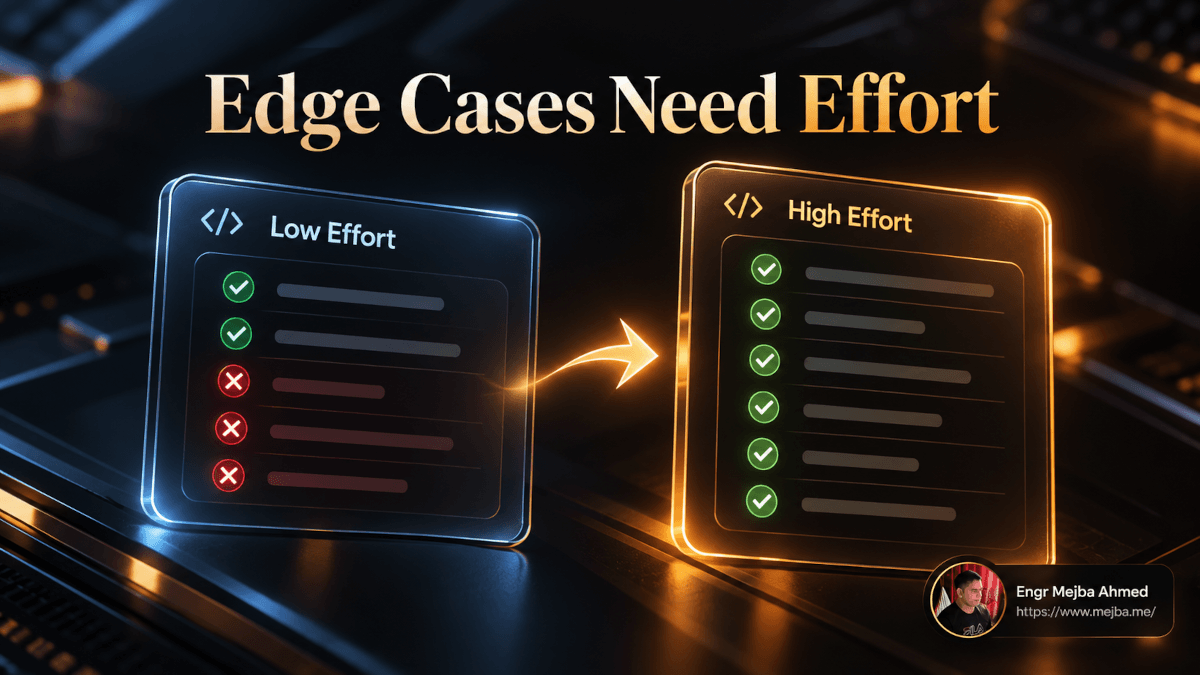
The headline finding from Anthropic's analysis is the thesis of this whole post: higher effort is best on tasks with lots of hidden edge cases. It reduces failures that come from missing an edge case. It does not fix failures that come from choosing the wrong approach in the first place.
Four tasks from the write-up show what that looks like in practice. I'm going to walk through each, because the behavior at each level is far more useful than the pass rate.
| Task | Model | Low effort | Higher effort | What changed |
|---|---|---|---|---|
html-js-filter |
Fable 5.1 | 1/5 | 5/5 (xhigh) | Adversarial self-review, read parser source, XSS suite, fuzzer |
mvcc-lsm-compaction |
Opus 5.5 | 0/5 | 4/5 (xhigh) | Reproduced crash first, randomized test vs. reference |
cli-2ph-simplex |
Opus 5.5 | 0/5 | 5/5 (high) | Tested vs. brute-force solver, timed large inputs |
gsea-proteomics |
Opus 5.5 | 0/5 | 4/5 (high) | Tried two data preps, investigated the difference |
html-js-filter: the sanitizer that tested itself
The task: write an HTML sanitizer that strips every possible way to smuggle JavaScript into a page. If you've ever done web security work, you already know why this one is brutal. The obvious cases (<script> tags, onclick handlers) are the easy 80%. The failures live in the weird 20%: malformed markup the parser "helpfully" repairs, encodings, attribute edge cases.
At low effort, Fable 5.1 went 1 for 5. Each attempt took about two minutes. It wrote the filter in one pass and tested it on one hand-written page.
At high effort, a run took about 33 minutes, and look at what it did with that time. It adversarially reviewed its own first draft. It read the source code of the installed HTML parser, looking for bugs it could be exploited through. It ran clean test cases until the output matched the input, confirming the filter didn't mangle safe HTML. It ran a standard XSS test suite. Then it wrote a random-document fuzzer. At xhigh, the task went 5 for 5.
Here's what gets me. The low-effort filter wasn't written by a dumber model. It was the same model that, given room to doubt itself, went and read a third-party parser's source for exploitable bugs. The two minutes didn't lack intelligence. They lacked suspicion.
mvcc-lsm-compaction: reproduce before you fix
A storage-engine bug, handed over as a crash report. Fix it without breaking compaction.
At low effort (about a minute), Opus 5.5 went 0 for 5. It edited the code before building the project or running the reproducer. It also never checked whether its new test would actually have caught the original bug.
At xhigh (about 11 minutes), it went 4 for 5. It reproduced the crash first. It wrote a randomized test against a reference implementation that never compacts. And it checked that the tests failed on half-finished fixes, which is how you know a test is testing anything.
If you've done code review on a team, you've seen the low-effort version of this from humans. The fix that "looks right," comes with a green test, and the test would have passed before the fix too.
cli-2ph-simplex: the warning nobody acted on
A command-line linear-program solver in Python.
At low, Opus 5.5 went 0 for 5. It wrote the solver in one pass, tried a few small problems, and stopped around 10,000 tokens. Here's the telling detail: it warned that the solver might be slow on big problems. And then didn't check.
At high, 5 for 5. It tested on random problems against a separate brute-force solver, timed the bigger ones, hit cases that ran too long or crashed, and reworked its search to handle them.
I keep coming back to that warning. Low effort knew there was a risk. It just didn't spend anything to find out whether the risk was real. That's the most practical lesson in the whole write-up, and I'll come back to it in the section on reading low-effort output.
gsea-proteomics: the judgment call
This one isn't code-correctness at all. Run gene set enrichment analysis on proteomics data and determine which of eight treatments resemble a target tissue.
At low, 0 for 5. Opus 5.5 picked one reasonable data preparation and reported the result.
At high, 4 for 5. It tried two different preparations, noticed that the list of significant treatments changed between them, and dug into why before choosing.
Anthropic's own note on this one is fair and worth repeating: with a user in the loop, Claude might simply have asked which prep to use. Without one, high effort does better, because it does the asking-and-checking itself.
Four tasks, one pattern. Every high-effort win came from the same move: finding out instead of assuming. And none of them came from the model picking a cleverer algorithm. That's the "doesn't fix a wrong approach" half of the finding. If your plan is wrong, max effort will verify the wrong plan very thoroughly.
But verification is only one of the two things effort changes. The other one, judgment, shows up in a way that surprised me more.
Why More Effort Can Give You an App You Didn't Ask For
Anthropic ran the same kind of build at different effort levels, with different amounts of specification. The results split cleanly by how much the prompt said.
Underspecified: "Build a personal fitness and workout tracker app." At low effort, Claude built a log and a simple graph. Each step up produced something more complex. At max, it added a heat chart. The write-up's framing: low gives you a simple base to iterate on; max gives you the best one-shot result.
That's the judgment dial in action. At higher effort, Claude makes more choices on your behalf. Nobody asked for a heat chart. Claude decided you'd want one.
Lightly specified design: redesign the Claude Code /config menu. Every pass, at every effort level, landed on the same core idea: submenus and better search. The difference was all execution. Low took 1 minute and produced an interactive sketch that didn't look much like Claude Code. Max took 28 minutes and produced a mockup that did look like Claude Code, plus walkthroughs of different flows.
And the author preferred the low one. Not because it was better, but because it showed Claude's idea fast and cheaply, before 28 minutes of polish got layered on top of a direction they hadn't agreed to yet.
Highly specified: Claude first interviewed the author to build a detailed spec for the fitness app, then built it. Across effort levels, the models behaved much more similarly. The main difference: max took time to simplify some details.
Put these three together and you get a rule I hadn't seen stated anywhere on page one of Google for this topic:
The vaguer your prompt, the more the effort level decides what you get. The tighter your spec, the more effort just decides how carefully it gets built.
This is why "just use max" goes wrong on greenfield work. On a vague prompt, max doesn't only verify more. It decides more. You hand it a one-line brief and get back a long run of confident decisions stacked on each other, and if decision number two was wrong, everything after it inherited the mistake.
Which raises the obvious question: if spec quality matters this much, where does the spec come from? That's the loop.
The Interview, Build Low, Verify High Loop
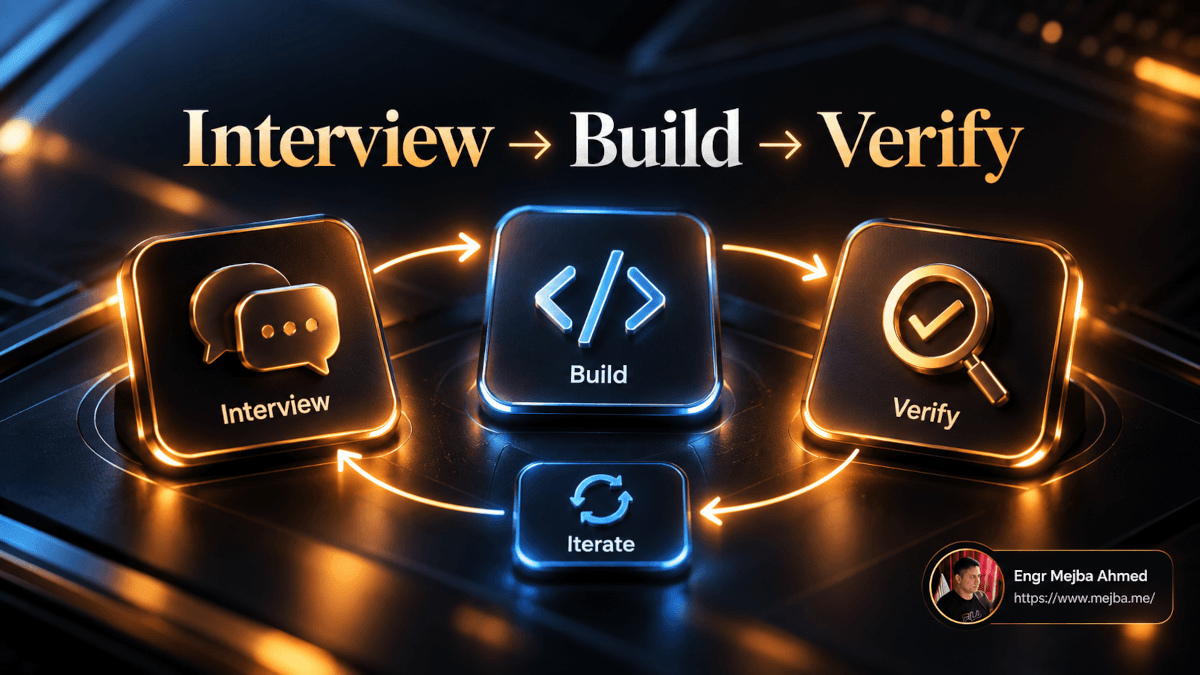
The write-up describes the author's own loop for ordinary software engineering. Here it is, step by step, with how I'd run each step on a real client ticket.
- Have the model interview you to build a spec.
- Implement on low or medium.
- Review what it built, and iterate on low.
- Verify and test on high.
What I like about this is that effort goes up at the end, not the beginning. The expensive, suspicious, edge-case-hunting mode runs once, against a thing you've already shaped. Here's how that plays out.
Step 1: Get interviewed (any effort, usually medium)
Before any code, ask Claude to interview you. Something like:
Before writing any code, interview me about this feature until you could
write a spec another engineer could build from. Ask one question at a time.
Cover: users and roles, data model, edge cases, failure modes, what's out
of scope. Then write the spec to docs/specs/invoice-reminders.md.
Think back to the highly specified fitness app: once the spec existed, effort levels behaved much more alike. The interview is how you buy that predictability. It's also where you catch the wrong-approach failures that no amount of effort would fix later. If you want a reusable version, I wrote up the Grill Me skill for Claude Code, which is exactly this interview pattern packaged as a skill.
On a Laravel client project, this is where I'd want Claude to pin down things like: which queue the reminder job runs on, what happens when a customer's email bounces, whether a paid-then-refunded invoice should still get reminders. That last one is the kind of thing that turns into a support ticket three weeks after launch.
Step 2: Implement on low or medium
/effort medium
Implement the spec in docs/specs/invoice-reminders.md.
Medium is my default here for real features. Low is fine if the spec is tight and the change is mostly wiring. You're not asking for perfection. You're asking for a working draft you can look at quickly. At this stage, speed and staying in the loop beat thoroughness, and that's exactly what the lower levels are good at.
Step 3: Review and iterate on low
/effort low
Rename ReminderDispatcher to InvoiceReminderScheduler and move the
cutoff days into config/billing.php.
This is the fast back-and-forth part. You read the diff, you don't like a name, the config lives in the wrong place, the Blade component needs a different prop. Each of those is a small, well-defined change. Paying for high-effort verification on every rename is how people burn a weekly limit by Wednesday. On Fable 5.1 and Opus 5.5, dropping to low here doesn't cost you the cache, so there's no penalty for switching.
Step 4: Verify and test on high
/effort high
Now verify this feature properly. Reproduce each edge case from the spec
with a failing test first, then confirm it passes. Check that the tests
would fail if the fix were reverted. Run the full suite. Report anything
in the spec you couldn't verify, and don't mark it done.
This is where you spend the doubt budget. Notice the prompt borrows directly from what the high-effort runs did on their own: reproduce first, prove the test can fail, report what you couldn't check. At high effort Claude tends to do much of this unprompted. Saying it anyway costs nothing.
The shape of the loop, in one line: cheap where you're watching, expensive where you're not. During steps 2 and 3, you are the verification layer, reading every diff. By step 4, you want Claude to be suspicious on your behalf.
If you'd rather have someone set this loop up inside your team's repo, with the spec templates, the settings.json per-model defaults, and a verify-step prompt tuned to your stack, that's the kind of engagement I take on. You can see what I've built at fiverr.com/s/EgxYmWD.
Now for the table you probably scrolled here for.
Which Claude Code Effort Level Should You Use? A Decision Table
Anthropic's rule of thumb, from the write-up:
/effort low: sketching, brainstorming, an easy change. Quick and in the loop./effort medium: building a feature, regular day-to-day work./effort high: fixing a bug or chasing edge cases, for example a bug in a brownfield codebase./effort max: handing off something hard, end to end. Fully autonomous: an end-to-end app build plus verification, or finding security vulnerabilities in critical software.
Here's how I'm mapping that onto the actual work that crosses my desk. The "why" column is the part to read. It's the reasoning, and it'll transfer to task types I didn't list.
| Task | Effort | Why this level |
|---|---|---|
| Brainstorming architecture options for a new SaaS | low | You want ideas fast and you'll judge them yourself |
| Quick UI sketch or a design direction check | low | You want to see Claude's vision before it commits 28 minutes to polishing it |
| Renaming, moving config, small Blade/JSX tweaks | low | Well-defined, you're reviewing every diff |
| Writing a WordPress plugin settings page from a clear spec | medium | Normal feature work, spec does the heavy lifting |
| New Laravel feature (controller, job, migration, tests) | medium | Day-to-day build; verify later on high |
| Next.js page with data fetching and forms | medium | Standard feature; push to high if auth or caching is involved |
| Bug in a legacy Laravel or WordPress codebase | high | Brownfield bugs hide edge cases; you want the crash reproduced first |
| Anything touching payments, auth, or permissions | high | The cost of a missed edge case is a support ticket or an incident |
| Input sanitization, file uploads, SSRF-prone features | high | Exactly the html-js-filter pattern: the failures live in the weird 20% |
| Data or analytics work where the prep method changes the answer | high | The gsea-proteomics lesson: try two approaches, explain the difference |
| Performance-sensitive code (queries, algorithms) | high | The cli-2ph-simplex lesson: time the big inputs, don't just warn |
| End-to-end app build you're handing off overnight | max | Fully autonomous; nobody is in the loop to catch a skipped check |
| Security vulnerability hunting in critical software | max | Anthropic's own example; exhaustive, adversarial, unattended |
| Long agentic run (30+ min) with a big token budget | xhigh | What the API docs recommend xhigh for |
Two patterns stand out when I look at that table.
First, most of my week lands on medium, with high for the verify step. Low shows up constantly but in short bursts. Max is rare, and every max row has "unattended" in its reasoning.
Second, the security rows cluster at high and max for a reason. Security is the purest form of "hidden edge cases." An attacker's whole job is to find the input you didn't test. When I think about the audits we run at xCyberSecurity, the findings that matter are rarely in the code path everybody tested. That's precisely the category where the benchmark data shows effort paying off most visibly. If you want to see what a structured, repeatable version of that looks like, my Claude Code security scanner agent build is a good starting point, and I'd run its deep-audit pass at high at minimum.
That's the table. Now the parts of this I'd push back on, including my own old habits.
Where "Just Turn It Up" Goes Wrong
Mistake 1: using max to cover for a vague prompt
This was me. Something wasn't working, so I'd turn effort up and re-run. Sometimes it helped. Now I understand why it often didn't: if the failure came from the wrong approach, more effort just verified the wrong approach more thoroughly. And on an underspecified prompt, higher effort also made more decisions for me, so I'd get a bigger, more confident version of the thing I didn't want.
The fix is almost always upstream. Spend five minutes in an interview, not 60 minutes at max.
Mistake 2: leaving the default alone on both models
Opus 5.5 defaults to medium. Fable 5.1 defaults to high. If you switch between them and never set modelSettings, you're comparing two models at different effort levels and drawing conclusions about the models. I'd set both explicitly and stop guessing.
Mistake 3: treating max as a "safe" default
The Claude Code docs describe max as able to improve demanding tasks but prone to overthinking, and recommend testing before adopting it broadly. Anthropic also made max session-only by default. They're telling you something. On a one-line fix, max doesn't make the fix more correct. It makes it slower and, per the design task, can bury the idea under polish you didn't need yet.
Mistake 4: ignoring low's warnings
Go back to the LP solver. Low effort said "this might be slow on big problems" and stopped. That's not noise. That's low effort telling you exactly where to point high effort. When I read a low or medium run's summary now, every "might," "should," "probably," and "I didn't check" is a line item for the verify step. Copy them into your step-4 prompt verbatim.
The honest limitation
I'll say it plainly: everything in the data sections comes from Anthropic's runs on Terminal-Bench 3.0 and their own builds. Benchmarks aren't your codebase. A Laravel monolith with nine years of accumulated conventions isn't a clean terminal task. The direction of the finding (effort helps with edge cases, not with approach) makes mechanical sense to me, but I don't have my own pass-rate numbers to show you, and I'd be skeptical of anyone who presents a single benchmark as the answer for their repo. Run your own sweep on a task you know well. More on that in a second.
One more thing worth knowing: effort also shows up in cost. Higher effort consumes more tokens at every step on both models, per the write-up. If you're on a plan with weekly limits, the loop above is as much a budget strategy as a quality one. I went through the per-level cost math for Fable in my Claude Fable 5.1 price cut post, and the effort-by-task idea goes back further, to my Opus 4.8 effort levels review. What's new with 5.1 and 5.5 is the cache-safe switching, which makes the loop cheap enough to use every day.
So how do you know if you've picked the right level for your work?
How to Tell If Your Effort Level Is Wrong
You don't need a benchmark harness. You need to notice a few signals.
Signs effort is too low:
- The summary contains risks it didn't check ("might be slow," "should handle," "I assumed").
- It edited code before reproducing the bug.
- The new test passes, and would also have passed before the fix.
- It picked one interpretation of an ambiguous requirement and never mentioned the others.
Every one of those maps to a specific low-effort failure from the benchmark tasks above.
Signs effort is too high:
- It built features you didn't ask for (the heat chart problem).
- A one-line change took minutes and came back with a summary longer than the diff.
- You're reading a polished mockup of an idea you would have rejected as a sketch.
- Your weekly usage is draining on renames.
A 30-minute effort sweep you can run yourself:
Pick one small, real bug you've already fixed, so you know the right answer. Check out the commit before your fix. Then run the same prompt three times:
git stash && git checkout <commit-before-fix>
claude --effort low    # run 1
claude --effort medium # run 2
claude --effort high   # run 3
For each run, note three things: did it reproduce the bug before editing, did its test fail on the unfixed code, and did it find the same root cause you did. That's a tiny version of what Anthropic measured, on your own code. It'll tell you more about where your level should sit than any table, mine included.
Quick win versus long game: the quick win is setting modelSettings for both models today and adopting the low-iterate, high-verify split. The long game is building a habit of reading every low-effort summary for unverified claims. That habit compounds.
The Two Minutes Weren't Missing Intelligence
Go back to the sanitizer. Two minutes, one pass, one hand-written test page, 1 for 5. Thirty-three minutes, adversarial self-review, a third-party parser's source code, an XSS suite, a fuzzer, 5 for 5 at xhigh.
Same model. The two-minute version wasn't dumb. It was trusting. It believed its own first draft.
That's the reframe I'm taking from Anthropic's write-up into every client repo I touch: effort isn't how smart Claude is, it's how much Claude doubts itself. You want very little doubt while you're sketching and steering, because you're doing the doubting. You want a lot of it at the end, and whenever you walk away.
So here's the one thing to do before your next session. Open settings.json, set an explicit effort for each model you use, and on your next real ticket, try the loop once: interview, build on medium, iterate on low, verify on high. Then read the high-effort run's summary and count how many things it checked that you would have assumed.
That number is what the extra effort buys you.
FAQ
Frequently Asked Questions
Everything you need to know about this topic
It depends on the model. Claude Opus 5.5 defaults to medium, while Claude Fable 5.1 and most other current models default to high. Opus 4.7 is the exception at xhigh. Set modelSettings in settings.json to pin a level per model. See the settings section above for the exact config.
Not on Claude Fable 5.1 or Claude Opus 5.5, which support per-message effort changes that keep the cached prefix intact. On older models, changing effort alters the top-level request setting and restarts the cache, so Claude Code may warn you first. This is what makes switching levels mid-session practical.
No. Max adds verification and makes more decisions on your behalf, which helps on hard, unattended, edge-case-heavy work but can overthink simple tasks and over-build vague ones. Anthropic's Claude Code docs recommend testing max before adopting it broadly, and max only persists across sessions if you set it in settings or an env var.
xhigh is aimed at long-running agentic and coding work, roughly 30 minutes or more, with large token budgets, and it's the level ultracode runs at. Max removes the constraint on token spending entirely. Both are available on Fable 5.1 and Opus 5.5. In Anthropic's Terminal-Bench 3.0 examples, several top results were recorded at xhigh.
Type ultrathink anywhere in a prompt to request deeper reasoning for that single turn without changing your session's effort level. Use /effort when you want a level to hold for the rest of the session. Other phrases like "think hard" are treated as ordinary text in current Claude Code.
Let's Work Together
Looking to build AI systems, automate workflows, or scale your tech infrastructure? I'd love to help.
- Fiverr (custom builds & integrations): fiverr.com/s/EgxYmWD
- Portfolio: mejba.me
- Ramlit Limited (enterprise solutions): ramlit.com
- ColorPark (design & branding): colorpark.io
- xCyberSecurity (security services): xcybersecurity.io