Qwen 3.6 Plus Tested: Free Agentic AI That Codes
I wasn't planning to test another model this week. I had three client projects in the pipeline, an agent workflow that kept breaking at step seven, and a backlog of Claude Code experiments I'd been putting off. Then someone dropped a screenshot in a Discord server I lurk in. A full macOS-style browser clone — Finder, Safari, Terminal, Calculator, the works — generated from a single prompt. Clean UI. Working apps. Customizable themes.
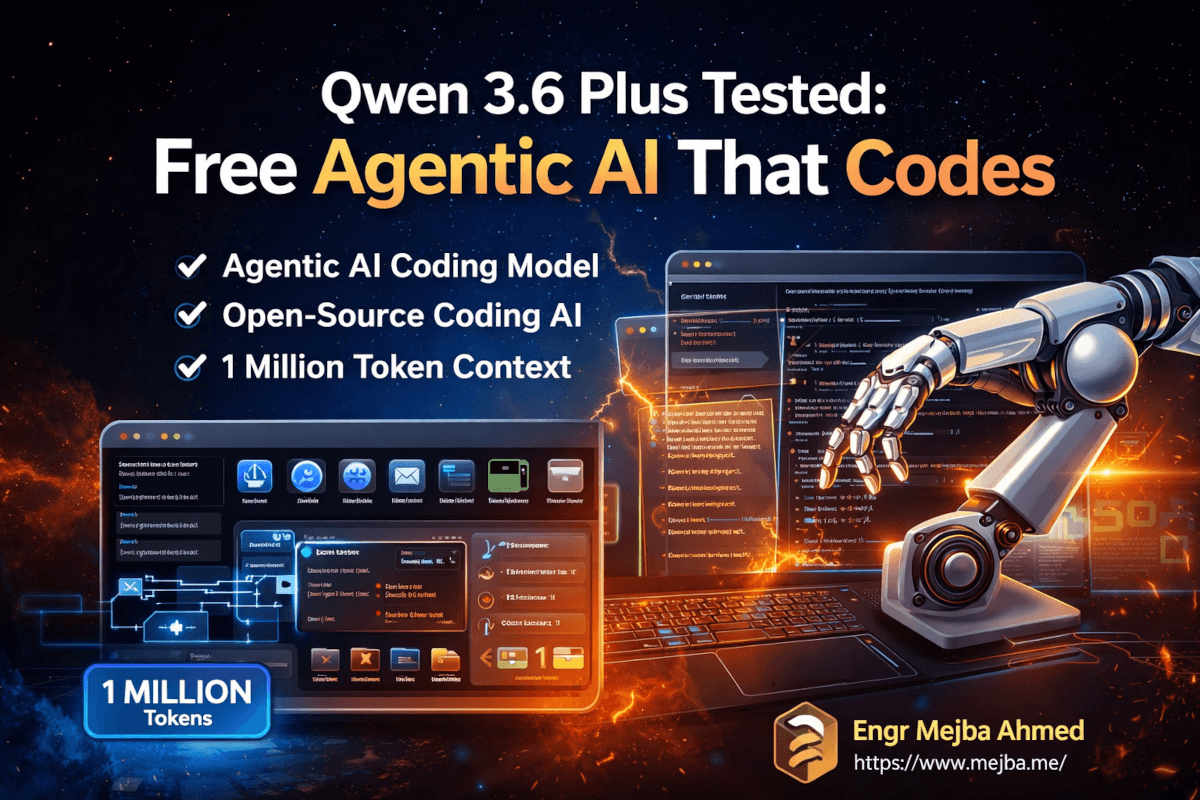
The model behind it? Qwen 3.6 Plus. An open-source agentic coding model from Alibaba with a 1 million token context window. And here's the part that made me close my other tabs: it's free right now on OpenRouter.
Free. A million tokens of context. Agentic coding capabilities that the benchmarks say compete with Opus 4.5 and Gemini 3 Pro. I've been burned by benchmark hype before — we all have — but the screenshots coming out of early testers weren't the usual toy demos. These were full applications. Interactive games. Production-quality landing pages.
So I cleared my afternoon. Again.
What I found over the next several hours challenged some assumptions I'd been holding about which models deserve a permanent spot in my workflow — and which ones are charging too much for what they deliver.
Why This Model Showed Up at Exactly the Right Time
The timing of Qwen 3.6 Plus matters more than most people realize. We're in a strange moment for AI coding tools. Claude Opus 4.6 costs $5 per million input tokens and $25 per million output tokens. GPT-5.4 runs $2.50/$15. These are powerful models, and I use them daily. But the cost adds up fast when you're running agentic workflows that chain dozens of API calls across a complex project.
Alibaba released Qwen 3.6 Plus on March 31, 2026, and immediately made it available for free through OpenRouter's preview tier. The expected production pricing — $0.50 per million input tokens and $3 per million output tokens — would already make it one of the cheapest frontier-class models available. But free? That changes the experimentation calculus entirely.
The model runs on a hybrid architecture combining linear attention with sparse mixture-of-experts routing. In plain English: it's designed to be both smart and efficient. The 1 million token context window isn't a marketing gimmick bolted onto a model that chokes at 200K — it's architecturally native. That distinction matters when you're feeding it an entire repository and expecting coherent multi-file edits.
I've tested enough models to know that context window size and context window quality are two very different things. A model can technically accept a million tokens and still lose track of a function definition from 50,000 tokens ago. The real test is whether it can hold project-level context — multiple files, interrelated dependencies, a running understanding of what it's already built — without drifting.
That's what I set out to find.
The Benchmarks That Got My Attention — And What They Actually Mean
Before I share my hands-on results, the official numbers deserve a look. Not because benchmarks tell the whole story — they never do — but because a few of these are genuinely surprising for a free model.
On SWE-bench Verified, the standard for evaluating real-world software engineering capability, Qwen 3.6 Plus scores 78.8. For context, Claude Opus 4.6 leads that benchmark at 80.8, and GPT-5.4 sits at 57.7 on SWE-bench Pro. That puts Qwen within spitting distance of the most expensive model on the market — at a fraction of the cost.
Terminal-Bench 2.0, which tests a model's ability to handle terminal-based automation and system tasks, gives Qwen a 61.6. And on MMMU — the multimodal reasoning benchmark that tests understanding across images, documents, and mixed media — the scores show Qwen competing with models that cost ten times more to run.
| Benchmark | Qwen 3.6 Plus | Claude Opus 4.6 | GPT-5.4 |
|---|---|---|---|
| SWE-bench Verified | 78.8 | 80.8 | — |
| SWE-bench Pro | 56.6 | — | 57.7 |
| Terminal-Bench 2.0 | 61.6 | — | — |
| Context Window | 1M tokens | 1M tokens | 1M tokens |
| Max Output Tokens | 65,536 | — | — |
| Price (input/output per 1M) | Free (preview) | $5/$25 | $2.50/$15 |
Those numbers are compelling on paper. But I've seen plenty of models that benchmark well and crumble the moment you throw real work at them. So I did what I always do — I threw real work at it.
Building a macOS Clone From a Single Prompt
The screenshot that first caught my attention was a browser-based macOS clone, so that's where I started. One prompt. No iteration. Just: build me a macOS-style operating system interface in the browser.
What came back wasn't a mockup. It was a functioning environment with multiple applications — Finder with file browsing, Safari with a functional URL bar, a messaging app, mail client, photos viewer, music player, calendar, terminal emulator, calculator, and system settings. Each app opened in its own window. You could drag them around. The dock at the bottom responded to hover states. There were customizable UI themes.
Was every app fully functional? No. The terminal was mostly cosmetic. The mail client couldn't actually send anything (obviously). But the level of UI polish and structural thinking in a single generation pass was remarkable. The component architecture was clean — each app was its own module, the window management system was shared, and the theming layer applied consistently across everything.
I've asked Claude Opus 4.6 to do similar things. The results are typically cleaner on individual components but less ambitious in scope. Opus tends to build fewer things with more polish. Qwen 3.6 Plus builds more things with slightly rougher edges. Whether that trade-off works for you depends entirely on what you're building.
Here's where it gets interesting — I'll come back to the front-end comparison after I show you what happened when I pushed the model into interactive territory.
The F1 Drift Simulation That Broke a Competitor
This test wasn't planned. Someone in the same Discord server challenged me to try an F1 drift donut simulation — a car doing continuous donuts with interactive controls for direction, RPM, and camera angles. The kind of thing that requires physics calculations, real-time rendering, and responsive input handling all working in concert.
Qwen 3.6 Plus generated a working simulation. The car drifted. The RPM gauge responded. You could switch camera angles between overhead, chase cam, and cockpit view. The smoke particles coming off the tires were a nice touch — not realistic by racing sim standards, but convincing enough for a browser demo.
Here's the part that made me sit up: I ran the exact same prompt through Claude Opus 4.6. It failed to generate usable output. Not a worse version — it didn't produce a working result at all. The code it returned had structural issues that prevented it from rendering.
One test doesn't define a model. I want to be clear about that. Opus crushes Qwen on plenty of other tasks. But this specific failure — on a task that requires coordinating physics, rendering, and user input simultaneously — suggests that Qwen's agentic architecture handles certain kinds of systems-level coding problems differently. It's not just generating code files. It's reasoning about how multiple systems need to interact in real time.
That distinction became even clearer in the next test.
Front-End Landing Pages: Where the Quality Gets Serious
Front-end development is where most coding models show their personality. Some models generate clean but boring HTML. Others produce flashy but structurally questionable code. Qwen 3.6 Plus surprised me by consistently generating landing pages that looked like a designer had been involved.
I tested it with five different prompts, each requesting a landing page for a different fictional product — a SaaS dashboard, a fitness app, a coffee subscription, an AI tool, and a portfolio site. The results varied, which is itself a good sign. A model that produces identical-looking outputs regardless of the brief is pattern-matching, not designing.
The SaaS dashboard page was the standout. Dynamic hero section with animated gradient backgrounds. Feature cards with hover effects that felt intentional, not default. Typography hierarchy that made sense — the headline drew your eye first, subheadline second, CTA third. The spacing was surprisingly good. I've reviewed front-end output from most major models over the past year, and this was competitive with what Opus produces for single-page generations.
Two of the five pages had issues. The fitness app page had a section where the layout got clunky on mobile viewport simulation — elements overlapping in a way that suggested the model wasn't fully reasoning about responsive breakpoints. The portfolio page had an animation that fired on page load and ran continuously in a way that would annoy real users.
But three out of five landing pages that a client would accept without major revisions? From a free model? That ratio is hard to argue with.
The TikTok Clone That Nailed Mobile UI
I asked Qwen 3.6 Plus to build a TikTok clone. Not a feed of static cards — a scrollable, interactive mobile experience with video placeholders, like buttons, comment sections, and the signature swipe-to-next-video interaction.
The output was shockingly close to the real thing. The vertical scroll snapped to each video card. The like button animated with a heart burst effect. The comment section slid up from the bottom with a smooth transition. Profile pictures rendered in the sidebar with follower counts. Even the share button spawned a modal with platform icons.
The model clearly understood the UX patterns of TikTok at a structural level — not just what it looks like, but how it feels to use. The scroll physics were right. The tap targets were sized for mobile. The bottom navigation bar looked native.
Where it fell short: the video playback was faked (placeholder images with a play button overlay, no actual video streaming), and the recommendation algorithm was obviously absent. But as a front-end prototype? This is the kind of output that would have taken a junior developer two to three days to build. Qwen produced it in under a minute.
If you're building prototypes for client presentations or testing UX flows before committing to full development, this level of front-end generation changes the economics of rapid prototyping entirely.
The Minecraft Clone: Ambitious, Flawed, and Fascinating
This is where I pushed the model to its limits. I asked for a browser-based Minecraft clone — not a screenshot, not a concept, but a playable 3D voxel environment with block placement, block breaking, terrain generation, and game mechanics.
What came back was a genuinely playable game. First-person perspective. WASD movement. Block placement and destruction worked. The terrain generation created hills, caves, and flat plains. Water textures existed (though they looked more like blue jello than actual water). There was a lava hazard system. A health bar. Cave systems you could explore.
The ambition alone is impressive. Most models would either refuse the task, produce a flat 2D approximation, or generate code that fails to compile. Qwen 3.6 Plus produced a working 3D environment with multiple interacting game systems — physics, inventory, terrain generation, rendering, and health mechanics — all coordinated in a single generation.
The limitations were real, though. No infinite terrain generation — the world had clear edges you could walk to. The water textures lacked realism. Block collision had edge cases where you could clip through terrain. The cave systems occasionally generated impossible geometry — rooms floating in the void, tunnels that led to nothing.
But here's what I keep coming back to: this model is reasoning about interconnected systems. It's not just generating isolated code blocks. It's thinking about how the physics engine affects the player, how the terrain generator connects to the rendering pipeline, how health mechanics interact with environmental hazards. That's systems architecture, not code completion.
I built a Minecraft-style game with Gemini 3 Deepthink a few weeks ago — I wrote about that experience in my Deepthink review. Comparing the two outputs is instructive. Deepthink produced cleaner individual systems but struggled with the integration between them. Qwen produced messier individual systems but better overall coherence. Different engineering philosophies, both producing playable results.
Multimodal Reasoning: Beyond Just Text and Code
Qwen 3.6 Plus isn't just a coding model. Alibaba built it with multimodal capabilities that extend into image analysis, document parsing, and video understanding. This is where the "Plus" in the name starts to justify itself.
The video understanding capability is particularly interesting. The model can take a long-form video and condense it into summarized highlights — in testing, a 29-minute video was compressed into a 23-second edit that captured the key moments. It can also transform video content into lecture-format presentations, extracting key concepts and structuring them into slides.
For document analysis, it handles high-density layouts — financial reports, technical specifications, multi-column PDFs — and extracts structured information without losing the relationships between data points. I've struggled with this using other models. Most treat document parsing as a text extraction problem. Qwen treats it as a spatial reasoning problem, understanding that a number in column three on row seven means something different from the same number in a footnote.
The image understanding feeds directly into the coding capability. Hand-drawn wireframes become functional code. UI screenshots become editable components. Product prototypes become working front-end implementations. Alibaba calls this "bridging the gap between perception and execution," and that's not just marketing — it's a genuinely useful capability for teams where designers and developers don't speak the same language.
This multimodal integration is what makes Qwen 3.6 Plus feel different from models that bolt image understanding onto a text model as an afterthought. The reasoning, the coding, and the visual understanding share the same context. When I fed it a screenshot of a dashboard and asked it to rebuild it, the model referenced specific UI elements from the image in its code comments. It wasn't treating the image and the code as separate tasks — it was treating them as the same task seen from two angles.
What I'd Actually Use This For — And What I Wouldn't
After spending several hours with Qwen 3.6 Plus, I've landed on a clear picture of where it earns a spot in my toolkit and where I'd still reach for something else.
Where Qwen 3.6 Plus wins:
Rapid prototyping is the killer use case. If I need to test a UX concept, generate a proof-of-concept for a client meeting, or explore whether an idea is technically feasible — Qwen does this faster and cheaper than anything else I've tested. The combination of strong front-end generation, 1M context for complex projects, and zero cost during preview makes it ideal for the "let me try ten things and see what works" phase of development.
Repository-level problem solving is another strength. The 1M context window isn't just big — it's architecturally designed for holding complex project context. Feed it your entire codebase (within token limits), and it maintains coherent understanding across files in a way that smaller-context models can't match.
Automation workflows benefit from the agentic architecture. Qwen 3.6 Plus is compatible with OpenClaw, Claude Code, and Cline — meaning you can plug it into existing AI coding assistant setups and immediately benefit from the larger context and lower cost.
If you'd rather have someone build agentic AI workflows and automation pipelines from scratch, I take on these kinds of projects regularly. You can see what I've built at fiverr.com/s/EgxYmWD.
Where I'd still choose Claude or GPT:
Precision-critical production code. When I'm shipping code that needs to be correct on the first pass — security-sensitive implementations, database migrations, API contracts — I still trust Claude Opus 4.6 more. The 2-point gap on SWE-bench Verified (78.8 vs 80.8) doesn't sound like much, but in practice, those edge cases matter when you're deploying to production.
Long, complex debugging sessions. Qwen can be sluggish when the reasoning chains get deep. I noticed significant slowdowns on tasks that required extended multi-step reasoning — the model is clearly thinking hard, but the latency adds up when you're iterating quickly on a tricky bug.
Code review and security auditing. This is where Claude's instruction-following precision still has a clear edge. When I need a model to methodically walk through code looking for vulnerabilities or architectural issues, the thoroughness of Opus remains unmatched.
The Speed Question Nobody's Talking About
Here's something the benchmarks don't capture and most reviews gloss over: Qwen 3.6 Plus can be slow. Not on simple tasks — those come back fast. But on complex, multi-file generations or tasks that require deep reasoning chains, the latency is noticeable.
During the Minecraft clone generation, I waited over two minutes for the complete output. The macOS clone took even longer. For comparison, Claude Opus 4.6 typically returns complex code generations in 30-60 seconds. The quality of Qwen's output often justified the wait, but if you're using it in an interactive workflow where you're iterating rapidly — prompt, review, adjust, re-prompt — the sluggishness breaks your flow.
This makes sense architecturally. Deep reasoning and agentic planning take compute time. The model is doing more work per generation — planning the project structure, reasoning about component interactions, coordinating multiple systems — and that work isn't free in terms of latency.
My workaround: I use Qwen for first-pass generation where I can fire off a prompt and work on something else while it thinks. For rapid iteration cycles, I switch to a faster model. The two-model approach isn't elegant, but it's practical.
How to Actually Get Access Right Now
If you want to try Qwen 3.6 Plus today, here are your options ranked by ease of setup:
1. OpenRouter (Free, Easiest)
Sign up at OpenRouter, grab an API key, and point your client at qwen/qwen3.6-plus-preview:free. The model is completely free during the preview period. No rate limits that I've hit in normal usage, though heavy agentic workflows might bump against provider-side throttling.
2. Kilo Code (Free, Integrated)
Kilo Code is an open-source AI coding agent that offers free API access to Qwen 3.6 Plus — reportedly 1,000 free calls per day. If you want an integrated coding assistant experience rather than raw API access, this is the fastest path.
3. Qwen's Own Chatbot Interface (Free, No Setup)
Alibaba provides a free chatbot interface for direct testing. No API key needed. Good for quick experiments, less useful for integration into existing workflows.
4. Direct API (Paid, When Preview Ends)
Once the preview period ends, expect pricing around $0.50 per million input tokens and $3 per million output tokens. Even at full price, that's 90% cheaper than Claude Opus 4.6 for input tokens and 88% cheaper for output tokens.
# OpenRouter API call example
curl https://openrouter.ai/api/v1/chat/completions \
  -H "Authorization: Bearer $OPENROUTER_API_KEY" \
  -H "Content-Type: application/json" \
  -d '{
    "model": "qwen/qwen3.6-plus-preview:free",
    "messages": [
      {
        "role": "user",
        "content": "Build a responsive dashboard with a sidebar nav, chart area, and data table using React and Tailwind CSS"
      }
    ],
    "max_tokens": 65536
  }'
Pro tip: When using Qwen 3.6 Plus for complex agentic tasks, keep your prompts clean and direct. I found that the model responds better to simple, clear instructions than to over-engineered prompts with extensive step-by-step breakdowns. Its internal planning is sophisticated enough that you can trust it to figure out the execution sequence — just tell it what you want built.
The Open-Source Factor That Changes Everything
There's a dimension to Qwen 3.6 Plus that goes beyond performance benchmarks: Alibaba has confirmed that smaller open-source variants are coming. This matters enormously for the ecosystem.
Right now, the frontier model landscape is dominated by closed, expensive APIs. Claude, GPT, and Gemini all require ongoing per-token payments with no option to self-host. Qwen's history of releasing open-weight models — the Qwen 2.5 Coder series was widely adopted for local coding assistants — suggests that 3.6 Plus technology will eventually be runnable on your own hardware.
For teams building AI-powered development tools, this changes the build-versus-buy decision. Instead of designing your product around a third-party API that could change pricing, rate limits, or capabilities at any time, you could run a comparable model on your own infrastructure. The cost structure shifts from variable per-token to fixed compute.
For individual developers, smaller open-source variants mean local coding assistants that work offline, respect your privacy completely, and cost nothing after the initial hardware investment. I've been running Qwen 2.5 Coder 32B locally for months — it's not as capable as the cloud models, but for routine coding tasks and quick generations, it handles 80% of what I need without an internet connection.
When the 3.6 Plus open-source variants drop, expect a significant jump in what local AI coding assistants can do. The agentic capabilities, the multimodal reasoning, and the massive context handling — even at reduced parameter counts, these architectural improvements should trickle down meaningfully.
Honest Assessment: Where the Hype Exceeds Reality
I've spent this article highlighting what Qwen 3.6 Plus does well, and it does a lot well. But I'd be doing you a disservice if I didn't point out where the marketing gets ahead of the reality.
The "competing with Opus" narrative is selective. Yes, Qwen scores within 2 points of Opus on SWE-bench Verified. But SWE-bench measures a specific kind of software engineering task — fixing issues in established codebases. For greenfield development, complex refactoring, and nuanced code review, the gap between Qwen and Opus feels wider than 2 points in practice. Benchmarks flatten the complexity of real-world coding into a single number, and that number can be misleading.
The multimodal capabilities have rough edges. The video condensation feature is impressive as a demo but inconsistent in practice. I tried it with three different videos and got one excellent result, one mediocre result, and one that missed the key points entirely. The image-to-code pipeline is more reliable, but it works best with clean, high-contrast UI screenshots. Hand-drawn wireframes produced usable but structurally simplified output.
The 1M context window works — but you'll hit latency walls. Yes, you can feed it a million tokens. But the generation speed degrades as context length increases. At 500K+ tokens of context, I experienced timeouts and incomplete generations on multiple attempts. The sweet spot seems to be 100K-300K tokens, where you get the benefit of large context without the performance penalty.
The "free" period won't last forever. Build your workflows knowing that this model will eventually cost money. At $0.50/$3 per million tokens, it'll still be a bargain. But if you're making decisions based on "free," make sure your architecture can handle the eventual cost.
How Qwen 3.6 Plus Fits Into the Bigger Picture
Step back from the individual benchmarks and demos, and something broader comes into focus. The AI coding model market just got its first serious price-performance disruptor from outside the US Big Three.
For the past eighteen months, the frontier coding AI conversation has been dominated by Anthropic, OpenAI, and Google. They compete on capabilities while keeping prices within a similar range. Alibaba — with Qwen 3.6 Plus — is competing on both capability and cost simultaneously. An 78.8 on SWE-bench at 90% less than Opus pricing isn't just a good deal. It's the kind of pricing pressure that forces the entire market to respond.
I expect we'll see pricing adjustments from the major providers within the next quarter. Not because Qwen is necessarily better — it isn't, in most individual comparisons — but because it's proven that frontier-class coding performance doesn't require frontier-class pricing. The architectural efficiency of the hybrid attention-plus-MoE design suggests this isn't a loss-leader strategy. Alibaba can genuinely deliver this capability at this price point profitably.
For developers like me — and probably like you — the practical takeaway is this: the cost of experimenting just dropped to zero. That means more prototypes. More "what if I tried..." sessions. More willingness to use AI for tasks you previously wouldn't have burned expensive tokens on. The value isn't just in what Qwen 3.6 Plus can do. It's in what it makes economically rational to attempt.
That 29-minute video condensed into a 23-second edit? I wouldn't have tried that with Opus at $25 per million output tokens. With Qwen at zero? I tried it three times with three different videos just to see what happened. Two of the three experiments taught me something useful about multimodal workflows. The economics of free experimentation compound in ways that per-token pricing never captures.
What I'm Watching Next
Alibaba hasn't announced a specific timeline for the open-source model releases, but based on their track record with the Qwen 2.5 series, I'd expect smaller variants — likely 14B, 32B, and 72B parameter versions — within the next few months. Those models will determine whether the agentic coding capabilities survive the compression to smaller sizes, or whether the 1M context and multimodal reasoning require the full model's parameter count.
I'm also watching how the model performs over the next few weeks as more developers hit it with diverse workloads. Preview periods are often the best a model will ever perform — lower traffic, more compute per request, fewer edge cases exposed. The real test is whether Qwen 3.6 Plus maintains this quality under production load.
And honestly? I'm watching Anthropic's response. When a free model starts scoring within 2 points of your $25/M-output flagship on the benchmark that matters most to developers, the pressure to either drop prices or demonstrate a capability gap becomes intense. The next Claude update will tell us a lot about how seriously Anthropic takes this competition.
The macOS clone sitting in my browser tab is still running. The dock still responds to hover. The calculator still works. And the model that built it didn't cost me a single token. Whatever happens with pricing and open-source releases, that fact alone is worth paying attention to.
FAQ
Frequently Asked Questions
Everything you need to know about this topic
Yes. As of April 2026, Qwen 3.6 Plus Preview is available at zero cost through OpenRouter using the model ID qwen/qwen3.6-plus-preview:free. Kilo Code also offers 1,000 free API calls per day. Expected production pricing is $0.50/$3 per million tokens when the preview ends.
On SWE-bench Verified, Qwen scores 78.8 versus Opus at 80.8 — a narrow gap. In practice, Qwen excels at rapid prototyping and ambitious single-prompt generations, while Opus delivers more consistent precision for production code and complex debugging. For a deeper look at Opus capabilities, see my Opus 4.6 hands-on review.
Not yet. The full Qwen 3.6 Plus model is currently cloud-only. Alibaba has confirmed that smaller open-source variants will be released, likely in 14B, 32B, and 72B parameter sizes. Based on the Qwen 2.5 release timeline, expect these within a few months.
The model supports 1 million tokens of context with up to 65,536 output tokens per generation. Performance is strongest in the 100K-300K token range. Beyond 500K tokens, expect increased latency and occasional incomplete generations.
Qwen 3.6 Plus integrates with OpenClaw, Claude Code, Cline, and any tool that supports the OpenRouter API. Configuration typically requires changing the model ID in your coding assistant's settings to point to the Qwen endpoint.
Let's Work Together
Looking to build AI systems, automate workflows, or scale your tech infrastructure? I'd love to help.
- Fiverr (custom builds & integrations): fiverr.com/s/EgxYmWD
- Portfolio: mejba.me
- Ramlit Limited (enterprise solutions): ramlit.com
- ColorPark (design & branding): colorpark.io
- xCyberSecurity (security services): xcybersecurity.io