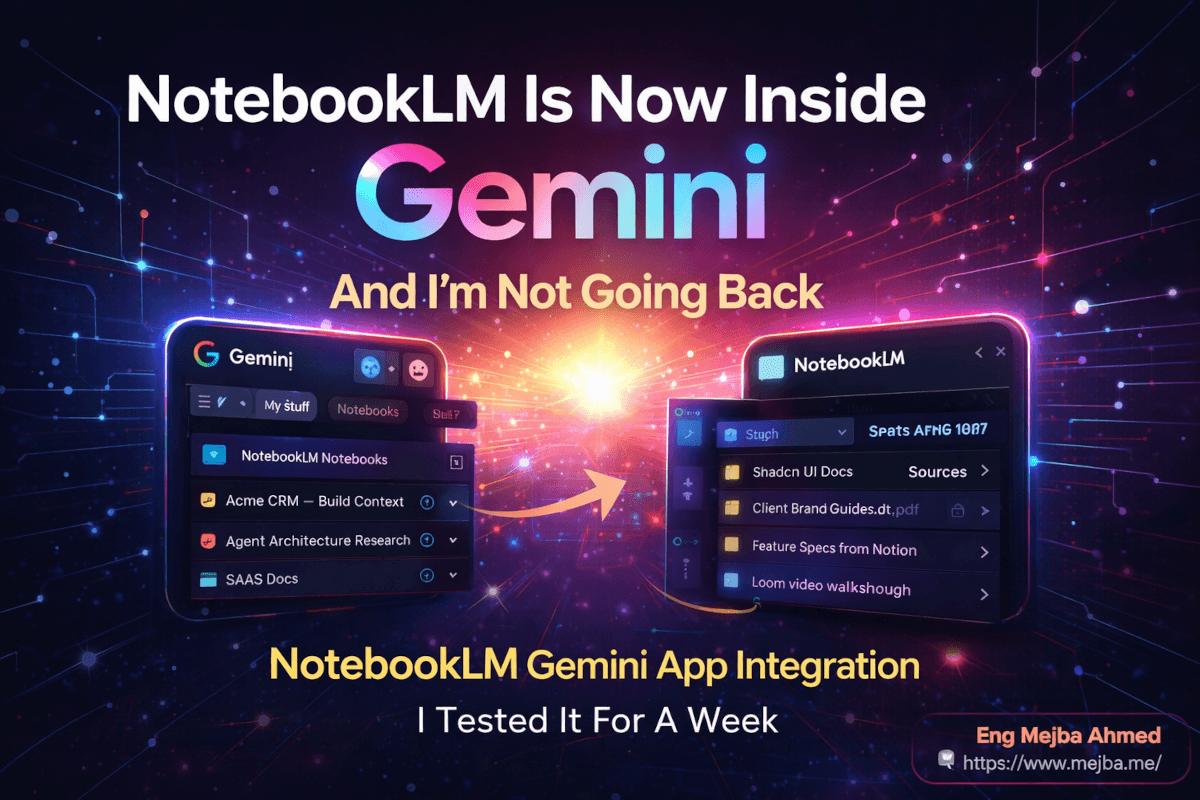
NotebookLM Is Now Inside Gemini — And I'm Not Going Back
I opened the Gemini app on Wednesday morning to run my usual standup prompt — the one that reads my week-old chats, pulls the three projects I was pushing on, and asks me what I actually want to finish by Friday. Same routine I've had for months. Muscle memory at this point.
Except the left panel looked different.
There was a new section sitting between "My stuff" and "Gems." One word: Notebooks. Little icon next to it. No announcement banner, no onboarding modal, no "what's new" popup trying to sell me on the feature. Just there. Like Google had quietly slipped a second brain into the app while I wasn't looking.
I clicked it. And the next thing I saw was a list of every NotebookLM notebook I'd built over the past eight months — the research I'd done on agent architectures, the client briefs I'd scraped into a knowledge base, the half-finished book outline I keep forgetting about, the Shadcn UI documentation dump I'd made for a project last November. All of them. Synced. Sitting inside Gemini. Ready to be attached to any conversation I wanted.
That was the moment I stopped working on standup and spent the next six hours stress-testing what this integration actually does. Because if it works the way the side panel suggested it would, it's the biggest workflow change I've had from Google since Gemini 3 shipped.
Spoiler: it works. Mostly. But the interesting part isn't that Google wired two products together — it's what that wiring unlocks when you understand what to put in a notebook in the first place.
The Tool-Switching Tax Nobody Talks About
Let me back up and explain why I care so much about this specific integration, because on paper it sounds boring. "Google added a sidebar." Sure. Who cares?
Here's who cares. Anyone who's been doing real research or project work with AI in the last eighteen months has hit the same wall I did. Your knowledge lives in one tool. Your execution lives in another. And the seam between them is where all your productivity goes to die.
My workflow before this week looked like this: I'd do deep research inside NotebookLM because it's the only Google product that actually grounds answers in sources I control. Upload 30 PDFs, 10 YouTube videos, a few Google Docs, and NotebookLM would give me citation-backed answers that never hallucinated a fake study. That part was gold. I've written about this extensively in my earlier breakdown of NotebookLM's major update and how I chained it with Anti-Gravity — both posts lean on NotebookLM for exactly this reason.
But the moment I wanted to do something with that research — write a blog post, draft an email, turn it into code, build a presentation — I'd leave NotebookLM and open Gemini. And Gemini, brilliant as it is, had no memory of any of the research I'd just done. I'd have to paste summaries back in. Re-describe the project. Re-attach context. Every. Single. Time.
That friction is tiny in isolation. Maybe a minute here, ninety seconds there. But multiply that across a working week and you're losing two to three hours a week just feeding context to an AI that should already know it. I had one Thursday in March where I counted fourteen separate context re-injections before lunch. Fourteen.
This is the tool-switching tax. Every researcher, every writer, every solo founder trying to use AI seriously pays it. And until this week, I was convinced we'd just have to live with it for at least another year.
Google disagreed. Here's what they shipped.
What Actually Changed on April 8, 2026
On April 8, Google started rolling out a feature officially called Notebooks in Gemini — and it's not a separate product. It's a native panel inside the Gemini app that shows you every NotebookLM notebook you've ever created, lets you create new ones from inside Gemini, and — this is the part that matters — bidirectionally syncs everything between the two surfaces.
Let me break that sync down because the word "bidirectional" is doing heavy lifting here.
If I upload a PDF into a notebook from inside the Gemini web app, that PDF instantly appears as a source in the exact same notebook over in NotebookLM. I can then generate an Audio Overview from it using NotebookLM Studio. Or a Mind Map. Or a Video Overview. Or a Report. All of those artifacts show up in the Studio panel inside NotebookLM — and the notebook stays linked back to Gemini, so I can keep asking Gemini questions about the PDF using the rest of Gemini's toolchain.
The reverse also works. Any conversation I have with Gemini that's attached to a notebook becomes a source inside NotebookLM. My Gemini chats literally appear in NotebookLM's sources panel under a header called "Chats from Gemini." I can then interrogate those chats as research material — asking NotebookLM to summarize conclusions I reached across four different Gemini conversations about the same project. My own thinking becomes citable.
Read that last sentence again. Your AI conversations become searchable research sources. That's not a small feature. That's a different mental model for how you're supposed to work with these tools.
The rollout started on web for Google AI Ultra, Pro, and Plus subscribers. Mobile is "coming in the following weeks." Free users are next. More European countries are on the list. So if you're reading this and don't see Notebooks in your sidebar yet, you're not broken — Google is staging it. But the paid web tiers are live right now.
Alright. That's the what. Let me walk you through what I actually did with it, because the announcements all describe features and none of them describe the shift in how you work.
How I Restructured a Whole Project in 20 Minutes
I had a perfect test case sitting in my Downloads folder. I'm mid-way through building a client CRM dashboard — Next.js 15, Shadcn UI, Prisma, the usual stack. I'd been accumulating scattered context for weeks. A Figma export of the wireframes. A PDF of the client's brand guidelines. A Loom video walkthrough of their current spreadsheet workflow (12 minutes, painful to watch, very informative). A Notion page with feature specs. And a long Claude Code chat where I'd been iterating on the data model.
All of that context was living in five different places. Every time I switched tools, I was losing ten to fifteen minutes re-grounding whichever AI I was talking to.
Here's what I did instead. I opened Gemini. Clicked "New notebook" in the Notebooks panel. Named it "Acme CRM — Build Context." And then I started feeding it everything:
- The client brand PDF. Dragged it into the sources panel. Gemini indexed it in about eight seconds. Now every question I ask inside this notebook knows the client's color palette, typography rules, and tone-of-voice guidelines without me explaining them.
- The Loom video URL. Pasted the link. NotebookLM's YouTube-and-video ingestion — which Google quietly extended to Loom and a handful of other video sources earlier this year — transcribed the whole thing and turned it into a searchable source. Suddenly the client's actual spoken description of their workflow pain points was a first-class citizen in the notebook.
- The Notion feature specs. Copy-pasted the text directly. Gemini has a "Paste text" option in the source picker that accepts up to a pretty generous chunk. It became source number three.
- A Figma screenshot export. Uploaded as a PNG. Gemini's multimodal understanding picked up the layout, labels, and visual hierarchy.
- My previous Claude Code chat about the data model. This is the part I didn't expect. I copied the entire conversation out of Claude, pasted it as text, and Gemini treated it as a valid source. My own thinking from another tool became input here.
Total elapsed time: about six minutes.
Then I gave the notebook custom instructions. A paragraph describing what I was building, what voice the client wanted, what tech stack I was locked into, and what I specifically did not want the AI to suggest (no Tailwind v3, no shadcn/ui old API, no suggestions that involved pulling in random npm packages I haven't vetted). 10,000 characters of room, as I wrote about in the NotebookLM update post — which means I could basically write a job description for my AI collaborator.
Now here's where it got interesting. I asked Gemini a single question: "Based on everything in this notebook, give me the complete data model for the CRM, and then write the Prisma schema that matches it."
What came back wasn't a generic CRM schema. It referenced the client's actual terminology from the Loom transcript ("opportunity" instead of "deal" — apparently the client's team hates the word "deal"). It preserved a specific tagging system I'd described in my Claude chat. It respected the Figma wireframe by including a "pipeline stage" field I'd sketched but never formally documented. And it cited its sources. Every design decision came with a little footnote: "from Brand Guidelines PDF, p.4" or "from Loom transcript, 3:42."
That's grounding. That's what NotebookLM does that no other AI does. And now it's happening inside Gemini — which means the output of that grounded reasoning can flow directly into Gemini's coding tools, its Canvas, its image generation, its web search, the whole toolkit. Before this week, grounding and execution lived in separate apps. They don't anymore.
The Feature I Didn't Expect: Long-Term Project Memory
Here's something the announcement blog posts buried, and it might be the single most useful change for how I actually work.
Gemini now treats notebooks as projects with persistent memory. Every chat I have inside a notebook is automatically saved and shows up under the prompt box under a label called "Chats from Gemini." I can re-open any previous chat, continue it, and the full context — sources, custom instructions, prior conversation — is still there. No re-grounding. No re-uploading. No "just for context, remember we talked about…" preamble.
This effectively turns Gemini into a project management surface. Not a task list. Not a kanban board. Something more subtle: an AI that remembers which project you're in and behaves appropriately for that project.
I'll give you a concrete example of why this matters. I have two ongoing projects right now that use Next.js but couldn't be more different. One is a client CRM for a financial services company — buttoned-up, audit-trail heavy, every piece of code needs to account for compliance. The other is a side project for a friend who's building a creative portfolio site — experimental, animation-heavy, where I'm supposed to throw conventions out the window.
Before this week, whenever I'd ask Gemini for Next.js help, I'd have to spend the first two or three messages reminding it which project I was in so the advice would be appropriate. Sometimes I'd forget, get reckless advice for the compliance project, and have to start over.
Now I just open the relevant notebook. Each notebook has its own context, its own sources, its own custom instructions. Gemini's personality shifts to match the project. Asking the CRM notebook about state management gets me careful, conservative advice with an emphasis on auditability. Asking the creative portfolio notebook the same question gets me "here are four experimental approaches, two of them are probably a bad idea but interesting, let's try them." Same model. Same prompt. Wildly different output — because the notebook provides different context.
This is the thing that's going to change the most workflows. Not the sync. Not the Studio features. The fact that your AI can finally hold multiple, distinct, persistent project identities in its head without you having to prompt-engineer your way into each one.
If you've been reading my posts for a while, you'll notice I've been circling this idea for months. I wrote about Pinecone-backed unlimited memory as one approach. I wrote about auto-research strategies in Claude Code as another. But both of those required me to build and maintain infrastructure. The notebooks approach gives me 80% of the benefit with 0% of the infrastructure. For most projects, that's the better trade.
The Coding Use Case That Converted Me Completely
Everything above was theory and setup. Here's the test that actually made me sit back in my chair.
Gemini's training cutoff, like every foundation model, has a knowledge horizon. Even the most current Gemini 3 model doesn't know about every Shadcn UI package update that shipped in February or March 2026. If you ask it cold about shadcn@canary features or the latest block additions or the new sidebar primitives, you'll get plausible-sounding answers that are six months stale. I've been burned by this twice in the last month — generating code that looked fine, shipping it, then realizing the component API had changed and my code was calling methods that no longer exist.
Here's the new workflow I tested. I created a notebook called "Shadcn UI — Current Docs." Inside it, I used NotebookLM's deep research feature to pull down the latest Shadcn documentation pages directly from the official site. Deep research visits actual URLs, ingests the current content, and drops it into the notebook as sources. I added the Shadcn GitHub changelog. I added three recent Shadcn component release notes.
Total time: four minutes. The notebook now contained the freshest possible Shadcn context, direct from the source, as of April 10, 2026.
Then I opened the CRM notebook — the one I built earlier — and attached the Shadcn notebook to the conversation. Yes, you can attach multiple notebooks to a single Gemini chat. This is where it gets wild.
My prompt was simple: "Build me a dashboard page with a revenue chart, a pipeline kanban, a recent activity feed, and a settings panel. Use the absolute latest Shadcn UI patterns and respect all the CRM context."
The output was the best starter code I've ever gotten from a foundation model. Not because Gemini got smarter — Gemini was the same Gemini — but because the model was now grounded in two things simultaneously: the client's project context and the current state of the framework I was using. It used the new sidebar primitive. It imported the latest chart component. It respected the brand guidelines from the PDF. It used the field names from the Loom transcript. It even added a comment explaining why it was using a particular pattern, citing the Shadcn documentation source.
I copy-pasted it into my project. Zero modifications. It compiled. It ran. It looked like production code.
This is the kind of result that used to require either a cutting-edge coding agent with its own deep research layer, or a human developer doing two hours of prep work before prompting. Now it's one notebook, one prompt, one paste. And the mental model is easy to reuse: whenever your AI's training cutoff is older than the framework you're using, build a notebook of current docs and attach it. That's it. That's the trick. I'm going to be doing this for every framework update from now on.
If you want a deeper comparison of how different coding models handle this kind of grounded context, I went into it in more detail in the Gemini 3.1 Pro breakdown. But the short version: grounding plus a decent model beats an ungrounded frontier model almost every time. Context is the lever.
Honest Talk: Where the Integration Falls Short
I'm not going to pretend this is perfect. Nothing ever is, and the last thing you need is another breathless AI post telling you to drop everything and switch. Here are the real limitations I hit in a week of testing.
The sync isn't instantaneous. Most sources appear in both apps within a few seconds, but I had one case — a large PDF uploaded from inside Gemini — that took almost two minutes to show up in NotebookLM. Not a crisis, but if you're in a hurry and bouncing between tools, you'll notice.
Team collaboration is essentially nonexistent. NotebookLM has some light sharing for Google Workspace accounts, but true team workflows — multiple people uploading to the same notebook, commenting on sources, tagging each other — don't exist yet. For solo work, it's fine. For any team larger than about two people trying to collaborate on the same research project, you'll feel the gap fast. This is the single biggest hole in the offering, and it's the reason I still use tools like SurfSense for client research where a team actually needs simultaneous access. Google has said team features are on the roadmap, but "on the roadmap" is not "in your hands today."
Media flexibility is limited. NotebookLM Studio now has the four-tile layout — Audio Overview, Video Overview, Mind Map, and Report — which is great, but those are Google's formats. If you need to export to a different presentation tool, a different video format, or a specific podcast distribution platform, you're going to be doing manual work. Again, for personal use this is fine. For content production pipelines it's a bottleneck.
The custom instructions interface isn't obvious. I spent ten minutes hunting for where to add notebook-level custom instructions because the button is tucked into a settings menu that's easy to miss. Google, if you're reading this: move it.
Studio generation runs on server queues. Audio Overviews and Video Overviews are not instant. I've seen them take anywhere from 45 seconds to 6 minutes depending on load. If you're used to the instant nature of text generation, the wait on media outputs feels jarring. It's worth it, but manage your expectations.
Privacy gets murky with enterprise data. If you're a Google Workspace user, the privacy model for what Gemini can see from your notebooks versus what it's allowed to train on versus what your admin has enabled is complicated enough that I'd recommend reading the actual documentation before dumping anything sensitive into a shared notebook. I'm not suggesting Google is doing anything untoward — I just don't think most people realize how different the rules are across account types.
None of these are dealbreakers. All of them are worth knowing about before you reorganize your workflow around the feature.
What This Means For Your Workflow, Specifically
Let me give you the practical framework I landed on after a week of this.
Use a notebook per project, not per topic. I know the instinct is to create notebooks around subjects — "Marketing," "Engineering," "Research." Resist it. Notebooks work better when they represent a specific project with a specific goal. The custom instructions, the source context, and the persistent chat history are all more useful when they're scoped to something concrete with a beginning and an end.
Treat the sources list as a living document. Don't just dump everything in at the start. When something new becomes relevant — a new client email, a new doc, a new reference article — add it. The notebook should evolve with the project. I've started ending my work sessions by asking myself, "what new source should I add to the notebook tonight?" It takes thirty seconds and makes tomorrow's prompts dramatically better.
Write real custom instructions. 10,000 characters is an enormous amount of room. Use it. Write the instructions like you're onboarding a new contractor to the project. Tell it the stakes, the stakeholders, the constraints, the quality bar, the things to never do. The difference between a notebook with generic instructions and one with real, specific instructions is night and day in output quality.
Chain notebooks, don't merge them. Resist the temptation to put everything in one mega-notebook. Instead, create focused notebooks and attach multiple of them to a conversation when you need cross-domain reasoning. The Shadcn docs notebook plus the CRM project notebook is more powerful than a single notebook that contains both, because each stays focused and reusable.
Use NotebookLM Studio for the heavy media lifting. Once your research is in a notebook, the Studio panel over on the NotebookLM side can turn it into an Audio Overview for the drive home, a Mind Map for the client call, a Video Overview for the async team update, or a Report for the formal documentation. Same source of truth, four different outputs, zero re-explaining.
Save your favorite prompts as chat starters. Since chats now persist inside the notebook, you can create a chat that contains your standard prompts, leave it in the notebook, and duplicate it whenever you start a new task. It's the closest thing Gemini has to reusable templates right now.
The Bigger Picture Nobody Is Saying Out Loud
Here's what this integration actually signals, if you zoom out.
For the last two years, the AI tool landscape has been a fight over who has the best model. GPT vs Claude vs Gemini, benchmark after benchmark, leaderboard after leaderboard. The implicit assumption was that the model was the moat. Whichever vendor had the best raw intelligence would win.
That assumption is quietly dying.
The real moat now is context. Whichever vendor can give you the best tools for organizing, attaching, and persisting your own context is the one who'll own your daily workflow — because a grounded mid-tier model beats an ungrounded frontier model for almost every real task. I've seen it over and over. Claude with good custom instructions beats Claude without them. Gemini with a notebook beats Gemini without one. The skill that's going to matter in 2026 isn't "writing the perfect prompt." It's curating the right context library and knowing when to attach which piece of it.
Google appears to have figured this out. This integration is their bet that persistent, grounded, user-controlled context is the next layer of the AI stack — not the model, but the memory around it. And frankly, I think they're right. The experience of working with a notebook-enabled Gemini on a real project feels qualitatively different from working with a stateless chat model. It's the difference between a consultant who's never met you and a colleague who's been on your team for six months.
There's a question worth sitting with tonight: of all the projects you're currently juggling, how much of your time with AI is spent explaining context that the AI should already know? Because whatever that percentage is, this integration — or something like it — is going to take most of it back.
FAQ
Frequently Asked Questions
Everything you need to know about this topic
Open the Gemini web app and look for the "Notebooks" section in the left side panel, between "My stuff" and "Gems." Click it to see your synced NotebookLM notebooks or create a new one. Rollout is currently live for Google AI Ultra, Pro, and Plus subscribers on the web, with mobile, free-tier, and additional European countries arriving in the weeks following April 8, 2026.
NotebookLM is still its own product at notebooklm.google.com, but its notebooks now sync bidirectionally with the Gemini app. Anything you add in one appears in the other, and the two surfaces share the same underlying data. You can think of Gemini as the conversational surface and NotebookLM as the Studio and source management surface — same notebooks, different tools.
Yes, noticeably. When you attach a notebook to a Gemini conversation, Gemini answers using the sources in that notebook as its primary evidence and cites them directly. Independent testing has shown NotebookLM-backed responses contain dramatically fewer fabricated claims than ungrounded ones, because the model is effectively forced to base its answers on your verified sources.
Yes. Any conversation you have with Gemini inside a notebook is automatically saved and becomes available as a source inside NotebookLM under a section labeled "Chats from Gemini." This means you can interrogate your own past AI conversations as research material — a small feature with big implications for anyone iterating on a project over time.
Team collaboration is the biggest gap in the current integration. NotebookLM supports light sharing for Workspace accounts, but simultaneous team editing, commenting, and tagging are not yet available. For true multi-person research workflows you'll still need a dedicated team knowledge tool. Google has signaled that collaboration features are on the roadmap but has not committed to a timeline.
All of them. Once a notebook exists — regardless of whether you created it inside Gemini or inside NotebookLM — the full NotebookLM Studio panel is available for it. That means Audio Overviews, Video Overviews, Mind Maps, and Reports can all be generated from sources you added through the Gemini app, with no extra setup.
Let's Work Together
Looking to build AI systems, automate workflows, or scale your tech infrastructure? I'd love to help.
- Fiverr (custom builds & integrations): fiverr.com/s/EgxYmWD
- Portfolio: mejba.me
- Ramlit Limited (enterprise solutions): ramlit.com
- ColorPark (design & branding): colorpark.io
- xCyberSecurity (security services): xcybersecurity.io