📝 Claude Code

n8n MCP Server + Claude Code: TypeScript Changes Everything

I connected the new n8n MCP server to Claude Code and let it write workflows in TypeScript. What works, what is rough, where direct code still wins.

23 min

Read time

4,516

Words

May 01, 2026

Published

Engr Mejba Ahmed

Written by

Engr Mejba Ahmed

Share Article

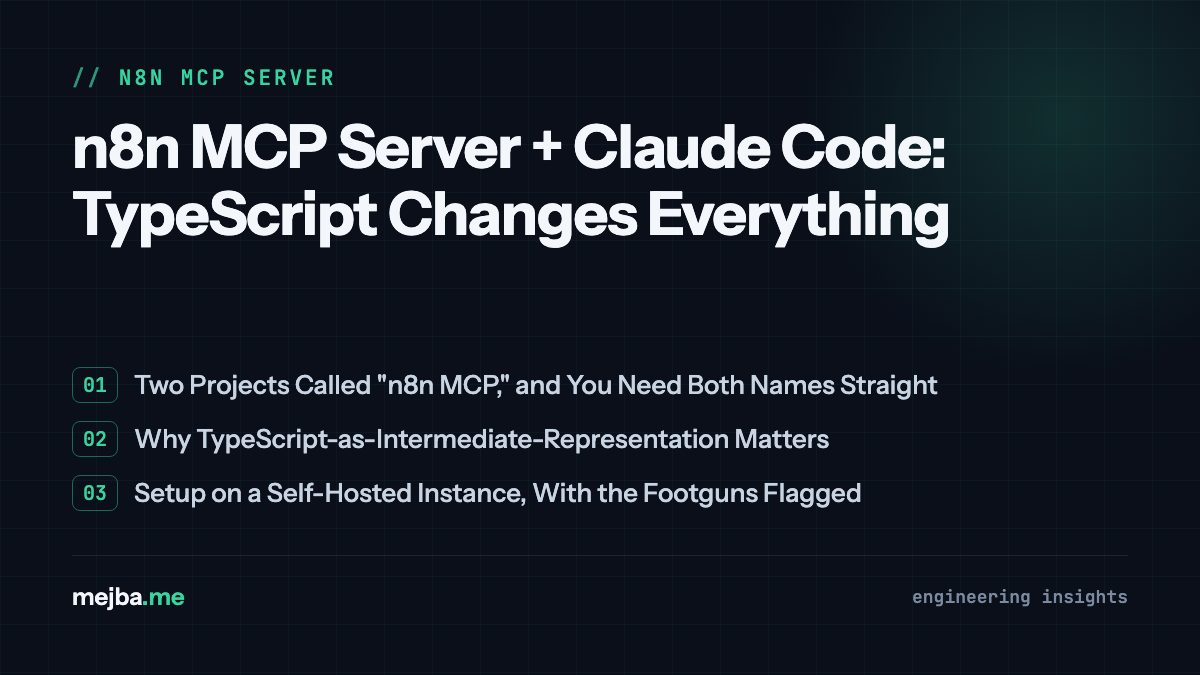
n8n MCP Server + Claude Code: TypeScript Changes Everything

n8n MCP Server + Claude Code: TypeScript Changes Everything

I almost ignored the n8n update.

The Slack DM came in at 7:42 AM on a Wednesday from a friend who runs a small AI agency. Two lines, no context: "They added create-workflow to the official MCP. Try it before you talk trash about n8n again." I had been dunking on n8n for most of the previous quarter — not because the product was bad, but because every time I tried to wire Claude Code to it, the round trip looked like this: Claude generates a giant blob of n8n JSON, I copy it, paste it into the n8n editor, hit import, watch a node fail validation, paste the error back into Claude, and burn another four minutes praying the second pass would parse. Two of my last three n8n experiments ended with me ripping the workflow out and rewriting it as a Node.js script. So when n8n shipped instance-level MCP and the create-workflow capability went general, my honest first thought was I will get to it next week.

Then I read the line in n8n's MCP server announcement that flipped my brain: the MCP server now generates a TypeScript representation of the workflow instead of raw JSON. The model has to produce code that type-checks and compiles before anything touches your instance. No more JSON soup. No more invisible-unicode-character validation errors. No more "node parameter X expected enum, got string."

I closed Slack, opened my terminal, and pointed Claude Code at my self-hosted n8n. Four hours later I had three working automations I had been putting off for weeks, one near-disaster I caught because the TypeScript layer surfaced an error my old prompt-based workflow would have shipped, and a much sharper opinion about where n8n actually belongs in a 2026 stack.

This is what the n8n MCP server is, what it actually changes when you wire it to Claude Code, the three workflows I built end to end, the one place I still hit a wall, and where I think direct coding inside Claude Code still beats n8n no matter how good the MCP gets.

What "n8n MCP Server" Actually Means in 2026

There is real confusion about which n8n MCP we are even talking about, because there are now two well-known projects with similar names, and conflating them will cost you an afternoon.

The first is n8n-mcp by Romuald Czlonkowski — the community project published on GitHub at czlonkowski/n8n-mcp. It launched in 2024, ships as an npx package, and exposes structured access to over 1,500 n8n nodes with property-level documentation so an AI agent can author workflows correctly. It was the de facto bridge between Claude Code and n8n for most of 2025.

The second is the official n8n MCP server, baked directly into the n8n product. n8n shipped instance-level MCP access as a beta feature originally, and per the n8n blog post on the MCP server and the official docs at docs.n8n.io, it now ships across cloud, self-hosted community, and enterprise editions. The big update — the reason this article exists — is that the official server now exposes create-workflow and update-workflow capabilities, not just discover and execute. Per the n8n community announcement, those capabilities landed in n8n version 2.14.0 as a beta, and 2.18.4 or higher is the recommended floor for stable workflow authoring. I was on 2.19 when I tested.

The official server and the community n8n-mcp package are not mutually exclusive. You can run both. In practice I do — the community package is still the best tool for "give my agent encyclopedic node knowledge," and the official server is what actually creates and updates workflows inside my live instance. When I say "the n8n MCP server" in the rest of this post, I mean the official one unless I call out the community package by name.

The piece that quietly matters most: the official server uses TypeScript as the intermediate representation for any workflow Claude Code writes. The model emits TypeScript. The TypeScript compiles against n8n's node type definitions. If it compiles, it gets converted to JSON and pushed straight into your instance via the API. If it does not compile, the error comes back to Claude Code as a real type error — node name, parameter name, expected type — and Claude can iterate on it without you ever leaving your terminal.

That last sentence is the whole article. Everything else is consequences.

Why TypeScript-as-IR Quietly Fixed the Worst Part of n8n + LLM

Before I get to the workflows, I want to be honest about why my old n8n-plus-Claude attempts failed, because if your experience matched mine, you probably wrote off n8n MCP entirely too.

Here is what generating raw n8n JSON with an LLM felt like in 2025. n8n workflows are JSON documents with deeply nested node configurations. Each node has a type, a typeVersion, a parameters object that varies by node, and a credentials reference that has to match an existing credential ID inside your instance. The JSON is unforgiving. A missing typeVersion field silently creates a node that imports but cannot execute. A wrong enum value in parameters.method (POST vs post) renders the node broken in a way the import does not catch — you only find out when you click run. And the schema is large enough that no LLM, however good, can hold every node's parameter shape in memory.

So you would prompt: "Create an n8n workflow that pulls 5 RSS feeds, filters items from the last 24 hours, summarizes them with an LLM, and emails the digest." You would get back 350 lines of JSON. You would import it. Three nodes would be subtly broken. You would copy the import error back to the model. The model would patch one issue, introduce a new one, and the loop would consume forty minutes of your life that should have been twelve.

The TypeScript IR cuts through that mess in a structural way. When Claude Code emits TypeScript, it is writing against actual node type definitions. RssFeedReadNode, IfNode, OpenAINode, EmailSendNode — each one is a real type with real parameter shape. If Claude tries to set method: 'post' on a node where the type expects 'POST' | 'GET', the TypeScript compiler refuses. The error is not "your workflow imported but is broken at runtime" — the error is "string literal 'post' is not assignable to the union 'POST' | 'GET'," and Claude sees that error before any of the workflow ever lands in n8n.

The compounding effect is that the model's first attempt is dramatically more likely to be correct, because the compiler is doing what previously had to be done by your eyes after a manual import. You stop being the validation layer.

I tested this with a workflow I knew would have broken under the JSON regime. More on that in the second build.

Setting Up the n8n MCP Server with Claude Code (My Actual Config)

I am going to walk through the setup the way I actually did it on a self-hosted n8n instance, because the official docs cover both cloud and self-hosted but bury a couple of footguns that are worth flagging up front.

Step 1: Update n8n to 2.18.4 or Higher

Skip this and you will spend an hour confused about why "create-workflow" never appears in the MCP capability list. I went from 2.16 to 2.19 with a single Docker pull on my self-hosted box:

docker compose pull n8nio/n8n
docker compose up -d

If you are on n8n Cloud, this happens automatically. Confirm your version under Settings → About in the n8n UI before you go further.

Step 2: Enable Instance-Level MCP

In the n8n UI, go to Settings → MCP (the menu name moved between minor versions — on 2.19 it lives under the workflow gear, not the workspace gear). Toggle instance-level MCP access on. This generates the MCP server URL you will paste into Claude Code's config and a long-lived bearer token tied to whichever user you are signed in as.

A footgun the docs do not emphasize: instance-level MCP is enabled at the instance, but per the n8n MCP docs, each individual workflow also needs its MCP access toggled on if you want it discoverable as a tool. For create-workflow to function, you do not need any existing workflow to be MCP-enabled — Claude is creating new ones — but if you want Claude Code to also read and modify workflows that already exist, you have to flip the per-workflow toggle on each one. I missed this for the first thirty minutes and could not figure out why my "list existing workflows" prompt returned an empty array.

Step 3: Wire It to Claude Code

This is the part where I switched from the community n8n-mcp setup I had been using to the official server. The community package uses the claude mcp add command with stdio mode, like this (this is the correct syntax per the n8n-mcp Claude Code setup doc):

claude mcp add n8n-mcp \
  -e MCP_MODE=stdio \
  -e LOG_LEVEL=error \
  -e DISABLE_CONSOLE_OUTPUT=true \
  -e N8N_API_URL=http://localhost:5678 \
  -e N8N_API_KEY=your-api-key-here \
  -- npx n8n-mcp

That command still works and is what I use for the community-package documentation tools. For the official server I added a second MCP entry pointing at the instance URL and bearer token, both surfaced in the n8n UI from Step 2. My final ~/.claude/claude_desktop_config.json (cleaned of credentials) has both servers registered. Claude Code lists their capabilities together at startup, and prompt routing to "create a workflow" lands on the official server because that capability does not exist on the community one.

A note on credential scopes. The instance-level token is broad. I created a dedicated n8n user named claude-mcp with role Member and a tightly scoped credential set, and used that user's token. I do not give Claude Code my admin token, because Claude Code at this point in 2026 is not just answering questions — it is making API calls into a system with my client credentials in it. Treat the token like a deploy key, not a chat password.

Step 4: Sanity Check

Inside Claude Code, after restart:

List the MCP servers currently connected.

You should see n8n-mcp (community) and your official entry (mine is registered as n8n-instance). Then:

What MCP capabilities do you have for n8n workflow creation?

The answer should mention create_workflow, update_workflow, and the discovery/execution tools. If create_workflow is missing, your n8n version is too old or instance-level MCP is not enabled. Fix that before going further.

The first prompt I ran on a working setup was the dumbest possible test. I want to flag it because it is a useful sanity step.

The First Build: Daily Weather Email (The "Hello World")

I gave Claude Code this prompt:

Build me an n8n workflow that runs every morning at 7 AM, fetches the weather forecast for Dhaka from a free weather API, formats it into a short readable summary, and emails it to my personal address. Use the workflow-create capability on the n8n instance. Show me the TypeScript before you push it.

Claude Code responded with a TypeScript file structured into four nodes — a Cron trigger at 0 7 * * *, an HTTP Request node hitting api.open-meteo.com with latitude=23.8103&longitude=90.4125, a Code node that pulled the next 24 hours of hourly forecasts and formatted them into a Markdown summary, and an Email Send node with my address as the recipient.

What I noticed reading the TypeScript: every node had explicit type imports at the top. The HttpRequestNode was imported from n8n's node types. The Cron expression was typed as a literal string union of valid cron patterns. The credentials reference for the email node was a typed string referring to my existing gmail-personal credential ID — which Claude knew about because it had queried my instance's credential list before authoring.

I told Claude to push it. The TypeScript compiled. The conversion to JSON happened server-side. The workflow appeared in my n8n UI under a name Claude had picked: Daily Weather Forecast — Dhaka. I clicked Activate and waited.

7:00 AM the next morning, the email landed in my inbox. Cleanly formatted. Hourly breakdown. Sunrise and sunset times included, which I had not asked for but Claude had inferred would be useful. Total elapsed time from prompt to working production automation: about three minutes, most of which was my Docker container restarting after the version bump from earlier.

Pause for a second. That sentence above — "Total elapsed time from prompt to working production automation: about three minutes" — is the kind of claim that gets thrown around in viral demos and is usually a lie. I want to be careful about it. The three minutes is real for this specific workflow, on a system that was already configured, against an API that did not require auth, with credentials that already existed. The setup I described in the previous section, the n8n version bump, the credential scoping, the MCP wiring — all of that came first and took me closer to ninety minutes including reading the docs. The three-minute number is the per-workflow figure once your environment is dialed in, not the cold-start number. If your benchmark is "how fast can I go from zero to first automation," budget two solid hours.

Now the second build, where the TypeScript layer earned its keep.

The Second Build: AI Newsletter Digest (Where TypeScript Caught a Real Bug)

This is the one I had wanted for months. The prompt:

Build an n8n workflow that runs daily at 6 AM, pulls items from the last 24 hours from these five RSS feeds — Anthropic, OpenAI, Hugging Face papers, Replicate, and TechCrunch AI — filters out anything older than 24 hours, sends each item's headline and summary to GPT-5.5 with a prompt to extract the one practical takeaway for a working AI engineer, then composes those takeaways into a single Markdown digest and emails it to my reading address. Use my OpenAI credential.

Claude Code went away for about forty seconds and came back with a TypeScript file maybe 220 lines long. Five RSS feed nodes feeding into a Merge node, then a Code node doing the 24-hour filter using JavaScript Date math, then an Iterator node, an OpenAI Chat node configured with GPT-5.5 (verified per OpenAI's GPT-5.5 model docs — the model became available in the API on April 24, 2026 according to TechCrunch's launch coverage, so it is the right call for a workflow being built in May 2026), a Set node accumulating results, and an Email Send node closing the loop.

Then Claude paused before pushing and said something like: "The Iterator node here is configured to run synchronously, which means the OpenAI calls will execute in serial. With five feeds averaging ten items each, that is fifty sequential GPT-5.5 calls per run. At current latency that is roughly six minutes of execution time and could trip the workflow timeout. Do you want me to switch to a Split In Batches node with parallel execution, batch size 5?"

I had not asked it to think about that. The community n8n-mcp documentation tool had given Claude enough understanding of n8n's execution semantics that it caught the latency issue at authoring time, before the workflow ever ran. I said yes, switch it. Claude regenerated the TypeScript with the parallel batching, the type-checker confirmed the new node config was valid, and the workflow pushed to n8n.

Here is the part I want to call out specifically. In the old JSON-prompting world, that mistake would have shipped. The workflow would have imported successfully. It would have run, hit a 5-minute n8n execution timeout on the third or fourth day with a heavy news cycle, and I would have gotten an error email at 6:08 AM with no clean indication of why. I would have spent thirty minutes debugging before realizing the synchronous iteration was the problem. The TypeScript layer plus the documentation-aware authoring did not just prevent a type error — it surfaced a runtime concern before the workflow was even pushed.

I let it run for a week. Five out of seven mornings, the digest landed in my inbox cleanly. Two mornings, one of the RSS feeds was unreachable and the workflow logged the error without crashing, which is the desired behavior. The OpenAI extraction quality was the variable I was most skeptical about, and honestly it was solid maybe 80% of the time and aggressively shallow the other 20% — generic takeaways like "this is an important development for AI engineers." That is a prompt-engineering problem, not an n8n problem, and it is the kind of thing I would tighten on my next iteration.

If you want to push how far you can take Claude Code's authoring loop, this kind of workflow is the right shape — multi-step, multi-credential, with at least one place where execution semantics matter. It is also the shape where my must-have MCPs for Claude post becomes relevant, because the same multi-MCP composition principle applies: one MCP gives Claude the knowledge to author correctly, another gives it the execution surface, and the value compounds.

The Third Build: A Client-Facing Workflow (And Where n8n Still Beats Direct Code)

This is the build that changed my mind about where n8n belongs in 2026.

I have a recurring conversation with agency clients that goes roughly: "Can you set up this automation so my non-technical team can edit it later?" My honest answer for the past year was no — I would build the same logic as a Node.js script or a Cloudflare Worker because it was faster to write, easier to test, and I controlled the deployment. But the "so my non-technical team can edit it later" part of the request was always the unanswered piece. Code does not survive contact with a marketing manager who needs to add a Slack notification on Tuesday.

So I built the same workflow two ways. One in TypeScript inside Claude Code as a standalone Node script. One in n8n via the MCP server. Same business logic: a webhook receives a new lead from a client's landing page, the lead gets enriched against a public-data lookup API, scored against a prompt-defined ICP, and either dropped into a Slack channel for sales follow-up or quietly logged to a Google Sheet if it does not meet the bar.

The Node script took me about seventeen minutes inside Claude Code and was tighter, cleaner, and more performant than the n8n version. I would ship the Node version any day if the deliverable was just the automation.

The n8n version took me about twenty-four minutes to author through the MCP server and another fifteen to refine after I clicked through the visual representation. It was slightly slower per execution. The webhook latency was higher. The error handling was more verbose than I would have written by hand. By every developer-centric metric, the Node script won.

But the n8n version had something the Node script could not match: a visual canvas the client's marketing lead could open, see, and reason about. When she asked me three days later "can we also send a copy to our HubSpot when the lead scores above 80," she was able to point at the IF node in the n8n canvas and say "this branch, but also there." I added the HubSpot node by telling Claude Code "add a HubSpot Create Contact node on the high-score branch of the lead-scoring workflow, push it." It happened in a minute. She watched the new node appear in the canvas in front of her.

That is the n8n use case in 2026, sharpened by the MCP server. Not "n8n is better for automation." Not "n8n replaces code." n8n is the right answer when the workflow has to outlive the engineer who built it, and the MCP server is what makes that build cheap enough that you would pick n8n for client work even when a script would be technically superior.

If your work involves any handoff to a non-engineer — agency clients, internal ops teams, marketing — the n8n MCP server changes the economics. If your work is purely engineering automation that lives in your repo, you almost certainly still want to write the script directly. The honest take is that they are different tools for different lifespans of the same logic.

What Still Sucks (Because Some of It Still Does)

I want to be specific about the rough edges, because the demos online are skipping past them and that is how you end up frustrated.

Credential management is still the biggest friction point. When Claude Code authors a workflow that needs an OpenAI credential, a Slack credential, and a Google Sheets credential, it can refer to them by name only if they already exist in your n8n credential vault. Claude cannot create credentials for you — that has to happen in the UI, manually, with the actual OAuth flow or API key paste. For multi-tool workflows you end up bouncing back to the n8n UI three times during initial setup. After the credentials exist, this is a non-issue. The first time you build is rougher than the docs imply.

Long-running workflows still hit the same ceilings. If your workflow needs to wait twelve hours for an external job to complete, n8n's Wait node is not a great answer. The MCP server does not change anything about n8n's underlying execution model — it just changes how the workflow gets authored. For long-horizon agentic work, Claude Code's own scheduling primitives or a real job queue still beat n8n.

The error feedback loop into Claude Code is decent, not great. When a deployed workflow fails, the error from n8n is structured but verbose, and feeding it back into Claude Code for an iterative fix works most of the time but occasionally produces "fixes" that introduce new issues. I have hit one case where Claude misread an n8n credential-permission error as a syntax error and proposed a useless rewrite. You still need to read the actual error, not just paste it.

The community n8n-mcp package and the official server overlap in weird ways. Both can list nodes. Both can describe capabilities. Sometimes Claude routes a query to the wrong one and gets a less complete answer. I have not found a clean way to force routing other than naming the server explicitly in the prompt — "Using the official n8n MCP, create..." — which is awkward.

There is a real security surface here. I said this earlier and I am repeating it because it matters: an instance-level MCP token plus an autonomous agent equals a service account that can build and run things in your business systems. Treat it like that. Use a dedicated user. Scope credentials. Audit the workflows the agent creates before activating them. I have an audit-before-activate rule baked into my prompt now: "never call activate on a workflow you create — leave it inactive until I confirm." That is a reasonable default.

Where the n8n MCP Server Sits in My Stack Now

A month into using it daily, my honest decision tree:

If the automation needs to be visible to a non-engineer who will edit it later — n8n via the MCP server. The TypeScript layer makes Claude Code-driven authoring reliable enough that I do not flinch at the build cost.

If the automation is engineering-internal, lives in a repo, and is part of a deployment pipeline — direct code. Either a script Claude Code writes into my project or, increasingly, a Cloudflare Worker if it needs a webhook surface.

If the automation involves long-horizon agentic behavior, recursive task decomposition, or the kind of work my Claude Code advanced workflow guide talks about — Claude Code on its own, with tools, not n8n.

If the automation is the product itself and it is being delivered to a client whose team needs operational ownership — n8n every time, because the MCP server has finally collapsed the build cost, and the visual canvas is the actual deliverable, not a side effect.

The thing the MCP server changed for me is that I no longer treat n8n as a tool for "automations I would have written in code if I had more patience." I treat it as a tool for "automations whose lifespan exceeds the engineer who built them." That is a different category of problem, and it is one most engineers — including me, six months ago — were under-serving.

FAQ

Frequently Asked Questions

Everything you need to know about this topic

Yes — the official n8n MCP server connects to Claude Code via standard MCP configuration, and the create-workflow capability shipped in n8n 2.14.0 with stable support from 2.18.4 onward. You add the server URL and instance bearer token to your Claude Code MCP config, then prompt in natural language. For the full setup walkthrough, see "Setting Up the n8n MCP Server with Claude Code" above.

n8n-mcp (Czlonkowski's community project on GitHub) gives Claude encyclopedic knowledge of n8n's 1,500+ nodes for accurate authoring. The official n8n MCP server, baked into the product, is what actually creates and updates workflows in your live instance. Most serious users run both — the community package for node knowledge, the official one for execution.

Yes. Per the n8n blog and docs, instance-level MCP access plus create-workflow capability is available across n8n Cloud, self-hosted Community Edition, and Enterprise. The setup steps are nearly identical — Cloud users skip the Docker version-bump step because n8n Cloud auto-updates.

TypeScript forces the AI agent to produce code that type-checks against n8n's node type definitions before it ever touches your instance. Wrong parameter shapes, missing fields, and invalid enum values fail at compile time with structured errors the agent can iterate on, instead of importing as silently-broken JSON. It dramatically reduces the "ships broken" failure mode that plagued JSON-prompting workflows in 2025.

Use n8n when the workflow needs a visual canvas a non-engineer can read and modify later — agency clients, ops teams, marketing. Use direct code when the automation is engineering-internal, lives in a repo, or involves long-horizon agentic behavior. The MCP server changes the economics enough that "client-facing automation" is now reliably an n8n decision.

Let's Work Together

Looking to build AI systems, automate workflows, or scale your tech infrastructure? I'd love to help.

Coffee cup

Enjoyed this article?

Your support helps me create more in-depth technical content, open-source tools, and free resources for the developer community.

Related Topics

Engr Mejba Ahmed

About the Author

Engr Mejba Ahmed

Engr. Mejba Ahmed builds AI-powered applications and secure cloud systems for businesses worldwide. With 10+ years shipping production software in Laravel, Python, and AWS, he's helped companies automate workflows, reduce infrastructure costs, and scale without security headaches. He writes about practical AI integration, cloud architecture, and developer productivity.

Discussion

Comments

0

No comments yet

Be the first to share your thoughts

Leave a Comment

Your email won't be published

2  +  5  =  ?

Continue Learning

Related Articles

Browse All

Comments

Leave a Comment

Comments are moderated before appearing.

Learning Resources

Expand Your Knowledge

Accelerate your growth with structured courses, verified certificates, interactive flashcards, and production-ready AI agent skills.

Sample Certificate of Completion

Sample certificate — complete any course to earn yours

Engr Mejba Ahmed

Engr Mejba Ahmed

Claude Code Expert · Online

👋

Hey there!

Quick Actions

WhatsApp Instant reply

Chat on WhatsApp

+880 1723 741224 · Instant reply

Popular Questions

Engr Mejba Ahmed is connected
Engr Mejba Ahmed is typing...
Engr Mejba Ahmed avatar

✉ Want me to follow up? Drop your email

Engr Mejba Ahmed avatar

📞 Connect Directly

Choose how you'd like to reach me

WhatsApp

+880 1723 741224

Email

[email protected]

✓ Details sent! I'll get back to you shortly.

Powered by OpenAI

335+

Blog Posts

25

AI Courses

63

Projects

Services & Expertise

Pricing & Process

Learning & Resources

Connect & Support