📝 AI Development

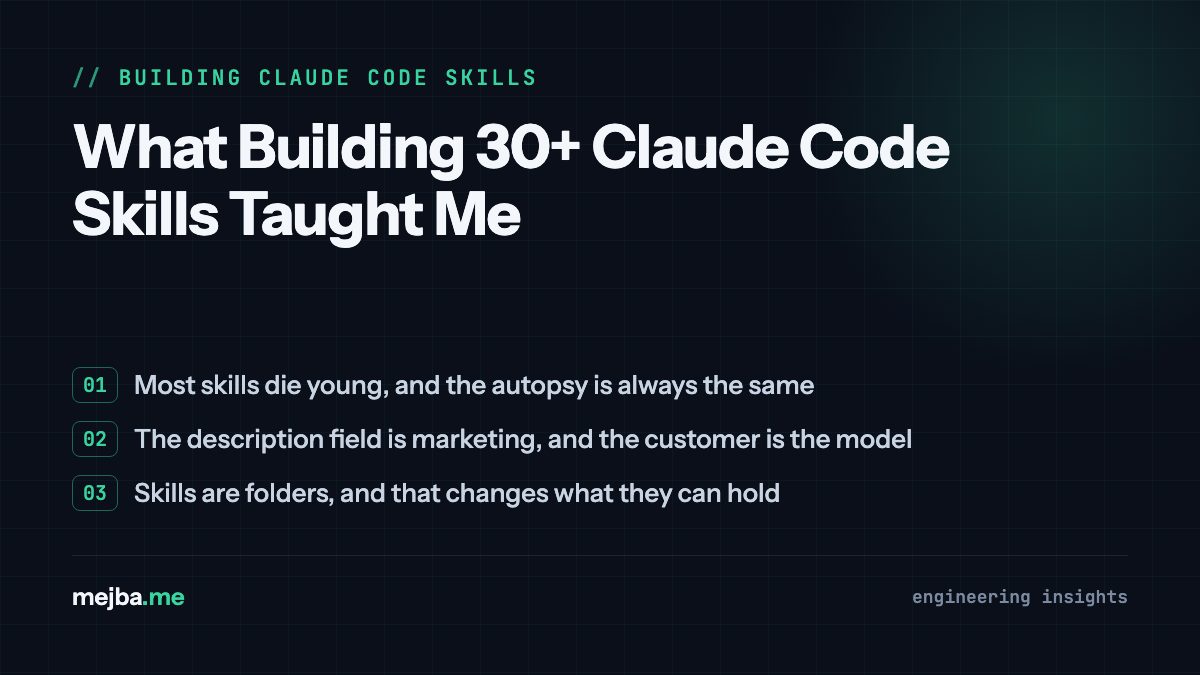
What Building 30+ Claude Code Skills Taught Me

What Building 30+ Claude Code Skills Taught Me Three months ago, I mass-deleted fourteen skills from my Claude Code setup. Not archived. Deleted. Thes...

25 min

Read time

4,999

Words

Mar 17, 2026

Published

Engr Mejba Ahmed

Written by

Engr Mejba Ahmed

Share Article

What Building 30+ Claude Code Skills Taught Me

What Building 30+ Claude Code Skills Taught Me

Three months ago, I mass-deleted fourteen skills from my Claude Code setup. Not archived. Deleted. These were skills I had spent real time building, testing, and iterating on. Skills I was proud of.

They were making my work worse.

Not dramatically worse -- that would have been easy to catch. Subtly worse. A content generation skill that was overriding Claude's improved native writing abilities. A commit message skill that was producing rigid, formulaic output when the model had learned to write better ones on its own. A code review skill so prescriptive that Claude was checking boxes instead of actually thinking about code quality.

The mass deletion taught me something I hadn't read in any documentation: building skills is the easy part. Building skills that stay useful, that compose well with each other, that actually improve your workflow six months later -- that's an entirely different discipline. And it's a discipline I had to learn the hard way.

I've now built and maintained over thirty active skills across four different brand websites, a content creation pipeline, a security audit workflow, and my daily development environment. Some of those skills have been running for nearly a year. Others lasted a week before I realized they were solving the wrong problem.

What follows isn't a tutorial on how to create your first skill. If you need that, Anthropic's official documentation and their Skilljar course on Agent Skills will get you started. This is about what happens after your first ten skills -- the patterns that emerge, the mistakes that repeat, and the architectural decisions that separate skills you'll use for years from skills you'll delete in a month.

Here's the question that changed everything for me: what type of skill am I actually building?

Why Most Skills Die Young -- And One Mental Shift That Fixes It

I used to think a skill was a skill was a skill. You write some markdown instructions, maybe add a script or two, drop it in .claude/skills/, and move on. That approach worked fine when I had three skills. By the time I had fifteen, my setup was a mess.

Skills were conflicting with each other. Some were loading context that was irrelevant 90% of the time. Others were so generic they barely improved Claude's output at all. One skill -- my original "code quality" skill -- was actually contradicting my "testing practices" skill in ways I didn't notice for weeks.

The turning point came when I started categorizing my skills by what they actually do, not what they're about. After cataloging everything in my setup plus studying how Anthropic's internal teams organize their own skills (they've shared some of this publicly), I noticed that every useful skill fits cleanly into one of about nine categories. The confusing, hard-to-maintain skills? They were always the ones trying to straddle multiple categories at once.

Here's the taxonomy that I now use before building anything new.

Library and API Reference skills explain how to correctly use a specific tool, SDK, or internal library. My Aria skill falls squarely here -- it encodes brand guidelines, voice rules, SEO requirements, and content architecture patterns for four different websites. Without it, Claude writes competent posts that sound nothing like my brand.

Product Verification skills describe how to test or verify that output is actually correct. Paired with Playwright, tmux, or custom scripts. I underinvested here for months. More on that later.

Data Fetching and Analysis skills connect to your data and monitoring stacks -- Grafana datasource UIDs, dashboard IDs, common query patterns. Claude stops guessing at column names and starts writing queries that actually run.

Business Process and Team Automation skills automate repetitive workflows. My standup-post skill aggregates GitHub activity, ticket updates, and Slack messages into a formatted daily update. Simple instructions, compounding value.

Code Scaffolding and Template skills generate boilerplate for specific patterns in your codebase. A Laravel "new migration" skill with your team's conventions and gotchas saves thirty minutes every time.

Code Quality and Review skills enforce standards. My adversarial-review setup spawns a sub-agent to critique code, implements fixes, and iterates until findings degrade to nitpicks.

CI/CD and Deployment skills help fetch, push, and deploy. My babysit-pr skill monitors PRs, retries flaky CI, resolves merge conflicts, and enables auto-merge.

Runbook skills take a symptom and walk through a multi-tool investigation to produce a structured report. Goldmines for on-call rotations.

Infrastructure Operations skills handle routine maintenance with guardrails -- dependency workflows, cost investigation, orphaned resource cleanup with mandatory confirmation before destructive actions.

The moment I started asking "which category does this belong to?" before writing a single line of markdown, my skills got sharper. If a skill tries to be both a code quality checker AND a scaffolding template, I split it into two. If it doesn't fit any category cleanly, I question whether it should exist at all.

But categorizing skills is just the starting point. The real craft is in how you write them.

The Gotchas Section Is Worth More Than the Rest of the Skill Combined

I'm going to make a claim that might sound extreme: the most valuable part of any skill is its gotchas section. Not the instructions. Not the examples. Not the configuration. The gotchas.

Here's why. Claude already knows a lot. It knows how to write Python, how to structure a React component, how to build a REST API. When you write a skill that explains basic usage of something Claude already understands, you're wasting tokens and constraining the model's flexibility. But when you document the specific failure modes -- the edge cases Claude hits repeatedly, the assumptions it makes that are wrong in your specific context, the subtle bugs that only appear in production -- that's where skills earn their keep.

My Aria content skill has a "Banned Phrases" section that's over fifty items long. Things like "In today's fast-paced world" and "Let's dive in" and "Furthermore" -- phrases that instantly signal AI-generated content. I didn't write that list in one sitting. I built it over three months of catching Claude slipping back into AI-speak, adding each offender to the gotchas list, and watching the output quality improve with every addition.

Same pattern with my Laravel migration skill. The actual migration syntax? Claude knows that cold. But the gotchas -- "never use ->change() on a column that has an index in MySQL 5.7," "always add ->after('column_name') to maintain column ordering," "our staging database uses a different collation than production" -- those entries prevent bugs that would otherwise take hours to debug.

The practical takeaway: start every new skill with a minimal instruction set and an empty gotchas section. Use the skill for a week. Every time Claude does something wrong or unexpected, add it to gotchas. After a month, your gotchas section will be the most refined, battle-tested part of the skill. It will also be the part that saves you the most time.

I now review my gotchas sections monthly. Some entries get promoted to the main instructions because they're so fundamental. Others get removed because Claude has improved and no longer makes that mistake natively. This maintenance cycle is boring but it's the difference between a skill that stays sharp and one that slowly rots.

That monthly review habit leads directly to another lesson that took me embarrassingly long to learn.

Skills Are Folders, Not Files -- And That Changes Everything

A common misconception I held for way too long: a skill is "just a markdown file." Technically, a SKILL.md file is all you need. But the moment you treat skills as folders -- with scripts, reference files, templates, and data -- their power multiplies.

Here's my Aria content skill structure as it exists today:

aria/
  SKILL.md              # Core instructions, loaded on trigger
  aria-system-prompt.md # Full brand guidelines, loaded on demand
  references/
    banned-phrases.md   # AI detection trigger phrases
    footer-templates.md # Brand-specific CTA footers
    headline-formulas.md # Proven header structures by brand
  assets/
    post-template.md    # Skeleton for new blog posts
  scripts/
    word-count.sh       # Validates 3,000-5,000 word requirement

The SKILL.md file is kept under 500 lines. It contains the core identity, the writing philosophy, and pointers to reference files. When Claude is generating a post for mejba.me, it reads the brand-specific sections from the system prompt. When it needs to check a headline against proven formulas, it pulls from references/headline-formulas.md. The banned phrases list lives in its own file because it changes frequently and I don't want edits to it cluttering up my core instructions.

This is progressive disclosure in action. Claude doesn't load everything at once. The YAML frontmatter -- name and description -- enters the prompt at session start. That's roughly 100 tokens. The SKILL.md body loads when Claude determines the skill is relevant. The reference files load only when SKILL.md explicitly directs Claude to read them.

Why does this matter? Because context window management is a real constraint. Every token of skill instructions is a token that can't be used for the actual task. If I dumped my entire Aria system -- brand guidelines for four websites, fifty banned phrases, footer templates, headline formulas, the full content architecture blueprint -- into a single SKILL.md file, it would be thousands of tokens loaded for every conversation, even ones where I'm just asking Claude to fix a typo.

The folder structure also makes maintenance dramatically easier. When I need to update banned phrases, I edit one file. When I add a new brand, I update the system prompt without touching the core skill logic. When a teammate wants to understand what the skill does, they read SKILL.md. When they want to understand the deep brand guidelines, they read the reference files.

One pattern I've started using recently: including template files in assets/ that Claude copies and fills in rather than generating from scratch. My blog post template includes the metadata block, the phase structure markers, and the mandatory footer. Claude doesn't have to remember the exact format -- it just copies the template and fills in the blanks. Fewer format errors, more consistent output.

If you'd rather have someone build this kind of skill architecture for your own workflows, I take on custom Claude Code setups and integrations. You can see what I've built at fiverr.com/s/EgxYmWD.

There's a subtlety here that I almost missed, though -- and it's about what you don't put in the skill.

What I Learned About Not Railroading Claude

My first-generation skills were dictators. Every step prescribed. Every output format locked down. Every decision made in advance.

The results were consistent. They were also mediocre.

The problem with over-specifying a skill is that you lose Claude's ability to adapt. You're essentially converting an intelligent reasoning engine into a template filler. And template fillers don't handle edge cases. They don't surprise you with a better approach than the one you planned. They don't catch mistakes in your own instructions.

I learned this lesson with my code review skill. Version one was a twenty-step checklist: check for unused imports, verify error handling, confirm test coverage, validate naming conventions... Claude would methodically walk through every item and produce a perfectly formatted review. But the reviews missed the stuff that actually mattered -- architectural concerns, performance implications, security vulnerabilities that didn't fit neatly into any checklist item.

Version two stripped the checklist down to five principles and a gotchas section. Instead of "check for unused imports," it said "prioritize findings by actual impact on production reliability." Instead of prescribing the output format, it said "structure your review to help the author understand the why behind each finding."

The reviews got dramatically better. Claude started catching things the checklist never covered -- race conditions, API contract violations, subtle state management bugs. It was thinking about the code instead of checking boxes.

The principle I now follow: give Claude the information it needs and the flexibility to adapt to the situation. Tell it what matters, not exactly what to do. Include your gotchas and constraints, but leave room for the model to apply its own judgment.

There's a concrete way to test if you've over-specified: run the same task three times with your skill. If the outputs are nearly identical in structure and content, your skill is probably too rigid. If they're consistent in quality but varied in approach, you've hit the sweet spot.

This flexibility principle applies to skill triggers, too -- and that's where the description field becomes critical.

The Description Field Is Marketing to the Model, Not to Humans

When Claude Code starts a session, it builds a listing of every available skill with its description. This listing is what Claude scans to decide "is there a skill for this request?" The description field isn't a summary for human readers. It's a trigger specification for the model.

I made this mistake with my first batch of skills. My commit message skill had a description like: "Helps write better commit messages." Vague. Generic. Claude triggered it for everything remotely related to git, including times when I just wanted to check a log or diff.

The revised description: "Use when the user asks to create a commit, write a commit message, or says /commit. Do not trigger for git log, git diff, git status, or other read-only git operations."

Night and day difference. Claude now triggers the skill precisely when I need it and stays out of the way when I don't.

A few patterns I've found that work well for descriptions:

Positive triggers -- what should activate the skill: "Use when the user asks to create a blog post, write an article, generate content, or mentions any of these brands: mejba.me, ramlit.com, colorpark.io, xcybersecurity.io."

Negative triggers -- what should NOT activate it: "Do not trigger for code reviews, bug fixes, or technical documentation."

Context conditions -- when the skill applies: "Only relevant when working in repositories that use Laravel 11+ with Livewire."

Getting this right prevents a problem that plagues larger skill collections: trigger conflicts. When two skills both claim to handle "writing tasks," Claude has to guess which one you want. Specific, well-scoped descriptions eliminate the guessing.

This becomes even more important when you start composing skills together, which is where the real power shows up.

Composing Skills: Where the Multiplier Effect Kicks In

Individual skills are useful. Skills that reference and build on each other are transformative.

My content pipeline works like this: the Aria skill handles content generation. It references a SEO toolkit skill for keyword research and optimization. The SEO skill, in turn, references a data analysis skill that can pull traffic data and search console metrics. When I ask Claude to "create a post for mejba.me about Docker networking," these three skills coordinate automatically.

The composition isn't managed by some dependency system -- Claude Code doesn't have native dependency management for skills yet. Instead, I reference other skills by name in my SKILL.md files: "For SEO analysis, invoke the seo-toolkit skill." Claude reads this instruction and invokes the referenced skill if it's installed.

This works surprisingly well in practice. But there's a trap: circular references. If skill A says "check with skill B" and skill B says "verify with skill A," Claude enters a loop. I hit this once with my code review and testing skills -- the review skill said "verify tests exist" and the testing skill said "check code review findings." The solution was making the dependency directional: code review can invoke testing practices, but not the other way around.

Another composition pattern that's paid off: using a simple "orchestrator" skill that knows about all your other skills and routes tasks to the right one. My development workflow skill doesn't do any actual work itself -- it just knows that code scaffolding goes to the scaffolding skill, reviews go to the review skill, and deployments go to the CI/CD skill. It's a dispatcher, and it prevents me from having to remember which skill handles what.

The orchestrator pattern also makes onboarding new team members trivial. They install one skill, and it automatically routes to everything else they need. Which brings up the question of how to share skills across a team in the first place.

How I Distribute Skills Without Creating Chaos

Sharing skills sounds straightforward. Check them into your repo under .claude/skills/ and everyone gets them. Done.

Except it's not done. Because every skill checked into the repo adds to the context Claude loads for every team member, whether they need that skill or not. A team of five with ten skills each means fifty skills in context. That's a lot of noise.

The approach I've settled on uses two tiers.

Tier one: repo-level skills go in .claude/skills/ and are checked into the repository. These are skills that every contributor needs -- code style enforcement, testing conventions, deployment procedures. If you touch this codebase, you need these skills. Period. I keep this list intentionally small: three to five skills per repo, maximum.

Tier two: personal and role-specific skills are distributed as plugins through a shared directory. My content skills, my SEO tools, my design system references -- these are installed per-user. Developers on the team don't need my Aria content skill. I don't need their database migration skill. Everyone installs what's relevant to their work.

For teams larger than about ten people, I'd recommend building an internal plugin marketplace -- a shared GitHub repo where people can browse available skills, read descriptions, and install what they need. Anthropic's internal teams do something similar: skills start in a sandbox directory, people share them through Slack, and once a skill has traction, the owner submits a PR to move it into the official marketplace.

The curation step matters more than you'd think. Left unchecked, skill collections bloat fast. People create skills for every minor annoyance, and within a few months you have forty skills where ten would do. Before adding anything to a shared marketplace, I ask: "Would at least three people on this team use this skill at least once a week?" If the answer is no, it stays personal.

One more distribution lesson I learned the hard way -- which also happens to be one of the most powerful features most people don't know about.

On-Demand Hooks Changed How I Think About Safety

Skills can register hooks that only activate when the skill is invoked, lasting for the duration of the session. This is different from global hooks that run all the time. On-demand hooks are contextual guardrails.

My /careful skill is the best example. When I'm about to work on production infrastructure, I invoke it. The skill registers PreToolUse hooks that block rm -rf, DROP TABLE, force-push, and kubectl delete. These hooks intercept every Bash command Claude tries to run and reject anything matching the dangerous patterns.

I don't want these hooks running all the time -- they'd be maddening during normal development. But when I'm touching production databases or live Kubernetes clusters, they're non-negotiable. The skill gives me a toggle: maximum safety when I need it, zero overhead when I don't.

Another on-demand hook I use: /freeze, which blocks any Edit or Write operation outside of a specific directory. When I'm debugging a production issue, I want Claude to read and analyze freely but not accidentally modify anything. The freeze skill locks down the file system while keeping read access open.

The hook system also enables measurement. I run a PreToolUse hook that logs every skill invocation -- which skill, when it triggered, what context it ran in. After a month of data, I can see which skills are popular, which are under-triggering (meaning their descriptions need work), and which are over-triggering (meaning their scope is too broad).

This kind of instrumentation sounds like overkill until you're managing thirty skills and trying to figure out why your Claude Code session is slower than it should be. The logging data tells you exactly where the context budget is going.

Speaking of context budgets -- there's a memory pattern I wish I'd started using from day one.

Teaching Your Skills to Remember

Some of my most effective skills maintain state between sessions. Not through any fancy database -- through plain text files.

My standup-post skill keeps a standups.log file. Every time it generates a standup, it appends the output. Next morning, Claude reads its own history and knows exactly what's changed since yesterday. The standups went from generic summaries to precise delta reports: "Merged the auth refactor PR that was blocking since Tuesday. Three new tickets opened, all triaged to the current sprint."

My content pipeline skill tracks which topics I've covered, which keywords I've targeted, and which internal links I've placed. When I ask for a new post, Claude checks the log and avoids duplicating angles I've already published. It can also suggest internal links to existing content because it knows what's already out there.

The implementation is dead simple. A JSON file or an append-only log in a stable directory. Claude Code provides ${CLAUDE_PLUGIN_DATA} as a stable folder per plugin specifically for this purpose -- data stored here persists even when you upgrade the skill.

// ${CLAUDE_PLUGIN_DATA}/content-history.json
{
  "posts": [
    {
      "date": "2026-03-10",
      "brand": "mejba.me",
      "slug": "opus-4-6-hands-on-review",
      "primary_keyword": "Claude Opus 4.6 review",
      "internal_links": ["claude-sonnet-5-agentic-coding", "claude-agent-teams-guide"]
    }
  ],
  "keywords_used": ["Claude Opus 4.6", "agentic coding", "agent teams"],
  "next_suggested": ["Claude Code skills deep dive", "hook development patterns"]
}

One warning: don't store memory data inside the skill directory itself. When you upgrade a skill, the directory can get overwritten. I lost two months of standup history learning this lesson. Always use a stable external path.

The memory pattern also opens up something powerful -- skills that improve themselves over time. Every time Claude hits a new edge case and I add it to the gotchas section, that's manual improvement. But a skill that logs its own failures and surfaces them for review? That's getting close to self-improvement. I haven't fully automated this loop yet, but the logging infrastructure makes it possible.

Alright -- that covers the principles. What does this actually look like when you put it all together?

What My Actual Workflow Looks Like in March 2026

Here's a typical Monday morning. I open Claude Code and start a session. Three repo-level skills load automatically from .claude/skills/: code style enforcement, testing conventions, and our deployment checklist. My personal plugins load too: Aria (content), SEO toolkit, commit conventions, code review, TDD workflow, and a few utility skills.

Total context overhead at session start: roughly 600 tokens for all the skill descriptions. The actual skill bodies haven't loaded yet -- they're waiting for relevance.

I type: "Create a post for mejba.me about Docker networking best practices."

Claude scans the skill descriptions, identifies Aria as relevant, loads the SKILL.md body. Aria's instructions tell Claude to check the content history log, which lives in ${CLAUDE_PLUGIN_DATA}. Claude reads the history, confirms I haven't covered this specific angle before, and identifies two existing posts that should be internally linked.

The Aria skill references the SEO toolkit. Claude loads that skill too, runs keyword analysis, and determines primary and secondary keywords. Both skills are now active, working together.

Claude generates the full content package -- metadata, 3,500-word article, brand-appropriate footer. The word count script in aria/scripts/ validates the length. If it's under 3,000 or over 5,000 words, Claude adjusts. The content history log gets updated with the new post details.

Total time: about eight minutes. The same work without skills -- explaining brand guidelines, SEO requirements, content architecture, banned phrases, footer format, internal linking strategy -- would take forty minutes of prompt engineering before Claude even starts writing.

That's not a productivity hack. That's a fundamental shift in how I work with AI.

The Three Mistakes I Keep Seeing (And Still Make Sometimes)

After helping a dozen developers set up their own skill systems, the same three mistakes appear over and over.

Mistake one: building skills for things Claude already does well. If you're writing a skill that tells Claude how to write a for loop or structure a JSON response, you're wasting effort. Skills should encode knowledge Claude doesn't have -- your specific conventions, your internal APIs, your team's failure modes. Test this by running the task without the skill first. If the output is already 80% of what you want, you probably don't need a skill. You need a sentence in your CLAUDE.md file.

Mistake two: never updating skills after creation. Skills aren't write-once artifacts. Claude improves with every model update. Your codebase evolves. Your team conventions change. A skill that was perfect three months ago might be actively harmful today. I schedule a monthly "skill audit" -- thirty minutes where I review each skill, prune stale gotchas, and test whether the skill still improves output compared to running without it.

Mistake three: making skills too broad. A "development helper" skill that covers code style, testing, deployment, and documentation is four skills wearing a trench coat pretending to be one. Split it. Each skill should have a single, clear purpose that you can state in one sentence. If you need the word "and" to describe what a skill does, it's probably two skills.

There's a fourth mistake that's more subtle and harder to detect: not investing in verification skills. I spent months building generation skills -- skills that help Claude create things. But I barely invested in skills that help Claude verify its own output. Verification skills are boring to build but they catch errors before they reach production. A signup flow driver that tests the full user journey. A checkout verifier that exercises Stripe test cards. A deployment smoke test that confirms health checks pass. These skills don't produce impressive outputs. They prevent embarrassing failures. If I could go back and redistribute my skill-building time, verification would get 40% of the budget instead of the 10% it actually got.

What's Coming Next for Skills (And What I'm Building Toward)

The skills ecosystem as of March 2026 is maturing fast. Anthropic's official skill marketplace has seen explosive growth -- the frontend-design skill alone has over 277,000 installs. Community platforms like skills.sh provide searchable directories organized by category, author, and install count. The npx skills add command has made installation trivially easy.

But the real evolution is in how skills compose and communicate. Right now, skill composition is handled through name references in markdown -- "invoke the X skill." It works, but it's manual and fragile. I expect native dependency management within the next year, where a skill's frontmatter can declare prerequisites that get auto-loaded.

I'm also watching the intersection of skills and hooks closely. On-demand hooks that activate per-skill are already powerful. The next step is hooks that coordinate across skills -- a code review skill that automatically triggers a testing skill, which triggers a deployment readiness check, all in a verified pipeline. Right now I wire these manually. Soon they'll be declarative.

The most interesting frontier is skills that learn -- not through training, but through structured logging and self-reflection. I have a prototype running with my content pipeline where Claude reviews its history log weekly, identifies patterns in the edits I made, and proposes additions to the banned phrases list. We're not at autonomous self-improvement yet. But the building blocks are all there.

The skills that will matter most a year from now aren't the flashiest. They're the ones that quietly make your daily work better and get slightly sharper every month because someone took thirty minutes to review the gotchas.

Start there. Build one skill this week for the task you do most often. Keep the instructions minimal and the gotchas section empty. Use it for a month. Add every failure to gotchas. At the end of the month, you'll have something genuinely useful. And you'll understand, in a way no documentation can teach you, why skills are the most powerful extension point in Claude Code.

What's the one workflow you repeat every single day that still requires manual prompting? That's your first skill. Go build it.

FAQ

Frequently Asked Questions

Everything you need to know about this topic

Keep repo-level skills to three to five per repository and personal skills under fifteen total. Beyond that, skill descriptions consume meaningful context and trigger conflicts become harder to manage. Quality and specificity beat quantity -- every time.

CLAUDE.md loads for every conversation in a project and covers general codebase context. Skills load only when triggered by relevant requests, can include scripts and reference files, and support hooks. Use CLAUDE.md for universal project facts; use skills for specific workflows.

Monthly reviews work well for most teams. Check each skill against Claude's current native capabilities, prune outdated gotchas, and test whether the skill still measurably improves output compared to running without it. Model updates can make capability-uplift skills obsolete quickly.

Yes, through name references in your SKILL.md instructions. Write "invoke the [skill-name] skill for this step" and Claude will trigger it if installed. Native dependency management isn't built in yet, so keep references directional to avoid circular loops.

Use the ${CLAUDE_PLUGIN_DATA} environment variable, which provides a stable per-plugin directory that persists across skill upgrades. Never store persistent data inside the skill folder itself -- it can be overwritten during updates.

Let's Work Together

Looking to build AI systems, automate workflows, or scale your tech infrastructure? I'd love to help.

Coffee cup

Enjoyed this article?

Your support helps me create more in-depth technical content, open-source tools, and free resources for the developer community.

Related Topics

Engr Mejba Ahmed

About the Author

Engr Mejba Ahmed

Engr. Mejba Ahmed builds AI-powered applications and secure cloud systems for businesses worldwide. With 10+ years shipping production software in Laravel, Python, and AWS, he's helped companies automate workflows, reduce infrastructure costs, and scale without security headaches. He writes about practical AI integration, cloud architecture, and developer productivity.

Discussion

Comments

0

No comments yet

Be the first to share your thoughts

Leave a Comment

Your email won't be published

4  x  2  =  ?

Continue Learning

Related Articles

Browse All

Comments

Leave a Comment

Comments are moderated before appearing.

Learning Resources

Expand Your Knowledge

Accelerate your growth with structured courses, verified certificates, interactive flashcards, and production-ready AI agent skills.

Sample Certificate of Completion

Sample certificate — complete any course to earn yours