I was mid-refactor on a client project — 47 files deep into a Laravel monolith migration — when Claude Code just... kept going. No truncation warning. No awkward mid-function cutoff where the model runs out of breath and you have to stitch the output back together manually. It just wrote. And wrote. And finished the entire service class in a single response.
That's when I checked the version. Opus 4.6. And the default output token limit had quietly jumped to 64,000.
I'd been working with the previous defaults for months, developing muscle memory around the limitations. Breaking complex generations into smaller chunks. Prompting in stages. Building mental scaffolding to work around the ceiling. And suddenly the ceiling was three floors higher than where I'd been bumping my head.
That single change would have been enough to write about. But Anthropic didn't stop there. The Opus 4.6 and Sonnet 4.6 update is one of the most packed releases I've seen from the Claude Code team — spanning token capacity, session management, security patches, performance tuning, plugin architecture, and a long list of terminal fixes that made me wonder if someone had been reading my personal bug tracker.
Here's my honest breakdown of everything that shipped, what actually matters for day-to-day work, and the two changes I think most people will completely overlook.
Why This Update Hits Different Than Previous Ones
Most model updates feel incremental. A benchmark improvement here, a slightly better instruction-following score there. You read the changelog, nod, and go back to work without changing anything about your workflow.
This one forced me to change three things about how I use Claude Code within the first 48 hours. Not because the old way stopped working — because the new capabilities made my old patterns feel like driving a sports car in first gear.
The token expansion alone restructured how I think about prompt engineering for agentic workflows. The session improvements changed how I manage long-running projects. And one security fix made me retroactively nervous about a production setup I'd been running for weeks.
I've been testing both Opus 4.6 and Sonnet 4.6 across real projects since the update dropped — not synthetic benchmarks, not toy examples, but actual client work and personal builds. What follows is everything I've learned, organized by how much it'll actually affect your daily workflow.
Let me start with the change that matters most.
How Does 128K Token Output Change Claude Code Workflows?
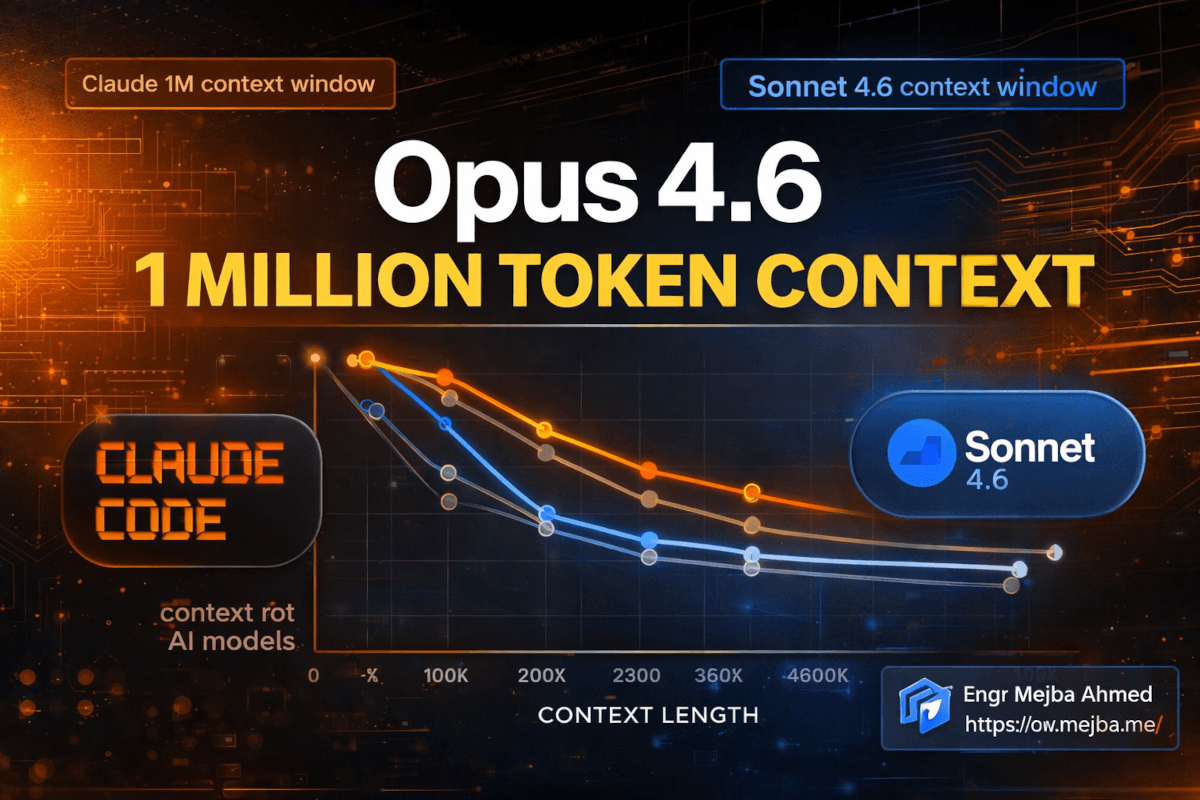
The headline number: Claude Opus 4.6 now defaults to 64,000 output tokens per response. Both Opus 4.6 and Sonnet 4.6 support an upper bound of 128,000 tokens. And if you're on the Claude plan, you can access up to 1 million tokens in context.
Those are big numbers. But numbers without context are just marketing. Here's what they actually mean in practice.
The Old Workflow (Before 64K Default)
With previous token limits, any complex generation required choreography. I'd break a large file into sections, prompt for each section individually, then manually combine the outputs. Database migrations with 30+ tables? Three or four separate prompts. A full test suite for an API with 15 endpoints? I'd batch them in groups of five.
The overhead wasn't the prompting itself — it was the context loss between prompts. Each new prompt started slightly disconnected from the last. Naming conventions would drift. Import statements would get duplicated or forgotten. The model couldn't see the full picture because I was feeding it through a keyhole.
The New Reality
With 64K as the default and 128K as the ceiling, I've been generating entire service layers in single passes. Last week I prompted Claude Code to build a complete notification system — the model class, the migration, the service class, the event listeners, the queue job, the API controller, the form request validation, and the PHPUnit tests. One prompt. One response. Everything internally consistent because the model could hold the entire context without me slicing it up.
The quality difference is noticeable. When the model can see everything it's generating in a single pass, the code is more cohesive. Variable names stay consistent. Helper methods get reused instead of reinvented. Error handling follows a single pattern throughout. It's the difference between one architect designing a building versus five different contractors each building one floor without talking to each other.
When 128K Actually Matters
You won't hit the 128K ceiling in normal conversational use. Where it becomes critical is agentic workflows — when Claude Code is reading multiple files, analyzing a codebase, and generating output all within a single context window. Large monorepo refactors. Full-stack feature implementations that touch frontend, backend, and database layers simultaneously. Documentation generation that needs to reference dozens of source files.
I ran a test last week: pointed Claude Code at a 340-file Laravel project and asked it to generate a full API documentation site. With the old limits, this would have required a custom pipeline of chunked operations. With 128K output tokens available, the agent read the route files, analyzed the controllers, inspected the form requests, and generated structured documentation covering every endpoint — in a single session without hitting the wall.
The 1 million token context window for Claude plan users takes this even further. You can load entire codebases into context and operate on them as a unified whole. I'm still exploring the edges of what's practical at that scale, but the early results are promising for large-scale code analysis and refactoring tasks.
But the token expansion is only half the story. The session improvements are what made me rethink my project management workflow entirely.
Session Management: 45% Faster Resume and Autonamed Sessions
Here's a workflow pain I'd just accepted as normal: I'd be deep in a Claude Code session, step away for lunch, come back, and the session resume would take long enough that I'd open a new terminal tab and start checking email while waiting. On large sessions with significant context, the resume felt sluggish.
Opus 4.6 cuts session resume speed by 45% and reduces peak memory usage during resume by up to 150 MB. The numbers sound abstract until you experience it. My large project sessions now resume in the time it used to take me to decide whether to wait or start a new session. The decision is made for me — it's already back.
Autonamed Sessions Changed How I Organize Work
This one's subtle but it's reshaping my daily workflow. Sessions now automatically name themselves based on the content of the accepted plan. Instead of seeing a list of sessions labeled with timestamps or generic identifiers, I see descriptive names that tell me exactly what each session was doing.
Before this update, I'd have four or five concurrent sessions open and constantly lose track of which one was handling the authentication refactor versus the API integration versus the deployment config. I'd peek into each one, scan the context, and orient myself. Ten to fifteen seconds of friction, repeated dozens of times a day.
Now I glance at the session list and immediately know where everything is. It's the kind of improvement that doesn't make headlines but saves real cognitive overhead across a full workday.
The Renamed /branch Command
The /slashwalk command has been renamed to /slash branch, which makes significantly more sense semantically. You're branching your conversation, not walking it. The old name is preserved as an alias so nothing breaks, but if you're building muscle memory, start using /branch now.
The /copy command also got a quiet upgrade — it now accepts an optional index to grab the Nth latest assistant response instead of always pulling the most recent one. Small feature, but I've already used it three times this week when I needed to grab an earlier code block that got pushed up by follow-up conversation.
These session improvements compound. Faster resume means less context-switching friction. Autonamed sessions mean less cognitive overhead. Better copy commands mean less manual scrolling. Individually, each saves seconds. Together, across a full day of heavy Claude Code usage, they save me meaningful chunks of focused time.
Now — here's the part of this update that kept me up past midnight re-auditing a production environment.
The Security Fix You Need to Understand Right Now
Buried in the changelog, between the flashy token numbers and the quality-of-life improvements, sits a security patch that deserves more attention than it's getting.
The fix addresses a vulnerability where pre-tool-use hooks could bypass deny permission rules. Including enterprise-managed settings. Let me unpack why that sentence should make you uncomfortable if you're running Claude Code in any environment with access controls.
What Was Actually Vulnerable
Claude Code's permission system lets you define what the agent can and cannot do. Deny rules are supposed to be hard boundaries — if you deny access to a directory, the agent shouldn't be able to read or write there. Period.
The vulnerability meant that pre-tool-use hooks — code that runs before a tool executes — could sidestep those deny rules. In enterprise environments where permission rules are managed centrally, this meant the security boundary wasn't as solid as administrators believed.
Was this likely to be exploited accidentally? Probably not. But in a targeted scenario — say, a malicious plugin or a crafted prompt designed to exfiltrate data from a restricted directory — the bypass could have been leveraged. The attack surface existed, and in security, that's what matters.
The New Allowed Sandbox Setting
Alongside the fix, Anthropic introduced a new allowed sandbox setting that restores read access inside deny regions with more granular control. This is a smart design decision. Instead of the binary allow/deny model, you now have a middle ground: "deny writes but allow reads" for specific regions.
This matters for workflows where Claude Code needs to read configuration files or reference code in directories where it absolutely should not be making changes. Previously, you'd either grant full access (risky) or deny all access (limiting). The sandbox setting gives you the precision that production environments actually need.
The CRLF Line Ending Fix
One more security-adjacent fix worth noting: the write tool no longer silently converts line endings when overwriting CRLF files. This sounds trivial until you've dealt with it. If you're working in a mixed environment — Windows-originated files in a project that also has Unix-style files — silent line ending conversion can break shell scripts, corrupt binary-adjacent files, and create subtle bugs that take hours to trace.
The fact that the tool was silently converting without informing the user is the real issue. Silent data modification, even well-intentioned, erodes trust in tooling. This fix restores the principle that the tool should do exactly what you asked and nothing more.
Alright, that was the section that demanded serious attention. What follows is a set of improvements that are less urgent but will make your daily experience noticeably smoother.
Performance Gains: Death by a Thousand Milliseconds
I have a theory about developer tooling: the tools that win long-term aren't the ones with the splashiest features. They're the ones that eliminate micro-friction so consistently that you forget friction ever existed. This update nails that philosophy.
macOS Startup: 60 Milliseconds Faster
Sixty milliseconds sounds insignificant. It's not. Claude Code on macOS now reads keychain credentials in parallel instead of sequentially during startup. That 60ms improvement happens every single time you launch the tool. If you launch Claude Code 20 times a day — which I easily do between different projects, terminal sessions, and testing — that's over a second of daily friction removed.
More importantly, it's a signal of engineering priorities. The team is profiling startup paths and optimizing hot loops. That discipline compounds across releases.
Memory Growth Fix for Long Sessions
This one hit close to home. I'd noticed that multi-hour Claude Code sessions would gradually consume more memory, eventually making my laptop fan spin up and slowing down other applications. I'd been blaming macOS memory management. Turns out it was a bug in Claude Code's session handling — memory wasn't being properly reclaimed during long-running sessions.
The fix means I can now run daylong sessions without the creeping performance degradation I'd unconsciously been working around by periodically killing and restarting sessions. Another invisible friction point, eliminated.
Progress Messages Survive Compaction
When Claude Code compacts a conversation to stay within context limits, progress messages used to disappear. This meant that during long agentic operations — multi-step file modifications, complex build processes — you'd lose visibility into what the agent had accomplished if compaction triggered mid-operation.
Progress messages now persist through compaction. You maintain full visibility into the agent's work regardless of how long the session runs. For anyone running complex, multi-step agentic workflows, this is the difference between confidence and anxiety about what's happening under the hood.
Cost Tracking Correction
A quieter fix: cost and token usage tracking is now correct for API fallback when non-streaming mode is used. If you've been monitoring your API spending and the numbers seemed slightly off, this is likely why. Not a dramatic bug, but accurate cost tracking matters when you're managing API budgets across multiple projects.
These performance improvements won't make anyone's Twitter highlight reel. But stacked together, they represent a meaningfully better daily experience. The tool is faster to start, more stable over long sessions, more transparent during operations, and more accurate in its reporting.
Speaking of transparency — the plugin tooling changes deserve their own section.
Plugin Tooling: The Changes That Affect Plugin Developers
If you build or maintain Claude Code plugins, this section matters. If you just use plugins, the short version is: things should break less and validate better. You can skip ahead to the bash fixes if you want. But I'd recommend staying — understanding how plugin tooling works makes you a better user of the ecosystem.
Better Validation With plugin validate
The plugin validate command got significantly smarter. It now checks skill agent and command front matter, scans hooks.json for YAML parse errors, and catches schema violations. Previously, you could ship a plugin with malformed front matter and not discover the problem until a user reported weird behavior. The validation now catches these issues before deployment.
I've been running the updated validator against my own plugins and it caught two issues I didn't know existed — a missing field in a skill's front matter and a hooks.json that had a subtle YAML indentation error. Both had been working "fine" in practice but were technically malformed. The kind of silent technical debt that eventually causes problems at the worst possible moment.
Agent Tool Behavior Change
This one requires attention if you work with agent tools programmatically. The agent tool no longer accepts a resume parameter. Instead, to continue a stopped agent, you send a message with the agent ID. The agent then autoresumes rather than throwing an error.
The old behavior was frustrating: if an agent stopped and you tried to resume it with the wrong parameter format, you'd get an error instead of the agent just picking up where it left off. The new approach is more forgiving and more intuitive. Agents that stop can be continued by simply addressing them, which matches how you'd naturally expect the interaction to work.
Monorepo Plugin Cache Fix
For teams working in monorepos with multiple plugins in different subdirectories, there was a collision issue in the plugin cache. Two plugins in sibling directories could interfere with each other's cached state. This is now fixed — each plugin gets its own cache scope regardless of directory structure.
This is a niche fix, but if you were affected by it, you know the pain. Intermittent plugin behavior that depends on which plugin loaded first, cache invalidation that cascades incorrectly — debugging these issues is miserable. The fix eliminates an entire category of "works on my machine" problems in monorepo setups.
The plugin ecosystem is maturing. Better validation, more forgiving agent behavior, and cache isolation are all signs that the tooling is being built for serious production use, not just demos and experiments.
Now let's talk about the fixes that live closest to where your fingers meet the keyboard.
Bash and Terminal Fixes: The Unsexy Stuff That Matters Most
I'm going to spend more time on this section than you might expect, because terminal behavior is where I spend my actual working hours. A model can be brilliant, but if the terminal layer between me and the model has friction, every interaction suffers.
Uncompound Commands Finally Work Right
This fix addresses something that had been quietly annoying me for weeks. When you'd chain commands — like cd into npm test — Claude Code would sometimes save the permission rule for the full combined string instead of handling each command independently. This meant you'd approve cd /project && npm test once, and later when you ran just npm test separately, the saved permission didn't apply because it was stored against the compound string.
Now each command in a chain is evaluated independently. Approve npm test once, and it stays approved whether you run it alone or as part of a chain. This matches how you'd intuitively expect permissions to work and eliminates a source of "why is it asking me again?" friction.
The 5 GB Background Task Kill
Rogue background bash tasks that exceed 5 GB of output are now correctly terminated. I'll be honest — I didn't know this was a problem until I read the changelog and thought back to a session two weeks ago where my terminal became unresponsive during a particularly verbose build process. Background output accumulation was likely the culprit.
The 5 GB threshold is generous enough that no legitimate process should trigger it, but tight enough to prevent a runaway task from consuming all available memory. Good default.
Spaces in Temporary Directory Paths
Bash no longer reports false errors for successful commands when temporary directory paths contain spaces. This is a classic Unix footgun — paths with spaces break assumptions in shell scripts everywhere, and Claude Code's internal temporary directories were triggering the same issue. If you've ever seen an error message after a command that clearly succeeded, this fix might explain it.
Paste Preservation
Paste content is now preserved when you start typing immediately after pasting. Before this fix, if you pasted a block of text and started typing before the paste fully registered, you could lose part of the pasted content. The fix is about input buffer handling — making sure paste events complete before keyboard events are processed.
Small fix. But losing clipboard content mid-workflow is the kind of thing that makes you question your own sanity before you question the tool.
Terminal Visual Mode Fixes
Backspace and delete now work correctly in visual normal mode (vnormal). Status line updates properly when visual mode toggles. Ordered list numbers render correctly. CJK characters no longer bleed into adjacent UI elements at the right edge.
These are polish fixes, but they matter for anyone who works primarily in the terminal. CJK character rendering, in particular, affects a huge number of developers globally — having characters clip into neighboring UI elements isn't just ugly, it makes the interface harder to parse visually.
Tmux and SSH Improvements
The tmux fixes deserve a callout because a lot of developers — myself included — live inside tmux sessions. Background colors now render correctly with default tmux configuration. No more crashes when selecting text inside tmux over SSH. Clipboard copy shows a helpful toast notification about whether to paste using Cmd-Y or the tmux prefix. IDE integration autoconnects when Claude Code launches inside tmux or screen.
That last one is particularly welcome. I'd been manually reconnecting IDE integration every time I launched Claude Code from within tmux. The autoconnect eliminates a step I performed so habitually that I'd stopped noticing the friction — until it disappeared.
IDE Integration: Small Fixes, Big Quality of Life
A few IDE improvements round out the update. Plan preview tab titles now use the plan's actual heading instead of a generic "Claude plan" label. This is the same philosophy as autonamed sessions — give the user information at a glance instead of making them click through to orient themselves.
Hyperlinks no longer open twice on Cmd-click in VS Code, Cursor, and other xterm.js-based terminals. If you've been dealing with duplicate browser tabs every time you click a link in the terminal, that was a known bug, and it's fixed now.
The footer now links to the macOS setting for forcing selection with Option-click when native selection isn't triggered. A small UX touch, but it shows the team is thinking about the full user journey — including the moments where someone gets confused by macOS input behavior and needs to find the right system setting.
What I Think Most People Will Miss About This Update
Here's my honest take after two weeks of daily use with these changes.
Most coverage of this update will focus on the token numbers. 64K default. 128K ceiling. 1 million context. Those are impressive figures and they genuinely change what's possible. But they're also the easiest improvements to understand and the hardest to misuse — more tokens is straightforwardly better.
The changes I think will have the biggest long-term impact are the ones that are hardest to put in a headline.
The security fix matters more than the token expansion for anyone running Claude Code in a team or production environment. Permission bypasses are the kind of vulnerability that erodes trust in tooling, and trust is the foundation that everything else is built on. If you manage Claude Code deployments, audit your deny rules and confirm the patch is applied.
The session management improvements — autonamed sessions, faster resume, persistent progress messages — compound into a fundamentally different working experience over weeks and months. They reduce the cognitive tax of using the tool, which means more of your mental energy goes toward the actual problem you're solving instead of managing the tool itself.
And the bash and terminal fixes represent something I value deeply in engineering teams: the willingness to fix the boring stuff. Paste buffer handling. Path spaces. CJK rendering. Permission rule storage for compound commands. None of these will trend on Twitter. All of them make the tool more trustworthy for daily professional use.
How to Get the Most Out of Opus 4.6 Right Now
If you've been working with Claude Code for a while, here's what I'd recommend doing this week to take advantage of the update.
First, revisit any workflow where you were breaking prompts into chunks because of output limits. Try running them as single prompts now. You'll likely find that the 64K default handles operations you were manually splitting, and the output quality improves because of the unified context.
Second, check your permission configuration. Especially if you're in an enterprise environment or have custom deny rules. Make sure the security patch is applied and test your boundaries. The new sandbox setting gives you more granular control — use it to replace any overly broad allow/deny rules with precise scoping.
Third, let autonamed sessions work for you. If you've been manually organizing sessions or relying on timestamps to track which session handles which project, stop. Let the autoname feature handle it and redirect that organizational energy toward the work itself.
Fourth, if you work in tmux, test the autoconnect behavior. If you've been manually reconnecting IDE integration, verify that the automatic connection is working in your setup. Different tmux configurations might interact differently with the autoconnect — better to discover any edge cases now than during a deadline.
Fifth, run plugin validate against any plugins you maintain. The expanded validation catches issues the old validator missed. Fix them before your users discover them in production.
The Opus 4.6 and Sonnet 4.6 update isn't a single flagship feature wrapped in marketing. It's a hundred small-to-medium improvements that, combined, make Claude Code a meaningfully better tool than it was two weeks ago.
And honestly? The improvements I'm most excited about are the ones that removed friction I'd stopped noticing. The session resume speed I'd accepted as normal. The paste buffer issue I'd blamed on my keyboard. The tmux reconnection step I'd automated in my head. When a tool removes friction you'd adapted to, it doesn't just get better — it makes you realize how much cognitive overhead you were quietly carrying.
That's the kind of update worth writing about.
What's the first thing you're going to try with 128K output tokens? I've got a few experiments queued up that I'll share once the results are in. My bet is that the sweet spot for most developers isn't the maximum token count — it's somewhere around 40-50K where you get unified context without the latency of a truly massive generation. But I've been wrong before, and I'm looking forward to finding out.
Claude Opus 4.6 Sonnet 4.6: Common Questions
What is the default output token limit for Claude Opus 4.6?
Claude Opus 4.6 defaults to 64,000 output tokens per response, with an upper bound of 128,000 tokens. Claude plan users can access up to 1 million tokens in context. For a full breakdown of how this changes real workflows, see the token output section above.
Does Sonnet 4.6 get the same token improvements as Opus 4.6?
Both Sonnet 4.6 and Opus 4.6 support the 128,000 token upper bound for output. The session management improvements, security patches, and terminal fixes apply equally to both models. The primary difference remains Opus's stronger performance on complex reasoning tasks.
How much faster is Claude Code session resume after this update?
Session resume speed improved by 45%, with up to 150 MB less peak memory usage during resume. Sessions also autoname themselves based on the plan content, making it faster to find and resume the right session.
Is the security vulnerability in pre-tool-use hooks serious?
The vulnerability allowed pre-tool-use hooks to bypass deny permission rules, including enterprise-managed settings. While unlikely to be triggered accidentally, it created a real attack surface in environments with access controls. The patch should be applied immediately in any team or production deployment.
What changed with Claude Code plugin validation?
The plugin validate command now checks skill agent and command front matter, hooks.json for YAML parse errors, and schema violations. Agent tools also autoresume instead of erroring when continued. For the full plugin changes, see the plugin tooling section above.
Whether to Upgrade Now
The Opus 4.6 and Sonnet 4.6 update hits different because the gains land where power users complained — read the changes against your own pain points, not the headline benchmarks.
Test it on the exact work the last version struggled with. My Sonnet 5 vs Opus 4.8 and Opus 4.7 analysis go deeper.
If you want help choosing the right Claude tier for your workload, that's something I do through Ramlit.