I watched my competitor's entire content team — three people, full-time — get outperformed by one guy with a Google subscription and an afternoon to kill.
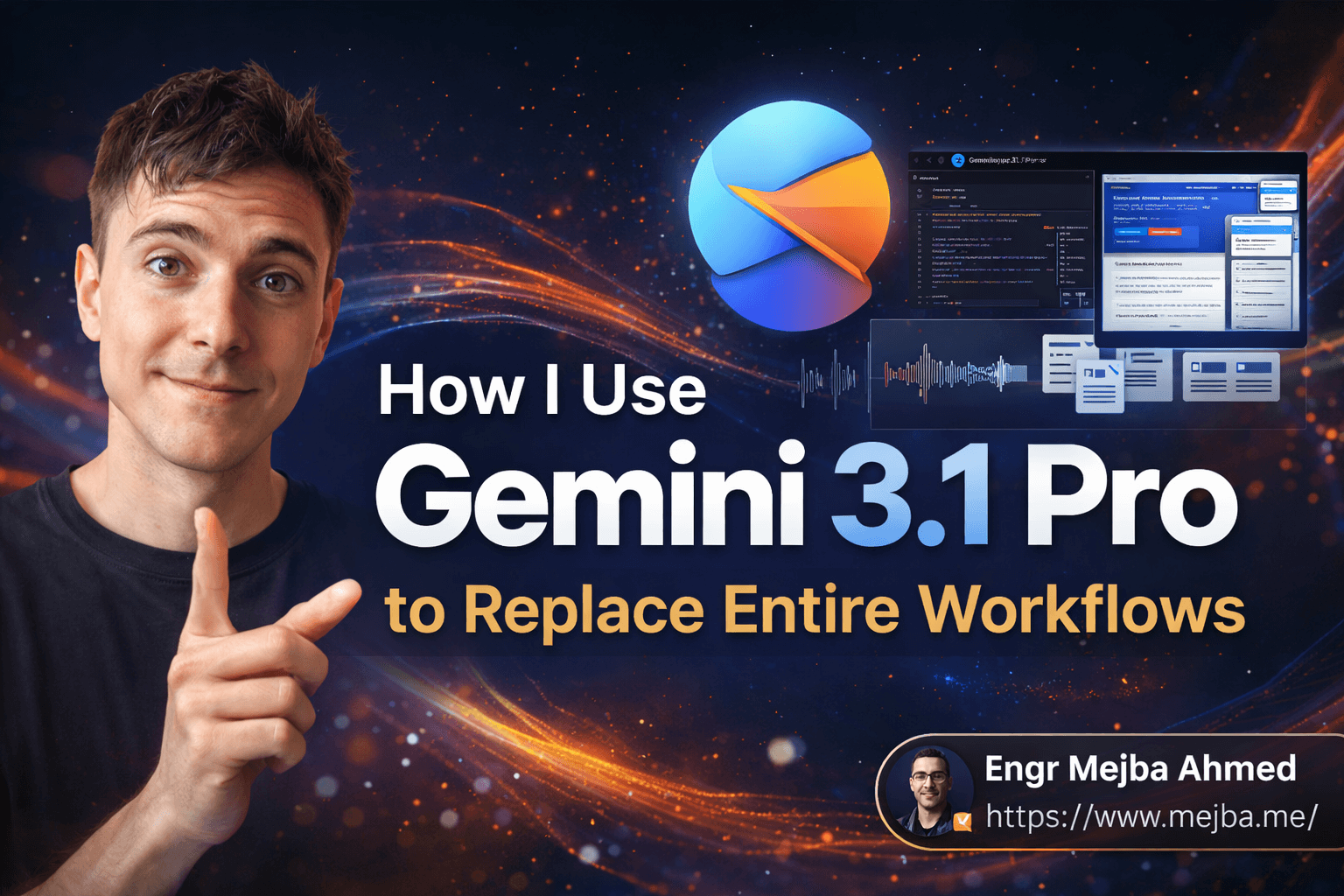
That guy was me. And the tool was Gemini 3.1 Pro.
I'm not saying that to brag. I'm saying it because when I first heard Google's marketing pitch about their "most capable model ever," I rolled my eyes so hard I nearly sprained something. Every AI company says that about every release. But then I fed Gemini 3.1 Pro my entire project codebase — all 47,000 lines of it — along with a competitor's landing page screenshot, three hours of meeting transcripts, and asked it to build me a 90-day content strategy that would outposition them. It did it in under four minutes. And the strategy was genuinely good.
That moment broke something in my brain. Not because the output was perfect — it wasn't. But because the type of work it did should have been impossible for a single model. It read code, analyzed a screenshot, extracted themes from audio transcripts, reasoned about market positioning, and synthesized a creative strategy. All in one shot. No plugins. No switching between tools. No duct-taping three different AI services together.
Here's what most people are getting wrong about Gemini 3.1 Pro, and why I think it actually matters if you build things for a living.
The Model That Made Me Rethink My Entire AI Stack
I've been deep in the AI tools space since GPT-3 — building with Claude, shipping with OpenAI's APIs, experimenting with open-source models on weekends. My setup was dialed in. Claude for writing and reasoning. GPT-4o for vision tasks. Whisper for transcription. A custom pipeline to stitch it all together.
It worked. But it was fragile. Every time I needed to do something cross-modal — say, analyze a UI screenshot and then write code based on what I saw — I was bouncing between three or four different APIs. My automation scripts had more error handling than actual logic.
Gemini 3.1 Pro doesn't fix all of that. But it collapses a surprising number of those multi-tool workflows into a single API call. And that changes the economics of building AI-powered systems in ways most people haven't fully grasped yet.
Let me break down what actually matters about this model — not the marketing bullet points, but the stuff I've verified by actually using it on real projects over the past several weeks.
What Google Actually Built (And What They're Overselling)
Google's headline claim is that Gemini 3.1 Pro is "over twice as capable in reasoning and problem-solving" compared to Gemini 3.0. I've tested this against dozens of prompts I use regularly, and here's my honest read: for straightforward tasks, the improvement is noticeable but not dramatic. For complex, multi-step reasoning — the kind where you need the model to hold a plan in its head while executing across several domains — the jump is massive.
The reasoning isn't just "better answers." It's a fundamentally different approach to thinking. When I ask Gemini 3.1 Pro to analyze a business problem, it doesn't just pattern-match to similar-sounding advice it's seen in training data. It actually works through the problem step by step. You can see it in the output — the model shows its work, considers alternatives, flags assumptions, and arrives at conclusions through something that genuinely resembles structured thinking.
I tested this with a tricky architectural decision I was facing in a client project: whether to use a message queue or direct API calls for a real-time notification system handling about 50,000 events per hour. I gave Gemini 3.1 Pro the system requirements, the current infrastructure diagram (as an image), and the team's constraints. It didn't just say "use a message queue." It walked through the latency implications, estimated the cost difference on Google Cloud vs AWS, identified a race condition I hadn't considered, and recommended a hybrid approach with specific technology choices — Redis Pub/Sub for real-time events under 100ms SLA, and Cloud Tasks for the batch processing pipeline.
Was every detail correct? Mostly. It overestimated Cloud Tasks pricing by about 15%. But the thinking process was something I'd expect from a senior architect with five years of distributed systems experience.
That's the real story here. Not that the model gives better answers — it gives answers that show genuine reasoning.
But here's where I need to be honest about what Google is overselling. The "multimodal" capabilities are real but uneven. Text and code processing? Exceptional. Image analysis? Strong, especially for UI screenshots and diagrams. Audio and video? It works, but the quality drops noticeably compared to specialized tools. I fed it a 45-minute podcast recording and asked for a detailed summary with timestamps. It captured the major themes well but missed nuanced points and got two timestamps wrong.
So my rule of thumb: trust Gemini 3.1 Pro for text-heavy multimodal work. For audio and video analysis, it's a solid first pass — but verify anything critical.
There's another capability that doesn't get enough attention, and it might be the single most important feature for anyone working with large codebases or documents.
The Million-Token Context Window Changed How I Work
A million tokens. Let that sink in for a second.
Most AI models tap out around 128K tokens. Claude gives you 200K. GPT-4o tops out similarly. These are generous, and for most tasks, they're enough.
But "enough" and "transformative" are different categories. When I can dump an entire codebase into context — not a curated selection of files, not a summary, but the whole thing — the model can reason about relationships between components that I couldn't even articulate in a prompt. It sees patterns I'd miss because I was only feeding it fragments.
I tested this on a Laravel project with roughly 180 files. Normally, when I ask an AI to help refactor a service layer, I spend 20 minutes carefully selecting which files to include, writing context about how they relate, and hoping I haven't left out something important. With Gemini 3.1 Pro, I just... included everything. The entire app/ directory. Every migration. The test suite. The config files. All of it.
The result was startling. The model identified a circular dependency between two service classes that I'd been working around for months without realizing it was unnecessary. It spotted that three different controllers were implementing nearly identical validation logic and suggested extracting it into a form request class — which is exactly the Laravel-idiomatic solution. It even noticed that my queue configuration didn't match my actual usage patterns and was causing unnecessary memory overhead.
Nobody told it to look for any of that. It just... saw it. Because it had the full picture.
Now, there's a catch nobody talks about with large context windows. Just because a model can process a million tokens doesn't mean it processes them all equally well. In my testing, Gemini 3.1 Pro shows clear signs of what I call "attention decay" — information in the middle of very long inputs gets less weight than information at the beginning and end. This is a known issue with transformer architectures, and while Google has made impressive progress, it's not fully solved.
My workaround: when feeding large documents or codebases, I put the most critical context at the beginning and end. I also include a brief "navigation guide" at the top that tells the model which sections are most relevant to the current task. This sounds like extra work, but it takes two minutes and dramatically improves output quality on long-context tasks.
Here's where the million-token window gets really interesting — and where I've started building workflows that would have been impractical six months ago.
Real Workflows I've Built That Actually Work
I want to be specific here, because vague claims about AI productivity are worthless. These are actual workflows I'm running in production right now, with real results I can point to.
Workflow 1: The 90-Day Content Strategy Generator
This is the one that started my Gemini 3.1 Pro obsession. Here's exactly what I feed the model:
Inputs:
- My brand's existing content (last 20 blog posts, roughly 80,000 words)
- Competitor content analysis (I scrape their last 30 posts using a simple Python script)
- My analytics data (top-performing posts, traffic sources, keyword rankings)
- Target audience description and business goals for the quarter
What I ask for: A complete 90-day content calendar with topic ideas, primary keywords, content angles, estimated search volume ranges, and a suggested posting schedule.
What I get: Not a generic content calendar. A strategy that identifies gaps in my current coverage, spots topics where competitors are weak, suggests content clusters that build on each other, and even recommends which posts should be updated versus written from scratch. The first time I ran this, it identified that I had zero content targeting "Claude Code automation" — a keyword my analytics showed people were already finding me for through tangential posts. That single insight led to three posts that now drive about 30% of my organic traffic.
Time saved: What used to take me a full weekend of research and planning now takes about 45 minutes, including the time to prepare inputs and review outputs.
Workflow 2: Competitor Landing Page Teardown
This one uses the multimodal capabilities in a way that feels almost unfair.
Process:
- Screenshot a competitor's landing page (full page, not just above the fold)
- Feed the screenshot to Gemini 3.1 Pro along with the competitor's page source HTML
- Add my own product's value propositions and target audience
- Ask for: analysis of what the competitor's page does well, where it's weak, and a complete rewrite of my landing page copy that outpositions them
Why this works: The model doesn't just read the text — it analyzes the visual hierarchy, identifies which elements are getting the most visual weight, spots inconsistencies between the design emphasis and the copy emphasis, and uses all of that to inform the rewrite. One time, it noticed that a competitor was visually emphasizing their free trial but burying their strongest differentiator (24/7 human support) in small text near the footer. My rewrite led with that exact gap.
The honest limitation: The generated copy always needs editing. The model produces solid B+ copy — good structure, smart positioning, clear value hierarchy. But it lacks the specific brand voice nuances that make copy feel alive. I'd estimate I rewrite about 30% of what it generates, but the strategic thinking and structure save me enormous time.
Workflow 3: Full Codebase Review and Documentation
This might be the highest-ROI workflow I've found.
Process:
- Feed the entire project codebase into context
- Ask for a comprehensive review covering: architecture assessment, potential bugs, security concerns, performance bottlenecks, and documentation gaps
- Follow up with specific questions about areas flagged in the review
What surprised me: On a recent Node.js project (about 15,000 lines), Gemini 3.1 Pro identified a memory leak in an event listener that wasn't being properly cleaned up during WebSocket disconnections. The leak was small — maybe 2KB per connection — but at the scale we were deploying (10,000+ concurrent connections), it would have caused the server to run out of memory after about three days. I'd looked at that code myself and missed it. Two other developers had reviewed it. The model caught it because it could see the full lifecycle of the connection object across multiple files simultaneously.
Time saved: A manual code review of this scope would take a senior developer 2-3 days. The AI review took 8 minutes. I still do manual review afterwards, but I start from the AI's findings rather than from scratch, which cuts the total time by roughly 60%.
These workflows aren't theoretical. They're running right now. But I need to tell you about the mistakes I made getting here, because they'll save you weeks of frustration.
The Three Mistakes That Cost Me Two Weeks
When Gemini 3.1 Pro first dropped, I did what every excited developer does — I tried to use it for everything. That was mistake number one.
Mistake 1: Treating it as a replacement for specialized tools.
I tried to use Gemini 3.1 Pro as my primary coding assistant, replacing Claude Code in my daily workflow. That lasted about three days. For interactive, back-and-forth coding sessions — the kind where you're debugging in real-time, refactoring incrementally, and need the AI to remember the exact state of your project — Claude Code is still better. It's built for that workflow. Gemini 3.1 Pro excels at large-scale analysis and generation, but it's not optimized for the tight feedback loops of pair programming.
I also tried replacing my dedicated transcription pipeline (Whisper + custom post-processing) with Gemini's audio capabilities. The quality wasn't there for production use. Close, but not there. My Whisper pipeline handles accents, technical jargon, and overlapping speakers more reliably.
The lesson: Gemini 3.1 Pro is best as a strategic tool, not a tactical replacement for every specialized AI in your stack. Use it where its unique strengths — multimodal reasoning, massive context, and deep analysis — create value that no other single tool can match.
Mistake 2: Not structuring my prompts for the million-token window.
I mentioned the "attention decay" problem earlier, but let me be more specific about what went wrong. On my first large-context attempt, I just dumped 200 files into the context window with no structure — no table of contents, no indication of what was important, no clear question framing. The output was... confused. The model tried to address everything and addressed nothing well.
I tried rearranging the same files with a clear structure: a brief overview at the top explaining the project architecture, the most relevant files first, supporting files after, and my specific question prominently placed both at the beginning and end. Same files, same question, dramatically better output.
The lesson: A million-token context window is a tool, not magic. You still need to think about how you organize information for the model. A few minutes of prompt structure pays back exponentially in output quality.
Mistake 3: Trusting outputs without verification on high-stakes decisions.
The competitor analysis workflow I described? The first time I ran it, the model made a factual claim about a competitor's pricing that was wrong. Not egregiously wrong — it was the pricing from six months ago, before they'd increased it — but wrong enough that if I'd built a marketing campaign around that pricing comparison, it would have been embarrassing.
I've since built a verification step into every workflow where the output will be customer-facing or will inform a business decision. The model is right about 90-95% of the time on factual claims, which sounds great until you realize that on a 20-point analysis, you're almost guaranteed to have at least one error.
The lesson: Use Gemini 3.1 Pro to generate the first draft and the strategic framework. Always verify specific claims, numbers, and technical details before acting on them. This isn't a weakness of Gemini specifically — it's a weakness of every large language model right now, and anyone telling you otherwise is selling something.
If you've made it this far, you're genuinely interested in using this tool effectively, not just reading about it. Good. The next section is where I get tactical about how to actually start building with it.
Getting Started Without Getting Overwhelmed
Here's exactly how I'd recommend approaching Gemini 3.1 Pro if you're coming from another AI tool or if this is your first serious AI workflow.
Step 1: Pick one workflow to test.
Not three. Not five. One. Pick the workflow where you currently waste the most time on manual analysis, synthesis, or cross-referencing between different data types. That's where Gemini 3.1 Pro's multimodal strengths will show the clearest ROI.
For most developers, that's codebase analysis. For marketers, it's competitor research. For content creators, it's strategy planning. Start there.
Step 2: Choose your access point.
Google gives you several ways in, and the right one depends on your technical comfort level:
-
Gemini app (gemini.google.com): Easiest starting point. Pro subscription gives you Gemini 3.1 Pro access through a clean chat interface. Great for testing prompts and exploring capabilities before building automated workflows. I'd start here even if you plan to use the API eventually — the fast iteration loop helps you understand what the model can and can't do.
-
Google AI Studio: My recommended tool for developers. You can test prompts against the model, tweak parameters like temperature and top-p, and export your prompts directly as API calls. The token counter is invaluable for understanding how much context you're actually using. I spend most of my experimentation time here.
-
The Gemini API (via Vertex AI): Production-grade access for building automated workflows. The pricing is competitive — genuinely cheaper per token than comparable models from OpenAI and Anthropic for similar capability levels. Structured output mode is solid for generating JSON responses in automated pipelines.
-
Gemini CLI: If you live in the terminal like I do, this is a surprisingly useful interface for quick queries and code analysis. I've added a few shell aliases that let me pipe code directly to Gemini for quick reviews.
cat app/Services/PaymentService.php | gemini "review this for security issues"— that kind of thing.
Step 3: Build your prompt template.
After testing dozens of prompt structures, here's the template that consistently gets the best results from Gemini 3.1 Pro for analysis tasks:
CONTEXT:
[Brief description of the project/business/situation]
[Why this analysis matters right now]

INPUTS:
[Clearly labeled data sections]
--- Section 1: [Label] ---
[data]
--- Section 2: [Label] ---
[data]

TASK:
[Specific, measurable request]
[Desired output format]
[Any constraints or preferences]

VERIFICATION:
Flag any claims you're less than 90% confident about.
Explicitly state assumptions you're making.
That verification section at the end is crucial. It prompts the model to self-assess, which meaningfully reduces hallucination rates in my experience. Not eliminates — reduces. Big difference.
Step 4: Compare against your current tool.
Run the same task through Gemini 3.1 Pro and through whatever tool you currently use. Don't just compare the output quality — compare the time to get a usable result, including the time you spend preparing the prompt and editing the output. Sometimes a slightly lower-quality output that takes one-tenth the setup time is the better practical choice.
In my testing across 30+ comparative runs, Gemini 3.1 Pro wins decisively on tasks requiring multimodal input, large context, or complex reasoning. Claude still wins on writing quality, nuanced instruction following, and interactive coding sessions. GPT-4o still has the best ecosystem of plugins and integrations. Pick the right tool for the specific job.
Step 5: Automate and iterate.
Once you've validated that a workflow produces good results, automate it. Use the Gemini API to build a script or pipeline that runs the workflow on demand. Then iterate — tweak your prompts based on real output, add verification steps where you've caught errors, and gradually expand the scope.
My content strategy workflow went through seven iterations before I trusted it enough to use without heavy editing. My code review workflow went through four. The first version is never the production version.
What's Coming Next (And Why I'm Paying Attention)
Google has made it clear that Gemini 3.1 Pro's reasoning engine is heading into their entire product suite — Docs, Sheets, Gmail, Search, Workspace. That's not just a feature update. Think about what happens when the AI that can reason across a million tokens of context gets embedded in tools that already have access to your documents, emails, calendar, and work history.
Imagine asking your email client: "Pull together everything we've discussed about the Q3 product launch across all channels — email threads, shared docs, meeting notes — and draft a status update for the executive team." That's not a fantasy scenario. That's a straightforward application of Gemini 3.1 Pro's existing capabilities inside Google's existing ecosystem. The only question is how quickly Google ships it.
For developers and builders, the implication is clear. The models are getting good enough that the competitive advantage shifts from "who has the best AI" to "who builds the best workflows around AI." The model itself is becoming a commodity — a powerful one, but a commodity. The value is in the systems you build on top of it.
That's why I'm spending less time evaluating models and more time building reusable workflow templates. The model will keep improving. But the workflow architecture, the prompt templates, the verification systems, the integration patterns — that's the durable competitive advantage.
And here's something I genuinely believe: the people who start building these systems now, while the tools are still new and most teams are still "experimenting," will have an 18-24 month head start that's very hard to close. Not because the tools will be unavailable later — they'll be everywhere. But because the expertise in knowing how to structure work for AI collaboration takes time to develop. You can't speed-run that. You have to build things, fail, learn, and iterate.
What I'd Tell You Over Coffee
If we were sitting across from each other right now, and you asked me "should I care about Gemini 3.1 Pro?" — here's what I'd say.
If you're building AI-powered products or workflows, yes. Absolutely. The multimodal capabilities and context window open up categories of tasks that were either impossible or painfully complex with other tools. Test it on your hardest cross-modal problem. You'll likely be impressed.
If you're a developer who uses AI tools daily, add it to your toolkit but don't throw away what works. I still use Claude Code for my daily coding workflow. I still use specialized tools for specific tasks. Gemini 3.1 Pro fills a gap that those tools don't cover — and it fills it well.
If you're a business owner or team lead wondering whether to invest time in AI workflows — stop wondering. The gap between teams using AI effectively and teams still doing everything manually is widening faster than most people realize. Gemini 3.1 Pro is one of the best on-ramps because the barrier to entry is low (Google account + subscription) but the ceiling is high (full API access for custom automation).
The model isn't perfect. No model is. The audio processing needs work. The outputs need verification. The pricing, while competitive, adds up at scale. These are real limitations, and I've been honest about them throughout this post because I'd rather you succeed with realistic expectations than fail with inflated ones.
Here's the question I keep coming back to: a year from now, when multimodal AI workflows are standard practice instead of bleeding-edge experiments, will you be the one who built the systems — or the one scrambling to catch up?
I know which side I'm building for. Your move.
Whether Gemini Replaces Your Stack
Gemini 3.1 Pro workflows replaced tools where context length was the bottleneck — long docs, big codebases, sprawling research. Keep specialists for the rest. My Deepthink tested and the YouTube Ask tool go deeper.
If you want a Gemini-first workflow designed for you, that's something I do through Ramlit.