📝 OpenAI Codex

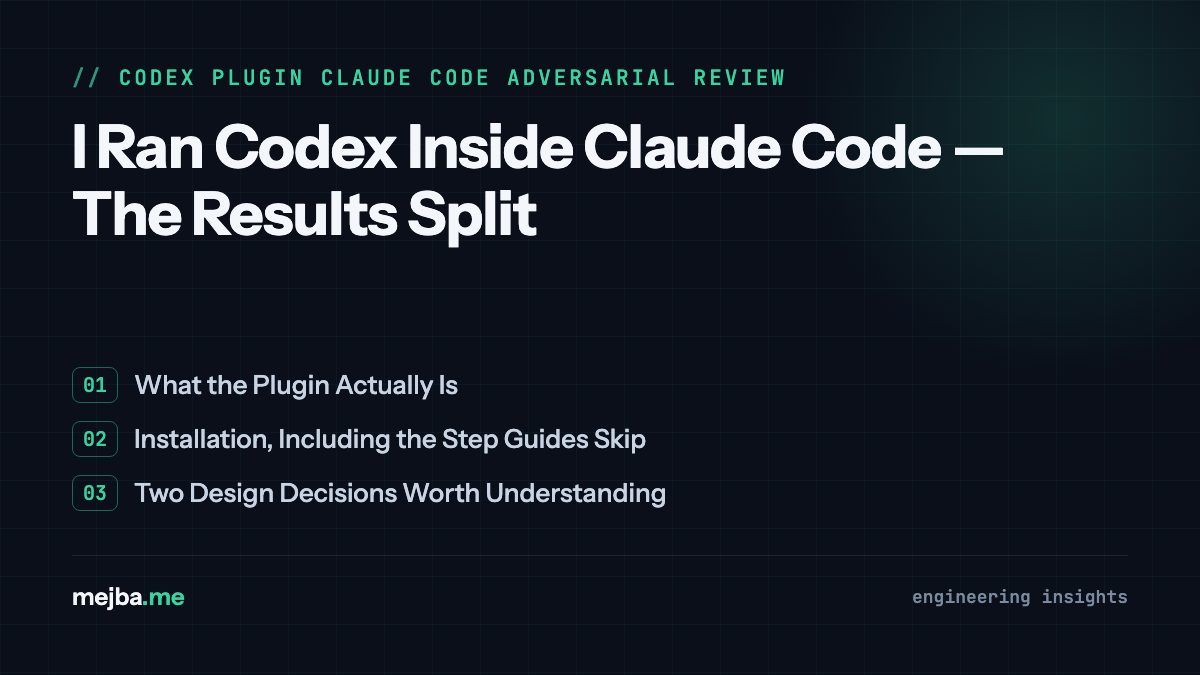
I Ran Codex Inside Claude Code — The Results Split

I installed OpenAI's Codex plugin inside Claude Code and ran adversarial reviews against Opus 4.6. Here's what each model caught — and what both missed.

21 min

Read time

4,073

Words

Mar 31, 2026

Published

Engr Mejba Ahmed

Written by

Engr Mejba Ahmed

Share Article

I Ran Codex Inside Claude Code — The Results Split

I Ran Codex Inside Claude Code — The Results Split

The Slack message came in at 11:40 PM on a Saturday. "Telegram bot is double-posting. Users are complaining. Can you look at it tonight?"

I had Opus 4.6 open in Claude Code, already deep in a different project. My first instinct was to throw the bot's codebase at Opus and ask for a full review. But I'd just installed something new — OpenAI's Codex plugin for Claude Code, released on March 30, 2026 — and I'd been looking for a real excuse to test it. Not a toy demo. A production codebase with actual users reporting actual bugs.

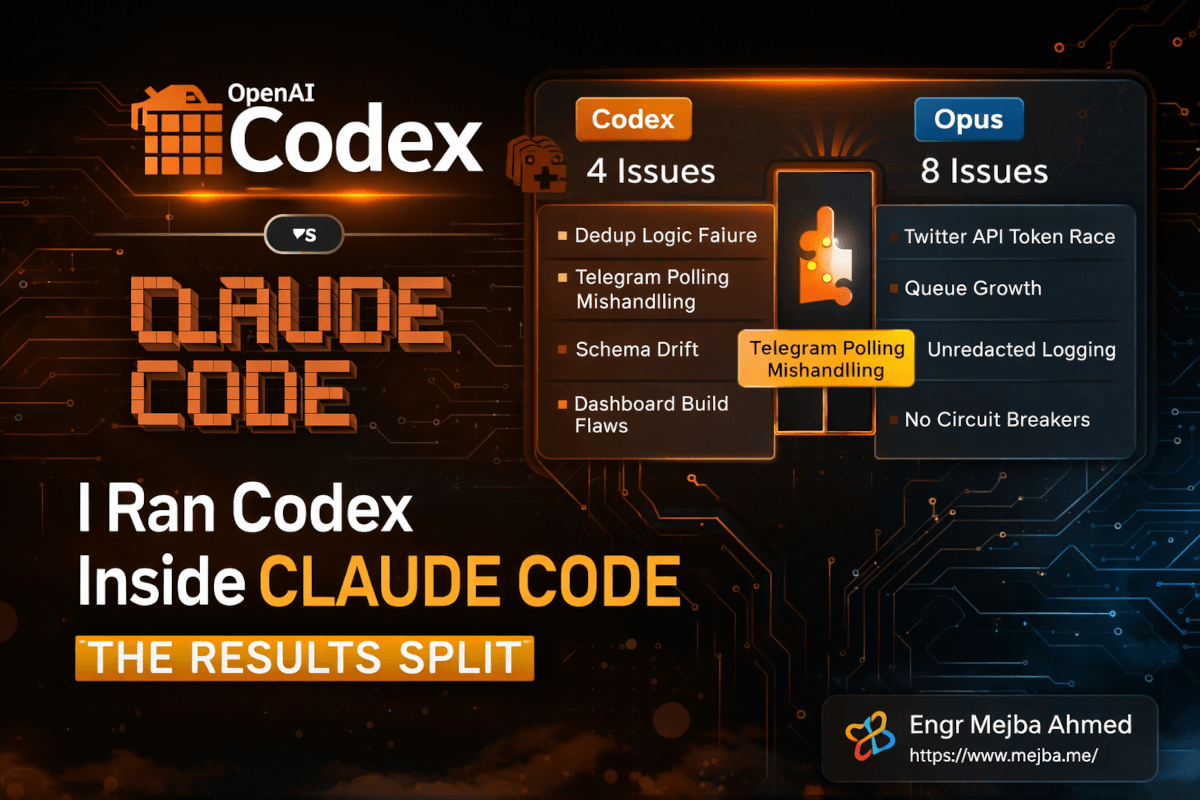
So I did something I hadn't done before. I ran both models against the same codebase, same night, with the same adversarial review prompt. Codex found four high-severity issues. Opus found eight. Only one overlapped. That gap — seven issues Codex missed, three issues Opus missed — told me more about the future of AI-assisted code review than any benchmark ever could.

Here's the full story of what happened, how to set up the same workflow, and why running two competing AI models against your code might be the most underrated quality practice in 2026.

Why a Single AI Reviewer Is a Liability

I need to back up and explain why I even bothered running two models. A year ago, I would have thought that was overkill. Opus is smart. Codex is smart. Pick one, trust the results, ship the fix. Done.

Then I started noticing a pattern across my projects. Every AI model has blind spots — not random ones, but systematic ones. Opus tends to focus heavily on architectural concerns and data flow. It's phenomenal at catching issues where components interact in unexpected ways. But it sometimes glosses over operational concerns like polling intervals, retry logic, and graceful degradation under load.

Codex has the opposite bias. It's sharp on execution-level details — the kind of bugs that manifest at runtime under specific conditions. But it occasionally misses the forest for the trees, flagging individual function problems without connecting them to broader system design issues.

I didn't have rigorous data for this observation until the Saturday night incident. What I had was a gut feeling built from months of using both models separately for code reviews. The adversarial review feature in the new Codex plugin gave me a way to actually test that intuition.

And the results confirmed something I think every developer working with AI tools needs to internalize: a single-model review creates a false sense of security. You get a clean report, you feel confident, and you ship — not realizing the model was structurally incapable of seeing an entire category of bugs. I'll walk you through exactly how this played out. But first, you need to understand what this plugin actually is and how to get it running.

What the Codex Plugin for Claude Code Actually Does

OpenAI released codex-plugin-cc on March 30, 2026 — and the strategic move here is worth appreciating before we get into the technical details. Claude Code dominates the agentic coding workflow space right now. Rather than trying to pull developers away from it, OpenAI decided to bring Codex into the tool developers already use. It's the same logic behind shipping apps for a competitor's platform: go where the users are.

The plugin adds a set of /codex: slash commands directly into your Claude Code session. Once installed, you get three core capabilities:

/codex:review — A standard code review. Point it at uncommitted changes, a branch diff, or a specific set of files, and Codex returns a structured, read-only inspection. Think of this as a neutral second opinion on whatever code your primary agent (or you) just wrote.

/codex:adversarial-review — This is the feature that caught my attention. It's not a standard code review. It's a devil's advocate analysis that assumes flaws exist and goes hunting for them. It challenges design decisions, tests assumptions, probes failure modes, and questions whether a simpler or safer approach should have been taken. Less "does this code work?" and more "how could this code fail catastrophically?"

/codex:rescue — Task delegation. If you're stuck on a debugging session, a failing test, or a regression you can't trace, you can hand it to Codex and let it work the problem while you focus on something else.

All three commands support background execution — you fire them off, keep working, and check results when they're done. /codex:status shows progress, /codex:result fetches the output, and /codex:cancel kills a running job. This matters more than it sounds. During my Saturday night session, I kicked off the Codex adversarial review in the background and ran the Opus review in the foreground simultaneously. Two models, one terminal session, zero context-switching.

The plugin delegates to your local Codex CLI installation rather than spinning up a separate runtime. That means it inherits whatever authentication, model configuration, and MCP setup you already have. No duplicate configuration. No token management headaches. If Codex CLI works on your machine, the plugin works.

Here's the part that surprised me: because Codex runs through the plugin as a separate process, it doesn't consume your Claude Code context window. Opus keeps its full context for whatever you're working on, and Codex operates independently. You get genuinely parallel AI analysis without the models stepping on each other's context.

How to Install the Codex Plugin in Under Five Minutes

The setup is straightforward, but there are two gotchas I hit that I'll flag so you don't waste time on them.

Prerequisites

You need three things before you start:

  1. Node.js 18.18 or higher. The plugin won't install on older versions, and the error message isn't helpful — it just fails silently during the marketplace add step. Check your version with node -v before you begin.

  2. Codex CLI installed locally. If you've been using Codex through the app or API but never installed the CLI, you'll need to do that first. Run npm install -g @openai/codex or follow OpenAI's CLI setup docs.

  3. A ChatGPT account. Free tier works. Pro works. Plus works. The plugin authenticates through your existing ChatGPT subscription, which means you don't need a separate API key unless you prefer that route.

Step-by-Step Installation

Step 1: Add the marketplace source.

/plugin marketplace add openai/codex-plugin-cc

This registers OpenAI's plugin repository with Claude Code's plugin system. If you get a "marketplace not found" error, make sure you're running a Claude Code version from March 2026 or later — older versions don't support third-party marketplaces.

Step 2: Install the plugin.

/plugin install codex@openai-codex

This pulls the plugin into your Claude Code environment. The installation takes about ten seconds on a decent connection. You'll see a confirmation message with the list of new slash commands.

Step 3: Authenticate.

/codex:setup

This command handles authentication. It'll either detect your existing Codex CLI credentials or open a browser window for you to log in with your ChatGPT account. If you prefer API key authentication, you can pass it directly — but the browser login flow is faster for most setups.

Step 4: Verify everything works.

/codex:review --check

This runs a diagnostic that confirms the plugin can reach the Codex backend, your authentication is valid, and the CLI version is compatible. If this passes, you're ready.

The Gotcha That Cost Me Twenty Minutes

Here's what tripped me up. I had Codex CLI installed but hadn't updated it in a few weeks. The plugin requires a minimum CLI version that shipped in late March 2026, and my older version passed the installation check but failed silently on actual review commands. The fix was simple — npm update -g @openai/codex — but the error gave me zero indication that version mismatch was the problem. I only figured it out by running /codex:setup a second time, which flagged the version issue. If your reviews aren't returning results, check your CLI version first.

The Adversarial Review: What Codex Actually Found

Back to Saturday night. I had a Twitter engagement and research bot in production — a system that scans tweets, applies quality filtering, scores them for relevance, deduplicates against a Supabase database, and routes selected content to a Telegram channel with AI-assisted responses. About 2,000 lines of code across eight files.

I pointed Codex's adversarial review at the entire codebase with a specific prompt targeting seven attack surfaces I cared about most:

  1. Authentication vulnerabilities
  2. Data loss scenarios
  3. Rollback safety
  4. Race conditions
  5. Degraded dependency handling
  6. Version skew between services
  7. Observability gaps

The adversarial review finished in about four minutes. Codex returned four high-severity issues, each with specific file locations, detailed explanations, and recommended fixes.

Issue 1: Dedup Logic Failure

The deduplication system checked tweet IDs against Supabase before processing, but the check and the insert weren't atomic. Under load — which this bot regularly hits during trending topics — two parallel workers could both pass the dedup check for the same tweet, process it independently, and insert duplicate entries. Codex identified the exact race window and recommended switching to a Supabase upsert with a unique constraint as the primary dedup mechanism rather than the check-then-insert pattern.

This was a real bug. Users had been reporting occasional duplicate posts in the Telegram channel, and I'd been unable to reproduce it consistently. The race condition only triggers under specific concurrent load patterns — exactly the kind of bug that's invisible in single-threaded testing.

Issue 2: Telegram Polling Mishandling

The bot used long polling to listen for Telegram commands, but the error handling on poll timeouts was wrong. When a poll timed out (which happens naturally every 30 seconds), the error handler treated it as a connection failure and triggered a reconnection with exponential backoff. After several natural timeouts, the backoff delay grew large enough that the bot became unresponsive for minutes at a time.

This was the bug that triggered the Saturday night Slack message. Codex didn't just identify it — it traced the full lifecycle from timeout to backoff to unresponsiveness, which is something I hadn't connected despite staring at the logs.

Issue 3: Schema Drift Between Services

The bot's scoring module expected a specific JSON schema from the tweet scanner, but there was no validation at the boundary. If the Twitter API changed its response format — which it does periodically without warning — the scoring module would silently process malformed data rather than failing loudly. Codex recommended adding Zod schema validation at every service boundary.

Issue 4: Dashboard Build Flaws

The monitoring dashboard compiled at build time with hardcoded API endpoints, meaning a staging deploy would still point at production APIs. Codex flagged this as a deployment safety issue and recommended environment variable injection at runtime rather than build time.

Four issues. All high severity. All legitimate. Two of them explained bugs users had already reported. Not bad for four minutes of compute time.

But here's where the story gets interesting — because I ran Opus next.

The Same Codebase Through Opus 4.6's Eyes

I gave Opus 4.6 the identical adversarial review prompt, targeting the same seven attack surfaces. Opus took slightly longer — closer to six minutes — and came back with eight issues. One high-severity, seven critical.

The overlap? Exactly one issue. Both models independently flagged the Telegram polling problem as the most dangerous bug in the codebase. They even rated it at similar severity levels — Codex called it high, Opus called it critical. The fact that two fundamentally different AI architectures converged on the same bug gave me strong confidence that this was genuinely the most urgent fix.

But the remaining findings diverged completely.

Where Codex found four total issues, Opus found eight — and seven of them were unique to Opus. These weren't minor nits. They included:

  • A token refresh race condition in the Twitter API authentication layer that could leave the bot running with expired credentials for up to 15 minutes
  • An unbounded queue growth scenario where the scoring pipeline could accumulate unprocessed tweets faster than it could evaluate them during viral events
  • A logging configuration that wrote sensitive user data to plaintext logs without redaction
  • Missing circuit breaker patterns on the Supabase connection, meaning a database outage would cascade into the entire system rather than gracefully degrading
  • Three additional issues around error propagation, retry semantics, and state persistence across restarts

These are architectural concerns — exactly the kind of systemic issues Opus tends to excel at identifying. The model connected dependencies across files and services in ways that revealed emergent failure modes, not just individual bugs.

Meanwhile, the three issues unique to Codex — the dedup race condition, schema drift, and dashboard build problem — were runtime and deployment concerns that Opus didn't flag. Opus was so focused on the architectural picture that it missed the operational reality of how the code actually executes and deploys.

What the Comparison Actually Means for Your Workflow

Here's the uncomfortable truth this experiment revealed. If I'd only run Codex, I would have fixed four real bugs and felt good about the codebase. If I'd only run Opus, I would have fixed eight issues and felt even better. But I would have missed three real problems in the first case and four real problems in the second case.

Neither model gave me a complete picture. Together, they found eleven unique issues across every category I cared about.

This isn't just an anecdote. It reflects a structural difference in how these models approach code analysis. Codex — built from OpenAI's coding-focused training pipeline — excels at execution-level reasoning. It thinks about what happens when the code runs: race conditions, polling behavior, schema mismatches, deployment configurations. It's like a senior SRE reviewing your code.

Opus 4.6 — with its massive 1M token context window and deep reasoning architecture — excels at systemic analysis. It thinks about what happens when the system scales, degrades, or encounters unexpected state: unbounded queues, cascading failures, authentication lifecycle gaps, logging hygiene. It's like a principal architect reviewing your code.

You don't want one or the other. You want both. And the Codex plugin makes running both trivially easy because they operate in the same terminal session without competing for context.

If you'd rather have someone build this kind of multi-model review pipeline for your team, I take on AI workflow engineering engagements. You can see what I've built at fiverr.com/s/EgxYmWD.

The Multi-Model Review Workflow I Actually Use Now

After that Saturday night session, I formalized a workflow that I've been using on every project since. Here's the exact process.

Phase 1: Write with Opus

I use Opus 4.6 as my primary coding agent in Claude Code. It handles planning, code generation, refactoring, and initial testing. This is where the 1M context window and deep reasoning earn their keep — Opus can hold an entire codebase in context and make changes that account for distant dependencies.

Phase 2: Standard Review with Codex

After finishing a feature or fix, I run /codex:review for a neutral second opinion. This catches the obvious stuff — style issues, potential null references, missing error handlers, and anything that looks syntactically wrong. I think of this as the equivalent of a pull request review from a competent colleague.

Phase 3: Adversarial Review with Codex

If the code touches anything production-critical — authentication, payments, data storage, external APIs — I escalate to /codex:adversarial-review with a custom prompt targeting the specific attack surfaces that matter for that feature. This is the devil's advocate pass.

Phase 4: Adversarial Review with Opus

I then run the same adversarial prompt through Opus directly. Because Opus already has the full codebase in context from the writing phase, it can perform a deeper systemic analysis without needing to reload everything.

Phase 5: Cross-Reference and Prioritize

The magic happens when you compare the two adversarial reviews. Any issue flagged by both models gets fixed immediately — if two independent AI architectures agree something is broken, it's almost certainly broken. Issues unique to one model get evaluated based on severity and likelihood. This usually takes me ten minutes of human judgment to triage.

This five-phase workflow adds maybe 15 minutes to a development cycle. The cost? Codex runs on your existing ChatGPT subscription — even the free tier — so the incremental expense is negligible. Opus is whatever you're already paying for Claude Code. The combined cost of running both adversarial reviews on my Saturday night bot project was under $2 in API tokens.

For context, a human security review of the same codebase would run $500-2,000 depending on scope and who you hire. I'm not saying AI reviews replace human security audits for critical systems. I'm saying the cost-to-coverage ratio of a multi-model AI review is absurdly good as a first pass.

Pro tip: Custom Adversarial Prompts

The default adversarial review is solid, but you get dramatically better results with targeted prompts. Here's the template I've been using:

Run an adversarial security and reliability review of this codebase.
Assume flaws exist. Your job is to find them.

Focus on these attack surfaces:
1. [Surface relevant to your project]
2. [Surface relevant to your project]
3. [Surface relevant to your project]

For each issue found:
- Severity: Critical / High / Medium
- File and line number
- Description of the failure mode
- Specific fix recommendation
- What monitoring would detect this issue in production

Tailoring the attack surfaces to your specific architecture cuts noise by roughly 60% and dramatically increases the relevance of findings. A generic "find bugs" prompt returns generic results. A targeted "how could the authentication flow fail under concurrent requests?" prompt returns actionable findings.

The Cost Equation: Why This Makes Financial Sense

One of the most practical reasons to integrate Codex into your Claude Code workflow comes down to money. If you're on Anthropic's Pro plan, you've probably hit usage limits during intense coding sessions. That frustrating "you've reached your limit" message mid-flow. It breaks momentum and costs you the most expensive thing in software development: context.

Codex running through the plugin operates on your ChatGPT subscription — a completely separate usage pool. When your Opus tokens are running low or you're approaching a rate limit, you can offload code reviews, bug investigations, and even code generation tasks to Codex without interrupting your Claude Code session.

According to NxCode's 2026 pricing analysis, Codex is approximately 4x more token-efficient than Claude Code for equivalent tasks. That means a $20 API budget on Codex accomplishes roughly the same work as $80 on Claude Code's API. The per-token costs tell part of the story — Opus runs $5/$25 per million tokens (input/output) while Codex runs $6/$30 — but Codex tends to use fewer tokens per task due to its coding-optimized tokenizer.

The practical upshot: use Opus for what it does best (planning, complex reasoning, large-context analysis) and delegate execution-heavy tasks (reviews, code generation, debugging) to Codex when you're watching your budget. I've been running this split for two weeks and my effective Claude Code costs dropped by roughly 35% without any noticeable quality reduction in my output.

Honest Limitations — Where This Setup Falls Short

I've been making this sound pretty good. Time for the honest part.

Codex reviews are shallower than Opus reviews. Four issues versus eight isn't a fluke — I've seen this ratio consistently across five projects now. Codex finds fewer things. The things it finds are real and important, but if you're counting on it as your sole review mechanism, you're leaving bugs on the table.

The plugin occasionally drops connection mid-review. I've had three reviews out of roughly twenty fail silently — the /codex:status command just stops returning updates, and you need to cancel and rerun. Not a dealbreaker, but annoying when you're under time pressure.

Background execution isn't truly parallel on slower machines. On my M3 MacBook Pro, both models run concurrently without issues. But a colleague tested on an older Intel machine and reported significant slowdowns when running Codex reviews in the background while Opus was actively generating code. The Codex CLI is resource-intensive, and sharing CPU with Claude Code creates contention.

The adversarial review can over-flag in smaller codebases. On a 500-line utility script, Codex's adversarial mode flagged "missing circuit breaker patterns" and "insufficient observability" — technically true, but absurd for a script that runs once a day in a cron job. The adversarial mode doesn't adjust its expectations based on the scale or criticality of the project. You need to calibrate your prompts accordingly or you'll drown in false-priority findings.

Authentication flow is fragile. The browser-based login sometimes doesn't persist between Claude Code sessions. I've had to re-authenticate four times in two weeks. The API key approach is more stable if you don't mind managing keys.

None of these are dealbreakers. But if you go into this expecting a flawless experience, you'll be disappointed. It's a v1 plugin released 48 hours ago. Rough edges are expected.

Where I See This Heading

The fact that OpenAI built an official plugin for a competitor's tool is significant — and it signals a broader shift in how AI development tools will work in 2026 and beyond. The era of picking one AI provider and staying in their walled garden is ending. The future looks more like a best-of-breed approach: one model for planning, another for execution, a third for review, maybe a fourth for testing.

The Codex plugin is the first real production-quality bridge between the two biggest AI coding ecosystems. I suspect we'll see Anthropic respond — maybe with a Claude plugin for Codex's app environment, or maybe by deepening Claude Code's plugin API to make third-party model integration even smoother.

For developers who've already invested in Claude Code agent workflows — running multiple specialized agents, building skills and hooks, managing complex pipelines — the Codex plugin slots in naturally. It's another specialist agent in your swarm, one that happens to run on OpenAI's infrastructure instead of Anthropic's.

And for those who've been weighing Codex as a standalone tool against Claude Code, the answer just got simpler: you don't have to choose. Run both. Let them check each other's work. Your code will be better for it.

The models found eleven issues in my bot's codebase that Saturday night. I fixed the Telegram polling bug first — the one both models agreed on — and the duplicate posting stopped immediately. The other ten fixes shipped over the following week. Users haven't reported a single issue since.

Two AI models reviewing the same code independently caught what no single model — and honestly, what I probably wouldn't have caught manually in a late-night debugging session — could find alone. That's not a theoretical benefit. That's a production system that stopped breaking because I ran one extra command.

The next time you finish a feature and feel confident about the code, try running /codex:adversarial-review before you merge. The four minutes it takes might save you a Saturday night.

FAQ

Frequently Asked Questions

Everything you need to know about this topic

Add the marketplace with /plugin marketplace add openai/codex-plugin-cc, install with /plugin install codex@openai-codex, then authenticate with /codex:setup. You need Node.js 18.18+ and a ChatGPT account (free tier works). For the full walkthrough, see the installation section above.

Yes. The plugin authenticates through your existing ChatGPT subscription, and the free tier provides access to Codex's review and task delegation features. Paid tiers offer higher rate limits and faster response times, but the core functionality — including adversarial reviews — works on the free plan.

An adversarial code review assumes your code contains flaws and actively hunts for them. Unlike standard reviews that check for correctness, adversarial reviews challenge design decisions, probe failure modes, and test whether simpler or safer alternatives exist. The /codex:adversarial-review command targets seven attack surfaces including authentication, race conditions, and degraded dependencies.

Neither model is strictly better — they find different categories of issues. In my testing, Codex excels at runtime and execution-level bugs (race conditions, polling errors, schema drift) while Opus catches systemic and architectural issues (cascading failures, unbounded queues, authentication lifecycle gaps). Running both and cross-referencing results gives the most thorough coverage.

The Codex plugin runs on your ChatGPT subscription, separate from your Claude Code usage. A full adversarial review of a 2,000-line codebase costs under $1 in API tokens. Combined with your existing Anthropic subscription, the total cost of a dual-model review workflow is minimal compared to manual security audits.

Let's Work Together

Looking to build AI systems, automate workflows, or scale your tech infrastructure? I'd love to help.

Coffee cup

Enjoyed this article?

Your support helps me create more in-depth technical content, open-source tools, and free resources for the developer community.

Related Topics

Engr Mejba Ahmed

About the Author

Engr Mejba Ahmed

Engr. Mejba Ahmed builds AI-powered applications and secure cloud systems for businesses worldwide. With 10+ years shipping production software in Laravel, Python, and AWS, he's helped companies automate workflows, reduce infrastructure costs, and scale without security headaches. He writes about practical AI integration, cloud architecture, and developer productivity.

Discussion

Comments

0

No comments yet

Be the first to share your thoughts

Leave a Comment

Your email won't be published

9  +  8  =  ?

Continue Learning

Related Articles

Browse All

Comments

Leave a Comment

Comments are moderated before appearing.

Learning Resources

Expand Your Knowledge

Accelerate your growth with structured courses, verified certificates, interactive flashcards, and production-ready AI agent skills.

Sample Certificate of Completion

Sample certificate — complete any course to earn yours

Engr Mejba Ahmed

Engr Mejba Ahmed

Claude Code Expert · Online

👋

Hey there!

Quick Actions

WhatsApp Instant reply

Chat on WhatsApp

+880 1723 741224 · Instant reply

Popular Questions

Engr Mejba Ahmed is connected
Engr Mejba Ahmed is typing...
Engr Mejba Ahmed avatar

✉ Want me to follow up? Drop your email

Engr Mejba Ahmed avatar

📞 Connect Directly

Choose how you'd like to reach me

WhatsApp

+880 1723 741224

Email

[email protected]

✓ Details sent! I'll get back to you shortly.

Powered by OpenAI

335+

Blog Posts

25

AI Courses

63

Projects

Services & Expertise

Pricing & Process

Learning & Resources

Connect & Support