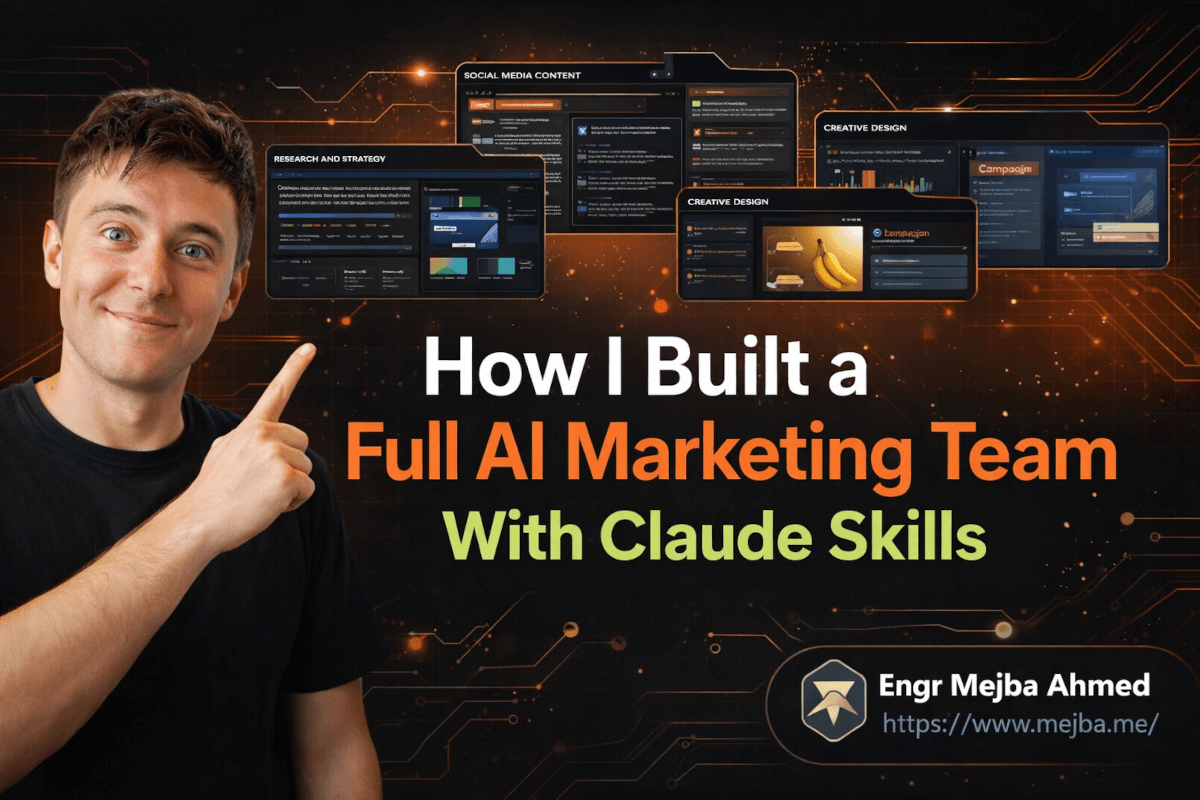
Last quarter, I ran a one-person marketing push for a client launch across Instagram, email, a landing page, and a data dashboard — all due within the same week. Two years ago, that workload would have required four people and a project manager. I did it solo with five Claude skills, a context file, and roughly fourteen hours of actual work spread across three days.
Not fourteen hours of frantic scrambling. Fourteen hours of strategic direction while AI agents handled the execution.
The secret wasn't some exotic AI setup. It was something deceptively mundane: I'd spent a weekend packaging my best marketing knowledge — the SOPs I actually follow, the frameworks that actually convert, the brand guidelines clients actually care about — into reusable Claude skills. Once those skills existed, every future project started at 60% done instead of zero.
Most people hear "AI marketing" and think content generation. Pump out blog posts, captions, email copy. That's the shallow end. What I'm about to walk you through is closer to building a digital marketing department — one where each team member has internalized your exact standards, never forgets your brand voice, and can work in parallel without stepping on each other's output. The catch is that the human (you) still drives every strategic decision. And honestly, that's the part most AI marketing guides get catastrophically wrong. I'll explain why that matters when we get to orchestration, but first — what exactly is a Claude skill, and why should you care?
Claude Skills Are SOPs That Actually Get Followed
Here's a dirty truth about marketing operations: everyone writes SOPs. Almost nobody follows them consistently.
I've worked with agencies that have beautiful Notion databases full of documented processes. "Here's how we write a social post. Here's the approval flow. Here's the brand voice guide." Six months later, the team is eyeballing it, the brand voice has drifted, and the SOPs are a historical artifact nobody opens.
Claude skills fix this problem by making the SOP the execution engine.
A Claude skill is a modular AI workflow built from your actual marketing knowledge. Not generic best practices pulled from a marketing blog — your frameworks, your brand context, your proven approaches. You encode what works into a skill definition, and Claude follows it every single time. No drift. No "I interpreted the guidelines differently." No Monday morning shortcuts because someone's tired.
The skill lives as a configuration that includes three things:
- The task definition — what this skill does and when to use it
- The methodology — your SOP, framework, or process, written as instructions the AI follows step-by-step
- The context references — pointers to brand files, style guides, example outputs, and project structures
When you invoke a skill, Claude reads the methodology, loads the relevant context, and executes. Same process, same standards, every time. I keep my skills in a centralized library organized by marketing function — and that library has become the single most reusable asset in my workflow.
Think of it this way: a Claude skill is the difference between hiring a freelancer and giving them a vague brief versus hiring someone who's already memorized your playbook. The output quality gap is enormous.
But a single skill, no matter how well-built, is just one team member. The real power shows up when you have five of them working together.
The Five Skills That Replaced My Marketing Team
I didn't build twenty skills and hope for the best. I started with five that cover the core marketing workflow end-to-end. Each one took roughly 30-45 minutes to create using Claude's Skill Creator tool, and each one has saved me dozens of hours since.
Skill 1: Research and Strategy
Every good campaign starts with research nobody wants to do. Competitor analysis, audience pain points, trending topics, keyword gaps, market positioning. This skill connects to search tools through Perplexity MCP and follows a structured research SOP I developed over two years of client work.
I feed it a brief — "Research the competitive landscape for [product category] targeting [audience]" — and it returns a strategy document that includes market gaps, recommended angles, audience insight summaries, and a prioritized list of content opportunities. The format matches my exact briefing template because the skill definition specifies the output structure down to the section headers.
Before this skill existed, research ate 4-6 hours per project. Now it takes 20 minutes of my time: 5 to write the brief, 15 to review and refine the output.
Skill 2: Social Media Content
This one was the hardest to get right because social content lives and dies on voice. Generic AI social posts are immediately recognizable — they're too polished, too balanced, too devoid of personality.
My social skill includes three components most people skip: a library of my best-performing past posts (analyzed for what made them work), a storytelling framework adapted from StoryBrand that I've tuned for short-form content, and a trending topic analyzer that checks what's currently resonating in the target niche.
The output isn't "here's a caption." The output is a content batch — typically 5-7 posts with varied formats (carousel concepts, single-image posts, text-only hooks, story sequences) that follow the brand's narrative arc for that campaign period.
I still edit every post before it goes live. The skill gets me to 80% in minutes instead of hours. That last 20% — the human touch, the timing instinct, the gut feel for what will land — that's where I earn my keep.
Skill 3: Creative Designer
This skill uses the Google Nano Banana model through MCP to generate marketing visuals. I was skeptical about AI-generated creative assets until I built proper guardrails into the skill definition.
The key is preloading default style parameters: color palette (hex codes from the brand guide), typography preferences, composition rules, and negative prompts for things that clash with the brand. Without these constraints, AI creative output looks like AI creative output — technically competent but generically soulless.
With the constraints baked into the skill? The output matches the brand's visual language closely enough that I'm making minor adjustments rather than starting from scratch. For Instagram campaigns especially, this skill cuts creative production time by roughly 70%.
Skill 4: Data Analysis
Marketing without measurement is just expensive guessing. This skill processes campaign data — engagement metrics, conversion rates, traffic sources, whatever CSV or dataset I feed it — and produces branded dashboards with actionable insights.
The "branded" part matters more than you'd think. When I present a dashboard to a client, it should look like it came from a professional agency, not from a Jupyter notebook. The skill includes output formatting rules that apply the brand's visual language to charts, tables, and summary cards.
But the real value is in the analysis layer. The skill follows my analytical framework: start with the headline metrics, identify anomalies, dig into segment-level performance, and — this is the part I had to explicitly encode — always end with "so what?" recommendations tied to specific next actions. Dashboards without recommendations are decoration. This skill doesn't produce decoration.
Skill 5: Campaign Presenter
The final skill transforms raw marketing materials — research briefs, content batches, creative assets, data analysis — into polished presentations or landing pages. Think of it as the "make it client-ready" button.
I use this most often for quarterly reviews and campaign proposals. Feed it the outputs from the other four skills, specify the presentation format (slide deck, one-pager, or web page), and it assembles a cohesive deliverable that tells the campaign story from research through results.
The assembly logic is the secret sauce here. The skill doesn't just paste outputs together — it narrativizes them. It follows a presentation framework I stole from a former agency creative director: situation, tension, resolution, proof. Every deliverable tells that story, whether it's a 10-slide deck or a single landing page.
These five skills, working independently, already cut my per-project time roughly in half. But the moment I learned to orchestrate them together is when the real transformation happened.
Multi-Skill Orchestration — Where One Plus One Equals Five
Here's what blew my mind the first time I saw it work.
I gave Claude a single instruction: "Launch an Instagram campaign for [client] promoting their new product line. Use research to inform the strategy, create social content and matching creative assets, and present everything in a client-ready deck."
I didn't break this into steps. I didn't assign individual tasks. I just described the outcome I wanted.
Claude read the instruction, identified which skills were relevant, and orchestrated them autonomously. It ran the research skill first (because the other skills needed strategic context), then parallelized the social content and creative designer skills (because they could run simultaneously once the strategy existed), then fed everything into the campaign presenter skill for final assembly.
The output was a complete campaign package: strategy brief, seven social posts with matching visuals, and a presentation deck tying it all together. Brand-consistent across every piece. Following every SOP I'd encoded.
Was it perfect? No. I spent about two hours refining the social copy, swapping one creative asset that didn't quite land, and restructuring two slides in the deck. But the starting point was so far ahead of blank-page zero that those two hours felt like polishing rather than building.
This is what I mean when I say it mimics team dynamics. A marketing director doesn't write the social posts AND design the assets AND build the deck. They set the strategic direction and coordinate specialists. That's exactly what's happening here — except the specialists are skills, and the coordination is handled by Claude's orchestration layer.
The autonomous task splitting is the part that still feels slightly magical. Claude analyzes the request, identifies dependencies (research must happen before content creation), spots parallelization opportunities (content and creative can run simultaneously), and manages the workflow without me micromanaging each step.
I will say this honestly: it doesn't always get the task splitting right. Maybe 15% of the time, I need to intervene and redirect. But 85% autonomous coordination on complex multi-step marketing workflows? That's a capability I didn't have six months ago.
Subagents — Your Parallel Processing Power
When orchestration gets complex, Claude uses subagents — secondary agents that handle independent tasks in parallel and report back to a main coordinating agent.
Think of it as a team lead delegating to specialists. The lead (main agent) receives the project brief, breaks it into components, assigns each component to a subagent with the appropriate skill, and then assembles the final deliverable from their outputs.
I tested this most aggressively on a quarterly review project that needed three parallel workstreams:
- Marketing strategy research for the next quarter (Research skill)
- Performance data analysis of the current quarter (Data Analysis skill)
- Presentation assembly combining both into a client deck (Presenter skill)
The first two workstreams ran simultaneously as subagents. Once both completed, the presenter skill consumed their outputs and generated the final deck. Total wall-clock time: about 12 minutes. Total effort from me: writing the initial brief and reviewing the final output.
Claude also offers a more advanced "Agent Teams" feature where multiple agents collaborate, share feedback, and review each other's work before finalizing. I've experimented with it, but for most marketing workflows, subagents cover roughly 90% of what I need. Agent Teams consume significantly more tokens and add complexity that's only justified for large, interdependent projects where quality review between agents genuinely matters.
My recommendation: start with subagents. Graduate to Agent Teams only when you hit a workflow where subagent output quality isn't meeting your standards because the agents need to cross-check each other's work.
If you've followed along this far, you're probably seeing the potential. But there's one more layer that takes this from "powerful for me" to "powerful for anyone" — and it's the piece that made me rethink how I package and sell marketing services entirely.
Plugins — Making Your Skills Portable and Shareable
Every skill I've described lives in a local Claude environment. Useful for me, useless for a colleague, a client, or a different project.
Claude plugins solve this by letting you bundle an entire skill library — skills, context files, slash commands, everything — into a single portable package. Install the plugin, and you've got the full skill library running in any Claude Code Desktop or Claude Cowork environment.
I built a plugin for a client who runs a DTC skincare brand. Their plugin includes:
- A research skill tuned to beauty industry data sources
- A social content skill loaded with their brand voice and past top-performers
- A creative skill with their exact color palette and visual guidelines
- Custom slash commands like
/launch-campaignthat trigger multi-skill workflows
Their marketing coordinator — someone with zero technical background — types /launch-campaign "summer collection" and gets back a complete campaign package. They don't need to understand skills, subagents, or orchestration. They just need to know the slash command and how to review the output.
This is where the scalability gets interesting. I've started packaging skill libraries as part of my service offerings. Instead of doing the marketing work myself indefinitely, I build the client a plugin that encodes my approach, train their team to use it, and move on. The expertise persists in the skills, not in my availability.
Creating a plugin is straightforward:
- Organize your skills in a project folder with clear naming
- Write a manifest file that defines which skills are included and what slash commands map to which workflows
- Add context files with brand-specific information
- Package and distribute — the recipient installs it like any Claude plugin
Pro tip: Include a README context file inside the plugin that explains what each skill does and when to use it. Non-technical users need this orientation. Without it, they'll use the wrong skill for the wrong task and blame the tool.
What I Got Wrong (And What I'd Do Differently)
I need to be straight about the mistakes I made building this system, because they'll save you time if you're starting fresh.
Mistake 1: Over-engineering skills on the first pass. My initial research skill had a 2,000-word methodology section with branching logic for twelve different research scenarios. It was impressive and completely unnecessary. The first version of any skill should be simple — one clear workflow, one output format, minimal branching. Add complexity only when you hit a case the simple version can't handle. My current research skill is about 400 words and handles 95% of what I throw at it.
Mistake 2: Skipping the context file. For the first two weeks, I was embedding brand context directly into each skill definition. When the client updated their brand guidelines, I had to edit five skills individually. Now everything brand-specific lives in a single context file that all skills reference. Update once, propagate everywhere.
Mistake 3: Trusting creative output without human review. Early on, I got lazy and published a social post with an AI-generated visual I hadn't scrutinized carefully. The composition was technically fine, but it included a subtle visual element that clashed with the client's brand positioning. Small thing, but it eroded trust. Now every creative output gets human eyes before it goes anywhere public. The AI is the draft; I'm the editor. That boundary matters.
Mistake 4: Not tracking what actually saved time. I assumed the content skills would be the biggest time-savers. Wrong. The research skill saves the most time by far because manual research is the task I procrastinated on most. The data analysis skill is second because it eliminates the mental overhead of switching from "creative mode" to "analytical mode." Content creation was already something I could do quickly — the skills made it faster but didn't transform my workflow the way research and analysis did.
Track your own time savings. Your bottleneck isn't where you think it is.
The Results After Three Months of Daily Use
Specific numbers, because vague claims are worthless:
- Project turnaround time dropped by roughly 55%. A campaign that used to take two weeks from brief to delivery now takes 5-7 days. The AI handles the first 60% of execution; I handle strategy, review, and refinement.
- Output consistency improved dramatically. Before skills, every deliverable was a snowflake — slightly different format, slightly different depth, slightly different brand adherence. Now the structural consistency is near-perfect because the SOPs are executing, not collecting dust.
- I took on 40% more client work without working longer hours. The capacity increase came entirely from eliminating low-leverage tasks (research, first-draft content, data formatting) and spending that time on high-leverage work (strategy, client relationships, creative direction).
- Client feedback shifted. Before: "Can you make this more on-brand?" After: "This nails the brand, but can we explore a bolder angle?" The conversations moved upstream from fixing basics to refining strategy. That's a meaningful signal.
Quick wins in the first week: you'll feel the research and content acceleration immediately. The real compound effect kicks in around week six, when your skills have been refined through several cycles of use and adjustment, and your context files are rich enough to produce outputs that genuinely feel like they came from your team.
The Role That Can't Be Automated
I want to end here because it's the thing most AI marketing content either ignores or gets dangerously wrong.
Claude skills are not a replacement for marketing thinking. They're a replacement for marketing labor. The distinction is everything.
When I set the strategic direction for a campaign, that decision draws on client relationships, market intuition, competitive awareness, and creative instincts that no skill can encode. When I review AI output and decide "this post is technically correct but emotionally flat" — that judgment is human. When a client calls with a last-minute pivot and I need to decide which elements of the campaign to preserve and which to scrap — that's strategy under pressure, and it's the reason they're paying me, not the AI.
HubSpot's Loop Marketing landscape report found something revealing: the top-performing marketing teams using AI aren't the ones automating the most tasks. They're the ones using AI to handle operational execution while humans focus on strategic decisions and authentic brand storytelling. Automation without strategic direction produces volume without impact.
Build your skills. Orchestrate your agents. Package your plugins. But never outsource the "why" behind the campaign. The AI handles "how" beautifully. The "why" is still yours.
Your challenge for this week: pick the one marketing task you procrastinate on most — the one that's necessary but draining. Build a Claude skill for it. Just that one. Make it simple. Run it three times, refine the methodology based on what the output gets wrong, and run it again.
By Friday, you'll have a team member who handles your least favorite task better than you do on a tired Wednesday afternoon. And that's just the beginning.
Whether an AI Marketing Team Fits You
A Claude Skills marketing team works when your campaigns repeat across channels — skills keep voice and format consistent at volume. One-off creative still needs a human. My SEO content skill and Co-work plugins go deeper.
If you want an AI marketing team built for your brand, that's something I do through Ramlit.