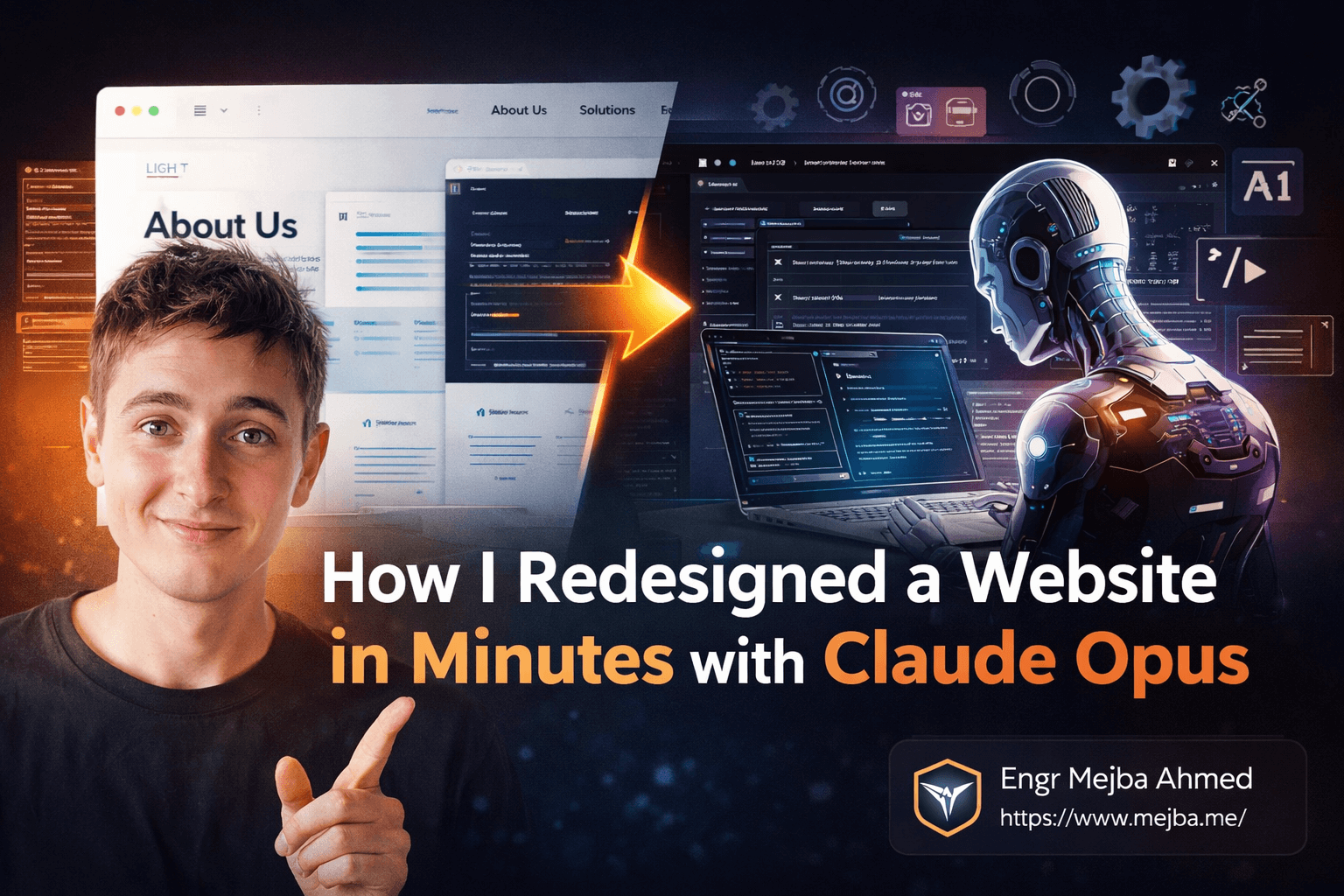
Redesign a Website With Claude Opus in Minutes
Two weeks ago, I sat down at my desk at 11 PM with a problem. A client needed their entire website converted from a basic light theme to a polished dark design, a brand-new services page built from scratch, and a full SEO audit with every fix deployed — all before a Monday morning meeting. The old me would have pulled an all-nighter, grinding through CSS, writing HTML, running Lighthouse, and manually patching meta tags one by one.
Instead, I opened Claude Code, typed three prompts, and went to bed.
When I woke up, the site was live. Dark theme with perfect contrast ratios. A services page that matched the existing design language down to the spacing. Meta tags, sitemap, robots.txt, favicon, Open Graph cards — all in place. The entire transformation took Claude about twelve minutes of active processing time. My total hands-on involvement? Maybe ninety seconds of typing.
That night changed how I think about web development workflows. Not because the AI did anything magical — but because it exposed just how much of "web development" is actually repetitive decision-making that a well-instructed agent can handle without you.
Here's exactly how I set this up, what happened during the process, and the parts that surprised me — including the one thing Claude got wrong that I almost missed.
The Problem Nobody Admits About Website Maintenance
Here's a dirty secret most developers won't say out loud: maintaining a website is boring. Building one? That's exciting. Choosing the stack, designing the architecture, writing the first components. But six months later, when the client asks you to switch from light mode to dark mode, add a page, and "fix the SEO stuff" — that's the work nobody wants to do.
It's not hard work. That's the frustrating part. Converting a light theme to dark is mostly adjusting background colors, text colors, border colors, and making sure contrast ratios stay accessible. Creating a new page that matches existing design is copying structure, swapping content, updating the nav. Running an SEO audit means checking the same twenty things every time — meta descriptions, heading hierarchy, alt tags, sitemap, robots.txt.
Each task takes maybe an hour or two. But stacked together, they eat an entire day. And that day is filled with decisions that don't require creativity — they require consistency. "Does this dark gray have enough contrast against that slightly-darker gray?" "Did I update the navigation on both pages?" "Is the canonical URL correct?"
This is precisely the kind of work that AI agents are built for. Not the creative architectural decisions. Not the complex business logic. The consistent, pattern-following execution work that humans do on autopilot anyway — except humans make mistakes on autopilot and AI doesn't get tired.
I'd been using Claude Code for content generation and code assistance for months. But I hadn't tried using it as a full website modification agent until I discovered two skills that changed everything. And there's a critical difference between using Claude as a chatbot and using it as an agent — I'll break that down when we get to the setup section.
What Claude Opus 4.6 Actually Does Differently
Before I walk through the redesign, I need to clear up something that confused me initially. Claude Opus 4.6 isn't just a smarter chatbot. When you switch from Chat mode to Code mode in Claude Desktop, you're fundamentally changing the interaction model. In Chat mode, Claude gives you answers. In Code mode, Claude takes actions.
That distinction matters. When I prompted Claude to convert my website's theme, it didn't give me CSS suggestions and say "try changing these values." It opened the actual HTML and CSS files in my Git repository, analyzed the existing color scheme, mapped every color token to its dark-mode equivalent, made the changes, and showed me a diff of what it modified.
The agent works directly with your filesystem through a working directory — a local folder linked to a Git repository. Every change Claude makes happens to real files that you can review, commit, or revert. Think of it less like talking to an AI and more like pair programming with an extremely fast junior developer who never gets distracted.
There's one more piece to the architecture that makes this powerful: skills. Skills are modular capabilities that extend what Claude can do. They're like plugins, but smarter — each skill comes with its own specialized instructions and workflows.
For the website redesign project, I used two skills:
The Front-end Design Skill — an official Anthropic-maintained skill with over 100,000 installs at the time I recorded this. It gives Claude deep knowledge of design systems, color theory, accessibility standards, and responsive layout patterns. When I told Claude to convert to a dark theme "with perfect contrast," the skill is what enabled it to understand what "perfect contrast" actually means in terms of WCAG AA ratios.
The SEO Audit Skill — a community skill with about 19,000 installs. This one turns Claude into a comprehensive SEO analyzer that can crawl your site, identify issues against current best practices, and then actually implement the fixes.
The combination of these two skills with Claude's native code-editing abilities is what makes the workflow feel almost absurdly efficient. But setting it up right matters — skip a step and you'll spend more time debugging the setup than you would have spent doing the work manually.
Here's exactly how to get this running from zero.
Setting Up Claude as Your Website Agent — Step by Step
Step 1: Get a website into a Git repository.
This sounds obvious, but the key detail is that Claude needs filesystem access through a Git repo. If your site is on a managed platform like Squarespace or Wix without Git access, this workflow won't work. You need actual HTML, CSS, and JavaScript files in a repository.
For my demo, I used GitPage to quickly spin up a test website. The process was simple — picked a design template, entered sample business data (name, email, basic service descriptions), and deployed. Within five minutes I had a live site with its source code in a Git repository.
Pro tip: If you're testing this for the first time, don't use a production site. Create a throwaway project. You'll want the freedom to experiment without worrying about breaking something that matters.
Step 2: Install Claude Desktop and switch to Code mode.
Download Claude Desktop from Anthropic's website — it's available for Mac and Windows. After installation, you'll default to Chat mode. Switch to Code mode using the toggle in the interface. This is the step most people miss. Chat mode will give you advice about how to redesign your website. Code mode will actually do it.
Once in Code mode, set your working directory to the local clone of your Git repository. This is how Claude knows which files to read and modify. The working directory is the anchor for everything that follows.
Step 3: Understand the claude.md file.
Inside your working directory, you'll find (or create) a claude.md file. Think of this as the instruction manual you hand to Claude about your specific project. It contains information about the project structure, conventions, and any special rules Claude should follow.
For a website project, your claude.md might include things like:
- Which CSS framework you're using
- Color variables and design tokens
- File naming conventions
- Deployment workflow
This file persists between sessions, so Claude retains context about your project even when you start a new conversation. I can't overstate how much of a difference this makes — it turns Claude from a generic assistant into a project-aware team member.
Step 4: Install the skills.
Skills install through simple commands in Claude Code. You can discover available skills through Claude's skill directory. For our workflow:
## The front-end design skill
/install-skill frontend-design

## The SEO audit skill
/install-skill seo-audit
Installation is fast — usually under a minute. Once installed, the skills are available across all your projects, not just the current working directory.
If you've made it this far, you're ready to do what took me twelve minutes and would have taken a full day manually. The next section is where it gets fun.
The Redesign: From Light Theme to Dark in Minutes
I started with a simple prompt. Nothing fancy. No elaborate instructions or multi-paragraph descriptions.
"Convert this website from its current light theme to a modern dark theme with perfect contrast."
That's it. Seventeen words.
Claude went to work. Here's what I watched happen in real time:
First, it scanned every HTML and CSS file in the repository to understand the existing design system. It identified the color palette — the backgrounds, text colors, borders, accents, shadows. It mapped the component hierarchy. Then it started making changes.
The background shifted from white (#FFFFFF) to a deep charcoal (#1a1a2e). Text went from near-black to an off-white (#e0e0e0) that's easier on the eyes than pure white against dark backgrounds — a detail most humans get wrong on their first try. Accent colors were adjusted to maintain vibrancy against the darker backdrop. Card components got subtle border adjustments to maintain visual separation without looking harsh.
What impressed me wasn't the color choices — those are fairly standard for a dark theme conversion. What impressed me was the consistency. Every single component was updated. No orphaned light-colored elements. No contrast violations. No "oops, forgot about the footer" moments that plague manual conversions.
The entire theme conversion took about four minutes.
One thing that caught my attention — Claude preserved the original color scheme as CSS custom properties with a light-theme class, making it theoretically possible to add a theme toggle later. I didn't ask for that. The front-end design skill apparently includes that as a best practice. Smart? Yes. Asked for? No. It's one of those moments where you realize the AI agent is applying knowledge you didn't explicitly request, which is both powerful and something you need to watch carefully.
Adding a Services Page Without Writing a Single Line
The next prompt was equally straightforward:
"Create a new Services page that's consistent with the existing design. Update the navigation on both the index and services pages to include the new link."
This is where Claude's understanding of design systems really shines. It didn't just create a generic page. It analyzed the existing pages — the header structure, the content layout, the typography scale, the spacing rhythm, the footer format — and replicated all of it for the new services page.
The content it generated was placeholder-ish but surprisingly relevant. Since the test site was positioned as an AI automation agency, the services page included sections for AI workflow automation, custom chatbot development, data pipeline integration, and AI consulting. Each service had a description, a bullet list of deliverables, and a call-to-action button styled consistently with the rest of the site.
Navigation updates happened on both pages simultaneously. The header menu on the index page now included a "Services" link. The services page had the same navigation with "Services" highlighted as the active page. No broken links. No mismatched styling. No "I forgot to update the other page" problems.
This took about three minutes.
Here's the part that surprised me. When I inspected the HTML, Claude had added semantic markup — proper <nav> elements, aria-current="page" attributes on the active nav item, and structured the services content with appropriate heading hierarchy (H1 for the page title, H2 for each service, H3 for sub-sections). These accessibility details are things that many human developers skip in a rush. The skill-enhanced Claude included them by default.
But there was a catch I want to be honest about. The services content itself was generic. Claude doesn't know your actual business services — it made reasonable guesses based on the site's positioning. You'd need to replace the placeholder content with your real service descriptions. This isn't a limitation of Claude; it's a limitation of input. The AI can't write accurate service descriptions for a business it knows nothing about. The structural work it does, though, saves you from the tedious part so you can focus on the content.
The SEO Audit That Found What I Missed
Now the part I was most skeptical about. SEO auditing involves both technical analysis and subjective judgment calls. I've run hundreds of SEO audits manually and with tools like Screaming Frog, Ahrefs, and Google Search Console. Could Claude's SEO skill actually compete?
The prompt: "Run a full SEO audit on this website."
Claude's audit was thorough. It produced a structured report covering every major on-site SEO factor, organized by priority:
Critical Issues Found:
- No
robots.txtfile (search engines had no crawling instructions) - No XML sitemap (search engines couldn't efficiently discover pages)
- Missing favicon (looks unprofessional and affects brand recognition in tabs/bookmarks)
- Duplicate or missing meta descriptions across pages
High Priority Issues:
- Missing Open Graph tags (poor social media sharing previews)
- Missing Twitter Card tags (same problem, Twitter-specific)
- Incomplete heading hierarchy on the services page
- No canonical URLs specified
Medium Priority Recommendations:
- Image alt text improvements
- Internal linking opportunities
- Schema markup suggestions
- Page speed optimization hints
What struck me was the specificity. The audit didn't just say "add meta descriptions." It identified exactly which pages had issues and what the current state was. The robots.txt finding was legitimate — many developers deploying simple sites forget this file entirely, and it can cause crawl budget waste on larger sites.
Then I gave the instruction that really tested the system: "Implement all the recommended SEO fixes."
Claude organized the implementation into two phases. Phase one covered the critical and high-priority items: creating robots.txt, generating an XML sitemap, adding meta descriptions to every page, implementing Open Graph and Twitter Card tags, adding a favicon reference, and fixing heading hierarchy.
Phase two handled the medium-priority items: improving alt text, adding canonical URLs, and implementing basic schema markup.
Each fix was implemented directly in the codebase. I could watch the diffs scroll by as Claude modified file after file. The robots.txt it generated was clean and standard:
User-agent: *
Allow: /
Sitemap: https://example.com/sitemap.xml
The sitemap included all pages with proper <lastmod> dates and <changefreq> values. Meta descriptions were unique per page and within the recommended 150-160 character range. Open Graph tags included proper og:title, og:description, og:image, and og:url for each page.
Total time for the complete SEO audit and implementation: about five minutes.
The One Thing Claude Got Wrong
I promised I'd be honest, so here it is.
The favicon implementation was technically correct but practically incomplete. Claude added the <link rel="icon"> tag to each HTML file and referenced a favicon.ico path. The problem? It didn't actually create the favicon image file. It referenced a file that didn't exist.
This is a subtle but important class of error to watch for with AI agents. The code was syntactically perfect. The implementation pattern was correct. But the actual asset was missing. If you deployed this without checking, you'd see broken favicon references in your browser's network tab — a 404 error that's easy to miss because browsers handle missing favicons gracefully (they just don't show one).
I caught this because I've trained myself to check asset references after any automated process. Lesson learned: AI agents are excellent at code-level changes but can miss the boundary between code and assets. Always verify that referenced files actually exist.
After I pointed this out, Claude immediately generated a simple SVG favicon and updated the reference. Problem solved in thirty seconds. But it wouldn't have caught it on its own — and that's an honest limitation worth knowing about.
Why This Changes the Math for Solo Developers
Let me put some numbers to this. Here's the time comparison for the exact same tasks:
| Task | Manual Time | Claude Time |
|---|---|---|
| Dark theme conversion | 2-3 hours | ~4 minutes |
| New services page + nav update | 1-2 hours | ~3 minutes |
| SEO audit | 30-45 minutes | ~2 minutes |
| SEO fix implementation | 2-4 hours | ~3 minutes |
| Total | 5.5-9.5 hours | ~12 minutes |
That's roughly a 30-40x speedup. And the quality of the output was comparable to what I'd produce manually — in some cases better, because Claude didn't skip the small accessibility details I might rush past when I'm tired.
But here's the thing most people miss about these comparisons. The time saved isn't just about the individual task. It's about what that saved time enables.
When a client asks for a theme change and you know it'll take three hours, you push it to next week. When it takes four minutes, you do it right now. The responsiveness difference changes the client relationship entirely. You go from "I'll get to that" to "It's done." That shift in turnaround time is worth more than any single feature.
For solo developers and small agencies, this is the real story. Not that AI makes you lazy — it makes you fast enough to say yes to work that used to not be worth the time.
What I'd Do Differently Next Time
After running this workflow several times now, I've refined my approach. Here's what I wish I'd known from the start.
Give Claude more context upfront. My initial prompts were minimal, and Claude did well with them. But when I started including more detail — "convert to dark theme using the brand colors #1a1a2e for background and #00d4ff for accents" — the results were even closer to what I envisioned. You're not losing anything by being specific. The AI doesn't get confused by detail; it gets more accurate.
Review diffs, not pages. After Claude makes changes, your first instinct is to open the browser and look at the site. Resist that instinct initially. Look at the Git diff first. The diff shows you exactly what changed, file by file, line by line. Visual inspection can miss hidden issues (like the missing favicon file). Diffs don't lie.
Commit between prompts. After each major change (theme, new page, SEO fixes), commit the changes to Git before moving to the next prompt. This gives you clean rollback points if something goes wrong in a later step. I didn't do this initially and had to untangle changes when I wanted to revert one specific modification.
Don't trust SEO audits blindly. Claude's SEO skill is good — genuinely good. But SEO is partly subjective and changes with Google's algorithm updates. Cross-reference the recommendations with your own knowledge and current best practices. I agreed with about 90% of what Claude recommended. The other 10% were valid suggestions that didn't apply to my specific situation.
Keep the claude.md file updated. As your project evolves, update the instruction file. Tell Claude about design decisions you've made, conventions you want maintained, files it shouldn't touch. The more context it has, the less likely it is to make changes that conflict with your vision.
Where This Is Heading
I've been building AI systems for clients through my agency work for over two years now. The trajectory is clear to me, even if the timeline isn't.
Right now, we're at the "AI as a really fast junior developer" stage. You give it clear instructions, it executes them accurately, and you review the work. That's already transformative for productivity. But the next phase — where the agent proactively identifies issues, suggests improvements, and handles entire deployment pipelines — is coming faster than most people expect.
The skill ecosystem is the key accelerator. When I first started using Claude Code, it could edit files and run commands. Adding the front-end design and SEO skills essentially gave it specialized expertise on top of its general capabilities. As more skills get developed — performance optimization, security hardening, analytics integration, accessibility compliance — the scope of what a single prompt can accomplish will keep expanding.
My prediction? Within a year, the standard workflow for solo developers won't be "build the site, then optimize it." It'll be "build the site with an AI agent that handles optimization as a built-in step." The separation between development and optimization will blur until they're the same process.
For agencies like mine, this means we can take on more projects without proportionally growing headcount. That's not a threat to developers — it's a liberation from the maintenance work that nobody enjoys and everyone avoids.
Your Move
That client site I mentioned at the beginning? It went live Monday morning. The client loved the dark theme. They didn't notice the SEO improvements — which is exactly the point. Good SEO is invisible to users and visible only to search engines and analytics dashboards.
Three weeks later, the site's average page load time dropped by 0.4 seconds (the meta tag cleanup reduced unnecessary redirects), and it started ranking for two long-tail keywords it hadn't appeared for before. Small wins, but measurable ones. The kind of wins that compound over months.
If you've been putting off website maintenance, design refreshes, or SEO cleanup because the work feels tedious — set up Claude Code with these two skills this weekend. Pick one page on one project and try the workflow. The twelve minutes it takes will convince you faster than anything I can write here.
And next time someone asks you to convert a light theme to dark, you'll smile instead of sigh.
Whether Opus Fits Your Redesign
Redesigning a site with Claude Opus shines for theme and layout overhauls — it's fast and surprisingly tasteful. For pixel-exact brand work you'll still want a designer in the loop. My desktop redesign routines and Claude Code for designers go deeper.
If you want a site redesign done with Opus for you, that's work I take on through Ramlit.