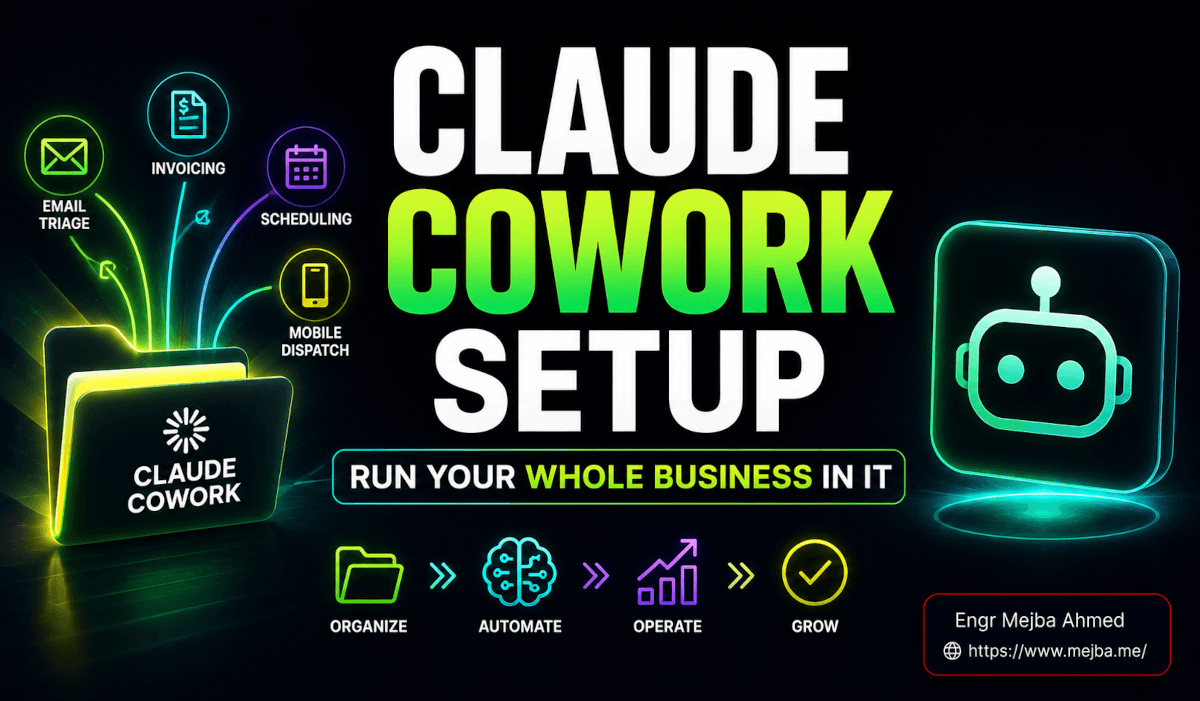
Claude Co-work AI employees are plugins with job descriptions — and they work.
BRAND: mejba.me TITLE: Claude Co-work Plugins Just Made AI Employees Real SLUG: claude-cowork-plugins-business TAGS: AI Automation, Claude AI, Business Workflows, AI Agents, Deep Dive
Three hundred billion dollars. That's how much software stocks dropped the week Anthropic announced Claude Co-work plugins. Not over a quarter. Not gradually. In days.
I watched it happen in real time — Salesforce, ServiceNow, legal tech companies, SaaS platforms across the board — all bleeding market cap while AI Twitter argued about whether the panic was justified. The consensus from investors was clear even if the tech community was still catching up: something fundamental had shifted.
And after spending the last ten days building, customizing, and stress-testing these plugins across three of my businesses, I think the investors got it right. Not because the plugins are perfect — they're not, and I'll be honest about where they fall short. But because they solve a problem that every business owner I know has been circling for the past year: how do you turn AI from a tool you use into a team member who works?
I've written before about the difference between giving AI agents tasks versus giving them jobs. Claude Co-work plugins take that concept and package it for people who don't write code. That's the part that spooked the market. Not the technology itself — the accessibility of it.
Let me show you what these plugins actually do, what building with them feels like, and why I think roughly half the excitement and half the panic are both misplaced.
Claude Co-work AI Employees: Plugins in Business
First, let me clear up a confusion I'm seeing everywhere. People keep calling these "ChatGPT plugins 2.0" or comparing them to Zapier integrations. They're neither. The distinction matters, and if you miss it, you'll underestimate what's happening here.
Claude already had skills — single workflow capabilities. A skill might be "draft a blog post" or "analyze this spreadsheet" or "review this contract clause." One skill, one capability, one workflow.
A plugin is a complete role. Think of the difference between teaching someone to make a sales call versus hiring a salesperson. The salesperson doesn't just make calls — they manage a pipeline, prep for meetings, track competitors, handle objections, follow up with prospects, and coordinate with marketing. That's a role, not a task.
Each plugin bundles multiple skills together with connectors to your existing tools, custom commands, system-level instructions, and persistent memory. The marketing plugin doesn't just write blog posts. It maintains your brand voice guide, connects to your analytics, monitors competitors, drafts campaign briefs, and coordinates across channels. All from within Claude's interface.
Here's the technical reality that makes this work: plugins are configured through markdown and JSON files. Not Python. Not JavaScript. Not API endpoints you need to deploy and maintain. Markdown files that describe the role, JSON files that define the connectors and commands.
That means a marketing manager with zero coding experience can install a plugin, answer a series of customization questions about their business, and have a functioning AI marketing associate within an hour. The plugin asks about your brand voice, your tools (HubSpot? Notion? Slack?), your content calendar cadence, your target audience — then configures itself accordingly.
I set up the sales plugin for a client project as a test. Total time from installation to first useful output: forty-three minutes. That included the customization questionnaire, connecting the CRM, and running the first prospecting workflow. Forty-three minutes to onboard a virtual sales associate that works around the clock.
Compare that to my OpenClaw agent setup from a few weeks ago, which took a full weekend of coding to get five recurring jobs running. Same concept — AI doing real jobs, not one-off tasks — but radically different accessibility. And that accessibility gap is exactly why the market reacted the way it did.
But there's a nuance here that the panic-driven coverage misses entirely, and it matters a lot for how you should think about adopting these. Hold that thought — I need to walk you through what the plugins actually do first.
The Six Plugins That Spooked Wall Street
Anthropic launched with six official plugins, each targeting a major business function. I've tested four of them extensively and two at a surface level. Here's my honest assessment of each.
Customer Support
This one does ticket triage, customer research, and response drafting. It connects to your support channels, prioritizes incoming issues by urgency and complexity, pulls relevant context from your knowledge base, and drafts responses that match your support team's tone.
What impressed me: the triage accuracy. I fed it a week's worth of historical support tickets from a client's help desk — about 340 tickets — and asked it to categorize and prioritize them. It matched my client's senior support lead's prioritization in 87% of cases. The 13% it got "wrong" were mostly judgment calls where reasonable people would disagree about severity.
What didn't impress me: it's slow on complex multi-step issues. A ticket that requires checking three different systems, correlating data across them, and composing a nuanced response takes noticeably longer than a human agent who knows the systems. For straightforward tickets — password resets, billing questions, feature requests — it's excellent. For edge cases that require real troubleshooting? You still need a human in the loop.
Marketing
The marketing plugin hit closest to home because I use Claude extensively for content work already. This plugin bundles blog drafting, campaign briefs, brand voice compliance checking, competitor research, and multi-channel coordination.
The connectors are where it shines. Slack, Canva, Figma, HubSpot, Amplitude, Notion, Ahrefs, SimilarWeb, Klaviyo — the plugin can pull data from and push outputs to all of these. Your campaign brief can reference actual analytics from Amplitude, actual SEO data from Ahrefs, and actual design assets from Figma. Not hallucinated numbers. Real data from your actual tools.
I customized it for one of my brands and tested the blog drafting workflow. The output was... competent. Good structure, decent keyword integration, proper formatting. But it lacked the narrative edge and personality that I've spent months refining in my Aria agent configuration. The plugin gives you a solid B+ content associate. It doesn't give you an A+ content strategist. That gap matters if content quality is your competitive advantage.
The brand voice compliance feature, though — that's genuinely useful. I uploaded my brand guidelines and had the plugin review five existing blog posts for voice consistency. It caught three deviations I'd missed in my own editing. As a quality control layer, the marketing plugin is excellent even if you don't use it for primary content creation.
Sales
The sales plugin is the one I spent the most time with, and it's the one I think delivers the highest ROI for most businesses.
Prospecting, outreach sequencing, pipeline management, call prep, deal strategy, and competitive intelligence — all bundled into one role. The "supercharge mode" connects your CRM, email, and LinkedIn into a unified workflow where the plugin manages the entire outreach lifecycle.
I tested the call prep feature before a real client meeting. I gave it the prospect's company URL, their LinkedIn profile, and the deal context from our CRM. In about ninety seconds, it produced a two-page brief covering: company overview, recent news and announcements, potential pain points based on their tech stack and public hiring patterns, competitive solutions they're likely evaluating, and three suggested conversation openers tailored to the specific contact's role and background.
My actual prep for that call would have taken twenty to thirty minutes of manual research. The plugin's output wasn't identical to what I would have produced, but it covered 80% of the same ground and surfaced two relevant company developments I hadn't noticed.
The pipeline management feature tracks deals across stages, flags stale opportunities, suggests next actions, and drafts follow-up messages. For solo founders or small sales teams, this is the equivalent of adding a junior sales coordinator without the salary.
Legal
This is the plugin that caused most of the stock market damage, and I understand why. Contract review automation, NDA triage, compliance workflow management, legal briefing generation, and templated response libraries — all configured with different legal personas (commercial counsel, product counsel, litigation support).
I tested the NDA triage feature with a set of twenty NDAs from actual business dealings (with identifying information removed). The plugin categorized them by risk level, flagged non-standard clauses, identified terms that deviated from our template, and produced a summary table with recommended actions for each.
The accuracy was impressive for standard terms. Where it stumbled: novel clause structures that didn't fit its pattern library, and nuanced risk assessments where the business context (not just the legal text) should influence the decision. A clause that's fine for a large enterprise client might be risky for a startup — that kind of contextual judgment still requires a human lawyer.
Let me be direct about this: the legal plugin does not replace qualified legal professionals. Anyone who tells you otherwise is either selling something or going to get sued. What it does is handle the 60-70% of legal work that's routine, repetitive, and pattern-matching. First-pass contract reviews, standard NDA processing, compliance checklist verification. It frees your legal team to focus on the 30-40% that actually requires legal judgment.
Product Management and Productivity
I tested these two less extensively. The product management plugin covers feature specs, roadmaps, stakeholder communication, user research synthesis, and competitor analysis. The productivity plugin handles task management, creates a local HTML dashboard, manages "workplace memory" (persistent context about your projects and preferences), and triages stale tasks.
The productivity plugin's dashboard feature is interesting — it generates a live, customizable HTML file on your local machine that gives you a real-time overview of tasks and projects. It's like a personal project management tool that Claude builds and maintains for you. Clever, though I'm not sure it beats dedicated tools like Linear or Notion for teams beyond one or two people.
The product management plugin felt the most generic of the six. Good for solo PMs or small teams who don't have robust tooling. For teams already using Jira, Linear, or similar platforms with established workflows, the plugin adds less incremental value.
Building a Custom Plugin: Where Things Get Really Interesting
The official plugins are a starting point. The real power — and the part I'm most excited about — is custom plugin creation.
Here's the workflow. You describe what you want the plugin to do. You connect your data sources. Claude analyzes your inputs, existing content, and workflows, then designs a complete plugin: command sets, memory files, skill bundles, and connectors. All generated as markdown and JSON that you can inspect, edit, and refine.
I built a custom content operations plugin for my multi-brand workflow. The process looked like this:
Step one: I described the role. "Content operations manager responsible for tracking published posts across four brands, identifying content gaps based on keyword research, generating monthly content calendars, and maintaining a persistent memory of all published content to avoid topic duplication."
Step two: I connected data sources. Google Sheets containing keyword research. The content directories from my existing workflow. Brand guidelines documents for each of the four sites.
Step three: Claude generated the plugin. It created five custom commands (/content-gaps, /monthly-calendar, /brand-status, /duplicate-check, /topic-suggest), a memory file that tracks every published piece across all brands, and a system instruction set that understands the voice differences between mejba.me, ramlit.com, colorpark.io, and xcybersecurity.io.
Step four: I tested and refined. The first iteration of /content-gaps was too broad — it flagged every keyword we hadn't covered as a "gap," which wasn't useful. I edited the skill file to add prioritization criteria: search volume thresholds, relevance scoring, and a filter for keywords where we're already ranking in the top twenty. Second iteration was immediately useful.
Total time to build and refine the custom plugin: about three hours. Not forty-three minutes like installing an official one, but dramatically faster than building an equivalent system from scratch.
The persistent memory component deserves special attention. My content plugin remembers every piece it's analyzed across sessions. When I ask for topic suggestions, it automatically avoids duplicating existing content. When I generate a content calendar, it references what's already published and identifies genuine gaps. That statefulness — the ability to accumulate knowledge over time — is what makes the plugin feel like an employee who's been on the job for months rather than a tool you just opened.
This is the feature that would have saved me from the most frustrating problem in my previous agent setup: context loss between sessions. Every time I started a new conversation with my old agents, I had to re-establish what we'd already done. The plugin's memory eliminates that entirely.
The Part Nobody's Talking About: The Customization Depth
Here's the nuance I asked you to hold earlier. The market panic treats these plugins as if they're turnkey replacements for human workers. Install the legal plugin, fire your lawyer. Install the sales plugin, cut the sales team. That narrative is wrong, and understanding why is critical to using these tools effectively.
The out-of-the-box plugins are competent generalists. They handle standard workflows for standard businesses with standard tools. But every real business has non-standard elements. Your sales process has quirks that don't fit the default pipeline stages. Your legal risk tolerance differs from the plugin's default settings. Your brand voice has specificities that the marketing plugin's generic instructions don't capture.
The gap between the default plugin and a plugin that's genuinely valuable for your specific business? That gap is closed entirely through customization. And customization requires something no plugin can provide: deep knowledge of your own business operations.
You need to know which contract clauses actually matter for your risk profile to properly configure the legal plugin. You need to understand your sales cycle's unique friction points to customize the sales plugin's pipeline management. You need to articulate your brand voice with enough precision for the marketing plugin to enforce it.
The plugins democratize the technology. They don't democratize the business knowledge required to deploy the technology effectively.
This is why I think half the panic is misplaced. The companies that will be disrupted aren't the ones with skilled professionals doing complex judgment work. They're the ones whose primary value proposition is executing routine, pattern-matching tasks at scale — basic contract review services, template-driven marketing agencies, first-tier customer support operations.
And half the excitement is misplaced too. Installing a plugin and answering the setup questionnaire doesn't give you a virtual employee. It gives you a virtual intern who needs your expertise to become useful. The customization and refinement work — the work that turns a generic plugin into a genuine business asset — still requires human judgment, domain knowledge, and iterative effort.
That said, the floor has risen dramatically. A solo founder with these plugins and a weekend of customization time can now operate with capabilities that previously required three to five additional team members. The leverage is real. It's just not automatic.
What This Means If You're Building With AI Already
If you're already running AI agents — whether through Claude Code, OpenClaw, LangChain, or custom pipelines — the Co-work plugins raise a specific question: should you migrate?
My answer after two weeks: partially.
For customer-facing business functions (sales, support, marketing) where the plugin connectors match your tool stack, the official plugins are likely better than what you've built yourself. They've been tested across thousands of configurations, the connector integrations are maintained by Anthropic, and the customization framework is more robust than most custom setups.
For highly specialized workflows where you need deep control over every step — my multi-brand content pipeline, for instance, or the kind of research automation I do with Notebook LM and custom agents — custom-built solutions still win. The plugin framework is flexible, but it's designed for common business patterns. If your workflow is genuinely novel, you'll hit the framework's boundaries.
My current approach: I'm using the sales plugin (official) for client-related work, my custom content operations plugin for content management, and my existing Claude Code agent setup for technical research and code-related automation. Three systems serving three different needs, connected through shared outputs and the occasional manual handoff.
Not elegant. But effective. And I suspect that hybrid approach — official plugins for standard functions, custom plugins for specialized ones, raw agents for technical work — is where most serious AI builders will land in the coming months.
The Real Question Nobody's Asking Yet
Here's what's been occupying my thinking since I started testing these plugins.
The stock market reaction focused on job displacement. The tech community focused on capabilities. The business press focused on accessibility. All valid angles. But they all miss what I think is the most interesting question.
These plugins create a new category of business knowledge: operational configuration as competitive advantage.
When you spend hours customizing a sales plugin with your specific pipeline, your competitive intelligence framework, your outreach sequences, and your deal strategies — that configuration becomes institutional knowledge. It captures how your best salespeople think, encoded in a format that scales infinitely.
The same applies to every plugin. Your legal plugin's risk tolerance settings reflect years of legal judgment. Your marketing plugin's brand voice configuration captures creative decisions that took months to develop. Your custom plugin's memory file contains the accumulated operational knowledge of your business.
That knowledge, encoded as plugin configurations, is simultaneously more transferable and more defensible than the same knowledge stored in individual employees' heads. More transferable because new team members can operate within the plugin's framework immediately. More defensible because the configuration captures nuance that generic AI tools can't replicate without the same customization effort.
The businesses that will win the next phase of AI adoption aren't the ones that install the most plugins. They're the ones that build the deepest, most refined configurations — that invest in the business knowledge layer that makes generic tools genuinely specific.
I'm spending less time this month on building new AI capabilities and more time on documenting and encoding my operational knowledge into plugin configurations. The tools are good enough now. The competitive edge has shifted from "can you use AI?" to "how deeply have you configured AI to understand your specific business?"
That's a question worth sitting with. Because the answer determines whether these plugins are a modest productivity boost or a genuine transformation in how your business operates.
I know which outcome I'm building toward. And if you've read this far, you probably do too.
Hiring Your First Plugin
Claude Co-work AI employees start paying off with one narrow role done reliably — pick the repetitive job nobody wants, delegate it fully, and expand from proof. My plugins for non-devs and the AI employee guide go deeper.
If you want AI employees onboarded into your business, that's something I do through Ramlit.