📝 Claude Cowork

I Tested Claude Co-work for a Week — Here's the Truth

I Tested Claude Co-work for a Week — Here's the Truth Three weeks ago, I had 2,900 screenshots sitting in a single Dropbox folder. No folders. No nami...

18 min

Read time

3,475

Words

Feb 22, 2026

Published

Engr Mejba Ahmed

Written by

Engr Mejba Ahmed

Share Article

I Tested Claude Co-work for a Week — Here's the Truth

I Tested Claude Co-work for a Week — Here's the Truth

Three weeks ago, I had 2,900 screenshots sitting in a single Dropbox folder. No folders. No naming system. Just a graveyard of "Screenshot 2024-03-17 at 2.43.12 PM" files stretching back years. I'd tried batch rename scripts, built a quick Python sorter, even considered just deleting the whole folder and starting fresh.

Then I pointed Claude Co-work at that folder and walked away to make coffee.

When I came back, every single screenshot had been analyzed, sorted into content-based categories, moved into organized subfolders, and renamed with descriptive labels that actually told me what was in each image. Not "Screenshot_2024_03_17" — actual names like "aws-lambda-error-dashboard" and "figma-homepage-redesign-v3."

I sat there staring at my screen for a solid minute. Not because an AI had renamed files — that's trivial. What hit me was that no other AI tool I'd tested could do this. ChatGPT would have given me a Python script. Gemini would have explained how to use Finder's batch rename. Copilot would have written a bash one-liner. But Claude Co-work just... did the work. On my actual files. On my actual computer.

That's when I realized this tool operates on a fundamentally different level than anything else I've used — and I needed to put it through serious testing to understand exactly where it shines and where it falls short.

What Claude Co-work Actually Is (And What It Isn't)

Here's the thing most people get wrong about Claude Co-work: they think it's just another AI chatbot with a desktop app wrapper. I thought that too, for about five minutes.

Claude Co-work is Anthropic's agentic AI platform that ships inside the Claude desktop application. It runs on your machine. It reads your files. It connects to your apps. And — this is the part that matters — it executes multi-step tasks autonomously without needing you to babysit every action.

You give it a goal. It breaks that goal into subtasks. It works through them methodically, pulling context from your local files, cloud storage, calendar, and connected services. When it hits something ambiguous, it asks. When it finishes, it saves the output exactly where you need it.

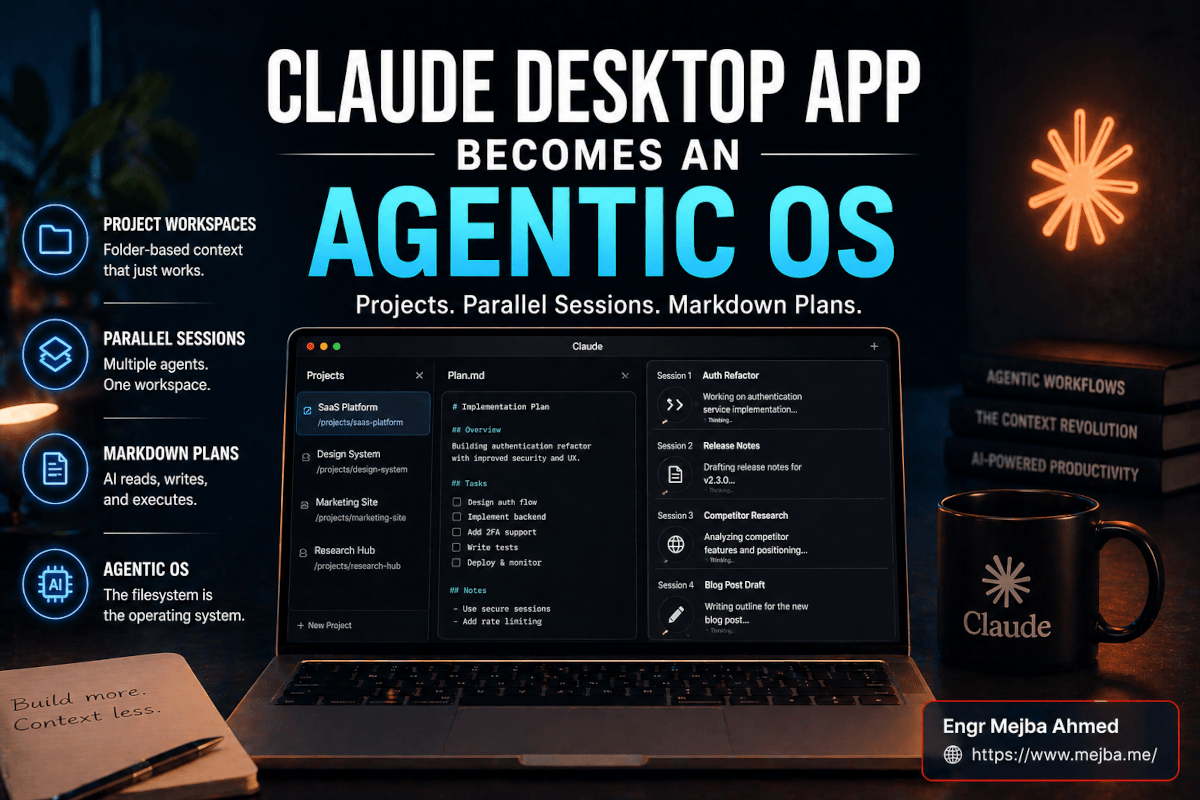
The desktop app has three distinct workspaces. Claude Chat works like the web interface — upload documents, ask questions, create dashboards. Claude Code is the vibe coding platform I covered in a previous post, where you build full applications through conversation. And Claude Co-work sits in the middle as the agentic productivity layer that handles real-world knowledge work.

But before I walk you through the seven use cases I tested, there's something about the pricing model you need to understand — because it directly affects how you'll use this tool.

The Pricing Reality Nobody Warns You About

Anthropic offers a starter plan at $20/month that technically unlocks Co-work access. I started there. I burned through my usage limit in about two hours of actual testing. Two hours. That's not a typo.

The reason is model selection. Claude Co-work lets you choose which model runs your tasks. Opus 4.6 is the flagship — it's the model that produced those stunning file organization results I mentioned. But it eats through credits fast. Sonnet 4.5 is the lighter option that preserves your budget, and honestly, for straightforward tasks like scheduling or document drafting, it handles things perfectly well.

I ended up on the $200/month Max plan, which sounds steep until you calculate what it replaces. One marketing campaign generation that would have taken my team three days got done in under an hour. One week of meeting prep across eight client calls — handled in a single afternoon session. The math works out quickly when you're billing your own time at professional rates.

Plan Monthly Cost What You Get Who It's For
Starter $20 Co-work access, limited credits Testing the waters
Max $100–$200 Higher limits, all models, full features Daily power users
Enterprise Custom Team access, admin controls Organizations

Here's my honest take: the $20 tier is a demo. It's enough to see what Co-work can do, but not enough to integrate it into real workflows. If you're serious about using this, budget for at least the $100 tier.

Now, about those seven use cases I promised. The first one I already spoiled — but the next six are where things get genuinely wild.

Use Case 1: The Screenshot Graveyard Rescue

I already gave you the highlights, but the details matter. I pointed Claude Co-work at my Dropbox folder with 2,900 screenshots and gave it a simple instruction: "Organize these screenshots into logical folders based on their content, and rename each file to describe what it shows."

What happened next took roughly 40 minutes. Co-work analyzed each image — not just the filenames, the actual visual content — and created a folder structure that included categories like "code-errors," "design-mockups," "client-presentations," "dashboard-analytics," and "social-media-drafts."

The naming was surprisingly thoughtful. A screenshot of a terminal with a Docker error became "docker-compose-port-conflict-error." A Figma artboard screenshot became "colorpark-landing-hero-section-v2." It even caught screenshots that were duplicates or near-duplicates and grouped them together.

This is what separates Co-work from every other AI tool I've used. It doesn't advise you on file organization. It doesn't generate a script for you to run. It performs the file system operations directly, autonomously, on your actual machine. That shift from "here's how you could do it" to "it's done" — that's the paradigm I want to talk about.

But file management is honestly the simplest thing Co-work handles. The real power shows up when you throw multi-domain creative work at it.

Use Case 2: Building a Full Marketing Campaign From One Prompt

I tested this with a realistic scenario: launching a new product as a solo entrepreneur. I had product photos in a local folder, a brand guidelines PDF, some competitor screenshots in another directory, and a company logo on Google Drive connected through Claude's connectors.

My prompt was direct: "Create a complete marketing campaign for this product launch. Use all the assets in these folders and the brand guidelines PDF to stay on-brand."

Co-work started by reading every file I'd referenced. Brand colors, typography rules, the competitive landscape from my screenshots — it pulled context from all of it. Then something interesting happened. It used built-in skills to generate a PowerPoint presentation. I didn't know it could do that until I saw a .pptx file appear on my desktop.

The full output from a single prompt plus one follow-up refinement:

  • A branded PDF campaign overview
  • A PowerPoint investor/pitch deck (12 slides, properly formatted)
  • An HTML landing page ready for deployment
  • A 2,000-word blog post matching my brand voice
  • Meta ad copy with three headline variations and matching descriptions
  • Google Ads copy with headlines and description lines
  • A newsletter layout with detailed sender instructions
  • An A/B testing plan for headlines and CTAs
  • A 30-day launch calendar broken down day-by-day with specific action items

I want to be clear about this: the quality varied across these outputs. The blog post needed editing — the voice wasn't quite right, and some sections felt generic. The PowerPoint layouts were functional but not beautiful. The ad copy, though? Surprisingly sharp. The 30-day launch plan? Genuinely useful and detailed enough to hand to a team member.

The point isn't that every output was perfect. The point is that generating this package from scratch — even with revisions — would normally take a small team the better part of a week. Co-work produced a solid first draft of everything in under an hour.

One resource worth mentioning: HubSpot released a free prompt library called the Claude Co-work Stack with 12 advanced prompts specifically designed for Co-work. The marketing campaign builder I used was adapted from one of their templates. These aren't basic "write me an email" prompts — they're structured, multi-step instructions that produce professional-grade output. I'll explain later why combining these templates with Claude Projects makes them even more powerful.

Use Case 3: Meeting Prep That Actually Saves Time

I'll be honest — I used to skip meeting prep entirely. I'd glance at the calendar invite, skim the company website for 90 seconds, and wing it. Not great. But the overhead of doing proper research for every meeting felt disproportionate to the value.

Claude Co-work changed my calculation. I gave it a simple template: company name, meeting date, and what I wanted to discuss. Then I connected it to a folder where I keep client notes, linked my Google Drive through connectors, and gave it Chrome access for web research.

For each meeting, Co-work produced a one-page brief that included:

  • Company snapshot: What they do, their size, recent funding or growth signals
  • Recent news: Anything published in the last 30 days mentioning the company
  • Opportunity analysis: Where my services could fit based on their public pain points
  • Key people: Who I'm meeting, their background, their likely priorities
  • My history: Any past notes or emails I'd exchanged with them (pulled from my local files)

The whole brief took about three minutes to generate. Three minutes for prep work I would have either spent 20 minutes on or — more likely — skipped entirely.

What impressed me most was the integration layer. Co-work didn't just search the web. It cross-referenced web findings with my local notes. When it found that a company had recently announced a cloud migration, and my notes from a previous call mentioned they were struggling with AWS costs, it connected those dots and flagged the opportunity in the brief.

That kind of contextual intelligence — combining public data with private data — is something no web-based AI tool can replicate. Your data never leaves your machine. The AI comes to your data, not the other way around.

But here's where Co-work surprised me in a completely different domain — one I never would have thought to test.

Use Case 4: Business Trip Planning That's Actually Comprehensive

I had a conference trip coming up and decided to throw the entire planning process at Co-work. Flight was already booked, but everything else was open.

The prompt: "Help me plan my trip to [conference name] in [city]. I need accommodation options, a day-by-day itinerary, packing list, expense tracking, and pre-trip preparation notes."

What I got back was a desktop folder named "Conference-Trip-2026" containing:

  1. Expense tracker — An actual Excel spreadsheet with categories for flights, hotels, meals, transport, and incidentals. Pre-formatted with formulas.
  2. Day-by-day itinerary — Broken into morning, afternoon, and evening blocks. Conference sessions, networking events, and meal recommendations with actual restaurant names and price ranges.
  3. Packing checklist — Not generic. It checked the weather forecast for my travel dates and adjusted recommendations accordingly. Rain jacket was on the list because there was a 70% chance of rain on day two.
  4. Hotel comparison — Five options with price ranges, distances from the venue, and transit time estimates. It even generated a basic map view showing relative locations.
  5. Pre-trip prep notes — A week-by-week countdown with reminders: confirm hotel by this date, download offline maps, charge portable battery, print backup boarding pass.

Was it perfect? The hotel prices were approximate (Co-work doesn't have real-time booking access — yet). Some restaurant recommendations were outdated. But as a starting framework that saved me two hours of scattered Google searching and spreadsheet setup? Absolutely worth it.

I should note: Co-work can't actually book hotels or flights for you. Anthropic has mentioned booking agents as a future development, but they're not ready yet. Right now, it's a planning tool, not an execution tool for travel. An important distinction.

Speaking of execution — the next use case is where Co-work actually modifies your real systems.

Use Case 5: Intelligent Calendar Optimization

This one made me nervous. Giving an AI write access to my Google Calendar felt like handing a stranger the keys to my week. But the connector system handles permissions thoughtfully — Co-work asks for approval before each calendar modification, one at a time.

My prompt: "Look at my calendar for next week. Find gaps of two hours or more. Suggest 3-5 ways to optimize my schedule for deep work, and help me implement whichever option I choose."

Co-work analyzed my existing events, identified four gaps of 2+ hours scattered across the week, and came back with five optimization proposals ranked by expected impact:

  1. Consolidate all meetings into Tuesday and Thursday afternoons, freeing Monday/Wednesday/Friday for deep work blocks
  2. Add "deep work" calendar blocks in the three largest gaps to prevent them from getting claimed by new meetings
  3. Move two meetings that were back-to-back at 9 AM to later slots, creating a morning focus block
  4. Batch all email/admin tasks into a single 90-minute slot on Friday
  5. Create a recurring "weekly review" block on Friday at 4 PM

I picked option 2 as the safest starting point. Co-work generated ICS calendar files for each proposed block and — after I approved each one individually — added them to my Google Calendar. The whole process took about ten minutes.

What I appreciated was the caution. It didn't just rearrange my calendar autonomously. Every modification required explicit approval. That's the right approach for something this sensitive. I've seen other AI tools promise calendar management and then create chaos by moving meetings without understanding their context.

If you've been following along, you've seen Co-work handle files, marketing, research, planning, and scheduling. But the next example is where I combined Co-work with another Claude feature — and that's where the real power emerged.

Use Case 6: Branded Presentations with Claude Projects

Here's a frustration every freelancer knows: maintaining brand consistency across dozens of deliverables. I've got brand guidelines PDFs for four different brands. Every presentation, every document, every proposal needs to match the right brand's colors, typography, tone, and layout rules.

Claude Projects is a feature that lets you define persistent instructions and upload reference documents that apply to every conversation within that project. Think of it as giving Claude a permanent briefing packet.

I created a project called "Presentation Style System" and uploaded:

  • My brand guidelines PDF (colors, fonts, logo usage rules)
  • Three example slides showing approved layouts
  • A one-page document with design standards (chart styles, icon usage, spacing rules)

Now, every time I start a new conversation inside that project, Claude already knows my brand. I don't need to re-explain anything.

When I combined this with Co-work, the results jumped significantly. I asked it to create a client presentation about AI automation services. Because it already had my brand context loaded, the output matched my color palette, used my preferred chart styles, and followed my layout conventions. The PowerPoint it generated was genuinely close to what I'd produce manually — maybe 80% there, needing only minor adjustments.

Compare that to the marketing campaign output from Use Case 2, where the presentation was functional but generic-looking. The difference is context. Claude Projects gives Co-work the institutional knowledge it needs to produce brand-aligned work consistently.

This is the workflow I'd recommend to anyone adopting Co-work: invest 30 minutes upfront creating a Claude Project with your brand assets. That upfront investment pays dividends on every single deliverable Co-work creates afterward.

There's one more use case — and it involves a feature most people don't even know exists.

Use Case 7: Sales Outreach at Scale with Custom Skills

Claude Co-work supports plugins — what Anthropic calls "custom skills" — that extend its capabilities beyond the defaults. Some come from Anthropic directly. Others live in a GitHub marketplace where developers publish specialized skill packages.

I installed a sales-focused skill plugin and tested it against a real outreach campaign. My inputs were a folder containing past outreach emails, previous proposals, and a spreadsheet of target accounts with company names, contact info, and notes on their tech stack.

Co-work read everything. Past emails gave it my communication style. Proposals showed it my service offerings and pricing structure. The target account spreadsheet became its hit list.

The output was a 26-page document containing:

  • Prioritized account list — Ranked by estimated deal value and likelihood of conversion based on their tech stack matching my service offerings
  • Personalized outreach emails — One unique email per target, referencing specific details about their company and why my services were relevant to them
  • Follow-up sequences — Three-email sequences per target with different angles and escalating urgency
  • LinkedIn messages — Shorter, conversational versions tailored for the platform's informal tone

Were these emails ready to send as-is? Mostly, yes. Some needed minor tweaks — a few had slightly off details about the target companies, and the tone sometimes leaned a bit too formal compared to my natural voice. But as first drafts? They saved what would have been two full days of research and writing.

The conversation stays open after generation, which means I could say "make the emails for accounts 3 and 7 more casual" or "add a case study reference to the follow-up sequence" and Co-work would make targeted adjustments without regenerating everything.

What Most People Miss About This Tool

After a week of daily testing, here's my honest assessment of what Claude Co-work gets right and where it still stumbles.

What works brilliantly:

The agentic execution model is genuinely different from anything else available. Co-work doesn't just tell you what to do — it does the work. File operations, document creation, calendar management, multi-format output generation. This isn't a chat assistant wearing a productivity costume. It's an actual digital worker.

The integration layer is the real moat. By running locally and connecting to your apps through connectors, Co-work accesses a combined context that no cloud-only AI can match. My meeting prep example — where it cross-referenced web research with local client notes — is impossible with ChatGPT, Gemini, or any other web-based tool.

What needs work:

Quality consistency varies by task type. Marketing copy and research outputs were strong. Visual design outputs (presentations, landing pages) were functional but uninspired. Creative writing needed significant editing. Co-work is a generalist — it handles breadth better than depth in any single domain.

The pricing cliff is real. The gap between "testing it" on the $20 plan and "actually using it" on the $100+ plan is steep. I wish Anthropic offered a $50 middle tier for people who want to use it weekly but not daily.

Speed depends heavily on model choice and task complexity. Simple tasks finish in minutes. The marketing campaign took nearly an hour. The screenshot organization ran for 40 minutes. If you're expecting instant results on complex tasks, recalibrate your expectations.

One thing I didn't expect:

I used to think AI assistants would be most useful for tasks I already knew how to do — automating the boring stuff. But Co-work surprised me by being most valuable for tasks I'd been avoiding entirely. Meeting prep I never did. Trip planning I always half-finished. Calendar optimization I knew I needed but never prioritized.

The tool didn't just save time on existing workflows. It created workflows I'd been too lazy or busy to build myself.

What This Means for Knowledge Workers Right Now

I've been building AI systems and testing AI tools for years. I've watched the progression from GPT-3's party tricks to genuine productivity amplifiers. Claude Co-work feels like a genuine step change.

Not because any single capability is revolutionary — file management, document generation, calendar access, these aren't new concepts. The step change is in the integration. One tool that accesses your files, connects to your services, generates across multiple formats, and executes tasks autonomously. That combination, running locally on your machine with your data never leaving your control, is new.

My newsletter had a formatting problem I'd been fighting for three months. Inconsistent rendering across email clients, broken images in some templates, layout shifts on mobile. I'd been putting it off because fixing it required cross-referencing three different template files, testing across four email clients, and rewriting some custom CSS.

I described the problem to Co-work. Pointed it at my template folder. Came back to a fixed version with inline comments explaining every change. Three months of procrastination, solved in about fifteen minutes.

That's not a productivity improvement. That's a category shift in what's possible for a single person working alone.

If you're a knowledge worker — someone who spends their days managing files, preparing documents, organizing schedules, creating presentations, writing outreach, or planning projects — Claude Co-work is worth testing seriously. Not the $20 demo tier. A real test. Give it access to your actual files and workflows for a week and see what happens.

The tool isn't perfect. The pricing needs a middle tier. The design outputs need improvement. Some tasks take longer than you'd expect. But when I look at the total hours I reclaimed in a single week of testing — conservatively, I'd estimate 15-20 hours — the value proposition isn't even close to questionable.

Here's the question I keep coming back to: if an AI can handle 70% of the work you've been avoiding, what would you do with those reclaimed hours? Because that answer matters more than any feature list.


🤝 Let's Work Together

Looking to build AI systems, automate workflows, or scale your tech infrastructure? I'd love to help.

Coffee cup

Enjoyed this article?

Your support helps me create more in-depth technical content, open-source tools, and free resources for the developer community.

Related Topics

Engr Mejba Ahmed

About the Author

Engr Mejba Ahmed

Engr. Mejba Ahmed builds AI-powered applications and secure cloud systems for businesses worldwide. With 10+ years shipping production software in Laravel, Python, and AWS, he's helped companies automate workflows, reduce infrastructure costs, and scale without security headaches. He writes about practical AI integration, cloud architecture, and developer productivity.

Discussion

Comments

0

No comments yet

Be the first to share your thoughts

Leave a Comment

Your email won't be published

3  +  3  =  ?

Continue Learning

Related Articles

Browse All