📝 AI Development

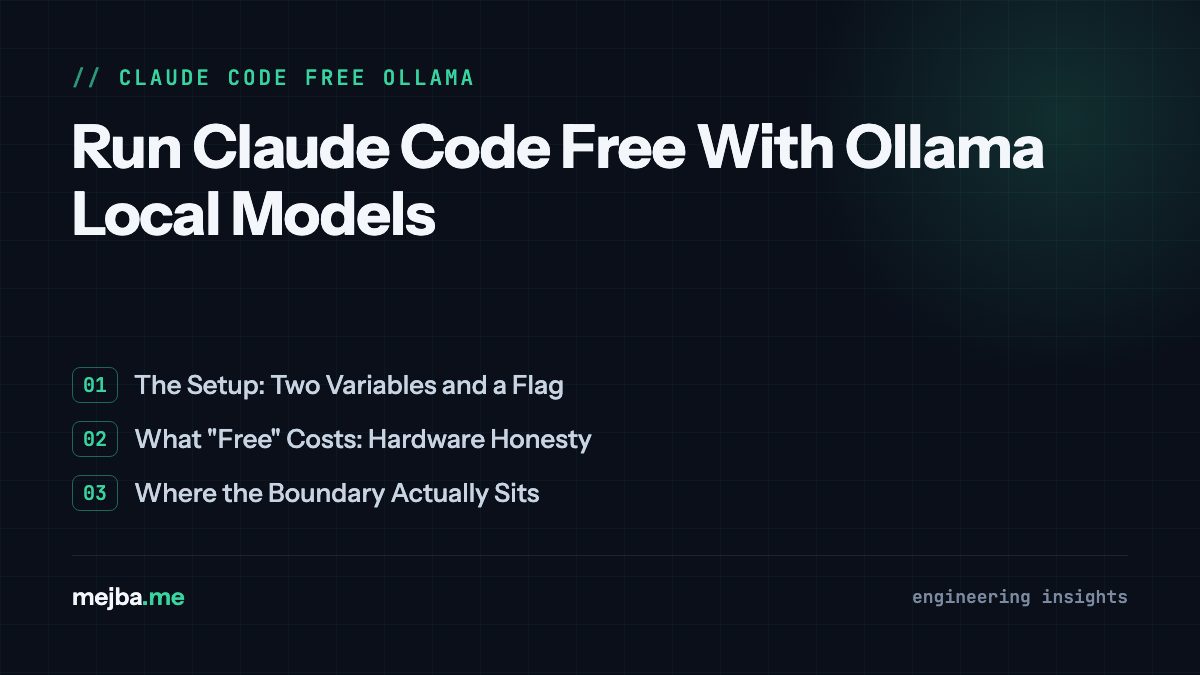
Run Claude Code Free With Ollama Local Models

Run Claude Code Free With Ollama Local Models My Claude Pro subscription hit $20 again last month. I stared at the invoice for a second, not because t...

19 min

Read time

3,701

Words

Mar 10, 2026

Published

Engr Mejba Ahmed

Written by

Engr Mejba Ahmed

Share Article

Run Claude Code Free With Ollama Local Models

Run Claude Code Free With Ollama Local Models

My Claude Pro subscription hit $20 again last month. I stared at the invoice for a second, not because twenty dollars is a lot — it's not — but because I'd been reading about Ollama's new Anthropic API compatibility layer, and a question had been nagging me for weeks: what if I could run Claude Code's entire agentic framework against a local model sitting on my own GPU, and never send a single token to Anthropic's servers?

So I tried it. Three different models. Two weeks of real project work. And the results genuinely surprised me — though not in the way you'd expect.

The short version: yes, you can run Claude Code completely free with local models through Ollama, and for a specific category of development work, it's shockingly capable. For another category, it falls flat on its face. The interesting part is figuring out exactly where that line sits, because it's not where most people assume. I'll show you the exact boundary I found — and the specific tasks where local models actually outperformed my expectations — once we get through the setup.

But first, some context on why this matters beyond saving twenty bucks a month.

Why Running Claude Code Locally Changes the Game

Claude Code is, in my experience, the best AI coding agent available right now. It runs inside your terminal. It reads your codebase, edits files, runs tests, manages git, and executes multi-step development workflows with a level of autonomy that still catches me off guard sometimes. I've built entire agent systems with it, shipped client projects, automated content pipelines across four websites.

The problem has always been the paywall. You need either a Claude Pro subscription or raw API credits to use it. That's a hard barrier for students, indie hackers, open-source contributors, and anyone just wanting to experiment without committing financially.

Ollama changed the equation. If you haven't used it, Ollama is essentially Docker for language models — you pull models the way you pull container images, and they run locally on your hardware. The recent addition of Anthropic API compatibility means Ollama can now impersonate Anthropic's API endpoint. Claude Code doesn't know the difference. It sends requests to what it thinks is Anthropic's server, and Ollama intercepts them, routes them to whatever local model you've loaded, and sends back responses in the format Claude Code expects.

That's the trick. Claude Code's entire tooling infrastructure — file editing, code search, terminal commands, sub-agents, scheduled prompts — all of it works through this compatibility layer. The model powering the intelligence changes. The framework stays identical.

Here's the thing nobody tells you, though: the model you choose matters enormously, and the relationship between model size, VRAM requirements, and actual coding performance is not linear. I tested three configurations and got wildly different results from each. We'll get to those benchmarks after the setup — and one of them genuinely changed how I think about local AI development.

What You Need Before Starting

Let me be upfront about hardware requirements, because this is where a lot of tutorials get dishonest. They show you a setup running on some beast workstation and casually forget to mention it won't work on your MacBook Air.

I'm running an NVIDIA GeForce RTX 4090 with 24GB VRAM. That's a serious GPU. For the 3B parameter models, you absolutely don't need that — a card with 6-8GB VRAM handles those fine. But when we get to the 32B parameter models that actually produce quality code? You want 24GB minimum. The M-series MacBooks with 32GB+ unified memory can also handle this, but expect slower inference speeds compared to a dedicated NVIDIA card.

The critical threshold is context length. For Claude Code's agentic features to work properly — especially the parallel sub-agent execution and multi-file editing — you need at least 32K tokens of context. Smaller context windows cause the agent to lose track of file contents mid-edit, forget earlier instructions, and produce fragmented changes that break your codebase. I learned this by watching a 3B model with an 8K context try to refactor a service class. It edited the first half beautifully and then completely forgot the second half existed.

Here's the minimum setup:

  • GPU: 8GB+ VRAM for small models (3B-7B), 24GB+ for serious work (32B+)
  • RAM: 16GB system memory minimum, 32GB recommended
  • Storage: 5-30GB per model depending on size
  • OS: macOS, Linux, or Windows (WSL2 recommended on Windows)
  • Software: Node.js 18+, npm, Ollama, Claude Code CLI

There are websites — I use sites like ollama.com/search and various VRAM calculators — that let you match your exact GPU to compatible models. Check before downloading a 20GB model your card can't run.

Now for the part you actually came here for.

The Complete Setup: Zero to Running in 10 Minutes

I'm going to walk through this on macOS/Linux first, then cover the Windows differences. The whole process takes about ten minutes, assuming you have decent internet for the model download.

Step 1: Install Ollama

Head to ollama.com and grab the installer for your platform. On macOS, it's a standard .dmg. On Linux, there's a one-liner:

curl -fsSL https://ollama.com/install.sh | sh

After installation, verify it's running:

ollama --version
# Should output something like: ollama version 0.6.x

Ollama runs as a background service. On macOS it starts automatically. On Linux, you may need to start it manually:

# Start Ollama service (Linux)
systemctl start ollama

# Or run directly
ollama serve

The server listens on http://localhost:11434 by default. That URL matters — it's what Claude Code will connect to.

Step 2: Pull Your First Model

This is where it gets interesting. You're choosing the brain that will power your coding agent. I tested three, and I'll give you the recommendation upfront: start with qwen2.5-coder:3b for your first run. It's fast, lightweight, and good enough to prove the concept before you invest time downloading larger models.

# Fast and light — great for testing the setup
ollama pull qwen2.5-coder:3b

# More capable — needs 16GB+ VRAM
ollama pull qwen2.5-coder:14b

# The real deal — needs 24GB+ VRAM but genuinely impressive
ollama pull qwen2.5:32b

The download sizes are roughly 2GB, 9GB, and 20GB respectively. While it downloads, let's get Claude Code ready.

Step 3: Install Claude Code

If you don't already have Claude Code installed, it's a straightforward npm install:

npm install -g @anthropic-ai/claude-code

Verify the installation:

claude --version

You can also use the Claude Code desktop app if you prefer — the environment variable approach works with both.

Step 4: Point Claude Code at Ollama

This is the critical step. You need to tell Claude Code to stop looking for Anthropic's cloud API and instead talk to your local Ollama server. Two environment variables make this happen.

On macOS/Linux:

export ANTHROPIC_BASE_URL=http://localhost:11434
export ANTHROPIC_API_KEY=ollama

On Windows (Command Prompt):

set ANTHROPIC_BASE_URL=http://localhost:11434
set ANTHROPIC_API_KEY=ollama

On Windows (PowerShell):

$env:ANTHROPIC_BASE_URL = "http://localhost:11434"
$env:ANTHROPIC_API_KEY = "ollama"

The API key can be literally anything — Ollama doesn't check it. I use "ollama" because it makes it obvious in my shell history that I'm running locally, not burning real API credits.

To make this permanent, add those export lines to your .bashrc, .zshrc, or shell profile. I keep mine in a separate script I source when I want local mode:

# ~/scripts/claude-local.sh
export ANTHROPIC_BASE_URL=http://localhost:11434
export ANTHROPIC_API_KEY=ollama
echo "Claude Code pointed at local Ollama"

Then I just run source ~/scripts/claude-local.sh when I want to switch. When I need real Claude, I unset those variables or open a fresh terminal with my actual Anthropic key.

Step 5: Launch Claude Code With Your Local Model

Now the moment of truth:

claude --model qwen2.5-coder:3b

If everything is wired correctly, Claude Code boots up looking exactly like it always does — same interface, same commands, same tool capabilities. The only difference is the intelligence behind it. Your prompts go to localhost instead of Anthropic's servers. Your tokens never leave your machine.

Try something simple first:

> Create a Python function that reads a CSV file and returns the top 5 rows sorted by a specified column

If you see the model thinking, generating code, and offering to write it to a file — congratulations. You're running Claude Code for free on your own hardware.

This is where most tutorials end. But the interesting story is what happens when you actually try to use this for real work.

Three Models, Two Weeks, One Honest Assessment

I committed to using this local setup for two weeks of actual development work. Not toy projects — real client work, real deadlines, real codebases. I rotated between three models and tracked what each one handled well and where each one fell apart.

Qwen 2.5 Coder 3B: The Speedster

This tiny model runs lightning fast even on modest hardware. Response times were under 2 seconds for most prompts. I used it for:

  • Generating boilerplate CRUD endpoints in Laravel
  • Writing unit test skeletons
  • Creating TypeScript interfaces from JSON examples
  • Simple file scaffolding and project initialization
  • Git commit message generation

For these tasks, it performed at maybe 70-75% the quality of Claude Sonnet. The code compiled. The logic was correct. The naming conventions were reasonable. For scaffolding especially — generating the skeleton of a new service class, a new API route, a new React component — it was surprisingly capable.

Where it broke down: anything requiring multi-file awareness. I asked it to refactor an authentication service that touched four different files. It handled the first file perfectly, made reasonable changes to the second, and by the third file it had lost track of the changes it already made. The fourth file was essentially hallucinated — referencing functions it thought it had written but hadn't.

The 3B model thinks one file at a time. That's fine for isolated tasks. It's a deal-breaker for architectural work.

Qwen 2.5 32B: The Surprise

I expected incremental improvement. I got a qualitative shift. The 32B model didn't just make fewer mistakes — it demonstrated genuine multi-step reasoning that the 3B model couldn't touch.

I gave it the same authentication refactor. It planned the changes across all four files before writing a single line. It identified a circular dependency I hadn't noticed. It suggested extracting a shared interface to prevent the kind of drift that typically happens when you modify related services independently.

Was it as good as Claude Sonnet? No. The code structure was about 85% as clean, and it occasionally used patterns that were technically correct but not idiomatic for the framework I was using. But it did something the 3B model couldn't do at all: it reasoned about the relationships between files rather than treating each one in isolation.

The trade-off is speed. Where the 3B model responded in 2 seconds, the 32B model took 8-15 seconds per response, and complex multi-file operations could take 30+ seconds. On my RTX 4090 with 24GB VRAM, it used nearly everything available. If you're running with less VRAM, expect quantization overhead and even slower inference.

The parallel sub-agent feature surprised me most here. I set up two sub-agents — one researching an npm package's API and one writing the integration code. Both ran simultaneously through the local model. The coordination wasn't perfect (the research agent sometimes produced summaries the coding agent misinterpreted), but the fact that it worked at all on a local model running on consumer hardware genuinely impressed me.

The Real Claude Sonnet: Still the Benchmark

After two weeks with local models, I switched back to real Claude Sonnet for a day. The difference was immediately apparent in three areas:

Complex reasoning chains. A task that required understanding business logic, mapping it to database schema changes, generating migrations, updating model relationships, and modifying API responses — Claude Sonnet handled this as one coherent thought. The local models needed constant hand-holding through each step.

Code quality nuance. Claude Sonnet doesn't just write working code. It writes code that follows the conventions of the specific project it's looking at. It picks up on patterns in your existing codebase and mirrors them. The local models wrote generically correct code that often felt like it came from a different project.

Error recovery. When something didn't work, Claude Sonnet would analyze the error, trace it back to the root cause, and fix it — often anticipating secondary issues. The local models tended to fix the surface symptom and create a new problem downstream.

That said — and this is the part that kept me thinking — for probably 40-50% of my daily coding tasks, the local 32B model was good enough. Not perfect. Not a replacement. But good enough that I wasn't losing time or quality on the output.

Here's the real question this raises, and it's one I'm still working through.

The Honest Trade-Offs Nobody Wants to Discuss

I've seen a dozen posts claiming you can "replace your Claude subscription entirely" with local models. That's either dishonest or written by someone who doesn't use Claude Code for serious work. Let me be direct about the limitations.

Tool use quality varies wildly. Claude Code's power comes from its ability to use tools — reading files, running commands, searching codebases, editing multiple files atomically. The official Claude models were specifically trained and fine-tuned for this tool-calling behavior. Local models support the API format for tool calls, but their actual tool use is less reliable. I saw the 3B model attempt to edit a file that didn't exist about once per session. The 32B model was better but still occasionally called tools with malformed arguments.

Security-sensitive work is a hard no. I do cybersecurity consulting. Code review for vulnerabilities, penetration testing automation, security audit report generation — I would never trust a 3B open-source model with this work. The failure modes are too dangerous. A missed SQL injection vector or a hallucinated "this code is secure" assessment could cause real damage. For security work, I use the real Claude Sonnet without exception.

Context window management feels different. Even with 32K context, local models seem to "forget" earlier context more aggressively than Claude's official models. I suspect this is a combination of attention mechanism differences and quantization artifacts. The practical impact: you need to re-state important constraints more often, and long sessions degrade faster.

Model updates are your responsibility. When Anthropic improves Claude, every user gets the update instantly. With local models, you need to track releases, pull new versions, test them against your workflows, and deal with occasional regressions. I've been burned by a model update that broke tool calling compatibility for two days before a fix was released.

Here's my honest assessment, and I wish someone had told me this before I started: this setup is a complement, not a replacement. I use local models for the bottom 40-50% of tasks — scaffolding, boilerplate, simple automation, test generation, documentation drafts. I use real Claude for the top 50-60% — architecture decisions, complex refactoring, security-sensitive work, anything where subtle quality differences compound into real problems.

That split has actually reduced my Claude API usage by nearly half. Which means even though I still pay for Pro, I'm getting more value from each dollar because I'm only sending the hard problems to the best model.

That's the mindset shift. Don't think "free replacement." Think "intelligent routing."

Advanced Configuration: Getting the Most From Your Setup

Once the basic setup works, there are a few optimizations that made a meaningful difference in my workflow.

Persistent Model Configuration

Instead of specifying the model on every launch, you can set it as a default:

# Add to your .bashrc or .zshrc
export CLAUDE_MODEL=qwen2.5-coder:3b

# Then just launch with
claude

I actually maintain two aliases:

# In .zshrc
alias claude-local='source ~/scripts/claude-local.sh && claude --model qwen2.5:32b'
alias claude-fast='source ~/scripts/claude-local.sh && claude --model qwen2.5-coder:3b'
alias claude-pro='unset ANTHROPIC_BASE_URL && claude'

Three commands. Three tiers. Fast local for quick tasks, heavy local for substantial work, and Pro for the real deal. I switch between them multiple times a day depending on what I'm doing.

Context Length Optimization

By default, Ollama might not expose the full context window your model supports. You can configure this in the Modelfile or at runtime:

# Check your model's current configuration
ollama show qwen2.5-coder:3b

# Create a custom Modelfile with extended context
cat << 'EOF' > Modelfile
FROM qwen2.5-coder:3b
PARAMETER num_ctx 32768
PARAMETER temperature 0.1
EOF

ollama create qwen-code-extended -f Modelfile

Setting temperature to 0.1 (instead of the default) makes code generation more deterministic and less creative. For coding tasks, you want consistency over creativity. I bumped it up to 0.4 only when generating documentation or commit messages where some variety helps.

Monitoring GPU Usage

Keep an eye on your VRAM usage, especially with larger models:

# NVIDIA GPUs
watch -n 1 nvidia-smi

# macOS with Apple Silicon
sudo powermetrics --samplers gpu_power -i 1000

If your GPU runs out of VRAM, Ollama silently falls back to CPU inference, and response times go from seconds to minutes. I've had sessions where I didn't notice this happened because the responses were still arriving — just painfully slowly. Check your GPU utilization if things suddenly feel sluggish.

Using Different Models for Different Sub-Tasks

This is experimental, but Claude Code's sub-agent system theoretically allows different agents to use different models. In practice, they all route through the same Ollama endpoint, but you can run multiple Ollama instances on different ports with different models loaded:

# Terminal 1: Heavy model for main agent
OLLAMA_HOST=0.0.0.0:11434 ollama serve

# Terminal 2: Light model for sub-agents
OLLAMA_HOST=0.0.0.0:11435 ollama serve

I haven't found a clean way to make Claude Code route sub-agents to a different port yet, but this is the kind of optimization that the community will probably solve in the coming months. The architecture supports it in theory.

What Actually Improved in My Workflow

After two weeks of hybrid usage — local models for routine work, real Claude for complex tasks — three measurable things changed.

Token costs dropped roughly 45%. My Anthropic dashboard showed the decrease clearly. All the simple tasks that were previously burning real tokens — file scaffolding, test skeleton generation, boilerplate API endpoints, git operations — now ran on local compute. I was sending fewer requests to Anthropic, and the ones I did send were higher-complexity tasks that actually needed Claude's reasoning capability.

Iteration speed increased for quick tasks. No network latency. No rate limiting. No waiting for Anthropic's servers during peak hours. The 3B local model responded faster than any cloud API could, and for simple tasks, speed matters more than brilliance. Generating a TypeScript interface from a JSON payload? I don't need Sonnet-level intelligence for that. I need it done in under 2 seconds.

I became more intentional about model selection. This was the unexpected benefit. Before this experiment, every task went to the same model at the same cost. Now I actively think about which tier of intelligence a task requires before starting it. That mental framework — "is this a 3B task, a 32B task, or a Sonnet task?" — made me a more efficient developer independent of the tooling. I started batching similar-complexity tasks together. I got better at decomposing complex work into simple sub-tasks that could be handled locally.

The results aren't dramatic — I'm not claiming a 10x productivity improvement. The honest number is maybe a 15-20% improvement in daily throughput, mostly from eliminating latency on routine tasks and being more thoughtful about when I invoke expensive compute.

For a setup that costs nothing beyond the hardware you already own, that's a solid return.

The Models Worth Trying Right Now

Quick reference for what's actually good at coding tasks as of early 2026:

Qwen 2.5 Coder Series — My current recommendation. The coder-specific variants are fine-tuned on code and substantially outperform the general-purpose Qwen models for development tasks. The 3B is great for speed, the 14B is a solid middle ground, and the 32B is genuinely impressive.

DeepSeek Coder V2 — Strong alternative, especially for Python-heavy work. Tool calling support is good. Context handling is competitive with Qwen.

GLM 4 — Worth testing if your tasks involve structured data manipulation or API integration. It handles JSON well and its function-calling implementation is clean.

CodeLlama variants — Falling behind the Qwen and DeepSeek options for most tasks, but still viable if you're on constrained hardware and need something that runs well at 7B parameters.

Check model compatibility with your hardware before committing to a download. A model that doesn't fit in your VRAM and falls back to CPU inference isn't saving you anything — it's costing you time.

Your 24-Hour Challenge

Here's what I want you to do before tomorrow at this time. Not next week. Not "when you get around to it." Today.

Install Ollama. Pull qwen2.5-coder:3b. Set the two environment variables. Launch Claude Code with --model qwen2.5-coder:3b. Then give it one real task from your current project — not a hello-world exercise, but something you'd actually need done. A utility function. A test file. A configuration migration.

Watch what happens. Notice where it nails it and where it stumbles. That firsthand experience will tell you more about whether this setup fits your workflow than any blog post — including this one.

If the 3B model impresses you (and for simple tasks, it probably will), pull the 32B next and try the same task. The quality jump will make you rethink what "good enough" means for local AI.

I'm still running both local and cloud. I suspect I will be for a long time. But the option to drop to free local compute for half my daily tasks while keeping the premium model for the work that demands it — that's not a compromise. That's just smart resource allocation.

And honestly? The best part isn't the money saved. It's the speed. No network round-trip. No rate limits. No "Anthropic is experiencing high demand" messages at 2 PM when everyone's prompting. Just instant, local, private AI coding — on your terms, on your hardware, whenever you want it.

Your move.

Let's Work Together

Looking to build AI systems, automate workflows, or scale your tech infrastructure? I'd love to help.

Coffee cup

Enjoyed this article?

Your support helps me create more in-depth technical content, open-source tools, and free resources for the developer community.

Related Topics

Engr Mejba Ahmed

About the Author

Engr Mejba Ahmed

Engr. Mejba Ahmed builds AI-powered applications and secure cloud systems for businesses worldwide. With 10+ years shipping production software in Laravel, Python, and AWS, he's helped companies automate workflows, reduce infrastructure costs, and scale without security headaches. He writes about practical AI integration, cloud architecture, and developer productivity.

Discussion

Comments

0

No comments yet

Be the first to share your thoughts

Leave a Comment

Your email won't be published

7  -  6  =  ?

Continue Learning

Related Articles

Browse All

Comments

Leave a Comment

Comments are moderated before appearing.

Learning Resources

Expand Your Knowledge

Accelerate your growth with structured courses, verified certificates, interactive flashcards, and production-ready AI agent skills.

Sample Certificate of Completion

Sample certificate — complete any course to earn yours