📝 AI Agent

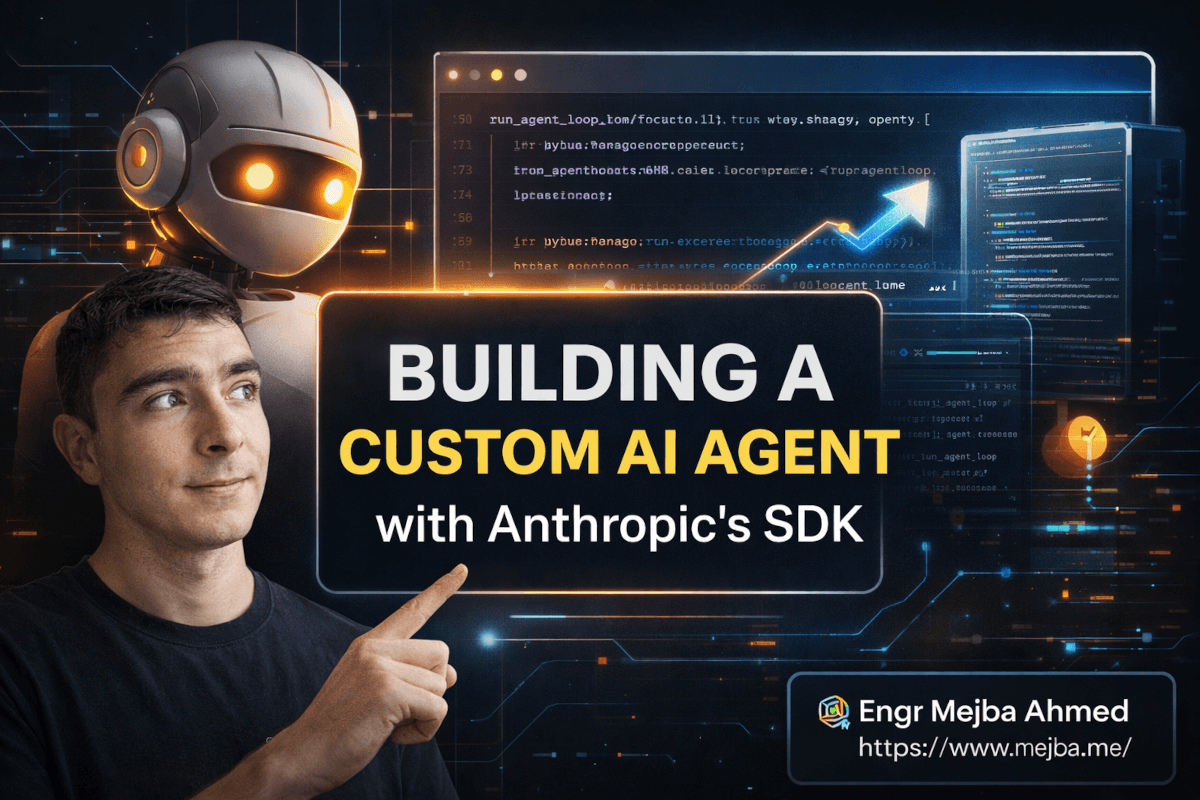
Building a Custom AI Agent with Anthropic's SDK

Building a Custom AI Agent with Anthropic's SDK The first time I understood what "agent" really meant — not the marketing version, not the buzzword on...

18 min

Read time

3,508

Words

Feb 27, 2026

Published

Engr Mejba Ahmed

Written by

Engr Mejba Ahmed

Share Article

Building a Custom AI Agent with Anthropic's SDK

Building a Custom AI Agent with Anthropic's SDK

The first time I understood what "agent" really meant — not the marketing version, not the buzzword on every startup's landing page — I was three hours into Anthropic's Agent SDK documentation at 11 PM on a Tuesday. My coffee had gone cold. I had seventeen browser tabs open. My IDE had a half-built Python environment that wasn't cooperating yet.

And I kept thinking: this is actually different.

I'd been skeptical going in. I'd seen too many "AI agent" demos that were glorified chatbots with a tool wrapper slapped on. Impressive in a controlled demo. Useless in production. But the architecture Anthropic built here — the way it manages the control loop, handles conversation context automatically, and gives developers access to the same built-in toolset that Claude Code itself runs on — wasn't that. It was something meaningfully different.

I spent the following week building a personal AI agent I'll call Luna. She integrates with Slack, Gmail, Notion, Chartmogul, and App Store Connect. She has a three-tier memory system. She runs scheduled morning summaries and delivers action-item push notifications to my phone before I open my laptop. She's slow — complex queries take 1–2 minutes — but she's thorough in a way no fast chatbot response can match.

This post covers everything I learned. Including the cost problem that genuinely worried me, the architectural mistake I made early on that cost me four days of rework, and why I think the Anthropic Agent SDK is the most significant thing Anthropic has released for developers since Claude itself.

Before we get into how to build this, I want to plant something here: the biggest mistake most developers make when building agents isn't technical. It's a design mistake. I'll explain exactly what it is — and why it wastes weeks — once we have the foundation in place.


What an Agent Actually Is (Strip Away the Buzzword)

Every company claims they have agents now. Most are being very generous with the definition. An actual agent has exactly three components. Understanding them precisely is what separates functional agents from expensive chatbots.

Component one: an LLM. Claude, GPT-4, whatever you're using. The LLM is the reasoning engine. It reads context, decides what to do next, and generates text. That's it. It cannot execute anything on its own. It cannot call APIs. It cannot read files. It thinks. Nothing more.

Component two: tools. Functions the LLM can invoke. A tool might be "read this Gmail thread," "query this Notion database," or "run this bash command." The LLM doesn't execute these — it requests them in a structured format, your system runs them, and the results return to the LLM as new context.

Component three: the loop. After the LLM calls a tool and receives results, it evaluates those results and decides what to do next. Another tool call? A follow-up query? A final answer? This loop continues until the task is complete. This is what makes something an agent rather than a chatbot. Without the loop, you have a one-shot tool caller. With the loop, you have something that can reason across dozens of steps.

I made the mistake early on of equating "more tools" with "smarter agent." That's exactly backwards. Intelligence lives in the loop. A well-structured loop with five focused tools outperforms a chaotic loop with fifty. Every time. I rebuilt Luna's tool configuration twice before I internalized this.

This distinction matters for what comes next — because the Anthropic Agent SDK is fundamentally a loop manager. Everything it does serves the loop: making it reliable, efficient, and easier to build without writing hundreds of lines of boilerplate.


What the SDK Actually Does That Nothing Else Does Quite Right

Before this SDK existed, building the loop meant handwriting boilerplate: conversation history management, tool call parsing, result formatting, streaming handlers, retry logic. None of it is complicated individually. Combined, it's several hundred lines of code that every agent developer wrote slightly differently, which made agent codebases difficult to maintain or extend.

The SDK collapses all of that into session-based management. You initialize a session with an ID, the SDK tracks the conversation, and Claude receives the right context automatically on every turn. When I first tested this, I expected fragility — "automatic" state management in developer tools usually means it works until it mysteriously doesn't. But after running multi-hour sessions with Luna executing dozens of sequential tool calls, I haven't hit a context consistency issue.

The auto-compaction feature sealed it for me. When a conversation grows long enough to approach Claude's context limit, the SDK automatically summarizes older parts of the conversation and compresses them. No errors. No truncation. No manual intervention. For Luna, where a single workflow session might involve reading twenty emails, checking three databases, and pulling business metrics — this isn't optional. Without it, complex tasks would fail mid-execution when they hit the limit. With it, the agent keeps reasoning without interruption.

But here's what I didn't anticipate: the SDK gives your agent access to Claude Code's actual built-in toolset. Not a simplified version. The same tools.


The Built-In Tools: More Powerful Than the Docs Suggest

Claude Code's built-in tools are production-grade: bash execution, file read and write, grep and glob for pattern matching, optimized web search, and web scraping. When you use the Anthropic Agent SDK, your agent gets access to these same tools out of the box.

Let me be specific about what that means: your agent can execute shell commands, read and write files on the filesystem, search the web for current information, and scrape content from any public URL. This isn't toy functionality. It's the same toolset Claude Code uses when it helps developers write production software.

For Luna, this eliminated three custom integrations I'd been planning to build. The web scraping capability alone replaced 200 lines of custom code I'd written for a previous project. I deleted that code within 24 hours of getting the SDK configured.

This is where I need to flag the caveat — because it took me a full day to learn it properly. Bash execution in an agent is a trust boundary. An agent with unrestricted bash access can do anything your user account can do: delete files, make outbound network requests, install packages system-wide, modify system configuration. My first Luna prototype, in a test session, decided to install a missing Python library via pip install system-wide because it needed that library to complete a task I'd given it. She wasn't wrong that the approach would work. But an automated agent running on my laptop shouldn't be making system-wide package changes without explicit permission.

That's the design mistake I mentioned in the opening — and it applies far beyond bash access. Most developers give their agent maximum permissions because it's simpler to configure. Then they're surprised when the agent does unexpected things. Scope your tools to exactly what the agent needs to accomplish its defined tasks. Nothing more. This decision should happen before you write a single line of implementation code.


The Skills System: How You Scale Without Breaking Everything

As an agent accumulates capabilities, it hits a fundamental scaling problem: more tools in context means higher token cost and slower reasoning. An agent aware of fifty tools is more expensive per request than one that knows about five — even if it only ever uses three of them.

The skills system solves this cleanly. A skill is a modular capability defined as a folder containing a metadata file and markdown instructions. The metadata describes what the skill does in plain language. The agent reads skill descriptions to determine which ones are relevant to the current task, then loads only those. This is progressive disclosure — the agent reveals capabilities to itself selectively, based on task context, rather than loading everything upfront.

For Luna, I have eight skills configured: Gmail, Slack, Notion, Chartmogul, App Store Connect, push notifications, file management, and web research. In a typical morning summary session, three skills activate. The other five stay dormant. Before I switched to this architecture, every session loaded all eight skill contexts. After the switch, request latency dropped 30–40% and my monthly token usage fell noticeably.

The skill metadata file is simple but important to get right:

# Gmail Skill

## Description
Search, read, and analyze Gmail messages. Use when the user needs to check email,
find specific messages, or review communication threads.

## When to activate
- User asks about emails or messages
- Task requires checking inbox for updates
- User mentions checking communication or correspondence

## Capabilities
- Search Gmail with query syntax
- Read full email threads
- Extract sender, subject, date, and body content
- Identify urgency signals in messages

The description is what the agent reads to decide relevance. Write it from the agent's perspective, not the developer's. If the description doesn't clearly communicate when to use the skill, the agent will either over-activate it or ignore it when needed.

Here's where the skill system gets particularly powerful: it connects directly to the memory architecture. The combination of lean, on-demand skills and a persistent memory layer is what makes a personal agent feel genuinely personalized rather than reset-every-session generic.


Building Your First Agent: The Actual Implementation

Let me walk through the core structure. This is simplified but architecturally accurate — enough to understand what you're building before you start.

import anthropic
from anthropic import Anthropic

client = Anthropic()

# Define your tools as structured schemas
tools = [
    {
        "name": "search_gmail",
        "description": "Search Gmail for emails matching a query. Returns sender, subject, date, and body preview.",
        "input_schema": {
            "type": "object",
            "properties": {
                "query": {
                    "type": "string",
                    "description": "Gmail search query (supports standard Gmail operators)"
                },
                "max_results": {
                    "type": "integer",
                    "description": "Maximum number of results to return. Default: 10"
                }
            },
            "required": ["query"]
        }
    },
    {
        "name": "get_slack_messages",
        "description": "Retrieve recent messages from a specified Slack channel.",
        "input_schema": {
            "type": "object",
            "properties": {
                "channel": {
                    "type": "string",
                    "description": "Slack channel name or ID"
                },
                "hours": {
                    "type": "integer",
                    "description": "How many hours back to retrieve messages"
                }
            },
            "required": ["channel"]
        }
    }
]

def run_agent_loop(session_id: str, user_message: str, conversation_history: list):
    """Core agent loop: think → tool call → result → repeat until done."""

    messages = conversation_history + [{"role": "user", "content": user_message}]

    while True:
        response = client.messages.create(
            model="claude-opus-4-6",
            max_tokens=4096,
            tools=tools,
            messages=messages
        )

        # Agent has reached a final answer
        if response.stop_reason == "end_turn":
            final_text = next(
                (block.text for block in response.content if hasattr(block, "text")),
                ""
            )
            return final_text, messages

        # Agent wants to call one or more tools
        if response.stop_reason == "tool_use":
            tool_results = []

            for block in response.content:
                if block.type == "tool_use":
                    # Execute the requested tool
                    result = execute_tool(block.name, block.input)
                    tool_results.append({
                        "type": "tool_result",
                        "tool_use_id": block.id,
                        "content": str(result)
                    })

            # Append agent's response and tool results, continue loop
            messages.append({"role": "assistant", "content": response.content})
            messages.append({"role": "user", "content": tool_results})

The execute_tool function is where your actual integrations live. Gmail API calls. Notion queries. Chartmogul metric pulls. The agent doesn't know or care how these work internally — it just sees the results.

One pro tip worth highlighting: return structured, agent-friendly data from your tools, not raw API responses. If your Gmail tool returns "Found 3 urgent emails: (1) From: client@domain.com, Subject: Payment Issue, Date: Today 9:14 AM, Preview: 'We haven't received the invoice...'" — the agent reasons about it immediately. If it returns raw JSON with 40 fields the agent has to parse, you're burning tokens on parsing that the tool should handle. Your tools should do the heavy lifting so the agent can focus on reasoning.

Alright — if you've made it here, you already understand the core architecture better than most developers who start building agents. The next part is where it gets genuinely powerful.


Memory That Actually Works: The Three-Tier Architecture

Default agents have goldfish memory. Every session starts fresh. The agent doesn't know you prefer Notion checklists over bullet points. It doesn't remember that you always want urgent client messages surfaced first. It doesn't know the naming convention you use for project files.

For one-off tasks, that's fine. For a personal assistant that's supposed to handle your morning workflow, it's a dealbreaker.

The three-tier architecture I built for Luna:

Session memory is the current conversation context — managed automatically by the SDK. Nothing to build here. It just works.

Persistent memory is the interesting layer. This stores facts the agent decides are worth keeping: your preferences, recurring patterns, corrections to its own behavior. "Mejba prefers daily summaries formatted as prioritized action lists, not narrative summaries." "Always check the App Store Connect channel in Slack before flagging App Store issues — it usually has context." "The standard Chartmogul report should include MRR, churn rate, and new customer count."

The key behavior here: the agent saves these proactively. It doesn't wait for you to say "remember this." It identifies information worth keeping during normal interactions and writes it to memory with a note about why. After two weeks with Luna, she had ninety-three persistent memory entries. My interactions feel personalized because she's actually learned my patterns.

Archival memory handles bulk reference material — project documentation, past conversation transcripts, reference files too large to load into context directly. Retrieved through semantic search: Luna queries the archive with a description of what she needs, relevant chunks come back. It never gets loaded wholesale.

For the storage backend, I evaluated Firebase, Supabase, and Convex. I landed on Convex for one specific reason: real-time sync. When Luna takes an action that surfaces on my iPhone — a push notification, a morning summary — the data flow is: agent action → Convex → notification service → phone. With polling-based backends, there are awkward delays. With Convex's real-time subscriptions, it's instant. Convex also handles cron jobs natively, which is what powers Luna's scheduled morning workflow.


Deployment: The Decision Most Tutorials Ignore

Where does your agent actually live? This question has more architectural weight than it first appears.

Local deployment gives you full access to your machine. For iMessage integration — which has no official API and can only be accessed through AppleScript on macOS — local execution is the only option. The tradeoff: your agent only runs when your laptop is on and connected. Scheduled workflows fail the moment the lid closes.

A VPS runs 24/7 and handles any cloud-accessible integration cleanly: Gmail, Slack, Notion, Chartmogul, App Store Connect. But a VPS can't run AppleScript. It can't touch iMessage or other Mac-only tools.

Luna uses a split architecture. A VPS handles scheduled workflows and all cloud-platform integrations. Local execution handles anything Mac-specific. Convex synchronizes state across both environments in real time, so from a user perspective it feels like one continuous agent regardless of which machine is executing the current task.

The unsolved part — and I want to be honest about this — is authentication for multi-user deployment. Storing API keys for personal use is straightforward: environment variables, encrypted at rest, done. Making those keys available safely to users of a product you're shipping is a genuinely hard problem. The naive approach (credentials in a shared database) creates security exposure. The right approach (per-user OAuth with proper credential isolation) adds weeks of engineering work that most agent tutorials don't mention because they're not building products, they're building demos.

Anyone planning to ship an agent product should budget 2–3x more time for authentication architecture than they initially estimate.


The Cost Reality Nobody Wants to Do the Math On

At current Anthropic API pricing, an active personal agent using Claude Opus 4.6 with multiple daily sessions and complex multi-tool workflows runs approximately $200–$400 per month in API costs. That's before VPS costs, database costs, and third-party API fees.

Compare that to a Claude Pro subscription at $20/month. For a consumer who's getting slightly better results from a custom agent than from a Claude Pro subscription, the math doesn't work. It doesn't work at all.

This doesn't mean agent products are unviable. It means they're currently B2B products — cases where the agent's cost is small compared to the value it generates. I consulted on a HIPAA compliance auditing agent that costs $50–$100 per report in API calls, but it catches compliance gaps that would cost $10,000–$50,000 in engineering time to identify manually. That math works. A customer support agent handling 80% of tier-1 tickets autonomously, reducing headcount cost by $15,000/month — that math works.

For personal use with Anthropic's subscription plans: the token allotment covers reasonable personal agent usage. Luna, running my daily workflows, stays well within subscription limits. The problem surfaces only if you want to offer your agent as a product, since subscription benefits aren't transferable to your users. The moment you want to serve external users, you're on API billing.

Honest take: I built Luna for personal use, subsidized by my subscription. The experience is genuinely excellent. If I wanted to productize Luna and charge consumers $15/month for access, the unit economics don't work yet. I'll revisit that in 18 months as model efficiency continues improving.

Consumer agent products require either local LLMs (still resource-intensive and not capable enough for complex multi-platform tasks) or patience for price curves to drop further. Both are coming. Neither is a viable launch strategy today.


What Actually Changes When You Build This Right

I'm deliberately careful with productivity claims because most are inflated. So let me give you specific numbers from my own workflow.

Before Luna: 45–60 minutes every morning reviewing Slack, scanning Gmail, pulling Chartmogul metrics, and checking App Store Connect notifications. The time wasn't spent on any one platform — it was spent context-switching between all of them. Each switch carries cognitive overhead: re-entering the mental context of that platform, figuring out what needs attention, deciding what can wait.

After Luna: 8–12 minutes. Luna's morning summary arrives as a push notification before I open my laptop. Two items need immediate attention. Five need same-day response. Everything else is catalogued and available if I need it. I open my laptop knowing exactly where to spend my first hour.

That's 35–50 minutes recovered daily. Over a work month, roughly 15 hours. I use those hours building things.

Luna's 1–2 minute response time for complex queries is the real tradeoff — and I want to be clear that it's a genuine tradeoff, not a minor inconvenience. For quick factual questions, the response time is frustrating. But for the tasks Luna actually handles, the depth justifies it. When I ask her to surface urgent communications across five platforms, she genuinely checks all five, applies relevance logic, and synthesizes the result. A faster but shallower agent would require me to verify its conclusions, which defeats the purpose.

The pattern worth internalizing: build fast agents for high-frequency, low-complexity tasks. Build thorough agents for low-frequency, high-complexity tasks. Luna is optimized for the latter. Trying to make her fast would make her shallow, and shallow defeats the purpose.


What Comes Next for This Architecture

Sub-agents are the next iteration I'm actively designing. Luna's current architecture is a single agent with multiple tools. The next version runs specialist agents — one focused purely on email and communication, one on business metrics, one on project management — coordinated by a primary orchestrating agent that delegates work and synthesizes results.

This mirrors how effective teams work. Specialists for specific domains. A coordinator who owns the synthesis and knows which specialist to consult. No single person trying to be an expert at everything simultaneously. The same principle scales cleanly to agents.

Streaming is the experience improvement I'm most excited to implement. Right now, Luna waits until she has a complete answer before returning anything. Streaming would surface her reasoning in real time — you'd see tool calls happening, intermediate results accumulating, the decision process unfolding. For 2-minute tasks, watching an agent actively work is dramatically better than watching a progress spinner.

Direct computer control closes the last major gap. Right now, any platform without an API is outside Luna's reach. With computer control, that constraint disappears — the agent interacts with any interface, not just ones that expose programmatic access.

Here's where I'm leaving you — and this is a genuine challenge, not a rhetorical device:

Think of one workflow in your current daily routine that requires three or more manual steps across different platforms. Not a hypothetical future workflow. Something you do this week. Maybe it's the prep routine before your Monday standup. Maybe it's a weekly reporting process that involves pulling data from two tools and formatting it for a third. Maybe it's something specific to your industry.

That's your first agent. Not a grand vision. Not a platform play. One bounded, specific workflow with API-accessible inputs and a clear definition of "done."

Build that. Get it working. Measure how much time it saves. Then expand.

The Anthropic Agent SDK is ready. The architecture I've described — the loop, the skills system, the three-tier memory, the split deployment — is buildable by a single developer in two to three focused weeks. The infrastructure exists. The tooling is real.

What's the workflow you're building first?


🤝 Let's Work Together

Looking to build AI systems, automate workflows, or scale your tech infrastructure? I'd love to help.

Coffee cup

Enjoyed this article?

Your support helps me create more in-depth technical content, open-source tools, and free resources for the developer community.

Related Topics

Engr Mejba Ahmed

About the Author

Engr Mejba Ahmed

Engr. Mejba Ahmed builds AI-powered applications and secure cloud systems for businesses worldwide. With 10+ years shipping production software in Laravel, Python, and AWS, he's helped companies automate workflows, reduce infrastructure costs, and scale without security headaches. He writes about practical AI integration, cloud architecture, and developer productivity.

Discussion

Comments

0

No comments yet

Be the first to share your thoughts

Leave a Comment

Your email won't be published

6  x  9  =  ?

Continue Learning

Related Articles

Browse All

Comments

Leave a Comment

Comments are moderated before appearing.