Ik zat afgelopen dinsdag 47 berichten diep in een Claude Code-sessie — bezig met het refactoren van een uitgebreid Laravel-monoliet naar domeinservices — toen het model functienamen begon te hallucineren die niet bestonden. Geen willekeurige namen. Namen die bijna overeenkwamen met echte functies uit bestanden die ik twintig minuten eerder had ingevoerd. De context was verrot. Het model verdronk in zijn eigen geheugen, verwarde bestand A met bestand B, en verzon plausibel klinkende methoden die nergens in mijn codebase bestonden.
Ik wiste de context, voerde de kritieke bestanden opnieuw in en begon opnieuw. Alwéér. Voor de derde keer die dag.
Als je ooit een groot taalmodel hebt gebruikt voor serieus programmeerwerk, ken je deze pijn precies. Je raakt een muur ergens rond 100K-120K tokens waar het model stopt met een medewerker zijn en een risicofactor wordt. Elke Claude Code-poweruser die ik ken heeft hetzelfde spiergeheugen ontwikkeld: houd het tokenaantal in de gaten, wis vroeg, herlaad vaak. Het werkt. Maar het is uitputtend. En het betekent dat je het model nooit echt een enorme codebase kunt geven met de opdracht "begrijp dit allemaal."
Dat veranderde op 13 maart 2026. Anthropic rolde stilletjes contextvensters van 1 miljoen tokens uit voor zowel Opus 4.6 als Sonnet 4.6 — een sprong van 5x ten opzichte van het vorige plafond van 200K. En na drie dagen dit tot het uiterste te hebben getest, kan ik je vertellen: dit is geen incrementele upgrade. Dit is de grootste praktische verbetering aan Claude sinds ik het dagelijks ben gaan gebruiken.
Maar het ruwe getal is niet eens het interessante deel. Wat interessant is, is hoe weinig het model degradeert over die enorme context. En daar wordt het verhaal het vertellen waard.
Wat is contextrot — en waarom 1M tokens alleen het niet oplost
Hier is het vuile geheim waarover de meeste AI-bedrijven niet openlijk willen praten: een groter contextvenster betekent niets als het model de informatie aan de verre randen ervan niet daadwerkelijk kan gebruiken.
Dit probleem heeft een naam. Contextrot. Het is het fenomeen waarbij modelprestaties degraderen — soms catastrofaal — naarmate de invoercontext voorbij een bepaalde drempel groeit. Zie het als het lezen van een roman van 500 pagina's in één keer versus een novelle van 50 pagina's. Bij pagina 400 is je herinnering aan een specifiek detail van pagina 12... op z'n best vaag.
Eerdere modellen hadden hier flink last van. Voer Opus 4.5 meer dan ongeveer 100K tokens en zijn vermogen om specifieke details verspreid over de invoer te herinneren viel van een klif. Het model accepteerde technisch gezien 128K tokens. Maar tokens accepteren en er daadwerkelijk over redeneren zijn heel verschillende dingen.
Google maakte dezelfde gok met Gemini — enorme contextvensters die geweldig klonken in marketingmateriaal maar inconsistent presteerden wanneer je het model echt nodig had om een specifieke configuratie diep in een grote invoer te vinden. Ik heb Gemini 3.1 Pro op precies dit soort taken getest. De resultaten waren niet vertrouwenwekkend.
Dus toen Anthropic 1M tokens aankondigde, was mijn eerste vraag niet "hoe groot?" Het was "hoeveel vergeet het?"
Het antwoord verraste me. En het wordt ondersteund door een specifieke benchmark die volgens mij elke ontwikkelaar zou moeten begrijpen.
De acht-naaldtest: waarom deze benchmark ertoe doet
Anthropic gebruikt een test die de "acht-naald"-evaluatie heet. Het concept is eenvoudig maar meedogenloos: verspreid acht specifieke, verschillende stukjes informatie over een enorme invoercontext. Vraag het model vervolgens om alle acht te herinneren.
Het is alsof je acht specifieke zinnen verstopt in een document van 3.000 pagina's en iemand vraagt om ze allemaal te vinden zonder er één te missen. Niet bij benadering. Niet "ik heb er zes van de acht gevonden." Alle acht, met nauwkeurige details.
Deze test is belangrijk omdat hij iets meet dat de meeste benchmarks negeren — het vermogen om gedetailleerde herinnering te behouden over het hele contextvenster, niet alleen het begin en het einde. Modellen die goed scoren op de acht-naaldtest zijn modellen die je daadwerkelijk kunt vertrouwen met grote codebases, lange documentanalyses en refactorsessies over meerdere bestanden.
Hier zijn de cijfers. Bekijk ze goed:
| Model | Max contextvenster | Acht-naaldscore | Belangrijkste conclusie |
|---|---|---|---|
| Opus 4.5 | ~128.000 | 27,1 | Prestatieafgrond voorbij ~100K |
| Gemini 3.1 Pro | ~200.000 | 26,0 | Vergelijkbaar degradatiepatroon |
| Sonnet 4.5 | ~200.000 | 18,5 | Slechtste herinnering onder vergelijkbare modellen |
| Opus 4.6 | 1.000.000 | 78,3 | 5x context, 3x effectiviteit |
| GPT 5.4 | Niet gespecificeerd | ~78,0 | Concurrerend met Opus 4.6 |
Lees dat nog eens. Opus 4.5 scoorde 27,1 bij ruwweg 128K tokens. Opus 4.6 scoorde 78,3 bij één miljoen tokens. Dat is niet alleen een groter venster — het is bijna drievoudige herinneringseffectiviteit bij bijna acht keer de contextlengte. Het model accepteert niet gewoon meer tokens. Het redeneert er daadwerkelijk over op een manier die de vorige generatie niet aankon.
En ja — GPT 5.4 haalt ruwweg dezelfde acht-naaldscore. Eer waar eer toekomt. Maar GPT 5.4 heeft geen duidelijk maximum contextvenster gepubliceerd, en in mijn tests komt de praktische prestatie bij zeer lange programmeersessies niet helemaal overeen met de synthetische benchmarkcijfers. Meer daarover wanneer ik bij de praktijkresultaten kom.
De Gemini 3.1 Pro-cijfers zijn ook het vermelden waard. Google's model scoorde 26,0 — bijna identiek aan de vorige generatie Opus 4.5, ondanks dat Google het contextvenster van Gemini als belangrijkste onderscheidende factor in de markt zet. Groot venster, lek geheugen. Dat is geen combinatie die ik zou vertrouwen met een refactorsessie van 20 bestanden.
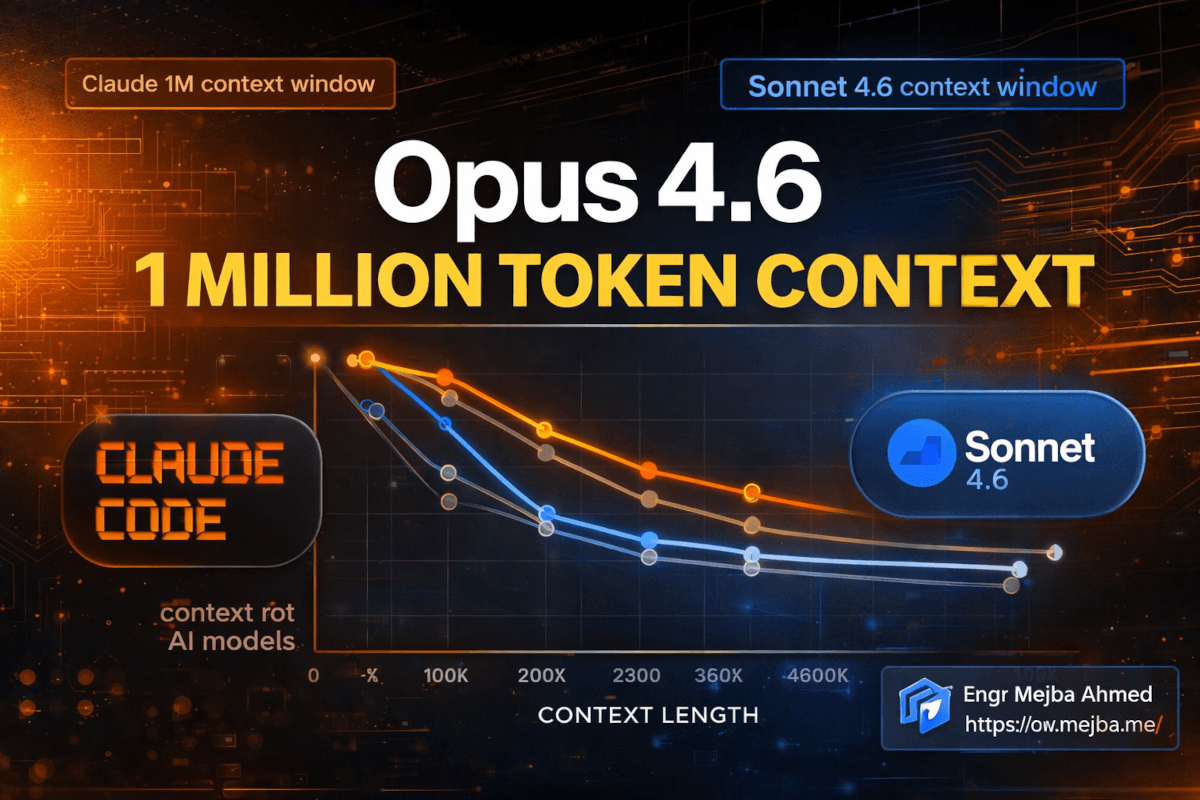
Hier is de praktische vertaling: over 1 miljoen tokens laat Opus 4.6 slechts ongeveer 14% daling in effectiviteit zien vergeleken met zijn prestatie bij 256 tokens. Denk daar eens over na. Je kunt het bijna duizend pagina's code, documentatie en gespreksgeschiedenis voeren, en het behoudt 86% van zijn korte-contextcapaciteit. Dat is niet perfect. Maar het is bruikbaar op een manier die geen enkel eerder model was.
De 2%-regel: een praktische vuistregel voor tokenbeheer
Na het uitvoeren van mijn eigen tests naast de gepubliceerde benchmarks, ben ik uitgekomen op een ruwe vuistregel die nauwkeurig genoeg is gebleken om op te plannen: verwacht ongeveer 2% daling in effectiviteit voor elke extra 100K tokens aan context.
Bij 100K tokens: ~2% degradatie. Nauwelijks merkbaar. Bij 200K tokens: ~4% degradatie. Nog steeds uiterst solide. Bij 500K tokens: ~10% degradatie. Je zult af en toe iets minder precieze herinnering opmerken. Bij 1M tokens: ~14% degradatie. Werkt harder, maar nog steeds functioneel.
Dit is een richtlijn, geen wet. De daadwerkelijke degradatie hangt af van wat er in je context zit — homogene code in één taal degradeert anders dan een mix van documentatie, code, configuraties en gespreksgeschiedenis. Maar als planningstool heeft de 2%-regel het goed volgehouden in mijn drie dagen van testen.
Wat dit praktisch betekent: het oude advies van "wis je context bij 100K-120K tokens" is niet langer een harde regel. Je kunt daar nu ruim voorbij gaan. Moet je elke keer helemaal tot 1M pushen? Waarschijnlijk niet — en ik leg uit waarom in het implementatiegedeelte. Maar het operationele plafond is dramatisch omhoog gegaan.
De vorige best practice was geworteld in echte pijn. Voorbij 120K tokens op Opus 4.5 begon je te zien dat het model vergelijkbare variabelenamen verwarde, details uit verschillende bestanden samenvoegde, of beperkingen "vergat" die je vroeg in het gesprek had ingesteld. Die problemen verdwijnen niet bij 1M tokens — maar ze zijn zo ver naar buiten geduwd dat de meeste praktijksessies ze nooit zullen tegenkomen.
Die verschuiving verandert hoe ik mijn hele workflow structureer. En dat zou voor jou waarschijnlijk ook moeten gelden.
Hoe ik dit dagelijks daadwerkelijk gebruik in Claude Code
Theorie is mooi. Hoe voelt 1M tokens wanneer je code aan het shippen bent?
Ik breng dagelijks vier tot tien uur door in Claude Code. Het is mijn primaire ontwikkelomgeving — geen assistent waar ik af en toe even bij check. Ik gebruik het voor alles, van het schrijven van nieuwe features tot het debuggen van productieprobleem tot het refactoren van volledige modulestructuren. Vóór de 1M context-update zag mijn workflow er zo uit:
- Start een sessie met systeemprompt en belangrijke bestanden (~15K tokens)
- Werk door taken heen, voer bestanden in en ontvang output
- Houd zenuwachtig de tokenteller in de gaten
- Rond 100K-120K tokens merk je de eerste tekenen van afdrijving — herhaalde suggesties, enigszins verkeerde variabelenamen, vergeten beperkingen
- Wis context, herlaad kritieke bestanden, verlies de gespreksdraad
- Herhaal stappen 2-5 twee of drie keer per grote taak
Nu? Ik start een sessie en ik... werk gewoon. Urenlang. Zonder de constante mentale overhead van contextbeheer. De vermindering van cognitieve belasting is moeilijk te overschatten. Het is alsof je rijdt met een brandstofmeter die altijd bijna leeg staat versus een volle tank hebben. Je stopt met je zorgen maken over de brandstof en begint je te focussen op de weg.
Hier is een specifiek voorbeeld van deze week. Ik was bezig met het migreren van een multi-tenant SaaS-applicatie van een gedeelde-database-architectuur naar een database-per-tenant-model. Dit omvatte het aanraken van 23 bestanden: modellen, migraties, middleware, configuratiebestanden, testsuites en deploymentscripts. Met het oude contextvenster had ik minstens drie aparte sessies nodig gehad, waarbij ik elke keer opnieuw moest vaststellen welke bestanden waren gewijzigd en wat de algehele migratiestrategie was.
Met het 1M contextvenster laadde ik alle 23 bestanden vooraf (~85K tokens), plus de bestaande migratiedocumentatie (~12K tokens), plus mijn architectuurnotities (~8K tokens). Dat is ruwweg 105K tokens alleen al voor de initiële context — al voorbij de oude "gevarenzone." Vervolgens werkte ik bestand voor bestand door de migratie, waarbij het model perfect bewust bleef van elke wijziging die we over de hele sessie hadden aangebracht. De sessie liep naar ongeveer 340K tokens voordat ik klaar was.
Niet één keer hoefde ik te wissen. Niet één keer verwarde het model een tenant-scoped query met een globale. Niet één keer hoefde ik te zeggen "onthoud, we hebben de middleware al gewijzigd in stap 4."
Die sessie zou me een hele dag hebben gekost met de oude contextlimieten, tussen het opnieuw primen en het opnieuw uitleggen en het fixen van fouten veroorzaakt door contextverlies. Het kostte vier uur.
Een opmerking over Claude Code's autocompact-buffer
Eén ding dat me aanvankelijk in de war bracht: Claude Code gebruikt nog steeds een autocompact-buffer van 33K tokens. Dit is het rollende venster van recent gesprek dat het model in actief werkgeheugen houdt, apart van de bredere context.
Het 1M contextvenster verandert de grootte van deze buffer niet. Wat het wel verandert is de totale context waarnaar het model kan verwijzen — je bestanden, je systeemprompt, de volledige gespreksgeschiedenis en de autocompact-buffer gecombineerd. De buffer is nog steeds 33K tokens "heet" geheugen, maar nu strekt het "warme" geheugen zich uit tot 1M tokens in plaats van 200K.
In de praktijk betekent dit dat het model nog steeds het sterkst is bij je meest recente uitwisselingen (de buffer) maar nu veel verder terug kan reiken in de gespreksgeschiedenis en geladen bestanden zonder de draad te verliezen. De combinatie werkt goed. Ik heb niet het gevoel gehad dat ik een grotere buffer nodig had — het actieve venster van 33K handelt de directe heen-en-weer af, en de uitgebreide context handelt al het andere af.
Hoe zit het met de kosten? Anthropic maakte een slimme zet
Hier is iets dat bijna begraven raakte in de aankondiging maar enorm belangrijk is voor iedereen die serieuze Claude Code-sessies draait: Anthropic heeft de kostenvermenigvuldiger voor context boven 200K tokens verwijderd.
Voorheen kwam het gebruik van context boven het standaardvenster met een prijstoeslag. De exacte vermenigvuldiger varieerde, maar het betekende dat een sessie van 400K tokens aanzienlijk meer per token kostte dan een sessie van 100K tokens. Dit creëerde een perverse prikkel — je werd financieel gestraft voor het gebruiken van de volledige capaciteit van het model.
Nu? Vaste prijs. Of je sessie nu 9K tokens of 900K tokens gebruikt, de kosten per token zijn hetzelfde. Je betaalt voor wat je verbruikt, niet een toeslag voor het veel verbruiken ervan.
Dit is beschikbaar op Claude Code's Max-plan, Teams en Enterprise-niveaus. Als je op één van die plannen zit — en als je deze blog leest, zou je dat waarschijnlijk moeten — is het 1M contextvenster al actief. Geen feature flag. Geen wachtlijst. Het is er gewoon.
De prijswijziging is belangrijk omdat het de laatste praktische barrière wegneemt om de uitgebreide context daadwerkelijk te gebruiken. Voorheen wiste ik soms context vroeg, niet omdat het model degradeerde, maar omdat ik mijn API-rekening zag stijgen. Die berekening is weg. Ik kan nu contextbeheerbeslissingen nemen puur op basis van kwaliteit, niet kosten.
Als je liever hebt dat iemand Claude Code-workflows opzet en optimaliseert voor de specifieke behoeften van je team, neem ik precies dat soort opdrachten aan. Je kunt zien wat ik heb gebouwd op fiverr.com/s/EgxYmWD.
Mijn aanbevolen contextstrategie voor maart 2026
Oké, dus je hebt 1M tokens beschikbaar. Moet je ze altijd allemaal gebruiken? Nee. Hier is de strategie waar ik op ben uitgekomen na drie dagen bewust testen.
Stap 1: Laad je kritieke context vooraf
Laad aan het begin van elke sessie de bestanden en documentatie die het belangrijkst zijn. Druppel ze niet — geef het model het volledige plaatje vooraf. Dit benut de sterkste herinneringszone van het model (het begin van de context) voor je belangrijkste informatie.
Voor een typische programmeersessie ziet mijn initiële lading er zo uit:
- Systeemprompt en projectconventies (~5K tokens)
- Architectuurdocumentatie (~8-15K tokens)
- Alle bestanden die ik verwacht te wijzigen (~40-100K tokens)
- Gerelateerde testbestanden (~20-40K tokens)
- Recente git diff voor context over wat er is veranderd (~5-10K tokens)
Dat is ergens tussen de 80K en 170K tokens vóór het eerste bericht. Op het oude model had dit me bijna geen ruimte om te werken gelaten. Nu is het minder dan 20% van mijn beschikbare context.
Stap 2: Stel je persoonlijke degradatiedrempel in
Op basis van de vuistregel van 2% per 100K, bepaal hoeveel degradatie je acceptabel vindt:
-
Conservatief (minimaliseer degradatie): Wis of comprimeer rond 200K tokens. Je ervaart ~4% degradatie — in de praktijk onmerkbaar. Dit is wat ik zou aanbevelen voor productiekritische refactoring waarbij precisie niet-onderhandelbaar is.
-
Gebalanceerd (mijn standaard): Werk tot 400K-500K tokens voordat je een wissing overweegt. Bij ~10% degradatie is het model nog steeds zeer capabel, en je vermijdt het productiviteitsverlies van opnieuw primen. Dit is waar ik opereer voor de meeste programmeersessies.
-
Uitgebreid (maximale continuïteit): Push richting 700K-1M tokens voor sessies waarbij het behouden van de volledige gespreksdraad belangrijker is dan piekherinnering — zoals verkennende architectuurdiscussies of lange debugsessies waarbij elke eerdere poging relevante context is.
Stap 3: Let op specifieke degradatiesignalen
Zelfs met de verbeterde contextverwerking duikt degradatie uiteindelijk op. Hier is waar je op moet letten:
- Variabelenaamverwarring: Het model begint vergelijkbaar genaamde variabelen uit verschillende bestanden te verwisselen. Dit is meestal het eerste teken.
- Beperkingsdrift: Instructies van vroeg in de sessie worden gedeeltelijk genegeerd. Je merkt dat het model een opmaakregel niet volgt of een stap overslaat die je had gespecificeerd.
- Zelfverzekerde fabricatie: Het model beweert iets over je code met overtuiging, maar het is subtiel fout — een functiesignatuur met de verkeerde parametervolgorde, of een methode die op een andere klasse bestaat dan beweerd.
- Herhaalde suggesties: Je vraagt om een nieuwe aanpak en krijgt iets terug dat erg lijkt op wat het al had geprobeerd. Het model verliest het overzicht van wat er al is geprobeerd.
Wanneer je twee of meer van deze kort na elkaar opmerkt, is dat je signaal. Wacht niet tot het erger wordt. Wis de context, herlaad je kritieke bestanden en ga verder.
Stap 4: Gebruik bewuste bladwijzers
Dit is een techniek die ik specifiek heb ontwikkeld voor lange sessies. Elke 150K-200K tokens plaats ik een "bladwijzer"-bericht:
Snelle checkpoint: we hebben [X, Y, Z] voltooid. Huidige status:
- Bestand A: gewijzigd (tenant-scoping toegevoegd)
- Bestand B: nog niet aangeraakt
- Bestand C: heeft migratie-update nodig
Volgende: werken aan de querylaag van Bestand B.
Dit dient twee doelen. Ten eerste dwingt het me om mijn eigen denken te ordenen over waar de sessie staat. Ten tweede geeft het het model een schone, recente samenvatting van de projectstatus die binnen zijn autocompact-buffer valt. Zelfs als de herinnering van details van vroeg in de sessie enigszins is gedegradeerd, biedt de bladwijzer een vers ankerpunt.
Ik heb gemerkt dat deze ene techniek meer waard is dan welke hoeveelheid tokentelling dan ook. Een goed geplaatste bladwijzer bij 300K tokens houdt het model scherper dan geen bladwijzer bij 200K tokens.
Waarom ik denk dat dit meer uitmaakt dan Loops of Beat
Ik wil dit in perspectief plaatsen. In de afgelopen zes maanden heeft Anthropic veel features uitgebracht voor Claude Code. Loops (het vermogen van het model om iteratief code uit te voeren en te testen). Beat (het vermogen om achtergrondtaken af te handelen). Verbeteringen in uitgebreid denken. Verfijningen in toolgebruik. Allemaal goed spul. Allemaal dingen die ik dagelijks gebruik.
Maar het 1M contextvenster is anders van aard, niet alleen van mate. Dit is waarom.
Elke andere feature verbetert wat het model kan doen binnen een enkele interactie. Loops maakt het beter in itereren. Beat maakt het beter in multitasking. Denken maakt het beter in redeneren. Dit gaat allemaal over capaciteit op een bepaald moment.
De contextvenster-uitbreiding verbetert wat het model kan weten tijdens een sessie. Het gaat over geheugen, niet vaardigheid. En geheugen blijkt het knelpunt te zijn dat stilletjes al het andere beperkte.
Een model met perfecte programmeervaardigheden maar geheugenverlies na 100K tokens is een model dat alleen aan kleine problemen kan werken — of aan grote problemen in kleine, losgekoppelde stukken. Een model met dezelfde programmeervaardigheden en 1M tokens betrouwbaar geheugen kan projecten aanpakken die voorheen buiten bereik waren voor AI-ondersteunde ontwikkeling.
Ik heb het over volledige applicatierefactors. Multi-service architectuurwijzigingen. Codebase-brede patroonmigraties. Beveiligingsaudits die elk authenticatie-eindpunt moeten kruisverwijzen met elke autorisatiecontrole. Dit zijn de taken waar menselijke ontwikkelaars weken aan besteden en nog steeds dingen missen. Het zijn ook de taken waarbij een AI met voldoende context patronen en inconsistenties kan vinden die geen mens zou opmerken.
We zijn er nog niet helemaal. De 14% degradatie bij 1M tokens betekent dat je nog steeds doordacht moet zijn over hoe je de context gebruikt. Maar we zijn dichtbij genoeg dat ik taken met Claude Code ben gaan aanpakken die ik drie maanden geleden onmogelijk zou hebben geacht.
Het concurrentielandschap maakt dit nog interessanter. GPT 5.4 staat nek-aan-nek op de acht-naaldbenchmark met ~78 versus 78,3 van Opus 4.6 — een statistisch insignificant verschil. Maar Anthropic's vaste prijsmodel en de Claude Code-integratie geven het een praktisch voordeel voor ontwikkelaars die in de terminal leven. Ik heb beide uitgebreid gebruikt. Op ruwe herinnering zijn ze gelijken. Op workflow-integratie voor programmeertaken is de implementatie van Claude Code soepeler.
Gemini 3.1 Pro, ondanks Google's enorme investering in long-context-onderzoek, loopt een volledige generatie achter op herinneringskwaliteit. Een score van 26,0 op de acht-naaldtest — bijna identiek aan de vorige generatie Opus 4.5 — suggereert dat Google het contextvenstergrootteprobleem heeft opgelost zonder het contextkwaliteitsprobleem op te lossen. Groot venster, lek geheugen. Dat is geen combinatie die ik zou vertrouwen met een refactorsessie van 20 bestanden.
De eerlijke beperkingen — wat dit niet oplost
Ik zou liegen als ik je vertelde dat het 1M contextvenster alleen maar voordelen heeft. Er zijn echte afwegingen en beperkingen die je moet kennen voordat je je workflow aanpast.
Latentie neemt toe met contextgrootte. Meer tokens betekent meer om te verwerken bij elke beurt. Ik heb gemerkt dat responstijden ruwweg verdubbelen tussen 100K en 500K tokens aan context. Bij 800K+ is er een merkbare vertraging voordat het model begint te genereren. Het is niet verschrikkelijk — we hebben het over seconden, niet minuten — maar als je gewend bent aan bijna-instantane reacties bij korte contexten, is de vertraging merkbaar.
Niet alle degradatie is gelijk. De gemiddelde degradatie van 14% maskeert aanzienlijke variatie afhankelijk van wat je het model vraagt te herinneren. Specifieke numerieke waarden (zoals poortnummers of versiestrings) diep in de context begraven degraderen sneller dan structurele patronen (zoals "deze module handelt authenticatie af"). Als je werk afhankelijk is van precieze detailherinnering uit vroege context, kan de effectieve degradatie voor jouw gebruik hoger zijn dan 14%.
De autocompact-buffer is nog steeds 33K. Dit betekent dat het actieve werkgeheugen van het model niet is veranderd. Als je snelle heen-en-weer doet op een specifiek probleem, is de 33K-buffer je echte beperking, niet het 1M contextvenster. De uitgebreide context helpt bij "koude" herinnering — terugreiken naar iets van eerder in de sessie — maar maakt het model niet beter in het jongleren met meerdere actieve draden in het directe gesprek.
Je kunt het nog steeds voorbijstreven. Het lukte me om het model echt in de war te brengen tijdens een sessie waarin ik tegelijkertijd onderling afhankelijke bestanden over drie microservices aanpaste. Rond 600K tokens begon het wijzigingen voor te stellen voor Service A die in strijd waren met wijzigingen die we twintig minuten eerder al aan Service B hadden aangebracht. De bladwijzertechniek hielp, maar elimineerde het probleem niet volledig.
Dit zijn geen dealbreakers. Het zijn het soort beperkingen waar je omheen leert te werken zodra je ze begrijpt. Maar ik hoor het liever van mij dan dat je ze ontdekt tijdens een kritieke deploy.
Wat dit betekent voor de komende zes maanden
Ik bouw al met AI-programmeerhulpmiddelen sinds GPT-3.5 ze levensvatbaar maakte. Door die hele boog heen is één patroon consistent geweest: de grootste sprongen vooruit komen altijd van het uitbreiden van wat het model in context kan houden, niet van het marginaal slimmer maken bij een enkele taak.
De sprong van 4K naar 32K tokens maakte AI-ondersteund programmeren mogelijk. De sprong van 32K naar 128K maakte het praktisch voor echte projecten. De sprong van 200K naar 1M maakt het levensvatbaar voor volledige codebases.
We naderen een drempel waarbij een model je volledige applicatie — elk bestand, elke test, elke configuratie — in een enkel contextvenster kan houden. Voor een typische middelgrote applicatie (200-500 bestanden) zijn we er al. Voor grote enterprise-codebases zijn we misschien nog één generatie verwijderd.
Wanneer dat gebeurt, is de workflowverschuiving fundamenteel. Je stopt met denken "welke bestanden moet de AI zien?" en begint te denken "wat moet ik de AI vragen om over mijn hele codebase te doen?" Dat is een kwalitatief ander soort ontwikkelondersteuning. Het is het verschil tussen een AI die je helpt een bestand te bewerken en een AI die je systeem begrijpt.
Ik denk dat we terugkijken op maart 2026 als de maand dat die transitie serieus begon. Niet omdat 1M tokens het definitieve getal is — dat is het niet. Maar omdat het de eerste keer was dat de context groot genoeg was en de herinnering betrouwbaar genoeg om hele-codebase AI-ondersteuning echt te laten werken.
Voor het eerst in mijn ervaring is het contextvenster niet het knelpunt. En dat betekent dat het knelpunt nu... wij zijn. Ons vermogen om de juiste vragen te stellen, de juiste prompts te structureren en workflows te ontwerpen die profiteren van wat plotseling mogelijk is.
Ik neem die afweging aan. Elke keer.
Veelgestelde vragen
Hoe schakel ik het 1M contextvenster in voor Claude Opus 4.6?
Geen installatie vereist. Het 1M contextvenster is automatisch beschikbaar op Claude Code's Max-plan, Teams en Enterprise-niveaus sinds maart 2026. Als je op één van die plannen zit, is het al actief.
Moet ik context wissen bij 200K tokens of doorpushen naar 1M?
Voor precisiekritisch werk zoals productierefactoring, wis rond 200K tokens. Voor verkennende sessies of lang debuggen, push comfortabel naar 400K-500K. De vuistregel van 2% degradatie per 100K tokens helpt je te beslissen. Voor een uitgebreidere uitleg, zie Mijn aanbevolen contextstrategie hierboven.
Kost het 1M contextvenster meer dan het standaard 200K?
Nee. Anthropic heeft de kostenvermenigvuldiger voor context boven 200K tokens verwijderd. De prijs is vast, of je sessie nu 9K of 900K tokens gebruikt. Zie Hoe zit het met de kosten hierboven voor details.
Hoe verhoudt Opus 4.6 zich tot GPT 5.4 bij lange contexttaken?
Beide modellen scoren ongeveer 78 op de acht-naaldbenchmark — statistisch gelijk op ruwe herinnering. Opus 4.6 heeft een licht voordeel in Claude Code workflow-integratie en vaste prijs. Zie de benchmarkvergelijkingstabel in het gedeelte De acht-naaldtest.
Wat is Claude Code's autocompact-buffer en verandert 1M dat?
Claude Code's autocompact-buffer blijft op 33K tokens — dit is het "hete" werkgeheugen voor directe heen-en-weer. De 1M uitbreiding vergroot de totale refereerbare context, niet de actieve buffer. Zie Een opmerking over Claude Code's autocompact-buffer voor hoe de twee samenwerken.
Let's Work Together
Looking to build AI systems, automate workflows, or scale your tech infrastructure? I'd love to help.
- Fiverr (custom builds & integrations): fiverr.com/s/EgxYmWD
- Portfolio: mejba.me
- Ramlit Limited (enterprise solutions): ramlit.com
- ColorPark (design & branding): colorpark.io
- xCyberSecurity (security services): xcybersecurity.io