Op dag twee verscheen er een afschrijving van $200 in mijn API-dashboard.
Ik draaide vier AI-agents parallel — elk met zijn eigen Slack-bot, zijn eigen rol, zijn eigen geplande taken — en de tokenrekening arriveerde voordat de agents iets bijzonders hadden gedaan. Slechts configuratiewerk, geheugenindexering, wat verkennende queries. Tweehonderd dollar in achtenveertig uur, en ik had nog geen enkele regel productcode geschreven.
Dat getal was ontnuchterend. Maar het was niet het deel dat me deed stoppen en alles heroverwegen. Wat me echt deed pauzeren, was het dashboard waarop ik keek — niet de ingebouwde interface van OpenClaw, maar de custom Rails-app die ik een weekend had besteed aan het bouwen, puur om zicht te krijgen op wat mijn agents uitvoerden. Taakverdeling over vier verschillende bots. Tokengebruik per agent. Sessielogboeken. Een gedeelde "brain folder" die over alle agents gesynchroniseerd was.
Ik had developer-tooling gebouwd. Voor AI-agents. Om ze te beheren als een softwareteam.
Op dat moment begreep ik dat OpenClaw niet echt een AI-tool is. Het is een infrastructuurcategorie. En het correct opzetten — met echte beveiligingsisolatie, echte kostenbeheersing, en de juiste hardware eronder — is een wezenlijk ander probleem dan een enkele Claude-sessie opstarten en vragen een stuk code te schrijven.
Dit is de post die ik had gewild dat er al was geweest voordat ik begon.
Waarom Één Agent Nooit Genoeg Zou Zijn
Voordat ik OpenClaw uitprobeerde, werkte ik met single-agent workflows. Vraag een agent een taak uit te voeren, ontvang een resultaat, ga verder. Dat model werkt goed voor duidelijk afgebakend, sequentieel werk — een post opstellen, een PR reviewen, een script genereren.
Wat het niet aankan, is het gelijktijdige, overlappende werk dat een klein team in de praktijk kenmerkt.
Denk aan wat een echt vierpersoonstam doet op een actieve projectdag: iemand debugt een productieprobleem, iemand beantwoordt klantvragen, iemand plant de content voor volgende week, iemand schrijft documentatie. Al dat werk gebeurt parallel, met gedeelde context, over verschillende systemen en bestanden. Het wacht niet tot elke taak is voltooid voordat de volgende begint.
Dat is het gat dat single-agent AI niet kan dichten. Je kunt meerdere Claude Code-sessies in afzonderlijke terminals draaien. Je kunt handmatig schakelen tussen taken. Maar je kunt geen persistente, autonome agents hebben die elkaars werk kennen, geheugen delen, en op de achtergrond draaien terwijl jij iets anders doet.
OpenClaw is specifiek gebouwd voor dat parallelle teammodel. Het is voortgekomen uit eerdere tools (Claudebot, Moltbot) en vertegenwoordigt een betekenisvolle architecturale stap voorwaarts: een persistent gatewayproces dat draait op dedicated hardware, een gedeelde werkruimte beheert, sessiegeschiedenis bijhoudt, en meerdere agents tegelijkertijd laat opereren via chat-interfaces zoals Slack of Telegram.
Het concept is solide. De setup is niet triviaal.
Er is één beslissing die je vroeg neemt en die bepaalt hoe moeilijk alles daarna wordt — en de meeste mensen nemen die beslissing verkeerd. Ik behandel die als eerste.
De Hardwarebeslissing Die Niemand Serieus Genoeg Neemt
De neiging bij het opzetten van een persistent agent-systeem is om een VPS te gebruiken. Goedkoop, op afstand, altijd aan. Op papier logisch.
Dit is wat er in de praktijk gebeurt: je krijgt een headless server zonder eenvoudig screen sharing, beperkte debugopties wanneer er iets misgaat om drie uur 's nachts, en een persistent beveiligingsoppervlak dat jij moet beheren. En wanneer je agents onverwachte dingen doen — wat ze zullen doen, zeker in het begin — is de mogelijkheid om in real time te zien wat er daadwerkelijk draait veel waard.
Ik koos in plaats daarvan voor een dedicated Mac Mini M4. De aanschafprijs ligt rond de $600. Dat is een echt bedrag. Maar de praktische voordelen zijn aanzienlijk voor dit specifieke gebruik:
Screen sharing werkt meteen. Wanneer een agent onverwacht tokens verbrandt, kan ik via screen sharing vanaf elk apparaat inloggen en de terminaluitvoer, de logs, de bestandssysteemstatus — allemaal in real time zien. Op een headless VPS vereist dat onderzoek SSH-sessies en verspreide logreads.
Opslag en prestaties zijn lokaal. De gedeelde werkruimte van de agents — wat ik de brain folder noem — staat op snelle lokale NVMe-opslag. Geen latentie bij het lezen van bestanden, geen onverwachte bandbreedtekosten, geen zorgen over VPS-opslagtiers.
De machine blijft onder mijn fysieke controle. Dit telt zwaarder wanneer je beveiligingsisolatie instelt voor agenttoegang. Ik weet precies wat er op die machine draait, welke netwerkverbindingen het heeft, en wat er gebeurt als ik het onmiddellijk moet afsluiten.
Voor een hobbyistproject waar je af en toe één agent draait, is een VPS prima. Voor een systeem waar je vier persistente agents draait met toegang tot je ontwikkeltools, e-mailaccounts, GitHub-repos en contentpublicatiesystemen — wil je een machine die je volledig zelf beheert.
Maar dit is het ding: de hardware is het makkelijke deel van het beveiligingsprobleem.
Agents Behandelen als Echte Teamleden (Inclusief de Toegangscontroles)
Dit is het ontwerpprincipe dat OpenClaw schaalbaar maakt: je AI-agents moeten dezelfde soort afgebakende, geïsoleerde toegang hebben die je een echte junior teamlid zou geven. Geen rootrechten tot alles. Geen volledige zichtbaarheid in je persoonlijke accounts. Specifieke, controleerbare, beperkte rechten.
Voor mijn vierledige agentteam betekende dat het opzetten van aparte infrastructuur voor elke agent, voordat ik één regel agentconfiguratie schreef:
GitHub: Een aparte GitHub-gebruikersnaam voor de developeragent (Bernard) met alleen toegang tot de repositories die hij nodig heeft. Zijn commits zijn herleidbaar. Zijn push-toegang is afgebakend. Als er iets misgaat in productie, kan ik meteen zien welke commit van een mens komt en welke van een agent.
E-mail: Een apart e-mailadres voor door agents gegenereerde communicatie. Geen toegang tot mijn persoonlijke inbox. Agents kunnen meldingen, rapporten en samenvattingen sturen — maar ze opereren vanuit hun eigen identiteit, niet door mij te imiteren.
Bestandssysteem: De brain folder is een specifieke map met een Dropbox-share die agents toegang geeft tot precies die bestanden. Niet mijn persoonlijke Dropbox. Niet mijn clientprojectmappen. Een afgeschermde ruimte met gecontroleerd bereik.
API-sleutels: De Slack-bot van elke agent heeft zijn eigen token. API-sleutels zijn per agent, onafhankelijk te roteren. Als de sleutel van één agent gecompromitteerd raakt of opnieuw ingesteld moet worden, blijven de anderen gewoon draaien.
Dit opzetten kostte meer tijd dan het configureren van OpenClaw zelf. Maar het alternatief — agents met brede toegang tot je persoonlijke accounts en systemen — is geen teambeheersreprobleem. Het is een aansprakelijkheidsvraagstuk.
Het beveiligingsontwerp weerspiegelt hoe goede engineeringteams werken: minimale rechten, duidelijke verantwoording, controleerbare acties. Het feit dat je AI-agents beheert in plaats van menselijke ontwikkelaars verandert die principes niet.
Nu de eigenlijke agents — en hier wordt de configuratie interessant.
De Vier Agents Configureren: Rollen, Persoonlijkheden en de Slack-Architectuur
De vierledige agentteamstructuur die na experimenteren is ontstaan:
Claw beheert systeembeheer. Monitoring, infrastructuurstatus, loganalyse, het meta-werk om de andere agents draaiende te houden. Claw gebruikt een capabeler modeltype voor complexe redeneeringstaken — in de praktijk Claude claude-opus-4-6 wanneer de taak dat vereist.
Bernard is de developer. Backlogtriage, PR-review, foutopsporing, documentatie-updates wanneer ik niet beschikbaar ben. Bernard draait voor de meeste taken op een middelste modeltier en escaleert alleen naar een krachtiger model voor echt complexe debugging. Deze ene optimalisatie — taakcomplexiteit afstemmen op modeltier — is de voornaamste reden dat mijn tokenkosten na dag twee stabiliseerden.
Vale verzorgt marketing en contentwerk. Planning van sociale media, beheer van de contentkalender, het vastleggen van inzichten uit projectwerk die het anders niet halen tot openbare posts. Vale verwerkt veel tekstzware taken waarbij een capabel maar kostenefficiënt model goed presteert.
Gumbo is de algemene assistent — het lijmwerk. Plannen, coördineren, documenteren, de administratieve overhead die in elk team bestaat en doorgaans tussen wal en schip valt. Gumbo handelt de taken af die nergens anders thuishoren.
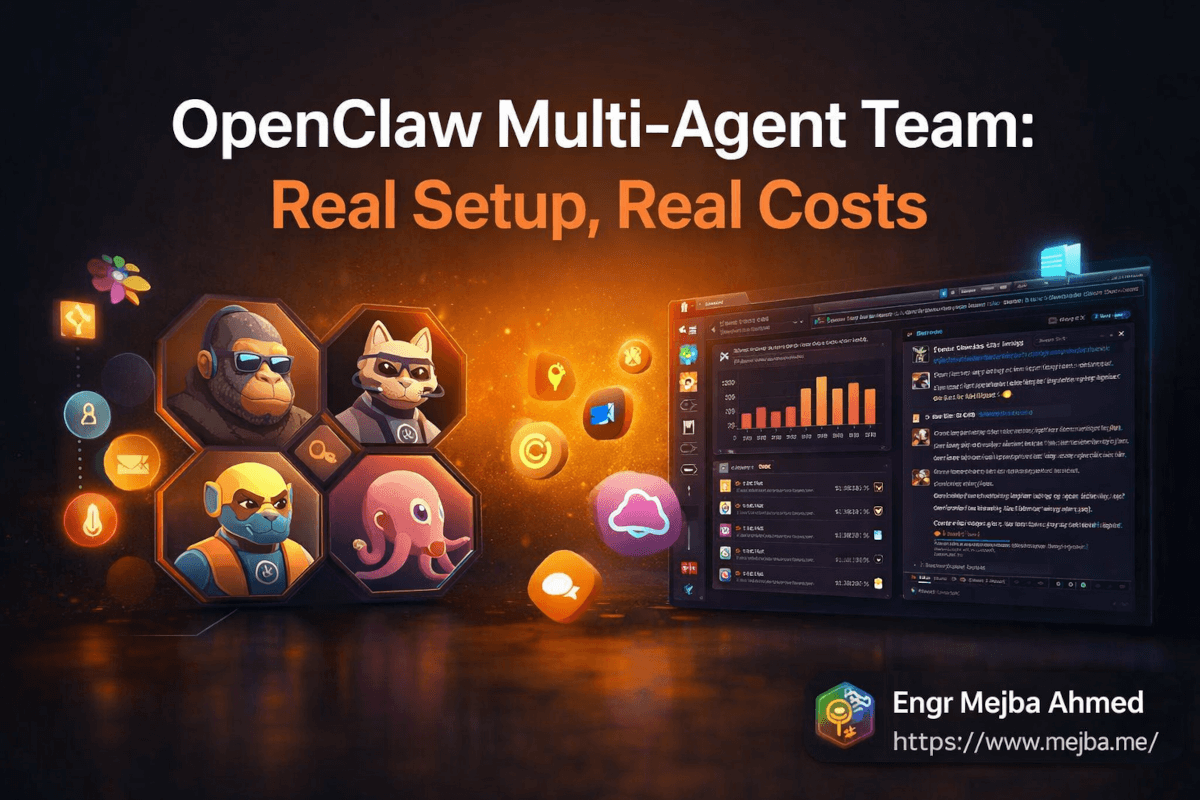
Elke agent heeft zijn eigen Slack-bot, zijn eigen identiteit, zijn eigen avatar. (Als je AI-teamleden gaat hebben, omarm dat — de Gorillaz-geïnspireerde avatars waren een project van twintig minuten dat de manier waarop ik met de agents omga merkbaar verbeterde. Een gezicht op de bot maakt communicatie minder als het bevragen van een service en meer als berichten sturen naar een collega.)
Waarom Slack boven Telegram
Ik begon met Telegram omdat de setup sneller gaat. Maar Slack heeft twee voordelen die op deze teamschaal tellen: goede markdown-rendering in berichten, en threaded gesprekken. Wanneer Bernard rapporteert over een PR-review of Vale een contentkalenderupdate stuurt, is de opmaak leesbaar zonder escape-tekens te moeten doorzoeken. Threads laten me reageren op het rapport van een specifieke agent zonder de andere kanalen te verstoren.
De multi-bot Slack-setup (één workspace, vier bots, één kanaal per agent plus een gedeeld algemeen kanaal) is nu waar ik het hele team beheer. Opdrachten gaan erin, rapporten komen eruit, escalaties verlopen via thread-replies. Het werkt zoals ik verwachtte dat gedeelde agentcommunicatie zou werken, voordat ik de alternatieven had geprobeerd.
Het Kostenbeheersingsprobeleem: Open Router en Modelselectie
Hier falen de meeste multi-agent-setups geluidloos, totdat de factuur arriveert.
Vier persistente agents laten draaien die de hele dag API-calls doen, creëert tokenuitgaven die snel oplopen. De naïeve aanpak — alles op het capabelste model zetten — levert uitstekende agentoutput en catastrofale kosten op. De te gecorrigeerde aanpak — alles beperken tot het goedkoopste model — levert snelle, goedkope, middelmatige resultaten op die het doel van capabele agents tenietdoen.
De juiste aanpak is routing: stem taakcomplexiteit af op modelcapabiliteit, en doe dat systematisch.
Ik gebruik Open Router als gecentraliseerde API-gateway voor alle vier agents. In plaats van dat elke agent de Anthropic API rechtstreeks aanroept, roepen ze Open Router aan met een modelspecificatie. Hierdoor kan ik:
Modellen per taaktype wisselen zonder de agentconfiguratie aan te raken. Vale's contenttaken draaien standaard op Sonnet. Claw's infrastructuuranalyse escaleert naar Opus bij een echt complex probleem. Bernard's routinematige codereview verloopt efficiënt; zijn productiedebugging krijgt het volledige model.
Uitgaven per agent bijhouden in één dashboard. Open Router geeft me één factureringsoverzicht over alle providers en modellen. Ik kan zien dat Bernard op een willekeurige dag drie keer zoveel verbrandt als Vale en onderzoeken of dat terecht is (complexe dev-sprint) of een configuratieprobleem (agent vast in een retry-loop).
API-gebruik van agents scheiden van persoonlijk gebruik. Dit telt voor duidelijkheid over servicevoorwaarden. Abonnementsplannen hebben specifieke bepalingen rond agentisch gebruik. Door agentverkeer op een aparte API-sleutel via Open Router te houden — los van mijn persoonlijke Claude-abonnement — bewaar ik een heldere scheiding en vermijd ik onduidelijkheid.
Die onduidelijkheid is het benoemen waard: begin 2026 zijn de voorwaarden rondom het draaien van persistente agentsystemen op abonnementsplannen niet uniform duidelijk bij alle providers. Als je op enige betekenisvolle schaal draait, lees de huidige voorwaarden zorgvuldig en houd je facturering dienovereenkomstig gescheiden.
De tokenuitgaven stabiliseerden rond dag vier, nadat ik de modelroutingregels had afgestemd en een aantal agressieve cron-jobs had verwijderd die onnodige taken uitvoerden. Momenteel zit ik op een beheersbaar niveau voor de waarde die het team produceert — maar ik ben eerlijk dat de eerste week meer kostte dan verwacht.
Wanneer de Ingebouwde Tools Niet Voldoende Zijn
OpenClaw's ingebouwde taakplanning is voldoende voor eenvoudige, terugkerende taken met één agent. Het is niet voldoende voor het beheren van vier agents met verschillende taakschema's, prioriteitsniveaus en toewijzingslogica.
Die lacune is de reden waarom ik een weekend heb besteed aan het bouwen van een custom Rails-dashboard.
Het dashboard doet drie dingen die de OpenClaw-interface niet goed afhandelt:
Taakverdeling per agent. In plaats van taken generiek in de wachtrij te plaatsen, kan ik specifiek werk toewijzen aan specifieke agents — "dit contentonderzoek gaat naar Vale, deze backlogtriage gaat naar Bernard" — en in één oogopslag zien hoe de huidige belasting van elke agent eruitziet.
Visualisatie van tokengebruik per agent. Niet alleen totale uitgaven, maar uitgaven over tijd per agent, met de mogelijkheid om in te zoomen op individuele sessies. Toen ik zag dat Claw op een dinsdag ongewoon hoog tokengebruik had, kon ik dat herleiden tot een monitoringscript dat in een loop was beland. In tien minuten opgespoord en opgelost, in plaats van als verrassing te verschijnen op de volgende factuur.
Een markdown-editor voor de brain folder. Het gedeelde geheugen dat alle vier agents van lezen, is een map met markdown-bestanden. Zonder een fatsoenlijke bewerkingsinterface wordt het onderhouden van die gedeelde context een bron van wrijving. Het dashboard bevat een eenvoudige editor voor het toevoegen, bijwerken en organiseren van die bestanden — wat de gedeelde kennisbank van de agents actueel houdt zonder dat ik het via de terminal moet beheren.
Het bouwen hiervan was een beslissing waar ik over twijfelde. Er bestaat bestaande tooling. Er bestaan andere dashboards. Maar de specifieke combinatie van wat ik nodig had — agent-bewuste taakplanning, per-agent tokentracking, brain folder-editing — bestond niet in één pakket. Twee dagen Rails-werk leverde iets op dat nu elke dag draait.
Als je meer dan twee agents draait met enige serieuze taakvolume, plan dan voor custom tooling. De out-of-the-box ervaring is een startpunt, geen eindbestemming.
Het Eerlijke Beeld: Wat Echt Verbetert en Wat Niet
Na meerdere weken een multi-agent-team te hebben gedraaid, hier de eerlijke beoordeling.
Wat daadwerkelijk verbetert:
Het lijmwerk verdwijnt. De administratieve overhead — plannen, documenteren, statusupdates, logreviews — gebeurt nu zonder mijn aandacht. Gumbo handelt het af. De cognitieve ontlasting van het niet meer bijhouden van die taken is reëel, en het groeit over tijd naarmate je de agent traint om meer van je specifieke patronen te verwerken.
Content vastleggen wordt automatisch. Elk project produceert inzichten die nooit in openbare posts terechtkomen omdat ik geen tijd heb ze op te schrijven. Vale legt die nu vast zodra ze zich voordoen, maakt notities, markeert ze voor latere uitwerking. Materiaal dat vroeger verdween heeft nu een plek.
Ontwikkelwerk gaat asynchroon verder. Wanneer ik in een vergadering zit of niet beschikbaar ben, blijft Bernard aan de slag met de backlog. Kleine problemen worden onderzocht. Documentatie wordt bijgewerkt. PR's liggen niet uren stil. Het team pauzeert niet wanneer ik niet kijk.
Wat (nog) niet verbetert:
Complex, oordeelsintensief werk heeft mij nog steeds nodig. Agents handelen uitvoering goed af. Strategische beslissingen — wat als volgende te bouwen, hoe te reageren op een moeilijke clientsituatie, of een productrichting zinvol is — vereisen nog steeds menselijk oordeel. Het team is goed in dingen doen, niet in beslissen wat er gedaan moet worden.
De setupcurve is reëel. Ik heb meer tijd besteed aan het configureren van OpenClaw, het opbouwen van beveiligingsisolatie, het maken van het dashboard en het afstemmen van agentgedrag dan aan de meeste feature-projecten. Dit is geen plug-in-en-klaar-systeem. Het is infrastructuur die engineering-denken vereist om goed in te richten.
OpenClaw is in een vroeg stadium. Het platform verbetert snel, maar er zijn ruwe kanten. Verwacht dat dingen af en toe stukgaan. Verwacht dat je agentgedrag debugt op manieren die je bij een conventionele SaaS-tool niet zou hoeven doen. De ontwikkelaars reageren snel en de community is actief, maar volwassen afwerking is er nog niet.
De kostenrealiteit:
Een actief vierledige agentteam kost echt geld. Hoeveel hangt af van taakvolume en modelselectie — maar budget betekenisvol, niet theoretisch. De eerste week kost meer dan verwacht terwijl je calibreert. Na calibratie kloppen de kosten als je het team daadwerkelijk inzet om werk te produceren. Als agents draaien maar geen waarde produceren, merk je dat meteen in je tokenuitgaven.
Wat het Team Mogelijk Maakt Dat een Tool Nooit Zou Kunnen
Dit is de verschuiving die het moeilijkst te beschrijven is totdat je hem hebt ervaren: werken met persistente agents verandert hoe je denkt over wat er in een gegeven week mogelijk is.
Met single-agent tools filter ik taken mentaal door een lens van "is dit de overhead van een sessie starten waard?" Korte taken halen die drempel vaak niet. Context-switchen kost energie. De tool dient mij wanneer ik hem actief gebruik, en staat daarna stil.
Met een persistent team verdwijnt dat filter. Vale werkt al aan content. Bernard houdt al de backlog in de gaten. Gumbo regelt planningen op de achtergrond. Taken die onder mijn drempel van "de moeite waard om handmatig te doen" vallen, worden toch uitgevoerd, omdat het team altijd draait.
Die verschuiving accumuleert. Werk dat eerder verdampte door prioritering wordt nu afgerond. Ideeën worden vastgelegd in plaats van vergeten. Code blijft gedocumenteerd in plaats van geleidelijk archeologie te worden.
Het team vervangt mijn oordeel of mijn creativiteit niet. Het verwijdert de wrijving rondom uitvoering. En het consequent op schaal wegnemen van uitvoeringswrijving blijkt te veranderen wat mogelijk is voor een solobouwer op manieren die moeilijk volledig te anticiperen zijn totdat je ze hebt gevoeld.
Ontwerp Je Team Deze Week
Niet de volledige implementatie. Alleen het ontwerp.
Ga zitten en beantwoord eerlijk: wat zijn de drie terugkerende taken in je werk die tijd kosten maar je beste denken niet vereisen? Wat is het lijmwerk, de administratieve overhead, de documentatie die altijd achterblijft?
Die drie taken zijn je eerste agentbriefing. Schrijf ze op alsof je een nieuw teamlid inwerkt — wat ze moeten weten, welke toegang ze nodig hebben, hoe "goed gedaan" eruit ziet voor elke taak.
Beantwoord dan de moeilijkere vraag: welke van die taken horen bij dezelfde agent, en welke horen bij verschillende agents met verschillende specialisaties?
Die ontwerpoefening leert je meer over hoe multi-agent-systemen daadwerkelijk werken dan welke hoeveelheid lezen over het onderwerp ook. De beperkingen worden concreet. De toegangsvereisten worden tastbaar. De modelroutingbeslissingen hebben voor de hand liggende juiste antwoorden in plaats van abstracte afwegingen.
Ik startte mijn eerste livesessie met alle vier agents actief op een donderdagochtend. Tegen vrijdagmiddag had Gumbo mijn hele wekelijkse planningsblok afgehandeld, had Vale drie contentpieces opgesteld vanuit projectnotities die ik was vergeten, en had Bernard vier backlog-items weggewerkt die ik al een tijdje voor me uit schoof.
Dat is geen demo. Dat is een team.
Bouw het jouwe.
🤝 Laten We Samenwerken
Wil je AI-systemen bouwen, workflows automatiseren of je technische infrastructuur schalen? Ik help je graag.
- 🔗 Fiverr (custom builds & integraties): fiverr.com/s/EgxYmWD
- 🌐 Portfolio: mejba.me
- 🏢 Ramlit Limited (enterprise-oplossingen): ramlit.com
- 🎨 ColorPark (design & branding): colorpark.io
- 🛡 xCyberSecurity (beveiligingsdiensten): xcybersecurity.io