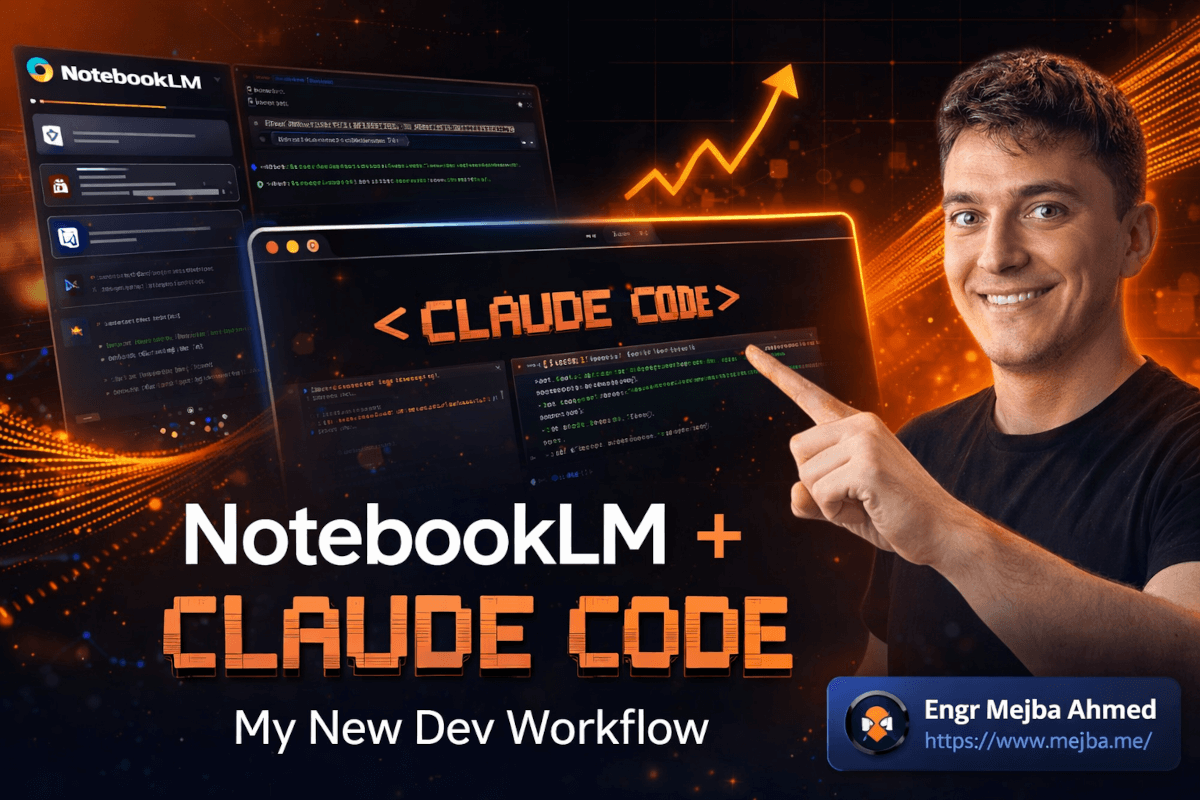
Afgelopen dinsdag bouwde ik een compleet Next.js CRM-dashboard zonder ook maar één regel code met de hand te schrijven. Dat is niet het interessante deel. Het interessante is dat ik ook geen enkel prompt schreef dat langer was dan twee zinnen.
Het geheim was niet een nieuw frontier-model of een fancy AI-framework. Het was Google's gratis onderzoekstool die gestructureerde kennis rechtstreeks in mijn terminal voedde. NotebookLM deed het denkwerk. Claude Code deed het bouwwerk. En ik zat erbij toe te kijken hoe twee AI-systemen namens mij samenwerkten, af en toe nippend aan mijn koffie en knikkend als een manager die op een vergadering verschijnt waar hij niet hoefde te zijn.
Ik ga je precies laten zien hoe dit werkt, hoe ik het heb opgezet, en waarom deze combinatie stilletjes de meest productieve workflow is geworden die ik ooit heb gebruikt. Maar eerst moet ik je vertellen over het probleem dat me hierheen leidde — want het is waarschijnlijk hetzelfde probleem dat nu jouw productiviteit opvreet.
De Kloof Tussen Onderzoek en Code Die Niemand Oplost
Hier is een scenario dat ik minstens twee keer per week meemaakte voordat ik deze workflow ontdekte. Ik vond een nieuwe library — zeg, een set UI-componenten voor een dashboardproject. Ik besteedde 45 minuten aan het lezen van documentatie. Daarna nog eens 20 minuten aan het bekijken van een tutorial. Vervolgens opende ik Claude Code en probeerde uit te leggen wat ik net had geleerd, zodat het me kon helpen met de implementatie.
Die laatste stap? Pure pijn. Ik typte enorme prompts om component-API's, design patterns en configuratie-opties samen te vatten. De helft van de tijd vergat ik iets cruciaals. De andere helft legde ik het verkeerd uit, genereerde Claude code op basis van mijn slechte uitleg, en besteedde ik nog een uur aan het debuggen van iets dat in de eerste plaats niet kapot had moeten zijn.
Het kernprobleem is simpel maar meedogenloos: onderzoek en implementatie leven in compleet verschillende werelden. Je browsertabs, je YouTube-geschiedenis, je PDF-documentatie — dat is één universum. Je terminal, je IDE, je code — dat is een ander. En de brug daartussen? Je brein. Je overwerkte, context-switchende, makkelijk-afgeleid-worden brein.
Ik dacht altijd dat het antwoord beter prompten was. Schrijf langere, meer gedetailleerde instructies. Voeg codevoorbeelden toe. Plak documentatiefragmenten erin. En ja, dat helpt. Maar het verbrandt ook tokens als een gek, en het hangt nog steeds af van mij die nauwkeurig vertaalt wat ik heb gelezen naar wat de AI moet weten.
Wat als de AI gewoon... zelf de docs kon lezen? Niet via een gigantische copy-paste, maar via een echte gestructureerde onderzoekspipeline die automatisch organiseert, samenvat en bronnen citeert?
Dat is precies wat NotebookLM doet. En wanneer je het via MCP aan Claude Code koppelt, klikt er iets waar ik oprecht niet op had gerekend.
Wat NotebookLM Eigenlijk Doet (En Waarom De Meeste Developers Het Negeren)
Ik zal eerlijk zijn — ik negeerde NotebookLM maandenlang. Google lanceerde het, ik keek er even naar, dacht "oh, weer een AI-notitie-app," en ging verder. Dat was een fout. Een grote.
NotebookLM is geen notitie-app. Het is een onderzoeksengine vermomd als notitie-app.
Dit maakt het bijzonder. Je uploadt bronnen — PDF's, website-URL's, YouTube-video's, Google Docs, zelfs platte tekst. NotebookLM neemt alles op, indexeert de inhoud en laat je vervolgens tegelijkertijd over alles bevragen. Stel een vraag, en je krijgt een gestructureerd antwoord met inline-citaten die precies terug verwijzen naar welke bron, welke pagina, welke alinea de informatie vandaan kwam.
Dat citaatgedeelte is belangrijker dan je zou denken. Wanneer ik onderzoek in Claude Code invoer, moet ik erop kunnen vertrouwen dat de informatie klopt. NotebookLM hallucineert geen antwoorden uit het niets — het synthetiseert uit je geüploade bronnen en vertelt je waar elke bewering vandaan komt. Als het bronmateriaal fout is, is dat één ding. Maar de AI verzint niets, en dat is een enorme upgrade ten opzichte van een general-purpose chatbot vragen om "async patterns in Python uit te leggen."
De flexibiliteit van bronnen blies me omver toen ik het daadwerkelijk begon te gebruiken. Vorige week uploadde ik drie dingen naar één notebook: de officiële Python asyncio-documentatie (als URL), een 40 minuten durende conferentiepresentatie op YouTube over geavanceerde async-patronen, en een Medium-artikel dat asyncio met Trio vergeleek. Binnen ongeveer 90 seconden had NotebookLM alle drie de bronnen verwerkt en was het klaar om vragen te beantwoorden die inzichten uit alle bronnen synthetiseerden.
Ik vroeg: "Wat zijn de meest voorkomende fouten die developers maken met Python async, en welke bron bespreekt elk ervan?" Het antwoord was gestructureerd, specifiek, en elk punt was gekoppeld aan een bron. Geen vaag "volgens experts" — een daadwerkelijk klikbaar citaat.
Maar hier wordt het pas echt wild. NotebookLM kan ook studiegidsen, briefingdocumenten, FAQ-lijsten en — dit is de functie waar developers' monden van openvallen — complete audio- en videosamenvattingen genereren. Cinematografische uitlegcontent gegenereerd uit je onderzoeksbronnen. Ik heb deze gebruikt om junior developers in te werken op complexe codebases. Upload de repo-docs, de architecture decision records, misschien een paar belangrijke PR-discussies, en genereer een 10 minuten durend audio-overzicht dat ze kunnen beluisteren op weg naar werk.
Dat alleen al zou NotebookLM de moeite waard maken. Maar het is de Claude Code-integratie die het transformeert van "handig onderzoekstool" naar "complete ontwikkelworkflow."
Hoe Claude Code Het Circuit Compleet Maakt
Als je mijn werk hebt gevolgd, weet je dat ik diep in het Claude Code-ecosysteem zit. Het is mijn primaire codingtool — een AI-agent die in mijn terminal leeft en volledige toegang heeft tot mijn bestandssysteem, mijn git-repo's en alle MCP-servers die ik verbind.
De magie van Claude Code is niet alleen dat het code schrijft. Genoeg tools doen dat. De magie is dat het opereert als een autonome agent. Geef het een taak en het leest je projectbestanden, begrijpt de context, maakt een plan, schrijft de code, voert het uit, controleert op fouten en itereert. Allemaal zonder dat jij elke stap micro-managet.
Maar hier is de zwakte van Claude Code, en ik zeg dit als iemand die het acht uur per dag gebruikt: het weet alleen wat jij het vertelt. Als je het een design system wilt laten implementeren dat het nog nooit heeft gezien, moet je het onderwijzen. Als je wilt dat het een specifiek API-patroon uit de documentatie van een library volgt, moet je het die documentatie voeden. En dat handmatig doen — docs kopiëren, gedetailleerde contextprompts schrijven, codevoorbeelden plakken — vreet precies het soort tijd op dat Claude Code je zou moeten besparen.
NotebookLM vult dat gat. Het wordt de onderzoeksafdeling van Claude Code.
De workflow ziet er zo uit: ik doe onderzoek in NotebookLM, krijg gestructureerde samenvattingen en implementatieplannen, en overhandig die vervolgens rechtstreeks aan Claude Code als context. Geen documentatie meer vertalen via mijn brein. Geen prompts van 500 woorden meer om uit te leggen wat een componentbibliotheek doet. NotebookLM heeft het synthesewerk al gedaan, de bevindingen georganiseerd en precies het soort gestructureerde output geproduceerd waar Claude Code het beste mee presteert.
Maar het wordt nog beter — want er is een MCP-server die ze rechtstreeks met elkaar verbindt.
De NotebookLM MCP-Verbinding Opzetten
Ik moet je door de setup leiden, want het is verrassend eenvoudig en ik verspilde de eerste keer tijd door het te overthink-en.
Stap 1: Claude Code Werkend Krijgen
Als je Claude Code al hebt geïnstalleerd, sla dit dan over. Zo niet, hier is het snelste pad op macOS of Linux:
curl -fsSL https://claude.ai/install.sh | sh
Voor Windows-gebruikers wil je eerst WSL (Windows Subsystem for Linux), en dan hetzelfde commando uitvoeren in je WSL-terminal. Er is ook een VS Code-extensie als je liever in je editor werkt — zoek naar "Claude Code" in de extensions marketplace.
Eenmaal geïnstalleerd, voer claude uit in je terminal. Het begeleidt je door de authenticatie. Duurt ongeveer twee minuten.
Stap 2: De NotebookLM MCP-Server Installeren
Dit is het brugstuk. De MCP-server laat Claude Code rechtstreeks met je NotebookLM-notebooks communiceren. Installeer het met pip of uv:
# Using pip
pip install notebooklm-mcp

# Or using uv (faster, my preference)
uv pip install notebooklm-mcp
Na de installatie moet je je authenticeren met je Google-account. Voer het login-commando uit:
notebooklm-mcp login
Dit opent een browservenster voor Google OAuth. Log in met hetzelfde account dat je gebruikt voor NotebookLM, autoriseer de verbinding, en je bent klaar. Het authenticatietoken wordt lokaal opgeslagen — je hoeft niet opnieuw in te loggen tenzij het verloopt.
Stap 3: MCP Verbinden met Claude Code
Hier raken mensen in de war, maar het is eigenlijk automatisch. De MCP-server configureert zichzelf voor Claude Code. Na het installeren en authenticeren, herstart Claude Code:
# Exit Claude Code if it's running, then relaunch
claude
Om te verifiëren dat de verbinding actief is, gebruik het MCP-commando in Claude Code:
/mcp
Je zou de NotebookLM-server moeten zien in je actieve MCP-verbindingen. Als het niet verschijnt, controleer dan of het pakket correct is geïnstalleerd en of je de Google-authenticatiestap hebt voltooid.
Stap 4: Verifiëren met een Snelle Test
Maak een testnotebook aan in NotebookLM (ga gewoon naar notebooklm.google.com), voeg een willekeurige bron toe — een website-URL werkt prima — en vraag vervolgens Claude Code om je notebooks op te lijsten. Als het je notebookgegevens retourneert, is de pipeline actief.
De hele setup kostte me de eerste keer ongeveer zeven minuten. Vijf van die minuten besteedde ik aan het lezen van instructies die ik niet hoefde te lezen omdat ik voorzichtig was.
Nu komt het deel dat veranderde hoe ik werk.
De Python Async Patterns Test: Van Onderzoek naar Code in Minuten
Ik wilde deze workflow stresstesten met iets echts, dus koos ik een onderwerp dat ik al een tijdje wilde bestuderen: geavanceerde Python async-patronen. Niet de basis asyncio-tutorials — het diepere werk rond task groups, exception handling in gelijktijdige contexten, en gestructureerde concurrency.
Fase 1: Het Onderzoeksnotebook Opbouwen
In NotebookLM maakte ik een nieuw notebook aan genaamd "Python Async Deep Dive" en uploadde vier bronnen:
- De officiële Python 3.12 asyncio-documentatie (URL)
- Een PyCon 2024-presentatie over gestructureerde concurrency (YouTube-link)
- Een blogpost die asyncio, Trio en AnyIO vergelijkt (URL)
- De AnyIO-bibliotheekdocumentatie (URL)
NotebookLM verwerkte alle vier in minder dan twee minuten. Ik kon meteen beginnen met het bevragen van alle bronnen tegelijkertijd.
Mijn eerste vraag: "Wat zijn de belangrijkste verschillen tussen asyncio TaskGroups en traditionele gather(), en welke aanpak wordt aanbevolen voor foutafhandeling?"
Het antwoord synthetiseerde informatie uit drie van de vier bronnen, met inline-citaten voor elke bewering. Het haalde de officiële aanbeveling uit de Python-docs, een praktische vergelijking uit de blogpost, en een echt voorbeeld uit de conferentiepresentatie. Dit zou me handmatig 30 minuten tab-switching hebben gekost.
Ik stelde nog drie vragen, elk voortbouwend op de vorige antwoorden, totdat ik een solide begrip had van de patronen die ik wilde implementeren.
Fase 2: Een Implementatieplan Genereren
Hier schittert de gestructureerde output van NotebookLM. Ik vroeg het om een briefingdocument te genereren — in feite een gestructureerde samenvatting van alles wat ik had bevraagd, georganiseerd als implementatiegids. Het produceerde een helder, hiërarchisch document dat het volgende behandelde:
- Kernconcepten en terminologie
- Aanbevolen patronen met broncitaten
- Anti-patronen om te vermijden (uit de conferentiepresentatie gehaald)
- Aanbevelingen voor codestructuur
- Best practices voor foutafhandeling
Dit document werd mijn brug naar Claude Code.
Fase 3: Overdracht aan Claude Code
Met de MCP-verbinding actief hoefde ik niet eens te kopiëren en plakken. Ik opende Claude Code en gaf het een korte, gerichte instructie:
Using my "Python Async Deep Dive" notebook in NotebookLM, create a Python module
demonstrating the recommended async patterns. Include TaskGroup-based concurrency,
proper exception handling, and a comparison example showing gather() vs TaskGroup.
Twee zinnen. Dat is alles.
Claude Code reikte via de MCP-verbinding in NotebookLM, haalde het gestructureerde onderzoek op en genereerde een complete Python-module. Geen speelgoedvoorbeeld — een goed gestructureerde module met docstrings, type hints, foutafhandeling en een uitvoerbaar main-blok dat elk patroon naast elkaar demonstreerde.
De code werkte bij de eerste keer uitvoeren. Ik ben daar nog steeds niet helemaal aan gewend.
Wat een proces van twee uur zou zijn geweest — onderzoeken, synthetiseren, prompten, debuggen, itereren — werd teruggebracht tot ongeveer vijftien minuten. En de kwaliteit was hoger omdat de onderzoeksbasis gestructureerd en geciteerd was, niet gefilterd door mijn onvolmaakte herinnering van docs die ik had doorgebladerd.
De CRM Dashboard Build: Waar Deze Workflow Angstwekkend Goed Wordt
De Python async-test overtuigde me. Maar ik wilde verder pushen. Een echt project, echte complexiteit, echte deadlinedruk.
Ik had een klantproject in de wachtrij: een CRM-dashboard gebouwd met Next.js en shadcn/ui-componenten. De designspecificatie vereiste specifieke dashboardblokken — analyticskaarten, datatables met sorteren en filteren, een sidebar-navigatiepatroon, en een Kanban-achtige pipelineweergave. Standaard CRM-werk, maar met genoeg bewegende delen dat het vanaf nul opzetten een stevige dag zou kosten.
De Onderzoeksfundatie Bouwen
Ik maakte een NotebookLM-notebook aan genaamd "shadcn CRM Dashboard" en uploadde:
- De shadcn/ui-documentatiesite (URL)
- Een YouTube-walkthrough over het bouwen van dashboards met shadcn (videolink)
- De Radix UI primitives-documentatie (URL, aangezien shadcn op Radix is gebouwd)
- Een blogpost over nieuwe shadcn dashboard-componenten uitgebracht eind 2025
- De designspecificatie van het project (geüpload als PDF)
Vijf bronnen. NotebookLM werkte ze allemaal door en gaf me een bevraagbare kennisbank die elk component dekte dat ik nodig had.
Ik begon gerichte vragen te stellen:
- "Welke shadcn-componenten zijn het meest geschikt voor analytics dashboardkaarten, en welke props accepteren ze?"
- "Hoe gaat het nieuwe DataTable-component om met server-side sorteren en filteren?"
- "Wat is het aanbevolen layoutpatroon voor een sidebar + main content dashboard?"
- "Zijn er kant-en-klare Kanban-componenten, of moet ik ze samenstellen uit primitives?"
Elk antwoord kwam gestructureerd en geciteerd terug. Toen ik naar het Kanban-bord vroeg, vertelde NotebookLM me dat er geen kant-en-klaar shadcn Kanban-component was, citeerde de documentatie als bewijs, en haalde vervolgens voorbeelden uit de YouTube-video die lieten zien hoe je er een kon bouwen met Card en DragDrop primitives. Dat niveau van specificiteit is iets dat een general-purpose chatbot gewoon niet kan evenaren — omdat de chatbot je bronnen niet heeft.
De Overdracht Die Me Verblufte
Ik genereerde een briefingdocument vanuit NotebookLM en schakelde over naar Claude Code:
Using my "shadcn CRM Dashboard" notebook, scaffold a complete Next.js 14 CRM
dashboard with sidebar navigation, analytics cards, a sortable data table,
and a Kanban pipeline view. Follow the component patterns from the research.
Claude Code haalde het onderzoek op via MCP en ging aan de slag. Ik keek toe hoe het de projectstructuur aanmaakte, dependencies installeerde, de layout opzette met het sidebar-patroon uit de docs, analytics card-componenten genereerde met exact de props die NotebookLM had geïdentificeerd, de datatable bouwde met server-side sorting hooks, en een Kanban-bord scaffolde met het drag-and-drop compositiepatroon uit de YouTube-tutorial.
Vijftien minuten later voerde ik npm run dev uit en had een werkend dashboard in mijn browser.
Was het productierijp? Nee. De data was gemockt, de Kanban drag-and-drop had nog polijstwerk nodig, en sommige styling moest worden aangepast om exact overeen te komen met de designspecificatie. Maar de architectuur was solide, het componentgebruik was correct, en ik had ongeveer zes uur boilerplate-setup overgeslagen.
Ik besteedde nog twee uur aan verfijnen. Het project dat ik op een volledige dag had geschat, werd voor de lunch opgeleverd.
Pro tip: wanneer Claude Code een grote scaffold als deze genereert, probeer dan niet alles in één keer te fixen. Pak het meest kritische onderdeel — voor mij was dat de datatable — en krijg dat eerst goed. Werk dan naar buiten. Claude Code gaat veel beter om met gerichte verfijningen dan met "fix alles"-instructies.
De Uitlegvideo-Functie Waar Niemand Over Praat
Ik wil even pauzeren van de ontwikkelworkflow en het hebben over iets dat NotebookLM doet wat ik bij geen enkel ander tool goed heb zien repliceren: automatische uitlegvideo-generatie.
Nadat ik klaar was met het Python async patterns-notebook, klikte ik op de optie "Generate Video." NotebookLM creëerde een filmische videosamenvatting van het hele notebook — met vertelling, gestructureerd, met visuele representaties van de concepten. Het haalde uit mijn onderzoeksbronnen, organiseerde het verhaal logisch en produceerde iets dat ik oprecht naar een collega kon sturen als leermiddel.
Ik ben dit gaan gebruiken voor teamonboarding. Wanneer een nieuwe developer bij een project komt, maak ik een NotebookLM-notebook aan met de belangrijkste projectdocumentatie — README, architectuurdocs, de hoofd-API-referentie, misschien een paar belangrijke PR-discussies. Dan genereer ik een uitlegvideo. De nieuwe dev bekijkt een 10 minuten durend overzicht voor hun eerste dag coderen, en ze verschijnen met meer context dan ik had na mijn eerste week op sommige projecten.
De audiosamenvattingsfunctie werkt vergelijkbaar — zie het als een podcastaflevering over je onderzoek. Ik heb hiernaar geluisterd tijdens ochtendloopjes. Er is iets oprecht surrealistisch aan joggen terwijl een AI-gegenereerde podcast de async concurrency-patronen uitlegt die je die middag gaat implementeren.
Is het perfect? Niet altijd. De videogeneratie structureert dingen af en toe in een iets vreemde volgorde, en de vertelling kan iets te gepolijst klinken — alsof het een tech-conferentie keynote is terwijl je een informele uitleg wilde. Maar voor de prijs (gratis) is het absurd hoeveel waarde dit biedt.
Wat De Meeste Mensen Fout Doen Met Deze Workflow
Ik heb deze setup inmiddels aan een dozijn developervrienden laten zien, en ze maken bijna altijd dezelfde drie fouten.
Fout 1: NotebookLM Behandelen Als Een Chatbot
NotebookLM is niet ChatGPT. Het heeft geen algemene kennis. Het weet alleen wat er in je geüploade bronnen staat. Dit is een feature, geen beperking. Wanneer je het vraagt over Python async-patronen, haalt het niet uit een enorme trainingsset waar het zou kunnen hallucineren of verschillende libraryversies door elkaar zou halen. Het haalt uit de exacte documentatie die jij hebt geüpload.
Maar dit betekent dat de kwaliteit van je bronnen enorm belangrijk is. Rommel erin, rommel eruit. Ik besteed echt tijd aan het cureren van wat ik upload — officiële docs boven blogposts, recente content boven oude tutorials, primaire bronnen boven samenvattingen. Hoe beter je bronnen, hoe beter je onderzoeksoutput, en hoe beter de implementatie van Claude Code zal zijn.
Fout 2: De Briefingdocumentstap Overslaan
Sommige developers zien de MCP-verbinding en denken dat ze Claude Code gewoon naar een notebook kunnen wijzen en "bouw iets" kunnen zeggen. Technisch gezien kan dat. Maar je krijgt veel betere resultaten als je eerst NotebookLM een gestructureerd briefingdocument laat genereren — het onderzoek in feite laat voorverteren tot een implementatiegerichte samenvatting.
Het briefingdocument fungeert als een contract tussen de onderzoeksfase en de implementatiefase. Het dwingt je om te beslissen wat belangrijk is voordat Claude Code begint met code schrijven. Zonder dat moet Claude Code raden welke delen van je onderzoek relevant zijn, en het raadt niet altijd goed.
Fout 3: Niet Itereren op het Onderzoek
Je eerste reeks vragen in NotebookLM zal niet je beste zijn. Ik doorloop meestal drie rondes:
Ronde 1: Brede oriëntatievragen. "Wat doet deze library? Wat zijn de hoofdconcepten?"
Ronde 2: Specifieke implementatievragen. "Hoe ga ik om met foutstaten bij dit component? Welke props sturen het sorteergedrag?"
Ronde 3: Randgevallen en gotcha-vragen. "Wat zijn veelvoorkomende fouten? Wat werkt niet zoals verwacht? Zijn er prestatie-implicaties?"
Tegen de tijd dat ik klaar ben met ronde drie bevat mijn notebook een kennisbank die oprecht nuttiger is dan de oorspronkelijke documentatie — omdat het is gefocust op precies wat ik nodig heb voor mijn specifieke project.
Waar Dit Past in het Grotere Geheel
Ik wil even uitzoomen, want ik denk dat deze NotebookLM + Claude Code-workflow iets groters vertegenwoordigt dan een productiviteitshack.
We zien de opkomst van toolchain-denken in AI-ontwikkeling. Individuele AI-tools zijn krachtig, maar de echte hefboom komt van het verbinden ervan in pipelines waar elke tool doet waar het het beste in is. NotebookLM blinkt uit in onderzoekssynthese. Claude Code blinkt uit in codegeneratie en bestandsmanipulatie. Geen van beide is goed in het werk van de ander. Samen dekken ze de hele onderzoek-tot-implementatie pipeline zonder leemte.
Dit is hetzelfde patroon dat ik in het hele AI-ecosysteem zie. MCP is het bindweefsel dat het mogelijk maakt — een gestandaardiseerd protocol dat AI-tools met elkaar en met externe services laat communiceren. Zes maanden geleden zou het bouwen van dit soort integratie custom API-lijmcode hebben vereist. Nu is het een pip install en een Google-login.
Ik geloof oprecht dat binnen een jaar de meeste professionele developers een versie van deze workflow zullen hebben — niet noodzakelijkerwijs NotebookLM en Claude Code specifiek, maar een onderzoeks-AI die een codeer-AI voedt via een gestandaardiseerd protocol. De developers die dit vroeg ontdekken, zullen een samengesteld voordeel hebben dat moeilijk in te halen is.
En eerlijk? Die gedachte is zowel opwindend als een beetje angstaanjagend.
Mijn Daadwerkelijke Resultaten Na Drie Weken
Ik draai deze workflow nu drie weken als mijn primaire ontwikkelproces. Hier zijn de cijfers:
Onderzoekstijd per project: Omlaag van 1-2 uur naar 15-25 minuten. NotebookLM's vermogen om gelijktijdig over meerdere bronnen te synthetiseren elimineert het tab-switchen, herlezen en handmatig notities maken dat het grootste deel van mijn onderzoekstijd opslokte.
Prompt engineering-tijd: Omlaag met ruwweg 80%. In plaats van uitgebreide contextprompts voor Claude Code te schrijven, schrijf ik instructies van 1-2 zinnen die verwijzen naar mijn NotebookLM-notebooks. De MCP-verbinding regelt de contextoverdracht.
Kwaliteit van de eerste poging: Merkbaar hoger. Wanneer Claude Code toegang heeft tot gestructureerd, geciteerd onderzoek in plaats van mijn geparafraseerde samenvattingen, neemt het betere implementatiebeslissingen. Minder bugs bij de eerste uitvoering, nauwkeuriger API-gebruik, betere naleving van library-specifieke patronen.
Totale project-scaffoldingtijd: Voor een project van gemiddelde complexiteit (zoals het CRM-dashboard) zie ik 50-60% tijdsbesparing in de initiële opzetfase. De verfijningsfase blijft ongeveer hetzelfde — je moet nog steeds polijsten, aanpassen en verbinden met echte databronnen.
Tokengebruik: Dit verraste me. Ik verwachtte dat de MCP-verbinding meer tokens zou verbruiken doordat het onderzoeksdata ophaalt. Maar omdat mijn prompts korter en nauwkeuriger zijn, ging het totale tokenverbruik daadwerkelijk met ongeveer 30% omlaag.
Eén ding waar ik eerlijk over wil zijn: deze workflow is overkill voor simpele taken. Als ik een bug fix of een kleine feature toevoeg aan een bestaand project, start ik NotebookLM niet op. Claude Code regelt dat rechtstreeks met projectcontext. De NotebookLM-pipeline schittert wanneer je iets nieuws start, een nieuwe library leert, of werkt met documentatie die je nog niet hebt geïnternaliseerd.
Snelle Successen Die Je Vandaag Kunt Behalen
Als je tot hier hebt gelezen, kriebelt het je waarschijnlijk om dit te proberen. Zo haal je in het volgende uur waarde:
1. Kies één project dat je op het punt staat te starten. Niet iets waar je midden in zit — iets nieuws waar je docs moet lezen en API's moet leren.
2. Maak een NotebookLM-notebook aan met 3-5 bronnen van hoge kwaliteit. Officiële documentatie, de beste tutorial die je kunt vinden, misschien een YouTube-video van de maintainer van de library.
3. Stel NotebookLM drie rondes vragen volgens het breed-naar-specifiek patroon dat ik eerder beschreef. Genereer een briefingdocument wanneer je klaar bent.
4. Installeer de MCP-server en verbind het met Claude Code. Zeven minuten, maximaal.
5. Geef Claude Code een gerichte instructie die verwijst naar je notebook. Kijk wat er gebeurt.
De eerste keer dat de pipeline klikt — wanneer Claude Code code genereert die correct een API-patroon gebruikt dat je niet handmatig hebt uitgelegd — zul je datzelfde "wacht, wat is er net gebeurd?"-moment voelen dat ik drie weken geleden had.
Voorbij Code: De Onverwachte Toepassingen
Voordat ik afsluit, wil ik drie onverwachte manieren delen waarop ik deze combo heb gebruikt die verder gaan dan puur ontwikkelwerk.
Codebase-analyse. Ik uploadde de documentatie van een legacy-codebase van een klant naar NotebookLM — architectuurdocs, deploymentgidsen, de hoofd-README en enkele belangrijke bronbestanden als tekst. Vervolgens bevroeg ik het om het systeem te begrijpen voordat ik ook maar iets aan code raakte. "Welke database gebruikt dit project? Hoe wordt authenticatie afgehandeld? Waar leeft de betalingsverwerkingslogica?" Deze antwoorden hebben voordat ik de repo opende me uren codearcheologie bespaard.
Vergadervoorbereiding. Voor een technisch consult vorige week uploadde ik de productdocumentatie van de klant, hun huidige tech stack-beschrijving en een concurrentieanalyserapport. Genereerde een briefingdocument. Liep de vergadering in beter voorbereid dan ik zou zijn geweest na twee uur handmatig onderzoek.
Nieuwe frameworks leren. Ik verken momenteel Elixir voor een zijproject. Mijn NotebookLM-notebook bevat de officiële Getting Started-gids, drie YouTube-tutorials van ervaren Elixir-developers, en Chris McCord's LiveView-documentatie. Wanneer ik ga coderen, bevraag ik het notebook via Claude Code in plaats van constant naar browsertabs te switchen. Het is alsof je een tutor hebt die alles heeft gelezen en nooit een detail vergeet.
De rode draad hier is dat NotebookLM verspreide informatie omzet in gestructureerde, bevraagbare kennis. En Claude Code zet gestructureerde kennis om in actie. Afzonderlijk bespaart elke tool je tijd. Samen elimineren ze een hele categorie cognitieve overhead waarvan ik niet eens besefte dat het me vertraagde.
Een Workflow Die Zich Vermenigvuldigt
Drie weken erin ga ik niet meer terug naar de oude manier. De kloof tussen "documentatie lezen in browsertabs" en "een AI-onderzoeksengine die rechtstreeks in mijn codeeragent voedt" is te groot. Zodra je de geïntegreerde pipeline hebt ervaren, voelt onderzoek en implementatie apart doen als rijden met de handrem erop.
Wat me het meest enthousiasmeert is dat dit nog vroeg is. NotebookLM voegt snel functies toe — de videogeneratie alleen al is een game-changer voor documentatie en onboarding. Claude Code wordt bij elke update capabeler. Het MCP-ecosysteem explodeert met elke week nieuwe servers. Over zes maanden zal deze workflow nog krachtiger zijn dan vandaag.
Dus hier is mijn uitdaging aan jou: kies deze week één project en laat het door de NotebookLM-naar-Claude-Code pipeline lopen. Slechts één. Klok jezelf. Vergelijk het met hoe je normaal werkt. Besluit dan of die zeven minuten setup het waard waren.
Ik weet nu al wat je zult besluiten.
Let's Work Together
Looking to build AI systems, automate workflows, or scale your tech infrastructure? I'd love to help.
- Fiverr (custom builds & integrations): fiverr.com/s/EgxYmWD
- Portfolio: mejba.me
- Ramlit Limited (enterprise solutions): ramlit.com
- ColorPark (design & branding): colorpark.io
- xCyberSecurity (security services): xcybersecurity.io