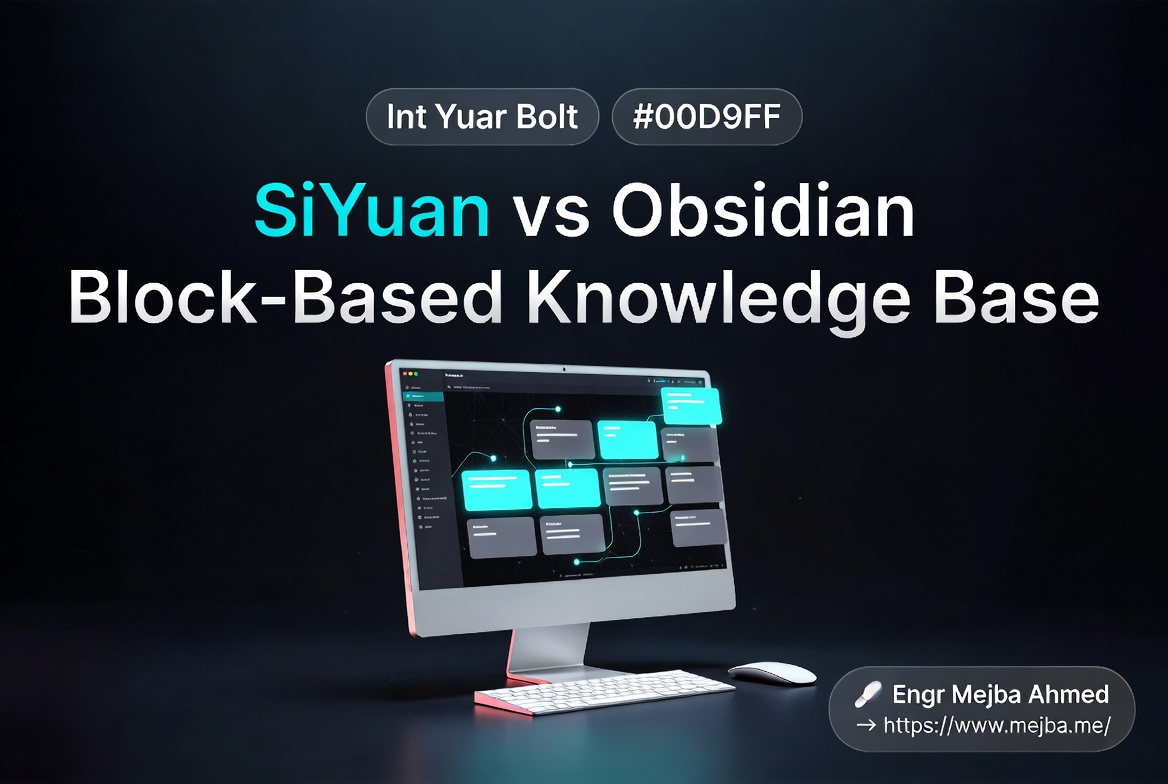
SiYuan Review: A Block-Based Obsidian Alternative for Devs
I broke my Obsidian vault on a Wednesday afternoon, and the way it broke is the reason I went looking for something else.
I was refactoring two years of notes. A folder called bug-logs/ had grown to 312 files, and I wanted to split it by project — bug-logs/laravel/, bug-logs/react/, bug-logs/infra/. Standard cleanup. The kind of thing any developer does when a flat folder turns into a swamp.
I moved 47 files in one batch, watched Obsidian rename them, and went to make coffee. When I came back, I opened a runbook I'd written six months earlier — a step-by-step recovery doc for a production incident I never wanted to repeat. The third step linked to a bug log called redis-eviction-storm-debug.md. The link rendered as plain text. Click did nothing.
I checked the file. It existed. It was in the new bug-logs/infra/ folder. The block I'd referenced — the specific section explaining the eviction config that triggered the cascade — was right there, untouched. But the link was dead because the path had changed and the block reference was anchored to a path-plus-heading combo that no longer matched.
That was the moment I realized my second brain had a structural problem. Not Obsidian's fault, exactly. Markdown files plus filesystem paths plus heading-anchored block links — that's the contract. When you move things, you accept that some references will break. For a personal journal, fine. For documentation I rely on at 2 AM during an incident, not fine.
So I started looking past Obsidian. The thing I tested next was SiYuan, an open-source, local-first knowledge management tool that runs version 3.6.5 as of April 21, 2026. It does block references differently — every block has a permanent ID that survives moves, renames, refactors, anything short of deletion. That sounded like exactly what my broken runbook needed.
This is the honest write-up. What worked. What made me reach for the back button. Whether it deserves a permanent slot in a developer's stack in 2026, or whether the comparison SiYuan vs Obsidian always tilts back to Obsidian for most people. Spoiler: the answer depends on what kind of notes you actually keep.
Why I Went Looking Past Obsidian in the First Place
Obsidian served me for four years. I'm not here to bury it. The 230+ posts on this site reference Obsidian constantly because for the use case it was designed for — a fast, plain-text, plugin-extensible second brain — almost nothing beats it.
But my notes evolved. They stopped being "thinking out loud" and turned into structured artifacts:
- Bug logs with reproducible steps, root cause analysis, and fix verification
- Architecture decision records (ADRs) with explicit context, decision, and consequences
- Runbooks for production incidents with sequenced recovery steps
- Client engagement notes with linked bug logs, decisions, and runbooks
- Long-running project documentation with multiple contributors (me + sub-agents writing memory files)
Once your notes look more like a documentation system than a journal, three Obsidian limitations start grinding:
1. Block references break under refactoring. Obsidian's block reference syntax ([[file#^block-id]]) anchors to a specific block ID inside a specific file. When you move the file, Obsidian tries to update the path automatically. Most of the time it works. Sometimes it doesn't, especially with batch moves, plugin-introduced syntax, or external editor sync. And when it fails silently, you don't notice until you click a link six months later.
2. Database-style queries require plugins. Dataview is brilliant. It's also a community plugin maintained by one developer that breaks across major Obsidian releases roughly twice a year. If your runbook depends on a Dataview query rendering correctly, your runbook depends on Dataview being healthy. That's a fragile dependency chain for production-critical docs.
3. Multi-user editing is not the model. Obsidian Sync exists, and it's solid for personal use. But Obsidian was designed as a single-user tool. The moment you want a team or sub-agents writing into the same vault concurrently, you're fighting the model.
The cracked-link incident was just the surface. Underneath was a deeper realization: my notes had outgrown a markdown-file-as-document model. I needed a system where the atomic unit was the block, not the file. Where references survived structure changes. Where queries were native, not bolted on.
That's the niche SiYuan vs Obsidian actually fights over.
What Block IDs Actually Do — A Real Example
The pitch: every block in SiYuan gets a permanent 22-character ID the moment you create it. The ID stays with the block forever — across moves, renames, document splits, document merges. References point to the ID, not the path. Move the block; the reference still works.
Sounds nice in theory. Here's what it actually looks like in practice.
I created a document called redis-eviction-storm.md and wrote three blocks:
- Symptom: Redis CPU spikes to 100% for 90 seconds, then recovers.
- Root cause: maxmemory-policy set to allkeys-lru with eviction batch
  size of 10. Under high write load, eviction cycle blocks the event loop.
- Fix: Switch to allkeys-lfu, raise hz to 50, set maxmemory-eviction-tenacity to 5.
SiYuan stored each bullet as a separate block. When I clicked the second bullet, the editor showed me its block ID — something like 20260418142733-x7k9j2m. That's a 14-digit timestamp (20260418142733 = April 18, 2026, 14:27:33) plus 7 random characters. Every block in your workspace gets one.
I copied the block reference and pasted it into a different document — a runbook called incident-recovery-redis.md. The reference rendered as a clickable embed showing the root-cause text inline. Then I did the destructive thing that broke Obsidian: I moved the source document into a deeply nested folder, renamed it to infra/databases/redis/eviction-storm-2026.md, and split it into two separate documents.
The reference in my runbook still worked. Not "worked after re-indexing." Not "worked after the plugin reconciled paths." Worked instantly, because the reference was bound to the block ID, not the file path. The underlying storage is a .sy JSON file containing an AST node tree, and the block ID is the AST node ID. Move the document, the file moves; the JSON node IDs are unchanged. SQLite re-indexes the file path, the reference resolution layer looks up the block by ID, finds it in the new file, renders it.
This is the single feature that justifies SiYuan's existence for me. If you've ever lost a block reference to a refactor, you know exactly how much that matters.
The trade-off lives at the file format layer, and we'll come back to it — because .sy JSON is not Markdown, and that has consequences.
The Killer Feature: Native SQL Queries Inside Notes
Obsidian users reach for Dataview. Notion users build relational databases manually. SiYuan ships with a SQLite database that indexes every block in your workspace, and you write SQL directly inside notes.
Not a plugin. Not a sidebar tool. The query lives inline as an embed block, executes when the document renders, and updates whenever the underlying data changes.
Here's a real query I keep at the top of my bug-tracker.md document. It pulls every block tagged #bug-open across my entire workspace, sorted by creation date:
SELECT
  '[' || b.content || '](siyuan://blocks/' || b.id || ')' AS bug,
  b.hpath AS document,
  datetime(substr(b.created, 1, 4) || '-' ||
           substr(b.created, 5, 2) || '-' ||
           substr(b.created, 7, 2)) AS opened
FROM blocks AS b
WHERE b.tag LIKE '%#bug-open%'
ORDER BY b.created DESC
LIMIT 50
Three things this gets right that Dataview never did for me:
It's real SQL. Not a DSL that wraps SQL with its own quirks. If you've written a SELECT in your career, you can write SiYuan queries on day one. Joins work. Subqueries work. CTEs work. The schema is documented and stable — blocks is the main table, with columns like id, content, type, path, hpath, root_id, tag, created, updated, markdown, and a few more.
The schema is exposed. SiYuan's API documentation lists the blocks table schema explicitly. There's also an /api/query/sql HTTP endpoint that takes a JSON body like {"stmt": "SELECT * FROM blocks WHERE content LIKE '%redis%' LIMIT 7"} and returns rows. That means external scripts, agents, or even Claude Code itself can query your knowledge base directly without parsing markdown files.
Embed blocks are first-class. Every embed block in SiYuan starts with select * from blocks — that's the convention because the embed renderer needs the block schema to know how to render results. The query updates on document load, on data change, and on manual refresh.
I have queries embedded throughout my workspace now:
- A dashboard at the top of my project doc that lists every TODO block in the project's subtree
- A "stale notes" query that surfaces any document I haven't updated in 90+ days
- A bug-by-severity query that groups open bugs by
#sev1,#sev2,#sev3tags - A "today" query in my daily note that pulls every block I created or modified that day
Dataview can do most of this. The difference is that SiYuan's query layer is part of the core product, not a community plugin maintained by one heroic developer. The schema is stable. The query engine is SQLite, which is the most boringly reliable database software in existence. I trust it for production-critical docs in a way I never quite trusted Dataview.
Docker Self-Host Walkthrough — The 2026 Setup
SiYuan runs as a desktop app on macOS, Windows, and Linux. It also runs as a Docker container, and that's how I host my main workspace — on a small VPS, accessible from any device, fully under my control.
The official Docker image is b3log/siyuan on Docker Hub. Default port is 6806. The minimal command to get a workspace running:
docker run -d \
  --name siyuan \
  -p 6806:6806 \
  -v /opt/siyuan/workspace:/siyuan/workspace \
  -e PUID=1000 \
  -e PGID=1000 \
  -e TZ=Asia/Dhaka \
  b3log/siyuan \
  --workspace=/siyuan/workspace/ \
  --accessAuthCode=replace-with-a-strong-password
Three things in that command matter and aren't obvious from the docs:
The --workspace flag must match the container-side mount path. SiYuan stores everything inside the workspace folder — your notebooks, the SQLite index, attachments, plugin data, sync metadata. If the flag and the volume mount disagree, the container starts but writes nothing useful to disk, and on restart you lose state.
--accessAuthCode is your password. It's the only thing standing between port 6806 and anyone who can reach your VPS. Use a long random string. Treat it like an SSH key. If you forget it, you have to stop the container, edit the config inside the workspace folder, and restart.
PUID/PGID match your host user. Without these, the container writes files as root, and when you SSH in to back up the workspace you can't read your own data without sudo. Run id -u and id -g on your host and pass those values.
Docker Compose version, which is what I actually run:
version: "3.9"
services:
  siyuan:
    image: b3log/siyuan
    container_name: siyuan
    restart: unless-stopped
    ports:
      - "127.0.0.1:6806:6806"
    volumes:
      - /opt/siyuan/workspace:/siyuan/workspace
    environment:
      - PUID=1000
      - PGID=1000
      - TZ=Asia/Dhaka
    command:
      - --workspace=/siyuan/workspace/
      - --accessAuthCode=${SIYUAN_AUTH_CODE}
Note the bind on 127.0.0.1:6806 — I never expose port 6806 directly to the public internet. NGINX sits in front with TLS, basic auth as a second layer, and a strict allowlist for IPs that can reach the upstream. That's the same posture I'd take with any self-hosted productivity tool, and it's the kind of thing my security review checklist for self-hosted apps would flag if I skipped it.
NGINX server block, abbreviated:
server {
  listen 443 ssl http2;
  server_name notes.example.com;

  ssl_certificate     /etc/letsencrypt/live/notes.example.com/fullchain.pem;
  ssl_certificate_key /etc/letsencrypt/live/notes.example.com/privkey.pem;

  location / {
    proxy_pass http://127.0.0.1:6806;
    proxy_http_version 1.1;
    proxy_set_header Upgrade $http_upgrade;
    proxy_set_header Connection "upgrade";
    proxy_set_header Host $host;
    proxy_read_timeout 3600s;
    proxy_send_timeout 3600s;
  }
}
The WebSocket-style Upgrade headers matter — SiYuan uses a persistent connection between the browser client and the backend. Without them, you get random "connection lost" toasts every minute or two.
After the container is up, hit https://notes.example.com, enter your access code, and you're in. The browser client is the full SiYuan experience — same UI as the desktop app, same plugin support, same query engine. The only thing missing is the OS-level integrations like the system tray.
That's a 10-minute setup if you have a VPS already. Compare to Obsidian, where self-hosted multi-device sync involves third-party services, S3 buckets, or the paid Obsidian Sync subscription. SiYuan being natively self-hostable is a structural advantage, not a nice-to-have.
Graph View — Useful Tool or Eye Candy?
Obsidian's graph view became a meme for a reason. It's beautiful. It's also, for most people, a screensaver. You stare at the constellation of your notes, feel briefly impressed by your own apparent depth of thought, and then close the tab.
SiYuan ships its own graph view, and I want to tell you it's different. It mostly isn't.
Same node-and-edge visualization. Same physics simulation that lets you drag clusters around. Same color-coding by tag or document type. The interactivity is fine. You can click a node and jump to the document. You can filter by tag, depth, document type, or time range.
What SiYuan does add is block-level graph nodes. Obsidian's graph treats files as nodes. SiYuan can render individual blocks as nodes, which means the graph reflects the actual reference structure — a block in document A referenced by a block in document B shows up as an edge between blocks, not between files.
Is that genuinely useful? Twice in three months, yes. Once when I was looking for orphan blocks (blocks I'd written but never referenced from anywhere) and once when I was tracing how a specific architectural decision had propagated across multiple ADRs. Both times, the block-level graph showed me something a file-level graph would have hidden.
The other 90% of the time, the graph view sits closed. I don't think this is a SiYuan-specific failure. I think graph views are oversold as a knowledge tool in general. They're useful for occasional structural inspection, not daily work.
If you're choosing between SiYuan and Obsidian on graph-view quality alone, don't. They're equivalent. The block-level option in SiYuan is a marginal win for a small set of use cases.
File Format Reality Check — .sy JSON, Not Markdown
Here's where SiYuan asks for the biggest commitment, and where most reviews skip past the cost.
Obsidian stores notes as .md files. Plain Markdown. You can open them in Vim, in VS Code, in Notepad, in any editor that has existed in the last 30 years. If Obsidian disappears tomorrow, your notes are still readable forever.
SiYuan does not store Markdown. It stores .sy files, which are JSON documents containing the abstract syntax tree (AST) of each note. Filenames are 14-digit timestamps plus 7 random characters — something like 20260418142733-x7k9j2m.sy. The directory structure mirrors your notebook hierarchy. The content lives inside the JSON, indexed at runtime by SQLite.
This is the trade-off you're paying for stable block IDs. The block ID is the AST node ID. The AST has to be persisted in a structured format to keep IDs stable across edits. Markdown, by design, doesn't carry block-level identity — there's no spec-compliant way to anchor an ID to a paragraph in CommonMark. If you want the block-ID guarantees, you can't have plain Markdown as the storage format. Pick one.
What this actually means for portability:
You can export to Markdown. SiYuan has built-in Markdown export — single document, folder, or entire workspace. The export is good. Block references become standard wiki-link-style references, code blocks survive, tables convert cleanly. You will not be locked in.
You cannot edit the storage directly. If you want to bulk-modify your notes with a sed script the way you might with an Obsidian vault, you're going to be parsing JSON AST nodes, not regex-matching Markdown. That's doable — the AST schema is documented — but it's an order of magnitude more work than a one-liner against .md files.
External tooling integration is harder. Tools like Pandoc, marksman, markdownlint, or any of the dozens of CLI utilities that operate on Markdown files don't work directly on .sy JSON. You can export, run the tool, re-import — but that's a workflow, not a reflex.
Sync conflicts look different. If you're syncing a workspace via Syncthing or rsync between two machines, conflicts in .sy JSON files are harder to resolve manually than conflicts in plain Markdown. SiYuan's official sync (a paid membership feature) handles this with end-to-end encrypted incremental sync, but if you're rolling your own sync, you'll feel this.
For me, the trade-off is worth it. My notes are infrastructure now, not literature. I want them queryable, reference-stable, and structurally explicit. JSON-AST storage is the price of those properties, and the Markdown export gives me a fire-escape if I ever change my mind. But if your notes are mostly prose — journals, fiction, daily reflections — and the appeal of .md is editability across any tool, SiYuan is the wrong choice and you should stay with Obsidian. That's not a flaw. It's a design tax for a different goal.
SiYuan vs Obsidian vs Notion — Honest Comparison
Every "X vs Y" article eventually devolves into a feature matrix. Here's mine, with the catch that the rows that matter most are the rows where the three tools genuinely disagree.
| Dimension | SiYuan 3.6.5 | Obsidian | Notion |
|---|---|---|---|
| Atomic unit | Block (with permanent ID) | File (.md) |
Block (with ID) |
| Storage | Local .sy JSON, SQLite index |
Local .md files |
Cloud (SaaS) |
| Reference stability | High — survives moves and renames | Medium — best-effort path updates | High — proprietary IDs |
| Native database/query | SQL inside notes (built-in) | Dataview plugin (community) | Relational databases (built-in) |
| Self-hosting | Docker, full control | Local only (sync extra) | None — SaaS only |
| Open source | AGPLv3 | Proprietary (free tier) | Closed source |
| File format portability | Markdown export available | Native Markdown | Markdown/HTML export |
| Plugin ecosystem | Small, mostly Chinese | Large, English-first | None — closed platform |
| Real-time collaboration | Limited | Limited | Excellent |
| Offline-first | Full | Full | Partial (cache only) |
| Learning curve | Steep at first | Moderate | Shallow |
| Mobile apps | iOS, Android, HarmonyOS | iOS, Android | iOS, Android |
| Cost | Free (paid sync optional) | Free (paid sync optional) | Free → paid tiers |
My take, row by row, on the rows that genuinely matter:
Reference stability. SiYuan wins outright. This is the feature that pulled me in and the one I haven't stopped appreciating. If you refactor notes regularly, this matters more than anything else.
Native query. SiYuan wins again, by margin. SQL > Dataview DSL > Notion's filter UI. The fact that the query engine is part of the core product, not a plugin, makes a real difference for production-critical docs.
File format portability. Obsidian wins, full stop. Plain Markdown is the most portable note format ever invented. You give this up to get the block IDs.
Plugin ecosystem. Obsidian wins by a mile. SiYuan's marketplace exists, the community bazaar repository auto-updates hourly, and there's active development — but the ecosystem is smaller and skews toward Chinese-language plugins. The English plugin selection is sparse, and English documentation for plugin development is openly acknowledged as an area needing work. If you live and die by community plugins, this matters.
Real-time collaboration. Notion wins. Nothing in the local-first space comes close to Notion's "ten people editing the same page simultaneously" experience. If your notes are a team artifact, Notion is the answer and SiYuan vs Obsidian is the wrong frame entirely.
Self-hosting and ownership. SiYuan wins. Obsidian is local-first but the official sync is a paid SaaS. Notion is pure cloud. SiYuan with Docker gives you the local-first benefits plus the multi-device convenience without depending on anyone else's servers staying online.
The headline SiYuan vs Obsidian comparison resolves to: SiYuan if your notes are structured documentation; Obsidian if your notes are prose plus plugins. The Notion vs SiYuan comparison is even simpler: Notion if you need real-time team collaboration; SiYuan if you need privacy, ownership, and a query engine you control.
Where SiYuan Loses
I've been generous so far. Here are the rough edges I hit, in priority order.
The plugin ecosystem is small and hard to navigate in English. SiYuan's developer community is largely Chinese-speaking, which is great for the project's depth and consistency, less great for English-only users. The marketplace UI is bilingual, but plugin descriptions and documentation often skew Chinese-first. There's an open GitHub issue (#12878) explicitly about enhancing English support. If your idea of a perfect note tool involves hand-picked community plugins for every micro-workflow, SiYuan will frustrate you.
The UI feels dated to some users. This is subjective and I'm trying to be fair. SiYuan's design language is closer to a 2018 feature-dense IDE than a 2026 minimalist app. There are a lot of buttons. The icon set is busy. The default theme is fine but not pretty. If you're coming from Obsidian's clean Plain CSS aesthetic or Notion's airy design, the first hour in SiYuan is going to feel cluttered. After a week, you stop noticing — but the first impression matters.
Performance dips on huge workspaces. The SQLite-indexed model is fast, until it isn't. My main workspace is around 1,800 documents with maybe 40,000 blocks total, and SiYuan handles it without complaint. People who've reported running 10,000+ document workspaces describe noticeable lag on full-text search and graph rendering. There's an active engineering thread on optimizing this, but if your existing Obsidian vault is genuinely massive, validate performance before committing.
Migration cost from Notion is real. Notion's export is HTML or Markdown with a folder structure that doesn't map cleanly to SiYuan's notebook concept. You can get most content in, but you'll lose Notion-specific things: relational database links, page properties, embeds, and any Notion-only block types. Plan a weekend, not an afternoon.
Mobile experience is functional, not delightful. The Android and iOS apps work. They sync. They render correctly. But the editor on mobile is a clear second-class citizen compared to the desktop. Block manipulation on a phone is awkward, and complex blocks (SQL embeds, charts, math) often render but don't edit well. If you need mobile-first note capture, this is a real constraint.
Membership-tier features for advanced sync. End-to-end encrypted sync is a paid SiYuan membership feature. The free tier is fully functional — you can self-host with Docker, sync via Syncthing or another tool, and lose nothing material. But the most polished sync experience is behind a paywall. That's fair and the developers deserve to be paid, but it's worth knowing before you assume the free experience matches the marketing screenshots.
None of these is a deal-breaker for me. Together, they're the reason SiYuan vs Obsidian doesn't have a universal winner.
Who Should Switch, Who Shouldn't
Forget generic advice. Here are concrete profiles.
Switch to SiYuan if you are:
- A developer maintaining a personal documentation system — bug logs, runbooks, ADRs, incident post-mortems — where reference stability across refactors matters more than editor flexibility
- Anyone who has lost a block reference to an Obsidian rename and wants that to stop happening
- A self-hoster who wants Notion-style structured docs but refuses to put proprietary data on someone else's servers
- Someone building a knowledge base that AI agents will query — the SQLite index plus HTTP API plus stable block IDs make agent integration genuinely tractable
- A heavy user of relational thinking who currently fights Dataview and wishes the query layer were a real database
Stay with Obsidian if you are:
- A daily-journal writer or essayist whose notes are mostly prose
- Deeply invested in the Obsidian plugin ecosystem (Excalidraw, Obsidian Tasks, Smart Connections, Templater) — none of these have direct SiYuan equivalents
- Someone who needs
.mdportability across tools (Pandoc, static site generators, external editors) - A solo user where the cracked-link problem isn't worth changing tools over
Stay with Notion if you are:
- Working on shared docs with a team that needs real-time multiplayer editing
- A non-technical user who values the Notion design language and template ecosystem
- Building a wiki for a company where ownership is "the company," not "me personally"
Run both if you are:
- A developer with a strong existing Obsidian vault but a growing structured-docs problem. This is what I do. Obsidian for fast capture and prose; SiYuan for the structured documentation layer; the two interoperate via Markdown export when I need to move things between them.
The mistake to avoid is treating this as an either-or. The cost of running two tools is real but small. The cost of forcing prose-style notes into SiYuan or structured docs into Obsidian is much higher.
My Current Setup — What I Kept, What I Migrated
Three months after first installing SiYuan, here's the actual division of labor on my system.
Stayed in Obsidian: daily notes, journal entries, fleeting capture, anything I write to think rather than to document. About 1,200 files. The plugin ecosystem (specifically Templater, Dataview-for-prose, and the Local Images Plus plugin from my Karpathy-style RAG setup) is too valuable to give up. I still build my second brain on Obsidian, which I covered in my deep-dive on Obsidian and Claude Code for the prose-and-thinking layer.
Migrated to SiYuan: bug logs (312 files), runbooks (84 files), ADRs (47 files), client engagement docs (around 200 files), and project documentation for active engagements (variable). Roughly 700 documents and growing. Anything where reference stability and SQL queryability matter more than Markdown portability.
The integration layer: a small Node.js script that runs nightly, exports the SiYuan workspace to Markdown via the API, and drops the export into a folder Obsidian indexes. Read-only, but it means my Obsidian-based search can find content from the SiYuan side. The reverse direction (Obsidian → SiYuan) I haven't built because I don't need it — Obsidian content doesn't reference SiYuan content; the dependency goes one way.
The agent layer: Claude Code queries my SiYuan SQLite database directly when I'm doing knowledge-graph work. I covered the general pattern of Karpathy-style RAG over markdown vaults — SiYuan is a richer substrate for the same idea because the schema is structured. Instead of grepping markdown, the agent runs SQL: "Give me every bug block tagged sev1 from the last 30 days where the root cause mentions Redis." That query takes 40ms and returns exact blocks, not chunks. For developer-second-brain workflows where the agent needs structured context, this is a meaningful upgrade.
What I do NOT use SiYuan for: writing this blog post. The post you're reading was drafted in Obsidian, edited in VS Code, and saved as Markdown. The plain-text-everywhere model still wins for content that ends up on the public web. SiYuan is for docs that stay private and benefit from structure.
That's the whole picture. Two tools, one workflow, clear lines about what lives where.
The Verdict
SiYuan is not the new Obsidian. SiYuan is not the new Notion. Anyone who frames it that way is missing what's actually interesting about the tool.
SiYuan is what happens when you take "block-level identity" seriously as a primitive and build a knowledge system around it. The block ID survives moves. The SQL engine indexes the blocks. The graph view renders them. The HTTP API exposes them. Every feature flows from the same architectural commitment: blocks are real, files are derivative, paths are mutable.
That commitment is what makes SiYuan good for structured documentation. It's also what makes the file format opaque, the migration cost real, and the ecosystem narrower than Obsidian's. Engineering trade-offs are like that — pick the property you want most, accept the costs that come bundled with it.
For the developer who has cracked one too many block references during a refactor and wants the problem to stop existing, SiYuan is worth the weekend it takes to set up. For everyone else, the answer is more nuanced, and I've tried to draw the lines honestly above.
Remember the runbook I lost the link in, way at the start? I rebuilt it in SiYuan over a weekend in February. Six weeks later, I refactored my entire bug-logs/ structure for the second time — split it by client, then by service, then archived two years of resolved incidents. Hundreds of files moved. Thousands of blocks reorganized.
I clicked the link in the runbook this morning. It worked. Six weeks of structural changes, dozens of moves, and the reference still pointed exactly where it should.
That's the entire pitch in one sentence: in SiYuan, the link still works. Whether that single property is worth changing tools for depends on how often you've watched it fail in the tools you use now.
FAQ
Frequently Asked Questions
Everything you need to know about this topic
Yes. SiYuan is licensed under AGPLv3 and the source is on GitHub at siyuan-note/siyuan. You can self-host, fork, or contribute without restriction. The paid tier (membership) covers the official cloud sync service, end-to-end encryption keys, and AI-assisted features — but none of those are required to use the core product.
Yes, but with caveats. SiYuan can import Markdown files and folder structures, which covers the bulk of an Obsidian vault. What you lose: plugin-specific syntax (Dataview queries, Tasks plugin metadata, Templater templates), Obsidian-specific block reference syntax, and any custom CSS. Plan to import structurally, then manually rebuild any plugin-driven workflows in SiYuan-native primitives.
It's a real consideration but not a hard lock-in. SiYuan ships built-in Markdown export at the document, folder, and full-workspace level. The export is high-fidelity for standard content. You will lose .sy-specific features (block IDs, embedded SQL queries, custom block attributes) on export, but the prose, code, and structure survive. The risk profile is closer to Notion (export available, lossy) than to a true proprietary lock-in.
Both are local-first and block-oriented. Logseq is outliner-first with daily journaling baked in; SiYuan is document-first with outliner features available. Logseq stores notes as .md with a sidecar database; SiYuan stores .sy JSON. For pure outlining and daily-log workflows, Logseq wins. For structured documentation and SQL queryability, SiYuan wins.
Fully. The desktop app and the self-hosted Docker instance work entirely offline — every feature including SQL queries, graph rendering, and reference resolution runs against the local SQLite index. Sync requires a network connection (either to SiYuan's official cloud or to your own sync target), but day-to-day editing and browsing has no online dependency.
Let's Work Together
Looking to build AI systems, automate workflows, or scale your tech infrastructure? I'd love to help.
- Fiverr (custom builds & integrations): fiverr.com/s/EgxYmWD
- Portfolio: mejba.me
- Ramlit Limited (enterprise solutions): ramlit.com
- ColorPark (design & branding): colorpark.io
- xCyberSecurity (security services): xcybersecurity.io