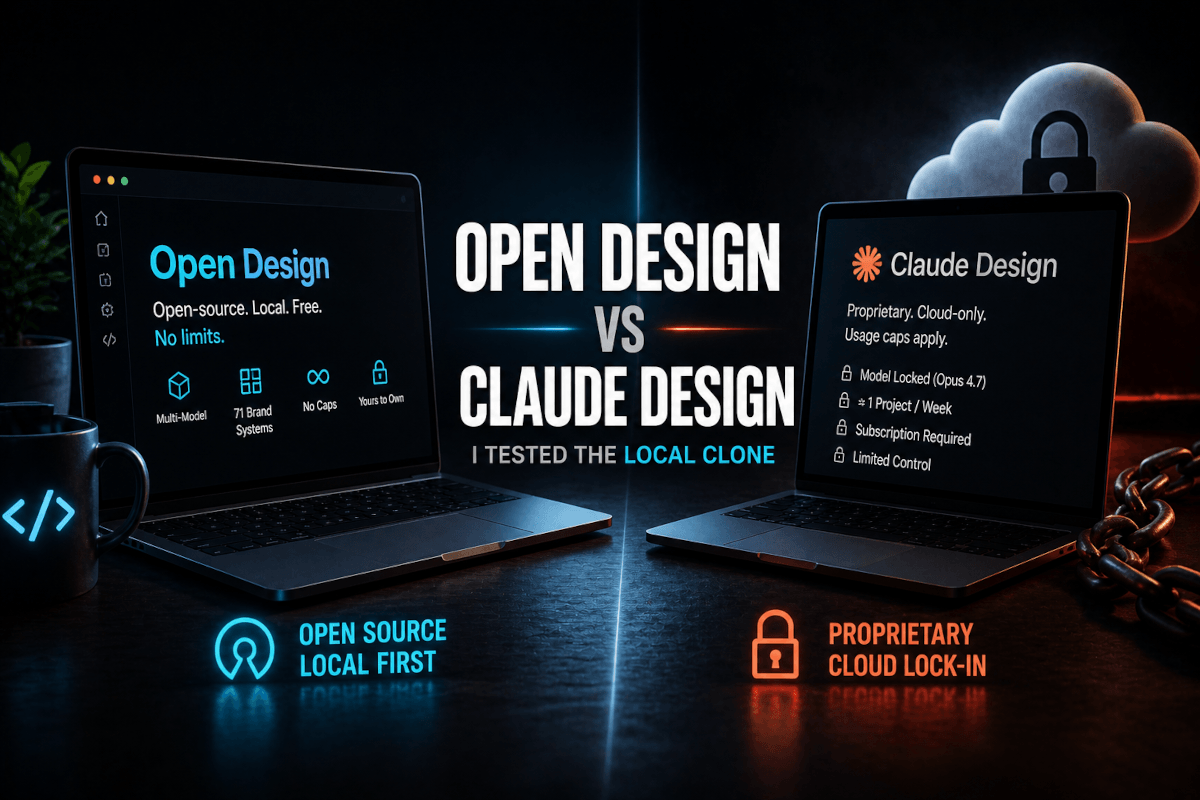
Open Design vs Claude Design: I Tested the Local Clone
I almost didn't clone the repo. It was a Tuesday, I had three client builds queued, and the message that landed in my inbox said "someone open-sourced Claude Design." My exact thought was yeah, sure they did. I've watched a dozen "open-source clones" of proprietary tools ship as duct-taped wrappers around the same paid API they were supposedly replacing. So I bookmarked it and moved on.
Then a friend sent me a screenshot. A dashboard. Not a generic "AI dashboard demo" with three cards and a fake chart — a Linear-grade product surface with proper density, typography that actually breathed, and a sidebar that looked like someone had stolen it from a Stripe internal tool. Caption underneath: "Open Design. DeepSeek v3.1. Free tier. Took six minutes."
I stopped what I was doing and ran git clone.
What I'm about to walk you through is what happened over the next four days of testing. Open Design vs Claude Design isn't a feature comparison — it's two genuinely different philosophies about who should own the design tool. Anthropic's bet is that proprietary, model-locked, cloud-only is the right shape for AI design. The Open Design team's bet is that the strongest coding agents already live on your laptop, that 71 hand-tuned brand design systems beat one general aesthetic, and that you should never pay a usage cap to render a Tailwind layout.
After four days, I have a strong opinion about which bet is right for which kind of operator. Let me show you what I saw.
The 30-Second Version (For The Skim Readers)
Open Design is an Apache 2.0, local-first, open-source clone of Claude Design published by the nexu-io team on April 28, 2026 — eleven days after Anthropic's tool launched. It runs on whichever coding CLI you already have installed. Claude Code, Codex, Gemini CLI, Cursor, OpenCode, Qwen, Copilot, Hermes, Kimi CLI — pick one, it works. It ships with 71 brand-grade design systems baked in (Apple, Stripe, Linear, Notion, Nike, Lamborghini, Binance, and the rest of that tier), 19 composable skills, sandboxed preview, and exports to HTML, PDF, PPTX, MP4, and ZIP. You can deploy the web layer straight to Vercel.
Claude Design is Anthropic's proprietary research preview. Cloud-only. Opus 4.7 only. Locked behind a Pro/Max/Team/Enterprise subscription that runs $20 to $200 per month. Approximately one full project per week before you hit the soft cap. The output quality is excellent — I covered that in detail in my earlier Claude Design first look — but the moment your work gets real, the cap and the model lock-in start to feel like training wheels you didn't ask for.
The headline: if you ship for clients, run an agency, or care about commercial rights and lock-in, Open Design is going to change how you think about AI design tooling. If you're a designer who wants the cleanest possible chat-to-prototype experience with zero setup, Claude Design is still the better Tuesday-afternoon tool.
But the comparison gets more interesting once you actually use both.
What Open Design Actually Is (And Why It Exists)
Open Design isn't an agent. That's the first thing that surprised me, and it's the thing most reviews are getting wrong.
When you clone the repo and run pnpm tools-dev, what comes up is a local web UI — running on your machine, not in the cloud — that orchestrates whichever coding CLI you've already installed. The agent is your existing setup. Open Design is the design surface, the skill library, the brand-system library, and the export pipeline wrapped around it.
That architectural choice is the whole point. Building a competitive coding agent in 2026 is a billion-dollar problem. The teams who are good at it are Anthropic, OpenAI, Google, and a small handful of open-weights labs. The Open Design authors looked at that landscape and made the right call: don't fight the agent layer, replace the experience layer. The strongest coding agents already live on your laptop. Wire them into a design workflow that's actually open.
Here's what that looks like in practice. When I ran my first test, I picked Claude Code with Opus 4.7 as the underlying agent. Then I picked the Apple design system from the dropdown. Then I gave Open Design a project name, picked "high-fidelity" over wireframe, picked "web" as the platform, picked a tone slider somewhere between "minimal" and "premium," and tweaked the palette toward warm neutrals.
The prompt I typed was eight words: fitness tracking dashboard for runners and cyclists.
Six minutes later I had a fully rendered SwiftUI-flavored web dashboard with the right proportions for an Apple-aesthetic product, a navigation pattern that mirrored Apple Health, typography spacing pulled straight from SF Pro behavior, and a color palette that was distinctly Apple, not a generic slate-and-blue mess. The sandboxed preview opened in a new tab. I clicked one button to export the HTML bundle.
That's when I tried the model switch.
The Feature Nobody's Talking About: On-The-Fly Model Switching
This is the part that broke my brain a little.
In Claude Design, you are using Opus 4.7. That's the only model. You cannot switch. You cannot run a second pass with a different model to compare quality. You cannot drop down to a cheaper model when you're iterating on small refinements. Opus 4.7 is the engine, full stop.
In Open Design, the model is a dropdown.
I generated my fitness dashboard with Opus 4.7. The architecture was excellent — solid component hierarchy, sensible spacing tokens, the kind of structural thinking Opus is genuinely the best in the world at right now. Then I switched the model dropdown to GPT-5.5 via Codex and asked it to refine the typography and add a weekly progress chart. Codex took the existing scaffolding and tightened the type ramp in a way Opus tends not to — Codex reaches for tighter line-heights and more confident weight contrast on display type. Then I switched again to Gemini and asked it to suggest three alternative color palettes. Gemini's color sense is genuinely different from the other two; it pulls toward more saturated mid-tones and unusual neutrals that I would never have prompted my way toward.
By the end of that twenty-minute session I had a dashboard whose architecture came from Opus, whose typography came from Codex, and whose color story came from Gemini. Three models, one project, one local environment, zero per-model subscriptions because I was using my own API keys at every layer.
Try doing that in Claude Design. You can't.
That single feature — being able to use the right model for the right phase of design — is the thing that's going to pull experienced operators into Open Design and make it hard to go back. Architecture decisions need a model with structural taste. Refinement and scaling need a model that's fast and cheap. Color exploration needs a model with a different aesthetic vocabulary. Forcing all three through the same engine isn't a feature — it's a constraint pretending to be a workflow.
But I'm getting ahead of myself. Let me give you the side-by-side first.
Open Design vs Claude Design: The Feature Comparison
Here's the comparison I built for myself after the first day of testing. I keep coming back to it whenever someone asks me which one to start with.
| Feature | Claude Design | Open Design |
|---|---|---|
| License | Proprietary | Apache 2.0 |
| Hosting | Cloud-only (claude.ai/design) | Local-first (runs on your machine) |
| Underlying model | Opus 4.7 (locked) | Any CLI agent: Claude Code, Codex, Gemini, Cursor, OpenCode, Qwen, Copilot, Hermes, Kimi |
| Multi-model in one project | No | Yes — switch on the fly |
| Usage caps | ~1 full project / week on Pro tiers | None (limited only by your own API key spend) |
| Pricing | $20–$200/month (Pro/Max/Team/Enterprise) | Free repo + your own API key spend |
| Free tier path | None for design | DeepSeek v3.1 free tier works fully |
| Built-in brand design systems | Generic aesthetic | 71 brand-grade systems (Apple, Stripe, Linear, Notion, Nike, Lamborghini, Binance, etc.) |
| Composable skills | Internal only | 19 composable skills, user-extendable |
| Privacy / data residency | Anthropic cloud | Your machine, your API keys, your data |
| Commercial rights | Subject to Anthropic ToS | Apache 2.0 — full commercial rights |
| Vendor lock-in | High | None |
| Export formats | HTML, PDF, PPT, ZIP, Canva | HTML, PDF, PPTX, MP4, ZIP |
| Direct deploy | Limited | Vercel deploy from local UI |
| Image generation | Built-in | Built-in (your image API key) |
| Video generation | No | Yes (HyperFrames module) |
| Import Claude Design ZIPs | N/A | Yes — drop a ZIP, keep editing |
| Setup time | Sign in, click | git clone + pnpm install + .env (~10 min first time) |
The license row matters more than it looks. Apache 2.0 means I can fork it, ship it inside a client deliverable, run it on a customer's air-gapped machine, or build a paid product on top of it. None of those moves are available to me on Claude Design without a separate Enterprise conversation, and even then the model-side ToS still applies to every output you generate.
The brand-system row matters even more.
Why 71 Brand Design Systems Is The Sleeper Feature
Here's a thing about generic AI design tools: they all converge on the same aesthetic. Slate gray. One blue. A 12-column grid. Inter or a knockoff of Inter. Rounded corners that are slightly too rounded. The reason they all converge is that the underlying models are trained on roughly the same web — and the average of the modern web is exactly that gray-blue-rounded thing.
Claude Design fights this in a couple of ways but never fully escapes it. When I generated five different products in Claude Design over a week — a SaaS landing page, a fintech dashboard, a fitness app, a B2B portal, an e-commerce checkout — they all had a family resemblance I couldn't shake. Different content, similar bones.
Open Design solves this with a brutally simple move: it ships 71 hand-curated brand design systems baked into the prompt scaffolding. When you pick "Apple" as your design system, the prompt going to your underlying model includes the spacing tokens, the typography hierarchy, the corner-radius logic, the motion vocabulary, and the visual density that makes Apple products feel like Apple products. When you pick "Nike," you get the typographic confidence, the high-contrast hero treatment, the energy-first composition rules. When you pick "Lamborghini" — yes, that's a real preset — you get the angular geometry, the matte-meets-gloss surface treatment, and the aggressive negative space.
I tested four of them back to back. Same prompt: project management app for a five-person startup. I switched the brand system between Linear, Stripe, Notion, and Lamborghini.
The Linear output had the dense top-bar nav, the keyboard-first vibe, the muted palette with one accent. The Stripe output had the generous whitespace, the typography hierarchy that reads like documentation, the soft shadows. The Notion output went modular-block, friendlier typography, warmer neutrals. The Lamborghini output was unhinged in the best way — it was a project management app that looked like the dashboard of a hypercar. Not a bug. A feature when your client asks for "different."
That kind of stylistic range is not available in Claude Design. The closest you can do is describe the aesthetic in your prompt, and the model will gesture toward it, but the gesture is exactly that — a gesture. Open Design is shoving the actual design system into the prompt at a structural level, and the difference is visible from the first render.
Cost: Where Open Design Quietly Demolishes Claude Design
The pricing comparison is where the conversation turns from "interesting alternative" to "operationally serious."
| Operator profile | Claude Design monthly cost | Open Design monthly cost |
|---|---|---|
| Solo dev, occasional design | $20 (Pro) | ~$5–15 in API spend |
| Freelancer, 4-5 projects/week | $200 (Max — and you'll hit caps) | $20–60 in API spend |
| Small agency, 3 designers | $600+ (3× Max seats) | $60–180 in shared API spend |
| Agency with own client billing | Same + ToS friction on resale | Apache 2.0 — full commercial rights |
| DeepSeek v3.1 user | Not available | $0 (free tier) for refinement passes |
The DeepSeek row deserves its own paragraph. Open Design works fully against the DeepSeek v3.1 free tier. I ran an entire afternoon's worth of refinement work — typography tweaks, color exploration, layout iteration — without spending a dollar. DeepSeek's design output is not as architecturally sharp as Opus, but for the fast cheap iteration phase of work, it's astonishingly capable. The right move I landed on after four days of testing: use Opus or Codex for the architectural pass, then drop down to DeepSeek v3.1 for the long tail of refinement. Cost approaches zero. Output quality stays high enough that nobody on the receiving end can tell.
Try that math against $200/month with a one-project-per-week soft cap and the comparison stops being close. The agency case is even more lopsided once you multiply out seats.
A note on honesty: my numbers above are real for my own usage patterns, but your mileage will vary based on prompt size, model choice, and how many refinement passes a single project takes. The point isn't that Open Design saves exactly $X — it's that the cost ceiling is bounded by your actual compute, not by a flat subscription that caps you at one project before you've finished thinking.
The Demo Workflow (Step By Step, How I Actually Used It)
Let me walk you through the exact flow I ran on day two of testing. This is what a real session looks like.
Step 1 — Clone and install. From a clean terminal, three commands and a .env file:
git clone https://github.com/nexu-io/open-design.git
cd open-design
pnpm install
cp .env.example .env
# add ANTHROPIC_API_KEY, OPENAI_API_KEY, GOOGLE_API_KEY (whichever you use)
pnpm tools-dev
The local UI opens on http://localhost:3000. First-time setup took me about ten minutes including reading through the README. Subsequent launches are instant.
Step 2 — Pick your model. Top of the UI, model dropdown. I picked Claude Code with Opus 4.7 for the first pass. The dropdown also lets you point at any local CLI agent you already have configured — Codex, Gemini CLI, OpenCode, Qwen, the rest. If your CLI authenticates fine in your terminal, Open Design picks it up.
Step 3 — Pick your brand design system. Sidebar, brand-system gallery. 71 tiles, each one previewing the visual signature of that system. I scrolled and picked Linear for this build.
Step 4 — Configure the project. Open Design throws a short form: project name (I typed "Trail"), layout fidelity (wireframe or hi-fi — I picked hi-fi), platform (web/desktop/mobile — I picked web), tone (a slider from "playful" to "serious" — I went two-thirds toward serious), and palette (a swatch picker with brand-system-aware suggestions — I took the default).
Step 5 — Prompt and generate. Single sentence: project management app for a five-person engineering startup with a Kanban board, calendar, and a daily standup view. I clicked generate.
Step 6 — Watch the live render. Open Design streams the build into the sandboxed preview pane. Six minutes for the full hi-fi version. The wireframe version, when I tested it separately, took about two minutes.
Step 7 — Switch models for refinement. I clicked the model dropdown, switched to GPT-5.5 via Codex, and prompted: tighten the typography hierarchy on the Kanban view and add subtle motion on hover for the cards. Codex made the change against the existing scaffold without rebuilding from scratch. About ninety seconds.
Step 8 — One more model swap. Switched to Gemini and asked for three alternate color palettes for dark mode. Gemini gave me three. I picked one.
Step 9 — Export. Single button. ZIP bundle with HTML, CSS, design tokens, component breakdown, and an index.html I could open in any browser. Total time door to door: about twenty-five minutes for a multi-page hi-fi product surface, refined across three different models.
Step 10 — Deploy (optional). I clicked the Vercel deploy button in the local UI. It linked, pushed, deployed. Live URL in under three minutes.
That whole sequence is the part that should make Claude Design users sit up. Not because Open Design is faster (it's roughly the same speed for a single pass), but because the flexibility of the sequence is in a different category. You can mix models. You can mix design systems. You can re-run any step without burning a project against a weekly cap.
Importing Claude Design ZIPs Into Open Design
This is a small feature with an outsized strategic implication.
Open Design accepts Claude Design ZIP exports as input. Drop a ZIP into the import zone, and Open Design will parse the bundle, reconstruct the component tree inside its local workspace, and let you keep editing — but now with model switching, brand-system swapping, and the rest of the Open Design stack on top.
What this means in practice: you can use Claude Design for the parts where it's strongest (the chat-to-prototype ideation, the flow editing I covered in my Claude Design website workflow review), then graduate the project into Open Design once you need iteration speed, model flexibility, or commercial deliverables. The two tools become complementary instead of competitive.
I tested this with three different Claude Design exports. All three imported clean. The component hierarchies survived intact. The design tokens carried over. One of the three lost a custom font reference (it pointed to a Claude-internal asset URL) and I had to re-attach a Google Font, but that took thirty seconds.
The ZIP-import path also gives you a quiet hedge against Anthropic's ToS or pricing changes. If Claude Design ever shifts in a direction that doesn't work for your business, your design assets are portable.
Image Generation, Video Generation, And API Key Hygiene
Open Design has built-in image and video generation, both routed through whichever provider key you've configured.
For images, I tested with the OpenAI image API and the Anthropic image endpoints. Both worked. The image module sits inline with the rest of the design — when the model needs a hero image or an avatar set, it generates them in the same flow without making you bounce out to a separate tool. I generated a set of placeholder runner photos for the fitness dashboard and they came back styled to match the design system I'd selected, which was a small touch but a meaningful one.
For video, the HyperFrames module handles short loops and product demo clips. It's the weakest part of the toolchain right now — the module is functional but the output quality lags the rest of the system. I'd treat HyperFrames as "useful for prototypes, not yet ready for client delivery."
API key handling is the part I want to call out specifically. In Claude Design, your data flows through Anthropic's cloud — that's the model. In Open Design, your API calls go directly from your local machine to whichever provider you've authenticated against. No middle layer. No third party seeing your prompts. For agency work where client confidentiality matters, that's not a nice-to-have; it's a procurement-checklist requirement.
A small operational note: rotate your .env file out of any git push. Open Design's .gitignore handles this correctly out of the box, but I always add a belt-and-suspenders pre-commit hook that scans for _API_KEY= patterns just to be safe.
Anti-Gravity CLI: Local Model Management Done Right
Anti-Gravity is the CLI tool Open Design recommends for managing local model installations and switching between them. It's not strictly required — you can run Open Design against any cloud API — but if you want to add local models (Qwen, Hermes, smaller open-weights models) into your dropdown, Anti-Gravity is what you'd use to install and orchestrate them.
I ran a quick test with a local Qwen variant. Setup was a couple of CLI commands. Performance on my M3 MacBook Pro was perfectly usable for refinement passes — I wouldn't run an architectural pass through a local model, but for the long tail of "tweak this margin, adjust this label, swap this color," local was fine and free.
This is the kind of detail that tells you who Open Design is built for. The team didn't just build a Claude Design clone — they built one that takes seriously the operators who want full local control, hybrid cloud+local stacks, and the ability to swap an engine without rewriting their workflow.
Real Talk: Where Open Design Falls Short Right Now
Open Design was twelve days old at the time of my testing. There are bugs. There are edges. I'd be lying to you if I claimed otherwise.
Setup friction. First-time install is harder than Claude Design. Cloning a repo, installing pnpm, configuring an .env file, picking which CLI you want as your agent — none of that is hard for me, but it's a barrier for a designer who has never touched a terminal. Claude Design wins this round on day one.
HyperFrames is rough. The video module is shipping, but it's not where the rest of the tool is. If video output is core to your workflow, Claude Design doesn't have an answer either, but Open Design's answer isn't fully baked yet.
Sporadic preview crashes. The sandboxed preview pane crashed on me twice during four days of heavy testing. Refreshing the local server fixed it both times, but it's worth noting.
Brand-system drift. A handful of the 71 brand design systems are stronger than others. The Apple, Stripe, Linear, Notion, Nike, and Vercel systems are extremely well-tuned. A few of the more obscure ones (I won't name them — the team is iterating fast) feel less precise. Expect a 70/30 split between rock-solid systems and ones that are still being refined.
Documentation gaps. The README is good. The deeper documentation — on writing your own custom skills, on extending the brand-system library, on the export pipeline internals — is thin. The team is shipping docs as fast as they can, but if you want to deeply customize, expect to read source.
None of these are dealbreakers. All of them are exactly what you'd expect from a twelve-day-old open-source project that's already this good. Claude Design has had Anthropic's full-time team behind it for months and still has its own rough edges. Comparing the two on polish alone misses the point.
When Each Tool Is The Right Choice
After four days of testing both side by side, here's the decision tree I'd actually give a friend:
Pick Claude Design when:
- You're a designer or product person who lives in the chat-to-prototype loop and never wants to see a terminal
- You're doing pure ideation and you want the cleanest possible single-tool experience
- You're already paying for a Pro/Max subscription for Claude Code and the design tool is a marginal add-on
- You don't need commercial rights to fork or redistribute the tool itself
- You're fine with one project per week and one model
Pick Open Design when:
- You're a freelancer or agency operator shipping for clients
- You need commercial rights without ToS friction
- You want to mix models — Opus for architecture, Codex or Gemini for refinement, DeepSeek for the cheap iteration tail
- You care about data residency, privacy, or air-gapped deployment options
- You want access to 71 brand-grade design systems instead of one general aesthetic
- Your monthly volume would push you past the Claude Design caps and you don't want to pay $200+/month per seat
- You want to import existing Claude Design ZIPs and keep editing
- You want to deploy direct to Vercel from the same surface
Use both when:
- You're already a Claude Design subscriber and you want to graduate projects out of caps and into model-switching territory
- You want Claude Design's onboarding flow for ideation, then Open Design's flexibility for delivery
- You're an agency with a junior team (Claude Design for them) and senior operators (Open Design for them)
My Recommended Setup For Multi-Model Operators
If you're going to run Open Design seriously, this is the configuration I landed on after four days:
- Architecture pass: Claude Code with Opus 4.7. Opus's structural taste is genuinely the best in the world right now for the "set up the bones" phase. Use it for the first generation against your chosen brand system.
- Typography and refinement pass: Codex with GPT-5.5. Codex's type sense is sharper than Opus's by a noticeable margin. Switch the model dropdown, tell it what to refine, ship.
- Color and palette exploration: Gemini. Different aesthetic vocabulary, weirder and more useful color suggestions than the other two.
- Long-tail refinement (margins, labels, copy adjustments): DeepSeek v3.1 free tier. Free, fast, good enough for small tweaks. Save your paid API budget for the work that actually needs it.
- Local fallback: A Qwen or Hermes variant via Anti-Gravity CLI for offline work or when you don't want to spend any compute at all.
This stack costs me less per month than a single Claude Design Pro subscription and produces better output across more design system styles. That's not a hot take — that's just where the math actually lands.
Use Cases That Open Design Unlocks
A few specific scenarios where Open Design changes what's possible:
Agencies running client retainers. You can ship Apache 2.0 tooling inside a client engagement without ToS friction. You can run the tool on a client's infra. You can fork it for an enterprise customer who needs a custom brand-system added. None of that is on the table with Claude Design.
Freelancers avoiding lock-in. If you build your entire design workflow on a proprietary cloud tool, you're betting on that tool's pricing, ToS, and roadmap. Open Design gives you a stable, forkable, license-permissive base that you control.
Multi-model operators. If you've been running Opus for some tasks, GPT-5.5 for others, Gemini for others — Open Design is the first design surface that lets you pick the right model per phase. That's a structural advantage that compounds over hundreds of projects.
Privacy-sensitive industries. Healthcare, finance, defense, legal. Anywhere your client's design assets cannot legally pass through a third-party cloud. Open Design's local-first architecture is the answer.
Educators and researchers. A free, open, forkable design tool is the right shape for teaching, research, and experimentation. You can read the source, modify the prompts, ship a paper that documents what you changed.
What I'd Watch For In The Next 30 Days
Open Design is moving fast. Twelve days old when I tested it. Two more weeks of active development should produce visible improvements on the rough edges I documented above.
Specific things to watch:
- HyperFrames quality should jump as the team iterates the video module
- The brand-system library is likely to expand past 71 — the architecture supports community contributions
- Documentation should fill in, especially around custom skill authoring
- A community plugin ecosystem is the natural next step; if it lands, the gravity around Open Design accelerates fast
The thing that won't change: the architectural decision to be local-first, multi-model, license-permissive. That's not a feature roadmap question. That's the soul of the project.
FAQ
Frequently Asked Questions
Everything you need to know about this topic
Yes — Open Design itself is free and Apache 2.0 licensed. Your only cost is the API spend on whichever model you choose to run as the underlying agent, and you can run it fully against the DeepSeek v3.1 free tier for zero cost if you're cost-conscious. For the full setup walkthrough, see the demo workflow section above.
Yes. Open Design accepts Claude Design ZIP exports as input. Drop the ZIP into the import zone, and Open Design will reconstruct the component tree in its local workspace so you can keep editing with model switching, brand-system swapping, and the full Open Design stack.
Yes. Open Design works with local models through Anti-Gravity CLI or any local CLI agent that exposes a compatible interface. Qwen, Hermes, and other open-weights variants all work, which lets you run an entirely offline design workflow if you need to.
For most use cases, yes — with the caveat that it's twelve days old at this writing and has minor bugs. The output quality matches Claude Design across most brand-system styles. I'd ship hi-fi web, dashboard, and slide-deck work to clients today. I'd hold off on relying on HyperFrames video output for client delivery until the module matures.
Output quality is comparable when both are running on Opus 4.7. Open Design pulls ahead when you mix models — Opus for architecture, Codex for typography, Gemini for color — because the right model for each design phase is genuinely different. Claude Design's single-model lock prevents that workflow entirely.
Let's Work Together
Looking to build AI systems, automate workflows, or scale your tech infrastructure? I'd love to help.
- Fiverr (custom builds & integrations): fiverr.com/s/EgxYmWD
- Portfolio: mejba.me
- Ramlit Limited (enterprise solutions): ramlit.com
- ColorPark (design & branding): colorpark.io
- xCyberSecurity (security services): xcybersecurity.io