Build AI Agents Productivity: How I Do It
Six months ago, I watched an engineer demo an AI agent that booked meetings, drafted proposals, and updated a CRM — all from a single prompt. The whole sequence took about ninety seconds. The audience clapped. Someone asked "is this real?" The presenter smiled and said yes.
I went home and tried to build the same thing. It took me three weeks to get something half as functional. The agent hallucinated tool calls. It forgot context between steps. It called the wrong API endpoints with the wrong parameters. At one point, it sent a test email to an actual client with the subject line "to-do: fix this later."
That experience taught me something I keep coming back to: the gap between an AI agent demo and an AI agent that works in production is enormous. And almost nobody talks about what fills that gap.
I recently watched Remy Gasill's breakdown on mastering AI agents — a genuinely thorough walkthrough that covers the full stack from mental models to practical architecture. It crystallized a lot of patterns I'd been using intuitively into frameworks I can now explain clearly. What follows is my take on those concepts, filtered through months of building agents with Claude Code for real projects, real clients, and real mistakes.
The thing that surprised me most? The hardest part of building useful AI agents isn't the AI. It's everything around the AI.
Chat Models Are Not Agents (and the Confusion Costs You Weeks)
I need to clear this up first because the misunderstanding is so widespread that it's become the default mental model — and it's wrong.
When most people say "I use AI agents," they mean they open ChatGPT or Claude and type questions. That's a chat model. A very good one. But it's fundamentally a one-shot interaction: you ask, it answers, you ask again, it answers again. Each exchange is relatively isolated. The model doesn't go off and do things on your behalf. It responds.
An agent is architecturally different. An agent receives a goal, breaks it into steps, executes those steps using tools, evaluates the results, and decides what to do next — all without you typing another prompt. The human sets the destination. The agent drives.
Think about it this way. If you ask a chat model to "set up a new Express.js project with TypeScript, ESLint, and Prettier configured," it'll give you a beautiful response explaining every step. Maybe even code blocks you can copy-paste. But you still have to create the files. You still have to run the commands. You still have to debug the configuration conflicts between ESLint and Prettier that the model forgot to mention.
An agent running inside Claude Code? It creates the directory. Initializes the project. Installs dependencies. Writes the configuration files. Runs the linter to verify everything works. Fixes the two config conflicts it finds. Commits the result. Done.
That difference — between telling you what to do and actually doing it — is the entire paradigm shift. And it changes how you think about every task you delegate to AI.
I spent my first month with Claude Code still treating it like a chat model. Asking questions. Reading answers. Manually executing the suggestions. The moment I started giving it goals instead of questions, my productivity changed in a way I can measure: tasks that took me 45 minutes started finishing in under 10. Not because the AI got smarter. Because I stopped being the bottleneck between its thinking and its doing.
But here's the thing — an agent only works if its underlying architecture is sound. And that architecture has a name.
The Agent Loop: Observe, Think, Act
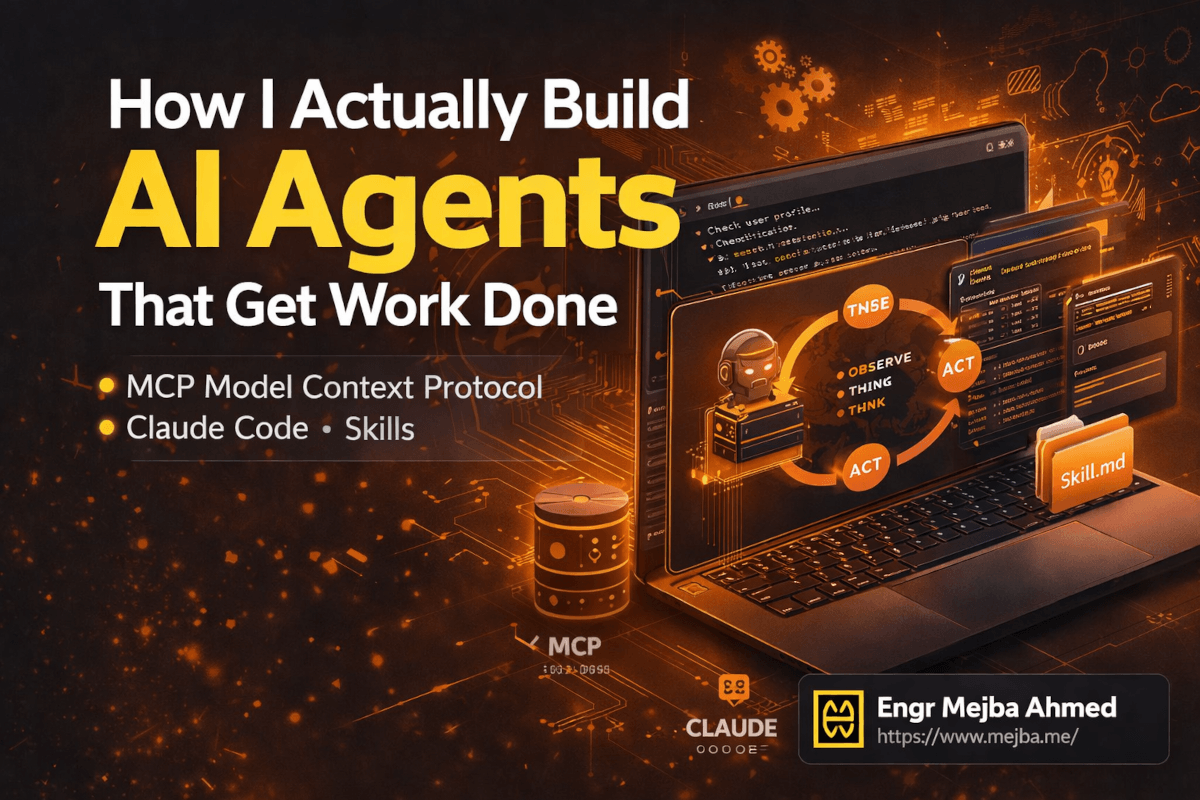
Every functional AI agent runs on the same core loop. Remy Gasill calls it "observe, think, act," and that framing is the cleanest I've seen. Once you understand this loop, you understand why agents succeed or fail — and more importantly, how to debug them when they break.
Observe. The agent takes in context. This includes the original task, any files it's read, tool outputs from previous steps, error messages, environment state. Everything the agent knows at this moment lives in its context window. The quality of this observation phase determines everything downstream.
Think. The LLM reasons about what it has observed. What has been accomplished so far? What remains? What's the next logical step? Should it call a tool, ask for clarification, or deliver a final result? This is where the model's intelligence actually matters — and it's where cheaper models start to struggle on complex tasks.
Act. The agent executes a tool call. Read a file. Run a terminal command. Make an API request. Edit code. Whatever action the reasoning step selected, the agent performs it. The result of that action feeds back into the observation phase, and the loop continues.
This cycle repeats — sometimes three times, sometimes thirty — until the agent determines the task is complete.
Here's what took me a while to internalize: the loop is where agent quality lives. Not in the model. Not in the tools. In the loop. A mediocre model with excellent context engineering and well-designed tools will outperform a brilliant model with sloppy context and poorly defined tools. I've tested this. I've run the same task through Claude Opus 4.6 with garbage context files versus Claude Sonnet with carefully engineered context. Sonnet won. Consistently.
This is why the next three concepts — harnesses, context engineering, and skills — matter so much. They're all mechanisms for making the loop work better.
Agent Harnesses: The Cockpit Your AI Sits In
The agent loop doesn't run in a vacuum. It needs an environment — a harness — that manages the loop execution, provides tools, handles permissions, and presents the interface you interact with. Think of it as the cockpit. The LLM is the pilot. The harness is every instrument, control surface, and safety system surrounding that pilot.
I've worked with four harnesses extensively, and each one has a personality.
Claude Code is my daily driver. Terminal-native, deep filesystem and git integration, granular permissions. When I need an agent that can reason across an entire codebase and execute changes confidently, nothing else comes close right now.
Codex from OpenAI spins up a sandboxed cloud environment for each task — your local files stay untouched unless you explicitly sync results back. Excellent for teams worried about blast radius. The trade-off is latency from environment spin-up.
OpenClaw is the open-source option worth watching. Terminal-based, extensible, community-driven. Rougher edges than Claude Code, but maximum control over agent behavior.
Co-work agents (like Anthropic's web-based Claude agent) handle longer-running tasks. Fire off a request, close the browser, come back to results. Research synthesis, large-document analysis, multi-step workflows that don't need real-time interaction.
Pick the harness that matches how you work. I wasted two weeks trying to use a web-based agent for rapid code iteration before switching to Claude Code — and my frustration dropped overnight. There's no universal best choice, only the right fit for your workflow.
But regardless of which harness you choose, there's one protocol that's rapidly becoming the standard for connecting agents to external tools. And if you're not using it yet, you're building with one hand tied behind your back.
MCP: The USB-C Port for AI Agents
Model Context Protocol — MCP — is one of those things that sounds boring until you understand what it actually unlocks. Then it becomes the most exciting piece of the agent stack.
Here's the problem MCP solves. Say you want your agent to interact with your database. Without MCP, you'd write custom code: a function that connects to PostgreSQL, runs a query, formats the results, and feeds them back to the agent. Then you want Slack integration. More custom code. Then Google Calendar. More custom code. Then your internal API. More custom code. Every integration is bespoke, fragile, and maintained by you alone.
MCP standardizes this. It creates a universal protocol — think of it as a USB-C port — that any tool can plug into. Someone builds an MCP server for PostgreSQL once, and every agent harness that supports MCP can use it. Another person builds one for Slack. Another for Notion. Another for your CRM. The agent doesn't care how the tool works internally. It just calls it through MCP and gets structured results back.
I currently run MCP servers for GitHub, file system access, and a custom internal API I built for a client project. Adding a new capability to my agent used to mean writing integration code. Now it means adding three lines to a configuration file pointing to an MCP server.
The practical setup looks like this in Claude Code:
{
  "mcpServers": {
    "github": {
      "command": "npx",
      "args": ["-y", "@modelcontextprotocol/server-github"],
      "env": {
        "GITHUB_PERSONAL_ACCESS_TOKEN": "your-token-here"
      }
    },
    "postgres": {
      "command": "npx",
      "args": ["-y", "@modelcontextprotocol/server-postgres"],
      "env": {
        "DATABASE_URL": "postgresql://user:pass@localhost:5432/mydb"
      }
    }
  }
}
Drop that into your .claude/ configuration, and suddenly your agent can query GitHub repos and PostgreSQL databases as naturally as it reads files. No custom wrappers. No brittle API code. Just tools, available and ready.
The MCP ecosystem is growing fast. As of early 2026, there are community-maintained servers for dozens of services — databases, communication tools, cloud providers, project management platforms. The quality varies (some are excellent, some are weekend projects), but the trajectory is clear. MCP is becoming the standard integration layer for AI agents.
One security note I want to flag here because it matters: every MCP server you add expands your agent's attack surface. An MCP server with database access means your agent can read — and potentially write — your database. Scope permissions tightly. Use read-only connections where possible. Don't hand your agent the keys to production unless you've thought hard about what happens when it makes a mistake. Because it will make mistakes. Mine certainly has.
That brings us to something just as important as the tools your agent can use — and possibly more important: the context your agent receives before it starts working.
Context Engineering: The Skill Nobody Teaches
I used to think prompt engineering was the bottleneck skill for working with AI. Write better prompts, get better results. And that's true — for chat models. For agents, the bottleneck is something different: context engineering.
Context engineering is the practice of structuring what an agent knows before and during execution. It's not just the prompt you type. It's the files the agent reads automatically. The project-level instructions it ingests before processing your request. The memory it carries from previous sessions. The conventions it follows without being told each time.
In Claude Code, context engineering lives primarily in two places: CLAUDE.md and agents.md files.
Your CLAUDE.md file is the first thing Claude Code reads when it starts a session in any directory. Mine contains project-specific conventions, architectural decisions, coding standards, and explicit instructions about what NOT to do. That last part — the negative constraints — turned out to be surprisingly important. Without them, agents make reasonable-but-wrong assumptions constantly.
Here's a stripped-down example from one of my Laravel projects:
# CLAUDE.md

## Project Architecture
- Laravel 11 with Inertia.js + React 19 + TypeScript
- PostgreSQL 16, Redis 7 for caching and queues
- All API responses use the ApiResponse helper class — never return raw arrays

## Conventions
- Controllers: single-action when possible, __invoke method
- Form Requests for ALL validation — never validate in controllers
- Feature tests use RefreshDatabase, unit tests don't touch the database

## Do NOT
- Never modify the User model without explicit approval
- Never change database migrations that have already been committed
- Never use DB::raw() — use the query builder or Eloquent scopes
- Never create routes outside of routes/web.php and routes/api.php
That file saves me from correcting the agent dozens of times per session. Without it, Claude Code would occasionally put validation logic in controllers, use raw SQL queries, or create route files in non-standard locations. All reasonable choices in isolation — just wrong for this specific project.
The agents.md pattern extends this further for multi-agent setups. When I have specialized agents — a code review agent, a documentation agent, a testing agent — each gets its own context file defining its role, constraints, and expected behavior. This is how you go from one general-purpose agent to a team of specialized agents that each do their job well.
Remy Gasill made a point that stuck with me: context engineering is ultimately about reducing the number of decisions an agent has to make on its own. Every decision it makes autonomously is a potential error. Every decision you encode into context is one less opportunity for the agent to go off-track. The best agent setups I've built feel almost boring to watch. The agent doesn't make creative choices. It follows a well-defined path, using well-defined tools, within well-defined constraints. And it ships excellent work because of that predictability, not despite it.
But context files only cover what the agent should know at the start. What about what it learns during the work?
Memory.md: Teaching Your Agent to Remember
This is the feature that transformed my agent workflows from session-based to continuous.
By default, when you close a Claude Code session, everything the agent learned during that session vanishes. Open a new session, and it's starting fresh. It doesn't know about the bug you fixed yesterday. It doesn't know about the API pattern you agreed on last week. It doesn't know that the UserService class was refactored into three smaller services during the previous session.
Memory.md changes this. It's a persistent file — stored in your project directory — that the agent reads at the start of every session and can update during the session. Think of it as a shared notebook between your past and future agent sessions.
My memory.md for a current project looks something like this:
# Memory

## Decisions Made
- 2026-03-10: Switched from JWT to session-based auth. JWT was causing issues
  with token refresh on mobile. Session approach uses Redis for storage.
- 2026-03-14: Moved all email templates from Blade to React Email. Better
  component reuse and type safety.
- 2026-03-17: Added rate limiting middleware to all public API endpoints.
  Config: 60 requests/minute for authenticated, 20 for unauthenticated.

## Known Issues
- The PaymentService has a race condition on concurrent subscription updates.
  Temporary fix: database-level advisory lock. Proper fix planned for next sprint.
- Test suite takes 4+ minutes to run. Focus: writing targeted tests, not
  running the full suite on every change.

## Patterns Established
- All new services use constructor injection with interfaces, not facades.
- Background jobs extend BaseJob which handles retry logic and dead-letter queue.
- API versioning: URI-based (/v1/), not header-based.
When the agent reads this file at session start, it immediately has continuity. It won't suggest JWT for the auth system. It won't use Blade for email templates. It knows about the race condition and won't accidentally trigger it. It follows the established patterns without being reminded.
I update this file manually about once a week, and I've started having the agent itself append entries when significant decisions are made during a session. The command is simple — "add this decision to memory.md" — and the agent formats and appends it.
The compounding effect is real. After a month of maintaining memory.md, my agent sessions start noticeably faster. Less correction. Less repetition. Less "no, we decided not to do it that way." The agent has institutional knowledge. And that knowledge persists.
Now, memory tells the agent what happened in the past. But how do you tell it how to do recurring tasks the right way, every time?
Skills: Standard Operating Procedures Your Agent Can Follow
Skills are the concept that finally made my agents consistent. Before I adopted them, every time I asked an agent to "write a blog post" or "create an API endpoint" or "set up a new microservice," the output quality varied. Sometimes excellent. Sometimes mediocre. Always slightly different from last time.
The problem wasn't the model. It was me. I was giving vague instructions and expecting consistent results. That's like handing someone a job title with no onboarding manual and being surprised when they do things differently than you expected.
Skills are the onboarding manual.
A skill is a markdown file — stored in .claude/skills/ — that contains step-by-step instructions for a specific, repeatable task. The agent reads the relevant skill before executing, and follows it like a standard operating procedure.
Here's a real skill I use for creating API endpoints in my Laravel projects:
# Skill: Create API Endpoint

## Steps
1. Create a Form Request class in `app/Http/Requests/` with validation rules
2. Create a single-action controller using `__invoke` method
3. Add the route to `routes/api.php` inside the appropriate version group
4. Create a feature test in `tests/Feature/Api/` that covers:
   - Successful request with valid data
   - Validation failure with each invalid field
   - Authentication/authorization check
   - Edge cases specific to the endpoint
5. Run the test suite: `php artisan test --filter={TestClassName}`
6. If tests pass, add the endpoint to the API documentation in `docs/api.md`

## Conventions
- Response format: always use ApiResponse::success() or ApiResponse::error()
- Status codes: 201 for creation, 200 for retrieval/update, 204 for deletion
- Never return Eloquent models directly — use API Resources

## Common Mistakes to Avoid
- Don't forget to add the route inside the auth middleware group
- Don't use Route::resource() — we use explicit single-action routes
- Don't skip the authorization check in the Form Request
When I tell the agent "create an API endpoint for user profile updates," it reads this skill and follows it step by step. Every time. The controller structure is consistent. The test coverage is consistent. The response format is consistent. No more variance. No more "oh, it forgot the Form Request this time."
The beauty of skills as plain markdown files is portability. They work across agent harnesses. The same skill file I use in Claude Code works in Cursor, in OpenClaw, in any tool that reads markdown instructions. One source of truth, multiple consumers.
I currently have eleven skills in my primary project: API endpoint creation, database migration, component scaffolding, test writing, code review, documentation updates, deployment checks, security audit, performance review, bug triage, and PR description generation. Each one took me 15-20 minutes to write. Combined, they save me hours per week and — more importantly — they eliminated an entire category of "the agent did it wrong" moments.
Skills compound with memory. The agent reads the skill for how to do something. It reads memory.md for what decisions were already made. Together, they give the agent the procedural knowledge and institutional context it needs to operate like a team member who's been on the project for months, not a contractor seeing the codebase for the first time.
Security and Permission Scoping: The Conversation Nobody Wants to Have
I'm going to be blunt: giving an AI agent access to your filesystem, terminal, and external APIs is a security decision. Treat it like one.
One engineer I know gave his agent blanket write access and it overwrote a production .env file during a routine refactor. Nothing malicious — just a reasonable-but-catastrophic decision in a context where the agent shouldn't have had that power.
My permission principles:
Principle of least privilege. Give the agent exactly the access it needs and nothing more. If it only needs to read files, don't grant write access. If it only needs to work within /src, don't let it access /. MCP servers should use read-only database connections unless writes are explicitly required for the task.
Sandbox untrusted operations. When testing a new skill or trying a new MCP server, run it in a sandboxed environment first. A fresh git branch, a Docker container, a disposable VM. Watch what the agent does before trusting it with anything valuable.
Audit trails matter. Git diffs are your friend. Every agent change should be committed incrementally so you can review and revert. I review agent-generated diffs the same way I review pull requests from junior developers — with attention and healthy skepticism.
Separate environments strictly. Production projects get tighter permissions, fewer MCP servers, and explicit Do NOT sections. Experimental projects get more freedom because the blast radius is smaller.
API keys and credentials. Never put credentials in agent-accessible config files. Use environment variables. Assume anything the agent can read might accidentally surface in a log or generated code comment. I've seen it happen.
The agents I trust most are the ones I've constrained most carefully.
Speaking of careful architecture — how you organize all of these pieces matters more than you'd expect.
Workspace Architecture: The Folder Structure That Scales
After months of iteration, I've settled on a workspace structure for agent-powered projects that handles everything — context, memory, skills, MCP configuration — without turning into a mess as the project grows.
project-root/
├── .claude/
│   ├── settings.json          # MCP servers, permission config
│   ├── agents/
│   │   ├── code-review.md     # Specialized agent: code review
│   │   ├── documentation.md   # Specialized agent: docs
│   │   └── testing.md         # Specialized agent: test writing
│   └── skills/
│       ├── create-endpoint/
│       │   └── skill.md
│       ├── write-migration/
│       │   └── skill.md
│       ├── security-audit/
│       │   └── skill.md
│       └── deploy-check/
│           └── skill.md
├── CLAUDE.md                  # Project-level context (read on every session)
├── memory.md                  # Persistent agent memory
├── src/                       # Your actual code
├── tests/
└── docs/
Three design decisions worth calling out. First, CLAUDE.md lives at the project root, not buried inside .claude/ — visibility ensures maintenance. Second, skills are folders (not single files) because they eventually accumulate supporting templates and examples. Third, memory.md is singular and global. I tried per-agent memory files. Synchronization was a nightmare. One shared file keeps institutional knowledge unified across all agents.
This structure has survived four client projects without needing reorganization. The key is starting with it from day one — retrofitting into an existing project is possible but tedious.
Getting Started: Your First Production-Ready Agent Setup in 30 Minutes
If you've read this far, you have the mental model. Now here's how to get from zero to a working agent setup that includes everything we've covered — context, memory, skills, and basic MCP integration. Thirty minutes. No shortcuts, no toy examples.
Step 1: Install Claude Code (5 minutes)
npm install -g @anthropic-ai/claude-code
Run claude in your project directory. It'll authenticate with your Anthropic account on first launch. If you need a cheaper setup, I covered Claude Code with OpenRouter in a separate guide.
Step 2: Create your CLAUDE.md (10 minutes)
This is the highest-leverage ten minutes you'll spend. Create a CLAUDE.md at your project root with four sections: Project Overview (what it is, what stack), Architecture (key decisions, directory structure), Conventions (coding standards, naming patterns), and Do NOT (things the agent must never do).
Be specific. "Follow best practices" is useless. "All API responses must use the ResponseHelper class in app/Helpers/" is useful. The agent can't read your mind, but it can read your markdown.
Step 3: Initialize memory.md (2 minutes)
Create a memory.md at the project root with three empty sections: Decisions Made, Known Issues, and Patterns Established. Start sparse. This file grows organically as you and the agent make real decisions together. Forcing content into it prematurely creates noise.
Step 4: Create your first skill (8 minutes)
Pick the task you do most frequently. For me, that was creating API endpoints. For you, it might be writing tests, scaffolding components, or setting up new pages. Whatever it is — write the steps you follow every time in a skill.md file:
mkdir -p .claude/skills/your-task-name
Write the skill file with numbered steps, conventions, and common mistakes. Keep it under 50 lines. If it's longer, you're either combining multiple skills or over-specifying.
Step 5: Add one MCP server (5 minutes)
Start with something low-risk. The filesystem MCP server or the GitHub server are good first choices. Create .claude/settings.json:
{
  "mcpServers": {
    "github": {
      "command": "npx",
      "args": ["-y", "@modelcontextprotocol/server-github"],
      "env": {
        "GITHUB_PERSONAL_ACCESS_TOKEN": "${GITHUB_TOKEN}"
      }
    }
  }
}
Store the actual token in your environment variables, not in the config file. Test it by asking the agent to "list my recent GitHub pull requests" and verify it returns real data.
Step 6: Run your first agentic task (5 minutes)
Start with something you know the correct answer to — not something complex. Ask the agent to perform a task covered by your skill file. Watch how it uses context from CLAUDE.md and follows the skill's steps.
If the output misses the mark, the fix is almost always in the context files, not in the prompt. Sharpen the CLAUDE.md. Update the skill with the step it skipped. This iterative tightening is the real work of building production agents.
The Future Is a Personal AI Operating System
Here's what I think about when I look at where all of this is heading — and I want to be honest, this is speculation informed by patterns, not a prediction I'd bet my mortgage on.
We're building toward personal AI operating systems. Not the vaporware kind pitched at conferences. The practical kind where your agent workspace becomes the primary interface for your digital tools. Think about what we already have: an agent that reads files, runs commands, interacts with APIs through MCP, remembers past decisions, follows documented procedures, and improves as context and skills accumulate. That's not a chatbot. That's an operating system layer between you and your tools.
Remy Gasill pointed toward this same conclusion. MCP provides the integration standard. Skills provide procedural knowledge. Memory provides continuity. Context engineering provides alignment. The pieces exist. They're being built on open protocols any harness can adopt.
What excites me most isn't capability expansion — it's leverage multiplication. An engineer with a well-configured agent workspace works at a different scale. Tasks that used to require hiring someone become tasks you delegate between coffee and your first meeting.
What This Actually Changes About How You Work
Here's what I want you to walk away with — one clear mental model and one concrete action.
The mental model: an AI agent is a loop (observe, think, act) running inside a harness (Claude Code, Codex, etc.), connected to tools (via MCP), guided by context (CLAUDE.md, agents.md), following procedures (skills), and remembering past work (memory.md). Every one of those components is a lever you can pull to make your agent better. When something goes wrong, identify which component failed and fix that — don't just rewrite your prompt.
The concrete action: take thirty minutes today and build the workspace structure I outlined in the implementation section. Create the CLAUDE.md. Start the memory.md. Write one skill. Add one MCP server. Run one task. That's your starting line.
Six months from now, you'll look back at the agent workflow you've built — the accumulated context, the refined skills, the battle-tested memory file — and you'll realize something. The agent didn't get smarter over those six months. You got better at directing it. And that's the real skill nobody teaches: not how to use AI, but how to architect the system that makes AI useful.
What's the first task you're going to delegate?
Build AI Agents Productivity: Common Questions
What is the difference between an AI agent and a regular chatbot?
An AI agent autonomously executes multi-step tasks using tools — reading files, running commands, calling APIs — in a continuous loop until the goal is met. A chatbot responds to individual prompts without taking action. For details on the observe-think-act loop, see the Agent Loop section above.
How does MCP (Model Context Protocol) work with AI agents?
MCP provides a standardized interface for connecting AI agents to external tools and services like databases, APIs, and communication platforms. You configure MCP servers in your agent's settings file, and the agent calls them like native tools. See the MCP section above for configuration examples.
Do I need coding experience to set up AI agents for productivity?
Basic terminal comfort and familiarity with file editing are enough to start. The workspace setup uses markdown files and JSON configuration — no framework code required. The step-by-step walkthrough in the implementation section covers the complete setup for beginners.
Which AI agent harness should I use — Claude Code, Codex, or OpenClaw?
Choose based on your workflow: Claude Code for terminal-native development with deep filesystem integration, Codex for sandboxed cloud execution with safety guarantees, OpenClaw for maximum open-source extensibility. The Agent Harnesses section above compares each one in detail.
How do I keep my AI agent secure when giving it tool access?
Apply least-privilege principles: read-only database connections, scoped API tokens, sandboxed testing for new tools, and explicit permission constraints in your context files. Never store credentials in agent-readable config files — use environment variables. Full security practices are covered in the Security section above.
What Actually Makes an Agent
Chat models aren't agents, and the confusion costs weeks — a real agent acts, verifies, and loops, not just answers. Build for the doing, not the chatting.
Turn one repetitive task into a proper agent this week. My nine advanced skills and three-layer agentic OS go deeper.
If you want a real working agent built for your operation, that's something I do through Ramlit.