Laravel Prompts v0.3.15: The CLI Primitives You Needed
I was halfway through building a deployment command for a client project last week when I hit the wall every Laravel developer knows too well. The command needed to run six sequential operations — pulling dependencies, compiling assets, running migrations, clearing caches, warming routes, and pinging a health check. Each step took anywhere from 3 to 45 seconds. And my user experience for all of it? A blinking cursor. Maybe a $this->info() call between steps if I was feeling generous.
The terminal just sat there. Silent. The kind of silence that makes you wonder if the process hung, if you should Ctrl+C and start over, or if the database migration is genuinely processing 200,000 rows and you just need to wait.
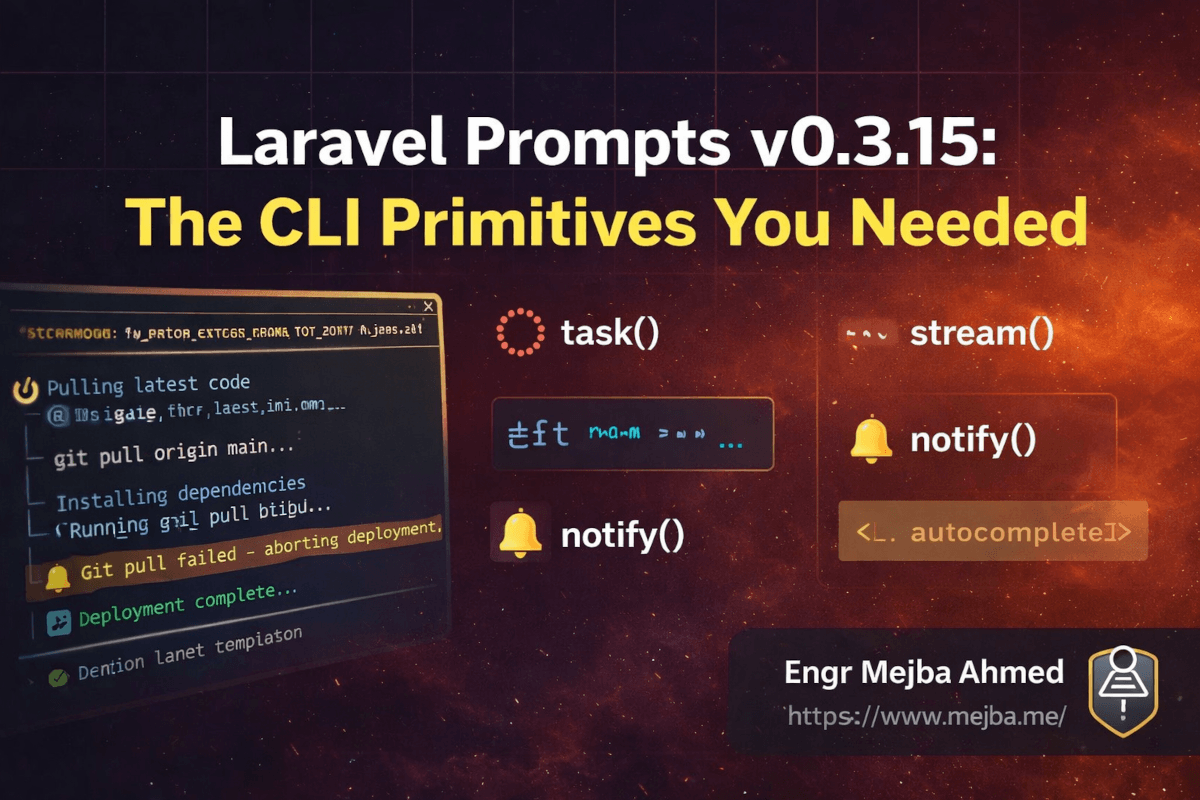
Then I saw the v0.3.15 release notes drop on March 17, 2026. Five new primitives. All of them extracted from the Laravel Cloud CLI — the internal tooling the Laravel team built for managing cloud deployments. The headline feature is task(), and it solves exactly the problem I just described. But the supporting cast — stream(), notify(), autocomplete(), and title() — fills gaps I didn't realize I'd been working around for years.
I cleared my afternoon and rewired that deployment command. Here's everything I found.
Why These Primitives Exist — And Why They Arrived Now
The backstory matters here because it explains why these features feel so polished out of the gate.
When the Laravel team built the Cloud CLI — the command-line tool that manages your entire Laravel Cloud infrastructure — they needed terminal interactions that went far beyond "ask a question, get an answer." Cloud deployments involve long-running processes with real-time log output. They need spinners that update their labels as context changes. They need status messages (success, warning, error) that persist on screen while scrolling logs flow beneath them. They need streaming text for AI-assisted operations. They need desktop notifications when a 10-minute deployment finishes while you're in another window.
None of that existed in Laravel Prompts before. So they built it internally. And with v0.3.15, they extracted those primitives back into the package itself — battle-tested from months of real usage inside Cloud CLI.
That extraction pattern is one of the things I respect most about the Laravel ecosystem. Features don't arrive as theoretical APIs. They arrive because someone needed them in production, built them under pressure, refined them through daily use, and then generalized them for everyone else. The task() function didn't start as a spec document. It started as a deployment screen that needed to keep engineers informed during 5-minute builds.
With 179 million+ installs on Packagist and 535 dependent packages, changes to Laravel Prompts ripple across the entire PHP ecosystem. This release isn't a minor patch — it's a fundamental expansion of what's possible in terminal UI for PHP applications.
Here's what actually shipped.
The task() Function — Long Processes Finally Get a Real UI
This is the centerpiece of v0.3.15, and for good reason. The task() function gives you a live-updating spinner, scrolling log output, stable status messages that persist on screen, and the ability to update the label as the task progresses. All from a single function call.
Here's the basic signature:
use function Laravel\Prompts\task;

task(
    title: 'Deploying application',
    callback: function ($task) {
        $task->log('Pulling latest changes...');
        // ... actual work ...

        $task->label('Compiling assets');
        $task->log('Running npm build...');
        // ... more work ...

        $task->succeed('Deployment complete');
    }
);
What happens when this runs: a spinner animates next to "Deploying application." As your callback runs, each $task->log() call writes a line to a scrolling output area below the spinner. The log area scrolls automatically — old lines push up as new ones arrive, keeping the most recent output visible. The spinner keeps animating the entire time, so the user always knows the process is alive.
The $task->label() call is subtle but powerful. It changes the text next to the spinner without interrupting the scrolling log. So you can show "Pulling dependencies" for the first phase, "Compiling assets" for the second, "Running migrations" for the third — all while the detailed log output streams underneath. Two levels of information density: the label tells you what phase you're in, the log tells you what's happening right now.
Status Messages That Stick
The part that sold me: stable status messages.
task(
    title: 'Running test suite',
    callback: function ($task) {
        $task->log('PHPUnit 11.5.2 — 342 tests');

        // Tests run...
        $task->log('Passed: UserRegistrationTest (0.234s)');
        $task->log('Passed: PaymentProcessingTest (1.203s)');

        // A warning surfaces
        $task->warning('3 tests marked as risky');

        // More tests...
        $task->log('Passed: ApiEndpointTest (0.089s)');

        $task->succeed('342 tests passed');
    }
);
When you call $task->warning(), that message renders above the scrolling log area as a highlighted, persistent line. It doesn't scroll away. It stays pinned at the top while the rest of the log continues flowing below it. Same behavior for $task->error(). And $task->succeed() finalizes the task with a green checkmark and your message, replacing the spinner.
This solves a problem I've hacked around for years: important status information getting buried in verbose output. In a migration command, the warning "3 tables will be dropped" shouldn't scroll past in a wall of SQL statements. It should stick. Now it does.
The PCNTL Requirement
One thing to know: the spinner animation requires the pcntl PHP extension. On macOS and most Linux distributions, this is available by default. On Windows (without WSL), the PCNTL extension isn't available — you'll get a static fallback version instead. The task still works, the log still outputs, but the spinner won't animate.
Check if you have it:
php -m | grep pcntl
If you're building Artisan commands that need to run cross-platform, design your output so it's useful even without the animation. The task() function handles this gracefully — you don't need to write conditional code.
My Deployment Command, Rebuilt
Here's what my deployment command looks like now versus before. The difference in user experience is dramatic.
Before (the dark ages):
public function handle()
{
    $this->info('Starting deployment...');

    // Pull code
    $this->call('down');
    $output = shell_exec('git pull origin main 2>&1');
    $this->info('Code pulled.');

    // Install dependencies
    $output = shell_exec('composer install --no-dev 2>&1');
    $this->info('Dependencies installed.');

    // Compile assets
    $output = shell_exec('npm run build 2>&1');
    $this->info('Assets compiled.');

    // Migrate
    $this->call('migrate', ['--force' => true]);
    $this->info('Migrations complete.');

    $this->call('up');
    $this->info('Done!');
}
Functional? Sure. But the user sees nothing for 30 seconds at a time, then a burst of static text. No indication of progress during each step. No distinction between "everything's fine" and "something went wrong but we kept going."
After (v0.3.15):
use function Laravel\Prompts\task;
use function Laravel\Prompts\notify;
use function Laravel\Prompts\title;

public function handle()
{
    title('Deploy: production');

    task(
        title: 'Deploying to production',
        callback: function ($task) {
            $task->label('Pulling latest code');
            $task->log('Running git pull origin main...');

            $gitOutput = [];
            $gitCode = 0;
            exec('git pull origin main 2>&1', $gitOutput, $gitCode);

            foreach ($gitOutput as $line) {
                $task->log($line);
            }

            if ($gitCode !== 0) {
                $task->error('Git pull failed — aborting deployment');
                return;
            }

            $task->label('Installing dependencies');
            $task->log('Running composer install --no-dev...');
            exec('composer install --no-dev 2>&1', $composerOutput);

            foreach ($composerOutput as $line) {
                $task->log($line);
            }

            $task->label('Compiling assets');
            $task->log('Running npm build...');
            exec('npm run build 2>&1', $npmOutput);

            $task->label('Running migrations');
            $task->log('Applying pending migrations...');
            Artisan::call('migrate', ['--force' => true]);
            $task->log('Migrations applied.');

            $task->label('Clearing caches');
            Artisan::call('cache:clear');
            Artisan::call('config:clear');
            Artisan::call('route:clear');
            $task->log('All caches cleared.');

            $task->label('Warming caches');
            Artisan::call('config:cache');
            Artisan::call('route:cache');
            $task->log('Caches warmed.');

            $task->succeed('Deployment complete — all systems operational');
        }
    );

    title('Deploy: complete');

    notify(
        title: 'Deployment Complete',
        body: 'Production deployment finished successfully.'
    );
}
The terminal now shows a spinning indicator during each phase, the label updates as the command progresses through stages, every line of real output from git, Composer, and npm streams into the scrolling log, errors surface immediately as pinned status messages, and when it's done, a native desktop notification pops up. That last part — the notification — brings us to the next primitive.
notify() — Native Desktop Notifications From PHP
This one surprised me. Not because desktop notifications are a novel concept, but because I never expected them from a PHP CLI tool.
use function Laravel\Prompts\notify;

notify(
    title: 'Build Complete',
    body: 'Your application has been compiled and deployed.'
);
That's it. A native operating system notification appears — the same kind you get from Slack, VS Code, or your email client. On macOS, it uses the system notification center. On Linux, it works through the standard notification daemon. On Windows with WSL, it bridges to Windows notifications.
The use case that immediately clicked for me: long-running Artisan commands I fire and forget. I kick off a database seed that takes 8 minutes, switch to my editor, start working on something else, and forget about the terminal entirely. Twenty minutes later I wonder "did that finish?" and have to go check.
Now I add one line at the end of the command. The notification finds me wherever I am.
public function handle()
{
    // ... 8 minutes of seeding ...

    notify(
        title: 'Database Seeded',
        body: sprintf('%d records created in %d seconds.', $count, $elapsed)
    );
}
A small thing. But small things that eliminate cognitive load compound into a genuinely better development experience.
stream() — Text That Types Itself Into the Terminal
If task() is the workhorse of this release, stream() is the showpiece. It displays text that flows into the terminal character by character (or chunk by chunk), with a gradual fade-in effect.
use function Laravel\Prompts\stream;

$stream = stream('Processing analysis');

$stream->append('Analyzing codebase structure... ');
$stream->append("found 342 files.\n");
$stream->append('Identifying patterns... ');
$stream->append("detected 12 architectural concerns.\n");
$stream->append('Generating recommendations...');

$stream->close();
The append() method adds text with a visual fade-in effect — characters materialize progressively rather than appearing all at once. This might sound like a gimmick until you consider the primary use case: displaying AI-generated content in the terminal.
If you're building Artisan commands that call OpenAI, Anthropic, or any other LLM API with streaming responses, stream() gives you the same typewriter effect you see in ChatGPT's interface — but in your terminal. The text arrives as the model generates it, and stream() renders it with that satisfying progressive reveal.
use function Laravel\Prompts\stream;
use OpenAI\Laravel\Facades\OpenAI;

$stream = stream('AI Analysis');

$response = OpenAI::chat()->createStreamed([
    'model' => 'gpt-4o',
    'messages' => [
        ['role' => 'user', 'content' => 'Analyze this error log...'],
    ],
]);

foreach ($response as $chunk) {
    $text = $chunk->choices[0]->delta->content ?? '';
    $stream->append($text);
}

$stream->close();
The close() method finalizes the output, restores the cursor, and signals that streaming is complete. Without it, the terminal would remain in an indeterminate state.
I can already see this becoming standard in AI-powered Artisan commands — the kind of tooling that's rapidly becoming normal in Laravel applications since the ecosystem embraced AI integrations throughout 2025 and into 2026. Having a first-party rendering primitive for streamed text is exactly the foundational support the package needed.
autocomplete() — Ghost Text in the Terminal
The autocomplete() function adds inline auto-completion to text inputs, showing suggestions as ghost text that the user can accept with Tab or the right arrow key.
use function Laravel\Prompts\autocomplete;

$framework = autocomplete(
    label: 'Which framework?',
    options: fn (string $value) => collect([
        'Laravel', 'Symfony', 'Slim', 'Lumen', 'CakePHP',
    ])
        ->filter(fn ($item) => str_contains(
            strtolower($item),
            strtolower($value)
        ))
        ->values()
        ->all()
);
Type "la" and "Laravel" appears as faded ghost text after your cursor. Hit Tab to accept it. If you keep typing "lum," the ghost text shifts to "Lumen." The options callback receives the current input value and returns matching suggestions in real time.
The difference between autocomplete() and the existing suggest() function is the interaction model. suggest() shows a dropdown list of matching options below the input. autocomplete() shows inline ghost text — the same pattern you know from GitHub Copilot, your IDE, or modern browser address bars. It's faster for experienced users who know what they want and just need the system to finish their thought.
When should you reach for each one?
suggest()works when the user is browsing options and needs to see multiple matches simultaneouslyautocomplete()works when the user roughly knows the answer and wants speed — fewer keystrokes, faster flow
For commands that experienced developers run daily — selecting environments, choosing branches, specifying model names — autocomplete() will feel noticeably snappier than suggest().
title() — Set the Terminal Window Title
This one is deceptively simple:
use function Laravel\Prompts\title;

title('Application Installer');
It changes the title of the terminal window or tab. That's it. The text in your terminal's title bar or tab label updates to whatever string you pass.
Why does this matter? Because anyone who runs more than three terminal tabs simultaneously knows the pain of hunting for the right one. If your Artisan command sets the title to "Deploying: staging" or "Queue Worker: emails" or "Migrating: production," finding the right tab becomes instant.
Pair it with notify() for long-running commands:
title('Deploy: production');

task(
    title: 'Running deployment',
    callback: function ($task) {
        // ... deployment steps ...
        $task->succeed('All clear');
    }
);

title('Deploy: complete');

notify(
    title: 'Production Deploy',
    body: 'Finished at ' . now()->format('H:i:s')
);
The terminal tab tells you the state at a glance. The notification pulls you back when you're elsewhere. Two primitives, and your deployment command respects your attention instead of demanding it.
Putting It All Together — A Real-World Command
Individual primitives are interesting. Combined, they're transformative. Here's a complete Artisan command that uses every new v0.3.15 feature — the kind of command you might actually build for a production workflow:
<?php

namespace App\Console\Commands;

use Illuminate\Console\Command;
use function Laravel\Prompts\autocomplete;
use function Laravel\Prompts\task;
use function Laravel\Prompts\stream;
use function Laravel\Prompts\notify;
use function Laravel\Prompts\title;
use function Laravel\Prompts\info;

class AnalyzeCodebase extends Command
{
    protected $signature = 'analyze {--fix}';
    protected $description = 'Run AI-powered codebase analysis';

    public function handle()
    {
        title('Codebase Analysis');

        $scope = autocomplete(
            label: 'What should I analyze?',
            options: fn (string $value) => collect([
                'Full codebase',
                'Controllers only',
                'Models only',
                'Routes and middleware',
                'Database migrations',
                'Test coverage',
            ])
                ->filter(fn ($item) => str_contains(
                    strtolower($item),
                    strtolower($value)
                ))
                ->values()
                ->all()
        );

        // Phase 1: Scan with task()
        $results = [];

        task(
            title: 'Scanning codebase',
            callback: function ($task) use ($scope, &$results) {
                $task->label('Discovering files');
                $task->log("Scope: {$scope}");

                $files = $this->discoverFiles($scope);
                $task->log(count($files) . ' files found.');

                $task->label('Analyzing patterns');

                foreach ($files as $file) {
                    $task->log("Scanning: {$file}");
                    $results[] = $this->analyzeFile($file);
                }

                $issues = collect($results)->where('has_issues', true);

                if ($issues->count() > 10) {
                    $task->warning($issues->count() . ' files with issues detected');
                }

                $task->succeed(
                    count($files) . ' files scanned, '
                    . $issues->count() . ' issues found'
                );
            }
        );

        // Phase 2: AI analysis with stream()
        $analysis = stream('Generating recommendations');

        foreach ($this->getAiAnalysis($results) as $chunk) {
            $analysis->append($chunk);
        }

        $analysis->close();

        // Phase 3: Signal completion
        title('Analysis: complete');

        notify(
            title: 'Analysis Complete',
            body: count($results) . ' files analyzed. Check your terminal.'
        );
    }
}
That's a single Artisan command using title() for tab identification, autocomplete() for fast input, task() for the heavy lifting with real-time progress, stream() for AI-generated output, and notify() for the finish signal. Six months ago, building this level of terminal UX in PHP would have required a third-party library or hundreds of lines of custom renderer code. Now it's a handful of function calls.
What Else Shipped Recently — The Supporting Releases
The v0.3.15 features didn't appear in isolation. The releases leading up to it laid the groundwork:
v0.3.12 (February 2026) added Laravel 13 support and fixed validation handling for the number prompt — the numeric input introduced in v0.3.11 that lets users increment and decrement with arrow keys and enforces min/max constraints.
v0.3.10 (January 2026) introduced the Grid component for layout organization within terminal interfaces. Think of it as a basic flexbox for the CLI — positioning multiple elements side by side rather than stacking everything vertically.
v0.3.15 also shipped dynamic secondary information on select-type prompts. You can now pass a callback that generates secondary detail text for each option, displayed alongside the option label. Useful for showing descriptions, metadata, or status indicators next to each choice in a select() or multiselect() call.
And a PHPStan cleanup that improved type safety across the entire package — the kind of invisible work that makes the library more reliable for IDE autocompletion and static analysis in your own projects.
The Primitives You Already Had (But Might Be Underusing)
Since we're talking about the full Prompts toolkit, here's a quick inventory of the existing primitives that combine well with the v0.3.15 additions. I'm listing them because most Laravel developers I talk to only use select() and confirm() — leaving significant terminal UX on the table.
Informational message functions:
use function Laravel\Prompts\info;
use function Laravel\Prompts\note;
use function Laravel\Prompts\warning;
use function Laravel\Prompts\error;
use function Laravel\Prompts\alert;

info('Migration complete.');         // Blue, informational
note('Check the logs for details.'); // Gray, subtle
warning('3 deprecated methods.');    // Yellow, cautionary
error('Connection refused.');        // Red, critical
alert('Action required!');           // Bold, attention-demanding
Tables for structured output:
use function Laravel\Prompts\table;

table(
    headers: ['Migration', 'Status', 'Duration'],
    rows: [
        ['2026_03_01_create_users', 'Applied', '0.34s'],
        ['2026_03_02_create_orders', 'Applied', '1.21s'],
        ['2026_03_03_add_indexes', 'Pending', '---'],
    ]
);
Progress bars for iterable operations:
use function Laravel\Prompts\progress;

$results = progress(
    label: 'Importing records',
    steps: $csvRows,
    callback: function ($row) {
        return $this->importRow($row);
    }
);
Spin for simple loading states:
use function Laravel\Prompts\spin;

$result = spin(
    message: 'Fetching remote configuration...',
    callback: fn () => Http::get('https://api.example.com/config')->json()
);
The difference between spin() and task() is scope. spin() is for simple operations where you just need "please wait" with a spinner and a single message. task() is for multi-phase operations with scrolling log output, label updates, and persistent status messages. Use spin() for a 3-second API call. Use task() for a 3-minute deployment.
How to Choose the Right Primitive — A Decision Framework
After a week of rebuilding commands with these tools, I've landed on a mental model for choosing between them:
Use task() when:
- The operation takes more than 5 seconds
- There are multiple phases the user should know about
- You have log output the user might want to read
- Errors or warnings need to persist on screen
- You want to update the label as the operation progresses
Use spin() when:
- The operation is a single step with no meaningful log output
- It finishes in under 10 seconds
- You just need "please wait, this is working"
Use stream() when:
- You're rendering AI-generated or streamed text
- The output should appear progressively, not all at once
- You want the typewriter/fade-in visual effect
Use progress() when:
- You're iterating over a known number of items
- Each iteration is roughly the same duration
- The user benefits from seeing "47 of 200 complete"
Use autocomplete() when:
- The user knows roughly what they want to type
- Speed matters more than browsing a full list
- You have a small-to-medium set of predictable options
Use suggest() when:
- The user needs to see multiple matches simultaneously
- The option set is large and benefits from visual scanning
- Discovery is more important than speed
Use notify() when:
- The command runs long enough that the user might switch windows
- Completion is an event worth interrupting for
- You're running multiple terminal tabs simultaneously
Use title() when:
- The command runs in a persistent terminal tab
- You have multiple similar commands in different tabs
- You want at-a-glance identification of what each terminal is doing
If you'd rather have someone build these kinds of polished CLI tools and deployment workflows for your team, I take on Laravel consulting and custom Artisan tooling engagements. You can see what I've built at fiverr.com/s/EgxYmWD.
The Bigger Picture — PHP CLI Is Growing Up
Here's the thing that strikes me about this release. For years, terminal UX in PHP was an afterthought. You had Symfony Console's helpers — progress bars, tables, question helpers — and they were fine. Functional. Not beautiful. Just fine.
Laravel Prompts changed that trajectory when it launched in 2023 with Laravel 10. But the initial release was focused on input — text, select, multiselect, confirm. Getting information from the user in a polished way. The output side — showing information to the user during operations — was still basic. $this->info() and $this->error() and the occasional progress bar.
v0.3.15 completes the picture. Input and output are now both first-class concerns. You can build a CLI experience that rivals what you'd expect from a Node.js tool built with Ink or a Rust tool built with Ratatui. Spinners, streaming text, live-updating labels, persistent status messages, native notifications, terminal title management — these are the building blocks that separate a "command" from an "experience."
And the fact that these were extracted from the Cloud CLI means they've already survived the hardest test: real engineers using them every day under real conditions. The spinner needed to be smooth. The log scrolling needed to handle rapid output without flickering. The notifications needed to actually appear reliably across macOS, Linux, and WSL. These aren't theoretical features — they're production-hardened ones.
For the Laravel ecosystem specifically, I think this release marks a shift. Artisan commands have always been powerful on the logic side. Now they can be powerful on the experience side too. And in an era where developers increasingly choose tools based on how they feel to use — not just what they do — that distinction matters more than most people realize.
What I Want to See Next
The primitives are here. The foundation is solid. But there are gaps I'm watching.
Composable layouts. The Grid component from v0.3.10 is a start, but I want the ability to place a task() spinner alongside a table() that updates in real time. Side-by-side elements. Dashboard-style layouts. The Cloud CLI probably has some of this internally — I'm hoping more of it gets extracted.
Keyboard shortcuts within tasks. Imagine pressing "v" to toggle verbose logging, or "s" to skip the current step. Interactive tasks, not just display-only tasks. The pcntl extension already enables signal handling — extending that to keypress detection within a running task feels like the natural next step.
Theme support. The current rendering is beautiful, but it's a single aesthetic. Different projects have different terminal environments. A theming API — even a simple one that lets you override colors and symbols — would make Prompts feel native to any team's tooling setup.
None of these are criticisms. v0.3.15 is a genuinely strong release. But the trajectory it sets up is arguably more exciting than what it shipped. The gap between "PHP CLI tool" and "polished terminal application" just got a lot narrower.
Start With One Command
Pick one Artisan command in your project — the one that takes the longest, the one that outputs the most text, the one your team avoids running because the experience is painful. Rewrite it with task(). Add a notify() at the end. Set the title() at the start.
It'll take you 30 minutes. The command will do exactly what it did before. But it'll feel like a different tool. And the next time someone on your team runs it, they'll notice. That's the kind of upgrade that costs nothing and changes everything about how your tooling is perceived.
The primitives are there. Composer already has them:
composer require laravel/prompts:^0.3.15
Or if you're on Laravel 12 or 13, they're already bundled. Just start using the functions.
One command. Thirty minutes. Go.
FAQ
Frequently Asked Questions
Everything you need to know about this topic
The task() function works on all platforms, but the animated spinner requires the PCNTL PHP extension, which is unavailable on native Windows. On Windows, a static fallback renders instead. Using WSL on Windows gives you full animation support since it runs a real Linux kernel.
spin() is for simple, single-step operations where you need a spinner and one message. task() is for multi-phase operations with scrolling log output, dynamic label updates, and persistent success/warning/error messages. Use spin() for quick API calls under 10 seconds; use task() for deployments, migrations, and multi-step builds.
Yes — stream() was designed specifically for this use case. Call $stream->append() with each chunk from a streaming LLM API response, and the text renders with a progressive fade-in effect. Call $stream->close() when the stream ends to finalize output and restore the cursor.
Laravel Prompts v0.3.15 requires PHP 8.1 or higher and the ext-mbstring extension. It works with Symfony Console 6.2, 7.0, and 8.0, and ships bundled with Laravel 12 and Laravel 13.
Use the notify() function from Laravel Prompts v0.3.15: notify(title: 'Done', body: 'Your task finished.'). It sends a native OS notification on macOS (Notification Center), Linux (notification daemon), and Windows via WSL. No additional packages or configuration required.
Let's Work Together
Looking to build AI systems, automate workflows, or scale your tech infrastructure? I'd love to help.
- Fiverr (custom builds & integrations): fiverr.com/s/EgxYmWD
- Portfolio: mejba.me
- Ramlit Limited (enterprise solutions): ramlit.com
- ColorPark (design & branding): colorpark.io
- xCyberSecurity (security services): xcybersecurity.io