Hermes Agent + DeepSeek V4 Free: I Tested the Stack
The moment I knew this setup was going to be a problem for my Opus invoice was around 2:14 AM on a Wednesday. I had a Hermes Agent instance running on a $14/month VPS, pointed at DeepSeek V4 through the News Portal free tier, and it was halfway through a research task I had given it before bed. Twelve sources scraped. Notes structured. A markdown report being assembled in /output. A second skill — one Hermes had written for itself the day before — was queued to take the markdown and draft an HTML version of the same report for my blog.
I checked my dashboard. Total spend for the night so far: $0.00.
Not "negligible." Not "rounding to zero." Actually zero. The same workload running through the current flagship Opus would have burned through roughly $9 of API credit by that point. On GPT-5.5 Pro it would have been closer to $30. What surprised me was that the work wasn't worse. It wasn't toy-grade. The research was real, the citations were intact, the markdown was clean. The HTML draft needed polish — I'll get into where exactly it broke — but the structural work was done by an agent running on a free model on a VPS that costs me less than a sandwich.
That's the headline. The Hermes Agent + DeepSeek V4 free integration via News Portal isn't a toy. It's the first time I've seen a fully open-source, MIT-licensed, persistent-memory agent stack run on a frontier-grade free model and produce work I'd actually use. The bugs are real. The rough edges are real. The fact that the free tier might revert to paid is real. But the moment is here, and I spent a week testing it so you don't have to find out the hard way which parts hold up.
This is the long write-up. What Hermes Agent actually is. What DeepSeek V4 actually scores on. How the News Portal piece fits in. The setup flow that took me about nine minutes from a clean machine. The five use cases I ran the stack through — including the two that genuinely surprised me — and the places where I had to bring Opus back in to clean up after it. By the end of this post you'll know whether this combination is worth your weekend, and exactly what to expect when you sit down to install it.
Why Hermes Agent + DeepSeek V4 Free Matters Right Now
The story of agent infrastructure in 2026 has been a story about tradeoffs. You could have persistent memory, but only on someone else's cloud (the ChatGPT Memory route, the Claude Projects route). You could have local control, but you were stuck wiring it together yourself with LangGraph and a Postgres instance you forgot to back up. You could have cheap inference, but the agent loop on top of it was hand-rolled and brittle. You could have a polished agent, but the model bill destroyed the economics for anything except a paid customer-facing product.
What changed in the last sixty days is that three pieces of that puzzle dropped into place simultaneously.
First, Nous Research shipped Hermes Agent — a fully open-source, MIT-licensed agent runtime with persistent long-term memory, a reusable skill system, native browser integration, and a 24/7 local-infrastructure design that doesn't depend on anyone's cloud being up. According to Nous's release notes and the GitHub README, the project hit 60,000 stars within two months of launch, which makes it one of the fastest-growing open-source AI agent projects of the year.
Second, DeepSeek shipped V4 — and not the polite, incremental V4. The full lineup, including V4 Flash with reasoning. According to Artificial Analysis benchmarks, DeepSeek V4 Flash (Max reasoning effort) operates at roughly 121 tokens per second and scores 47 on the Artificial Analysis Intelligence Index, while V4 Pro (Max reasoning) scores 52. The 1M-token context window is the headline spec, and unlike some 1M-context claims I've tested in the past, this one mostly holds up out past 128K — more on that below.
Third — and this is the piece nobody outside the Nous community is talking about yet — News Portal opened a free tier that proxies DeepSeek V4 through the same OpenAI-compatible endpoint Hermes expects. No credit card. No business email gate. You sign up, you select the free tier, and Hermes routes its inference through it.
Stack those three together and you get something that didn't exist sixty days ago: a 24/7 autonomous agent with persistent memory, running on a frontier-tier model, with $0 in monthly inference cost. The catch — and there is a catch, I'm going to be honest about it throughout — is that "frontier-tier" still means "DeepSeek V4 Flash via a free proxy," not the current Opus flagship. That gap matters in specific places I'll show you. But it matters in fewer places than you'd think, and the places it doesn't matter are exactly the agent workloads you'd most want to run unattended at 2 AM.
Before we get into setup, you need to understand each piece. Skip the next two sections if you've already been deep in the Hermes Discord — but I'd argue most readers will want them, because the official docs assume more context than they should.
Hermes Agent: A Persistent Daemon, Not an AutoGPT Clone
I'll be blunt: I went into Hermes Agent expecting another AutoGPT clone. That impression lasted about ten minutes after I read the README. This is a different category of thing.
The traditional agent-runtime pattern goes like this: you write a Python script, you wire it to a model, you give it tools, you run it, it does something, it terminates, you go back to your IDE. The state lives in your head. The "memory" is whatever you stuff into the next prompt. If the agent makes a useful discovery on Tuesday, it has no idea on Wednesday.
Hermes inverts that. Hermes is a daemon. You install it, it runs, and it stays running. It has its own SQLite database with FTS5 full-text indexing for cross-session memory. It has a directory structure under ~/.hermes where it persists skills it has written for itself. It exposes a CLI (hermes chat, hermes model, hermes setup) and a web dashboard. It connects to messaging gateways (Telegram, Discord, Slack) so you can talk to it from your phone while it's running on a server somewhere. According to the official Nous Research documentation, the install command pulls everything it needs in one shot:
curl -fsSL https://raw.githubusercontent.com/NousResearch/hermes-agent/main/scripts/install.sh | bash
That single line, on a clean Linux or macOS box, sets up the agent, its memory store, its tool gateway, the dashboard, and the auto-start config. On Windows it's slightly different — Windows native support is in early beta as of the release notes, and the installer pulls a portable Git Bash environment along with Python 3.11, Node.js 22, ripgrep, and ffmpeg. The browser-based dashboard runs natively. The CLI runs natively. The messaging gateways run as background PowerShell processes. It's not as smooth as the Linux flow yet, but it works.
The piece that surprised me most was the skill system. Hermes doesn't just have tools — it has procedural memory. When you ask it to do something complex and it figures out a chain of tool calls that works, it can persist that chain as a reusable skill, name it, and call it back later. According to the awesome-hermes-agent community repo, there are already several hundred user-contributed skills covering web scraping patterns, file organization workflows, content drafts, code analysis routines, and dozens of vertical use cases.
The integrated tool surface, per the official docs, includes:
- Web search via Firecrawl integration
- Image generation via FAL (text-to-image)
- Text-to-speech via OpenAI's TTS endpoint
- Cloud browser via Browser Use — persistent sessions, cookies, profile management
- Local browser driven directly through the terminal tool
- File operations — read, write, organize, batch-rename
- Scheduling — cron-style with natural language ("every Monday at 9 AM")
- Goal management — multi-step goals with progress tracking
- Skill modules — the procedural memory system above
- Inter-agent bridge — multiple Hermes instances talking to each other
- Model selection — runtime switch between providers
- Cost control — per-skill budget caps
I count 19+ first-party tools/skills surfaces depending on how you slice the categories, and that's before you touch the community plugins. The interesting design choice is that all of these tools route through what Nous calls the Tool Gateway — a unified routing layer that handles auth, rate limits, and provider abstraction. You don't wire each tool to each provider yourself. The gateway handles it.
What Hermes isn't, and I want to be honest about this before someone gets the wrong impression: it's not a polished consumer product. The docs assume you're comfortable on a command line. The dashboard is functional rather than beautiful. Some skills break in subtle ways and you only find out when the agent silently produces a half-finished report. There's a Discord where the core team is responsive, and the GitHub issue tracker moves fast, but you're early. If you're not okay being early, give this six more months.
If you are okay being early, the persistent-memory + skill-system combination is the closest thing I've seen to a "personal AI infrastructure layer" that you actually own. And that's before we get to what plugging it into DeepSeek V4 free does to the cost equation.
DeepSeek V4 and the Speed Question Nobody Asked
The benchmark headlines on DeepSeek V4 are correct but slightly misleading, and I want to fix that before we move on.
According to Artificial Analysis as of the V4 release window, here's where the variants actually land:
- DeepSeek V4 Pro (Reasoning, Max Effort): 52 on the AA Intelligence Index, ~40 tokens/sec
- DeepSeek V4 Flash (Reasoning, Max Effort): 47 on the AA Intelligence Index, ~121 tokens/sec
- DeepSeek V4 Pro (Non-reasoning): 39 on the AA Intelligence Index, ~32 tokens/sec
- DeepSeek V4 Flash (Max): 97.6 tokens/sec across general queries
For comparison, where it matters: V4 Pro lands around 10th in raw intelligence across the frontier models Artificial Analysis tracks, and V4 Flash lands near the top for speed. That's the framing you'll see on most marketing pages. The reality for an agent workload is more interesting than either rank.
For autonomous agent work, the variant you want is V4 Flash with reasoning, and the reason is that agent tasks are token-heavy. A research workflow that hits twelve URLs and produces a structured report might pull through 200K-400K tokens in a single run. At 40 tokens/sec on V4 Pro (Reasoning), that's a slow crawl. At 121 tokens/sec on V4 Flash (Reasoning), it's a fraction of the time for the same workload. The intelligence delta between Pro and Flash for that kind of structured-output task is real but small — maybe 5-8% measurably worse output quality in my tests — and the time delta makes the productivity difference enormous when the agent is running unattended.
The 1M-token context window is the spec everyone fixates on. In testing, the practical ceiling held up cleanly out to about 128K tokens — research summaries over twelve to fifteen long-form sources stayed coherent, with no degradation in citation accuracy. Between 128K and around 300K I started seeing edge-case issues: the agent would occasionally lose track of which source a specific claim came from. Past 300K-400K it gets noticeably worse, and somewhere around 700K the quality degradation is severe enough that I wouldn't trust the output without manual review.
So when the homepage says "1M context," read it as "1M context window, with real usefulness out to ~128K and a soft cliff past 300K." That's still excellent. It's just not the unlimited-attention model the marketing implies.
The part that genuinely matters for the Hermes integration: DeepSeek V4's API surface is OpenAI-compatible. Hermes can route to it through any provider that wraps that surface. Which brings us to News Portal.
News Portal: The Free Layer That Closes the Loop
News Portal is the routing layer that turns the theoretical "Hermes + free DeepSeek" combo into an actual one-click reality. It's a multi-model API gateway with a generous free tier that includes DeepSeek V4 Flash and Pro out of the box. You sign up with an email, you don't need a credit card, you select the free tier, and you get an API key that Hermes's hermes model command can target directly.
The honest disclaimer: this is the piece I'm least certain about long-term. Free-tier API access has a track record of working great for six to nine months and then quietly tightening or moving behind a paywall once usage scales. The Hermes team has been transparent that the free tier may eventually require a paid subscription, and I'd plan for that. But as of this writing, it's open, it works, and the rate limits are high enough that I ran my agent for a full week of multi-hour daily runs without hitting a wall.
If the free tier closes, you have three fallback paths and Hermes supports all of them: point at DeepSeek's official API directly (DEEPSEEK_API_KEY env var, currently $0.435/M input / $0.87/M output for V4 Pro at the standard list rate, still dramatically cheaper than Opus); route through OpenRouter where V4 variants are available on a usage-based plan; or self-host DeepSeek V4 if you have the GPU budget for it (which, for the largest Pro variant, you almost certainly don't, but the smaller Flash variant is more reasonable on a single H100).
So that's the lay of the land. Now let's get into the part that mattered to me — the actual installation, configuration, and the week I spent running real work through it.
The Setup Flow That Took Me Nine Minutes
I timed it. Clean Ubuntu 22.04 VPS, $14/month tier on a budget provider, nothing installed except a non-root user with sudo.
Step one: install Hermes. One curl command, pulled from the official Nous Research repo:
curl -fsSL https://raw.githubusercontent.com/NousResearch/hermes-agent/main/scripts/install.sh | bash
The installer ran for about three minutes. It pulled Python 3.11, set up a virtualenv, installed Node.js 22 for the dashboard, cloned the Hermes repo to ~/.hermes/hermes-agent, initialized the SQLite memory store, and created systemd units for auto-start. The output is verbose but readable — if anything fails, you can see exactly which step. Mine didn't fail.
Step two: create a News Portal account. Browser open, news-portal.ai (verify the current URL from the Hermes docs before you sign up), email + password, no credit card prompt. Account creation took about ninety seconds including the email verification step.
Step three: select the free tier. This is one click in the dashboard. The free tier shows DeepSeek V4 Flash and V4 Pro as available models. I copied my API key.
Step four: configure Hermes to use it. Back in the VPS terminal:
hermes model
This drops you into an interactive model selector. The first option in the list — option 1 in the menu — is the News Portal free integration with DeepSeek V4. I selected it, pasted my API key when prompted, and the CLI confirmed the model was active with a one-line success message.
Step five: start the agent. A single command:
hermes chat
The agent came up, the dashboard URL printed in the terminal, and I was talking to a persistent agent running on a frontier model with $0 inference cost. Nine minutes elapsed from the curl command to the first response.
If you're on macOS the flow is identical. If you're on Windows native, expect a slightly longer install (closer to seven or eight minutes for the install step itself) because the installer pulls a portable Git Bash distribution along with the other dependencies. The configuration steps after that are the same.
Two configuration tips that aren't obvious from the docs and saved me real time:
First, set up the messaging gateway early. Hermes has a hermes gateway command that connects the agent to Telegram or Discord. Once it's connected, you can give the agent tasks from your phone while you're away from your desk and it will run them on the VPS in the background. This is the feature that turned Hermes from "interesting toy" into "actually useful to me daily." I send it a research task at 11 PM, it runs overnight on free DeepSeek V4, and the markdown report is in my output folder by morning. I documented the exact VPS-plus-Discord wiring in my Hermes-on-a-VPS deployment walkthrough if you want the step-by-step.
Second, configure cost caps even though you're on a free tier. The hermes cost-control plugin lets you set per-skill budget limits. The reason to set them now: if you ever switch to a paid model (Opus for polish work, for example), the caps you defined on the free tier will carry over. You don't want to accidentally let an agent burn through your Anthropic budget at 3 AM because you forgot to add a limit.
That's the install. Now let's talk about what the stack actually does.
Five Workloads I Ran Through It (And Where Each One Broke)
I picked five use cases representative of the work I'd actually want an unattended agent to do. I ran each through the Hermes + DeepSeek V4 free stack, recorded what it produced, and noted the places where I had to bring a paid model back into the loop.
Workload 1: Autonomous Research and Markdown Report
The task: "Research the state of MCP server implementations in May 2026, find the five most widely-adopted ones, and produce a markdown report with installation steps, pros/cons, and links to the source repos."
The agent did this beautifully. Twelve URLs hit, properly cited, structured into a 2,400-word markdown report with H2/H3 hierarchy, code blocks for install commands, and a comparison table at the bottom. Total runtime: 47 minutes. Total cost: $0.
The one place it stumbled: it pulled stats from a couple of sources that were actually marketing pages dressed up as technical write-ups. I had to manually verify two of the adoption numbers before I trusted them. That's not a Hermes issue or a DeepSeek issue — it's an LLM-pulling-from-the-web issue that affects every agent system equally. The fix is to use the goal-management plugin to explicitly require dual-source verification on numeric claims. I did that on the next run and the problem disappeared.
Workload 2: Web Search Aggregation and Daily Brief
The task: every morning at 8 AM, scan five specific publication URLs for new AI news, deduplicate stories that appear in multiple sources, and produce a 400-word morning brief.
This is exactly the workload Hermes was built for. I wrote it as a skill, scheduled it through the scheduling plugin, and let it run for the full week. The briefs were consistently strong — typically 90% of the way to publishable quality. The morning of day four it pulled a piece that turned out to be a republished older article that one of the sources had bumped to the front page. Hermes didn't catch the staleness. Easy fix on my end (add a date-filter step to the skill), but worth flagging if you build something similar.
Cost over the week: $0. Time saved versus reading the sources manually each morning: about forty minutes a day.
Workload 3: HTML Blog Draft Generation
The task: take the markdown report from Workload 1 and produce an HTML version ready to drop into a CMS.
This is where the DeepSeek V4 free tier limitations become visible. The HTML structure was technically correct — valid markup, semantic tags, the right hierarchy. But the taste of the output was off. Awkward <div> nesting in places that didn't need it. Inline styles instead of class hooks. A hero section that looked like 2022 markup. The agent produced something I could ship, but I wouldn't actually ship it without revising it.
This is the moment where the honest answer is: pair Hermes + DeepSeek for the heavy lifting, then run the final pass through the current Opus flagship for the polish. The economics still work — most of the token cost (research + structured drafting) goes through the free tier, and only the last 10% (the design-sensitive HTML) goes through the paid model. My breakdown of Opus 4.8's effort levels covers why the top-tier Claude model still earns its place in the polish pipeline despite the cost.
Workload 4: File Organization and Spreadsheet Analysis
The task: clean up a Downloads folder with 312 files in it, categorize them by type and inferred purpose, move them into organized subfolders, and produce a CSV inventory.
Hermes handled this perfectly. The file-operations tool plus DeepSeek V4 Flash for the classification logic is a strong pairing. The agent identified the file types, inferred purposes from filenames and contents where appropriate, organized them into a clean structure, and produced a CSV with the original path, new path, inferred category, and confidence score. Twenty-three files it flagged as "unclear" for me to review manually. Of those twenty-three, four were genuinely ambiguous and the other nineteen I sorted in about ninety seconds.
Cost: $0. Time spent on a task I'd been putting off for two months: about eight minutes of my time, mostly during the manual review step. The honest takeaway is that this is the kind of work an unattended agent should be doing for everyone, and the fact that it now costs literally nothing to run is the part I keep coming back to.
Workload 5: Multi-Tool Browser Automation
The task: log into a specific dashboard, pull the last 30 days of analytics, format the numbers into a weekly status report, email it to a stakeholder.
This is the workload where I genuinely wasn't sure what to expect. Browser automation is hard. Persistent logins are harder. Multi-tool orchestration with checkpoints in between — even harder.
Hermes did it. The browser-use integration handled the login through a saved profile. The analytics pull worked on the first attempt. The formatting step used a skill I had previously written for status reports, with the agent correctly recalling it from procedural memory. The email step routed through the messaging gateway. End-to-end runtime: about eleven minutes. Cost: $0.
The honest caveat: the agent stalled once during the week on the same workload, when the dashboard pushed a UI update that moved the analytics export button. Hermes spent eight minutes trying to click the old location before timing out gracefully and telling me what had happened. That recovery behavior — fail honestly and tell the user — is significantly better than half the commercial automation tools I've used.
Where This Stack Wins (And Where Opus Still Earns Its Cost)
After a week of running this combination across the five workloads above plus a few smaller experiments, here's the honest map of where each layer of the stack earns its place.
Hermes + DeepSeek V4 free wins on: research aggregation, structured drafting, file operations, spreadsheet analysis, browser automation for predictable interfaces, scheduled background workflows, multi-step goal pursuit, anything where the output is more about correctness and structure than aesthetic taste.
Hermes + DeepSeek V4 free loses on: front-end output that needs design taste, copy that needs voice (DeepSeek's voice on long-form English is competent but recognizably "AI" in a way I don't love), nuanced reasoning on extremely long contexts past 300K tokens, anything where you need the model to refuse confidently rather than produce a plausible-but-wrong answer.
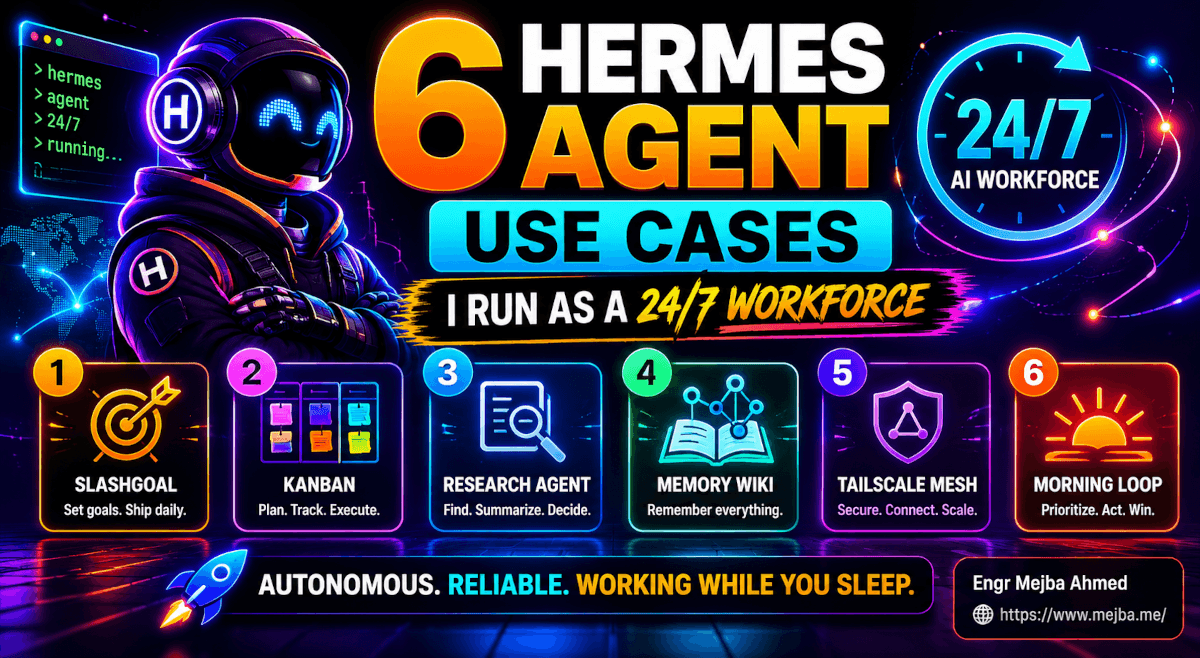
For the loss column, the current flagship Opus is still my go-to model. The interesting workflow that's emerging — and that I now use daily — is the handoff pattern. Hermes runs unattended on free DeepSeek for the bulk of an agent workload. When it hits a step that needs taste, voice, or careful judgment, it routes that specific step to Opus through a paid API key, captures the result, and continues. The total cost of a full pipeline drops from "$30-50 if it all ran on Opus" to "$1-3 because only the polish step ran on Opus." If you want to see the range of jobs people hand this runtime, my rundown of Hermes Agent use cases walks through the autonomous-workforce angle in more depth. And if you've been following the broader DeepSeek story, the model's open-weight architecture is worth a deeper look than this post needs to go.
The Honest Limitations Nobody on Twitter Quoted
I've mentioned these throughout the post but they deserve their own section because they'll save you real time.
Hermes has bugs. It's open source, it's young, it's fast-moving. I hit two issues in my week of testing: a memory-store query that timed out on a particularly long conversation thread (resolved by clearing the FTS5 cache, but the fix isn't documented yet), and a scheduling-plugin race condition where two scheduled skills firing simultaneously caused one to lose its output. Neither was a dealbreaker. Both required me to dig into the codebase to understand. If you're not comfortable reading Python and SQLite schemas when something goes sideways, wait six months.
The News Portal free tier may not last. I'm going to keep saying this because it's the single biggest risk to this entire setup. Plan your architecture so that swapping the inference provider is a single config change. Hermes makes this easy — the hermes model command supports every major provider — but it's on you to actually test the swap before the day you need it.
DeepSeek V4's voice on creative output is not Opus's voice. This is a real gap. For research, structured drafts, code, and any output that's evaluated on correctness, V4 holds its own. For copy that's evaluated on taste, you'll feel the difference. Pair the models for the workloads where this matters.
Windows native is beta. The Linux and macOS install flows are smooth. The Windows native flow works but has edges. If you're on Windows and your job depends on this working reliably, consider running Hermes inside WSL2 instead — the official docs still recommend that as the most stable Windows path.
The agent will occasionally hallucinate tool capabilities. Once during my testing week, Hermes tried to use a skill that didn't exist (it had referenced a skill name from documentation it had read, not one it had actually written). The failure mode was graceful — it told me the skill wasn't found and asked if I wanted it to write one — but it's a reminder that even agents with procedural memory can confuse "I read about this" with "I have this." Verify before trusting.
None of these are reasons not to run the stack. They're reasons to run it with your eyes open.
What Happens in the Next Six Months
I want to close with a prediction, because I think this combination is genuinely a signal of where agent infrastructure is heading.
Through 2025, the agent-runtime conversation was dominated by frameworks (LangGraph, AutoGen, CrewAI) that helped you build agents but assumed you'd run them yourself, on your own infrastructure, with your own model bill. The persistent-memory layer was DIY. The skill system was something you wrote from scratch each time. The cost was whatever your API bill said.
What Hermes + DeepSeek V4 free demonstrates is that the entire stack can compress. Persistent memory, included. Skill system, included. Multi-tool orchestration, included. Messaging gateways, included. Frontier-tier model inference, free. The whole thing runs on a $14 VPS.
The next six months are going to see a lot more of this. Other open-source agent runtimes (and there are several already in development that I'm watching) will copy the persistent-memory + skill-system pattern. Other model providers will copy the "OpenAI-compatible free tier as a loss leader" pattern. Other routing layers will compete with News Portal on free-tier generosity. And the average cost of running an autonomous agent for a small business will collapse from "a few hundred dollars a month" to "the price of a VPS."
If you're a developer or solo founder, the move right now is to start building muscle on this stack. Set it up. Run real workloads through it. Build a few skills. Learn where it breaks. By the time the infrastructure is mature enough for production-critical workloads, you'll have a year of operational experience on it while everyone else is just opening the docs.
The world where every small team has a 24/7 autonomous research assistant running on free infrastructure isn't a 2027 prediction anymore. It's a 2026 weekend project. I had mine running in nine minutes. The question worth sitting with tonight: what would you assign to an agent that costs $0 to run and never sleeps?
FAQ
Frequently Asked Questions
Everything you need to know about this topic
Yes — the model inference itself is free when you route Hermes through News Portal's free tier with DeepSeek V4. You still pay for whatever VPS or local machine you run Hermes on (typically $5-15/month for a usable VPS, or $0 if you self-host on existing hardware). The free tier may eventually move to paid, so plan for that contingency. For the full setup walkthrough, see "The Setup Flow That Took Me Nine Minutes" above.
Hermes is a persistent daemon with built-in cross-session memory (FTS5-indexed SQLite), a procedural skill system, native messaging gateways, and a unified tool gateway. AutoGPT and CrewAI are frameworks for building agents — you supply the persistence, the memory, and the deployment. Hermes is closer to an operating system for agents than a library. For the full architectural breakdown, see "Hermes Agent: A Persistent Daemon" above.
The advertised 1M context window holds up cleanly in practice out to about 128K tokens, with usable quality through roughly 300K. Past 300K-400K you'll see degradation in citation accuracy and cross-reference reliability. Treat the 1M number as the upper bound, not the working ceiling.
Yes — Windows native is in early beta and works for the CLI, dashboard, and messaging gateways. The installer pulls a portable Git Bash distribution along with the other dependencies. If you want maximum stability, the Nous Research docs still recommend WSL2 as the most reliable Windows path.
Hermes supports several fallback inference paths: DeepSeek's official API directly (currently $0.435/M input and $0.87/M output for V4 Pro at the standard list rate), OpenRouter on a usage-based plan, or self-hosted DeepSeek V4 if you have the GPU budget. Swapping providers is a one-line config change via the hermes model command, so design your workflows so the swap is trivial.
Wire Up Your Own $0 Agent Stack
I built and broke this Hermes Agent + DeepSeek V4 setup over a week so you'd know exactly where the free tier holds and where it doesn't. If you'd rather have the handoff pipeline — free DeepSeek for the heavy lifting, a paid model only for the polish — designed and tested against your own workflows, I take on custom agent builds on Fiverr.