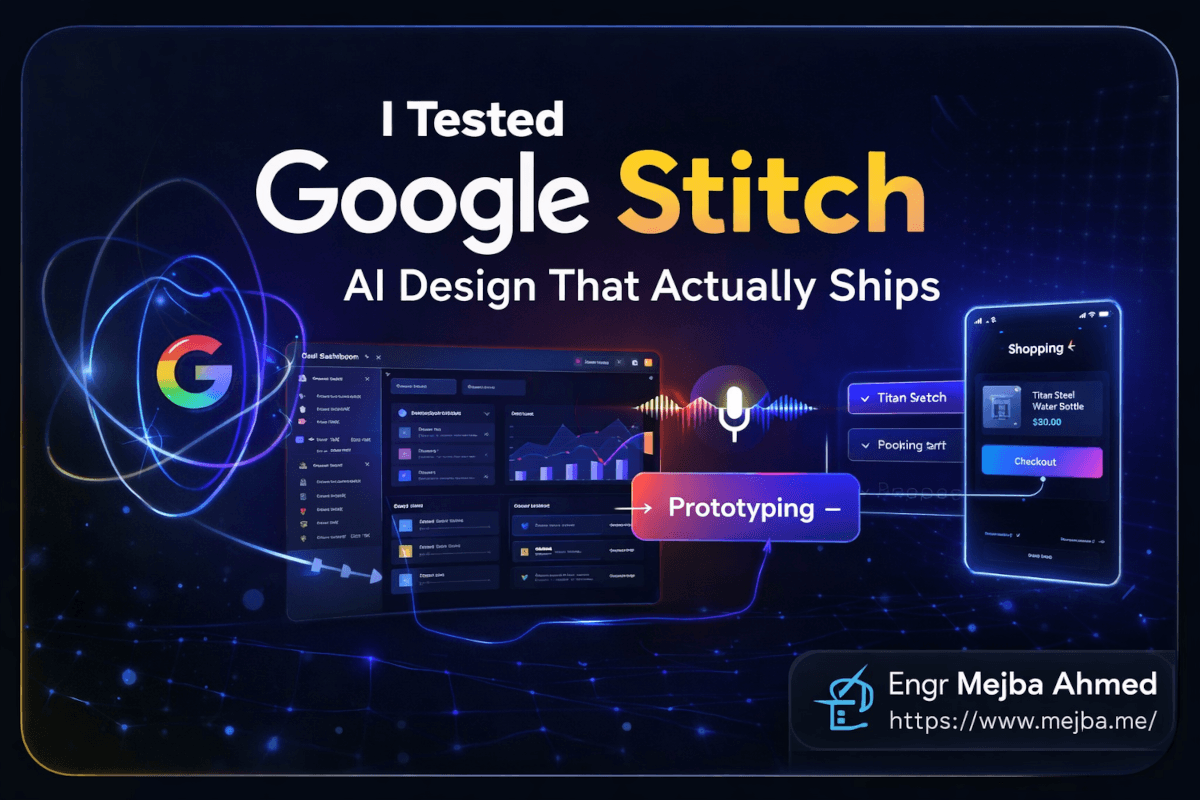
Google Stitch AI Design: Tested, It Actually Ships
I was halfway through a Figma file at 11 PM on a Tuesday — dragging auto-layout frames, nudging padding values by single pixels, questioning my life choices — when a friend dropped a link in our group chat. "Bro, just talk to it and it designs for you."
The link was to Google Stitch.
I clicked through expecting another demo-ware AI tool that generates pretty mockups nobody can actually use. The kind of thing that looks incredible in a 90-second Twitter video and falls apart the moment you try to build something real with it. I've tested enough of these to have developed a healthy immunity to hype.
Twenty minutes later, I had a CRM dashboard — responsive, interactive, with working prototype flows between screens — and I hadn't typed a single design specification. I'd talked to it. Out loud. Like I was explaining what I wanted to a junior designer sitting next to me.
That was the moment I realized Google hadn't just built another AI design toy. They'd built something that fundamentally rethinks how front-end interfaces get made. And after spending serious time pushing it to its limits, I have thoughts. A lot of them.
What Google Stitch Actually Is (And What It's Not)
Here's the context you need. Google Stitch started as a Google Labs experiment, launched at Google I/O 2025 on May 20, built on the idea that you should be able to describe a UI in plain English and get a working design back. The original version was interesting but limited — a flat canvas, text-to-UI generation, decent but not mind-blowing output.
The version I'm talking about is different. The Gemini 3 integration that shipped in late 2025 transformed Stitch from "cool experiment" into something I'd actually use on client projects. And the redesign currently being tested ahead of Google I/O 2026 — with a 3D workspace, voice agent, and React code export — pushes it into territory that should make Figma's product team nervous.
But I want to be precise about what Stitch is. It's not a Figma replacement. Not yet. It's an AI-native design platform that handles the 0-to-1 phase of UI creation faster than anything I've used. The gap between "I have an idea" and "I have an interactive prototype with exportable code" used to be days or weeks. Stitch compresses that into minutes.
The catch? There's always a catch. And I'll get to the specific limitations that most reviews gloss over. But first, you need to see what this thing actually does when you push it.
The AI-Native Canvas: Where Multiple Agents Work in Parallel
The canvas is the first thing that separates Stitch from every other AI design tool I've tested. Most AI design tools give you a prompt box and a single output panel. Type something, get a result, iterate one thing at a time.
Stitch's canvas is an infinite workspace where you can run multiple AI agents simultaneously. I'm not using "agents" loosely here — there's literally an Agent Manager that tracks what each agent is working on, shows progress, and lets you manage parallel workstreams.
Here's how I used it during my test. I asked one agent to generate a landing page hero section for a SaaS product. While that was rendering, I spun up a second agent to work on the user profile page. A third was building a pricing table. All three were working concurrently, on the same canvas, and I could see each one progressing in real time.
This sounds like a small thing. It's not. In Figma, if I want to explore three different directions for a landing page, I'm working sequentially — or I'm duplicating frames and manually iterating each one. In Stitch, I describe three different approaches in natural language, let the agents run, and compare the outputs side by side in the time it would have taken me to set up a single Figma frame.
The canvas handles images, code, and text simultaneously. I dropped in a screenshot of a competitor's dashboard, typed "build something similar but with a darker color scheme and better data visualization hierarchy," and watched it generate a fully-structured alternative. The output wasn't a pixel-perfect copy — it was an interpretation that understood the intent of the layout while making it distinctly different.
For anyone who's spent hours recreating reference designs in Figma while trying to make them original enough to avoid looking like a direct rip, this alone is worth your time.
Voice-Powered Design Through Gemini Live
This is the feature that made me stop what I was doing and pay attention. Google is testing Live Voice Mode for Stitch, powered by Gemini Live integration, and it changes the design interaction model completely.
I built an entire CRM dashboard through conversation. Not typing prompts. Talking.
"Give me a dashboard with a sidebar navigation, a main content area showing deal pipeline, and a header with search and notifications."
The canvas updated in seconds. A clean, structured dashboard appeared.
"Make the sidebar darker. Move notifications to the top right. Add a revenue chart below the pipeline."
Each instruction executed almost immediately. The AI didn't just follow commands — it made intelligent decisions about spacing, typography hierarchy, and component placement that I would have spent twenty minutes fine-tuning manually.
"Now show me what this looks like on mobile."
The layout restructured itself. Sidebar collapsed into a hamburger menu. Pipeline cards stacked vertically. Revenue chart adjusted its aspect ratio.
I want to be honest about the limits here. Voice mode works remarkably well for broad layout decisions and component-level changes. Where it struggles is precision work — "move that button 8 pixels to the left" type adjustments aren't its strength. For pixel-perfect refinement, you're still going to want manual control or a tool like Figma.
But that's not what voice design is for. It's for the ideation phase — the 30 minutes where you're exploring directions, trying layouts, figuring out what feels right before you commit to detailed design work. And for that phase, talking is faster than clicking. Dramatically faster.
There's something else about voice design that caught me off guard. When I'm typing prompts, I tend to be overly specific and technical. "Create a flex container with a 16px gap, 3 cards with rounded corners and subtle drop shadows." When I'm talking, I describe things the way I'd describe them to a human designer: "I want three cards that feel light and spacious, with enough visual separation that they don't blur together." The conversational framing actually produced better design outputs because it communicated intent instead of implementation details.
Instant Prototyping: From Static Screens to Interactive Flows in Seconds
Here's where Stitch earns its name. The Instant Prototype feature takes your static screen designs and automatically wires them together into interactive flows. Click a button on one screen, and Stitch generates the logical next screen based on what that button should do.
I tested this with a simple e-commerce flow. I designed a product listing page and hit the prototype button. Stitch generated a product detail page, a cart page, and a checkout flow — unprompted. Each screen was logically connected. Click "Add to Cart" on the product page, and it transitions to a cart showing that product. Click "Checkout" and you get a form flow.
Were the generated screens perfect? No. The checkout form needed work — it defaulted to a single-page layout when I'd have preferred a stepped process. But the fact that it generated contextually-appropriate screens from a single starting point saved me an hour of work that I could redirect into refinement instead of creation.
The prototyping supports multiple device formats — mobile, tablet, and web — and you can switch between them on the fly. Design a web app layout, toggle to mobile, and watch the layout intelligently reflow. This isn't just responsive resizing. The AI makes actual layout decisions: what to stack, what to collapse, what to reorganize for thumb-friendly mobile interaction.
And then there's the feature that genuinely surprised me.
Predictive Heat Maps: AI Tells You Where Users Will Look
Stitch's predictive heat maps overlay a visual attention prediction on any screen you design. No user testing required. No analytics data needed. The AI estimates where users are most likely to focus, click, and interact based on patterns learned from millions of user behavior datasets.
I ran it on every screen I designed during my testing session. On my CRM dashboard, it flagged that the call-to-action button in my hero section was sitting in a low-attention zone. The revenue chart was pulling more visual weight than the pipeline section, which was supposed to be the primary interaction area. The heat map showed this as a clear cold zone exactly where I needed users to engage.
I repositioned the pipeline above the chart, adjusted the visual hierarchy, ran the heat map again — hot zone exactly where I wanted it.
Now, I want to be careful here. Predictive heat maps are not a replacement for real user testing. They're trained on aggregate behavioral patterns, not your specific audience. A B2B SaaS user and an e-commerce shopper have different scanning patterns, and the heat map won't always capture those nuances. I've seen the predictions miss on unconventional layouts and highly specialized interfaces.
But as a first-pass gut check during the design phase? Incredibly useful. It catches the obvious attention hierarchy mistakes before you get anywhere near a usability test. Think of it as a spell checker for visual attention — it won't catch every subtle error, but it'll flag the glaring ones you'd be embarrassed to ship.
If you've been building design systems with AI — like I covered in my guide to AI design prompts that produce Apple-level output — the heat map feature adds a feedback loop that's been missing from AI-assisted design workflows. You generate, you validate attention patterns, you refine. All inside the same tool.
Design Systems: Import Your Brand and Keep It Consistent
One of my biggest skepticisms about AI design tools has been brand consistency. Great, it can generate a pretty dashboard. But can it generate a dashboard that looks like it belongs to my product, with my typography, my color tokens, and my component patterns?
Stitch handles this through design system import. You can build a design system from scratch inside the tool — defining color palettes, typography scales, corner radii, spacing tokens — or you can import an existing design system by URL. Point it at your production website and it extracts your design language automatically.
I tested the URL import with a client's marketing site. It pulled the primary and secondary colors accurately, identified the font stack (Inter for body, Outfit for headings), and captured the general spacing patterns. The corner radius detection was slightly off — it defaulted to 8px when the actual system uses 6px — but that's a quick manual adjustment.
Once the design system is loaded, every subsequent generation respects it. Ask for a new dashboard page and it uses your colors, your fonts, your component patterns. This is where Stitch moves from "cool demo" to "actual production tool." Without design system support, every generated screen feels like it belongs to a different product. With it, everything coheres.
For teams already maintaining design systems in Figma, this creates an interesting workflow. I've been exploring this kind of Figma-to-AI design pipeline for a while now, and Stitch adds a new option: import your existing system, use Stitch for rapid ideation and prototyping, then export back to Figma for the detail work.
The ability to tweak the entire design system through natural language prompts is particularly powerful. "Make everything feel more corporate — muted colors, tighter spacing, more structured typography." The entire canvas updates. "Now show me the startup version — brighter accents, more whitespace, rounder corners." Everything shifts. Being able to explore brand directions through conversation instead of manually adjusting dozens of tokens is a genuine time saver.
Code Generation: From Design to Front-End in One Step
Every design tool promises code export. Most deliver garbage — deeply nested divs, inline styles, class names like .div-wrapper-inner-container-2. The kind of code that makes front-end developers weep.
Stitch's code generation is meaningfully better than what I've seen from other AI design tools. It outputs HTML and Tailwind CSS that's actually structured in a way a developer can work with. The class names are semantic. The layout uses flex and grid appropriately. The responsive breakpoints are sensible.
During the redesign currently in testing, Stitch is adding direct React code generation, which would make the output directly consumable in modern front-end stacks. That's a significant upgrade — going from generic HTML/Tailwind to framework-specific components eliminates an entire conversion step.
I exported one of my test dashboards and dropped it into a Next.js project. The base structure was solid. I needed to refactor some of the component boundaries — Stitch generated everything as one large component where I'd want it split into smaller, reusable pieces — and the data binding was obviously static placeholder content. But the visual fidelity between the Stitch canvas and the rendered code was close to 1:1.
The code also integrates with Google's AI Studio, which means you can push designs directly into Google's broader AI development ecosystem. For teams already working within the Google Cloud stack, this is a natural extension of existing workflows.
Here's the honest assessment though. The code export is good enough for prototypes, MVPs, and internal tools. For a production application with complex state management, sophisticated interactions, and a component library that needs to scale across multiple products, you're still going to refactor significantly. Stitch gets you to 70% — which is genuinely valuable — but that last 30% still requires engineering judgment.
The Model Stack: Gemini 3 and What It Means for Output Quality
Under the hood, Stitch runs on multiple AI models. The Gemini 3 integration brought a substantial quality jump — higher fidelity UI generation, better understanding of design patterns, and more consistent output across different types of interfaces.
The platform also supports optimized models for specific tasks. For rapid HTML generation, it uses models tuned specifically for code output speed. For design reasoning and layout decisions, it leverages Gemini's multimodal capabilities to understand visual composition the way a designer would.
What this means practically: the output quality has reached a threshold where non-designers can produce work that doesn't immediately scream "AI generated." The typography choices are reasonable. The spacing is consistent. The color relationships make sense. It's not award-winning design — but it's solid, functional, and professional-looking.
For comparison, I ran the same prompt through three different AI design tools: Stitch, Figma's AI features, and a standalone AI design generator. Stitch produced the most complete output — full interactive prototype with connected screens. Figma's AI handled component-level generation well but required more manual assembly. The standalone tool generated attractive single screens that fell apart at the system level.
The gap isn't in visual quality — all three produced decent-looking results. The gap is in workflow completeness. Stitch handles the full pipeline from idea to interactive prototype to exportable code. The others handle fragments of that pipeline well but leave you assembling the pieces yourself.
What Most Reviews Won't Tell You: The Real Limitations
I've spent enough time with Stitch to know where it breaks down. And I think being honest about these limitations is more useful than pretending this is the final form of design tooling.
Precision control is limited. When you need to adjust something by exactly 4 pixels, or align a baseline to a specific grid, Stitch's natural language interface becomes a frustration. It interprets "move it up slightly" differently every time. For pixel-perfect work, you need Figma or a similar direct-manipulation tool.
Complex interaction design is a gap. Stitch handles basic flows — click, navigate, form submissions — but sophisticated micro-interactions, animated transitions, drag-and-drop interfaces, and complex state changes are beyond what it generates. If your product's differentiation is in the interaction design, Stitch won't carry you there.
Enterprise scalability is unproven. I tested with relatively contained projects — individual dashboards, landing pages, small app flows. How Stitch handles a design system with 200+ components, a product with 50+ screens, and a team of 8 designers working simultaneously? That's an open question. The official documentation doesn't address enterprise use cases in detail.
Figma integration is one-directional (mostly). You can export from Stitch to Figma, and the exported designs preserve layers and components. But the round-trip workflow — Figma to Stitch and back — isn't seamless. If your team's source of truth is Figma, Stitch becomes an ideation tool that feeds into your real workflow rather than replacing it.
It's free — which means Google controls the roadmap. Stitch is currently accessible for free with a Google account. That's great for accessibility, but it means you're building workflows around a Google Labs experiment. Google has a history of deprecating products — and while Stitch seems like it has serious institutional backing (especially with the Gemini integration and I/O 2026 redesign), there's no paid tier that would signal long-term commitment as a standalone product.
The AI model versions matter. Output quality varies depending on which model Stitch assigns to your task. On the Gemini 3 models, results are consistently strong. On the faster but lighter models, quality drops noticeably — especially for complex layouts and nuanced design decisions.
Where Google Stitch Fits in Your Workflow
After all my testing, here's the framework I'd use to decide whether Stitch belongs in your toolkit.
Use Stitch when:
- You're going from zero to first prototype and need speed above all else
- You're a developer who needs decent UI without hiring a designer
- You're exploring multiple design directions quickly before committing to one
- You need to communicate a product concept to stakeholders with something more tangible than wireframes
- You want predictive UX feedback (heat maps) during the ideation phase
- You're building internal tools, MVPs, or proof-of-concepts where "good enough" design is genuinely good enough
Stick with Figma (or your current tool) when:
- You need pixel-perfect precision and detailed component variants
- Your team has an established design system in Figma that serves as the source of truth
- The product requires complex interaction design and micro-animations
- You're working with a team of designers who need real-time collaboration features
- Design handoff needs to include detailed specifications, annotations, and developer notes
The hybrid workflow I'm actually using: Start in Stitch for rapid ideation and prototyping. Import my design system so the output matches my brand. Use the heat maps to validate attention hierarchy early. Export to Figma for refinement, component detailing, and team collaboration. Hand off from Figma to development.
This workflow cut my concept-to-prototype phase from roughly two days to about three hours on the last project I used it for. The quality of the Stitch output was high enough that the Figma refinement phase was about polishing details rather than restructuring layouts. That's a meaningful difference.
What I'm Watching Next
Google I/O 2026 is scheduled for May 19-20, and the leaks suggest a major Stitch redesign will be the centerpiece of the design tooling announcements. The 3D workspace, full voice agent integration, and direct React export would address several of my current complaints.
The feature I'm most interested in is the React code generation. If Stitch can output clean, component-structured React code with proper prop interfaces and reasonable state management patterns, the distance between "AI-generated prototype" and "production front-end" shrinks dramatically. That changes the economics of front-end development for startups and small teams in a way that's hard to overstate.
I'm also watching how the design system import evolves. Right now it's functional but not perfect. If Google can nail the round-trip workflow — Figma to Stitch to Figma, or Stitch to React codebase and back — they'll have built something that no other tool in the market offers.
And the voice design interaction. If Gemini Live gets sophisticated enough to handle nuanced design critique — "the visual weight feels heavy on the left side, can you rebalance it?" — that's a fundamentally new way of working that doesn't have a precedent in design tooling.
The Bigger Picture for Front-End Teams
Google Stitch isn't going to replace your design team. But it is going to change what your design team spends their time on.
The mechanical work — laying out grids, creating responsive variants, building basic screen flows, generating component states — that's the work Stitch handles now. Not perfectly, but well enough to shift where human designers spend their hours. Instead of spending 60% of their time on layout mechanics and 40% on creative decisions, the ratio starts flipping.
The designers who thrive with tools like Stitch won't be the ones who can drag frames the fastest. They'll be the ones who can articulate design intent clearly — through text, through voice, through reference images — and then apply their taste and judgment to refine the AI output into something that genuinely resonates with users.
That's not the death of design. That's design growing up. And as someone who's spent years working at the intersection of code and design — building everything from production design systems to AI-powered UI prototypes — I can tell you that the best design work has always been about the thinking, not the clicking.
Stitch just makes the clicking optional.
If you haven't tried it yet, go to stitch.withgoogle.com and spend thirty minutes with it. Don't go in with a specific project — just describe something you've been wanting to build and see what happens. The free tier gives you everything you need to form your own opinion.
And if the voice mode is available when you try it, start there. Talk to it the way you'd talk to a design collaborator. You might be surprised how natural it feels — and how much faster you move when your hands are free and your ideas flow unfiltered.
The next time someone sends me a link at 11 PM while I'm pixel-nudging in Figma, I hope it's the I/O 2026 announcement. Because if the redesign delivers even half of what the leaks suggest, my late-night Figma sessions are about to get a lot shorter.
Google Stitch AI Design: Common Questions
Is Google Stitch free to use?
Google Stitch is currently free with a Google account as a Google Labs experiment. No premium tier has been announced. Access it at stitch.withgoogle.com — though availability may vary by region.
Can Google Stitch replace Figma?
Not yet. Stitch excels at rapid prototyping and 0-to-1 ideation but lacks Figma's precision editing, team collaboration, and component management depth. The strongest workflow uses both: Stitch for speed, Figma for polish. For a deeper look at Figma's AI capabilities, see my Figma Make design system breakdown.
What code does Google Stitch export?
Stitch currently generates HTML with Tailwind CSS. The upcoming redesign adds direct React code generation. Exported code is clean enough for prototypes and MVPs but typically needs refactoring for production applications with complex state management.
How does the predictive heat map work?
The heat map uses AI trained on millions of user behavior patterns to estimate where users will focus attention on your designs. It works without live user data and serves as a first-pass validation tool — useful for catching obvious hierarchy problems, but not a replacement for real user testing.
Does Google Stitch support design system import?
Yes. You can build a design system inside Stitch or import one by URL from an existing website. The tool extracts colors, typography, spacing, and component patterns. Accuracy is strong but not perfect — expect minor adjustments for precise values like corner radii.
Whether Google Stitch Fits Your Design Work
Talking to an AI design tool instead of clicking is a real shift — Stitch ships usable output fast, rough in the places you'd expect. Where speed beats fine art direction, that trade is easy to make.
Run one real screen through it before you rebuild your workflow. My Google Stitch AI design tool review and Claude Design workflow go deeper.
If you want a design-to-code pipeline built for your team, that's work I take on through Ramlit.