Google AI Studio Full Stack Builder: Tested
I almost missed this one.
I'd been deep in a Claude Code workflow for a client project -- three days straight, barely looking up -- when a friend sent me a link with no context. Just the URL and "you need to see this." I almost closed the tab. Google AI Studio had been on my radar as a prototyping sandbox, a place to test prompts and maybe spin up a quick demo UI. Not something I'd take seriously for building real applications.
Then I watched the demo. Someone built a multiplayer typing test -- with Google authentication, a real-time leaderboard, persistent cloud storage, responsive mobile layout, and dark mode -- inside Google AI Studio. No separate backend. No manually provisioning databases. No deployment headaches for testing with other people.
I closed my other tabs. This wasn't the same tool I'd dismissed six months ago.
What Google quietly shipped is one of the most aggressive upgrades I've seen to any AI development platform this year. They took a prompt playground and turned it into something that genuinely competes with full stack development environments. And the part that actually made me sit up straight? The AI agent running underneath it doesn't just write code. It writes code, executes it, tests it, finds bugs, fixes them, and loops until everything works -- autonomously.
That changes the math on who can build what, and how fast. Here's what I found when I dug in.
Why I Wrote Off Google AI Studio (And Why That Was a Mistake)
Six months ago, if you'd asked me to rank AI development tools, Google AI Studio would have landed somewhere in the "useful for demos" tier. Replit Agent was doing interesting things. Claude Code was my daily driver for serious work. Cursor had its niche. Google AI Studio felt like a place to experiment with Gemini models and maybe generate a quick frontend prototype.
The limitation was obvious: frontend only. You could build a pretty UI, but the moment you needed authentication, a database, or any kind of persistent state, you were on your own. You'd prototype in AI Studio, then rebuild the actual app somewhere else. That extra step killed the value proposition for me.
I wasn't alone in that assessment. Most engineers I talked to treated it the same way -- a toy for testing prompts, not a tool for building products.
Here's what I didn't account for: Google owns Firebase. And Firebase is one of the most battle-tested backend-as-a-service platforms on the planet. The moment someone at Google decided to wire those two things together inside AI Studio, the entire value equation flipped.
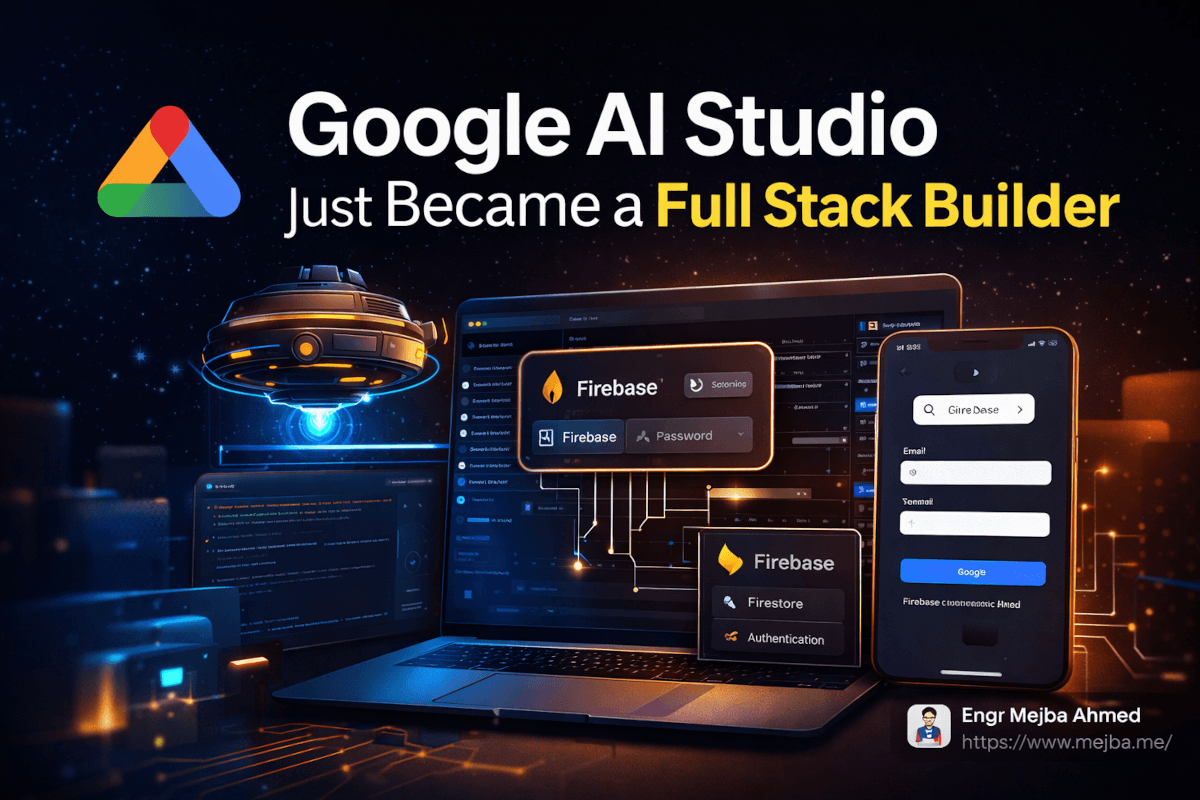
What shipped isn't a half-baked integration either. This is Firestore for cloud databases, Firebase Authentication with full OAuth support, and it all connects with a single click. No YAML files. No console configurations. No "now go to the Firebase dashboard and create a project" detour. You click a chip, and your AI-built app suddenly has a production-grade backend.
That's the part that made me reconsider everything I assumed about this platform. But the Firebase integration is only half the story. The agent powering the code generation is where things get genuinely interesting.
The Anti-Gravity Agent: What Verified Execution Actually Means
Every AI coding tool makes the same promise: "Tell me what you want, and I'll build it." The gap between that promise and reality has always been debugging. The AI writes code that looks right, you run it, it breaks, you spend twenty minutes figuring out why, you paste the error back in, the AI fixes one thing and breaks another. Rinse, repeat. I've been through that loop hundreds of times across different tools.
Google's new approach attacks that loop directly with something they're calling the Anti-Gravity Agent.
The name is a bit much. But the concept behind it -- verified execution -- is genuinely different from what most AI coding assistants do. Here's the workflow: the agent writes your code, then immediately runs it in a sandboxed environment. If something fails, the agent sees the error, analyzes it, writes a fix, and runs again. This loop continues until the code actually works. You don't see the intermediate failures. You don't paste error messages. The agent handles the entire debug cycle before presenting you with working code.
I was skeptical when I first read about this. "Autonomously debugs code" sounds like marketing copy. So I tested it.
I asked AI Studio to build a form with client-side validation, server-side validation against a Firestore schema, and error messages that update in real time. The kind of feature that typically involves three or four rounds of back-and-forth with any AI tool because the edge cases around validation timing and state management are tricky.
The agent took about forty-five seconds. What came back worked on the first try. Not "mostly worked with a small bug" -- actually worked. The validation fired correctly, the error states rendered properly, and the Firestore writes happened with the right schema.
That forty-five seconds included the agent writing code, running it, hitting at least one issue (based on the execution logs), fixing it, and re-running until the tests passed. All invisible to me.
This matters more than it might sound. The biggest time cost in AI-assisted development isn't the initial code generation. It's the debugging loop. If you've spent any time with Cursor, Claude Code, or Replit Agent, you know the pattern: generate, test, fail, explain the failure, regenerate, test again. That loop can eat thirty minutes on something that should take five. Verified execution compresses that loop into the agent's own processing time.
Now, I want to be honest about the limits. The verified execution worked well for UI components, form logic, and CRUD operations against Firestore. I didn't test it against complex multi-service architectures or heavy computation. The Gemini 3.1 Pro model driving the agent is capable, but I'd want to see how it handles genuinely complex backend logic before claiming it replaces a senior engineer's debugging instincts.
That said -- for the 80% of app development that's connecting standard components, handling auth flows, and managing data? This is a real time-saver.
But the agent is only powerful if it has something meaningful to work with. And that's where the Firebase integration creates something bigger than either piece alone.
How Does Google AI Studio Firebase Integration Work?
The setup is almost comically simple, which is exactly why it's worth walking through. Most "one-click integrations" still involve six other clicks you didn't expect.
Step 1: Open your project in Google AI Studio and look for the Firebase chip. It's in the services panel. Click it. That's genuinely it for the initial connection -- AI Studio creates a Firebase project linked to your Google account and provisions Firestore and Authentication automatically.
Step 2: Choose your authentication method. The default is Google Sign-In via OAuth, which makes sense since you're already in Google's ecosystem. The auth flow is pre-configured. Your app gets a sign-in button that handles the entire OAuth handshake, token management, and session persistence without you writing a single line of auth code.
Here's where I want to pause, because this is the part that saves the most time.
Authentication is one of those features that's conceptually simple and practically miserable. Every developer has a story about spending an entire day debugging an OAuth flow. Token refresh logic. CORS issues. Session state management across page reloads. Redirect URI mismatches. I once spent four hours on a Firebase Auth bug that turned out to be a missing trailing slash in a redirect URL.
Google AI Studio eliminates that entire category of pain. The auth is pre-wired. The agent generates the frontend components that trigger auth, the backend logic that validates tokens, and the Firestore security rules that restrict data access to authenticated users. All of it. In one generation pass.
Step 3: Define your data model through natural language. Tell the agent what you want to store -- "I need a leaderboard that tracks each user's typing speed, accuracy percentage, difficulty level, and timestamp" -- and it creates the Firestore schema, the write operations, the read queries, and the real-time listeners that keep the UI updated when data changes.
Step 4: Use the Share button for live testing. This is a feature I didn't expect to care about, and it turned out to be one of the most useful parts. Instead of deploying your app to test with other people, you hit Share and get a link. Anyone with the link can use the app -- with full authentication and database functionality -- while you watch the data flow in real time through the Firebase console.
For multiplayer features, this is massive. You can test real-time leaderboards, collaborative editing, chat systems, or any multi-user feature without ever deploying to a hosting service. The feedback loop goes from "build, deploy, share link, wait for feedback" to "build, share link, watch it happen live."
Step 5: Add secrets for external API access. If your app needs to pull data from external services or integrate payment processing, AI Studio now has a secrets management system. Store your Stripe API key, your OpenAI key, or any other credential securely, and the agent can generate code that uses those services without exposing keys in the frontend.
The whole setup took me under ten minutes for a working full stack app with auth, database, and real-time sync. Ten minutes. I've spent longer than that configuring a single Firestore security rule in the past.
Now, having a fast setup is great. But what can you actually build with this? The demo app tells a bigger story than you might expect.
What Building a Real App in AI Studio Taught Me
The demo that caught my attention was Typerra -- a multiplayer typing test app. On the surface, it's a simple project. You type words, get scored on speed and accuracy, and compete against other people on a leaderboard. But under the hood, it exercises almost every capability the upgrade introduced.
Here's what the app required:
- User authentication so each player's scores are attributed to their account
- Real-time database writes to store scores the moment a test completes
- Real-time database reads to update the leaderboard across all connected clients instantly
- Difficulty settings that change the word pool and scoring parameters
- Responsive design that works on both desktop and mobile
- Dark and light mode with a toggle that persists across sessions
Two years ago, building this from scratch would take a competent developer two to three days. You'd set up a React or Svelte project, configure Firebase manually, write the auth flow, build the Firestore queries, handle real-time listeners, add responsive CSS, implement theme switching with localStorage persistence, and test everything across devices.
In AI Studio, the core app -- auth, database, leaderboard, typing test logic -- was generated in a single prompt session. The additional features (responsive layout, dark mode, difficulty levels) were added in follow-up prompts, each taking under a minute.
I want to be specific about what impressed me and what didn't.
What worked better than expected: The real-time leaderboard. When the agent generated the Firestore listener code, it handled the subscription cleanup, the ordering logic, and the UI update pattern correctly on the first pass. Real-time data synchronization has subtle bugs that usually take multiple iterations to iron out -- race conditions, stale state, listener memory leaks. The verified execution loop caught those before I ever saw them.
What also surprised me: The responsive design pass. I asked for a mobile-friendly layout, expecting the agent to slap some media queries on and call it done. Instead, it restructured the component hierarchy for mobile, moved the leaderboard below the typing area (instead of beside it), and adjusted touch targets for mobile input. Someone -- or some training data -- taught this model what responsive design actually means, not just how to write @media queries.
What was merely adequate: The dark mode implementation. It worked. The colors were fine. But it was a standard CSS variable swap with a localStorage toggle -- nothing creative about the palette choices or the transition effects. Functional, not inspired.
What I'd want to improve: The typing test logic itself had a minor UX issue where backspace behavior during the middle of a word felt slightly off compared to established typing test sites like Monkeytype. This is the kind of polish that still requires human judgment about what "feels right" -- something an AI agent can't easily test for because it doesn't have subjective experience with typing UX.
The bigger takeaway from building this isn't about the specific app. It's about the category of apps that just became accessible to people who couldn't build them before.
A typing test with multiplayer is a toy example. Apply the same stack to a customer feedback tool with authenticated users and persistent data. Or a team survey platform. Or an internal dashboard with role-based access. Or a lightweight CRM. These are all the same pattern: auth + database + real-time UI. That pattern used to require backend expertise. Now it requires a clear description of what you want.
That shift has consequences worth thinking about carefully.
The Honest Assessment: What This Changes and What It Doesn't
I've been building with AI tools long enough to know that every major upgrade comes with both genuine capability gains and marketing inflation. Here's my honest read on where this Google AI Studio upgrade actually moves the needle -- and where the hype outpaces reality.
What genuinely changed:
The barrier to building full stack prototypes dropped to nearly zero. If you have a Google account, you now have access to authentication, cloud databases, and an AI agent that handles the debugging loop. For solo developers, indie hackers, and small teams testing ideas, this is a legitimate accelerator. You can validate a full stack concept in an afternoon instead of a week.
The verified execution model is a real innovation, not just a feature. Most AI coding tools treat errors as the user's problem to report back. Google's approach of letting the agent self-correct before presenting results is philosophically different, and in my testing, it produced meaningfully fewer broken outputs. I expect other platforms to copy this pattern within six months.
Firebase's integration quality is high because Google controls both sides. When your AI platform and your backend platform are the same company, the integration can be deeper than any third-party connector. The auth flow alone -- where the agent generates both the frontend trigger and the backend validation in a single pass because it understands both Firebase Auth and the Firestore security model -- is something you can't replicate as cleanly with a generic AI tool connecting to a generic backend.
What didn't change:
This doesn't replace knowing what you're building. The agent is excellent at implementing patterns you describe clearly. It's not going to tell you whether your product idea makes sense, whether your data model will scale, or whether your UX flow will confuse users. Garbage in, garbage out -- just faster.
Production readiness is still a gap. The apps generated in AI Studio are functional and surprisingly robust for prototypes. But I wouldn't ship one to paying customers without a security audit, performance testing under load, and a review of the generated Firestore security rules. The default rules the agent generates are sensible but generic. A real production app needs rules tailored to its specific access patterns and threat model.
Complex architectures are still out of scope. If you need microservices, message queues, background job processing, or multi-region deployment, you're not building that in AI Studio. This tool excels at the monolithic full stack app pattern -- one frontend, one database, one auth system. That covers a huge number of use cases, but it's not everything.
The thing nobody's talking about:
There's a competitive dynamic here that matters. Google is effectively giving away what Firebase charges for -- backend infrastructure -- as a hook to keep developers building on their AI platform. The AI Studio free tier includes Firebase usage that would cost money if you provisioned it directly. Google wants you building on Gemini models, and they're willing to subsidize backend infrastructure to make that happen.
This is great for developers right now. The question is what the pricing looks like in twelve months once the user base is established. I've seen this playbook before. Use it while the economics are generous, but don't build your business model around free tier assumptions.
That said, even at full Firebase pricing, the development speed gains are real. Paying for Firestore is a lot cheaper than paying for the engineering hours to set up and maintain your own backend.
Here's where this gets really interesting -- when you compare it to what other AI builders are doing.
Where This Sits in the AI Builder Landscape Right Now
I use multiple AI development tools daily, so I can't help comparing. Here's my honest take on where Google AI Studio's full stack upgrade positions it relative to the competition as of March 2026.
vs. Replit Agent: Replit has had full stack capabilities longer, with deployment built in. But Replit's agent doesn't have verified execution -- you still hit the generate-test-debug loop manually. Google AI Studio's approach of autonomous debugging is a meaningful differentiation. Replit's advantage is deployment to production, which AI Studio still lacks (the Share feature is for testing, not hosting).
vs. Claude Code: Different tools for different jobs. Claude Code is my choice for working within existing codebases -- it understands project context, reads your files, and generates code that fits your architecture. AI Studio is better for greenfield projects where you're starting from zero and want the fastest path to a working prototype. They're complementary, not competitive. I'll prototype in AI Studio and then move the concept to Claude Code when it's time to build the production version.
vs. Cursor: Cursor is an IDE-first experience for professional developers working on complex projects. AI Studio is a prompt-first experience for rapid prototyping. The overlap is smaller than you'd think. If you're building a complex SaaS product, you're not doing it in AI Studio. If you're validating whether an idea works before investing engineering time, AI Studio now makes a strong case.
vs. Bolt.new and Lovable: These tools also target rapid app creation, but they lack the deep backend integration that Google's Firebase ownership enables. Connecting Bolt.new to a database requires third-party setup. AI Studio's one-click Firebase integration is a genuine advantage.
The pattern I'm settling into: ideate and prototype in AI Studio, then build for production in Claude Code. The handoff point is when the prototype proves the concept works and the real engineering decisions begin -- scaling, security hardening, CI/CD, monitoring. AI Studio gets you to "yes, this idea has legs" faster than anything else I've tried.
But knowing where each tool fits is only useful if you actually start building. And there's a specific workflow I'd recommend for getting the most out of this upgrade.
The Workflow That Gets the Most Out of This
After testing the upgrade for several days, here's the workflow I've settled on for using AI Studio as a prototyping tool. This isn't the official workflow Google suggests -- it's what actually produced the best results for me.
Start with the data model, not the UI. Most people open AI Studio and immediately describe the interface they want. Resist that instinct. Start by describing your data structure. "I need a Firestore collection for projects, where each project has a name, an owner (authenticated user), a list of tasks, and a completion percentage." When the agent understands your data model first, every subsequent feature it generates -- the UI, the queries, the security rules -- is more coherent.
Enable Firebase before your first prompt. Click that Firebase chip before you describe anything about your app. If you add Firebase after the initial generation, the agent sometimes needs to refactor the already-generated code to accommodate auth and database patterns. Starting with Firebase enabled means the first generation already includes those patterns natively.
Use Gemini 3.1 Pro for the initial build, then switch to Flash for iterations. Pro is better at understanding complex requirements and generating the foundational architecture. But once the foundation is solid, Flash handles feature additions and UI tweaks faster and at lower cost. The demo I watched used this exact pattern, and it matches my experience -- Pro for the heavy lifting, Flash for the polish.
Test with the Share button early and often. Don't wait until the app feels "done" to share it. Share after the core functionality works and get real human feedback on the flow. The zero-deployment sharing makes this nearly free in terms of effort, so there's no reason to wait.
Check the generated Firestore rules manually. This is the one step I'd never skip. The agent generates security rules that work, but they may be more permissive than you want. Open the Firebase console, read the rules, and tighten anything that looks too broad. This takes five minutes and prevents the most common security mistakes in Firebase apps.
Use the secrets manager for any external API from the start. If you know your app will eventually need Stripe, or an email service, or a third-party data source, add those secrets early. The agent generates cleaner integration code when it knows about external services from the beginning rather than bolting them on later.
One more thing that isn't obvious from the documentation: the agent maintains context across your entire project's file structure. This means you can reference specific files or components in follow-up prompts -- "update the leaderboard component to show the user's rank" -- and the agent knows exactly which file and which function you're talking about. This multi-file context awareness is what makes iterative development actually work, instead of each prompt feeling like starting over.
What I Think Happens Next
Google didn't build this as a standalone product. AI Studio is a funnel. The path is clear: prototype in AI Studio, fall in love with Firebase, eventually need more than what AI Studio can provide, graduate to Firebase's full platform with Gemini API access and Cloud Run for hosting.
That's not a criticism -- it's smart product strategy. And developers benefit at every step of that funnel.
What I'm watching for in the next six months:
Deployment. The Share button is great for testing, but the obvious next step is a "Deploy" button that pushes your AI Studio app to Firebase Hosting with a real domain. I'd bet money this ships before the end of 2026. Google wants the complete journey -- build, test, deploy -- inside their ecosystem.
More backend services. Firestore and Auth are the foundation, but Firebase also offers Cloud Functions, Cloud Storage, Cloud Messaging, and Remote Config. Each of those could be added as another one-click chip in AI Studio. Imagine asking the agent to "add push notifications when a user beats the high score" and having it wire up Cloud Messaging automatically.
Model improvements in the coding agent. Verified execution is only as good as the model's ability to diagnose errors. As Gemini models improve at reasoning about code, the success rate of the autonomous debug loop will increase. The gap between "works on first try" and "works after the agent's third internal attempt" will get narrower.
Competition response. Replit, Cursor, and the Claude Code team aren't going to sit still. I expect to see verified execution patterns -- or something similar -- appear in competing tools within the year. The concept is too good to stay proprietary. That's great for developers. More competition means better tools for everyone.
Here's where my thinking has actually shifted after spending time with this upgrade. Six months ago, I thought of AI development tools as fitting into two categories: serious tools for professional developers (Claude Code, Cursor) and toy tools for prototyping (everything else). Google AI Studio just blurred that line significantly. It's still not where I'd build a production SaaS. But the distance between "prototype" and "shippable product" just got a lot shorter.
The typing test app -- Typerra -- is a toy example. But swap "typing test" for "customer onboarding flow" or "internal team dashboard" or "event registration system" and you've got real business tools that a single person can now build in an afternoon. That wasn't true a month ago. It's true now.
If you're building with AI tools and you haven't looked at Google AI Studio since the upgrade, open it tonight. Click the Firebase chip. Ask it to build something with authentication and a database. Watch the Anti-Gravity Agent handle the debugging loop you've been doing manually for months.
Then ask yourself how many of your "that would take a weekend" ideas just became "that would take an hour" ideas.
The answer might change what you decide to build next.
Google AI Studio Full Stack: Common Questions
Is Google AI Studio free for full stack development?
Google AI Studio's free tier now includes Firebase integration with Firestore and Authentication at no cost. Detailed pricing beyond the free tier isn't publicly specified as of March 2026, so monitor Firebase's pricing page for usage-based costs if your app scales significantly.
Can I deploy Google AI Studio apps to production?
Not directly -- AI Studio currently supports live sharing for testing but lacks a built-in deployment pipeline. For production hosting, export your project and deploy through Firebase Hosting or Cloud Run. For a full deployment walkthrough, see the workflow section above.
What is the Anti-Gravity Agent in Google AI Studio?
The Anti-Gravity Agent is Google's autonomous coding assistant that uses verified execution -- it writes, runs, tests, and debugs code in a loop until it works, without requiring you to paste error messages. This significantly reduces the manual debugging cycle common with other AI coding tools.
Does Google AI Studio support external API integrations?
Yes, through the built-in secrets management system. You can securely store API keys for services like Stripe, OpenAI, or email providers, and the AI agent generates integration code that uses those credentials without exposing them in your frontend code.
How does Google AI Studio compare to Replit Agent or Claude Code?
AI Studio excels at rapid full stack prototyping with zero-config Firebase backend. Replit Agent offers built-in deployment but lacks verified execution. Claude Code is stronger for working within existing codebases. See the comparison section above for a detailed breakdown of when to use each tool.
Whether AI Studio Fits Your Builds
Google AI Studio becoming a full-stack builder is a real shift — you describe an app and it scaffolds the stack. Rough in places, but genuinely useful for validating an idea fast.
Build one small app end to end before you judge the ceiling. My 3D site in AI Studio and client-editable sites go deeper.
If you want an app scaffolded and finished properly, that's something I do through Ramlit.