Fallow: An AI-Generated Code Quality Tool ESLint Can't Replace
I shipped a feature last month that Claude Code wrote almost entirely on its own. It worked. Tests passed. The PR merged. I felt great about it for about a week.
Then I went back to add a small change and found three copies of the exact same audio-extraction logic living in the same file. Different variable names, identical behavior. An exported function called extractAllAudio that nothing in the codebase imported. A dev-only dependency sitting in production dependencies. None of it broke anything. All of it was rot, quietly compounding.
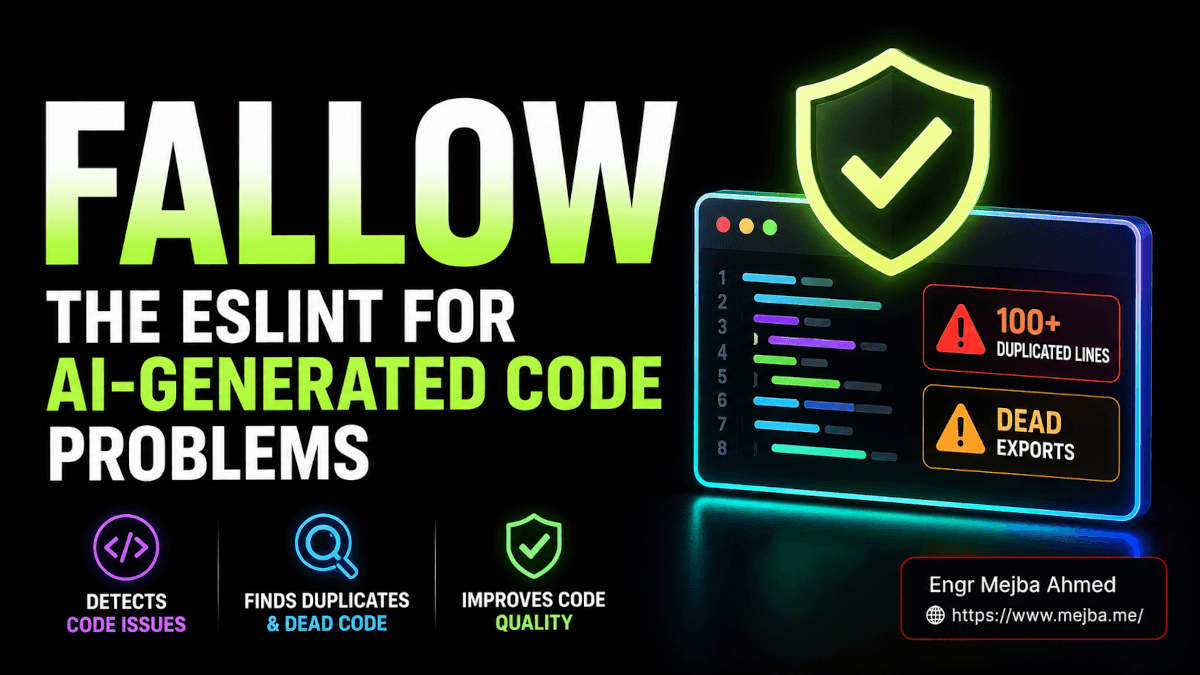
An AI-generated code quality tool is built to catch exactly this kind of rot — and the dirty secret of fast AI coding is that the code runs, so you stop looking. The thing you'd normally reach for — ESLint — doesn't catch any of this. ESLint tells you about a missing semicolon. It says nothing about the 100-line block you've now copy-pasted into four routes.
So when I found fallow, a free command-line tool built specifically for the maintainability faults that AI coding tools introduce, I cleared an afternoon and pointed it at my messiest repo. What it surfaced changed how I review agent output. Let me show you exactly what it found — and where it earned its place in my workflow versus where it didn't.
Why AI-generated code rots in ways ESLint never sees
The core problem with an LLM writing code: it has no memory of what it wrote four files ago. It optimizes for this prompt, right now, produce working output. Maintainability across the whole codebase is simply not in its loss function.
That produces three specific failure modes, over and over, in both handcoded and vibecoded projects — though it's far worse when an agent is doing the typing.
Duplication. The model needs the same logic in two places, so it writes it twice. Then a third place. It doesn't extract a shared helper because extracting requires holding the whole codebase in working memory, and it isn't. I've seen 100+ identical lines repeated across a single file. ESLint shrugs at this. The code is valid.
Bloat and complexity. Ask an agent to "handle all the edge cases" and it will — by stacking conditionals inside loops inside conditionals until a single function is 1,500 lines and nobody, human or machine, can hold it in their head. Each branch is correct. The whole is a swamp.
Dead weight. Unused files. Exported functions nothing imports. Dependencies pulled in for one experiment and never removed. Agents create scaffolding constantly and rarely clean up after themselves, because cleanup wasn't the task.
And the cruel irony? AI tools are bad at detecting their own rot. Ask Claude or Cursor "is there duplication in this file?" and you'll get a confident, plausible, frequently wrong answer. It's a probabilistic guess about its own output. What you actually need is something deterministic — something that parses the code instead of reasoning about it.
That's the gap fallow fills. And the way it fills it is the interesting part.
What fallow actually is (and why Rust matters here)
Fallow is codebase intelligence for TypeScript and JavaScript, built entirely in Rust. The team behind it — the fallow-rs org on GitHub — describes it as consolidating a whole suite of static analysis tools into one sub-second binary. As of mid-2026 it's under active development and shipping updates frequently, so treat any version specifics as a moving target.
The model splits cleanly in two:
- Static intelligence — entirely free, open source. This analyzes your code's structure: dead code, duplication, circular dependencies, complexity, architecture boundaries. This is the part I use and the part this whole article is about.
- Runtime intelligence — an optional paid layer that adds hot-path review and cold-path deletion evidence from real production traffic. It tells you which "dead" code is actually dead based on what runs in production. Useful for large teams making deletion decisions. I haven't paid for it, and I want to be honest about that: I'm reviewing the free static layer, which is where the everyday value lives.
You don't install anything to try it. One command:
# Run a full analysis on the current repo, zero install
npx fallow
The first run, fallow auto-detects your stack. On my Vite + TanStack Query project it loaded plugins for Vite, TanStack Query, and Tailwind CSS without me configuring a thing — its docs list 123 framework plugins as of mid-2026 (the count keeps climbing, so check fallow's current docs), and it wires up the right ones based on what's in your package.json. It also drops a .fallow cache directory so subsequent runs are fast.
Why does Rust matter? Because speed changes behavior. A linter that takes 40 seconds gets run once a week. A linter that finishes before you've moved your hand off the keyboard gets run on every save, in every PR, by every agent in a loop. Sub-second analysis is what makes fallow viable inside an agentic workflow, which — I'll argue later — is where it gets genuinely powerful.
But first, the report. Because the first time you read a fallow report on AI-written code, it's a little humbling.
Reading a fallow report: the four sections that matter
When I ran it, the output broke into clear categories. I'll walk through each the way I read them, worst-offender first.
Dead code: the stuff you forgot you wrote
This section finds three things, and AI workflows generate all three in volume:
- Unused files — modules nothing imports. Agent scaffolding that never got wired in.
- Unused exports — that
extractAllAudioI mentioned. Exported, public-looking, imported by nothing. Fallow flags it with the exact location. - Unused dependencies — and this one's sneaky. It caught a testing library sitting in production
dependenciesthat should've been indevDependencies. That's not just clutter; it's bytes shipped to users for no reason.
Dead code is the easy win. It's also the category where fallow's auto-fix shines, which I'll get to.
Duplication: the most important section, full stop
This is the one I care about most, and it's where AI code is at its worst. Fallow reports duplication with specific line ranges — not "there's some duplication somewhere" but "lines 412-518 here match lines 1,090-1,196 there." Concrete. Actionable.
The feature that made me sit up was clone families: instead of dumping 40 pairwise duplicate warnings, it groups recurring patterns into families. So a piece of logic the agent pasted into five route handlers shows up as one family with five members, not ten noisy pairs. That grouping is the difference between a report you act on and a report you close.
Duplication runs in two modes, and the difference matters:
- Mild mode (the default) catches duplicates where the variable names are identical. Conservative, low false-positive.
- Semantic mode catches duplicates where the logic is the same but variable names differ — exactly the kind of thing an LLM produces when it rewrites the same function with slightly different names each time. Stricter, more thorough, more noise.
For an AI-heavy codebase, semantic mode is the one you want, because variable-name drift is the LLM's signature. More on switching modes below.
Complexity: the health check nobody runs
This section is a check-up for functions that have grown out of control. Four numbers do the work:
- Function size — flags the monsters. I had one pushing toward 1,500 lines.
- Cyclomatic complexity — the number of independent branches through a function. A reading of 115 branches means 115 distinct paths. Untestable in practice.
- Cognitive load — how hard the code is for a human to follow, weighting nested loops and conditionals heavily. A nested mess can score 133 even if cyclomatic complexity looks merely bad.
- CRAP score — Change Risk Anti-Patterns. This is the clever one. It combines complexity with test coverage. A complex function that's well-tested scores low — you can change it safely. A complex function with no tests scores brutally high, because changing it is a coin flip. CRAP is the number that tells you where the real danger is.
That last metric reframed how I think about debt. It's not "this function is complex." It's "this function is complex and nothing will catch me when I break it." Those are completely different levels of urgency.
The scores: health, risk, and the one that ranks your work for you
Fallow rolls everything into a few composite numbers:
- File health score — a 0-100 composite of dead code, import/export connectivity, complexity, and CRAP. Higher is more maintainable. You can pull the project-level version with
fallow health --scoreand get a letter grade with it. - Risk score — driven heavily by CRAP. This is your "what's most likely to blow up" gauge.
- Overall summary score — one number for the whole run, so you can compare projects against each other or track the same repo over time.
A score on its own is just a vanity metric, though. The section that actually tells you what to do is the next one — and it's the smartest thing in the tool.
The hotspot section: where fallow stops being a linter
Most quality tools give you a flat list of problems sorted by severity. Fallow does something I haven't seen done this cleanly: it correlates complexity with your git commit history.
Think about what that means. A function can be horrifically complex but if nobody's touched it in two years, it's frozen — risky to change, but you're not changing it, so leave it alone. The dangerous file is the one that's both complex and changed constantly. Every commit to it is a roll of the dice, and you're rolling weekly.
That intersection — complexity × churn — is the hotspot. You run it like this:
# Riskiest files = git churn crossed with complexity
npx fallow health --hotspots
The hotspot list is your refactoring priority queue, sorted by where cleanup gives the best return on your time. You can even layer in ownership and drift signals (--hotspots --ownership) to see bus-factor risk — files only one person understands.
This is the section I now check first. Not "what's wrong" but "what's wrong and expensive and getting touched." That's a fundamentally better question, and it's the one that turns a report into a plan.
If you'd rather have a team audit and refactor an AI-heavy codebase for you rather than learn the tooling yourself, building this kind of cleanup pipeline is exactly the sort of engagement I take on — but honestly, fallow makes the DIY path realistic for most teams now.
Putting fallow into a real workflow
A report you read once and forget is worthless. The reason fallow stuck for me is that it lives in four places I actually work. This connects directly to the shift toward an AI-driven engineering lifecycle I've written about before — quality gates have to move from "occasional human review" to "continuous, automated, machine-readable" when agents are writing most of the code.
1. The CLI, filtered to one thing at a time
A full report is overwhelming on a legacy repo. So you narrow it. Want only dead code? Only health and complexity? Pass a metric filter and fallow shows you that slice and nothing else:
npx fallow dead-code   # unused files, exports, deps only
npx fallow dupes       # duplication only
npx fallow health      # complexity, scores, hotspots
I attack one category per sitting. Clear all dead code Monday. Hit the worst clone families Tuesday. It keeps the work from feeling infinite.
2. The VS Code extension: rot, underlined
The fallow VS Code extension runs the analysis live through a language server. You get a sidebar with warnings and errors grouped by type, and — the part I like — inline indicators right in the editor. Unused files and unused exports get marked. Duplicated lines get squiggly underlines, so you see the copy-paste as you scroll past it. It even surfaces reference counts via CodeLens, so you know at a glance how many things actually use a given export.
Seeing duplication highlighted in-editor, while you're reading the code, hits differently than reading it in a report. It's the difference between a doctor's note and a mirror.
3. The AI agent skill: self-reviewing code
This is the one that genuinely changed my mental model, and it deserves its own section. Skip down — but first, the last workflow piece.
4. CI/CD: the quality gate before merge
Fallow ships a pre-built GitHub Actions workflow (and GitLab CI support) that runs on every push and PR. It posts a markdown comment right in the pull request summarizing what changed, and it can enforce a quality gate — fail the build if the health score drops below a threshold:
# Fail the PR if project health falls under 70
- run: npx fallow health --min-score 70
You choose whether findings are blocking (inline, must-fix) or advisory (a comment that informs without blocking). One caveat from the docs worth knowing: GitHub Actions defaults checkout to fetch-depth: 1, which breaks git-history-based baselines. Set fetch-depth: 0 if you're comparing against a long-lived baseline tag. I lost twenty minutes to that before reading the fine print, so consider this your shortcut.
The killer CI feature, though, is branch comparison. Instead of auditing your entire repo on every PR — which floods you with pre-existing problems nobody's going to fix today — fallow can compare your feature branch against main and report only the new or modified problems your branch introduced. That's the right unit of analysis for a PR. You're not on the hook for the whole codebase's history. You're on the hook for what you (or your agent) just added. Incremental, fair, and it keeps the signal clean.
The agent skill: letting AI grade its own homework — correctly
Here's where it gets really interesting, and where fallow stops being "a better linter" and becomes something I think more agentic stacks will copy.
There's a companion repo, fallow-skills, that installs an agent skill module via npx. It teaches an AI agent — Claude Code, Cursor, Codex, Gemini CLI, 30-plus of them — how to invoke fallow itself and read the structured JSON output.
Consider what that enables. The agent that wrote the sloppy code can now run a deterministic tool that catches the sloppiness, get back machine-readable findings, and fix its own output before it ever reaches you. Every issue in fallow's JSON carries an actions array with an auto_fixable flag — so the agent knows not just what's wrong but whether it can fix it automatically.
You can ask it directly. I've literally typed into Claude Code: "Run fallow and tell me which five files I should refactor first." It runs the hotspot analysis, parses the JSON, and comes back with a ranked, reasoned answer grounded in real parsed data — not a vibes-based guess about its own code. That distinction is everything. The agent is no longer reasoning about its output; it's measuring it.
This closes the loop that's been broken since AI coding took off. The thing producing the rot now has a deterministic instrument to detect and remove the rot, on its own, in the same session. If you're building agent workflows, skills are the mechanism that makes this kind of self-correction composable — fallow-skills is one of the cleaner real-world examples I've seen.
The JSON output isn't just for agents, either. Any CI script can parse it and act on it programmatically. Structured, typed, deterministic — the opposite of asking an LLM to eyeball a diff.
Configuration: killing false positives before they kill your trust
A static analyzer is only useful if you trust it, and trust dies the moment it screams about things you did on purpose. Fallow gives you real escape hatches. Initialize a config in your project root:
npx fallow init
That scaffolds a config file you tune over time. (One honest note: the docs reference a couple of config formats — JSON via something like .fallowrc.json and a TOML option through fallow init --toml. The exact filename depends on your version, so check what init actually drops on your setup rather than trusting any blog post's filename, including this one.) Here's how I configure it:
Ignore generated and intentional-duplicate paths. I have a /src/data/productinfo folder full of generated card definitions — every entry looks duplicated because they're meant to be uniform. Ignoring that path cut a huge chunk of noise. Same for tests: a **/tests/** glob, because test files duplicate setup on purpose and that's fine.
Pick your duplication mode deliberately. Default mild mode for a calm baseline; switch to semantic mode when you specifically want to hunt the variable-renamed clones that LLMs love to produce.
Use inline overrides for the one-off exceptions:
// fallow-ignore  -> disables fallow for this whole file
// fallow-ignore-next-line  -> skips just the next line
export const publicApiShim = whatever // fallow-ignore-next-line
That last one is perfect for an export you know is unused internally because it's a public API surface. You acknowledge it, fallow stops nagging, and the report stays trustworthy. A report you trust is a report you'll actually act on — that's the whole game.
The auto-fix: 20 issues gone in one command
Reading problems is one thing. Fixing them by hand is the part everyone skips. Fallow's fix command handles the mechanical stuff automatically — removing unused exports, cleaning dead code, updating the import/export graph so nothing dangles after a deletion.
Always dry-run it first:
npx fallow fix --dry-run   # preview every change, touch nothing
npx fallow fix             # apply the safe, mechanical fixes
On one of my runs it resolved 20 issues in a single pass — mostly dead exports and orphaned imports, the tedious stuff I'd never have cleaned up manually. It does not try to auto-refactor a 1,500-line function or merge a clone family; that requires human judgment about the right abstraction, and fallow is correct not to guess. It fixes what's safe and leaves the architectural decisions to you. That restraint is exactly what you want from an auto-fixer.
Where fallow falls short (the honest part)
I won't pretend this tool is magic, because it isn't, and you'd catch me anyway the first time you ran it.
It's TypeScript and JavaScript only. If your stack is Python or Go, this isn't your tool today.
The static layer doesn't know what actually runs. A piece of "dead" code might be invoked by reflection, a dynamic import, or a string-based route the parser can't follow. That's literally what the paid runtime layer exists to solve — and it's why you should review before you delete, not blindly trust the unused-code list.
Semantic duplication mode produces false positives. Two genuinely different functions that happen to share a shape will get flagged. You'll spend time triaging, and you'll lean on those ignore rules. That's the cost of catching the subtle clones — there's no free lunch.
And it won't fix your architecture. It tells you a function is a 1,500-line, 115-branch hotspot. It will not tell you the right way to decompose it. That judgment is still yours. Fallow points the flashlight; you still have to clean the room.
None of that is a dealbreaker. It's the normal shape of a sharp tool: it does one category of thing exceptionally and stays out of the work it can't do safely. I'd rather that than a tool that confidently auto-refactors my code into something subtly broken.
What changed after I started running it
I won't quote you a fake "reduced bugs by 47%" number, because I don't have one and neither does anyone who tells you they do. What I can tell you is what actually shifted in how I work.
I stopped trusting "it runs" as a definition of "it's done." Agent output now gets a fallow pass before I read it, the same way I'd run tests. The hotspot list became my actual refactoring backlog instead of a vague sense of guilt about "the messy files." And in CI, the branch-comparison gate means a teammate's vibecoded PR can't quietly dump 200 lines of duplicated logic into the codebase without a comment showing up on the PR — the conversation happens before merge, which is the only time it's cheap.
The realistic outcome you should expect: not zero debt, but visible, ranked, shrinking debt. You'll know your worst five files by name. You'll catch new rot at the PR instead of discovering it three sprints later. For a free static tool that installs with npx, that's a remarkable return.
So here's my challenge for the next 24 hours: point npx fallow at the AI-heavy repo you're most proud of. The one you're sure is clean. Read the duplication section first. I'd put money on you finding at least one clone family you had no idea existed — and once you see it, you won't be able to unsee it. That's exactly the point.
FAQ
Frequently Asked Questions
Everything you need to know about this topic
Yes — fallow's entire static intelligence layer is free and open source, covering dead code, duplication, complexity, hotspots, and architecture analysis. There's an optional paid runtime layer that adds production-traffic evidence for hot-path review and cold-path deletion, but the free static layer is where the everyday value lives. Run it with npx fallow, no account required.
Fallow targets maintainability faults across your whole codebase — duplication, dead code, complexity, and hotspots — while ESLint targets per-file style and correctness rules. ESLint won't flag 100 lines you copy-pasted into four files; fallow groups them into a clone family with exact line ranges. They're complementary, not competitors. See the duplication and hotspot sections above for what fallow catches that linters miss.
Fallow's fix command auto-resolves safe, mechanical issues — removing unused exports, deleting dead code, and updating the import/export graph — and a single run can clear 20+ issues. Always preview with npx fallow fix --dry-run first. It deliberately won't auto-refactor giant functions or merge duplicates, since those need human architectural judgment.
Yes — the fallow-skills module (installed via npx) teaches agents like Claude Code, Cursor, Codex, and Gemini CLI to invoke fallow and read its structured JSON output. This lets an agent self-review and auto-correct its own code before opening a PR. You can ask things like "which five files should I refactor first?" and get a data-grounded answer. See the agent skill section above for the full workflow.
Fallow analyzes TypeScript and JavaScript projects only, with 123 framework plugins as of mid-2026 (check fallow's current docs, since the count keeps growing) that auto-detect stacks like Vite, Next.js, TanStack Query, and Tailwind CSS. There's no Python or Go support today. If your project is JS/TS, it configures itself on first run with zero setup.
The bottom line for AI-era codebases
Once an AI writes most of your code, your job shifts from author to quality gate — and I'd rather hold that gate with a deterministic tool than a gut feeling. Fallow is the one I reach for: free, Rust-fast, and just as usable by the agent as it is by me. A month in, it's still the first thing I run on anything an agent wrote, and it keeps earning the thirty seconds.