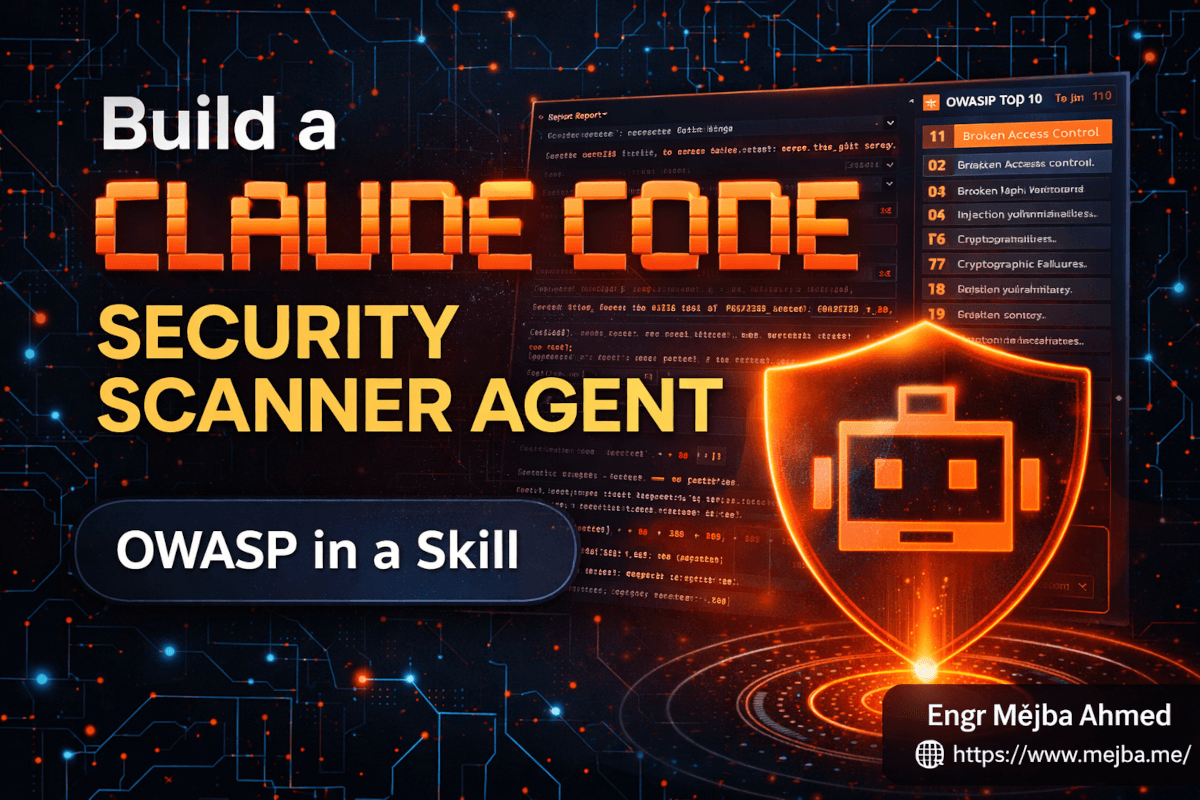
Build a Claude Code Security Scanner Agent for OWASP
The scan finished at 11:47 PM on a Thursday, and I sat there looking at the terminal like it had just insulted my entire codebase. Thirty-seven vulnerabilities. Nine critical. A risk score of 245 flashing at the top of the report in that specific shade of red that means "do not ship this." The kicker? This wasn't a client's code. It was a deliberately vulnerable note-keeping app I'd built as a test target for the Claude Code security scanner agent I'd spent the afternoon wiring together.
And the agent caught everything. MD5 password hashing. Raw SQL string concatenation. A broken access control path where any authenticated user could delete any other user's notes by guessing an ID. An arbitrary code execution sink I'd buried three files deep because I genuinely wanted to see if it would find it. It did. Thirty seconds.
That's when I stopped thinking of this as a weekend experiment and started thinking of it as the thing I should have built six months ago.
I run a cybersecurity brand — xCyberSecurity — and a big chunk of that work is running OWASP-style audits on web apps. The auditing itself is expensive human time. Reading code, tracing data flow, checking dependency versions, cross-referencing CVEs, writing up findings with severity and remediation. A senior engineer does that work. Slowly. Carefully. Billable hourly.
A Claude Code agent can't replace that engineer. But it can do the first pass. It can catch the obvious stuff before a human ever opens the file. And because Claude Code shipped the Skill + sub-agent pattern, the whole thing is modular — a reusable piece I can share across projects, chain from other agents, and drop into a pre-commit hook on a Tuesday afternoon.
This is how I built it. And more importantly, why the architecture matters.
Why One Big Agent Doesn't Work for This
My first instinct — and probably yours — is to just write a big system prompt. "You are a security auditor. Check for SQL injection, broken access control, weak crypto, the whole OWASP Top 10, write a report." Ship it. Move on.
I tried that version first. It worked. Sort of. The reports were inconsistent. Some scans flagged every md5() call as critical; others shrugged past them. The "severity" rating drifted between runs — one scan called a hardcoded API key "high," the next called it "critical." Worse, the agent had no memory of what good output looked like. Every invocation was a fresh improvisation.
The real problem was structural. I was asking one context window to hold four different things at once: the OWASP Top 10 reference material, the scanning methodology, the report format, and the actual code being audited. That's a lot of cognitive load to cram into a single prompt, and Claude — even Opus 4.7 — responds to that load the same way a human auditor would after the eighth energy drink. It gets sloppy.
Skills fix this. So do sub-agents. Use them together and the whole thing snaps into place.
If you want the broader background on how skills fit into Claude Code, I broke that down in my Claude Code Agent Skills guide — it's worth reading alongside this post because the scanner here is a concrete application of those patterns.
The Architecture: Skill + Sub-Agent
Here's the split that works.
The Skill is the knowledge layer. It contains the OWASP Top 10 reference material, the scanning methodology, and the exact report format. It's a folder with a SKILL.md file and a handful of markdown files — one per OWASP category — that get loaded on demand. The skill doesn't scan anything itself. It's a set of instructions waiting to be invoked.
The Sub-Agent is the execution layer. It's a specialized Claude Code sub-agent with its own system prompt, its own tool access (Read, Glob, Grep, Bash for gh clones, Write for reports), and explicit instructions to load the security skill when it runs. The sub-agent is what you actually invoke. The skill is what it consults.
This split matters for three reasons.
First, separation of concerns. The knowledge is versioned independently of the execution logic. When OWASP updated the Top 10 in 2025 — they dropped SSRF into Broken Access Control, added Software Supply Chain Failures as a new top-level category, and added Mishandling of Exceptional Conditions — I updated two markdown files in the skill. The sub-agent didn't change. In the old one-big-prompt world, I'd have been rewriting the entire system prompt.
Second, shareability. The skill is a folder. I can zip it, send it to a teammate, commit it to a shared repo, or drop it in a team skills registry. The sub-agent is a single markdown file with frontmatter. Same deal. Someone else on my team can clone both, wire them up in five minutes, and get identical scan results to the ones I get.
Third, composability. The scanner sub-agent can be invoked directly — @security-scanner audit this repo — or it can be chained from a higher-level coordinator agent. I have a main agent that handles code review; when it sees security: in a commit message, it delegates to the scanner. That pattern would be impossible if security lived inside the review agent's own prompt. I wrote about this kind of hand-off in more depth in my agent swarm architecture post, and the scanner is a clean example of it.
The rest of this post is the actual build.
The SKILL.md You Can Copy
The skill lives at .claude/skills/security-vulnerability/. Here's the SKILL.md file — this is the skeleton I actually use, lightly cleaned up:
---
name: security-vulnerability
description: Scan a codebase or GitHub repository for OWASP Top 10 2025 vulnerabilities. Use when the user asks for a security audit, vulnerability scan, OWASP review, or pre-deployment security check on a local directory or GitHub URL.
---

# Security Vulnerability Scanner Skill

You are performing a security audit against the OWASP Top 10 2025 categories. Follow the execution flow below exactly. Do not skip steps. Do not invent severities.

## Input Handling

Accept one of two inputs:
- A local directory path (e.g. `/Users/me/projects/app`)
- A GitHub URL (e.g. `https://github.com/org/repo`)

If the input is a GitHub URL, clone it with:
  gh repo clone <org/repo> /tmp/scan-<timestamp>
Then set the working path to the cloned directory.

## Execution Flow

1. **Inventory the codebase.** Identify languages, frameworks, and package manifests (package.json, composer.json, requirements.txt, go.mod, Gemfile, pom.xml).
2. **Load category references.** For each OWASP Top 10 2025 category, read the matching reference file from this skill folder:
   - references/A01-broken-access-control.md
   - references/A02-security-misconfiguration.md
   - references/A03-supply-chain-failures.md
   - references/A04-injection.md
   - references/A05-cryptographic-failures.md
   - references/A06-insecure-design.md
   - references/A07-auth-failures.md
   - references/A08-data-integrity-failures.md
   - references/A09-logging-alerting-failures.md
   - references/A10-exceptional-conditions.md
3. **Scan per category.** For each category, use Grep and Read against the codebase using the patterns documented in that category's reference file. Record every finding with file path, line number, snippet, and category.
4. **Check dependencies.** For each package manifest, extract declared versions. Flag packages with known CVEs against OSV.dev or the GitHub Advisory Database. Do not fabricate CVE IDs. If a lookup is not possible in the current environment, record the package and version under "unverified dependencies" rather than inventing a verdict.
5. **Score and classify.** Assign each finding a severity: critical, high, medium, or low. Use the rubric in references/severity-rubric.md. Compute an overall risk score: (critical × 10) + (high × 5) + (medium × 2) + (low × 1).
6. **Write the report.** Save to `audit/YYYY-MM-DD/report.md` relative to the scan target. Use the report format below.

## Report Format

The report must contain, in this order:

1. **Summary** — target, scan date, total findings by severity, overall risk score, pass/fail verdict.
2. **Findings by category** — one section per OWASP category that has findings. Each finding lists: severity, file:line, snippet, why it matters, suggested fix.
3. **Dependency risks** — known-vulnerable packages with CVE references and upgrade paths.
4. **Unverified dependencies** — packages flagged but not confirmed.
5. **Remediation priority** — an ordered list of the top ten fixes by severity and effort.

## Hard Rules

- Never invent CVE IDs, severities, or fixes you aren't confident in. Mark uncertainty explicitly.
- Never auto-apply fixes. The sub-agent may propose patches in a separate file, but modifying source code requires explicit human approval.
- If a file exceeds 2000 lines, read it in chunks. Do not skip it.
- Every finding must cite a specific file and line range.
That's it. The whole skill brain. Each reference file under references/ is a focused 200-400 line document: definition, common patterns to grep for, language-specific examples, and the severity rubric for that category. You can draft those reference files in an afternoon if you've done any security work at all.
The Sub-Agent That Uses It
The sub-agent lives at .claude/agents/security-scanner.md. Here's the frontmatter and system prompt — again, the actual version I run:
---
name: security-scanner
description: Audit a local directory or GitHub repository against the OWASP Top 10 2025. Use proactively when the user mentions security audit, vulnerability scan, pen test, pre-deployment check, or OWASP review.
model: opus
tools: Read, Glob, Grep, Bash, Write
---

You are a senior application security engineer. Your job is to run a thorough OWASP Top 10 2025 audit on a target codebase and produce a report a human reviewer can act on.

When invoked:

1. Confirm the scan target with the user if ambiguous (local path vs GitHub URL).
2. Load the `security-vulnerability` skill. Follow its execution flow exactly.
3. Run the scan. Be systematic, not clever. Coverage beats speed.
4. Write the report to `audit/YYYY-MM-DD/report.md` and surface the summary in chat.
5. When the report is saved, offer — but do not perform — auto-fixes for findings that are mechanically safe (e.g. replacing `md5()` with `password_hash()`, parameterizing a SQL query). Wait for explicit approval before modifying any source file.

Operating rules:

- You do not pentest live systems. Static analysis only.
- You do not guess. If a finding is uncertain, mark it uncertain in the report.
- You do not delete or move files.
- You log every tool call. Keep the audit trail in `audit/YYYY-MM-DD/trail.log`.
Two files. That's the entire scanner.
What Happened When I Ran It
I built a deliberately vulnerable note-keeping app as a test target. Laravel-ish stack, SQLite, a few routes, user auth, note CRUD. I buried six classes of vulnerability in it on purpose and added a couple I forgot I'd written.
The scan took about 90 seconds end to end on a 4,000-line codebase. Here's the summary it produced:
- Total findings: 37
- Critical: 9
- High: 15
- Medium: 12
- Low: 1
- Risk score: 245 (critical)
The critical findings spanned A01 Broken Access Control (two routes with no ownership check — any authenticated user could edit or delete any note by guessing the ID), A04 Injection (three cases of raw string concatenation in SQL queries), A05 Cryptographic Failures (MD5 password hashing plus a hardcoded APP_KEY in a committed .env.example), and A06 Insecure Design (an admin endpoint accepting a cmd parameter that flowed straight into a shell execution call).
The report laid all of this out with file paths, line numbers, exact snippets, and a suggested fix per finding. For the SQL injection cases, it proposed the parameterized query rewrite inline. For the MD5 hashing, it pointed at Laravel's Hash::make() and noted the migration path for existing password records.
Was it perfect? No. It flagged a logging statement that printed a user email as an A09 issue, which is defensible but felt aggressive — in most jurisdictions that's not a finding. It also missed a subtle race condition in the note-sharing endpoint that a human reviewer would spot in about thirty seconds. Static pattern-matching can't reason about concurrency, and no prompt is going to fix that.
But the stuff it caught, it caught cleanly. And I got a date-stamped report sitting in audit/2026-04-18/ I could send to a client.
Wiring It Into a Pre-Commit or CI Flow
The sub-agent is useful standalone. It's more useful when it runs automatically.
For pre-commit, I have a Git hook that invokes Claude Code headless mode on the staged files only. It loads the scanner sub-agent, scopes the scan to changed paths, and fails the commit if any new critical or high findings show up that weren't in the previous scan. The important word there is "new" — running a full OWASP scan on every commit would be absurd. A delta scan against the last passing baseline is the right shape.
For CI, same pattern, different wrapper. A GitHub Action runs on pull requests, clones the PR branch into a scratch directory, invokes the scanner, and posts the summary as a PR comment with the full report uploaded as a build artifact. If the risk score jumps more than a set threshold compared to the base branch, the check fails. The team owner can override with an approved label. This has already caught two dependency bumps that pulled in transitively vulnerable packages before they hit main.
Neither of these is the scanner's job to build — they're orchestration around the scanner. But both are trivial to wire up once the skill + sub-agent exists, because the scanner reads a path and writes a report. Everything else is just glue.
Where This Breaks, Honestly
I'm not going to pretend this is a replacement for a human pentester, so let's be specific about the limits.
False positives. The scanner over-reports on patterns. Every md5() call gets flagged even if it's used for a non-security purpose like content fingerprinting. Every dangerous-looking call in a test file gets flagged. You learn to triage, but if you're handing the report to a non-technical client, you have to do that triage yourself.
No runtime reasoning. Static analysis sees what the code says, not what happens when it runs. Race conditions, timing attacks, business-logic flaws that only emerge from a specific sequence of API calls — the scanner cannot see those. A pentester can. This is not a replaceable gap.
Dependency intelligence is only as good as the feed. The scanner checks against OSV.dev and GitHub Advisories. If a package has a published CVE, great. If it has a vulnerability that was reported three days ago and isn't in a public database yet, the scanner will miss it. Zero-days are always a human problem.
Auto-fix is a trap. This is the one I want to be loudest about. The sub-agent can propose fixes. It should never apply them without review. I know this because the first version of the agent did apply fixes, and it cheerfully replaced an md5() call inside a legacy password verification flow without also running a password migration. The change broke login for every existing user in a staging environment. Static fixes without migration awareness are how you turn a "medium" finding into a critical outage. Human in the loop. Always.
Skill security itself. The last thing — and this one made me pause when I first saw recent research from Repello on skill security — is that skills are executable context. Any skill you install can read your filesystem and run shell commands. A malicious skill disguised as a security scanner is a genuine risk. I write my own skills, audit any skill I import, and keep the trust boundary tight. You should too.
The Part Most People Miss
The thing I find myself repeating when other developers ask me about this pattern is that the scanner isn't the valuable part. The scanner is a week of work. Any competent engineer with Claude Code and an afternoon can build one.
The valuable part is the discipline the Skill + sub-agent split forces on you. When you write the skill, you are writing down what a good security audit actually looks like — the categories, the patterns, the severity rubric, the report format. That document, sitting in .claude/skills/security-vulnerability/, is a piece of institutional knowledge that didn't exist before. It's more valuable than the agent. Because next year, when OWASP publishes Top 10 2028 and half the categories shift again, you update the reference files. The agent keeps working. The knowledge is versioned, shareable, and doesn't live in someone's head.
That's the real lesson from this build. Not "I automated OWASP." The lesson is that modular agents force you to make your knowledge explicit, and explicit knowledge compounds.
Pick one repo tonight. Not the client one. One of yours. Run a scan. Look at the findings. You'll learn more about your own code in ninety seconds than you have in the last six months of shipping it.
FAQ
Frequently Asked Questions
Everything you need to know about this topic
Yes, as long as the gh CLI on the machine running Claude Code is authenticated with access to that repo. The scanner uses gh repo clone internally, so it inherits whatever permissions your gh auth login gave it. For org repos, make sure your token has the repo scope.
No. It complements them. Snyk and Semgrep use curated rule sets and vulnerability databases that are more authoritative than any single LLM prompt. The Claude Code scanner adds reasoning — it can trace data flow and spot context-specific issues that static rules miss. Use both. The scanner catches design issues; Snyk catches known CVEs faster.
On Opus 4.7, a full scan on a 4,000-line codebase with the Skill + sub-agent setup costs me a few dollars in API usage per run. Delta scans on staged files in a pre-commit hook are much cheaper. If you're on a Claude Code subscription with included usage, most day-to-day scans fit inside that budget.
Yes. The skill is just a folder of markdown files. Check .claude/skills/security-vulnerability/ into your project repo or a shared skills repo. Every team member with Claude Code will load it automatically from their own account. Same for the sub-agent file under .claude/agents/.
No, and I'd argue never. Propose fixes, write them to a separate patch file, require human review before any source file is modified. I've personally broken a staging environment by trusting the agent to apply a "safe" crypto swap. Safe in isolation, catastrophic when combined with the rest of the auth flow. Keep the human in the loop.
Let's Work Together
Looking to build AI systems, automate workflows, or scale your tech infrastructure? I'd love to help.
- Fiverr (custom builds & integrations): fiverr.com/s/EgxYmWD
- Portfolio: mejba.me
- Ramlit Limited (enterprise solutions): ramlit.com
- ColorPark (design & branding): colorpark.io
- xCyberSecurity (security services): xcybersecurity.io