Claude Code Free Cloud Models: How I Run Them
My GPU was running at 94 degrees Celsius, the fans sounded like a jet engine preparing for takeoff, and the 70B parameter model I was running locally had been generating a single response for nineteen seconds.
Nineteen seconds. For one API call. In an agentic workflow that would need thirty or forty more calls to finish the task.
I'd spent the better part of a weekend trying to make local open-source model inference work with Claude Code. The idea was compelling — download powerful open-source models, run them on my own hardware through Ollama, point Claude Code at a local endpoint, and enjoy unlimited free AI forever. No API costs. No rate limits. Complete privacy. The dream setup for any developer who's watched their Anthropic bill climb.
The reality? My M2 MacBook Pro with 32GB of unified memory could barely keep up with a quantized 70B model. The responses were slow. The quality degraded noticeably from quantization. And the models that actually compete with cloud offerings — the 120B parameter architectures, the massive mixture-of-experts systems — didn't even fit in memory without butchering them down to a shadow of their full capability.
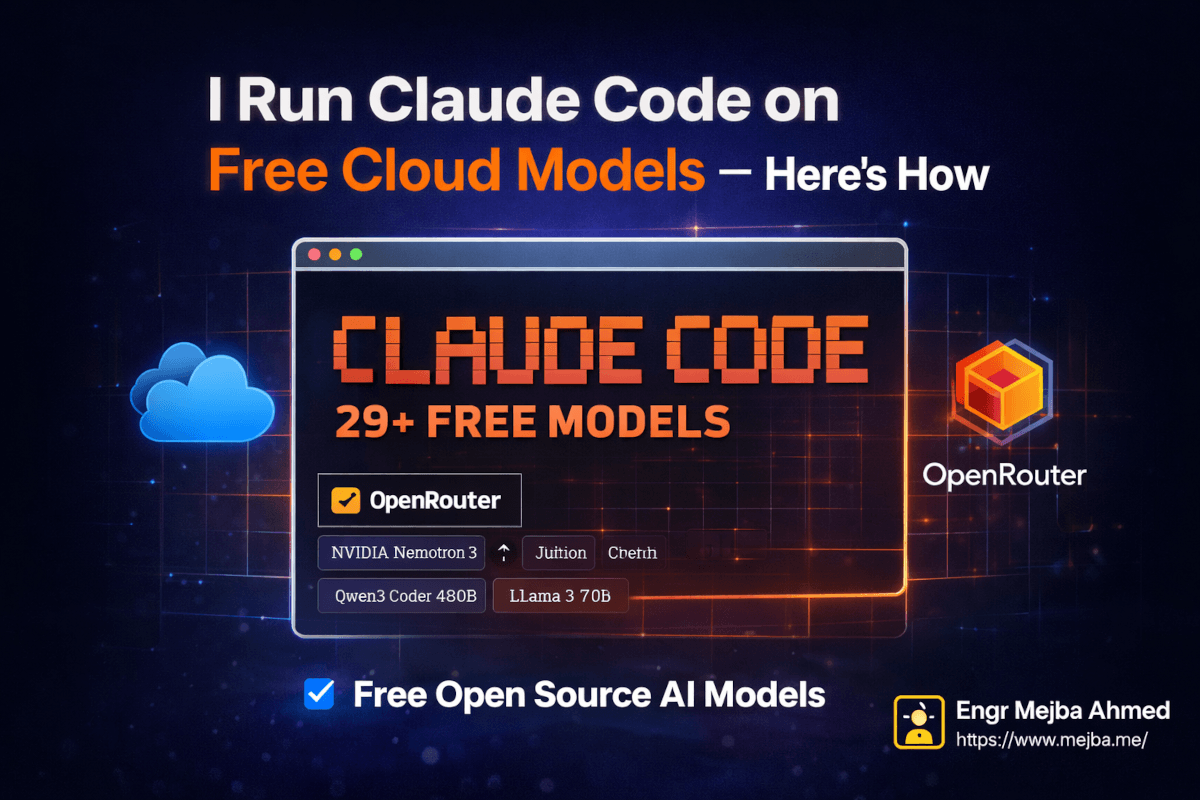
I was about to give up on the whole concept of running open-source models with Claude Code when a colleague dropped a link in our team chat. "Skip the local setup," he wrote. "Point Claude Code at OpenRouter. Twenty-nine free models. Cloud inference. Same agentic workflow."
Eight minutes later, I had Claude Code running on NVIDIA's Nemotron 3 Super — a 120B parameter model I couldn't even load locally — generating a complete SaaS landing page at cloud speed. For free.
That was three weeks ago. I haven't touched local inference since.
Why Local Inference Failed Me (And Probably Fails You Too)
I need to explain why I abandoned local models, because if you're reading this, you've probably considered the same path. Or you're currently on it, watching your laptop turn into a space heater.
The math just doesn't work for most consumer hardware.
Small models — 7B and 13B parameters — run fine locally. They're fast, they fit in memory, and they don't tax your machine. But their output quality for real development work is rough. Ask a 7B model to refactor a 200-line Express.js handler into clean modules, and you'll get something that technically runs but structurally reads like a first-year CS student's homework. The variable naming is generic. The error handling is either missing or cargo-culted. The architectural decisions are surface-level.
The models that produce genuinely useful code start at 70B parameters. And 70B is where consumer hardware starts sweating. On my M2 with 32GB unified memory, a 4-bit quantized Llama 3.3 70B model through Ollama gave me response times of 12-20 seconds per generation. That's per single response. Claude Code's agentic workflows chain dozens of these calls together — planning, code generation, file writes, test execution, error correction. At 15 seconds per call across 30 calls, a task that takes 4 minutes on cloud inference takes 7-8 minutes locally. That gap compounds across a workday into hours of lost productivity.
And that's the best-case scenario. The 120B+ models that actually rival paid cloud offerings? My machine can't run them at all. Not at full precision. Not even at aggressive quantization. You'd need 64GB+ of RAM minimum, and even then, you're trading meaningful quality for the privilege of running it locally.
I ran a four-hour coding session on local inference once, just to see what sustained usage felt like. My battery went from 100% to 12%. The laptop chassis was too warm to rest on my legs. The energy cost probably exceeded what the equivalent cloud API calls would have charged me.
Local inference is a fascinating technical exercise. For daily development work with models powerful enough to be useful? Cloud inference through a service like OpenRouter is the practical answer.
What OpenRouter Does (And Why 29 Free Models Exist)
OpenRouter is an API routing layer that sits between your development tool and dozens of model providers. One API key, one endpoint, access to 400+ models from OpenAI, Google, Meta, Mistral, NVIDIA, Anthropic, and more.
The part that matters for this article: OpenRouter maintains a curated collection of completely free models. As of March 2026, 29 models are available at zero cost — no credit card required, no trial period, no catch beyond rate limits.
Why would anyone offer 120B parameter models for free? Two reasons.
First, companies like NVIDIA and Meta release open-source models as strategic investments. NVIDIA's Nemotron 3 Super isn't free because NVIDIA is feeling generous — it's free because widespread adoption drives demand for NVIDIA's training infrastructure and cloud computing services. Meta's Llama models serve the same purpose for their AI ecosystem. The model is the loss leader. The infrastructure is the business.
Second, OpenRouter subsidizes free model access as a growth strategy. Free users become paid users when their needs scale. It's the same playbook that GitHub, Vercel, and every successful developer tool has run — give away enough value to build habit, then capture revenue when usage grows.
The result for us: legitimate, cloud-hosted, full-precision models running on proper GPU infrastructure, accessible through a simple API — without paying a cent.
Here's the critical insight that makes this relevant for Claude Code specifically: Claude Code's power lives in its agent framework, not in the model. The planning engine, the file system access, the shell command execution, the sub-agent coordination, the web search, the code exploration — all of that is framework-level infrastructure. It works regardless of which model provides the reasoning. Swap Anthropic's Opus for NVIDIA's Nemotron 3 Super, and Claude Code still reads files, writes code, runs tests, and executes terminal commands exactly the same way.
The intelligence changes. The capabilities don't.
That separation is the entire foundation of what I'm about to walk you through.
The Complete Setup: Under Ten Minutes, Start to Finish
I'm giving you the exact steps I followed, including the debugging mistake that cost me an extra ten minutes. If you skip my mistake, you'll be running in under eight.
Step 1: Confirm Claude Code Is Installed
If you already have Claude Code, skip to Step 2. If not:
npm install -g @anthropic-ai/claude-code
Or on macOS via Homebrew:
brew install claude-code
Verify with claude --version. If you've never used Claude Code before, my beginner's guide covers everything from installation to your first build.
Step 2: Create a Free OpenRouter Account
Go to openrouter.ai and sign up. Email and password — no credit card needed for the free tier.
Navigate to the API Keys section in your dashboard. Click Create Key. Copy the key immediately — it starts with sk-or-v1- and OpenRouter won't show it again after you leave the page.
Step 3: Set Three Environment Variables
Open your shell configuration file. On macOS (the default zsh shell), that's ~/.zshrc. On Linux with bash, ~/.bashrc. Add these three lines:
export ANTHROPIC_BASE_URL="https://openrouter.ai/api"
export ANTHROPIC_AUTH_TOKEN="sk-or-v1-your-actual-key-here"
export ANTHROPIC_API_KEY=""
That third line — the empty ANTHROPIC_API_KEY — looks pointless. I skipped it the first time. Bad decision.
Here's what happens without it: if you've previously authenticated Claude Code with an Anthropic account (which most users have), Claude Code caches those credentials. When both an Anthropic key and an OpenRouter token exist simultaneously, Claude Code doesn't know which to prioritize. Requests either fail with cryptic authentication errors or — the sneaky failure mode — succeed but route through Anthropic's paid API, silently burning your credits while you think you're on the free tier.
Setting ANTHROPIC_API_KEY to an empty string explicitly tells Claude Code to ignore any cached Anthropic credentials and route everything through the base URL you specified.
One more step if you were previously logged in: Launch Claude Code and run /logout inside the session. This clears the OAuth token from the browser-based authentication flow. Without this, the cached OAuth token can override your environment variables.
Step 4: Choose Your Free Model
Browse OpenRouter's free models page and pick a model. I'll tell you which one to start with in the next section, but mechanically, here's how to set it:
Add this line to your shell profile:
export ANTHROPIC_DEFAULT_SONNET_MODEL="nvidia/nemotron-3-super:free"
This tells Claude Code which model to use for its primary reasoning tasks. Replace the model identifier with any free model ID from OpenRouter's catalog — each model page has a copy button for the exact string.
Step 5: Reload and Verify
Source your updated profile:
source ~/.zshrc
Or just open a new terminal window. Then launch Claude Code in any project directory:
claude
Run /status inside the session. You should see your chosen model listed as active and the API endpoint pointing to OpenRouter. If you still see an Anthropic model or endpoint, double-check the empty API key and the /logout step.
That's the entire setup. Every prompt, every agent action, every sub-agent call now routes through OpenRouter to your selected free model.
Which Free Model Should You Actually Use? I Tested Five.
This is where most OpenRouter guides end — "here's how to connect, good luck picking a model." That's not helpful. The difference between picking the right free model and the wrong one is the difference between a productive afternoon and a frustrating one.
I spent a week running five free models through the same battery of real development tasks. Not synthetic benchmarks. Real work I'd normally do with Opus or Sonnet.
The test battery:
- SaaS landing page generation — full page with hero, features grid, pricing table, footer. Tailwind CSS. Responsive.
- Code refactoring — take a messy 200-line Express.js route handler and refactor into clean, separated modules.
- Bug diagnosis — provide error logs and a code snippet with a subtle async/await timing bug. Find and fix it.
- Multi-step agentic task — research current cloud storage pricing, create a comparison table, save to a markdown file. This tests tool calling, web search, and file operations.
NVIDIA Nemotron 3 Super — My Daily Free Model
This is the one. If you're only going to configure one free model, make it this one.
Nemotron 3 Super is a 120B parameter mixture-of-experts model that activates only 12B parameters per request. That architectural choice is why it can be offered for free while still delivering output that genuinely competes with paid models. According to NVIDIA's technical report, it achieves up to 2.2x higher inference throughput than comparable 120B models like GPT-OSS, thanks to its hybrid Mamba-Transformer architecture.
The 262K token context window is enormous for a free model — large enough to hold substantial codebases without truncation.
Landing page test: Generated a complete, responsive page with cohesive color scheme, proper Tailwind classes, and copy that didn't read like filler text with delusions of grandeur. The component structure was clean enough to drop into a real project with minor spacing adjustments.
Refactoring test: This is where Nemotron surprised me. It identified the obvious extraction points — separate validation, pull out database queries — but also caught a race condition in the original code that I'd deliberately left in as a trap. It caught it. Not every model does.
Bug diagnosis: Correctly identified the async timing issue on the first pass, explained the mechanism clearly, and provided a fix with proper error handling. Solid.
Agentic task: Functional but rough around the edges. The model made correct tool calls — web search, file creation — but the comparison table formatting needed manual cleanup. The research content was accurate.
Response speed averaged 3-4 seconds per generation. Compared to the 15-20 seconds I was getting from local inference on a smaller model, cloud-hosted Nemotron felt like switching from dial-up to broadband.
Qwen3 Coder 480B — The Code Specialist
Currently the strongest free coding model on OpenRouter, with a 262K context window and benchmarks that put it near the top for code generation tasks.
On the landing page and refactoring tests, Qwen3 Coder slightly outperformed Nemotron — tighter code, fewer unnecessary comments, better variable naming. The bug diagnosis was comparable. Where it dropped off was the general-purpose agentic task. Ask it to research and synthesize information outside of pure code generation, and the quality falls noticeably.
If your work is 90%+ code generation, Qwen3 Coder might be the better default. For mixed workflows that include research, documentation, and general reasoning alongside coding, Nemotron's well-roundedness wins.
I keep Qwen3 Coder available as a secondary model:
export CLAUDE_CODE_ALTERNATE_MODEL="qwen/qwen3-coder-480b:free"
Llama 3.3 70B — The Reliable Fallback
Meta's Llama 3.3 70B is the Toyota Corolla of free models. Nothing about it will excite you. Nothing about it will frustrate you either.
It handled all four tests adequately. The landing page was functional but visually plain. The refactoring was correct but conservative — it didn't catch the race condition. The bug diagnosis was accurate but the explanation lacked depth. The agentic task completed without issues.
If Nemotron 3 Super gets rotated out of the free tier (models shift periodically), Llama 3.3 70B is my instant fallback. Predictable consistency has real value when you're depending on a free tier.
GPT-OSS 120B — Brilliant and Unreliable
OpenAI's open-source 120B model produced the single best landing page output in my entire test battery. Clean layout. Thoughtful micro-interactions. Copy that actually felt persuasive.
Then I ran the same prompt again and got a page with broken flexbox, hardcoded pixel values, and a pricing table that overlapped on mobile.
That inconsistency is a dealbreaker for agentic workflows. A single bad response in an agent chain can cascade — the model writes a buggy file, the next step tries to build on that buggy file, and suddenly you're three iterations deep into compounding errors. I'd use GPT-OSS for one-off generations where I can check the output immediately. For multi-step agent work, the variance is too high.
openrouter/free (The Auto-Router) — Don't Bother
OpenRouter offers a meta-option called openrouter/free that automatically selects from available free models based on your request. I tested it for a day.
The problem: you never know which model is handling each request. One response comes from Nemotron, the next from something entirely different with different strengths, different quirks, different output formatting. For a one-off chat question, it's fine. For a coherent multi-step agentic workflow where consistency across calls matters, it creates chaos. Skip it.
What Actually Works on Free Models (And What Breaks)
Claude Code's agentic capabilities are framework-level features — they operate independently of the backend model. But the quality of how the model drives those capabilities varies. Here's what I found after three weeks of daily use.
Works perfectly:
File system operations. Reading, creating, editing, deleting files. The model decides the content; Claude Code handles the filesystem interaction. No difference from paid models.
Shell command execution. Installing packages, running build scripts, executing test suites, checking Git status. The model decides which commands to run; the agent executes them. Free models handle well-defined tasks here just as reliably as Opus.
Built-in web search. Claude Code's web search works through the agent framework regardless of backend model. I used Nemotron to research API documentation, check npm package versions, and verify current pricing data. Search results come back identically — the model just needs to formulate reasonable queries and synthesize results.
Code exploration and file discovery. Glob patterns, project structure analysis, dependency mapping. Framework-level capabilities that work independently of model quality.
Scheduled prompts. Setting up Claude Code to run recurring tasks — daily reports, automated checks, periodic code reviews — works on free models. This is where the cost savings become most dramatic. A scheduled task running four times daily at zero cost versus $0.30-$0.50 per run on a paid model saves $36-$60 per month on a single recurring task.
Works with caveats:
Complex multi-step planning. Free models handle 4-5 step plans cleanly. Beyond that, steps get skipped, sequencing breaks down, or the model forgets what it's already done. The workaround: be more explicit. Instead of "build a complete auth system," decompose the task yourself — "First, create the user model. Then build the registration endpoint. Then build the login endpoint with JWT." More structure in the prompt compensates for less planning capability in the model.
Sub-agent coordination. Claude Code can spawn sub-agents for parallel tasks. With free models, dispatching works but synthesis gets messy — the primary agent sometimes ignores sub-agent output or merges results incoherently. I avoid complex sub-agent workflows on free models unless the sub-tasks are truly independent.
Doesn't work well:
Large codebase architectural reasoning. Despite Nemotron's 262K context window, the quality of cross-file reasoning is noticeably weaker than Opus. The model can hold the context physically but doesn't reason about inter-file dependencies, design patterns, and architectural implications with the same depth. For single-file or small-project work, the difference barely registers. For a 50-file monorepo with complex dependency chains, you'll feel it immediately.
Git history manipulation. Basic operations — commit, push, branch creation — work fine. Interactive rebasing, merge conflict resolution, multi-commit squash workflows? Free models struggle with the nuance and precision these require. I learned this the hard way when a free model attempted a poorly reasoned force push. Keep Git complexity on paid models.
The Rate Limits: Real Numbers and How to Handle Them
Free tier gives you 200 requests per day and 20 requests per minute. Those numbers sound generous until you watch an agentic workflow operate.
A single Claude Code task like "create a React component with tests" can generate 5-30 API calls internally. Planning calls. Code generation calls. File write calls. Test execution calls. Error correction calls. An afternoon of active development burns through 200 requests faster than you'd expect.
Strategy 1: Batch your work. Instead of running Claude Code sporadically throughout the day, I concentrate free-model sessions into focused blocks. Morning: scaffold components and write tests. Afternoon: research and documentation. This keeps me well within the daily limit.
Strategy 2: The $10 deposit trick. OpenRouter has a clever mechanism — maintain at least $10 of credits in your account, and your daily request limit jumps to 1,000 even for free models. You're not spending those credits on free model requests. They sit as a balance. Think of it as a refundable deposit that quintuples your capacity. At 1,000 requests per day, I've never come close to running out during a full workday.
Strategy 3: Hybrid routing. I keep my Anthropic credentials in a separate shell profile. When I need Opus-level reasoning or when I'm approaching my free tier limit on a busy day, I source the Anthropic profile and switch back. I wrote about this kind of strategic model allocation in my AI agent cost optimization guide. The key is deciding before you start a task whether it needs a paid model or a free one — switching mid-task wastes context.
Strategy 4: Monitor in real time. OpenRouter's dashboard shows your request count live. I check it mid-afternoon. If I'm at 150/200, I shift remaining tasks to paid models rather than risk hitting the wall during something important.
The Build That Sold Me: A SaaS Landing Page in Six Minutes
Theory is nice. Proof is better.
Three days into my OpenRouter experiment, I gave Nemotron 3 Super a task I'd normally reserve for Sonnet or Opus:
Build a modern SaaS landing page for a project management tool called "FlowBoard."
Include: hero section with gradient background, feature grid with 4 features and icons,
pricing table with 3 tiers, testimonial section, and footer.
Use Tailwind CSS. Make it responsive. Primary color: indigo. Secondary: slate.
Nemotron planned the approach — single HTML file with Tailwind CDN, component-by-component generation, mobile-first responsive design. Then it started building.
Six minutes later, a complete landing page sat open in my browser.
The hero section had a clean indigo-to-purple gradient that didn't look like a default template. The features grid used CSS Grid with Heroicons — the model chose an appropriate icon library without being asked. The pricing table had three structured tiers with the middle one highlighted as "recommended." The testimonials section included realistic-looking placeholder content with circular avatar frames.
The flaws were specific and minor: uniform py-16 padding between sections instead of varied spacing for visual rhythm. One pricing tier border didn't align perfectly on small mobile screens. Footer links needed real URLs.
Those are five-minute fixes. The 95% of the work — layout architecture, responsive behavior, component structure, color system, typography hierarchy — was done. By a free model. Running in the cloud. In six minutes.
I've built landing pages professionally. This output would have taken me 2-3 hours manually and looked roughly the same. Opus would have nailed the spacing nuances on the first pass, but for prototyping, client demos, and internal tools? Nemotron's output is more than sufficient.
That six-minute build is when I stopped thinking of free models as a compromise and started thinking of them as a legitimate tool in the stack.
The Honest Assessment: When Free Models Cost You More Than They Save
I'm going to be direct about something most "use AI for free" articles skip.
There was a Wednesday afternoon where I tried to build a moderately complex Next.js form component on Nemotron 3 Super. Dynamic field generation, conditional visibility logic, real-time validation, preview panel. Not trivial, but the kind of thing Opus handles in a single pass.
Nemotron took three attempts. The first had a subtle state management bug. The second fixed that bug but introduced a rendering issue with the conditional fields. The third attempt worked, but I had to manually correct two edge cases the model missed.
Total time: roughly 40 minutes. Total cost: $0.
The next day, I ran the identical task on Opus. One attempt. Clean code. Correct edge cases. Six minutes. Cost: about $0.30 in tokens.
If my time is worth anything — and yours is too — spending 34 extra minutes to save $0.30 is objectively a bad trade. That's an effective hourly rate of $0.53. Even at minimum wage, you lost money on the "free" model.
This is what I call the false economy trap. The model is free. Your time isn't.
Free models make economic sense when:
- The task is simple enough that the model gets it right on the first try
- You're experimenting and output quality doesn't matter
- You're learning and the debugging process itself is educational
- You're running scheduled or bulk tasks with tightly templated prompts
- You're prototyping something you plan to rebuild anyway
Paid models make economic sense when:
- The task is complex enough that mistakes cost more debugging time than the API call costs
- You're writing production code where reliability matters
- You're on a deadline and can't afford iteration loops
- You're working with security-sensitive code
- The codebase is large and requires deep cross-file reasoning
The sweet spot I've settled into: free models handle 60-70% of my daily Claude Code usage — scaffolding, boilerplate, test generation, documentation, research, scheduled tasks. Paid models handle the 30-40% that requires top-tier reasoning. My overall output quality hasn't dropped. My monthly API costs have fallen by roughly 60%.
Five Pitfalls I Hit So You Don't Have To
Three weeks of daily use surfaced these gotchas:
Pitfall 1: The phantom Anthropic bill. If your requests succeed but your Anthropic dashboard still shows charges climbing, you didn't properly blank the API key or clear the OAuth cache. This is the most common failure mode and the most expensive — you think you're on the free tier while silently burning paid credits.
Pitfall 2: Shifting model IDs. Free model identifiers on OpenRouter can change. I had nvidia/nemotron-3-super:free in my config for two weeks, then one morning Claude Code threw errors. The model ID had shifted slightly in OpenRouter's catalog. If something stops working suddenly, check the models page and update the ID string in your .zshrc.
Pitfall 3: CLAUDE.md instructions need adjustment. If you use a CLAUDE.md project file (and you should), your instructions are likely optimized for whichever model you wrote them for. Free models respond differently to the same directives. I had to simplify some instructions — shorter sentences, more explicit step-by-step structure — to get consistent results from Nemotron.
Pitfall 4: Latency variance across days. Free model performance fluctuates with server load. Some days Nemotron responds in 2 seconds; other days it takes 5-6 seconds. The output quality stays consistent, but latency swings can disrupt time-sensitive workflows. Build timeout handling into any automation that depends on free models.
Pitfall 5: Over-relying on free models for Git operations. Basic commits and pushes work fine. Complex Git workflows — interactive rebasing, conflict resolution, history rewriting — require the kind of precision that free models don't consistently deliver. A poorly reasoned rebase can damage your commit history. Keep Git complexity on paid models.
What's Coming Next for Free Model Quality
Three trends are making this setup more powerful every quarter.
Open-source model quality is accelerating. Six months ago, free models couldn't reliably generate a working React component. Nemotron 3 Super and Qwen3 Coder produce output today that rivals what Sonnet 3.5 delivered a year ago. The gap between free and paid models is compressing fast. NVIDIA, Meta, Alibaba, and Mistral are all pouring resources into open-source models because widespread adoption drives their infrastructure businesses. According to Artificial Analysis, Nemotron 3 Super already leads the open-source efficiency benchmark — and it launched in March 2026.
The free model catalog keeps expanding. OpenRouter's free collection grew from around 20 models in late 2025 to 29 in March 2026. Each addition raises the floor of what's available at zero cost. The economic incentives driving free model availability — adoption-driven business models, developer ecosystem growth — aren't going away.
Claude Code's agent framework keeps improving. Every update Anthropic ships to Claude Code's planning, tool use, and sub-agent capabilities benefits every model you route through it — including free ones. Better scaffolding around a weaker model can produce results that match a stronger model with less scaffolding. That leverage effect compounds over time.
The honest prediction: within a year, free open-source models will handle 80-90% of typical development tasks at a quality level that's indistinguishable from what mid-tier paid models deliver today. The tools to route between free and paid seamlessly — OpenRouter being the most mature option right now — will be standard developer infrastructure.
We're not quite there yet. But eight minutes of setup gets you closer than you'd expect.
The Setup That Changed My Workflow Math
Three weeks ago, I was running every Claude Code task through Anthropic's API. Every boilerplate scaffold. Every test generation. Every documentation pass. All billed at premium rates.
Today, those routine tasks hit NVIDIA's Nemotron 3 Super through OpenRouter at zero cost. The complex architecture work, the production debugging, the client projects — those still run on Opus, where the precision justifies the price.
The result isn't just cost savings, though that's real — roughly 60% reduction in my monthly API spend. The bigger shift is psychological. When every API call costs money, you unconsciously self-censor. You hesitate before running exploratory queries. You skip the "let me try three different approaches" experimentation that produces the best solutions. You optimize for fewer calls instead of better outcomes.
When 60% of your calls are free, that friction disappears. You experiment more. You iterate faster. You ask Claude Code to try the speculative approach because the downside is zero. And sometimes that speculative approach turns out to be the right one.
The eight-minute setup I walked you through isn't just a cost optimization. It's a permission structure. Permission to use AI assistance the way it works best — frequently, experimentally, without counting tokens.
Your move for tonight: create the OpenRouter account, set three environment variables, pick Nemotron 3 Super as your default, and run the same task you'd normally send to a paid model. Compare the output side by side. The difference is smaller than you think — and for the tasks where it barely matters, you just eliminated the bill entirely.
Claude Code Free Cloud Models: Common Questions
Can I use Claude Code completely free with OpenRouter?
Yes. Create a free OpenRouter account, generate an API key, and set three environment variables to redirect Claude Code to OpenRouter's endpoint. No credit card required. You get 200 requests per day across 29 free open-source models with full access to Claude Code's agentic features — file management, shell commands, web search, and scheduled prompts.
What is the best free model for coding with Claude Code in 2026?
NVIDIA Nemotron 3 Super offers the best all-around performance for mixed development workflows — code generation, refactoring, research, and documentation. For pure code generation, Qwen3 Coder 480B is the strongest free option on OpenRouter. Both have 262K token context windows. For the full model comparison, see the testing section above.
How do I increase OpenRouter's daily request limit for free models?
Deposit $10 into your OpenRouter account. The credits aren't spent on free model requests — they sit as a balance. But maintaining that balance unlocks 1,000 daily requests instead of the default 200. For developers running agentic workflows that generate dozens of API calls per task, this expanded limit covers a full workday.
Does Claude Code lose any features when using non-Anthropic models?
The agent framework — file operations, shell commands, web search, scheduled tasks, code exploration — works identically regardless of backend model. What changes is the quality of the model's reasoning, planning depth, and code output. Free models handle straightforward tasks well but struggle with complex multi-step planning and large codebase reasoning compared to Opus or Sonnet.
Why is Claude Code still charging my Anthropic account after configuring OpenRouter?
Two common causes: you didn't set ANTHROPIC_API_KEY="" in your shell profile (which leaves cached credentials active), or you didn't run /logout inside Claude Code to clear the OAuth token. Both steps are required. Verify your configuration by running /status inside Claude Code — it should show your OpenRouter model and endpoint, not an Anthropic one.
Whether Free Cloud Models Fit Your Workflow
Running Claude Code on free cloud models via OpenRouter stops you burning GPU cycles and cuts API costs — which matters most when you're prototyping throwaway ideas, not shipping production. Free is for experimentation; graduate the winners to something reliable.
Point it at a scratch project this week and watch your bill. My free Claude Code proxy build and Codex vs Claude Code subscriptions go deeper.
If you want a cost-optimized model setup built for your work, that's something I do through Ramlit.