AI Brand Monitor LLM Tracking: How I Built One
The Freshdesk marketing team had a problem they didn't know about.
Their product was getting recommended by Google Search. It was showing up in traditional SEO results. But when someone opened ChatGPT — which now handles 900 million weekly active users as of February 2026, according to OpenAI's own report — and typed "what's the best customer support tool for a 50-person team?", Freshdesk wasn't in the answer. Gorgias was. Zendesk was. Intercom was. Freshdesk? Invisible.
And nobody on their team had any idea, because nobody was checking.
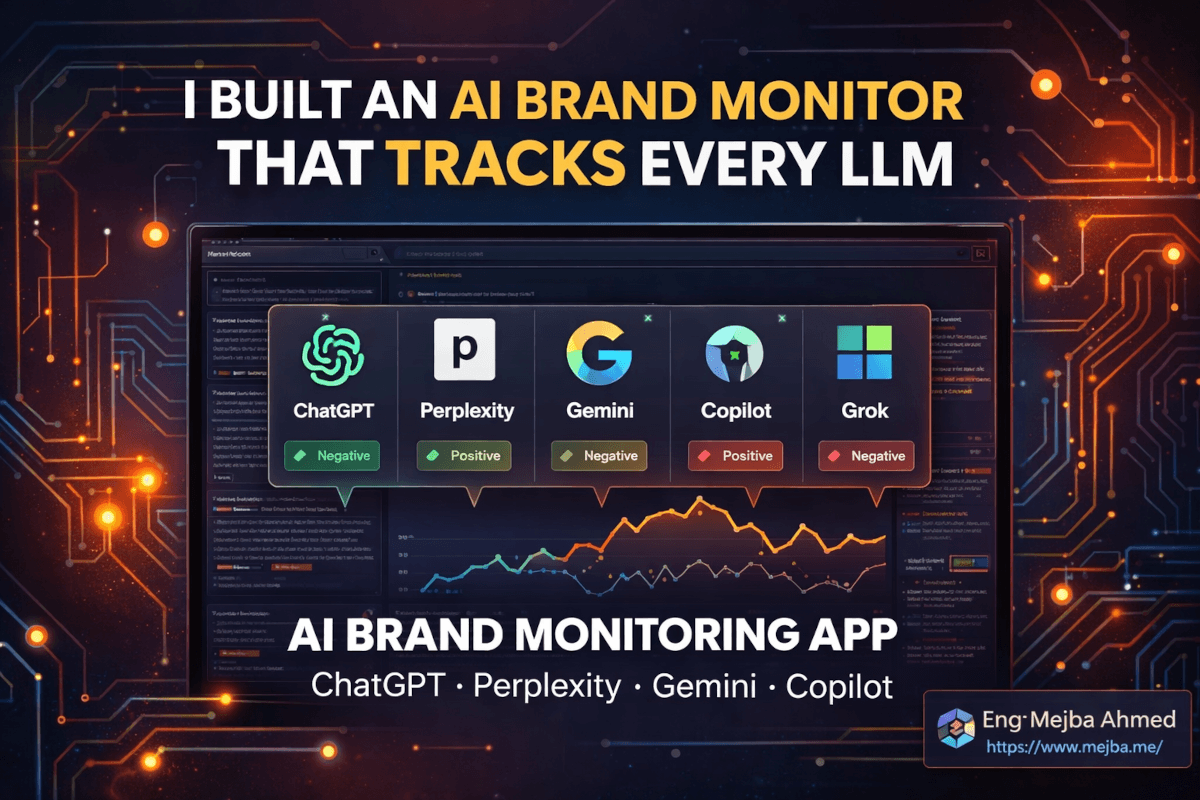
That's the problem I set out to solve with a single coding session, a Next.js app, and a scraping API I'd never used before. Not a dashboard mockup. Not a prototype that looks good in a demo. A working application that queries ChatGPT, Perplexity, Gemini, Grok, Copilot, and Google Search for any brand name you give it — then tells you exactly where you show up, where you don't, and what the sentiment looks like when you do.
The build took a full afternoon. The debugging took longer than I expected. And the thing that nearly derailed the entire project? A gap between how AI platforms respond through their APIs versus what they actually show users in the browser. That distinction matters more than most developers realize, and it's the reason this app works differently from the handful of commercial tools already on the market.
Here's the full build story — the decisions that worked, the ones that didn't, and the architecture pattern I'd use again for any scraping-heavy SaaS product.
Why Your Brand's Google Ranking Doesn't Tell the Full Story Anymore
Search engine volume is expected to drop 25% by 2026 as users shift to AI chatbots for information discovery. That stat, from multiple industry analyses, isn't a prediction anymore — it's already happening. ChatGPT alone has surpassed 1 billion estimated monthly active users in January 2026. Perplexity is growing fast. Gemini is baked into every Google product. Copilot ships pre-installed on every new Windows machine.
The old SEO playbook — rank on Google, capture traffic, convert — still works. But there's a parallel discovery channel now where the rules are completely different. LLMs don't rank pages. They recommend brands. And here's the unsettling part: according to research tracked by multiple LLM monitoring studies, there's less than a 1-in-100 chance that ChatGPT will give the same list of brand recommendations in any two responses to the same prompt. The answers drift. They change based on context, phrasing, timing, and what training data the model last ingested.
Which means if you checked your brand's LLM visibility last Tuesday and it looked fine, it might be gone by Friday. Without continuous monitoring, you're flying blind in the fastest-growing discovery channel on the internet.
I knew tools like Otterly.ai, Semrush's AI Visibility Toolkit, and Siftly existed. They charge $200-500/month for this kind of monitoring. But I wanted to understand the mechanics — what's actually happening under the hood when you track brand mentions across AI platforms. The best way to understand something is to build it yourself.
That's what this project became. Not a competitor to those tools, but a working system that taught me more about LLM behavior than any dashboard ever could.
Before I walk through the build, though, there's a fundamental technical decision that shapes everything else — and getting it wrong would have made the entire app useless.
The API vs. Browser Problem Nobody Warns You About
My first instinct was obvious: call the APIs. OpenAI has an API. Google has a Gemini API. Perplexity has an API. Just send prompts, get responses, parse for brand mentions. Done in an afternoon.
Except it doesn't work that way.
The response you get from ChatGPT's API is not the same response a user sees in the browser. The web application layers on additional optimizations — citation formatting, source linking, response restructuring, and in some cases entirely different model configurations optimized for the conversational UI. The API gives you a raw completion. The browser gives you a curated experience with sources, links, and context that the API strips out.
And then there's Copilot. No public API at all. If you want to know what Copilot recommends when someone asks about your brand, you have to see what the actual browser interface shows. There's no shortcut.
Geolocation adds another layer. When a user in London asks Perplexity "best project management tool," they get different results than a user in San Francisco asking the same question. API calls don't capture that variance. Scraping the user-facing interface — from a proxy in the target geography — does.
This realization killed my "just call the APIs" plan within the first hour. If the goal is to see what real users see when they ask AI platforms about your brand, you have to scrape the actual user interface. Anything else gives you a filtered, incomplete picture.
That's where Bright Data entered the build.
Bright Data's AI Scrapers: What They Actually Do
I'd used Bright Data for proxy rotation on previous projects, but their AI scraper product was new to me. The pitch is straightforward: pre-built scrapers for AI platforms that return structured data — the response text, sources, citations, and metadata — from the user-facing web interfaces of ChatGPT, Gemini AI Mode, Copilot, Perplexity, and Google SERP.
The pricing starts at $0.001 per record on a pay-as-you-go basis, with subscription plans beginning at $499/month for heavier usage. For a monitoring tool that runs a few hundred queries per day, pay-as-you-go makes the math easy.
But the implementation has a quirk that caught me off guard.
Scraping AI platforms isn't instant. When you trigger a scrape of a ChatGPT response, the scraper has to load the page, wait for the model to generate its full answer (which can take 10-30 seconds depending on complexity), then extract and structure the result. If the scrape takes longer than about 60 seconds, Bright Data doesn't just make you wait — it returns a snapshot ID instead of the result. You then poll that snapshot ID with GET requests until the result is ready for download.
This is the trigger-poll-download pattern, and it fundamentally shaped the app's architecture. You can't build this as a simple request-response flow. Every scraping job is inherently asynchronous, with unpredictable completion times. Each AI provider has different response speeds. And you're running six of them in parallel for every brand scan.
If I'd tried to handle this with basic await fetch() calls in a Next.js API route, the whole thing would have fallen apart the moment a single scrape timed out. The architecture needed to be asynchronous from the ground up — which is how Inngest entered the picture. But I'm getting ahead of myself. Let me walk through the initial build first, because the first version worked without Inngest, and understanding why it broke is more useful than understanding why the final version works.
The Stack: Next.js, SQLite, Drizzle, and a Coding Agent
Here's what I started with:
- Next.js with React for the frontend and API routes
- SQLite with Drizzle ORM for local persistence (no need for a cloud database during development)
- Bright Data API for scraping all six platforms
- Claude Code as the primary coding agent (with a switch to Cursor midway — more on that)
The database schema was simple. Three tables: brands (the entities being monitored), scans (each monitoring run), and results (individual provider responses within a scan). Each result stores the provider name, whether the brand was mentioned, the sentiment (positive/neutral/negative), the raw response text, and any sources or citations the AI platform included.
I started building with Claude Code, feeding it the Bright Data API documentation as context. This is where context engineering mattered — I didn't just say "build me a scraper." I pasted the full API docs for each provider's scraper, including the different mandatory fields each one requires (some need a URL, some need a prompt, some accept an optional country parameter), and the varying response formats.
The first version came together in about two hours. A form where you enter a brand name and a prompt ("What's the best [category] tool?"), select which providers to query, and hit scan. The backend triggers Bright Data scrapers for each selected provider, polls for results, and displays them as cards showing mention status and sentiment.
It worked. On a good day. With a strong internet connection. When no scrape took longer than 60 seconds.
On a bad day — which turned out to be most days — things fell apart in interesting ways.
What Went Wrong: The First Architecture's Failure Modes
Three problems surfaced within the first day of testing.
Problem 1: Timeout cascades. When one provider's scrape took longer than expected, the API route handler would hit Next.js's default timeout. The entire scan would fail, even though four of the six providers had already returned results. I was losing good data because of one slow response.
Problem 2: No recovery. If I closed my laptop, the browser tab, or the dev server restarted (which happens constantly during development), all in-progress scans vanished. No way to resume. No record that they'd even started. Every interrupted scan meant re-running all six scrapers from scratch.
Problem 3: Rate limiting. Bright Data has concurrency limits. When I tried to run multiple brand scans simultaneously — which is the entire point of a monitoring tool — I'd hit rate limits and get partial failures with no clean retry mechanism.
The first version was a working prototype. It proved the concept. But it was nowhere near production-ready, and the gap between "works in a demo" and "works reliably" was exactly where the interesting engineering decisions lived.
This is where most tutorials stop. "Look, it works!" — with a screenshot of the happy path. I want to show you what happens when you push past that point, because the pattern I used to fix these problems is reusable across any app that deals with unreliable external services.
Inngest: The Background Queue That Fixed Everything
I'd heard of Inngest but never used it in a project. The pitch is simple: durable workflow orchestration for serverless environments. You define functions that run as background jobs, and Inngest handles queuing, retries, concurrency limits, and persistence. If your server crashes, the job resumes when it comes back up. If a step fails, Inngest retries just that step — not the entire workflow.
For a scraping-heavy app where every external call is unreliable, this was exactly right.
Here's how the architecture changed:
Before (fragile):
- User clicks "Scan"
- API route triggers all six scrapers synchronously
- Waits for all results
- Returns response or times out
After (durable):
- User clicks "Scan"
- API route sends an event to Inngest
- Inngest function triggers all six scrapers in parallel, each as a separate step
- Each step handles its own polling loop independently
- Results are written to SQLite as they complete
- Frontend polls for updates and renders results incrementally
The difference is night and day. Each scraper runs independently. If Gemini takes 90 seconds while ChatGPT finishes in 15, the ChatGPT result shows up immediately while Gemini keeps processing. If Copilot fails entirely, the other five results are preserved. If the server restarts, Inngest picks up where it left off.
Setting up Inngest in a Next.js project takes about ten minutes. Install the SDK, create an Inngest client, define your functions, and add the serve handler to an API route. The Inngest dev server gives you a local dashboard where you can see every job, its status, individual step results, and retry history.
// inngest/functions/scan-brand.ts
import { inngest } from "../client";

export const scanBrand = inngest.createFunction(
  {
    id: "scan-brand",
    concurrency: { limit: 3 }, // avoid rate limits
  },
  { event: "brand/scan.requested" },
  async ({ event, step }) => {
    const { brandName, prompt, providers } = event.data;

    // Run each provider scrape as an independent step
    const results = await Promise.allSettled(
      providers.map((provider) =>
        step.run(`scrape-${provider}`, async () => {
          // Trigger Bright Data scraper
          const snapshot = await triggerScrape(provider, prompt);

          // Poll until complete
          const result = await pollForResult(snapshot.id);

          // Analyze for brand mention + sentiment
          const analysis = analyzeMention(result, brandName);

          // Persist to database
          await saveResult(brandName, provider, analysis);

          return analysis;
        })
      )
    );

    return results;
  }
);
The concurrency: { limit: 3 } parameter was the key to solving the rate limit problem. Instead of blasting all scrapers simultaneously across multiple scans, Inngest queues them and processes a maximum of three at a time. Clean, controlled, and no more 429 errors.
One thing worth noting: the step.run() wrapper is what gives you durability. Each step is independently retryable. If pollForResult fails because Bright Data returns a temporary error, Inngest retries just that step with exponential backoff. The other five provider scrapes are unaffected.
If you're building anything that depends on external APIs — scraping, payment processing, email delivery, webhook handling — this pattern is worth adopting. The reliability improvement is dramatic, and the code is actually simpler than the synchronous version because you stop trying to handle every failure case manually.
The Claude Code to Cursor Switch (And What It Taught Me About Context Engineering)
I started building with Claude Code. About halfway through — when I was implementing the Bright Data polling logic — I hit a wall. The context window was getting crowded with API documentation for six different providers, each with different request formats and response schemas. Claude Code was generating correct code for some providers but mixing up the mandatory fields between others. Copilot requires a URL field. ChatGPT needs a prompt. Gemini expects both. When the agent started confusing which provider needed what, the bugs got subtle and hard to catch.
I switched to Cursor running Opus 4.6 at that point. Not because Claude Code couldn't do it — it absolutely could with better context management on my part. The issue was my context engineering, not the tool.
Here's what I learned: when you're feeding documentation for multiple APIs to a coding agent, you need to be surgical about what context goes in each prompt. Instead of pasting all six provider docs at once, I should have structured the work as six sequential tasks, each with only the relevant provider's documentation. Feed the agent one provider's docs, get the scraper function built and tested, then move to the next.
This is what practitioners call context engineering — the art of providing exactly the right information to an AI coding agent at exactly the right time. Too little context and the agent guesses. Too much and it confuses details between similar-but-different systems. The sweet spot is giving it everything it needs for the current task and nothing it doesn't.
After the switch, I finished the remaining provider implementations in about 90 minutes. Not because Cursor is faster than Claude Code — in my experience they're roughly comparable — but because I'd learned from the first round of mistakes and structured my prompts better.
The lesson generalizes beyond this project: if your coding agent is producing inconsistent output, the problem is almost always the context you're giving it, not the model itself.
How the Scan Results Actually Look
When a scan completes, the app renders results as a grid of provider cards. Each card shows:
- Provider name (ChatGPT, Perplexity, Gemini, Grok, Copilot, Google Search)
- Mention status — was the brand mentioned in the response? Yes/No
- Sentiment — if mentioned, was the context positive, neutral, or negative?
- Response excerpt — the relevant portion of the AI's answer
- Sources/citations — any links the AI platform included (particularly useful for Perplexity, which always cites sources)
The sentiment analysis is straightforward: I parse the response text around the brand mention and classify the surrounding context. Phrases like "highly recommended," "top choice," or "industry leader" score positive. Phrases like "has limitations," "not ideal for," or "competitors offer better" score negative. Everything else is neutral.
Is this sentiment analysis production-grade? No. A real product would use an LLM to classify sentiment with much more nuance. But for a monitoring tool that's telling you "are you showing up, and is the context good or bad?" — simple keyword-based sentiment gets you 80% of the way there.
The more interesting data is the mention variance across providers. In testing with several well-known brands, I consistently found that a brand might be recommended by ChatGPT and Perplexity but completely absent from Gemini and Copilot. Or mentioned positively on one platform and neutrally on another. The responses are genuinely independent — each LLM has different training data, different retrieval augmentation, and different response patterns.
This variance is the core insight that makes LLM brand monitoring valuable. You can't check one platform and assume the others agree.
Handling the Six Providers: What Each One Requires
Each AI platform's scraper has different input requirements, and getting these wrong produces silent failures — the scraper runs, returns data, but the data is for the wrong query or format.
ChatGPT: Requires a prompt field. Optionally accepts a country for geolocation. Returns the full response text plus any web sources cited.
Perplexity: Requires a prompt. Returns structured text with inline citations and a source list. The source list is gold for understanding which websites influence Perplexity's recommendations.
Gemini AI Mode: Requires both a url (the Gemini web interface URL) and a prompt. Returns the AI-generated response that appears in Google's AI Mode results.
Grok: Requires a prompt. Returns X-platform-influenced responses that often reference recent social media discussion.
Copilot: Requires a url pointing to the Copilot web interface. No public API exists, so scraping is the only option. Returns the full response including any citations.
Google SERP: Requires a query (not prompt — different field name). Returns traditional search results plus any AI Overview content at the top of the page.
The mapping between these different field names and requirements is exactly the kind of detail that trips up coding agents when you feed them all the docs at once. Building a clean abstraction layer — a single triggerScrape(provider, query) function that maps to the correct Bright Data endpoint and field names — took longer than I expected but made the rest of the codebase dramatically simpler.
const PROVIDER_CONFIG = {
  chatgpt: {
    datasetId: process.env.BRIGHTDATA_CHATGPT_ID,
    buildPayload: (prompt: string, country?: string) => ({
      prompt,
      ...(country && { country }),
    }),
  },
  perplexity: {
    datasetId: process.env.BRIGHTDATA_PERPLEXITY_ID,
    buildPayload: (prompt: string) => ({ prompt }),
  },
  copilot: {
    datasetId: process.env.BRIGHTDATA_COPILOT_ID,
    buildPayload: (prompt: string) => ({
      url: "https://copilot.microsoft.com",
      prompt,
    }),
  },
  // ... similar for gemini, grok, google
};
This config-driven approach means adding a new provider later — Claude's web interface, for example — is a five-minute task. Define the dataset ID, specify the payload structure, done. The rest of the app doesn't need to change.
What I'd Do Differently on a Second Build
Every build log should include the mistakes. Here are mine.
I should have started with Inngest from the beginning. Building the synchronous version first and then refactoring to background jobs cost me roughly four hours of rework. If your app depends on external APIs with unpredictable response times, skip the synchronous prototype entirely. Start with a job queue. The overhead is minimal and the reliability improvement is immediate.
I over-engineered the database schema. My first schema had separate tables for sources, citations, and response metadata. In practice, I only query two things: "was the brand mentioned?" and "what was the sentiment?" Everything else could live as a JSON blob in a single raw_response column. I simplified midway through, but the migration was annoying.
I should have built the scheduling system from day one. A single scan is useful. But the real value of brand monitoring is tracking changes over time. Does your LLM visibility improve after you publish a new blog post? Does a competitor's product launch push you out of recommendations? Without scheduled recurring scans, you're getting snapshots instead of trends. The video tutorial I was following mentioned this as a future enhancement — I'd argue it's a core feature, not an enhancement.
Error handling needed to be more granular. My first implementation treated all scrape failures the same way. But there's a big difference between "Bright Data returned a rate limit error" (retry in 30 seconds), "the scraper couldn't find the element on the page" (the UI changed, alert me), and "the prompt returned no results" (valid response, the brand just isn't mentioned). Each failure type needs a different handling strategy.
The Business Case: Why This Matters Beyond the Code
There's a reason companies like Otterly.ai and Siftly charge $200-500/month for LLM monitoring. The visibility gap between traditional SEO and AI recommendations is real, and it's growing.
Here's the pattern I've observed across the brands I've tested with this tool: companies that dominate Google's first page often have weak or inconsistent presence in LLM recommendations. The skills that make you rank well in traditional search — backlinks, keyword density, domain authority — are not the same signals that make LLMs recommend you. LLMs prioritize semantic relevance and structural clarity over domain authority alone. A well-structured Reddit comment or a detailed review on a niche blog can influence an LLM recommendation more than a DA-90 homepage.
This creates a genuine strategic opportunity. If you're a challenger brand competing against an established player with massive domain authority, LLM visibility is where you can win first. The playing field is newer, less understood, and rewards different content strategies.
The monitoring app I built isn't a product. It's a diagnostic tool. But the diagnostic it provides — "here's exactly where you're visible and where you're not, across every major AI platform" — is the starting point for a content strategy most brands haven't even started thinking about.
Some concrete numbers from my testing: I ran the same brand query ("best project management tool for remote teams") across all six providers, five times each over a week. The results shifted meaningfully between runs. One well-known PM tool appeared in 4 out of 5 ChatGPT responses but only 2 out of 5 Perplexity responses. A smaller competitor appeared consistently in Perplexity (4 out of 5) but never once in ChatGPT. This kind of cross-platform variance is invisible without systematic monitoring.
Extending the System: Scheduling, Alerts, and Trend Analysis
The version I built handles on-demand scans. Here's where it goes from a project to a product.
Scheduled scans are the obvious next step. Using Inngest's cron trigger, you can schedule a brand scan to run every hour, every day, or every week. The scan results accumulate in the database, giving you a time series of LLM visibility data.
export const scheduledScan = inngest.createFunction(
  { id: "scheduled-brand-scan" },
  { cron: "0 */6 * * *" }, // every 6 hours
  async ({ step }) => {
    const brands = await step.run("get-brands", () =>
      db.select().from(brands).where(eq(brands.active, true))
    );

    for (const brand of brands) {
      await step.sendEvent("trigger-scan", {
        name: "brand/scan.requested",
        data: {
          brandName: brand.name,
          prompt: brand.defaultPrompt,
          providers: brand.providers
        },
      });
    }
  }
);
Alerting adds immediate business value. Imagine getting a Slack notification that says: "Your brand was mentioned by ChatGPT yesterday but isn't mentioned today for the query 'best CRM for startups.'" Or: "A competitor just started appearing in Perplexity responses for your primary keyword." These aren't hypothetical — LLM responses drift constantly, and the businesses that track that drift have a measurable advantage.
Trend analysis is where the historical data gets interesting. Over weeks and months of monitoring, you can answer questions like: "When I published that detailed comparison article, did my LLM mention rate increase?" If yes, you've found a content strategy that directly improves AI visibility. If no, you've saved yourself from doubling down on an approach that doesn't work.
This is the kind of feedback loop that turns content marketing from guesswork into a measurable system. Traditional SEO already has this — you publish, you track rankings, you iterate. LLM visibility monitoring gives you the same loop for AI-first discovery channels.
The Production-Ready Pattern Worth Stealing
Forget the specific use case for a moment. The architectural pattern behind this app — trigger-poll-download with durable background processing — applies to any application that depends on slow, unreliable external services.
Payment processing? Trigger the charge, poll for confirmation, handle success or failure in a durable step. Webhook delivery? Queue the webhook, retry on failure, track delivery status independently. PDF generation? Trigger the render, poll for completion, download and serve.
The combination of Bright Data (or any scraping/external API service) + Inngest (or any durable workflow engine) + Next.js (or any serverless framework) gives you a pattern that handles the hardest part of backend development: making unreliable things reliable.
I've built scrapers before that worked perfectly in development and broke in production the first time a target site was slow. I've built API integrations that passed every test and failed every Monday morning when traffic spiked. The durable workflow pattern — where each step is independently retryable and the entire workflow survives process restarts — eliminates most of these failure modes by design.
If you take one thing from this build log, make it this: stop trying to make unreliable external calls reliable through error handling alone. Use a workflow engine that treats unreliability as the default, and build your logic as a series of individually durable steps. The code is simpler, the behavior is predictable, and you sleep better.
Where AI Brand Monitoring Is Heading
Six months from now, I expect LLM brand monitoring to be as standard as Google Analytics. Not because the technology is new — everything I built uses existing tools and APIs — but because the business pressure is catching up. When your competitor shows up in ChatGPT's recommendations and you don't, someone in the C-suite is going to ask why. And "we didn't know" stops being an acceptable answer once tools exist to check.
The more interesting question is what happens when brands start actively optimizing for LLM recommendations. Right now, most companies are still in the "awareness" phase — learning that LLM visibility exists and matters. The "optimization" phase is coming, and it's going to look different from traditional SEO. More focus on structured, citation-worthy content. More attention to what forums and reviews say (because LLMs weight those heavily). More emphasis on semantic clarity over keyword density.
The companies that build monitoring systems now — whether they use a commercial tool or build their own — will have months of baseline data when the optimization race starts. That data is a strategic asset. It tells you not just where you stand today, but how the AI landscape has been shifting around you.
I didn't set out to build a SaaS product with this project. I set out to understand a problem. But the pattern is clear enough that I might ship a public version. The core infrastructure — Next.js, SQLite, Bright Data, Inngest — costs almost nothing to run for a small number of tracked brands. The value it provides is disproportionate to the cost.
And that's usually a sign you're building something worth building.
AI Brand Monitor LLM Tracking: Common Questions
What is AI brand monitoring and why does it matter?
AI brand monitoring tracks how AI platforms like ChatGPT, Perplexity, and Gemini mention your brand when users ask for recommendations. With ChatGPT surpassing 900 million weekly active users in early 2026, AI platforms have become a primary discovery channel that traditional SEO tools don't cover.
Can you use ChatGPT's API instead of scraping the web interface?
API responses differ significantly from the user-facing web interface. The browser version includes additional optimizations, source citations, and formatting that APIs strip out. For accurate brand monitoring, scraping the actual user interface captures what real users see. For the full technical explanation, see the API vs. Browser section above.
How much does it cost to run an AI brand monitoring app?
Bright Data's scraping API starts at $0.001 per record on pay-as-you-go pricing. For a tool monitoring 10 brands across 6 providers daily, that's roughly $1.80/day or about $54/month — significantly less than commercial alternatives charging $200-500/month.
Why do LLM brand recommendations change between queries?
LLM responses are non-deterministic by design. Temperature settings, context window variations, and retrieval-augmented generation sources all introduce variability. Research shows less than a 1-in-100 chance that ChatGPT gives the same brand list in any two responses to identical prompts.
What is the trigger-poll-download pattern?
It's an asynchronous workflow where you trigger a long-running operation (like scraping), poll for its completion status, then download the result when ready. Combined with a durable workflow engine like Inngest, each step is independently retryable, making the system resilient to timeouts and partial failures. See the Inngest architecture section above for the full implementation.
Whether to Build Your Own Brand Monitor
Tracking mentions across ChatGPT, Claude, Gemini, and Perplexity in one Next.js tool showed how quickly you can build real visibility into where your brand shows up in AI answers. As LLMs become the new search, that visibility is worth owning.
Build a minimal version for one brand this week before you scale it. My programmatic SEO skill and SEO routines automation pair well with it.
If you want a brand-monitoring tool built for your company, that's something I do through Ramlit.