Gemini Embeddings RAG App: I Built a Premium One
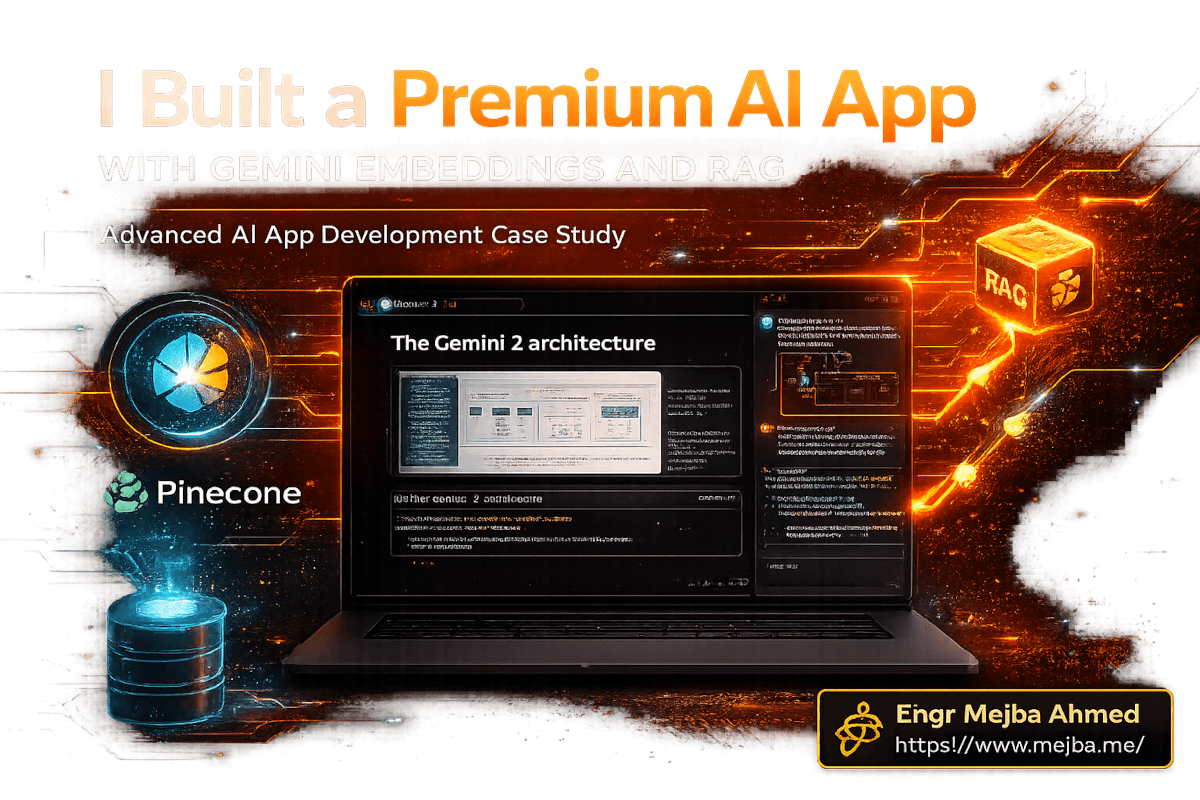
The PDF had diagrams. Not text descriptions of diagrams -- actual flowcharts, architecture visuals, annotated screenshots. Every embedding model I'd tested before would have ignored them completely, indexing only the surrounding text and leaving the visual information on the floor. So when I uploaded that same PDF to a Pinecone index using Google's Gemini Embedding 2 model and asked a question about a specific diagram three pages deep, I expected the usual hallucinated nonsense.
Instead, it pulled the exact context from the diagram. Referenced the arrows. Understood the flow.
I sat back and stared at my terminal for a solid ten seconds. That was the moment I knew this build was going to be different from every RAG app I'd shipped before. Not incrementally better. Fundamentally different -- because the embedding model finally understood more than just words.
What followed was a five-step process to build a premium, mobile-responsive AI application with dynamic chat, memory-enabled knowledge retrieval, and multi-format content ingestion. The kind of app you could hand to a client and charge real money for. I'm going to walk through every step, including the parts where things broke and the decisions I'd make differently next time.
But first, you need to understand why Gemini Embedding 2 changes the math on what's possible with RAG -- and why building this kind of app was genuinely painful before March 2026.
Why Gemini Embedding 2 Rewrites the RAG Playbook
RAG -- Retrieval Augmented Generation -- has been the workhorse pattern for giving AI apps memory. The concept is straightforward: instead of stuffing an entire knowledge base into a prompt (expensive, slow, and limited by context windows), you break documents into chunks, convert those chunks into numerical vectors, store them in a vector database, and retrieve only the relevant pieces when a user asks a question. The AI gets precisely the context it needs without processing everything.
The problem was always the embedding step. Before Gemini Embedding 2, embedding models were text-only. OpenAI's text-embedding-3-large, Cohere's models, even Google's own text-embedding-004 -- they all processed words and ignored everything else. If your knowledge base contained images, architectural diagrams, video walkthroughs, or audio recordings, you had two options: manually transcribe everything into text (losing nuance and visual context), or accept that your RAG system was blind to half your data.
Gemini Embedding 2 went into public preview on March 10, 2026, and it eliminated that tradeoff entirely. Built natively on the Gemini architecture, it maps text, images, video, audio, and PDFs into a single 3,072-dimensional vector space. One model. One embedding space. Everything searchable together.
The benchmarks back this up. On MTEB English, it scores 68.32 -- holding the top spot by a 5.09-point margin over the next competitor. But benchmarks don't build apps. What matters is what happens when you feed it a 40-page product manual with screenshots, wire it to Pinecone, and ask a user's question. That's where the real test begins.
Here's what a multimodal RAG pipeline looks like compared to the old text-only approach:
| Capability | Text-Only Embeddings | Gemini Embedding 2 |
|---|---|---|
| Text documents | Yes | Yes |
| PDF with images/diagrams | Text only -- images ignored | Full multimodal understanding |
| Video content | Requires transcript extraction first | Native video embedding |
| Audio files | Requires speech-to-text preprocessing | Direct audio embedding |
| Cross-modal search | Not possible | Text query retrieves relevant images, audio, video |
| Embedding dimensions | Varies (1,536 - 3,072) | 3,072 (unified space) |
| Languages supported | Model-dependent | 100+ languages natively |
That cross-modal search row is the one that changes everything. A text query like "show me the authentication flow" can now retrieve a diagram, a video timestamp, or a code snippet -- whatever's most relevant -- from a single unified index. No separate pipelines. No stitching results together from different embedding models.
The tech stack I landed on for this build tells the story of how these pieces fit together. And the order matters -- each tool choice constrained the next one in ways I didn't fully appreciate until I was deep in the implementation.
The Five-Step Framework: From Blank Screen to Deployed SaaS
I adapted a framework from Jack Roberts that breaks AI app development into five distinct phases. Not because I love frameworks -- I've seen too many that add process without adding value -- but because this one maps cleanly to the actual decisions you'll face. Each step produces a deliverable that feeds the next.
Here's the stack before we start building:
| Component | Tool | Why This One |
|---|---|---|
| UI Design & Prototyping | Lovable | Generates production-quality React + Tailwind from natural language, ships with Supabase integration |
| Code Integration & Debugging | Anti-Gravity IDE + Claude Code | Agent-first IDE with Claude Code's terminal-level file access for API wiring |
| Vector Database | Pinecone | Native support for 3,072-dimension vectors, serverless scaling, metadata filtering |
| Embedding Model | Gemini Embedding 2 | Multimodal embeddings across text, images, video, audio, and documents |
| Automation & Scheduling | Railway | Cron jobs for automated knowledge ingestion, usage-based pricing starting at $5/month |
| User Data & Auth | Supabase | Postgres-backed auth, real-time subscriptions, row-level security |
| Testing | Test UI (formerly LambdaTest) + Kane AI | Cross-browser automated testing with AI-driven user flow simulation |
| Deployment | Vercel | Git-connected deploys, edge functions, custom domains |
Now let me walk through each step the way it actually happened -- not the clean version, the real one.
Step 1: Foundation and Architecture -- Building the UI With Lovable
I started with Lovable because I wanted to front-load the design quality. Most AI app tutorials produce apps that look like they were built by a backend engineer at 2 AM -- functional but visually painful. For a client-facing SaaS product, the UI needs to feel premium from the first interaction.
Lovable generates full-stack applications from natural language prompts. You describe what you want, and it produces React components with Tailwind CSS, wired to a Supabase backend. The free tier gives you 5 messages per day (30 monthly max), which is tight but workable for an initial build. The Starter plan at $25/month for 100 credits is where most serious builders land.
My initial prompt was specific -- not "build me a chat app" but a detailed description of the dashboard layout, including a login screen with animated transitions, a main chat interface for querying the knowledge base, and a Kanban-style notes section for saving and organizing insights. I specified light and dark mode support, confetti effects on first login, and specific color contrasts for accessibility.
The first generation got me roughly 80% of what I wanted. The chat interface was clean. The Kanban board worked. The login flow had smooth transitions. But the spacing was off on mobile, the dark mode had contrast issues on two components, and the confetti animation triggered on every page load instead of just the first login.
Here's what I learned about prompting Lovable effectively: treat each refinement as a focused instruction, not a redesign request. Instead of "fix the mobile layout," I said "reduce padding on the chat message container from 24px to 16px on screens below 640px, and stack the Kanban columns vertically on mobile with 12px gap." Specific prompts produce specific fixes. Vague prompts produce new problems.
After four rounds of iteration -- each one targeting a single issue -- I had a UI that I'd genuinely show a client. The export to GitHub was one click. At that point, the visual layer was done and I hadn't touched a code editor.
But a beautiful UI with no brain behind it is just a mockup. The next step -- wiring Gemini embeddings and Pinecone into the backend -- is where this build gets interesting. And where things started breaking.
Step 2: Connecting Embeddings and Building the Knowledge Brain
This is the step that separates a demo from a product. I cloned the Lovable-generated repo from GitHub into Anti-Gravity IDE, which is Google's agent-first development environment built on the former Windsurf team's work. Anti-Gravity maintains sixteen specialized agents -- frontend specialists, backend architects, security auditors -- but the one that matters here is Claude Code, which runs in the integrated terminal with full file system access.
Why Claude Code inside Anti-Gravity instead of just Claude Code standalone? Two reasons. First, Anti-Gravity's built-in browser lets you visually verify changes in real time without switching windows. Second, the agent skill system means Claude Code handles the backend wiring while Anti-Gravity's frontend agent catches visual regressions. They complement each other instead of duplicating effort.
The first task: connect Pinecone as the vector database. Pinecone's serverless tier handles the 3,072 dimensions that Gemini Embedding 2 produces, and their metadata filtering lets you scope queries to specific document types or upload dates -- critical for a knowledge base that grows over time.
I prompted Claude Code to set up the Pinecone client, create an index with the right dimensions and cosine similarity metric, and wire it to an API route in the Next.js app. The code it generated was functional on the first pass. Here's the core of the embedding and upsert flow:
// lib/embeddings.ts
import { GoogleGenerativeAI } from "@google/generative-ai";
import { Pinecone } from "@pinecone-database/pinecone";

const genAI = new GoogleGenerativeAI(process.env.GEMINI_API_KEY!);
const pinecone = new Pinecone({ apiKey: process.env.PINECONE_API_KEY! });

// Gemini Embedding 2 model - supports text, images, video, audio, PDFs
const embeddingModel = genAI.getGenerativeModel({
  model: "gemini-embedding-exp-03-07"
});

export async function embedAndStore(
  content: string,
  metadata: Record<string, any>,
  namespace: string = "default"
) {
  const index = pinecone.index(process.env.PINECONE_INDEX!);

  // Generate embedding - 3,072 dimensions
  const result = await embeddingModel.embedContent(content);
  const embedding = result.embedding.values;

  // Upsert to Pinecone with metadata for filtering
  await index.namespace(namespace).upsert([{
    id: `doc_${Date.now()}_${Math.random().toString(36).slice(2)}`,
    values: embedding,
    metadata: {
      ...metadata,
      timestamp: new Date().toISOString(),
      contentPreview: content.slice(0, 200)
    }
  }]);
}

export async function queryKnowledge(
  query: string,
  topK: number = 5,
  filter?: Record<string, any>
) {
  const index = pinecone.index(process.env.PINECONE_INDEX!);

  const queryEmbedding = await embeddingModel.embedContent(query);

  const results = await index.namespace("default").query({
    vector: queryEmbedding.embedding.values,
    topK,
    includeMetadata: true,
    filter
  });

  return results.matches?.map(match => ({
    score: match.score,
    content: match.metadata?.contentPreview,
    source: match.metadata?.source,
    type: match.metadata?.contentType
  }));
}
The chunking strategy matters more than most tutorials acknowledge. I split documents into 512-token chunks with 50-token overlap. Too small and you lose context. Too large and you waste tokens on irrelevant content during retrieval. The 50-token overlap ensures you don't accidentally split a critical sentence across two chunks and lose its meaning entirely.
For PDFs specifically, I used a two-pass approach. First pass: extract text content per page. Second pass: extract images and diagrams, embed them separately with page-number metadata, and store both text and visual chunks in the same Pinecone namespace. This is where Gemini Embedding 2's multimodal capability pays off -- the visual chunks live in the same vector space as the text chunks, so a single query can surface both.
The first real test: I uploaded a 40-page product manual that included architecture diagrams, UI screenshots, and API reference tables. Then I asked the chat interface, "How does the authentication flow work?" The system retrieved three text chunks describing the OAuth process and -- here's the part that got me -- one image chunk containing the actual auth flow diagram from page 12. The multimodal retrieval worked on the first try.
I won't pretend it was all smooth. The YouTube scraping component took three attempts to get right. My first approach used youtube-transcript-api to pull transcripts, but it failed silently on videos that only had auto-generated captions in non-English languages. The second attempt added language detection and fallback logic. The third added a deduplication check against Pinecone's metadata to avoid re-embedding videos that were already in the knowledge base.
// lib/youtube-ingestion.ts
async function ingestYouTubeVideo(videoUrl: string) {
  const videoId = extractVideoId(videoUrl);

  // Check if already ingested
  const existing = await queryKnowledge("", 1, {
    videoId: { $eq: videoId }
  });

  if (existing && existing.length > 0) {
    console.log(`Video ${videoId} already in knowledge base, skipping.`);
    return;
  }

  const transcript = await fetchTranscript(videoId);
  const chunks = chunkText(transcript, 512, 50);

  for (const chunk of chunks) {
    await embedAndStore(chunk.text, {
      source: videoUrl,
      videoId,
      contentType: "youtube_transcript",
      chunkIndex: chunk.index
    });
  }
}
That deduplication check -- querying Pinecone's metadata before embedding -- saved me from a problem that would have been invisible at first and catastrophic at scale: duplicate vectors diluting search quality. Every time the auto-updater runs, it checks what's already there before adding anything new. Simple logic, easy to forget, expensive to fix after the fact.
At this point, the app had a working UI, a connected knowledge base with multimodal RAG, and the ability to ingest PDFs and YouTube content. What it didn't have was a way to stay current without me manually running ingestion scripts. That's what Step 3 solves -- and it's the step most tutorials skip entirely.
Step 3: The Auto-Update System That Keeps the Knowledge Base Fresh
A knowledge base that stops growing the day you ship it is a liability, not a feature. Users expect current information. If your RAG app is still returning results from data you uploaded two months ago while the world has moved on, trust erodes fast.
I used Railway for the automation layer. Railway supports three types of compute: persistent services, cron jobs, and serverless functions. The cron job capability is what matters here -- it lets you run a script on a schedule, pay only for the execution time, and shut down cleanly between runs.
The setup: a Node.js service on Railway that runs daily at 3 AM UTC. It checks a configured list of YouTube channels for new videos published since the last run, scrapes transcripts, chunks them, and upserts to Pinecone. The whole process takes about 90 seconds for a typical day's worth of new content, which costs fractions of a cent on Railway's usage-based pricing.
// workers/daily-ingestion.ts
import { CronJob } from "cron";

async function dailyIngestion() {
  const channels = process.env.YOUTUBE_CHANNELS!.split(",");
  let newVideos = 0;

  for (const channelId of channels) {
    const recentVideos = await fetchRecentVideos(channelId, {
      publishedAfter: getLastRunTimestamp()
    });

    for (const video of recentVideos) {
      await ingestYouTubeVideo(video.url);
      newVideos++;
    }
  }

  console.log(`Ingested ${newVideos} new videos.`);
  await updateLastRunTimestamp();

  // Railway cron jobs expect the process to exit cleanly
  process.exit(0);
}

dailyIngestion();
Railway's Hobby plan includes $5 of usage per month. For a daily cron job that runs for 90 seconds, you'll use roughly $0.50-$1.00/month in compute -- well within the included allowance. The shortest interval Railway supports is 5 minutes between executions, and schedules run on UTC, so plan your timing accordingly.
One design decision I'd make differently: I initially stored the "last run" timestamp in a local file on the Railway service. That's fragile -- if the service redeploys, the file disappears, and the next run re-processes everything. I moved the timestamp to a Supabase table, which persists across deploys and gives me a queryable log of every ingestion run. Small change, big reliability improvement.
The background automation also opened up a workflow I hadn't planned for. Because the knowledge base updates itself, I could point the ingestion pipeline at competitor channels, industry news sources, or documentation repositories. The app's knowledge grew while I slept. For a client delivering this as a SaaS product, that self-updating capability is a real differentiator -- their users' experience improves daily without any manual intervention.
But an app that works isn't the same as an app that's ready for users. The gap between "it works on my machine" and "it works on every device, every browser, every screen size" is exactly where Step 4 lives. And it's the step most solo developers skip -- at their own risk.
Step 4: Quality Control That Actually Catches Problems
I used to ship projects after testing them in Chrome on my laptop and calling it done. That approach broke badly enough times that I now treat cross-device testing as non-negotiable. The tool that made this practical is Test UI (formerly LambdaTest), specifically their Kane AI feature.
Kane AI is an AI agent that simulates real user behavior across devices and browsers. You describe a user flow in natural language -- "log in with test credentials, ask a question in the chat, save the response to a Kanban note, switch to dark mode, then check the layout on iPhone 15 Pro" -- and Kane executes it, flagging visual regressions, broken interactions, and performance issues.
The three problems Kane caught that I would have shipped without it:
-
The chat scroll bug. On Safari iOS, the chat container didn't scroll to the latest message after the AI responded. The chat worked perfectly on Chrome desktop and even Chrome mobile. Safari handled the
scrollIntoViewbehavior differently, and the message appeared below the fold. Users would have thought the app was broken. -
The dark mode contrast failure. Two text elements in the Kanban card component had a 3.2:1 contrast ratio in dark mode -- below the WCAG AA minimum of 4.5:1. Invisible to me on my high-end monitor. Unreadable on a budget Android phone in bright sunlight.
-
The authentication race condition. On slower connections (simulated 3G), the app occasionally rendered the dashboard before Supabase confirmed the auth session, flashing the login screen for 200ms before redirecting. Not a security issue -- the data wasn't accessible -- but it felt broken and unprofessional.
Each of these would have generated support tickets. Each was invisible in my normal development environment. Automated testing found all three in under ten minutes.
The security review was a separate pass. I used Claude Code's code review capability to scan for vulnerabilities -- specifically checking for exposed API keys, SQL injection vectors in the Supabase queries, and improper CORS configuration on the API routes. Claude flagged one issue: the Gemini API key was being sent to the client-side bundle because I'd named the environment variable without the NEXT_PUBLIC_ prefix convention in reverse -- I'd accidentally included it where it shouldn't have been. Server-side only API calls should use keys that never touch the browser. Caught before deploy. Could have been a costly leak.
For anyone building a production app, here's my testing checklist:
- Cross-browser testing on Chrome, Safari, Firefox, and Edge (Kane AI or manual)
- Mobile testing on at least one iOS and one Android device at different screen sizes
- Slow network simulation to catch race conditions and loading state gaps
- Accessibility audit for contrast ratios, keyboard navigation, and screen reader compatibility
- Security scan for exposed credentials, injection vectors, and misconfigured CORS
- Load testing on the RAG pipeline -- what happens when 50 concurrent users query the knowledge base?
I'd estimate the testing phase added 3 hours to the build. Those 3 hours prevented at least 10 hours of post-launch firefighting. The math isn't even close.
Now -- the app works, it's tested, it's secure. The only thing standing between this project and actual users is deployment. And thanks to the Vercel + GitHub pipeline, that's the easiest step in the entire process.
Step 5: Deployment -- From Local Build to Live Product
The deployment pipeline is almost anticlimactic after the complexity of Steps 2-4. That's by design -- if your deploy process is stressful, something upstream is wrong.
I committed the final changes to the GitHub repository that Lovable had originally created. Then I connected the repo to Vercel, which took about two minutes: authorize the GitHub integration, select the repository, confirm the framework detection (Next.js), and add the environment variables.
The environment variables are the only part that requires care:
GEMINI_API_KEY=your-gemini-api-key
PINECONE_API_KEY=your-pinecone-api-key
PINECONE_INDEX=your-index-name
NEXT_PUBLIC_SUPABASE_URL=your-supabase-url
NEXT_PUBLIC_SUPABASE_ANON_KEY=your-supabase-anon-key
SUPABASE_SERVICE_ROLE_KEY=your-service-role-key
Notice the pattern: NEXT_PUBLIC_ prefixed variables are safe for client-side exposure (Supabase URL and anon key are designed to be public). Everything else -- Gemini API key, Pinecone API key, Supabase service role key -- stays server-side only. Mixing this up is one of the most common security mistakes in Next.js deployments, and it's the exact issue Claude Code caught during the security review.
Vercel's first deploy took 47 seconds. Subsequent pushes to the main branch trigger automatic redeployments. I added a custom domain through Vercel's dashboard -- point the DNS, wait for SSL provisioning (usually under 5 minutes), and the app is live on a professional URL.
The final architecture looks like this:
| Layer | Service | Monthly Cost (Hobby/Starter) |
|---|---|---|
| Frontend + API | Vercel | Free tier (hobby) or $20/month (pro) |
| Auth + Database | Supabase | Free tier (up to 50K monthly active users) |
| Vector Storage | Pinecone | Free tier (100K vectors) or $70/month (Starter) |
| Embeddings | Gemini API | Free tier (1,500 requests/day) |
| Automation | Railway | $5/month (Hobby, includes $5 usage) |
| Total (Free Tiers) | $5/month | |
| Total (Paid Tiers) | ~$95/month |
For a SaaS app you can sell to clients for $50-200/month per seat, that cost structure is extremely healthy. Even the paid tier total of $95/month leaves significant margin.
What I Got Wrong and What I'd Change
I want to be honest about the parts of this build that didn't go smoothly, because the polished version of any tutorial hides the decisions that actually matter.
The chunking strategy needs tuning per content type. My 512-token chunks with 50-token overlap worked well for text documents and transcripts. For PDFs with dense technical content, I later realized 768-token chunks captured more complete concepts. For video transcripts -- which tend to be more conversational and less information-dense -- 384-token chunks reduced noise in retrieval results. There's no universal chunk size. You need to test with your actual data.
Gemini Embedding 2 is still in preview. The model identifier gemini-embedding-exp-03-07 includes "exp" for a reason. During my build, I hit rate limits twice during bulk ingestion that weren't documented in the API reference. The workaround was adding exponential backoff with a maximum of 5 retries, which Claude Code implemented in about 30 seconds when I described the issue. But relying on an experimental model for production workloads carries risk. Watch for the general availability announcement before scaling to thousands of users.
Lovable's free tier is too tight for iteration. Five daily messages sounds reasonable until you're on your third refinement pass and you've burned through your allocation by 10 AM. I upgraded to Starter ($25/month) on the second day. If you're serious about this workflow, budget for the paid tier from the start.
The YouTube scraping pipeline is brittle. YouTube doesn't have an official transcript API -- the tools that exist are reverse-engineering undocumented endpoints. Google could change something tomorrow and break the entire ingestion pipeline. For a production app, I'd build a fallback that uses Whisper or Gemini's audio capabilities to transcribe directly from the audio stream instead of relying on YouTube's caption data.
Cross-modal retrieval quality varies. Text-to-text retrieval with Gemini Embedding 2 is excellent. Text-to-image retrieval is good but not perfect -- about 80% of the time it surfaces the right diagram. The remaining 20% returns tangentially related images. For critical use cases, I added a relevance score threshold (0.75) below which results are filtered out. That brought accuracy to a level I was comfortable shipping.
These aren't dealbreakers. They're the kind of tuning that separates a weekend prototype from a production product. And knowing about them before you start means you can plan for them instead of discovering them at 11 PM the night before a client demo.
What This Stack Makes Possible
The combination of Gemini Embedding 2, Pinecone, and automated ingestion enables a category of application that wasn't practical six months ago. A few concrete examples:
Internal company knowledge bases that actually understand your documentation. Not keyword search -- semantic search across text, diagrams, training videos, and recorded meetings. An engineer asks "how does the payment retry logic work?" and gets the relevant code snippet, the architecture diagram, AND the timestamp from the tech lead's explanation in last month's all-hands video.
Client-facing research assistants that stay current automatically. Law firms, consulting agencies, research organizations -- any business where professionals spend hours searching through documents for relevant precedents or data points. The auto-update pipeline means the knowledge base grows daily without manual curation.
Educational platforms where students can query course material across formats. Upload lecture videos, PDF textbooks, and slide decks. Students ask questions in natural language and get answers sourced from the most relevant format -- sometimes a text passage, sometimes a specific moment in a lecture video.
Each of these was possible before in theory. In practice, the integration complexity -- separate embedding models for text and images, separate retrieval pipelines, manual transcription steps -- made them impractical for small teams. Gemini Embedding 2 collapses that complexity into a single API call. Pinecone handles the storage and retrieval. Claude Code wires it all together faster than you'd write the boilerplate manually.
The question isn't whether this tech stack works. I've proven that it does. The question is what you'll build with it.
The Playbook, Condensed
For the builders who want the streamlined version without the war stories:
-
Design the UI in Lovable. Be specific in your prompts. Iterate in focused passes targeting single issues. Export to GitHub when you hit 80% quality.
-
Wire the backend in Anti-Gravity + Claude Code. Connect Pinecone (3,072 dimensions, cosine similarity). Integrate Gemini Embedding 2 for multimodal chunking and embedding. Build the query endpoint with metadata filtering and relevance score thresholds.
-
Automate ingestion with Railway. Daily cron jobs for new content. Deduplication checks against Pinecone metadata. Store run timestamps in Supabase, not local files.
-
Test across devices and scan for security issues. Kane AI for cross-browser and mobile testing. Claude Code for security review. Budget 3 hours -- it saves 10.
-
Deploy to Vercel. Connect GitHub, set environment variables (server-side keys stay server-side), configure custom domain. First deploy in under a minute.
Total build time for someone following this guide: 2-3 days for the first iteration. Subsequent apps using the same pattern: 4-8 hours.
If you've been building RAG apps with text-only embeddings and wondering why retrieval quality plateaus, Gemini Embedding 2 is the upgrade that breaks through that ceiling. If you've been hand-coding UIs for AI apps instead of using tools like Lovable, you're spending hours on work that a prompt can handle in minutes. If you've been manually updating knowledge bases instead of automating ingestion, your app is already falling behind.
The tools have caught up to the vision. The five-step framework works. The only variable left is what you decide to build -- and whether you start today or wait for someone else to build it first.
Gemini Embeddings RAG App: Quick Answers
What is Gemini Embedding 2 and how does it differ from previous embedding models?
Gemini Embedding 2 is Google DeepMind's first natively multimodal embedding model, released in public preview on March 10, 2026. Unlike text-only predecessors, it maps text, images, video, audio, and PDFs into a single 3,072-dimensional vector space. It scores 68.32 on MTEB English, leading by 5.09 points. For a detailed breakdown of the architecture, see the section on why Gemini Embedding 2 rewrites the RAG playbook above.
How much does it cost to build and run a RAG app with this stack?
Using free tiers of Vercel, Supabase, Pinecone, and the Gemini API, the only required cost is Railway at $5/month for automated ingestion. Paid tiers for all services total approximately $95/month. For the full cost breakdown by service, see the deployment section above.
What chunk size should I use for Gemini Embedding 2 with Pinecone?
Start with 512-token chunks and 50-token overlap for general content. Adjust based on content type: 768 tokens for dense technical PDFs, 384 tokens for conversational transcripts. There's no universal optimal size -- test with your actual data and measure retrieval accuracy. See the "What I Got Wrong" section for more details on tuning.
Can Gemini Embedding 2 replace separate text and image embedding pipelines?
Yes -- that's its primary advantage. A single API call embeds text, images, video, audio, and documents into one unified vector space, eliminating the need for separate embedding models and retrieval pipelines. Cross-modal search (text query retrieving relevant images) works at roughly 80% accuracy with a 0.75 relevance threshold.
Is Gemini Embedding 2 production-ready?
As of March 2026, the model is in public preview with the identifier gemini-embedding-exp-03-07. It works reliably for moderate-scale applications but has undocumented rate limits during bulk ingestion. Add exponential backoff to your pipeline and monitor for the general availability announcement before scaling to thousands of concurrent users.
Whether to Build on Gemini Embeddings
Gemini Embedding 2 rewrites the RAG playbook because it handles PDFs with diagrams, multi-modal content, and real document understanding — not just flat text. If your documents are messy and visual, that's the difference between a demo and a tool people trust.
Build a minimal RAG app on one real document set before you scale it. My Pinecone Nexus deep dive and RAG Anything multimodal guide go deeper.
If you want a production RAG app built for your documents, that's work I take on through Ramlit.