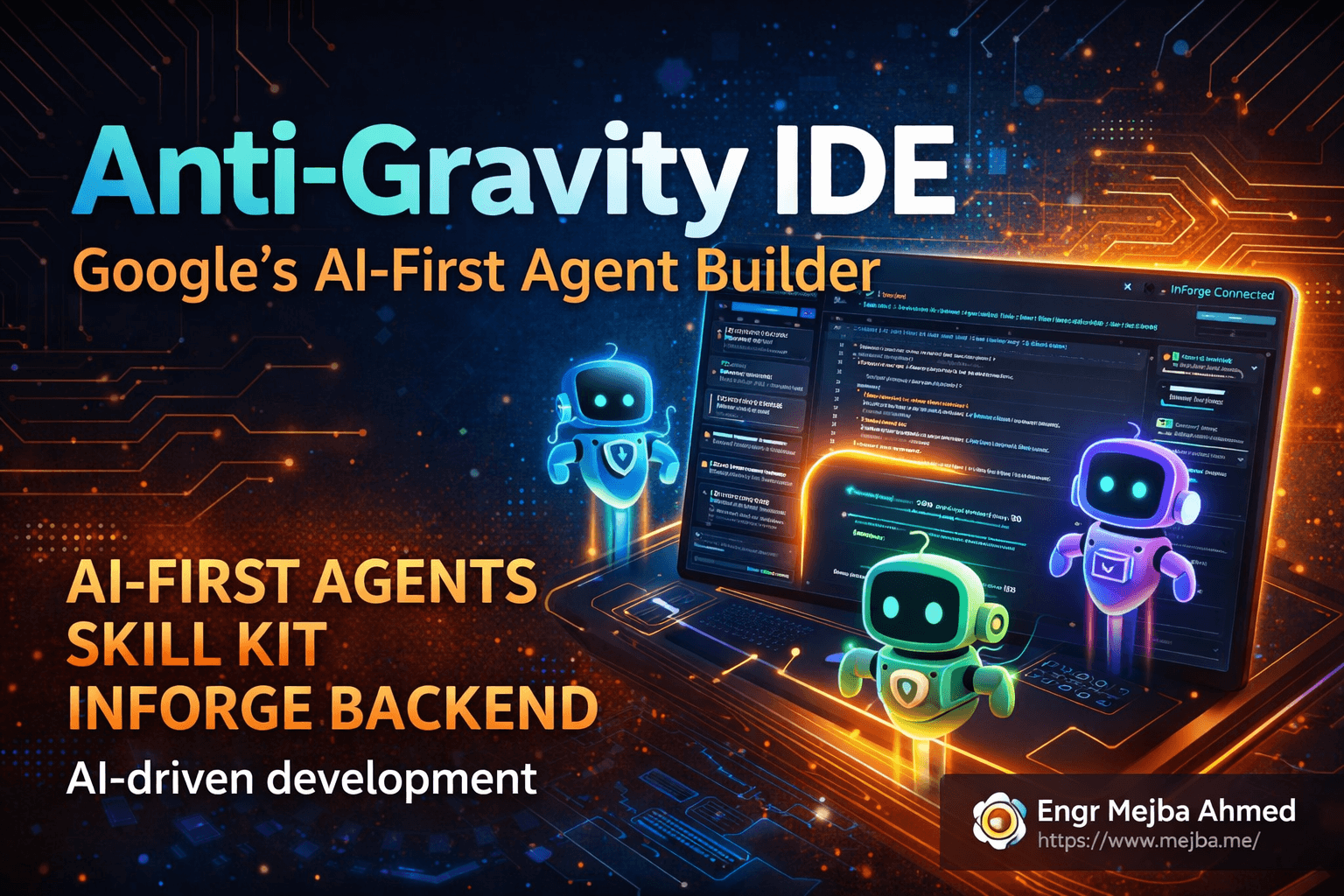
Anti-Gravity IDE Google: The AI-First Agent Builder
I shipped a full-stack finance tracker with OAuth, receipt OCR, budget analytics, and live deployment in forty-seven minutes. No boilerplate. No database migrations. No wrestling with authentication providers.
The whole thing happened inside a single IDE session. I typed a brainstorm command, watched an AI agent decompose my idea into backend schemas and frontend components, and then — this is the part that still feels unreal — it deployed the entire application to production infrastructure while I sat there sipping coffee.
The IDE is called Anti-Gravity. Google built it. And after spending a solid week pushing it harder than most early adopters probably have, I'm ready to say something I don't say lightly: this changes how I think about building software.
Not because it writes code faster. Plenty of tools do that. Anti-Gravity changes the relationship between the developer and the development environment itself. You stop being the person who types code into an editor. You become the person who describes intent to a team of specialized AI agents, reviews what they produce, and steers the architecture. The IDE becomes a collaborator with genuine domain expertise — sixteen different flavors of it, actually.
But I'm getting ahead of the good stuff. Let me back up and explain what Anti-Gravity actually is, why its agent skill system is unlike anything I've seen in competing tools, and how InForge — the backend platform it integrates with — turns "idea to deployed app" from marketing copy into something you can actually do before lunch.
What Anti-Gravity Gets Right That Other AI IDEs Don't
I've used every major AI-powered development tool at this point. Claude Code is my daily driver. I've spent serious time with Cursor, Windsurf, Copilot Workspace, and CodeX. Each has strengths. Each has a particular workflow it excels at.
Anti-Gravity does something fundamentally different from all of them.
Most AI coding tools treat the AI as an assistant — you ask questions, it generates code, you paste it into your project. Even the agentic ones essentially follow a loop of "developer prompts, AI responds, developer reviews." The AI is reactive. You drive. It rides along.
Anti-Gravity flips that dynamic with a modular agent skill system. Instead of one general-purpose AI that handles everything, it maintains a roster of sixteen specialized agents — frontend specialists, backend architects, security auditors, deployment engineers, and more. When you give it a prompt, Anti-Gravity doesn't just generate a response. It analyzes what you're asking, identifies which specialist agents are relevant, and dynamically loads their specific knowledge and behavioral instructions.
You never have to say "act as a security expert" or "focus on the frontend." The system detects context automatically. Ask it to build a login page, and the authentication specialist and the frontend agent activate together. Ask it to optimize a database query, and the backend and performance agents step in. This automatic routing is the kind of thing that sounds incremental on paper but transforms the experience in practice.
Here's why. When I use a general-purpose AI coding tool, I spend a surprising amount of energy on prompt engineering — framing my request in the right way, providing context about what kind of answer I want, correcting responses that miss the domain nuance. With Anti-Gravity, that cognitive overhead largely disappears. The specialist agents already know the domain patterns, best practices, and common pitfalls. I describe what I want, and the right expertise shows up automatically.
It's the difference between calling a general helpline and walking into a room full of specialists who already know which one of them should answer your question.
The Agent Skill Kit: 16 Agents, 40+ Knowledge Modules, 11 Commands
The Agent Skill Kit is where Anti-Gravity's architecture really reveals its ambition. This isn't a plugin marketplace or a collection of code snippets. It's a structured system of templates, agents, and workflows that gives the IDE deep domain knowledge across the full spectrum of application development.
Here's what you're working with:
Sixteen specialized agents covering distinct domains. Frontend. Backend. Security. Testing. Deployment. Database architecture. Performance optimization. API design. And several more niche specialties. Each agent carries its own set of instructions, best practices, and generation patterns. When the frontend agent builds a dashboard, it follows different principles than when the backend agent designs an API schema — because they're genuinely different disciplines with different concerns.
Over forty domain-specific knowledge modules that agents draw from. These aren't static prompts. They're structured knowledge bases that agents reference dynamically. A security agent doesn't just know "use HTTPS" — it understands OAuth flow patterns, token refresh strategies, CORS configurations, and input sanitization techniques specific to the framework you're using.
Eleven built-in commands for common development tasks. This is where the day-to-day workflow lives:
/brainstorm    # Generate and refine app concepts
/feature       # Create new features from descriptions
/debug         # Analyze and fix issues
/deploy        # Handle deployment pipeline
/enhance       # Improve existing code quality
The /brainstorm command deserves special attention because it sets the tone for how Anti-Gravity wants you to work. Instead of opening a blank file and writing code, you start by describing what you want to build in plain language. The brainstorming agent — yes, there's a specific agent for this — takes your rough concept and produces a structured specification: features, user flows, technical requirements, suggested architecture.
When I used /brainstorm to describe a minimalistic finance tracker with receipt scanning and budget analytics, it came back with a specification that included expense categorization logic, multi-provider OAuth, OCR pipeline architecture, and a monthly analytics breakdown — all before a single line of application code existed. That spec became the blueprint every other agent referenced during the build.
The modular nature of this system matters for a reason most people won't immediately see. Because each agent operates from its own specialized knowledge base, Anti-Gravity can update, improve, or add agents independently. A new security vulnerability pattern gets discovered? Update the security agent's knowledge module. A new frontend framework gains traction? Add a specialist. The system grows in expertise without requiring architectural changes.
Gemini MD and Agent MD: The Instruction Layer Most People Overlook
Here's something I almost missed in my first week with Anti-Gravity, and it turned out to be one of the most important features.
Anti-Gravity reads configuration rules from two sources: Agent MD files and Gemini MD files. If you've used Claude Code, you're familiar with the concept — CLAUDE.md files that give the AI context about your project, your preferences, and your coding standards. Anti-Gravity takes the same idea and splits it into two distinct channels.
Agent MD defines behavioral rules for the agents themselves. How should the frontend agent structure components? What naming conventions should the backend agent follow? Should the security agent enforce strict Content Security Policy headers or allow inline scripts for development convenience? Agent MD is where you shape how the agents work.
Gemini MD provides project-level context and instructions that feed into the underlying Gemini model. This is where you put information about your business domain, your users, your technical constraints, and your preferences for code style. It's broader context that informs every agent's output rather than defining specific agent behaviors.
The split is subtle but powerful. I customized my Agent MD to enforce TypeScript strict mode, require error boundaries in all React components, and mandate input validation on every API endpoint. My Gemini MD described the project as a personal finance tool for budget-conscious millennials, specified that the UI should feel "calm and minimal, not corporate dashboard," and noted that mobile responsiveness was non-negotiable.
The result? Every piece of code the agents generated reflected both layers. Technically rigorous and aligned with the product vision. I didn't have to remind the AI about TypeScript strict mode in every prompt or re-explain the design philosophy. The configuration files carried that context persistently.
If you've used Claude Code with a well-crafted CLAUDE.md file, this experience will feel familiar. The dual-file approach in Anti-Gravity just gives you finer-grained control — separating the "how to code" instructions from the "what are we building" context is genuinely useful once your project grows beyond a prototype.
That's the foundation. But Anti-Gravity on its own is only half the story. The real acceleration happens when you connect it to InForge.
InForge: The Backend Platform That Made Me Rethink Supabase
I've been a Supabase user for two years. Built multiple client projects on it. Recommended it in blog posts. It's a solid platform.
InForge made me question whether I'd go back.
Here's the pitch: InForge is a backend-as-a-service platform designed specifically for AI coding agents. Not "AI-compatible." Not "works with AI tools." Designed for them from the ground up. The entire API surface, the CLI tools, the project structure — all of it assumes that the primary consumer isn't a human developer clicking through a dashboard, but an AI agent sending structured commands.
This design philosophy has a consequence that's hard to appreciate until you experience it. When I use Supabase with Claude Code, there's a translation layer. I describe what I want, Claude generates SQL migrations and API calls, and I run them against Supabase's interface. It works. But there's friction in the translation.
With InForge connected to Anti-Gravity, that translation layer vanishes. The AI agent communicates directly with InForge's backend through MCP — the Modular Control Panel — which acts as a structured communication bridge. The agent doesn't generate SQL for you to run. It executes backend operations directly. Create a table. Configure authentication. Set up cloud storage. Deploy a serverless function. All happening within the IDE session, all driven by the agent, all verified in real-time.
Setting up the connection looks like this:
# Install Anti-Gravity CLI (if you haven't already)
npm install -g @google/anti-gravity

# Authenticate with your Google account
anti-gravity auth login

# Create your project directory
mkdir finance-tracker && cd finance-tracker

# Initialize Anti-Gravity in the project
anti-gravity init
Then on the InForge side:
# Create an InForge account and project
inforge login
inforge project create --name "finance-tracker" --region us-east-1

# Link Anti-Gravity to InForge via MCP
anti-gravity link inforge --project finance-tracker
Once linked, the MCP connection enables bidirectional communication. Anti-Gravity agents can query InForge's state (what tables exist, what auth providers are configured, what functions are deployed), and they can modify that state through structured commands. The agent doesn't guess at your backend configuration — it knows it, in real-time.
This is where InForge's "designed for agents" philosophy pays off most dramatically. When I told the brainstorming agent I wanted user authentication with multiple OAuth providers, the backend agent didn't just generate auth configuration code for me to review and deploy manually. It connected to InForge, created the authentication service, configured GitHub, Microsoft, and Discord as OAuth providers, set up the token refresh logic, and verified the configuration — all within the same prompt-response cycle.
I watched it happen in real time. The agent's output included InForge deployment logs streaming alongside the configuration confirmations. By the time I finished reading the agent's explanation of what it had done, the auth system was already live and testable.
Building the Finance Tracker: From /brainstorm to Live App
Let me walk through the actual build, because the specifics reveal how this workflow feels in practice.
The brainstorm phase. I ran /brainstorm with this prompt: "A minimalistic personal finance tracker. Users can log expenses, scan receipts for automatic data entry, set monthly budgets by category, and see analytics on their spending patterns. Clean, modern UI. Mobile-first."
The brainstorming agent returned a structured spec in about forty seconds. It proposed five core features: expense management with categorization, receipt scanning via OCR, budget setting and tracking by category, an analytics dashboard with monthly comparisons, and multi-provider authentication. It also suggested the technical architecture — React frontend, InForge backend with PostgreSQL, Gemini 3.0 for OCR processing, and cloud storage for receipt images.
I made one adjustment. The agent had suggested a tabbed interface for the dashboard. I preferred a single-page layout with card-based sections. I told it, and the spec updated instantly. That revised spec became the reference document for every subsequent step.
The backend generation. This is where things got genuinely impressive. I gave a single prompt: "Set up the backend based on the brainstorm spec."
The backend agent took over. Working through InForge's MCP connection, it created:
- A PostgreSQL database with tables for users, expenses, categories, budgets, and receipts
- Foreign key relationships and proper indexing on frequently queried columns
- Row-level security policies tied to the authentication system
- Cloud storage buckets for receipt images with size limits and format validation
- Three serverless functions: one for expense aggregation, one for budget comparison calculations, and one for the OCR processing pipeline
- Environment variables for the Gemini API key and storage credentials
Each step showed up in my IDE as the agent worked — I could see the InForge logs confirming table creation, the storage bucket initialization, the function deployments. The whole backend generation took about six minutes. Not six minutes of me doing things. Six minutes of me watching and verifying.
Honestly, I've spent longer just setting up a Supabase project's authentication configuration manually. The speed difference isn't marginal. It's categorical.
The frontend build. With the backend infrastructure in place and queryable through MCP, the frontend agent had complete awareness of the data schema, API endpoints, and authentication flow. I prompted: "Build the frontend dashboard based on the spec. Connect it to the InForge backend."
The frontend agent generated a React application with these components:
- A login page with OAuth buttons for GitHub, Microsoft, and Discord
- An expense entry form with category selection and receipt upload
- A budget management panel where users set monthly limits per category
- An analytics dashboard showing spending trends, category breakdowns, and month-over-month comparisons
- A receipt viewer that displays scanned receipts alongside the extracted data
The code was clean. TypeScript strict mode throughout — because my Agent MD required it. Error boundaries on every route component. Responsive layout using CSS Grid with mobile breakpoints. The agent even added loading skeletons for the dashboard cards, which is the kind of UX detail I usually have to remember to add manually.
The model gateway — Gemini 3.0 for receipt OCR. The receipt scanning feature needed an AI model to extract text and structured data from receipt photos. Anti-Gravity integrates with Google's model gateway, which meant connecting Gemini 3.0 to the app was handled through a configuration step rather than a custom integration.
# The agent configured this through InForge's model gateway
inforge models enable gemini-3.0 --project finance-tracker
inforge models configure gemini-3.0 --capability ocr --format structured-json
The OCR pipeline works like this: user uploads a receipt photo, it goes to cloud storage, a serverless function triggers, sends the image to Gemini 3.0 with a structured extraction prompt, and the model returns JSON with the merchant name, date, line items, tax, and total. That JSON gets written to the expenses table automatically.
I tested it with a crumpled grocery receipt I had on my desk. It extracted fourteen line items, the tax amount, and the total — and matched them correctly. The merchant name was slightly truncated, but the financial data was accurate. For a feature that took zero manual coding, the accuracy was remarkable.
The deployment. This was the part that made me lean back in my chair. I typed /deploy and the deployment agent took over. It bundled the frontend, configured the build settings, pushed everything to InForge's hosting infrastructure, set up the environment variables, and provided a live URL.
The deployment logs streamed directly in the IDE. I watched the build complete, the health checks pass, and the SSL certificate provision. The entire deployment — from /deploy command to live URL — took under three minutes.
Total time from /brainstorm to live, functional application: forty-seven minutes.
What I'd Change: The Honest Assessment
I don't trust tools I can't criticize, and I don't write about tools without sharing where they fall short. Anti-Gravity has rough edges. Some of them are the kind that'll smooth out with updates. Others feel more structural.
The agent routing isn't always right. About fifteen percent of the time, the automatic specialist detection picks the wrong agent or loads an unnecessary one. I asked for help with a CSS animation and the security agent activated alongside the frontend agent, adding Content Security Policy considerations I didn't need at that moment. Not harmful, but it added noise to the response. You can override manually, but the whole point of automatic routing is not having to.
InForge's documentation is thin. The platform works well when Anti-Gravity's agents are driving. But when I wanted to understand InForge's pricing model, rate limits, or data residency policies, the documentation had gaps. For a platform asking developers to host production applications, that's a concern I'd want addressed before recommending it for client projects.
Gemini MD and Agent MD have a learning curve. The dual-configuration approach is powerful once you understand it, but the distinction between what belongs in Agent MD versus Gemini MD isn't always obvious. I spent an hour moving rules between the two files before I developed an intuition for which instructions worked better where. A clearer guide or migration tool from existing CLAUDE.md files would help a lot of developers who are coming from Claude Code.
Lock-in is a real consideration. InForge is convenient precisely because it's tightly integrated with Anti-Gravity. That tight integration means switching to a different backend platform later requires rebuilding the MCP communication layer, the agent skills that reference InForge-specific APIs, and the deployment pipeline. For a side project or prototype, this tradeoff is fine. For a production system you'll maintain for years, think carefully about whether the speed benefit justifies the coupling.
Offline capability is limited. Anti-Gravity requires an active Google account connection for the agent system to function. Unlike Claude Code, which can work with local models through Ollama, Anti-Gravity is fundamentally cloud-dependent. If you work in environments with restricted internet access or strict data sovereignty requirements, this is a blocker.
These aren't dealbreakers. They're the kind of things I'd expect from a platform that's pushing boundaries at this speed. But I wouldn't be doing my job if I pretended the experience was flawless.
How Anti-Gravity Compares to My Claude Code Workflow
This is the question I know you're asking, because it's the question I asked myself.
I use Claude Code daily. It's the tool I reach for first on every project. And after a week with Anti-Gravity, my honest answer is: they're complementary, not competitive. At least right now.
Claude Code excels at deep, contextual, iterative development. When I'm debugging a complex issue, refactoring a large codebase, or working through architectural decisions that require back-and-forth conversation, Claude Code's depth of reasoning and context retention is unmatched. The CLAUDE.md system gives me persistent project intelligence. The ability to work with local models through Ollama gives me flexibility.
Anti-Gravity excels at rapid, full-stack generation from a standing start. When I'm prototyping a new idea, building a demo for a client pitch, or creating a complete application where speed matters more than bespoke architecture, Anti-Gravity's agent skill system and InForge integration deliver results that would take me significantly longer with any other tool.
My workflow going forward looks like this: Anti-Gravity for the zero-to-one phase — brainstorming, initial generation, rapid prototyping, deployment. Claude Code for the one-to-done phase — refinement, debugging, optimization, long-term maintenance. The tools have different strengths, and I'd rather use both where they shine than force either into roles they weren't designed for.
Worth noting: InForge supports integration with Claude Code through the same MCP protocol. I haven't tested that integration deeply yet, but the fact that InForge's architecture is agent-agnostic means you could theoretically use Anti-Gravity to scaffold a project and then switch to Claude Code for ongoing development, all on the same backend infrastructure.
That interoperability, if it works as advertised, could make InForge the connective tissue between multiple AI development tools — which is a more interesting position than being locked to any single IDE.
What This Means for How We Build Software
I've been writing about AI development tools for two years now. The pattern I keep seeing is this: each generation of tools moves the developer further from implementation details and closer to intent specification.
First, AI completed lines of code. Then it generated whole functions. Then it built features from descriptions. Anti-Gravity pushes that progression further — it generates entire applications from concepts, with specialized domain expertise at every layer of the stack.
The developer's job is shifting. Not disappearing — that take is lazy and wrong. Shifting. The skills that matter most aren't changing. Understanding architecture, knowing when a design decision will cause problems six months later, having taste about user experience — those skills become more important, not less, when an AI agent can generate code at the speed Anti-Gravity does.
What becomes less important is the mechanical translation of "I know what I want" into "I know how to type it." Anti-Gravity's agent skill system is the most sophisticated attempt I've seen at automating that translation layer, and InForge's agent-first backend design shows what infrastructure looks like when it's built for this new workflow from day one.
Is it perfect? No. The rough edges I described are real. The lock-in question is legitimate. The documentation needs work.
But when I built a complete, functional, deployed finance application in under an hour — with authentication, database, cloud storage, AI-powered OCR, analytics, and a responsive frontend — I wasn't thinking about the rough edges.
I was thinking about the five other app ideas I'd been putting off because the setup overhead didn't feel worth it. Every single one of them suddenly felt buildable. Not in a weekend. Before dinner.
That shift — from "I could build this eventually" to "I could build this right now" — is the real product Anti-Gravity is selling. And honestly? It delivers.
Your move. Set up Anti-Gravity, connect InForge, install the Agent Skill Kit, and /brainstorm that project idea you've been sitting on. See what forty-seven minutes gets you. I suspect you'll be as surprised as I was.
Anti-Gravity IDE Google: Common Questions
Is Anti-Gravity IDE free to use?
Anti-Gravity is free and requires only a Google account to get started. InForge also offers a free tier for backend services. The Gemini model gateway access comes included with your Google account, though production-scale usage may involve API costs. For a deeper setup walkthrough, see the InForge section above.
Can Anti-Gravity work with backends other than InForge?
The IDE functions independently from InForge for frontend development and code generation. The tight MCP integration and agent-driven backend generation are InForge-specific features, though. Using a different backend means manually handling the infrastructure that InForge automates. InForge also supports other AI coding agents including Claude Code and CodeX.
How does Anti-Gravity compare to Claude Code or Cursor?
They serve different strengths. Anti-Gravity excels at rapid full-stack generation from concept to deployment using specialized agent routing. Claude Code offers deeper contextual reasoning and iterative development. Cursor provides a familiar VS Code experience with AI assistance. See the comparison section above for a detailed breakdown.
What programming languages and frameworks does Anti-Gravity support?
The Agent Skill Kit includes specialist agents for major web frameworks and languages. The frontend agent handles React, Vue, and Svelte. Backend agents support Node.js, Python, and Go. The forty-plus knowledge modules cover framework-specific best practices, and the system detects your stack automatically from project context.
What is the Agent Skill Kit and how do I install it?
The Agent Skill Kit is Anti-Gravity's collection of sixteen specialized agents, forty-plus knowledge modules, and eleven workflow commands. Install it inside your project directory after initializing Anti-Gravity. It provides domain-specific expertise that activates automatically based on your prompts, covering everything from brainstorming to deployment.
Whether Anti-Gravity Fits Your Workflow
Google's AI-first agent builder is a real entry — build agents where you build code. Early and rough, but the direction is clear. My Codex vs Cursor vs Claude Code and Codex super app test go deeper.
If you want an agent-building workflow set up for you, that's work I take on through Ramlit.