Opus 4.6 Agent Teams: My Complete Setup Guide
I spent last Thursday afternoon watching six AI agents argue about a React component's state management pattern. One agent thought useReducer was the move. Another insisted on Zustand. A third had already started building with plain useState and didn't care what anyone else thought. The team lead — also an AI agent — had to step in, make a decision, and get everyone aligned.
This wasn't a simulation. These were six independent Claude Code instances, running in separate terminal sessions on my machine, communicating through a shared mailbox, collaborating on a real application build. Welcome to agent teams — the feature in Opus 4.6 that quietly changed everything about how I work with AI.
I'd been using Claude Code's sub-agents for months before this. They're solid for isolated tasks. But the moment I needed two agents to actually talk to each other about what they were building? The whole system fell apart. I'll show you exactly why in a minute, and more importantly, how agent teams solve a coordination problem that's been haunting multi-agent AI workflows since the concept was born.
What Sub-Agents Got Right (And Where They Hit a Wall)
Before agent teams existed, I relied heavily on sub-agents for anything that needed parallel work. The mental model was straightforward: spin up a mini-session, hand it a scoped task, get a result back. Clean delegation.
My typical setup looked something like this. Main session handles the architecture decisions and orchestration. Sub-agent #1 reads through a codebase and extracts API endpoints. Sub-agent #2 generates test files based on a spec I provide. Sub-agent #3 handles documentation. Each one operates in its own context window — which is actually a strength, because it means they don't pollute each other's working memory.
The problem showed up the moment tasks weren't fully independent.
Picture this scenario: I'm building an API with authentication middleware. Sub-agent #1 is generating the route handlers. Sub-agent #2 is building the auth middleware. Both tasks seem independent. But the middleware needs to know what response format the route handlers use, and the route handlers need to know what the middleware injects into the request object. Neither agent knows what the other is doing.
My workaround was ugly. I'd run agent #1, grab its output, manually paste relevant details into the prompt for agent #2, then go back and update agent #1's work based on what agent #2 produced. The "orchestrator" in this workflow was me — copying and pasting between terminal windows like some kind of human message bus.
Some people set up shared project folders or notes files that sub-agents could write to and read from. That works, but it's slow. You're essentially building a file-based messaging system with no real-time communication. Agent A writes a note, agent B checks for notes, maybe picks it up on the next iteration, maybe doesn't. I tried this approach for about two weeks. The coordination overhead ate most of the time savings from having multiple agents in the first place.
That's the gap agent teams were built to fill. And the difference isn't incremental — it's structural.
The Architecture Behind Agent Teams
Here's how agent teams actually work, stripped of the marketing language.
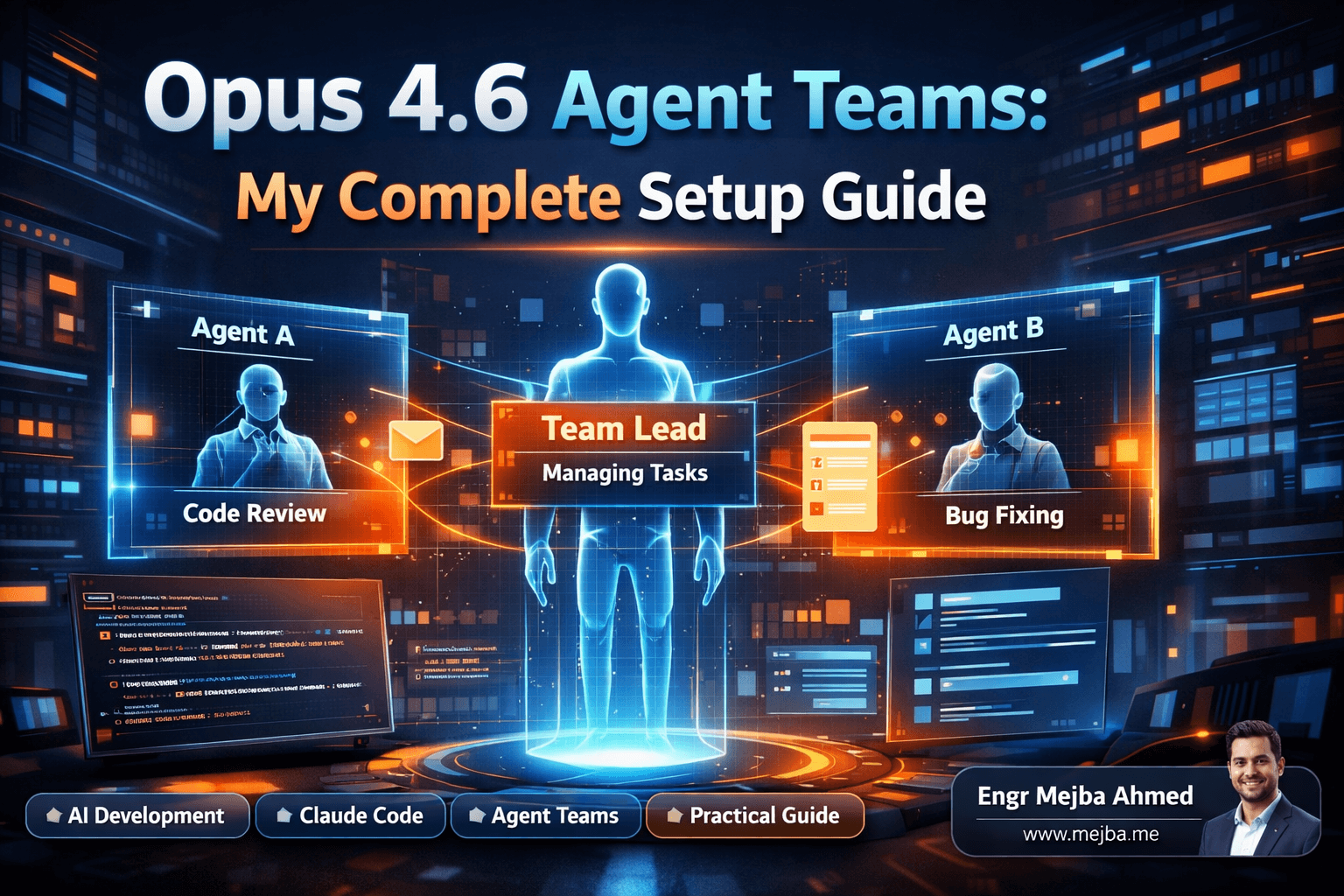
When you spin up an agent team, one instance becomes the team lead. Think of this as your project manager. It doesn't write code directly (though it can). Its primary job is to spawn teammates, assign tasks, monitor progress, and synthesize results. The team lead maintains the master understanding of what the project needs and makes decisions when agents disagree or get stuck.
The remaining agents are teammates. Each one gets its own fully independent terminal session with its own context window. They can read files, write code, run commands — everything a normal Claude Code session can do. But here's the difference from sub-agents: teammates have access to two shared resources that change the game entirely.
First, there's the shared mailbox. Any agent on the team can send a message to any other agent, directly. No file-based intermediary. No waiting for the orchestrator to relay information. When agent #3 discovers that the database schema has a naming inconsistency, it sends a message to agent #1 (who's building the ORM layer) immediately. Agent #1 picks it up and adjusts without anyone needing to intervene.
Second, there's the shared task list. The team lead creates tasks, assigns them to teammates, and tracks completion status. Teammates can mark tasks as blocked, completed, or in-progress. They can also flag dependencies — "I can't start on the frontend auth until agent #2 finishes the API routes." The team lead sees all of this and can reorganize priorities in real-time.
All of this state — the task list, team membership, messages, progress — lives in a local .dotcloud folder on your machine. Nothing ships to a server beyond the normal API calls. You can inspect it, you can version control it, and if something goes wrong, you can see exactly what each agent was doing and saying.
I want to be honest about something here, though. This is an experimental feature. Anthropic ships it disabled by default, and you have to manually enable it with an environment flag. The rough edges are real — I've had agents occasionally miss mailbox messages, and the team lead sometimes tries to do teammates' work instead of delegating. These aren't dealbreakers, but you should know what you're getting into.
Getting it running is the next thing you need to understand, because the setup isn't obvious.
Enabling Agent Teams (The Part Nobody Explains Well)
Here's the practical setup. Agent teams are hidden behind an experimental flag. You won't find a toggle in Claude Code's settings UI — you need to set it from the command line.
The environment variable is:
export CLAUDE_CODE_EXPERIMENTAL_AGENT_TEAMS=1
Add this to your shell profile (.zshrc, .bashrc, or wherever you keep environment variables) if you want it persistent across sessions. Then restart your terminal.
That's it. No npm package to install, no configuration file to edit. Once the flag is set, Claude Code's agent framework recognizes team-related commands.
To actually launch a team, you start a normal Claude Code session and tell it to work as a team:
Create an agent team with 3 teammates to build a task management dashboard
The team lead session spawns first. It analyzes your request, decides how to divide the work, and creates teammate sessions. You'll see new terminal windows (or tabs, depending on your setup) appear as each teammate comes online. The team lead sends initial task assignments through the mailbox, and everyone gets to work.
Pro tip: I've found that being explicit about the division of work in your initial prompt produces dramatically better results than letting the team lead figure it out. Instead of the prompt above, try something like:
Create an agent team to build a task management dashboard.
Teammate 1: Build the backend API with Express and PostgreSQL
Teammate 2: Build the React frontend components and state management
Teammate 3: Handle authentication, middleware, and database migrations
This one change — explicit scope definition — cut my "agents stepping on each other" incidents by roughly 80%. I'll explain why that matters so much in the best practices section later.
First, let me show you what agent teams look like in actual use. Because theory is nice, but I only started trusting this feature after watching it solve real problems faster than I could.
Real-World Test #1: Parallel Code Review and Fix
My first real test was deliberately simple. I had a Node.js project with about fifteen TypeScript files — a REST API for a client project — that needed a review pass and bug fixes before deployment.
Normally, I'd ask Claude to review the code, get a list of issues, then go through them one by one. Depending on the codebase complexity, this takes anywhere from fifteen to thirty minutes for a thorough pass. It's sequential: find problem, fix problem, move to next problem.
With agent teams, I set up two teammates:
- Agent A: Review every file, identify bugs, type errors, and security issues. Send each finding to Agent B via the mailbox as you discover it.
- Agent B: Wait for findings from Agent A. Fix each issue as it arrives. If a fix requires context about the original design intent, message Agent A to ask.
What happened was genuinely fascinating. Agent A started reading through the codebase and within thirty seconds, sent its first finding to Agent B: a missing null check on a database query result that could crash the server under specific conditions. Agent B received the message and started fixing it while Agent A continued reviewing the next file.
The back-and-forth happened in real-time. Agent A found an inconsistent error response format across three different route handlers. Instead of just flagging it, Agent A messaged Agent B with a suggested standardized format. Agent B responded — through the mailbox — with a question about whether the frontend expected the current format. Agent A checked the frontend code (it had access to the full repo) and confirmed the frontend was flexible enough to handle either format.
That exchange — question, investigation, answer, implementation — happened between two AI agents without me touching anything. The entire review-and-fix cycle that normally takes me twenty minutes finished in about eight. Not because the individual agents were faster than a single Claude session, but because the work happened in parallel and the agents could coordinate without me being the middleman.
The result quality impressed me too. Because Agent A was dedicated purely to finding issues (no context switching to also fix them), it caught things I know a single-session review would miss. And because Agent B could ask clarifying questions in real-time, the fixes were more thoughtful than blind patches.
This was the moment I stopped thinking of agent teams as a novelty. But the next test is where things got really interesting.
Real-World Test #2: Bug Investigation From Multiple Angles
A React application I'd built had an intermittent state bug. Users reported that form data would occasionally reset after submission — not every time, but often enough to be infuriating. I'd spent about forty minutes trying to reproduce and diagnose it manually before deciding to throw the agent team at it.
My setup: three teammates, each investigating from a different angle.
- Agent A: Analyze the form component's state management, specifically the
useEffecthooks and their dependency arrays. - Agent B: Trace the data flow from form submission through the API call and back to the state update.
- Agent C: Check for race conditions in the async operations — overlapping API calls, state updates that fire before responses arrive.
Here's what made this approach powerful. Each agent brought a different mental model to the same problem. Agent A was thinking about React lifecycle quirks. Agent B was thinking about network timing. Agent C was thinking about concurrency. A single Claude session would have investigated these angles sequentially, carrying the cognitive load of all three and potentially letting biases from one investigation pollute another.
Within two minutes — and I want to emphasize that, two minutes — all three agents converged on the same root cause. A stale closure in a useEffect hook. The effect captured an outdated reference to the form state on mount, and when the submission callback fired, it was reading old values under specific timing conditions.
Agent A found it from the React side. Agent C found it from the race condition angle. Agent B found indirect evidence by tracing a submission that succeeded on the server but showed stale data in the response handler. They all messaged their findings to the team lead, who synthesized the reports and presented a unified diagnosis with a fix.
My normal investigation flow — test a hypothesis, rule it out, try the next one — would have taken five to ten minutes on a good day. The parallel approach collapsed that to about two and a half minutes. Not because any individual agent was smarter, but because three agents can cover three hypotheses simultaneously.
Here's the honest caveat I need to mention: this worked well because the three investigation paths were genuinely independent. Nobody needed to edit files. Nobody could conflict with anyone else's work. The bug was a read-only investigation. When I've tried similar parallel approaches for problems that require agents to modify the same files simultaneously... it gets messy. More on that in the best practices.
Real-World Test #3: Building a Full App From a Single Prompt
This was the ambitious one. I wanted to see if an agent team could take a single detailed prompt and produce a working, multi-page application.
The prompt described a project management tool with four pages: a dashboard, a project list view, a detailed project page with task boards, and a settings page. Tech stack: Next.js 14 with App Router, Tailwind CSS, and a SQLite database via Drizzle ORM.
The team lead analyzed the prompt and made a decision I didn't expect — it spawned six teammates instead of the four I would have created. Here's the breakdown:
- Agent 1: Research phase. Verify Next.js 14 App Router patterns, check Drizzle ORM syntax for SQLite, confirm Tailwind configuration requirements.
- Agent 2: Environment setup. Initialize the Next.js project, configure Tailwind, set up the database schema and migrations.
- Agents 3-6: Build one page each (dashboard, project list, project detail, settings).
The research and setup agents ran first. Agents 3-6 waited — marked as blocked in the shared task list — until the foundation was ready. When Agent 2 finished the project scaffolding and database setup, the team lead unblocked the page builders and they all started simultaneously.
What fascinated me was the constant communication. Agent 3 (dashboard) sent a message to Agent 5 (project detail) asking about the data shape for the project summary cards, because the dashboard needed to display project previews that linked to the detail page. Agent 5 replied with the schema, and both agents built compatible interfaces without me coordinating anything.
Agent 4 (project list) discovered that the navigation component needed to highlight the current page. Instead of building a one-off solution, it messaged all page builders suggesting a shared navigation pattern. The team lead approved it and assigned Agent 4 to build the shared nav component before continuing with its page.
The whole process consumed approximately 170,000 tokens across all agents. That's significant — roughly $8-12 depending on your pricing tier. A single-agent approach would use fewer tokens but take considerably longer and likely produce less consistent results across pages.
The final output wasn't perfect. Some CSS inconsistencies between pages needed manual cleanup, and one database query was suboptimal. But the app ran. All four pages worked. The navigation was consistent. The data flow made sense. From a single prompt to a functional multi-page application, built by six coordinating AI agents, in about twelve minutes.
I've been building things with AI assistance for over a year now. This was the first time it genuinely felt like managing a team rather than using a tool.
Best Practices That Actually Matter
After running agent teams on roughly two dozen projects over the past few weeks, I've developed a set of practices that separate productive sessions from chaotic ones. These aren't theoretical — each one comes from a specific failure I experienced.
Define Agent Scope Explicitly
This is the single most important practice, and I can't emphasize it enough. When you tell the team lead "build a web app," it has to decide how to divide the work. Sometimes it makes great decisions. Sometimes it assigns overlapping responsibilities that cause agents to overwrite each other's code.
The fix: specify files or functional boundaries for each agent in your prompt. "Agent 1 owns everything in /src/api/. Agent 2 owns everything in /src/components/. Agent 3 owns /src/database/ and migration files." When agents know their territory, conflicts drop to near zero.
I learned this after a session where two agents both decided they owned the shared types file. They kept overwriting each other's interfaces. Twenty minutes of wasted compute.
Assign Genuinely Independent Tasks
Connected to scope definition, but distinct: the tasks themselves should be parallelizable. If Agent B's work depends entirely on Agent A's output, making them teammates adds coordination overhead without any parallelism benefit. You'd be better off running those tasks sequentially in a single session.
The sweet spot is tasks that are mostly independent but benefit from occasional communication. Building different API routes that share a common response format. Creating different UI components that need consistent styling. Investigating different potential causes of the same bug.
Manage the Team Lead's Patience
Here's a quirk that tripped me up several times. The team lead sometimes gets impatient. If a teammate takes more than a minute or two on a task, the team lead occasionally decides to "help" by doing the work itself. This sounds helpful, but it defeats the purpose of delegation and can create conflicts with the teammate who's still working on the same task.
My workaround: in the initial prompt, I explicitly tell the team lead to wait for teammates to finish and not to start working on assigned tasks itself. Something like "Your role is coordination only. Do not implement any tasks yourself. Wait for teammates to complete their assignments and synthesize the results."
This one sentence cut my "team lead interference" issues by about 90%.
Size Tasks for the Sweet Spot
Tasks that are too small create more coordination overhead than they save. If a task takes an agent thirty seconds, the messaging and task management overhead adds up fast. Tasks that are too large risk wasting compute if something goes wrong and the agent needs to be restarted.
My rough heuristic: each teammate's task should take between two and eight minutes of focused work. Short enough that failures aren't catastrophic. Long enough that parallelism provides real time savings. For a typical web application build, this means dividing by feature area or page, not by individual functions or components.
Monitor and Be Ready to Intervene
Agent teams are experimental. Things go sideways. An agent might get stuck in a loop, misinterpret a mailbox message, or produce code that doesn't align with what the team needs.
Keep your terminal visible. Watch the message traffic. If an agent hasn't produced output in three to four minutes and hasn't sent any messages, it's probably stuck. Kill it and reassign the task. I've had to do this maybe four or five times across my twenty-plus sessions — not frequent, but often enough that you should plan for it.
The Numbers That Actually Matter
I've been tracking metrics since I started using agent teams seriously. Here's what the data shows after roughly two dozen sessions:
Bug investigation time dropped from an average of five to ten minutes (single agent, sequential hypothesis testing) to two to three minutes (multi-agent, parallel investigation). This only applies to bugs where multiple investigation angles are possible. Simple typos or obvious errors don't benefit from team-based investigation.
Code review cycles compressed significantly. A review-and-fix pass on a medium-sized codebase (twenty to forty files) went from about twenty-five minutes to roughly ten minutes. The parallel review-and-fix pattern I described earlier is my most-used agent team configuration.
Token consumption is higher. Meaningfully higher. A single-agent session for a medium complexity task might use 30,000-50,000 tokens. The same task with an agent team typically uses 80,000-170,000 tokens, depending on how many agents are involved and how much inter-agent communication happens. At current pricing, that's the difference between a couple of dollars and potentially eight to twelve dollars for a complex build.
Is it worth it? For time-sensitive work where my hourly rate exceeds the token cost? Absolutely. For exploratory learning or projects without deadlines? A single agent is probably more cost-effective. I treat agent teams the same way I'd treat adding more engineers to a sprint — powerful when the work is truly parallelizable, wasteful when it's not.
What I Got Wrong At First
My biggest mistake was treating agent teams like a faster version of sub-agents. They're not. Sub-agents are tools. Agent teams are... a team. That distinction matters for how you prompt, how you monitor, and how you evaluate results.
With sub-agents, you give precise instructions and expect precise output. The interaction is transactional. With agent teams, you set goals and boundaries, then let the team figure out the execution details. Trying to micromanage every agent's approach — specifying exact function signatures, dictating variable names, prescribing the order of operations — creates more overhead than it saves and fights against the system's core strength: autonomous coordination.
I also underestimated the importance of the initial prompt. With a single agent, you can course-correct mid-session. With an agent team, a poorly scoped initial prompt sends six agents charging in slightly wrong directions simultaneously. The cost of a bad start multiplies with team size. Spend an extra two minutes crafting your prompt. It pays back tenfold.
One more honest admission: there were sessions where agent teams performed worse than a single agent. Usually when the task was too small, when too many agents needed to modify the same files, or when the coordination overhead exceeded the parallelism benefit. Not every nail needs this particular hammer. Learning when NOT to use agent teams was just as valuable as learning to use them well.
Where This Is Going
Agent teams in their current form are a proof of concept that works surprisingly well for an experimental feature. But the trajectory is what excites me.
Direct inter-agent communication is the foundational primitive that enables a cascade of more sophisticated patterns. Today it's a shared mailbox and task list. Tomorrow it could be agents that specialize and remember their specialization across sessions. Persistent team configurations you can spin up for recurring workflows. Agent teams that span different models — Opus for the team lead's decision-making, Haiku for the speed-focused grunt work.
The mental model shift is already happening. I've caught myself thinking about projects differently. Not "what should I ask Claude to build?" but "how should I staff this project?" Which roles need to exist. What the communication patterns should look like. Where the dependencies are.
That's a fundamental change in how a solo developer relates to AI tooling. It's the difference between having a really smart assistant and having a small engineering team that happens to live in your terminal.
The Thing I Keep Coming Back To
When I started that Thursday experiment — the one where six agents argued about state management — I expected to write a post about a cool new feature. Instead, I ended up rethinking my entire development workflow.
The state management argument resolved itself, by the way. The team lead reviewed each agent's reasoning, picked Zustand because it had the simplest integration path for the project's requirements, and notified everyone. Agent #3 (the one that had already started with useState) refactored in about forty-five seconds. No ego. No sunk cost fallacy. Just a team that communicated, decided, and moved forward.
If you've been using Claude Code as a single-agent tool — and doing well with it — agent teams aren't something you need to adopt tomorrow. They're powerful for the right tasks. Wasteful for the wrong ones. Start with the parallel code review pattern I described. It's low risk, immediately useful, and gives you a feel for how inter-agent communication works before you attempt anything more ambitious.
Set the environment flag. Spin up two teammates. Watch them talk to each other. That's the moment it clicks.
Let's Work Together
Looking to build AI systems, automate workflows, or scale your tech infrastructure? I'd love to help.
- Fiverr (custom builds & integrations): fiverr.com/s/EgxYmWD
- Portfolio: mejba.me
- Ramlit Limited (enterprise solutions): ramlit.com
- ColorPark (design & branding): colorpark.io
- xCyberSecurity (security services): xcybersecurity.io