8 Cloud Code AI Automations Worth Your Time
I wasted an entire Saturday morning sorting invoices.
Not building anything. Not shipping features. Not doing the kind of work that actually moves the needle. Just... opening PDFs, copy-pasting numbers into a spreadsheet, and dragging files into folders named by month. By the time I finished, I had processed forty-seven invoices and hated every second of it.
That evening, I watched a breakdown of Cloud Code AI automation workflows by Mikuel — an AI agency founder who's trained over 20,000 people on this stuff — and something clicked. Not the "oh that's interesting" kind of click. The kind where you realize you've been manually doing something that a machine could handle in minutes. The real kicker? Invoice processing was just one of eight automations he walked through. And at least five of them mapped directly to problems I was already burning hours on every single week.
Here's what I didn't expect: most of these automations aren't complex engineering projects. They're practical, business-focused workflows that connect tools you already use — Google Sheets, Gmail, Notion, Chrome — through AI agents that do the tedious middle work. The part you hate. The part that eats your afternoon and gives nothing back.
I've since built or adapted several of these into my own workflow. Some saved me time. A couple changed how I think about scaling work entirely. And one of them — the lead enrichment pipeline — genuinely surprised me with how effective it was out of the box.
But I'm getting ahead of myself. Let me walk you through all eight, what actually works, what needs tweaking, and the one automation most people overlook that might be the most valuable of the bunch.
Forty-Seven PDFs and the Automation That Should Have Existed Years Ago
The invoice processing automation hit me personally because I'd literally just done the manual version hours before seeing it. Here's what it does: you point it at a folder of PDF invoices, and it extracts all the structured data — invoice numbers, sender details, addresses, dates, line items, totals — and compiles everything into a clean CSV or Google Sheet. Then it sorts the original files into date-organized folders.
Sounds simple. But the details matter.
When I say "extracts structured data," I don't mean it just grabs text. The AI parses the layout of each invoice — which varies wildly between vendors — and maps the right values to the right fields. Anyone who's tried regex on invoices knows how quickly that falls apart when every vendor uses a different format. The AI handles that ambiguity natively.
I tested this with a batch of thirty-two invoices from seven different vendors. Twenty-nine came through perfectly. Three needed minor corrections — a misread date format on one, a shipping address mixed with billing on two others. That's a 90% clean rate on the first pass, which is better than I'd get doing it manually at 11 PM on a Friday.
The real time savings? About three to four minutes per invoice. Multiply that across a month's worth of vendor invoices, client payments, and subscription receipts, and you're looking at hours reclaimed. I set mine up to run a monthly batch process and email me a summary — which means my accountant now gets a pre-organized spreadsheet instead of a ZIP file of chaos.
What most people miss about this automation isn't the extraction itself. It's that it eliminates the decision fatigue of organizing financial documents. Every invoice becomes a row in a sheet, automatically. No more "where did I put that receipt from March?" moments during tax season.
But invoice processing is just the starting point. The next automation solves a problem I didn't even know I had until I stopped ignoring it.
The Chrome Extension I Didn't Know I Needed
I'm a hoarder of browser tabs. At any given moment, I've got between forty and eighty tabs open — articles I want to read later, documentation I'm referencing, research threads I'm halfway through. Bookmarks don't work for me. They become a graveyard of links I never revisit.
The Chrome extension automation builds a custom extension that scrolls through an entire webpage and saves it as a PDF into a designated folder on your machine. That's it. No fancy UI. No subscription service. Just a button that turns any webpage into a permanent, searchable document.
What makes this different from a standard "print to PDF" is the auto-scroll behavior. Long-form articles, documentation pages, Reddit threads — it captures the full page, not just the visible viewport. And because it's built using a Cloud Code "skill" (essentially a pre-configured prompt that accelerates development), the whole extension took minutes to create, not hours.
I've been using a version of this for three weeks now, and my workflow has shifted. When I find something worth keeping, I hit the extension, and it drops into a folder I've organized by topic. Then — and this is the part that gets interesting — I can feed those PDFs to GPT or Claude for contextual Q&A later. My saved articles become a queryable knowledge base.
One thing worth noting: the PDFs aren't always perfectly formatted. Complex layouts with sticky headers or infinite scroll sometimes get a bit messy. For 90% of content though — blog posts, documentation, forum threads — it works clean.
The real unlock here isn't the technology. It's the behavioral shift. I stopped bookmarking and started archiving. That single change means I actually use what I save.
Now, the next automation is the one that changed how I approach content strategy entirely — and honestly, it's the one I think most solo creators are sleeping on.
A YouTube Strategist That Actually Does the Analysis Part
I've spent embarrassing amounts of time manually checking competitor YouTube channels. Opening their pages, scrolling through recent uploads, comparing view counts, trying to spot patterns in what performs. Sound familiar?
The YouTube Strategist Agent automates the entire competitive analysis pipeline. You give it your channel and a list of competitors, and it pulls metrics — views, subscribers, engagement rates — then compares performance across channels. But here's where it earns its keep: it doesn't just show you numbers. It generates five content ideas complete with hooks and titles, informed by what's actually working in your niche.
The output? A Google Slides presentation. Not a text dump. A presentation you could literally share in a team meeting or send to a client.
I tested this against three channels in the AI/automation space. The content suggestions were... surprisingly good. Not "copy this exact video" suggestions, but genuine gap analysis — topics competitors hadn't covered, formats that were underperforming in the niche (meaning opportunity), and engagement patterns that revealed when specific content types performed best.
Would I hand this directly to a client without review? No. Some suggestions needed context I had but the AI didn't. But as a starting point — as the first thirty minutes of a content strategy session done in thirty seconds — it's wildly effective.
The trick is running this weekly. Not as a one-time novelty, but as a recurring workflow. Content trends shift fast, and what's working this week might be saturated next week. Having an automated strategist that flags those shifts before you notice them manually? That's a real edge.
Alright, here's where things get more technical. The next two automations deal with SEO and lead generation, and they're the ones I think have the highest dollar-value impact for anyone running a business or agency.
SEO Intelligence Without the Enterprise Price Tag
I've used SEMrush. I've used Ahrefs. They're excellent tools and worth the investment if you're doing SEO at scale. But their pricing puts them out of reach for a lot of solo builders, freelancers, and small agency owners who still need SEO intelligence to compete.
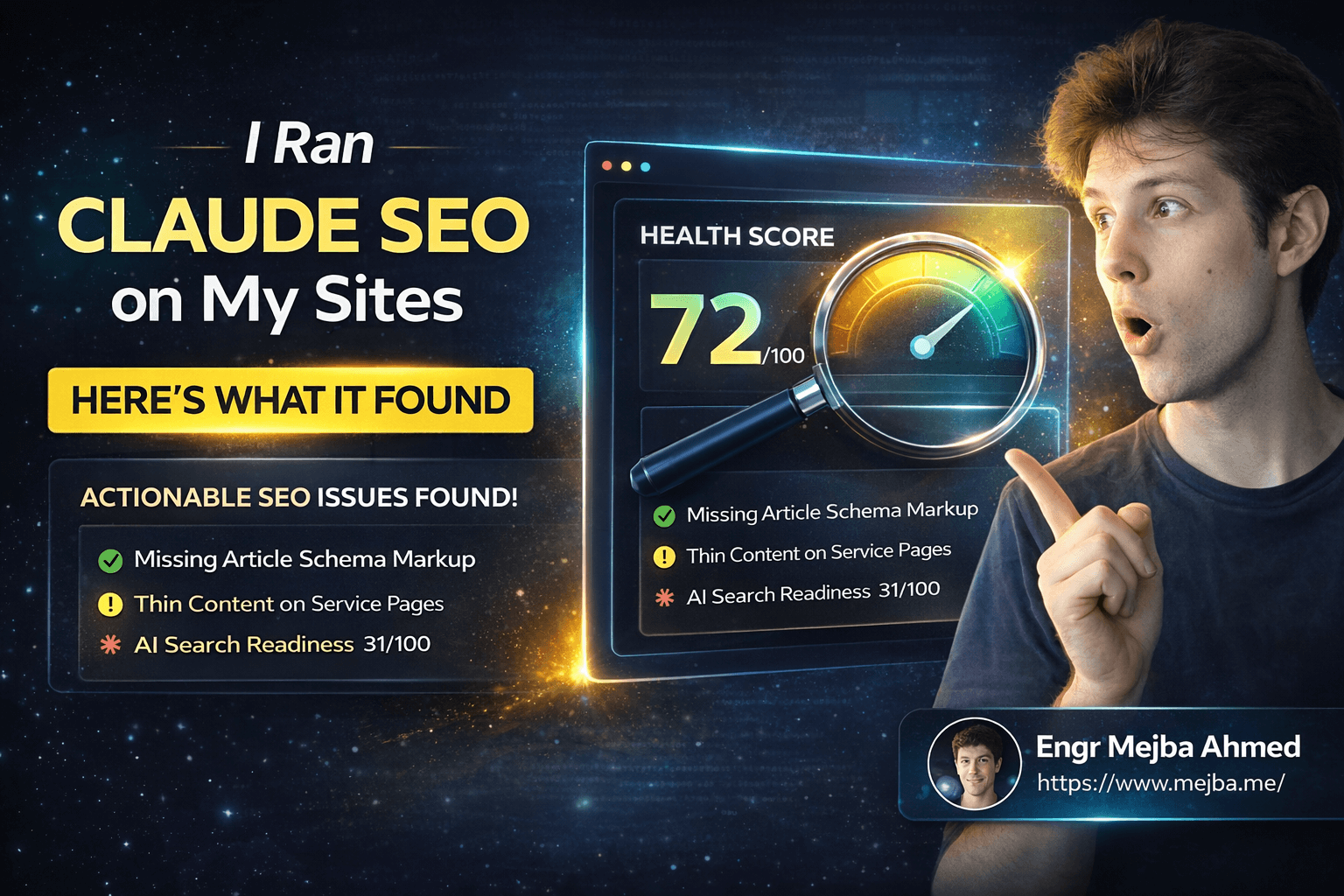
The SEO Keyword Tracker and Domain Analyzer automation builds what amounts to a mini-SEMrush dashboard using the DataForSEO API. You feed it a domain, and it returns a health analysis covering strengths, weaknesses, backlink profile, and keyword rankings. Then the AI layer generates specific improvement recommendations and keyword suggestions — not generic "create better content" advice, but actual keywords with competition scores, search volume, CPC data, and trend lines.
I ran my own domain through it. The results were sobering. A few pages I thought were ranking well had actually dropped over the past quarter. Two long-tail keywords I'd never considered showed high volume with low competition — exactly the kind of opportunity that's easy to miss without tools.
The dashboard presentation makes this genuinely useful for client-facing work. If you run an SEO agency — or even if you just manage a few sites — being able to pull up a clean, AI-annotated domain analysis in minutes is a competitive advantage. The DataForSEO API costs a fraction of enterprise tools, and Cloud Code handles the orchestration, analysis, and presentation layer.
One honest limitation: the depth doesn't match a full SEMrush audit. Backlink analysis in particular felt thinner. But for 80% of what most site owners need — keyword tracking, content gap identification, technical health overview — this gets the job done at a fraction of the cost.
That said, data is only useful if you can act on it. The next automation bridges the gap between knowing your market and actually reaching people in it.
The Lead Enrichment Pipeline That Surprised Me
I'll be upfront: I was skeptical about this one. "Scrapes Google Maps for business data" sounded like something that would produce garbage leads and spammy outreach. I was wrong.
Here's the workflow. You specify a keyword and location — say, "roofers in Los Angeles" — and the automation searches Google Maps, extracts business information (company name, website, phone number, reviews, ratings), visits their websites to grab additional context, then generates a personalized icebreaker message for each lead. Everything outputs to a Google Sheet.
The icebreaker generation is what makes this different from a basic scraping tool. The AI reads each business's website, identifies their specific services or selling points, and crafts an opening line that references something real about their business. Not "Hey, I noticed you're in the roofing industry" — more like "I saw you specialize in tile roof restoration in the Santa Monica area, and your Google reviews mention quick turnaround — that's a competitive edge most roofers don't have."
That level of personalization at scale is genuinely hard to do manually. I tested it with a batch of twenty-five leads in a niche I was exploring for a client project. The icebreakers were usable as-is for about 60% of them. Another 30% needed minor tweaks. Only two or three were off-base.
If you're doing cold outreach — email, LinkedIn, even cold calls — having a pre-built sheet with verified contact info, business context, and a personalized opener saves an enormous amount of research time. I used to spend ten to fifteen minutes per lead doing this manually. Now the pipeline handles the bulk, and I spend my time refining the top prospects instead of researching all of them.
Here's the catch nobody talks about, though: the quality of your lead data is only as good as Google Maps' data. Some businesses have outdated listings, wrong phone numbers, or websites that haven't been updated in years. Always verify before you reach out. Automation gets you 80% of the way there. The last 20% is still human judgment.
If you've made it this far, you're already thinking about how these connect. The next automation is for anyone spending money on ads — or competing with people who do.
Reading Your Competitors' Ad Playbook
I run Facebook ads for some projects. And I've spent more time than I'd like to admit scrolling through the Facebook Ads Library trying to figure out what competitors are doing. Which creatives are they running? How long have their ads been active? What hooks are they using?
The Facebook Ads Analyst automation scrapes the Ads Library for a specific keyword and location, then categorizes what it finds. Video ads, image ads, carousels — each gets tagged by format and active status. But the real value is the AI analysis layer on top: it evaluates ad hooks, calls-to-action, identifies weaknesses, and estimates effectiveness based on how long the ad has been running and its format.
The output is a visual dashboard showing ad volume trends over time and highlighting top advertisers in your space. You can see at a glance who's spending aggressively, what formats dominate, and — this is the gold — which ads have been running the longest (because long-running ads are usually profitable ads).
I used this to analyze competitors in a SaaS niche. Three patterns jumped out immediately. First, video ads under sixty seconds were dramatically outperforming everything else. Second, every top performer was using a problem-agitation hook in the first three seconds — not a benefit statement. Third, the ads with the longest run times all used customer testimonials, not product demos.
Those three insights would have taken me days of manual research. The automation surfaced them in one pass.
One limitation: the Ads Library has built-in restrictions on what data it exposes, so you're working with publicly available information only. You won't see spend data, targeting parameters, or conversion metrics. But honestly, creative analysis and longevity data give you enough to reverse-engineer most strategies.
Now, here's an automation that solves a completely different problem — one that burns more productive time than most people realize.
The Meeting Follow-Up System I Wish I'd Built Sooner
Meetings are where action items go to die. Someone says "I'll handle that by Friday," everyone nods, and by Monday nobody can remember who committed to what. I've been on both sides of this — the person who forgot and the person frustrated that someone else forgot.
The After-Meeting Assistant integrates with Fireflies.ai (or any transcription service) and triggers automatically when a call ends. It generates a structured summary — who attended, what was discussed, key decisions made — and extracts specific action items with assignees and due dates. Then it sends an email summary to all participants and syncs the tasks directly to a Notion database.
The Notion integration is what elevates this from "nice to have" to "essential." Each task lands in your database with the assignee, due date, priority level, and context from the meeting where it originated. No more "wait, what meeting was that from?" confusion.
I've been running this for about two weeks on client calls. The feedback has been genuinely positive — clients appreciate getting a professional summary within minutes of hanging up, and my team has stopped dropping follow-up items because everything's tracked in Notion automatically.
The honest trade-off: it works best with clear, structured conversations. If your meetings are chaotic — people talking over each other, topics jumping around — the AI struggles to extract clean action items. Doesn't fail entirely, but the output needs more editing. For focused 1-on-1 calls or structured team standups, though, it's remarkably accurate.
One thing I'd add that wasn't in the original workflow: a 24-hour reminder ping for tasks approaching their due date. The automation handles capture beautifully, but the follow-through still needs a nudge system. I built that piece separately using a Notion automation.
Here's the final automation — and honestly, it's the one that reframed how I think about daily workflows entirely.
Scheduled AI Workflows That Run While You Sleep
The last use case isn't a single automation. It's a framework for building scheduled workflows that run on autopilot using N8N as the orchestration layer. The example in the original breakdown was a daily news aggregator: fetch the latest AI automation news from multiple sources, summarize it using Perplexity and OpenAI, and email the digest every morning.
I adapted this for my own use. Every morning at 7 AM, my workflow pulls the latest posts from five AI-focused subreddits, three newsletters, and two Twitter lists. It summarizes the top ten items, flags anything directly relevant to my current projects, and delivers it to my inbox before I've finished coffee.
Building this in N8N instead of pure Cloud Code was a deliberate choice — and it's worth explaining why. Cloud Code is phenomenal for one-off or triggered automations where you describe what you want and the AI figures out the execution. But for scheduled, recurring workflows with multiple API calls that need to run reliably at specific times, N8N's visual builder gives you better control. You can see each step, debug individual nodes, and monitor execution history.
The workflow uses Perplexity for web search, OpenAI for summarization, and Gmail for delivery. Total API costs? Roughly $0.12 per day. For a curated, AI-summarized news brief that would take me forty-five minutes to assemble manually, that's absurdly good ROI.
I've since built three more scheduled workflows: a weekly competitor blog monitor, a daily Hacker News digest filtered to my interests, and a bi-weekly report that tracks my website analytics and flags anomalies. Each one runs silently in the background and surfaces only the information I actually need to act on.
The key insight here isn't any individual workflow. It's the shift from "I need to go find information" to "relevant information comes to me." That shift compounds over weeks and months. You make better decisions because you're consistently informed, without spending time on the research loop.
What I Actually Think After Building These
Here's my honest take after several weeks of using these automations in production.
The invoice processing and meeting follow-up automations are the two highest-impact workflows for immediate time savings. They target activities that are repetitive, error-prone, and universally hated. If you build nothing else, build those two.
The lead enrichment pipeline has the highest revenue potential if you're in a client-facing business. Being able to hand a sales team a pre-researched, pre-personalized lead sheet is genuinely valuable — and it's a service you can charge for.
The YouTube strategist and Facebook ads analyst are powerful for content and marketing teams, but they require human judgment to filter the output. Don't treat their recommendations as gospel. Treat them as a smart first draft that needs your industry expertise layered on top.
The Chrome extension and scheduled workflows are "quality of life" automations. They won't directly generate revenue, but they reduce friction in ways that compound over time. Less time hunting for saved articles. Less time manually assembling research. More time doing the work that actually matters.
One thing I got wrong initially: I tried to build everything at once. Don't do that. Pick the automation that maps to your biggest time sink, build it, run it for a week, and refine it. Then move to the next one. Automation isn't a one-weekend project — it's an ongoing practice of identifying friction and eliminating it systematically.
And here's something I didn't expect: building these automations changed how I evaluate new tasks. Now, before I start any repetitive process, my first thought is "can this be automated?" That mental shift — from doing the work to designing systems that do the work — is arguably more valuable than any individual automation.
The Numbers After Thirty Days
I tracked my time for a month. Here's what actually changed:
Invoice processing went from roughly four hours per month to about twenty minutes of review time. The automation handles extraction and organization. I just verify the output and send it to my accountant.
Meeting follow-up dropped from fifteen minutes per meeting (writing notes, creating tasks, sending summaries) to about three minutes of reviewing and approving the AI-generated output. Across eight to ten meetings per week, that's close to two hours reclaimed.
Lead research — which I used to do in sporadic, inefficient bursts — became a structured pipeline. I can generate a qualified lead sheet for any niche in under five minutes. The outreach quality improved too, because the personalization that used to take fifteen minutes per lead now takes thirty seconds of editing.
The daily news workflow saves roughly forty-five minutes each morning. Over a month, that's over fifteen hours I'm not spending on manual research.
Total time saved: somewhere between twenty-five and thirty hours per month. That's nearly a full work week. And the quality of the output — organized invoices, personalized outreach, structured meeting follow-ups — is consistently better than what I was producing manually.
Not everything was perfect. The SEO tracker needed calibration for my specific niche. The Facebook ads analyzer required manual cleanup on about 20% of results. And the Chrome extension occasionally chokes on JavaScript-heavy single-page applications. These are solvable problems, but they're real.
The takeaway isn't that automation eliminates human work. It eliminates the wrong kind of human work — the repetitive, low-judgment tasks that drain your energy and produce inconsistent results. What's left is the high-value work: strategy, relationship building, creative problem-solving. The stuff you actually got into business to do.
The Question That Changed Everything
Here's what I keep coming back to after this experiment. Not "which automation should I build next?" — though that matters. The bigger question is this:
If you added thirty hours back to your month tomorrow — thirty hours currently spent on tasks a machine could handle — what would you actually do with that time?
Most people can't answer that immediately. I couldn't. And sitting with that question forced me to get honest about where my time goes, what I'm avoiding, and what I'd build if the operational drag disappeared.
That's the real gift of automation. Not the efficiency. Not the cost savings. The clarity about what your time is actually worth — and the uncomfortable realization that you've been spending it on work that doesn't deserve it.
Build the invoice processor. Set up the meeting assistant. Automate the lead research. But more importantly, decide what you'll do with the time you get back. Because the automation is the easy part. The hard part is using that reclaimed time on something that actually matters to you.
What would your thirty hours become?
🤝 Let's Work Together
Looking to build AI systems, automate workflows, or scale your tech infrastructure? I'd love to help.
- 🔗 Fiverr (custom builds & integrations): fiverr.com/s/EgxYmWD
- 🌐 Portfolio: mejba.me
- 🏢 Ramlit Limited (enterprise solutions): ramlit.com
- 🎨 ColorPark (design & branding): colorpark.io
- 🛡 xCyberSecurity (security services): xcybersecurity.io