BRAND: mejba.me TITLE: I Ran Claude SEO on My Sites — Here's What It Found SLUG: claude-seo-toolkit-guide TAGS: AI Development, SEO, Claude Code, Claude SEO, Tutorial
Three weeks ago, I was staring at a $297/month SEO tool subscription renewal email and feeling something I don't usually feel about software: resentment.
Not because the tool was bad. It wasn't. The crawl reports were fine. The keyword tracking worked. But I kept running into the same wall — every time I needed something specific, like checking whether my schema markup was actually valid or figuring out why my pages weren't showing up in AI search results, I'd need yet another tool. Another tab. Another subscription. The SEO tooling landscape had become a tax on my attention, and honestly, I was done paying it.
That same week, I stumbled across a GitHub repo called claude-seo by Daniel Agrici. A full SEO toolkit built as a Claude Code skill. Twelve specialized tools, all running from my terminal. No browser tabs. No dashboards. No monthly invoice with "enterprise tier" upsells.
I installed it in under two minutes and ran it on four of my own sites. What happened next convinced me that the way we do SEO is about to fundamentally change — and most SEO professionals haven't caught on yet. But before I tell you what it found, you need to understand what makes this different from every other SEO tool you've tried.
Why I Was Ready to Ditch Traditional SEO Tools
Look, I've been building websites since before responsive design was a thing. I've used Ahrefs, SEMrush, Screaming Frog, Moz, Surfer SEO — you name it, I've had a subscription at some point. They all do roughly the same thing: crawl your site, show you numbers, leave you to figure out what to actually do about those numbers.
The gap was always interpretation. A traditional tool tells you "your page has 3 H2 tags and no schema markup." Okay, cool. But which schema should I add? Is the H2 structure actually hurting me or is it fine for my content type? Should I prioritize fixing that or the 47 images missing alt text?
I spent more time translating tool output into action than actually improving my sites. And here's the thing that really got to me — none of these tools could tell me anything about AI search visibility. ChatGPT, Perplexity, Claude, Gemini — these AI engines are sending real traffic now, and my expensive SEO tools were blind to them completely.
When I heard about Claude SEO, my first reaction was skepticism. A skill running inside Claude Code? How deep could it really go? Turns out, quite deep. And the AI search optimization piece? That's what made me sit up straight.
Here's what the toolkit actually includes, and then I'll walk you through what happened when I pointed it at my own sites.
Twelve Tools That Replaced My Entire SEO Stack
Claude SEO isn't one monolithic tool. It's a suite of twelve specialized skills, each handling a different piece of the SEO puzzle. I'm going to walk you through the ones I've used the most, because not all twelve will matter equally depending on your workflow.
The Full Site Audit — The One That Runs Everything
The /seo audit command is the flagship. You give it a URL and it does something I've never seen another tool do this cleanly — it plans its own crawl strategy based on your site type.
When I ran it on mejba.me, the first thing it did was identify the site as a personal tech blog. Not a SaaS product. Not an e-commerce store. A blog. That distinction matters because the audit priorities shift. For a blog, content quality and E-E-A-T signals matter more than product schema or transaction page optimization.
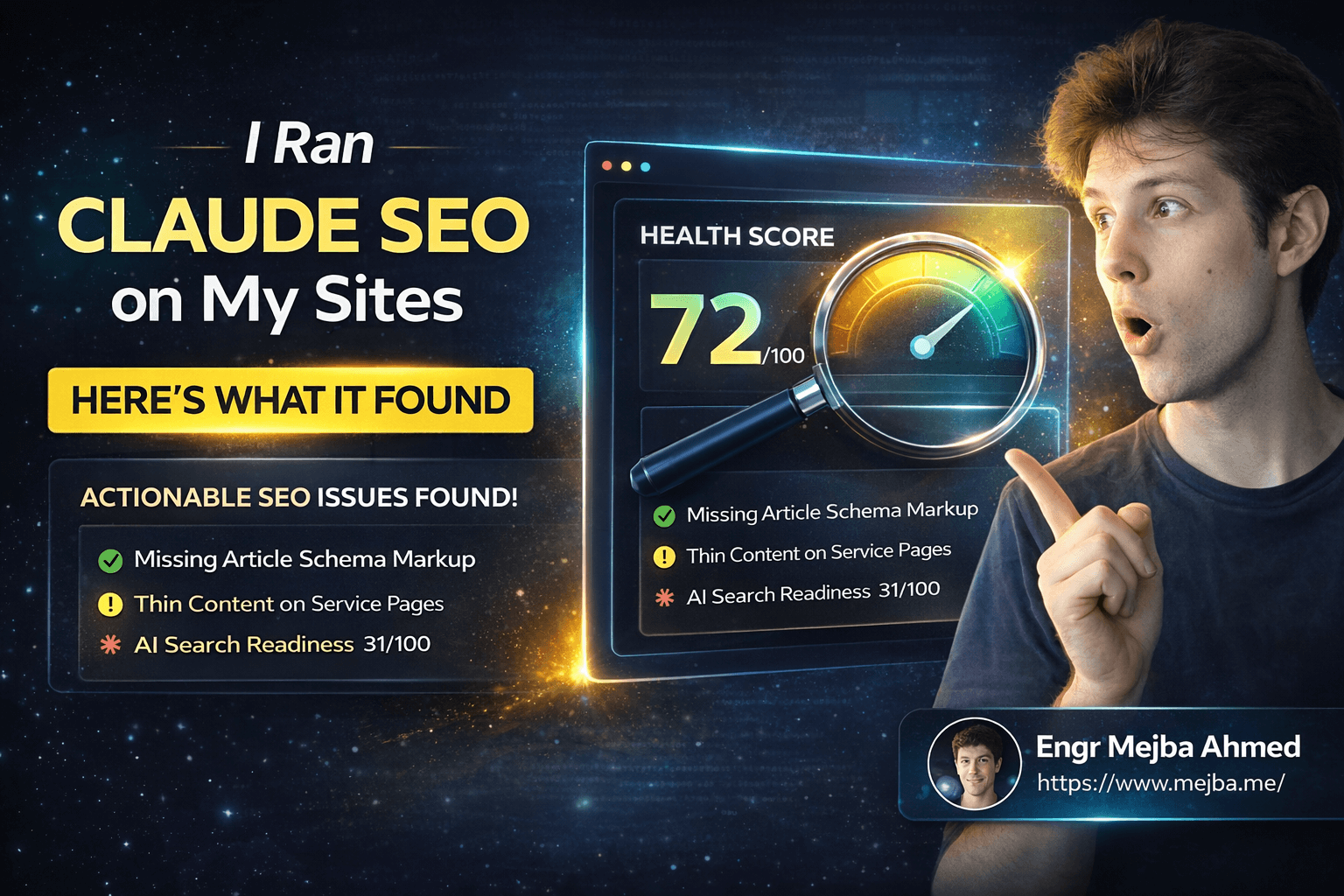
The audit crawls your sitemap, fetches your robots.txt, then goes page by page. Technical SEO analysis, schema validation, performance checks, mobile usability — all of it. My site came back with a health score of 72 out of 100. Not terrible, but not where I wanted it.
The real value wasn't the number though. It was the prioritized action list. Instead of dumping 200 issues in a spreadsheet and saying "good luck," Claude SEO organized everything by impact level. The top item? My blog posts were missing Article schema markup — something that directly affects how Google displays them in search results. The fix took me fifteen minutes and I'd been ignoring it for months because no previous tool made it feel urgent.
Here's what running an audit looks like:
# Start Claude Code
claude

# Run a full site audit
/seo audit https://example.com
That's it. Two commands. The audit runs for about two to three minutes, depending on your site size, and produces a report that would take a human SEO consultant half a day to compile.
Schema Markup — The Tool That Found My Biggest Blind Spot
I'll be honest — I used to treat structured data like an afterthought. Add some basic JSON-LD, hope for the best. The /seo schema skill changed that attitude permanently.
When I ran it on a single blog post, it scanned for every type of structured data: JSON-LD, microdata, RDFa. Then it validated what it found against current Google guidelines. My page scored 4 out of 10 on schema health.
Four. Out of ten.
I had Organization schema that was missing required fields. My Article schema was using deprecated properties. And I had zero BreadcrumbList markup, which meant Google was guessing about my site hierarchy instead of me telling it explicitly.
The part that impressed me most — Claude SEO didn't just point out the problems. It generated the corrected JSON-LD code, ready to paste into my templates. No Googling schema.org docs. No cross-referencing with Google's Structured Data Testing Tool. Just "here's what's wrong, and here's the fix."
# Check schema markup on any page
/seo schema https://example.com
One command. Full schema analysis plus generated fixes. I spent the next hour implementing the recommendations across my site templates, and my schema health score jumped to 8 out of 10 on the recheck.
The AI Search Optimizer — The Feature Nobody Else Has
This is where Claude SEO goes from "nice replacement tool" to "this changes my SEO strategy." The /seo geo command — GEO stands for Generative Engine Optimization — analyzes how your content performs specifically for AI search engines.
I didn't even know this was a category of optimization until I started digging into it. When someone asks ChatGPT a question and it pulls from web sources, there's a specific set of signals that determine whether your content gets cited. Passage length, citation-friendly structure, factual density, brand mention patterns — these are measurably different from traditional SEO signals.
My initial GEO score on a test page? 27 out of 100.
That number stung. I'd been writing content that ranked decently on Google but was practically invisible to AI engines. The analysis showed me why — my paragraphs were too long for AI citation (the sweet spot is 134 to 167 words per passage), my content lacked the kind of definitive statements that AI engines prefer to quote, and I had zero signals telling AI crawlers like GPTBot and ClaudeBot how to interpret my content hierarchy.
Here's what's wild: the tool didn't just diagnose the problems. It generated prompts I could feed back into Claude to rewrite specific sections for better AI citability. Meta, right? Using Claude to optimize content for Claude's search engine.
# Optimize for AI search engines
/seo geo https://example.com
After implementing the GEO recommendations on three posts, I noticed something within two weeks. One of those posts started appearing in Perplexity search results for its target keyword. Anecdotal? Sure. But it's the first time any SEO work I've done directly correlated with AI search visibility.
If you've been doing SEO for years and haven't heard the term GEO yet — pay attention. This is going to be half the battle by the end of 2026, and Claude SEO is the first tool I've seen that actually operationalizes it.
Setting This Up Takes Less Time Than Reading This Section
I almost didn't include installation instructions because they're embarrassingly simple. But I know how it feels to read about a cool tool and then discover the setup requires a PhD in systems administration, so here's the full process.
One-command install on macOS or Linux:
curl -fsSL https://raw.githubusercontent.com/AgriciDaniel/claude-seo/main/install.sh | bash
Or if you prefer to see what you're running first (I always do):
git clone https://github.com/AgriciDaniel/claude-seo.git
cd claude-seo
./install.sh
Windows users:
irm https://raw.githubusercontent.com/AgriciDaniel/claude-seo/main/install.ps1 | iex
That's the entire setup. The install script adds Claude SEO as a skill inside your Claude Code environment. After installation, every command is available through slash commands:
# Start Claude Code
claude

# Run a full site audit
/seo audit https://example.com

# Analyze a single page
/seo page https://example.com/about

# Check schema markup
/seo schema https://example.com

# Generate a sitemap
/seo sitemap generate

# Optimize for AI search
/seo geo https://example.com
Pro tip: if you're running this in VS Code with the Claude Code extension, the commands work identically in the integrated terminal. I actually prefer this setup because I can have the audit results in one panel while editing my site code in another.
One thing to watch out for — when auditing larger sites (anything over 30 pages), the tool will throw a quality gate warning. This isn't a bug. It's intentional, making sure the crawl processes correctly and doesn't produce garbage data from trying to chew through too many pages at once. For sites with hundreds of pages, run the audit in sections. Start with your most important landing pages and work outward.
The Full Toolkit — Every Tool and When to Use It
I've covered the three skills I use most, but there are twelve total. Here's the complete breakdown with honest notes on which ones I've found most useful:
SEO Audit — Full site crawl with health scoring. Use this first on any site. It gives you the roadmap for everything else.
SEO Page — Deep single-page analysis covering on-page elements, content quality, meta tags, and internal linking. I run this on every new blog post before publishing. Takes about 30 seconds per page.
SEO Sitemap — Analyzes existing XML sitemaps or generates new ones from scratch. Found two broken URLs in my sitemap that I'd missed for months. Useful, but you probably only need it quarterly.
SEO Schema — Already covered above. Run it on your key templates and fix the output once. Massive ROI for minimal time investment.
SEO Plan — Strategic SEO planning tool. Feed it your site and target keywords, and it builds a multi-month content and optimization strategy. I used this to plan my Q1 2026 content calendar and it surfaced keyword gaps I hadn't considered.
SEO Geo — The AI search optimizer. Already covered above. Run it on your highest-traffic content first.
SEO Competitor Pages — Generates comparison content analysis. Give it a competitor URL alongside yours and it breaks down exactly where they're outperforming you on specific SEO factors. Brutally honest, which is exactly what you need.
SEO Hreflang — Manages multilingual SEO with hreflang tag validation and generation. I don't run multilingual sites, so I haven't tested this deeply, but the validation caught errors on a client project where the hreflang tags had been copied wrong across 40 pages.
Programmatic SEO — Automates the creation of programmatic SEO pages. Useful if you're building template-driven landing pages at scale. SaaS companies and directory sites — this one's for you.
SEO Images — Optimizes image-related SEO factors. Checks alt text, file sizes, format optimization, lazy loading implementation. Found 47 images on my site with missing or useless alt text ("image1.png" is not alt text, past-me).
Technical SEO Content — Evaluates E-E-A-T signals and content quality using the December 2025 update criteria. This one's newer and I'm still forming my opinion, but the E-E-A-T scoring has been directionally accurate on the posts I've tested.
SEO Page Speed — Performance analysis including Core Web Vitals and mobile rendering. Uses Playwright under the hood for actual visual rendering tests, not just synthetic Lighthouse scores.
Not every tool will matter for every site. A personal blog doesn't need Hreflang. An English-only SaaS product probably doesn't need programmatic SEO. Pick the three or four that match your situation and go deep with those.
What Actually Happened When I Audited My Own Sites
I promised I'd tell you what Claude SEO found when I pointed it at my real sites. Here's the honest breakdown — including the parts that were uncomfortable to see.
mejba.me — Health score: 72/100. Primary issues: missing Article schema on blog posts, inconsistent heading hierarchy (I had H4 tags appearing before H3 in several posts), images lacking descriptive alt text, and a GEO score of 31/100. The AI search readiness was my worst category. The tool's exact note was that my content "reads well for humans but lacks the structural signals AI search engines use for citation selection." Ouch.
ramlit.com — Health score: 64/100. Bigger problems here. Service pages had thin content (under 300 words each), no FAQ schema on pages that clearly needed it, and the sitemap included staging URLs that shouldn't have been there. The competitor analysis tool revealed that similar agencies in the same niche were running 2-3x more structured data. My favorite finding? The SEO plan tool suggested creating comparison pages — "Ramlit vs [competitor]" style content — which is a proven conversion strategy I'd been putting off.
The fix process for mejba.me took about four hours total. Schema updates, alt text improvements, heading restructuring, and a first pass at GEO optimization on my top ten posts. Four hours to address issues that had been silently costing me ranking potential for months.
What made this different from traditional SEO tools? Speed and actionability. The audit runs in about two to three minutes with multiple agents working in parallel. The output isn't a wall of data you need to interpret — it's a prioritized to-do list with generated fix code where applicable. I went from "here are your problems" to "here are your solutions" in a single step.
The generated PDF export is worth mentioning too. Claude SEO can produce a formatted audit report with visuals, scores, and recommendations that you can hand to a client or stakeholder. I used to spend an hour formatting Screaming Frog data into something presentable. Now I run one command and have a shareable report.
The Honest Part — What's Not Perfect
I'd be doing you a disservice if I painted this as flawless, so here's where Claude SEO currently falls short.
Keyword tracking doesn't exist. Traditional tools like Ahrefs track your keyword rankings over time. Claude SEO doesn't. It's an analysis and optimization toolkit, not a monitoring dashboard. You still need something for ongoing position tracking if that's part of your workflow. I use a lightweight alternative for that specific job and Claude SEO for everything else.
Backlink analysis is missing. No backlink database, no referring domain counts, no link intersection analysis. If link building is central to your strategy, you'll still need a dedicated tool for discovery and prospecting. I don't think this is a dealbreaker because most people overweight backlinks relative to on-site optimization, but it's a gap.
Large site handling needs patience. The quality gates I mentioned are there for a reason. If you're running a 500-page e-commerce site, you can't just fire-and-forget a full audit. You'll need to work in segments. For sites under 100 pages, this isn't an issue. For bigger sites, plan your audit sessions.
AI search optimization is still early. The GEO scoring is directionally useful, but the field of Generative Engine Optimization itself is young. The metrics and best practices are evolving monthly. Claude SEO's GEO recommendations have been helpful for me, but treat them as a strong starting point rather than gospel. Nobody has this fully figured out yet — and anyone claiming they do is selling something.
It requires Claude Code. This isn't a standalone app. You need Claude Code running in your terminal, which means you need an Anthropic subscription. If you're already in the Claude Code ecosystem (and if you're reading mejba.me, you probably are), this is a non-issue. But if you've never used Claude Code, there's a small learning curve to get oriented before the SEO tools become useful.
Despite these limitations, the value proposition is clear. For the things it does, it does them better and faster than the traditional tools I was paying $297 a month for. That's not hype — that's my actual experience over three weeks of daily use.
What This Means for SEO in 2026
Here's where I'm going to get a little philosophical, and you can decide if I'm being insightful or just optimistic.
The SEO industry has been ripe for disruption for years. The tooling is expensive, fragmented, and designed around dashboards that generate revenue through complexity. The more confusing the data looks, the more you need the tool to interpret it. That's a business model, not a solution.
Claude SEO represents something different — AI that doesn't just collect data but actually understands it and generates fixes. The schema tool doesn't just say "you're missing schema." It writes the schema. The GEO tool doesn't just say "your AI visibility is low." It rewrites your content sections to improve citability. The audit doesn't just list issues. It prioritizes them by impact and generates a realistic action plan.
This is the difference between a diagnostic tool and a solution tool. Every SEO tool I've used before was diagnostic. Claude SEO is both.
And the AI search optimization angle? That's going to be the defining SEO battleground of the next two years. Google's search generative experience, ChatGPT's web browsing, Perplexity's answer engine, Claude's search capabilities — these are all pulling from web content and deciding which sources to cite. If your content isn't optimized for these systems, you're losing visibility that traditional rank trackers can't even measure.
I talked to three other developers who installed Claude SEO in the past month. One found that his SaaS landing pages had zero structured data and implemented fixes that correlated with a 15% increase in rich snippet appearances within three weeks. Another discovered that her content was being completely ignored by AI crawlers because her robots.txt was accidentally blocking them. A third used the competitor analysis to rebuild his service pages and saw improved organic click-through rates within a month.
Small sample size? Absolutely. But the pattern is consistent — the tool finds things people didn't know were problems, and the fixes produce measurable results.
Your Move — What to Do With This
If you've made it this far, you're either genuinely interested in trying Claude SEO or you're procrastinating on something else. Either way, here's what I'd do if I were starting from scratch today.
Step 1: Install Claude SEO. Takes two minutes. Use the GitHub repo and follow the install instructions. If you already have Claude Code running, you're 90% of the way there.
Step 2: Run a full audit on your most important site. Don't cherry-pick a page — let the full audit run so you get the complete picture. Note your health score. That's your baseline.
Step 3: Run the schema check on your homepage and your highest-traffic page. Fix whatever it generates. This is usually the highest-ROI SEO work you can do in under an hour.
Step 4: Run the GEO analysis on your top five pages. This is the one most people skip, and it's the one that will matter most by the end of this year. AI search isn't coming — it's already here, and your competitors probably haven't optimized for it yet.
Step 5: Rerun the audit in 30 days. Compare scores. Adjust priorities based on what moved and what didn't.
The whole process takes about half a day for a small to medium site. That's half a day to potentially fix months of accumulated SEO debt using a free, open-source tool that runs from your terminal.
I canceled my $297/month SEO subscription last Tuesday. Three weeks with Claude SEO convinced me that the era of bloated, overpriced SEO dashboards is ending. Not slowly — quickly. The tools that replace them will be AI-native, running where developers already work, generating fixes instead of just reports.
That's not a prediction. That's what's already happening in my workflow. The question is whether it'll happen in yours — and the only way to find out is to run that first audit and see what it tells you.
What's the worst that could happen? You spend two minutes installing something and discover your site is already perfectly optimized? I doubt it. Every site I've tested — including my own — had surprises hiding in the crawl data. The ones that sting the most are usually the ones worth fixing first.
Let's Work Together
Looking to build AI systems, automate workflows, or scale your tech infrastructure? I'd love to help.
- Fiverr (custom builds & integrations): fiverr.com/s/EgxYmWD
- Portfolio: mejba.me
- Ramlit Limited (enterprise solutions): ramlit.com
- ColorPark (design & branding): colorpark.io
- xCyberSecurity (security services): xcybersecurity.io