Remotion en OpenAI Codex: Motion Graphics Basados en Prompts
El render terminó a las 11:42 PM un martes. Arrastré el archivo H.264 fuera de la carpeta out/, lo solté en una publicación de Twitter y me quedé mirando la pantalla por un segundo. Treinta y cuatro segundos de motion graphics. Intro con logo. Rayos animados conectando Claude Code con mi stack de agentes. Tres transiciones de escena con tipografía cinética. Un cierre con el logo volando acompañado de una pista de funk generada con Suno al 75% de volumen.
Tiempo total desde "quiero hacer este video" hasta "estoy publicando este video": 34 minutos.
No he abierto After Effects en tres semanas. No porque sea mejor diseñador de motion graphics que hace un mes — objetivamente soy peor. Mi memoria muscular para la línea de tiempo de AE se está atrofiando. Pero publiqué cuatro videos en abril que habrían consumido un fin de semana entero cada uno con mi flujo de trabajo anterior. Y los hice todos dentro de la super-app OpenAI Codex, hablando con GPT-5.4, con el plugin de Remotion haciendo el trabajo pesado.
Este es el post que desearía que alguien hubiera escrito antes de que yo pasara una tarde descubriéndolo de la manera equivocada. No la versión de marketing donde todo sale perfecto. La versión real, con los prompts que funcionaron, los prompts que fallaron y el momento en que casi me rindo y volví a After Effects.
El Flujo de Trabajo Que Me Hizo Dejar de Editar Videos a Mano
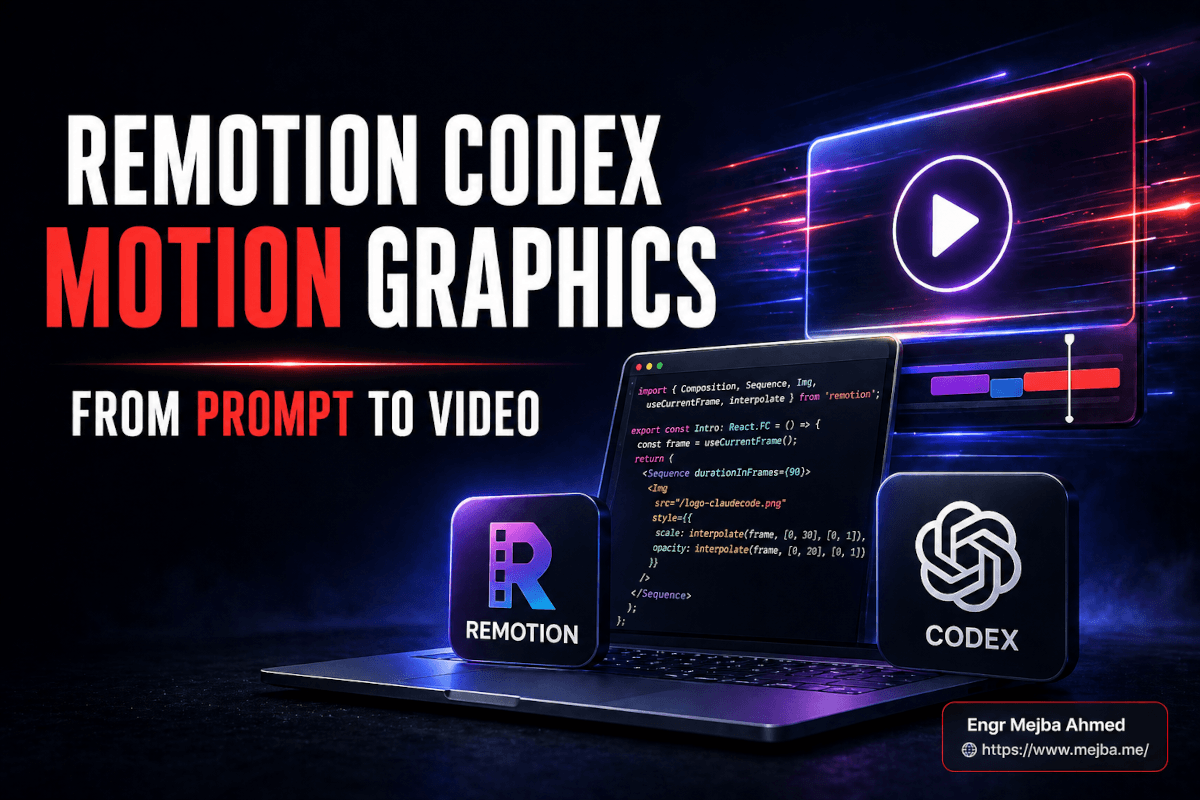
Aquí va la versión corta de lo que realmente sucede cuando usas Remotion Codex motion graphics juntos: Remotion es un framework de React para hacer videos con código. Escribes componentes JSX, defines una composición y Remotion lo renderiza a MP4. Existe desde hace años. Lo construyó Jonny Burger. Lo que cambió a principios de 2026 fue el plugin de Codex — un conjunto empaquetado de habilidades que el agente OpenAI Codex carga, así que cuando escribes "haz una intro de logo con una animación de rayo entre dos PNGs" en el chat de Codex, GPT-5.4 realmente sabe qué es un <Sequence>, qué hace interpolate() y cómo conectar una Composition sin que tú toques el código.
El plugin Remotion Codex se publicó en el repositorio oficial remotion-dev/codex-plugin aproximadamente en la misma ventana en que OpenAI anunció los plugins de Codex (26 de marzo de 2026). El agente Codex funciona con GPT-5.4 por defecto — el primer modelo de OpenAI con computer-use nativo integrado y una ventana de contexto de 1M de tokens, lo cual importa más de lo que parece cuando tu proyecto de video empieza a acumular archivos de componentes.
Instalas el plugin en Codex una vez. Creas una carpeta de proyecto. Inicias un chat. Describes el video. Codex escribe el código de Remotion. Remotion sirve una vista previa en vivo en http://localhost:3000. Ves el video renderizarse en tiempo real mientras iteras por prompt — "haz que el rayo pulse dos veces", "retrasa el segundo logo 12 frames", "el kerning del título está mal, ajústalo." Cuando terminas, ejecutas npx remotion render y sale un archivo H.264.
Ese es todo el flujo de trabajo. Sin panel de keyframes. Sin editor de curvas. Sin precomposiciones anidadas. Sin preguntarte por qué tu capa de texto de repente está detrás del fondo otra vez.
La trampa — y llegaré a la trampa honesta después — es que esto solo funciona porque GPT-5.4 se ha vuelto genuinamente bueno escribiendo código de Remotion. Hace dos años esto habría sido un desastre de imports rotos y APIs inventadas. Hoy es lo suficientemente bueno como para confiarle un video de 30 segundos. Aún no lo suficientemente bueno como para confiarle un documental de 5 minutos. Volveremos a dónde está la línea.
Por Qué Probé Esto (O: La Historia de Marketing de Claude Code Que Nadie Verifica)
Quiero ser honesto sobre por qué empecé a probar esto, porque el detonante fue una historia que ha estado circulando en X y que no puedo verificar completamente.
La afirmación, repetida en aproximadamente cuarenta hilos diferentes, es que el equipo de marketing de Claude Code de Anthropic construyó su producción diaria de videos con Remotion más un agente de IA y acumuló algo así como 300M de vistas acumuladas en un mes. He visto las capturas de pantalla. He visto los números de engagement. Lo que no puedo hacer es señalarte un caso de estudio publicado por Anthropic que confirme el flujo de trabajo exactamente como se describe. Lo intenté.
Lo que sí puedo verificar con mis propios ojos: el canal de marketing de Claude Code publica videos cortos de motion graphics a una cadencia que ningún equipo de video tradicional con el que he trabajado podría igualar. De tres a cinco al día, a veces más. El lenguaje visual es consistente — las mismas curvas de easing, la misma familia de gradientes de fondo, el mismo movimiento de logo. Ese tipo de consistencia viene de uno de dos lugares. O un diseñador senior de motion graphics está creando plantillas de todo en After Effects (posible), o hay un pipeline basado en código donde las plantillas son componentes de React reutilizados (mucho más probable).
Eso fue suficiente para despertar mi curiosidad. Si has seguido alguno de mis experimentos con el flujo de trabajo de edición de video con Claude Code, sabes que he estado persiguiendo un pipeline de "publicar el video el mismo día que tengo la idea" durante casi un año. Probé HeyGen más ElevenLabs en el post del pipeline de producción de video con IA y me acerqué, pero era basado en avatares, no motion graphics. Probé Claude Code con Remotion directamente y eso funcionó — Claude Code es genuinamente bueno en esto — pero quería probar el lado de Codex honestamente porque mantengo dos suscripciones y preferiría no hacerlo.
Así que: una prueba real, con un video de lanzamiento real, con prompts que usaría de nuevo.
El Proyecto Que Usé Como Campo de Pruebas
Necesitaba un video real, no una demo de tutorial. El video de lanzamiento que elegí fue para una pequeña herramienta interna que construí — un proyecto de asistente personal de IA que he estado ejecutando llamado OpenClaw. Necesitaba:
- Aproximadamente 30 segundos, listo para una publicación en Twitter
- Una intro animada con logo
- Dos escenas de texto con la propuesta de valor
- Un "stack reveal" — pequeñas tarjetas de iconos para las herramientas que usa el proyecto, con rayos animados conectándolas
- Una escena de cierre con CTA
- Música de fondo
- Exportación H.264, amigable para vertical pero con prioridad horizontal
En After Effects esto habría sido de cuatro a seis horas de trabajo concentrado, más si estuviera siendo preciosista con el easing. Presupuesté 90 minutos para la prueba con Codex y pensé que si me pasaba de ese tiempo escribiría un post diferente. Terminé el primer corte usable en 41 minutos. Los siguientes 30 minutos fueron pulido, música y el segundo render después de que detecté un error tipográfico. Llegaremos a todo eso.
Pero antes de todo eso, necesitas una carpeta de proyecto con la que el plugin de Remotion pueda trabajar. Esa configuración importa más de lo que debería.
Configuración: El Plugin de Codex y el Proyecto de Remotion
Esta es la secuencia que ejecuté, exactamente. No te saltes nada.
Paso 1: Instala el plugin de Remotion en Codex. Dentro de la super-app de Codex, abrí el marketplace de plugins, busqué Remotion e instalé el oficial remotion-dev/codex-plugin. También puedes hacer esto desde el CLI de Codex si vives ahí. El plugin registra un conjunto de habilidades que el agente GPT-5.4 usa — scaffolding de composiciones, el MCP de documentación oficial de Remotion, configuración de render. Después de instalar, reinicia la superficie de chat de Codex para que recoja las nuevas habilidades.
Paso 2: Crea la carpeta del proyecto. Creé una carpeta en ~/projects/openclaw-launch-video/ y abrí un nuevo chat de Codex con alcance a esa carpeta. La organización de proyectos de Codex importa aquí — cada video tiene su propia carpeta, cada carpeta tiene su propio chat. Mezclar dos videos en un chat es cómo terminas con el agente renombrando componentes de tu último proyecto en el actual. Pregúntame cómo lo sé.
Paso 3: Inicializa el proyecto de Remotion. Mi primer prompt a Codex:
"Inicializa un nuevo proyecto de Remotion en esta carpeta usando la última versión. Configura la composición a 1920x1080, 30fps, e incluye una única composición 'HelloWorld' que haga loop de un círculo de color escalando hacia arriba y hacia abajo para confirmar que la vista previa en vivo funciona. Luego inicia el servidor de desarrollo."
Codex ejecutó npm create video@latest, eligió la plantilla vacía de TypeScript, creó la estructura de carpetas y ejecutó npm run dev. En aproximadamente 90 segundos tenía http://localhost:3000 abierto en mi navegador con un círculo pulsante. Hello World confirmado. Vista previa en vivo confirmada. Bucle de desarrollo confirmado.
La vista previa en localhost es el héroe no reconocido de todo este flujo de trabajo. Cada cambio que Codex hace al código, el navegador hace hot-reload. Ves el video actualizarse en tiempo real mientras haces prompts. Este es el bucle que hace que Remotion-en-Codex se sienta menos como programar y más como dirigir.
Paso 4: Agrega tus assets. Creé una carpeta assets/ y metí el logo de OpenClaw como PNG (1024x1024, fondo transparente), los iconos de las herramientas del stack como SVGs, y una subcarpeta music/ con un loop de funk generado con Suno que había exportado más temprano ese día. Luego le dije a Codex:
"He agregado assets. El logo está en
assets/openclaw-logo.png. Los iconos del stack son SVGs enassets/stack/. La música de fondo está enmusic/slow-funk-lift.mp3. Usa estos en las próximas composiciones, nunca reimportes otras versiones."
Esa última línea — "nunca reimportes otras versiones" — es un hábito que he desarrollado. GPT-5.4 a veces inventa rutas que no existen si eres vago. Sé específico con las rutas de tus assets y dile que no se desvíe.
Si todavía no has ejecutado un npm install, hazlo ahora. La siguiente fase solo funciona si el modo de desarrollo está activo.
La Primera Composición Real: Intro de Logo Con un Rayo Animado
Aquí es donde el flujo de trabajo empieza a sentirse como magia la primera vez, y donde quiero ir despacio porque los prompts que usé no son obvios hasta que los has usado una vez.
Mi prompt para la intro del logo:
"Crea una nueva composición llamada
LogoIntroque va desde el frame 0 hasta el frame 90 (3 segundos a 30fps). El logo de OpenClaw entra desde la izquierda en el frame 10, escalando de 0.6 a 1.0 con un easing de spring. En el frame 30, un rayo de luz horizontal comienza a dibujarse desde el centro del logo hacia el borde derecho de la pantalla, alcanzando el ancho completo en el frame 60. El rayo es una línea de 4px con un gradiente suave de blanco a cyan y un brillo sutil. Del frame 60 al 90, el rayo pulsa una vez y luego se desvanece. El fondo es un gradiente azul marino oscuro (#0F172A a #1E293B). Usa los helpersspringeinterpolatede Remotion. Mantén el código ensrc/compositions/LogoIntro.tsxy regístralo en el root."
Lo que hizo Codex: creó LogoIntro.tsx, importó spring, interpolate, useCurrentFrame y useVideoConfig de remotion, escribió un AbsoluteFill correctamente enmarcado con el gradiente, animó la entrada del logo con una configuración de spring y construyó el rayo como una línea SVG con una definición de linearGradient y un CSS box-shadow para el brillo. Lo registró en Root.tsx. Hizo hot-reload de la vista previa en localhost.
Miré la vista previa. El rayo estaba ahí pero se disparaba más allá del borde derecho de la pantalla en lugar de detenerse en el límite de la pantalla. La entrada del logo era más nítida de lo que esperaba.
Segundo prompt:
"El rayo se está pasando del borde derecho. Limita el punto final del rayo al ancho de la pantalla. También ralentiza la entrada de spring del logo un 15% — se siente demasiado brusca."
Codex ajustó el valor de damping en la configuración del spring, limitó el punto final del rayo a width - 80 y recargó. Mejor. Listo.
Este es el ritmo. Haces un prompt. Miras. Corriges en lenguaje natural. No piensas en números de frame o curvas de interpolación de keyframes — piensas en cómo debería sentirse el video, y el agente traduce eso a los valores de mass y stiffness del spring que de otra manera estarías ajustando a mano.
Hay un momento de esta misma sesión en el que sigo pensando. Estaba a mitad del segundo prompt y me descubrí escribiendo "haz el spring menos rebotante" en lugar de "reduce el coeficiente de damping del spring." Hace seis meses eso habría parecido comunicación descuidada. Ahora es toda la interfaz. El agente sabía lo que quería decir. Eligió el parámetro correcto. Ese pequeño cambio — de instrucción técnica a dirección creativa — es el verdadero producto aquí. El plugin de Remotion y GPT-5.4 son solo el cableado.
Construyendo la Escena de Stack Reveal (La Parte Que Casi Me Destruye)
El stack reveal fue la escena más difícil y de la que quiero que aprendas, porque aquí es donde aparecen los límites del flujo de trabajo.
La idea: cuatro pequeñas tarjetas de iconos (logo de Claude, logo de Codex, logo de n8n, logo de Supabase) aparecen en secuencia, con rayos de luz animados dibujándose entre ellas en un patrón de grafo. La tarjeta uno se conecta a la tarjeta dos con un rayo, la tarjeta dos divide rayos hacia las tarjetas tres y cuatro. Toda la secuencia va del frame 0 al frame 120 (4 segundos a 30fps).
Mi primer prompt fue demasiado vago. Dije:
"Haz una escena de stack reveal con cuatro tarjetas de iconos que se animan con rayos conectándolas en un patrón de grafo."
Lo que obtuve fueron cuatro tarjetas de iconos apiladas verticalmente con rayos horizontales rectos. No era lo que quería. No era lo que había descrito, pero tampoco era irrazonable dado cómo lo había descrito.
Así que reescribí el prompt con coordenadas reales:
"Crea una composición
StackReveal. Distribuye cuatro tarjetas de iconos en una cuadrícula 2x2 centrada en la pantalla. Tarjeta 1 (Claude) en la posición (640, 360). Tarjeta 2 (Codex) en (1280, 360). Tarjeta 3 (n8n) en (640, 720). Tarjeta 4 (Supabase) en (1280, 720). Cada tarjeta es de 200x200, fondo gris oscuro con bordes redondeados, el icono SVG centrado. Las tarjetas aparecen con fade in con un desfase de 6 frames empezando en el frame 10. Después de que todas las tarjetas son visibles (alrededor del frame 40), dibuja rayos animados: de la Tarjeta 1 a la Tarjeta 2 (horizontal), luego de la Tarjeta 2 dividiéndose hacia la Tarjeta 3 y la Tarjeta 4 simultáneamente. Los rayos usan el mismo gradiente que el LogoIntro. Cada rayo toma 15 frames en dibujarse. Termina con un pulso breve de todos los rayos en el frame 110."
Eso funcionó en el primer hot-reload. Lección: cuando el agente adivina mal, dale coordenadas. Deja de ser abstracto.
Luego intenté llevarlo más lejos:
"Agrega una animación de fondo sutil con curva de Lissajous detrás de las tarjetas. Lenta, bajo contraste, solo para darle algo de vida a la escena."
Aquí es donde aprendí el límite. Codex generó un componente LissajousBackground que matemáticamente era correcto — ecuaciones paramétricas reales, useCurrentFrame controlando la fase — pero visualmente parecía espagueti. Demasiado rápido, demasiado alto contraste, demasiado distractor respecto a las tarjetas.
Fui y vine cuatro veces antes de obtener algo usable:
- "Haz la Lissajous más lenta — reduce la frecuencia."
- "Baja la opacidad a 0.15."
- "Usa solo una curva, no tres superpuestas."
- "Coloréala con el mismo cyan de los rayos, no blanco."
Después de la cuarta iteración finalmente era lo suficientemente sutil para funcionar como fondo. Tiempo total en el experimento de Lissajous: 11 minutos. En After Effects esto habría tomado 30 segundos con un preset. En Codex fueron cuatro prompts y un momento de duda.
Esta es la parte honesta de este flujo de trabajo. Algunas cosas son dramáticamente más rápidas. Algunas cosas son más lentas. Los fondos matemáticos que toman 30 segundos en AE toman unos cuantos prompts en Codex. Las animaciones de personajes que toman 90 minutos en AE toman 15 minutos en Codex. El intercambio es real y deberías esperarlo. Si has seguido mis experimentos de vibe coding, esto te resultará familiar — mismo intercambio, diferente medio.
El Truco de Edición a Nivel de Frame Que Lo Cambió Todo
Esta es la técnica que quiero que te lleves de este post aunque olvides todo lo demás.
Puedes tomar una captura de pantalla de la vista previa en localhost en un frame específico, arrastrarla al chat de Codex, anotarla (o simplemente señalar cosas en el prompt), y Codex leerá la captura y entenderá exactamente a qué elemento te refieres.
Hice esto para el texto del título en la escena tres. El texto "AI-powered video motion graphics" estaba animándose bien, pero el kerning entre la "f" y la "i" en "video" se veía mal. Tomé una captura de la vista previa en el frame 247, la solté en el chat y escribí:
"Mira este frame. El kerning entre la 'f' y la 'i' en 'video' está demasiado apretado. Aflójalo ligeramente. También la palabra 'graphics' está sentada unos 4px demasiado abajo en la línea base."
Codex analizó la captura, identificó el componente Text renderizando esa escena, agregó un ajuste de letterSpacing para el par de glifos afectados y ajustó la línea base de la segunda palabra. Un prompt, dos correcciones quirúrgicas, ambas correctas en el primer hot-reload.
Las referencias a nivel de frame funcionan de la misma manera. En lugar de decir "la parte donde el rayo pulsa", yo decía "frame 4:17" o "alrededor del frame 127" y Codex apuntaba exactamente a ese frame en la línea de tiempo. Combinado con capturas de pantalla, es lo más cercano que he usado a una conversación real sobre ediciones de video con alguien que no puede ver lo que yo estoy viendo.
Esto es lo que pierdes cuando vuelves a After Effects: no la línea de tiempo (la línea de tiempo está bien), sino la capacidad de describir un problema en lenguaje humano y que la herramienta entienda de qué píxel en qué frame estás hablando.
Agregando Música: Suno + 75% de Volumen + Una Peculiaridad del Render
La música fueron los últimos 5 minutos de la construcción.
Generé un instrumental de 35 segundos en Suno más temprano ese día — una pista llamada "Slow Funk Lift" que tenía el tempo correcto y no peleaba con las imágenes. Guardada como MP3. La metí en music/ en la carpeta del proyecto. Luego le di este prompt a Codex:
"Agrega el archivo de audio en
music/slow-funk-lift.mp3como banda sonora de todo el video. Volumen al 75%. Fade in durante los primeros 30 frames, fade out durante los últimos 30 frames. Asegúrate de que la duración del audio coincida o exceda la duración total del video."
Codex agregó un componente <Audio> en la composición raíz con la propiedad de volumen en 0.75, usó interpolate para subir y bajar el volumen durante los frames de fade y confirmó que el archivo de audio era más largo que el tiempo total del video de 35 segundos.
Una peculiaridad que te voy a ahorrar: cuando rendericé la primera vez, el audio faltaba completamente del archivo de salida. Causa: la vista previa del servidor de desarrollo reproduce el audio bien, pero el comando de render necesita --codec h264 explícitamente cuando también estás empaquetando audio, o la selección de codec por defecto a veces descarta silenciosamente la pista de audio. Agregar --codec h264 al comando de render lo solucionó.
Este es el tipo de bug que no te cuesta nada una vez que lo sabes y te cuesta 20 minutos de "por qué no hay sonido" la primera vez. Ahora lo sabes.
El Render Final: H.264, Twitter, Listo
Comando final de render:
npx remotion render src/index.ts MainComposition out/openclaw-launch.mp4 --codec h264
Tiempo de render en mi MacBook serie M: aproximadamente 3 minutos para 35 segundos de video terminado. Archivo de salida: 14.8 MB H.264 MP4. Twitter lo aceptó sin re-codificación. Lo publiqué. Me fui a dormir.
Tres días después había generado números de engagement que no habría predicho. No números del equipo de marketing de Anthropic — soy un tipo con una idea, no una máquina de marca — pero suficientes para programar los siguientes cuatro videos para el resto de la semana.
Para Qué Sirve Realmente Este Flujo de Trabajo (Y Para Qué No)
Quiero ser honesto sobre dónde encaja esto.
Este flujo de trabajo es excelente para:
- Videos cortos para redes sociales (Twitter, LinkedIn, IG Reels de 30 segundos o menos)
- Videos de lanzamiento de producto donde el lenguaje visual prioriza el logo y es pesado en texto
- Contenido diario o casi diario donde la velocidad supera al pulido
- Motion graphics con plantillas donde vas a hacer el mismo tipo de video veinte veces con diferente copy
- Creadores independientes, fundadores en solitario y equipos pequeños sin diseñador de motion graphics
- Cualquiera que ya esté cómodo con código y quiera saltarse completamente la curva de aprendizaje de AE
Este flujo de trabajo aún no es lo suficientemente bueno para:
- Trabajo de animación de personajes a mano o cualquier cosa que necesite ilustración frame por frame
- Composición pesada con pantalla verde, rotoscopia o tracking complejo
- Trabajo de VFX para cine, broadcast o cualquier cosa que necesite sobrevivir la corrección de color de un colorista
- Cortes de documental largo donde las decisiones humanas de edición son el punto principal
- Cualquier cosa donde un diseñador senior de motion graphics vaya a mirar el gráfico de keyframes y necesite ajustar un solo control de bezier
Ese último punto es el que los leales a After Effects siguen planteando y tienen razón. AE te da control quirúrgico sobre cada keyframe, cada curva de easing, cada modo de fusión de capas. Remotion-en-Codex te da velocidad y consistencia. No están compitiendo por el mismo trabajo.
Un diseñador de motion graphics en activo va a mantener AE abierto. Un fundador en solitario publicando un video de lanzamiento un martes por la noche va a estar en Codex.
Comparación Honesta: Codex vs Claude Code Para Este Flujo de Trabajo
Como mantengo ambas suscripciones y ahora he hecho este flujo de trabajo en ambos lados, aquí va la comparación honesta.
Claude Code con Remotion (el flujo de trabajo que documenté en el post anterior) es excelente. El agente de Anthropic es fluido en React, las habilidades de Remotion funcionan limpiamente y el bucle de iteración es suave. Si ya estás en Claude Code para todo lo demás, no hay razón urgente para cambiar.
Codex con el plugin de Remotion y GPT-5.4 también es excelente. El plugin está bien construido. GPT-5.4 entiende Remotion profundamente, incluyendo algunas de las partes más complicadas sobre la composición de <Sequence> y el empaquetado de audio. La ventana de contexto de 1M de tokens significa que un proyecto grande con muchas composiciones mantiene la coherencia a lo largo de una sesión de chat larga.
Las diferencias que noté en uso real:
- GPT-5.4 fue ligeramente más agresivo generando componentes con matemáticas pesadas (Lissajous, curvas paramétricas, sistemas de partículas) en un primer prompt. A veces eso era genial. A veces generaba más complejidad de la que pedí.
- Claude fue ligeramente más conservador con la estructura de archivos, lo que significaba carpetas más limpias por defecto pero también significaba que tenía que pedir más archivos explícitamente.
- Ambos manejaron bien el feedback basado en capturas de pantalla. Esto ahora es un requisito básico para cualquier agente haciendo trabajo visual.
- El marketplace de plugins de Codex hace que la instalación de Remotion sea cosa de un clic. Las habilidades de Claude Code requieren un poco más de configuración.
Si estás construyendo un pipeline de video diario, elegiría el agente que ya esté más integrado en tu flujo de trabajo. No cambies toda tu estructura de suscripciones solo por esto. El agente importa menos que el plugin de Remotion y el modelo mental React-first.
Si eres completamente nuevo en ambos y estás eligiendo desde cero, el marketplace de plugins de Codex te da un camino ligeramente más rápido de cero al primer render. Esa es la única ventaja que llamaría decisiva.
Preguntas Frecuentes
¿Necesito saber React para usar el plugin Remotion Codex?
No, pero ayuda. El agente de Codex escribe el código React por ti, así que puedes describir videos en español y nunca tocar un archivo de componente. Saber React hace que el debugging sea más rápido cuando una animación se ve mal — puedes leer lo que escribió el agente y pedir una corrección específica en lugar de describir el problema visual desde cero.
¿Cuánto tiempo toma un video típico de motion graphics de 30 segundos con este flujo de trabajo?
Para un video con plantilla con logo, escenas de texto y transiciones básicas: de 30 a 45 minutos desde carpeta vacía hasta archivo H.264 renderizado, incluyendo música. Para un video más personalizado con timing ajustado a mano y múltiples iteraciones: de 60 a 90 minutos. Ambos son dramáticamente más rápidos que el mismo video en After Effects partiendo sin plantilla.
¿Remotion es gratuito para uso comercial?
Remotion es gratuito para individuos y empresas con tres o menos empleados. Las empresas con cuatro o más empleados necesitan una licencia comercial. Los precios están en el sitio oficial de Remotion. El plugin de Codex en sí es gratuito; el costo es tu suscripción a Codex y el nivel de licencia de Remotion en el que caigas.
¿Puedo exportar formatos diferentes a H.264 MP4?
Sí. Remotion soporta H.265, ProRes, VP8, VP9 y secuencias de frames (PNG, JPEG). Para Twitter, LinkedIn y la mayoría de las plataformas sociales, H.264 MP4 es la opción segura por defecto. Para archivado de mayor calidad o edición posterior en otra herramienta, ProRes es la mejor opción.
¿Qué pasa si Codex genera código de Remotion roto?
A veces lo hará — generalmente con características oscuras de la API o cuando das prompts vagos sobre animaciones complejas. La solución es dar coordenadas y números de frame más específicos, o pegar el mensaje de error de vuelta en el chat y pedirle a Codex que haga debug. El MCP de documentación oficial de Remotion que viene con el plugin le da al agente referencias de API actualizadas, lo que ha reducido dramáticamente la tasa de llamadas a funciones inventadas en mi experiencia.
Trabajemos Juntos
¿Buscas construir sistemas de IA, automatizar flujos de trabajo o escalar tu infraestructura tecnológica? Me encantaría ayudar.
- Fiverr (builds personalizados e integraciones): fiverr.com/s/EgxYmWD
- Portfolio: mejba.me
- Ramlit Limited (soluciones empresariales): ramlit.com
- ColorPark (diseño y branding): colorpark.io
- xCyberSecurity (servicios de seguridad): xcybersecurity.io