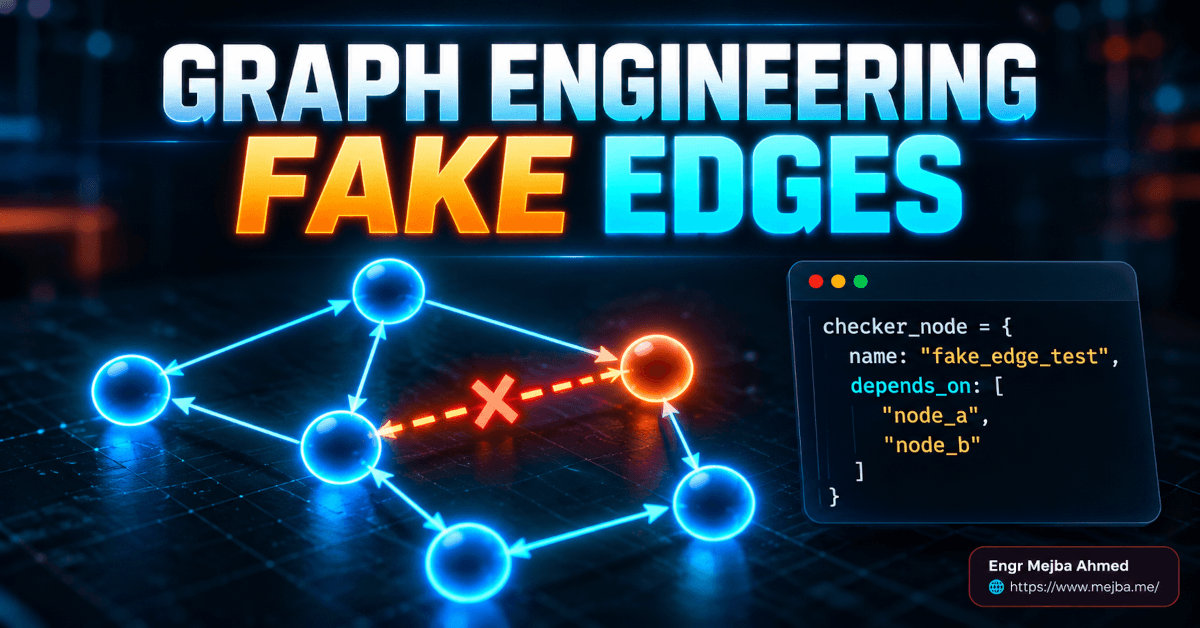
Graph engineering with Claude means drawing your task as a map of dependencies instead of a to-do list, then letting every step that waits on nothing run at the same time. A node is one unit of work. An edge exists only when one step reads what another step produced. Delete the edges that aren't real, and Claude Code can dispatch the independent steps as parallel subagents.
That's the whole idea in three sentences. The rest of this post is the part most graph threads skip: how to find the fake edges in a workflow you already run, where graphs quietly produce confident garbage, and what Claude Code does and does not do with the YAML-looking spec everyone is pasting around.
I'll start with that last one, because I nearly repeated a claim I couldn't back up.
The "workflow keyword" claim, checked against the docs
The version of graph engineering going around says Claude Code has a workflow keyword that changes how it processes your instructions, and it shows a spec with nodes:, task:, depends_on: and output: as if Claude Code parses that format.
I checked the Claude Code documentation on October 13, 2026. Here is what the docs support and what they don't.
No YAML workflow format is documented. I read the subagents page, the dynamic workflows page, the agent teams page and the parallel agents overview. None of them describes a nodes or depends_on schema. The viral spec is a prompt convention. Claude reads it the way it reads any structured instruction, and decides what to do.
The documented trigger keyword is ultracode, not workflow. The workflows page says to include the keyword ultracode in your prompt, and adds that asking in your own words, "use a workflow" or "run a workflow", also works because Claude treats a direct request as the same opt-in. So the word "workflow" matters only as part of a plain request. It isn't a parsed token, and the keyword Claude Code highlights in your input is ultracode.
Real workflows are JavaScript. A dynamic workflow, per the docs, "is a JavaScript script that orchestrates many subagents at once." Claude writes the script; a runtime executes it in the background. The script calls agent(), pipeline(), parallel(), phase() and log().
So two different things are being blurred together, and the difference changes how much you can trust the result. I'll come back to exactly how in the build section. First, the concept, because it holds up fine without any special syntax.
What is a graph, in plain terms?
A graph is a map of which jobs must happen and what each one depends on. Forget bar charts. This is the boxes-and-arrows kind.
Two parts:
- Node: one unit of work. One agent, one task, one input, one output. The smaller and better defined the node, the more useful it is, because a narrow node can be rerun, swapped or checked on its own.
- Edge: a dependency. An edge connects two nodes only when the second one needs what the first one produced. "Happens after" is not a dependency.
Nodes do work. Edges carry what moves between them.
That second definition is the one people get wrong. We write steps in the order we thought of them, and the order hardens into a sequence. Step four waits on step three because step three was typed first.
Your workflow is already a graph
"Research, then summarize, then draft" is a graph. It's a single chain with no branches. It runs correctly, and it runs slowly, and one stalled step blocks everything after it.
Here's the linear pipeline from the material that got me writing this:
Research → Summarize → Write → Check sources → Format → Publish
Six steps, and the total time is the sum of all six. The suggested redraw looks like this:
[Research + Check sources] → Summarize → [Write + Format] → Publish
I don't think that redraw survives its own rule.
"Check sources" beside "Research" works only if the sources are known before research starts. If research is what discovers the sources, the checker needs research's output, and that edge is real. Same problem with "Format" beside "Write": formatting a draft that doesn't exist yet is not a thing. Formatting can run in parallel only if you redefine the node as "prepare the template, front matter and image slots", which needs the brief and not the draft.
So the honest redraw is narrower:
Research → [Summarize + Verify each source] → Write → Publish
                      [Prepare template] ───────────┘
Verification fans out per source once research returns the list. Template prep has no incoming edge from research at all, so it can start at the very beginning. That's two parallel opportunities instead of the four the tidy version promised.
I'm spending time on this because it's the most common way graph engineering goes wrong. People delete an edge because parallel looks faster, and a node starts work without the input it needed. A missing real edge is worse than a fake one. The fake edge costs you time. The missing edge costs you a wrong answer.
The fake-edge test
At each arrow, ask one question: does this step read the previous step's output?
Yes means a real edge. Keep the order. No means a fake edge, and the wait is pure waste.
The cleanest example: "review file A for bugs, then review file B." The review of B never reads the review of A. Run both at once and you finish in the time of the slower review instead of the two added together.
The procedure, on paper:
- Write every step as a box.
- Draw an arrow between each pair of consecutive steps.
- For each arrow, ask whether data produced by the first box goes into the second.
- Keep the arrow if yes. Delete it if no.
- Then check the other direction: does any box need something from a box it has no arrow from? Add that edge.
- Any box with no incoming arrow can start immediately.
- Any box with no outgoing arrow is a final output.
Step 5 is my addition. The usual version stops at deleting, and that's how you end up with the "Format beside Write" mistake above.
One more thing to check at each arrow: shared state. Two nodes that never read each other's output can still collide if both write to the same file. Data dependencies are not the only edges. If two parallel nodes edit the same files, you either add an ordering edge or isolate them. Claude Code's answer for that is worktrees, which I covered in running parallel agents with git worktrees.
Most multi-step workflows I've looked at this way have a couple of fake edges in them. Not all. A genuinely sequential job, where every step transforms the previous step's output, has none, and no amount of graph vocabulary will speed it up.
The diamond: the one pattern worth memorizing
One node fans out to several parallel nodes, and those converge on a single node that combines what they produced.
            ┌→ read source 1 ┐
search ─────┼→ read source 2 ┼────→ synthesize
            └→ read source 3 ┘
The speed gain is structural, so I can state it without a stopwatch. In the linear version, wall-clock time is the sum of the three reads. In the diamond, wall-clock time for that layer is the slowest single read. If the reads take similar time, three of them cost you about one. If one read is far slower than the others, the layer costs you that one.
The same shape turns up in research pipelines, code review across files, market analysis, bug investigation with competing hypotheses. Any "gather from several places, then combine" job is a diamond.
Two rules keep it honest:
- The parallel nodes must be truly independent. No node reads another's output, and no two write to the same place.
- The convergence node must truly need all of them. If synthesis only needs each result one at a time, you don't have a diamond, you have several short chains, and making them wait for each other is a new fake edge.
That second rule has a name in Claude Code's own workflow runtime, and it's one of the more useful details I found. I'll show it in the build section.
Where graphs quietly fail
A linear chain has natural checkpoints. Each step sees the previous output before doing anything, and a human often does too. A diamond removes those. Three branches run out of sight and their results arrive at once.
Two failure modes follow.
A bad node goes undetected. One branch returns a hallucination, an empty result, or a summary of the wrong file. It flows into synthesis with the good results, and synthesis writes a confident answer on bad input. Nothing errors.
The error gets diluted. Once the bad output is mixed with two good ones, the final document is mostly right. That makes the wrong part harder to notice and harder to trace back to the branch that produced it.
The fix for both is a checker node between the parallel layer and the convergence point. The checker does no synthesis. It evaluates each branch and returns one of four verdicts: pass, flag, retry, or drop.
Five things a checker should catch:
- Empty or null outputs
- Outputs that contradict each other
- Outputs that drifted off the assigned topic
- Low-confidence signals, such as a branch saying it couldn't find or couldn't verify something
- Format errors that will break whatever parses the result downstream
A caveat the checker advice usually leaves out: the checker is a model too. It catches empty files and contradictions well. It will not reliably catch a fluent, internally consistent fabrication, because it has no more access to the truth than the branch did. For claims that matter, give the checker a way to verify, such as fetching the cited URL or running the test, or have it try to refute each finding. Anthropic's bundled /deep-research workflow does a version of this: per the docs it cross-checks sources, votes on each claim, and when a verifier can't check a claim it reports that claim as unverified instead of counting it as refuted.
If you've read my post on how agent loops are designed, this will look familiar. The maker-checker pair in a loop and the checker node in a graph are the same control. Loops put it in time. Graphs put it in the topology.
Static or dynamic?
A static graph has a shape you know before it runs. You can draw it, read it, and afterwards say exactly what ran.
A dynamic graph grows as it runs. A node finishes, looks at what it found, and decides what comes next. That's flexible, and harder to debug, because what ran is not what you drew.
How I'd choose:
- Static for repeatable work, and wherever predictability or speed matters
- Dynamic when the scope depends on findings, such as "audit every file that imports this module" when you don't yet know the list
- Static first, every time
- Never dynamic where you must be able to show exactly what ran and why
That last point matters more as agents take on real delivery work. The audit trail argument I made in the post on running an AI-native SDLC in Claude Code applies here too: a shape you can read before it runs is a control, and a shape decided at runtime is not.
Most workflows that seem to need a dynamic graph need a better static one. The usual fix is a first node whose only job is discovery. It returns a list, and a fixed fan-out runs over that list. The item count varies. The shape doesn't.
The same task, drawn two ways
The task: analyze three competitors and write a comparison.
Linear:
Research A → Research B → Research C → Compare → Write draft → Check facts → Format
Seven steps in a row.
Graph:
[Research A + Research B + Research C] → Checker → Compare → Write draft → Final check
                                                          [Prepare format] ──┘
Applying my own rule, I've moved "Format" out of the parallel-with-draft slot the source material gave it. Template prep starts at the beginning and joins at the end.
| Linear | Graph | |
|---|---|---|
| Setup effort | Low | Higher |
| Wall-clock runtime | Sum of every step | Sum of the slowest node in each layer |
| Token spend | Lower | Higher: every branch is its own agent |
| Debugging | Easy, one thread to read | Harder, several transcripts |
| Mid-run errors | Caught late or not at all | Caught at the checker, if you built one |
| One-off tasks | Good fit | Overkill |
| Repeated workflows | Works | Better |
| Growth as the task widens | Runtime grows with every added item | Runtime grows with the slowest item |
Two rows there are mine: token spend, and the "if you built one" on error handling. A graph without a checker handles mid-run errors worse than a chain does.
The practical rule: linear for anything you'll run once, a graph for anything you'll run again or where a silent mid-run error would be expensive.
How Claude Code runs a graph today
Three documented mechanisms can execute a graph. They differ in who holds the plan.
Subagents: Claude is the scheduler
A subagent is a worker Claude spawns inside your session. Per the docs, each one "runs in its own context window" and Claude can run several at once for independent investigations, then synthesize what comes back. By default, 20 subagents can run concurrently in a session before further spawns fail (the limit requires Claude Code v2.1.217 or later and is configurable).
This is the mechanism a pasted depends_on spec lands on. Claude reads your nodes, launches the ones with no dependencies together, waits, then launches the next layer. Claude decides that turn by turn. No runtime enforces your edges.
Dynamic workflows: a script is the scheduler
With a workflow, Claude writes a JavaScript orchestration script and a runtime executes it. The docs put the difference in one line: "A workflow moves the plan into code." Intermediate results live in script variables instead of Claude's context window.
The documented limits: up to 16 concurrent agents by default, 1,000 agents total per run, and a Large workflow warning once a run schedules more than 25 agents or its projected total passes 1.5 million tokens. Workflows are available on all paid plans; on Pro you turn them on from the Dynamic workflows row in /config. I went deeper on the feature itself in my hands-on post about Claude Code workflows.
Here's the detail I promised in the diamond section. The runtime has two fan-out primitives. parallel() runs a set of tasks and waits for all of them. That's a barrier, the convergence point of a diamond. pipeline() pushes each item through its stages independently, with no barrier, so one item can be on stage three while another is still on stage one. The fake-edge test applies to barriers too: if the next stage only needs one item at a time, a parallel() there is a fake edge at the layer level.
Agent teams: a shared task list with real dependencies
Agent teams are experimental and off by default (CLAUDE_CODE_EXPERIMENTAL_AGENT_TEAMS=1 turns them on). They're the one place I found where dependencies are a built-in data structure: per the docs, "a pending task with unresolved dependencies cannot be claimed until those dependencies are completed." Teams are built for peers that need to talk to each other, which most graphs don't. The docs also list a limitation worth knowing before you lean on it: teammates sometimes fail to mark tasks complete, which blocks dependents.
| Subagents | Dynamic workflow | Agent team | |
|---|---|---|---|
| Who decides what runs next | Claude, turn by turn | The script | The lead, turn by turn |
| Are your edges enforced? | No, interpreted | Yes, by code | Task dependencies block claiming |
| Good for | A handful of nodes | Dozens to hundreds, or reruns | Peers that must coordinate |
| Status | Standard | Paid plans, opt-in per task | Experimental |
Graph engineering with Claude Code: the spec, honestly labeled
Here's the spec format from the viral material:
workflow: research-and-compare

nodes:
  research_a:
    task: "Research competitor A's pricing, features, and recent news"
    output: competitor_a.md
  research_b:
    task: "Research competitor B's pricing, features, and recent news"
    output: competitor_b.md
  research_c:
    task: "Research competitor C's pricing, features, and recent news"
    output: competitor_c.md
  checker:
    task: "Review each research file. Flag any that are incomplete or off-topic."
    depends_on: [research_a, research_b, research_c]
    output: checker_report.md
  compare:
    task: "Using the research files, write a structured comparison across price, features, and positioning."
    depends_on: [checker]
    output: comparison.md
Read as a description of a graph, it's good. The three research nodes have no depends_on, so they can run together. checker waits for all three. compare depends only on checker, which makes the checker the gatekeeper. No dependency means parallel; a dependency means wait.
Read as syntax, it's nothing. Claude Code has no parser for it. The model interprets it. That has three consequences:
- Results depend on your instructions. Paste the spec with no framing and Claude might run it in parallel, or might work through the nodes itself in order. Say what you want: "Execute this graph. Launch every node without
depends_onas a separate subagent in the same turn. Do not start a node until its dependencies have written their output files." - The gate is a request. Nothing stops the orchestrating model from handing a flagged file to
compare. You're relying on it following the rule you wrote. comparehas a hidden edge. It reads the three research files, yet itsdepends_onlists only the checker. The ordering still works out, because the checker transitively waits on research. But the spec understates what the node consumes. I'd write the task as "Using only the research files the checker passed" so the data flow is explicit.
If you want the edges enforced, ask for the real feature in plain words:
use a workflow to research competitors A, B and C in parallel, check each
research result for completeness before using it, then write one structured
comparison from the results that passed
Claude then writes a script. The saved file has roughly this shape. Treat it as a sketch of what to expect, not something to hand-write:
export const meta = {
  name: 'research-and-compare',
  description: 'Research three competitors, check each result, write one comparison',
}

const competitors = ['Competitor A', 'Competitor B', 'Competitor C']

phase('Research')
// parallel() is the barrier: it waits for every branch before returning
const research = await parallel(competitors.map(name => () =>
  agent(`Research ${name}: pricing, core features, recent product changes.`, { label: name })
))

phase('Check')
const report = await agent(
  `Review these research results. Mark each pass or flag, with a reason:\n${JSON.stringify(research)}`
)

phase('Compare')
return await agent(
  `Write a structured comparison using only the results marked pass.\n${report}\n${JSON.stringify(research)}`
)
Now the checker runs before the comparison because the code says so. A failed branch comes back as null in the results array instead of vanishing. And the script is a file you can read before approving the run, save with s from the /workflows view, and rerun as a slash command.
For a five-node graph you'll run twice, the pasted spec plus clear instructions is fine. Once the graph is something you rerun weekly, move it into a workflow.
Four templates to adapt
Same convention, same caveat: these are structured prompts. Add the execution instruction from the previous section, or wrap the description in "use a workflow to".
1. Competitive research
nodes:
  research_a:
    task: "Research [Company A]. Cover: pricing, core features, recent product changes, public sentiment. Cite a URL for every claim. Output a structured summary."
    output: research_a.md
  research_b:
    task: "Research [Company B]. Same coverage and format."
    output: research_b.md
  research_c:
    task: "Research [Company C]. Same coverage and format."
    output: research_c.md
  synthesize:
    task: "Build a comparison table across all three, plus a one-paragraph positioning summary for each. Use only what is in the research files."
    depends_on: [research_a, research_b, research_c]
    output: comparison.md
2. Multi-file code review
nodes:
  review_auth:
    task: "Review auth.py for security issues, edge cases, and code quality. Be specific: file, line, problem, suggested fix."
    output: review_auth.md
  review_api:
    task: "Review api.py. Same criteria and format."
    output: review_api.md
  review_db:
    task: "Review db.py. Same criteria and format."
    output: review_db.md
  checker:
    task: "Read all three reviews. Flag issues that appear in more than one file. Note cross-file dependencies the per-file reviews could not see."
    depends_on: [review_auth, review_api, review_db]
    output: checker_report.md
  summary:
    task: "Write a prioritized fix list: critical, then medium, then low."
    depends_on: [checker]
    output: final_review.md
The checker earns its place here for a reason beyond error-catching. Three reviewers that each saw one file cannot spot a bug that lives between files. The convergence layer is the only node that sees all three.
3. Article research and draft
nodes:
  angle_a:
    task: "Research [topic] from [audience A]'s view: what they care about, common misconceptions."
    output: angle_a.md
  angle_b:
    task: "Research [topic] from [audience B]'s view: what they care about, common misconceptions."
    output: angle_b.md
  examples:
    task: "Find 3 specific real-world examples most people haven't heard. No generic case studies. Include a source for each."
    output: examples.md
  draft:
    task: "Write a draft that speaks to both audiences and opens with one of the examples."
    depends_on: [angle_a, angle_b, examples]
    output: draft.md
4. Bug investigation with competing hypotheses
The source material promised four prompts and delivered three. This is the fourth I'd want.
nodes:
  hypothesis_config:
    task: "Bug: [symptom]. Assume the cause is configuration or environment. Find evidence for and against. Report what you checked, including what you ruled out."
    output: h_config.md
  hypothesis_data:
    task: "Same bug. Assume the cause is bad or unexpected data. Same reporting rules."
    output: h_data.md
  hypothesis_code:
    task: "Same bug. Assume the cause is a logic error in [module]. Same reporting rules."
    output: h_code.md
  checker:
    task: "For each hypothesis, try to refute it using the evidence in the other two reports. Mark each: supported, refuted, or inconclusive."
    depends_on: [hypothesis_config, hypothesis_data, hypothesis_code]
    output: verdict.md
  fix_plan:
    task: "Propose a fix for the best-supported hypothesis and one test that would fail before the fix and pass after."
    depends_on: [checker]
    output: fix_plan.md
Each branch is told to assume a different cause, which stops three agents from converging on the first plausible explanation. The Anthropic docs make the same argument for parallel investigation: a single agent tends to find one explanation and stop looking.
A CLAUDE.md defaults block
Put your graph rules where every session reads them:
# Workflow defaults

When running a workflow:
- All nodes without depends_on run in parallel by default, as separate subagents launched in the same turn
- Checker nodes flag incomplete outputs. They never silently pass them
- Output files go to outputs/ with the node name as the filename
- If a node fails, pause and report before continuing
- Never merge outputs from flagged nodes into the final synthesis
Two notes on what this block does and doesn't reach.
The docs say a non-fork subagent loads the same CLAUDE.md hierarchy as the main conversation, with exceptions: the built-in Explore and Plan agents skip it, and so does any subagent whose definition sets omitClaudeMd. So your workers usually see these rules.
They also say: "If a rule must [reach the subagent], such as 'ignore the vendor/ directory,' restate it in the prompt you give Claude when delegating." I'd follow that for anything that affects a node's output. Scheduling rules belong in CLAUDE.md, where the orchestrator reads them. Rules about what a node should produce belong in the node's task.
And like the spec, this block is instruction. "Pause and report" is something the model does because you asked.
What parallel costs you
The source material sells the speed. Here's the bill.
Token spend multiplies. The parallel agents overview states it plainly: "Running several sessions or subagents at once multiplies token usage." Each subagent sends its own requests, which count toward the same usage limits as your main conversation. You are trading tokens for wall-clock time. Three research branches finish in about the time of one, and cost about three.
Every node starts cold. The docs: "Each subagent starts with a fresh, isolated context window. It doesn't see your conversation history, the skills you've already invoked, or the files Claude has already read." Whatever you told Claude twenty minutes ago about which competitor matters most, the research node doesn't know it. Each node's task has to be a complete brief: what to do, what to ignore, what format to return. My own publishing pipeline runs the writing agent as a subagent, and the brief I hand it carries the brand, the rules and the source material for exactly this reason.
There's one exception worth knowing: a forked subagent inherits the parent conversation. I wrote about when that trade is worth it in my post on forked subagents in Claude Code.
The handoff loses detail. A subagent "does that work in its own context and returns only the summary." Good for your context window, lossy for your graph. If the synthesis node needs raw evidence, have each worker write a full output file and pass the path. That's the real job of the output: field in the spec.
Model choice applies per node. Workers inherit your session's model unless you say otherwise. If you're sitting on your most capable model, every branch bills at that tier. Mechanical nodes such as reading and extracting can run on a smaller one; save the strong model for the checker and the synthesis. The same logic I laid out for Claude Code effort levels holds per node: spend where a mistake is expensive.
Resume is positional in workflows. If a workflow script starts agents A, B, C and D in that order and B fails, relaunching returns A from cache and runs B, C and D again, per the docs. A flaky node early in the start order costs you more than one late in it.
If you'd rather have someone design and wire up a graph like this for your own pipeline, that's the kind of build I take on: fiverr.com/s/EgxYmWD.
What I can't tell you
No timings in this post, on purpose. I haven't published a controlled before-and-after for any of these graphs, and a made-up "4x faster" would be worth less than the structural rule: a layer costs its slowest node.
How to measure it yourself: run the linear version and the graph version of one real task. Note wall-clock time for each, and read the token totals from /usage (or per agent in the /workflows view). Then count how many branches the checker flagged. That third number tells you whether the checker is doing work or decorating the diagram.
The shift
After a while you stop reading a task as a list and start reading it as dependencies. The first question becomes: what needs to wait for what?
Graph prompts come out smaller, too. Each node is a short, self-contained brief you can edit or replace without touching the others. Swap the research node for a better one and the rest of the graph doesn't notice.
A linear workflow is a graph where every edge was assumed. Some of those assumptions are right, and "Format waits for Write" is one of them.
So here's the ask. Pick one workflow you ran this week. Draw the boxes. At every arrow, ask whether the second box reads what the first one wrote. The first arrow you can't defend is where your graph starts.
FAQ
Frequently Asked Questions
Everything you need to know about this topic
Graph engineering is designing an AI task as nodes (units of work) connected by edges (real data dependencies), so independent work runs in parallel. It's an informal community term, not an official Anthropic feature. See "What is a graph, in plain terms?" above.
The keyword Claude Code documents is ultracode. Asking in plain words to "use a workflow" also opts in, because Claude treats a direct request the same way. No YAML nodes or depends_on syntax is documented. See the docs check near the top.
Ask for it directly: name the independent tasks and say to use separate subagents in parallel. Claude launches them together and synthesizes the results. By default 20 can run at once per session. See "How Claude Code runs a graph today."
No. A graph usually costs more tokens, because every parallel branch is its own agent with its own context. What you buy is wall-clock time and a place to check results. See "What parallel costs you."
Skip it for one-off tasks and for work where every step transforms the previous step's output. With no fake edges to remove, a graph adds setup and token cost and returns nothing.
Let's Work Together
Looking to build AI systems, automate workflows, or scale your tech infrastructure? I'd love to help.
- Fiverr (custom builds & integrations): fiverr.com/s/EgxYmWD
- Portfolio: mejba.me
- Ramlit Limited (enterprise solutions): ramlit.com
- ColorPark (design & branding): colorpark.io
- xCyberSecurity (security services): xcybersecurity.io