Letzten Dienstag löschte ich einen Skill, der sechs Wochen lang perfekt funktioniert hatte.
Nicht weil er aufhörte zu funktionieren. Weil Claude schlauer wurde. Der Skill machte meine Ausgaben aktiv schlechter — er überschrieb Verhalten, das das Modell bereits gelernt hatte, nativ auszuführen. Ich entdeckte es nur, weil ich endlich einen ordentlichen A/B-Test durchführte, anstatt meinem Bauchgefühl zu vertrauen.
Dieser Moment veränderte, wie ich über jeden benutzerdefinierten Skill denke, den ich erstelle. And if you're building Claude Code skills based on vibes and gut checks — shipping them after one successful test run — you're probably sitting on the same ticking time bomb I was.
Here's what nobody tells you about Claude skills: they have an expiration date. And Anthropic just shipped a tool that helps you figure out exactly when that date hits.
The Skill That Fooled Me for Six Weeks
I'd built a PDF processing skill back in January. Nothing fancy — it told Claude how to extract structured data from invoices, handle multi-page layouts, and output clean JSON. When I first tested it, the results were dramatically better than vanilla Claude. Easy win. Ship it.
Six weeks later, I'm troubleshooting why my invoice pipeline is slower than I remembered. Token usage had crept up. The outputs were fine, but something felt off. I couldn't pinpoint it until I did something I should have done weeks earlier.
I ran the same prompts without the skill.
The results were nearly identical. In some cases, better. Claude had learned to handle PDFs more effectively through model updates, and my skill was now adding unnecessary overhead — extra instructions the model was already following, rigid constraints that prevented it from using its improved native capabilities.
That's the trap. Skills don't announce when they've become dead weight. They just quietly sit there, consuming tokens and constraining a model that's outgrown them.
This realization sent me down a rabbit hole that ended at Anthropic's Skill Creator — and honestly, I wish I'd found it sooner.
Two Types of Skills (and Why the Difference Matters More Than You Think)
Before I walk you through the Skill Creator workflow, there's a mental model that completely reframed how I approach skill development. Every Claude skill falls into one of two buckets, and understanding which bucket yours is in determines everything about how you build, test, and maintain it.
Capability uplift skills fill gaps where the model currently struggles. My PDF skill was one of these. So are skills for handling PowerPoint generation, Swift concurrency patterns, or complex document formatting. These skills have a natural retirement date — the model gets better with every update, and eventually your skill becomes training wheels on a bicycle the rider has already mastered.
Workflow encoding skills capture your specific processes, preferences, and business rules. Think NDA review checklists, company-specific code review flows, weekly report templates that pull from Jira and PostHog, insurance claim triage with internal compliance rules. These skills encode your knowledge, not general capabilities. The model isn't going to spontaneously learn your company's compliance requirements through a training update.
Here's the thing most people miss: the testing strategy is completely different for each type.
For capability uplift skills, the critical question is "does this still improve outputs compared to no skill at all?" You need baseline comparisons. A/B tests. Quantitative benchmarks. Because the moment the answer flips to "no," the skill needs to retire.
For workflow encoding skills, the critical question shifts to "does this trigger reliably and execute correctly?" You care less about whether it beats vanilla Claude and more about whether it fires when it should, follows your specific process, and doesn't activate on unrelated prompts.
I was treating all my skills like the second type — checking if they worked, never checking if they were still needed. The Skill Creator fixes that blind spot.
Installing the Skill Creator (Two Minutes, Zero Drama)
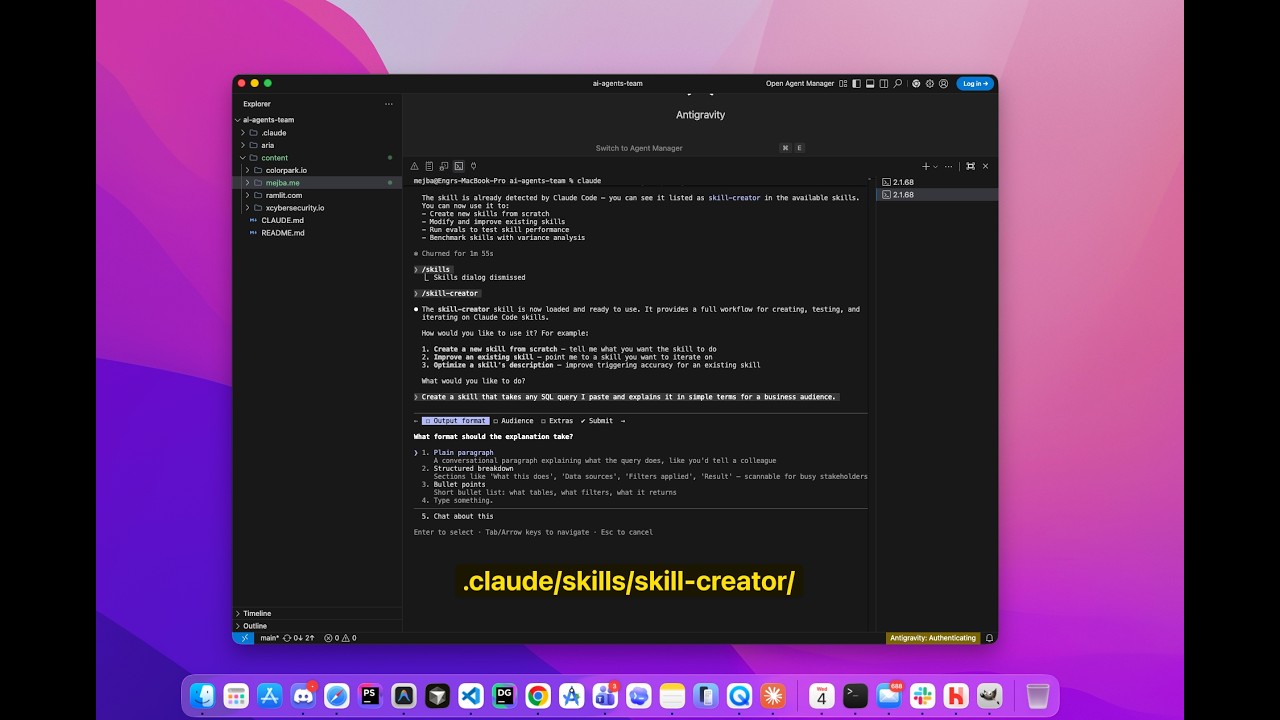
Getting the Skill Creator running is straightforward. You can grab it directly from the Anthropic skills repo and drop it into your ~/.claude/skills/ directory.
mkdir -p ~/.claude/skills/skill-creator
cd ~/.claude/skills/skill-creator

# Download the main skill file
gh api repos/anthropics/skills/contents/skills/skill-creator/SKILL.md \
  --jq '.content' | base64 -d > SKILL.md

# Grab the supporting directories (agents, scripts, references, etc.)
# Or clone the whole repo and copy the skill-creator folder
The skill comes with several supporting pieces:
- agents/ — Grader, comparator, and analyzer agents for automated evaluation
- scripts/ — Python tools for benchmarking, report generation, and description optimization
- eval-viewer/ — HTML-based review interface for examining test results
- references/ — Schema docs for the evaluation data structures
Once installed, Claude Code picks it up automatically. You'll see it listed when you check your available skills. No configuration, no dependencies to manage — it just works.
But installing it is the easy part. The real value lives in the workflow it enables, and that's where things get genuinely interesting.
The Testing Workflow That Changed How I Ship Skills
The Skill Creator's evaluation loop is built around a simple premise: don't trust your intuition about whether a skill works. Prove it.
Here's the process I now follow for every skill I build or maintain. It takes maybe 30 minutes for a thorough round, and it's saved me from shipping broken skills more times than I'm comfortable admitting.
Step 1: Write realistic test prompts.
Not generic toy examples. Real prompts. The kind of messy, context-heavy requests actual users send. The Skill Creator pushes you toward this naturally — it wants prompts with file paths, personal context, company names, specific column values. The kind of thing someone actually types at 2 PM on a Wednesday when they need something done.
{
  "skill_name": "seo-audit",
  "evals": [
    {
      "id": 1,
      "prompt": "ok so my boss just sent me this site ramlit.com and wants a full SEO audit before our board meeting Thursday. Focus on technical stuff and whatever Google cares about now with the AI overview changes",
      "expected_output": "Comprehensive SEO audit covering technical, content, and GEO factors"
    }
  ]
}
Bad test prompts: "Do an SEO audit." "Check this URL." "Analyze the page."
Good test prompts look like someone interrupted their workflow to type something quickly. Abbreviations, context clues, urgency signals. That's what your skill actually faces in production.
Step 2: Run parallel A/B tests.
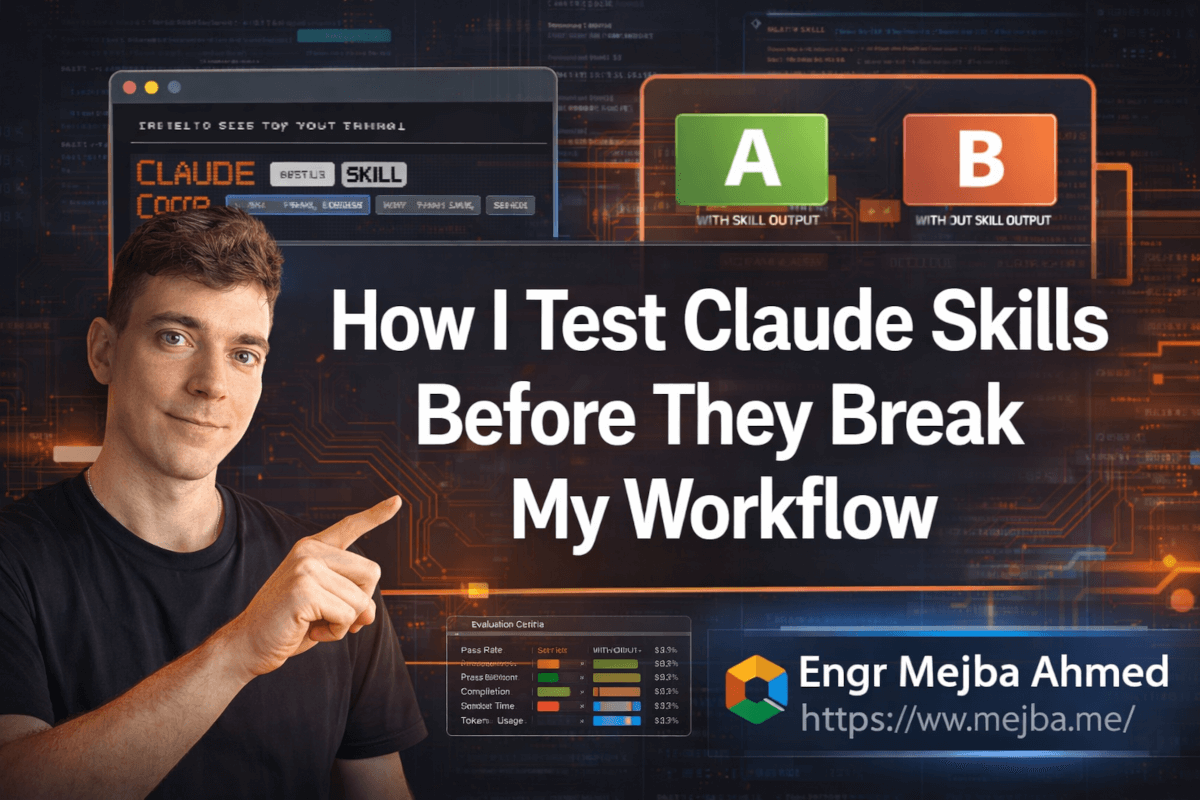
This is where the Skill Creator really shines. For each test prompt, it spawns two subagent runs simultaneously — one with your skill loaded, one without. Same prompt, same conditions, different skill availability.
The with-skill run gets your SKILL.md loaded into context. The without-skill run operates on vanilla Claude capabilities only. Both save their outputs to organized workspace directories.
Step 3: Grade the results while runs are in progress.
Here's a nice workflow optimization — while the test runs are executing in the background, you draft your evaluation criteria. What specific things should be true about a good output? The Skill Creator calls these "assertions," and they're objectively verifiable checks.
For my SEO audit skill, assertions might look like: "Output includes Core Web Vitals analysis," "Output mentions AI crawler accessibility," "Output provides actionable recommendations, not just observations."
Step 4: Review everything in the eval viewer.
The Skill Creator generates an HTML review interface — not a wall of terminal text, an actual browser-based viewer with tabs for qualitative output comparison and quantitative benchmarks. You see each test case side by side, with-skill versus without-skill, and you can leave feedback on each one.
This is the part that caught my PDF skill problem. When I saw the with-skill and without-skill outputs next to each other, the difference was... nothing meaningful. The skill was adding 22% more tokens for roughly equivalent results.
Step 5: Iterate based on evidence, not feelings.
After reviewing, you feed your feedback back into the Skill Creator. It reads your comments, analyzes the quantitative data, and helps you rewrite the skill to address specific issues. Then you run the whole loop again.
The cycle continues until either the feedback is all positive, you're not making meaningful progress, or you're satisfied with the results. For most skills, I find two to three iterations is the sweet spot.
The Benchmark Numbers That Actually Matter
The Skill Creator generates a benchmark report after each iteration, and knowing which numbers to pay attention to — and which to ignore — is half the battle.
Here's a real example from benchmarking one of my skills:
| Metric | With Skill | Without Skill | Delta |
|---|---|---|---|
| Assertion Pass Rate | 87.5% | 74.0% | +13.5% |
| Avg Completion Time | 18.2s | 23.4s | -22% faster |
| Avg Token Usage | 12,400 | 10,800 | +14.8% |
The pass rate improvement is the headline number. If your skill isn't meaningfully improving pass rates on your assertions, it's not earning its keep.
But look at that token usage increase. My skill uses 14.8% more tokens. Is that worth a 13.5% improvement in output quality? For a skill I run 50 times a week, probably yes. For something I use once a month? That math changes.
The completion time delta is interesting too. My skill actually made Claude faster despite using more tokens. That happens when a skill gives Claude clearer direction — less time exploring dead ends, more time executing the right approach.
The analyzer agent goes deeper than these aggregates. It looks for non-discriminating assertions (ones that pass regardless of skill presence — meaning they're testing baseline capabilities, not skill-added value), high-variance results (possibly flaky tests), and patterns across test cases that the summary stats might hide.
The Description Optimization Trick Most People Skip
Here's something I learned the hard way: you can build a perfect skill that never fires because its description doesn't match how people actually ask for help.
The Skill Creator includes a description optimization pipeline that works like a mini machine learning training loop. It's genuinely clever.
You start by creating 20 evaluation queries — half that should trigger your skill, half that shouldn't. The critical insight: the "should not trigger" queries need to be near-misses, not obviously unrelated prompts. A negative test of "write a fibonacci function" for an SEO skill tests nothing. A negative test of "check if my site loads fast on mobile" tests whether your SEO skill correctly defers to a performance-specific tool.
The optimizer splits your queries into training and test sets, evaluates the current description's trigger accuracy, then iteratively rewrites the description to improve the score. It runs each query multiple times to account for variance and selects the best description based on held-out test performance — not training performance — to avoid overfitting.
After running this on my SEO skill, trigger reliability jumped from about 72% to 94%. The main fix? My original description said "use for SEO analysis." The optimized version mentioned specific symptoms: "site audit," "search rankings," "Core Web Vitals," "schema markup," "E-E-A-T." It speaks the language users actually use.
# Before optimization
description: Use when performing SEO analysis on websites

# After optimization
description: Use when analyzing website SEO health, checking search rankings,
  auditing technical SEO (Core Web Vitals, crawlability, indexability),
  reviewing schema markup, assessing E-E-A-T compliance, or optimizing
  for AI search visibility. Triggers on site audits, page analysis,
  and structured data validation.
That difference — between how you think about your skill and how users ask for it — is where most trigger failures hide.
When to Retire a Skill (The Conversation Nobody Wants to Have)
My PDF skill retirement wasn't a one-off. I've since run baseline comparisons on all my capability uplift skills, and two more are on the chopping block.
Here's my retirement framework. It's simple, and I run it after every major model update:
Run your standard test suite with the skill disabled. If the without-skill outputs score within 5% of the with-skill outputs on your assertions, the skill is coasting on inertia. It's adding complexity without adding value.
Check your token overhead. Even a skill that marginally improves outputs might not be worth the extra tokens if the improvement is small. Calculate the monthly token cost of the skill across all your usage and ask if you'd pay that amount for the improvement you're seeing.
Look at the transcripts, not just the outputs. Sometimes a skill makes Claude take a longer, more circuitous path to reach the same destination. If you see the model spending time on steps your skill mandates but that aren't contributing to output quality, those instructions are dead weight.
Test on NEW prompts, not your original test set. Your original test prompts might be accidentally tuned to the skill's strengths. Throw five fresh, realistic prompts at it and see if the skill advantage holds on cases it wasn't optimized for.
I know retiring a skill feels like admitting the time spent building it was wasted. It wasn't. The skill served its purpose during a window when the model needed that guidance. But clinging to skills the model has outgrown is like keeping training wheels on after you've learned to ride. It doesn't help, and it might actually slow you down.
Building Your First Skill With the Creator (A Real Walkthrough)
Enough theory. Let me walk you through building an actual skill using the Skill Creator, end to end.
I recently needed a skill for generating weekly engineering reports — pulling context from multiple sources, formatting consistently, and hitting a specific tone my team expects. Classic workflow encoding skill.
The interview phase: The Skill Creator started by asking what the skill should do, when it should trigger, and what the output format should look like. I described the weekly report structure, the data sources (Git logs, Jira tickets, deployment records), and the tone (concise, metrics-forward, no fluff).
The draft: Based on my answers, it generated a SKILL.md with clear sections — output template, data gathering instructions, tone guidelines, and formatting rules. The first draft was about 80% right. The remaining 20% was the interesting part.
Test case creation: The Skill Creator proposed three test prompts:
- "Generate my weekly engineering report for the team standup tomorrow"
- "ok need to write up what we shipped this week, focus on the auth migration"
- "weekly report but this week was mostly bug fixes and tech debt, not much to show"
Each one hits a different scenario — standard request, focused request, and the dreaded "nothing impressive happened" week. That third one is critical because it tests whether the skill can make a slow week sound substantive without fabricating accomplishments.
The A/B results: With-skill outputs nailed the format every time. Without-skill outputs were decent but inconsistent — sometimes they'd include the right sections, sometimes they'd miss the deployment metrics, once they completely ignored the tone guidelines and wrote something that read like a press release.
The iteration: Based on my feedback that the "quiet week" test case still felt too puffed up, the Skill Creator adjusted the skill to explicitly address low-activity weeks: "When the week's accomplishments are primarily maintenance, bug fixes, or tech debt, present them with honest framing. Technical debt reduction is valuable — say so directly instead of inflating routine work into dramatic narratives."
Two iterations, maybe 25 minutes total, and I had a skill that consistently produces reports my team actually finds useful.
What I Wish I'd Known Six Months Ago
If I could go back and give myself one piece of advice about Claude skills, it wouldn't be about writing better prompts or optimizing descriptions. It would be this: treat skills like code, not like configuration.
Code gets tested. Code gets versioned. Code gets reviewed. Code gets retired when something better comes along.
Skills deserve the same discipline. The Skill Creator doesn't just make building skills easier — it makes it possible to treat skill development with the rigor it deserves. Automated A/B testing, quantitative benchmarks, trigger optimization, structured feedback loops. These aren't nice-to-haves. For any skill you rely on regularly, they're the difference between a tool that genuinely helps and a superstition you've never bothered to verify.
The engineers and teams seeing the biggest productivity gains from Claude aren't the ones with the most skills. They're the ones who know — with evidence — which skills are earning their keep.
Start with your most-used skill. Run a baseline comparison. You might be surprised by what you find. I certainly was.
And that PDF skill I deleted? I rebuilt a lighter version that handles only the specific edge cases Claude still struggles with — multi-column invoice layouts with nested tables. It's a third of the original size, triggers only when those specific patterns appear, and actually improves outputs by 31% on its narrow focus.
Sometimes the best skill isn't the most comprehensive one. It's the one that knows exactly when to show up — and when to stay out of the way.
Let's Work Together
Du möchtest KI-Systeme bauen, Workflows automatisieren oder deine technische Infrastruktur skalieren? Ich helfe gerne.
- Fiverr (custom builds & integrations): fiverr.com/s/EgxYmWD
- Portfolio: mejba.me
- Ramlit Limited (enterprise solutions): ramlit.com
- ColorPark (design & branding): colorpark.io
- xCyberSecurity (security services): xcybersecurity.io