Neun Jahre lang habe ich jeden Produktivitätsstack auf dem Markt ausprobiert. Notion. ClickUp. Obsidian auf Notion. Sunsama verbunden mit Calendar. Sieben SaaS-Abonnements gleichzeitig, die alle versprachen, die „einzige Quelle der Wahrheit" zu sein — und keine davon war es jemals. Die ehrliche Wahrheit ist, dass keines dieser Tools tatsächlich mit mir dachte — sie speicherten nur Dinge, die ich bereits gedacht hatte.
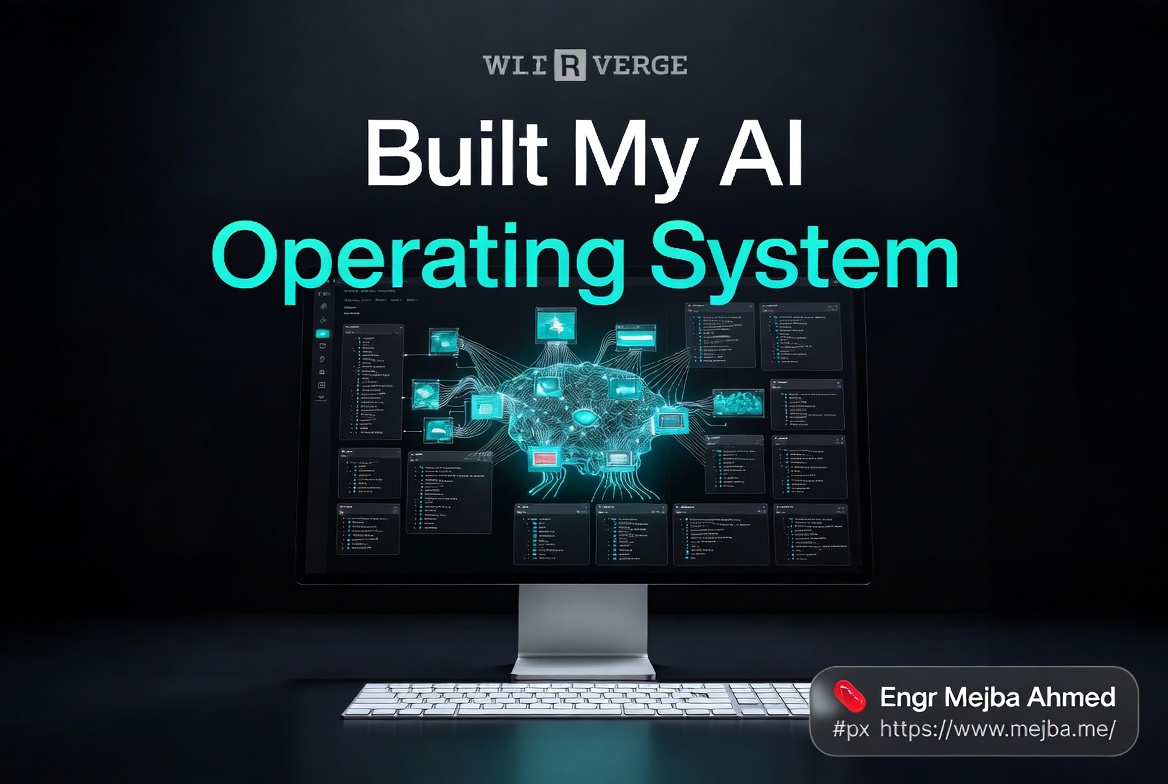
Das änderte sich vor drei Monaten, als ich meinen gesamten Workflow in einem einzigen Tool neu aufbaute: Claude Code. Nicht als Programmierassistent. Als Betriebssystem. Ein echtes — mit Skills, Routinen, geplanten Cloud-Agenten, einem Markdown-Wissenswiki und Live-Dashboards, die auf Abruf Daten aus ClickUp, Stripe, QuickBooks, Fireflies und Slack abrufen.
Dies ist die vollständige Blaupause. Die Frameworks, die ich verwendet habe (die Drei M's und die Vier C's), die sieben Datenbereiche, mit denen ich begann, die genaue Repo-Struktur, die Skills, die ich zuerst veröffentlicht habe, und das Audit-Bewertungssystem, das ich jeden Sonntagmorgen durchführe, um zu prüfen, ob das KI-Betriebssystem Claude Code tatsächlich wie eines funktioniert.
Wenn du versuchst, ChatGPT plus Zapier plus sieben Dashboards zusammenzukleben und dich fragst, warum du immer noch beschäftigt bist — das ist es, was ich stattdessen bauen würde, mit dem Wissen, das ich jetzt habe.
Warum Produktivitätsstacks 2026 bei mir gescheitert sind
Hier ist, was mir niemand gesagt hat, als ich mein viertes Notion-Template kaufte. Der Engpass 2026 ist nicht die Informationsspeicherung. Es ist der Informationsabruf im Moment der Entscheidung. Wenn ein Kunde um 16:47 Uhr eine E-Mail schickt und fragt, warum Lieferung drei zwei Tage Verspätung hat, muss ich nicht mein „Second Brain" öffnen. Ich brauche eine Antwort in neun Sekunden.
Traditionelle Produktivitätstools teilen alle denselben fatalen Fehler — sie gehen davon aus, dass ich der Motor bin. Das Tool speichert. Ich denke. Ich vergleiche. Ich synthetisiere. Ich schreibe die E-Mail. Die Notion-Seite formuliert nicht die Antwort. Die ClickUp-Aufgabe gleicht nicht mit der Stripe-Rechnung ab. Das Fireflies-Transkript bringt nicht die eine Entscheidung aus einem 47-minütigen Call hervor, die diese Woche tatsächlich wichtig ist.
Als die ersten brauchbaren Agent-Runtimes erschienen — Anthropic veröffentlichte das Claude Agent SDK Ende 2025, öffnete dann Skills als erstklassiges Primitiv, und brachte dann Cloud-gehostete Routinen am 14. April 2026 heraus — brachen die Kosten für den Bau eines eigenen Systems zusammen. Was früher einen $40K-Stack aus Zapier-plus-Make-plus-drei-Ingenieure erforderte, passt jetzt in ein einziges Repo aus Markdown-Dateien.
Also löschte ich die Hälfte meines SaaS-Stacks und fing von vorne an. Das Ergebnis nenne ich ein AIOS: ein KI-Betriebssystem, das mit mir denkt, nicht hinter mir.
Was ein AIOS tatsächlich ist (und was nicht)
Ein Betriebssystem hat drei Aufgaben. Ressourcen verwalten. Zwischen dir und deiner Hardware vermitteln. Programme in deinem Auftrag ausführen, wenn du es verlangst.
Ein KI-Betriebssystem macht dasselbe — aber die Ressourcen, die es verwaltet, sind kognitiv. Deine Kontexte. Deine Entscheidungen. Deine Beziehungen. Deine Projekte. Die Hardware, die es vermittelt, ist dein Gehirn plus die Dutzend SaaS-APIs, auf denen dein Business läuft. Die Programme, die es ausführt, sind Skills, Routinen und geplante Aufgaben, die laufen, egal ob du am Schreibtisch sitzt oder schläfst.
Das ist der Teil, den die Leute übersehen. Ein AIOS ist kein Chatbot mit Gedächtnis. Es ist kein Notion-Ersatz. Es ist eine Laufzeitumgebung, die deinen Kontext hält, deine Verbindungen besitzt, deine Fähigkeiten als benannte Skills bereitstellt und sie nach einem von dir festgelegten Rhythmus ausführt.
Vier Eigenschaften unterscheiden ein echtes AIOS von einem ausgefallenen Prompt-Template:
- Es behält deinen Kontext über Sitzungen hinweg. Kein erneutes Erklären, wer du bist.
- Es verbindet sich mit Live-Daten. Es zieht aus deinen echten Tools, nicht aus veralteten Exporten.
- Es stellt Fähigkeiten als benannte, wiederverwendbare Skills bereit. Keine einmaligen Prompts.
- Es führt nach eigenem Rhythmus aus. Manche Skills löst du aus; manche laufen von selbst um 6 Uhr morgens.
Wenn ein System, das du baust, nicht alle vier erfüllt, hast du einen Chatbot. Nützlich — aber kein Betriebssystem.
Die gute Nachricht: Claude Code gibt dir die Laufzeitumgebung kostenlos. Die Arbeit steckt in der Architektur, die du darin baust. Was mich zu den zwei Frameworks bringt, die alles für mich organisiert haben.
Die Drei M's: Mindset, Methode, Maschine
Vor jeglichem Code, jeder Ordnerstruktur, jedem Skill — drei Schichten. Überspringe sie und der Aufbau bricht in Woche zwei zusammen. Ich habe das auf die harte Tour gelernt, als mein erster Versuch zu 31 unorganisierten Markdown-Dateien wurde, in denen selbst Claude sich nicht zurechtfand.
Mindset
Die Mindset-Änderung ist klein, aber tragend: Die KI ist kein Automat. Sie ist ein Mentor.
Ein Automat nimmt eine Münze und gibt einen Snack. Du fragst, du bekommst. Ein Mentor nimmt die Frage, stellt dir drei zurück, lässt dich deine Argumentation verteidigen und sagt dir manchmal, dass die Frage selbst falsch ist. Das ist die Beziehung, die du mit deinem AIOS willst. Du willst kein System, das immer Ja sagt. Du willst eines, das sagt: „Bevor wir dieses Angebot entwerfen, bist du sicher, dass Preisstufe B zum Stadium dieses Kunden passt? Seine letzte Rechnung war 2.400 €."
Das klingt philosophisch. Es ist zutiefst praktisch. Jeder Skill, den du schreibst, setzt entweder auf „Anfrage ausführen" oder auf „Anfrage zuerst hinterfragen." Ein Mentor-System basiert auf dem zweiten Modus.
Methode
Methode ist das Playbook dafür, wie du und das AIOS zusammenarbeiten. Meines hat vier Regeln:
- Erst planen, dann ausführen. Jeder nicht-triviale Skill gibt zuerst einen Plan zurück. Ich genehmige den Plan, dann führt er aus.
- Quelle zitieren. Jede Behauptung ist an eine Datei, ein Transkript oder eine API-Antwort gebunden. Kein Bauchgefühl.
- Wiki aktualisieren. Jede bedeutende Entscheidung wird zu einer Markdown-Datei, die zukünftige Sitzungen lesen können.
- Nach Rhythmus auditieren. Wöchentlicher Vier-C's-Score (mehr dazu weiter unten). Die Zahl lügt nicht.
Diese Regeln stehen in der Root-CLAUDE.md meines AIOS-Repos. Jede Claude-Code-Sitzung liest sie automatisch.
Maschine
Die Maschine ist der eigentliche Stack — die IDE, das Repo, die Skills, die Konnektoren, der Cron-Zeitplan. Wir bauen die Maschine gleich. Der Punkt der Drei M's ist, dass Mindset und Methode zuerst kommen. Wenn du direkt zur Maschine springst, baust du einen schnelleren Automaten. Genau das habe ich beim ersten Mal gemacht.
Die Vier C's: Die eigentliche Architektur
Während die Drei M's beschreiben, wie du denkst, beschreiben die Vier C's, was du baust. Context. Connections. Capabilities. Cadence. In genau dieser Reihenfolge. Sie haben eine sequenzielle Abhängigkeit — du kannst nicht vorausspringen.
Context (das Fundament)
Context ist alles, was das System über dich weiß. Dein Business, deine Kunden, deine Ziele, dein Ton, deine Entscheidungen, deine Einschränkungen. Ohne Context behandelt das AIOS jeden Prompt wie ein erstes Date.
Context lebt in Markdown. Immer Markdown. Karpathy hatte Recht, als er sagte, das LLM-freundliche Format sei Klartext in einem Ordner, den du kontrollierst — es gibt einen 70-fachen Token-Effizienzgewinn gegenüber RAG und Vektordatenbanken für persönlich skalierte Wissensbasen, und es ist einfacher zu debuggen, weil du die Dateien selbst lesen kannst.
Connections
Sobald das System weiß, wer du bist, muss es die Welt erreichen. Connections sind deine APIs und Integrationen — ClickUp, Google Workspace, Fireflies, Slack, Stripe, QuickBooks. Ohne Connections ist das AIOS ein smartes Notizbuch. Mit Connections kann es deinen Live-Kalender lesen, den gestrigen Umsatz abrufen, die Transkripte von heute Morgen scannen und handeln.
Capabilities
Capabilities sind Skills — benannte, wiederverwendbare Kompetenzen, die das System ausführen kann. „Erstelle einen Tagesplan." „Auditiere meinen Vier-C's-Score." „Generiere den Content-Kalender für nächste Woche aus meinen YouTube-Kommentaren." Jeder ist ein Ordner mit einer SKILL.md-Datei. Anthropics Progressive-Disclosure-Muster bedeutet, dass Hunderte von Skills in deinem Repo liegen können und nur der relevante für die jeweilige Aufgabe in den Kontext geladen wird.
Cadence
Cadence bestimmt, wann Dinge laufen. Manche Skills löst du aus ("/daily-plan"). Manche laufen nach Cron ("jeden Montag 6:00 Uhr, letzte Woche auditieren"). Manche leben in der Cloud und reagieren auf GitHub-Events. Cadence ist das, was einen cleveren Assistenten in ein Betriebssystem verwandelt, das arbeitet, während du schläfst.
Die sequenzielle Abhängigkeit ist, was die meisten Leute falsch machen. Du kannst keine nützliche Cadence ohne Capabilities haben. Du kannst keine nützlichen Capabilities ohne Connections bauen. Du kannst Connections nicht intelligent nutzen ohne Context. Also bauen wir sie der Reihe nach. Eins nach dem anderen. Kein Überspringen.
Hier kommt auch das Audit ins Spiel — aber ich spare mir das Bewertungsschema für das Ende auf, nachdem wir das Ding tatsächlich gebaut haben.
Schritt 1: Die Planungsdaten — Sieben Tier-Eins-Bereiche
Vor jedem Ordner, jedem Code, jedem Skill — ich setzte mich hin und listete jede Art von Information auf, die meine Arbeit berührt. Dann verdichtete ich sie gnadenlos auf sieben Bereiche. Sieben, weil das ungefähr die Grenze ist, bevor sich das System wie ein Labyrinth anfühlt. Deine könnten sechs oder acht sein. Die Übung zählt mehr als die Zahl.
Meine sieben Tier-Eins-Bereiche:
- Umsatz — Stripe-Zahlungen, QuickBooks-Ledger, MRR, offene Forderungen
- Kunden — Kundenliste, Status, letzter Kontakt, Lifetime Value, aktuelle Deliverables
- Kalender — Google-Calendar-Feed, diese Woche, nächste zwei Wochen, wiederkehrende Blöcke
- Kommunikation — Gmail-Threads, Slack-DMs, Kommentarbenachrichtigungen, die es wert sind, verfolgt zu werden
- Aufgaben — ClickUp-Listen nach Projekt, heutige Liste, diese Woche, blockierte Elemente
- Meetings — Fireflies-Transkripte, extrahierte Entscheidungen, extrahierte Aktionspunkte
- Wissen — das Wiki selbst: Kunden, Produkte, Entscheidungen, Referenzen, Lektionen
Jeder Skill, den ich schreibe, berührt mindestens einen dieser Bereiche. Oft drei oder vier. Die Bereichsliste wurde zum Vertrag: Wenn eine Frage nicht aus einem dieser sieben beantwortet werden kann, darf mein AIOS sie nicht erfinden. Es sagt mir entweder, welchen Bereich ich ausfüllen soll, oder es fragt. Keine Halluzination, weil die Datenform endlich und benannt ist.
Das klingt langweilig. Es ist der mit Abstand wichtigste Schritt. Wenn du ihn überspringst, baust du Skills, die aus zufälligen Quellen ziehen, und dein Context wird zu Brei. Die Bereiche erzwingen Disziplin.
Schritt 2: VS Code, Claude Code und die Repo-Struktur
Die Maschine selbst ist peinlich einfach. VS Code als Editor. Claude Code (npm install -g @anthropic-ai/claude-code) als Laufzeitumgebung. Ein einzelnes Git-Repository als das gesamte Betriebssystem.
Hier ist die genaue Ordnerstruktur, die ich verwende:
aios/
├── CLAUDE.md                    # Root-System-Prompt: Mindset + Methode
├── .env                          # API-Schlüssel (gitignored)
├── .gitignore
├── .cloud/                       # Cloud-Routine-Konfigurationen (synchronisiert mit Anthropic Cloud)
│   └── routines/
├── context/                      # die sieben Bereiche, als Markdown
│   ├── revenue.md
│   ├── customers.md
│   ├── calendar.md
│   ├── communication.md
│   ├── tasks.md
│   ├── meetings.md
│   └── knowledge/                # das LLM-Wiki lebt hier
│       ├── clients/
│       ├── products/
│       ├── people/
│       └── _index.md
├── decisions/                    # eine .md pro wichtiger Entscheidung, datiert
│   └── 2026-04-19-pricing-tier-update.md
├── references/                   # statische Referenz: SOPs, Markenrichtlinien, Prompts
│   └── brand-voice-mejba-me.md
├── archives/                     # Dinge älter als ~90 Tage
└── .claude/
    ├── skills/                   # persönliche Skills (lokal)
    │   ├── onboard/
    │   ├── daily-plan/
    │   ├── four-cs-audit/
    │   ├── linkedin-post/
    │   └── youtube-comment-analysis/
    └── agents/                   # Subagenten
Fünf Regeln bestimmen dieses Layout, und ich habe jede einzelne einmal gebrochen und es bereut:
- Root-
CLAUDE.mdist kurz. Unter 200 Zeilen. Sie wird bei jeder Sitzung geladen — aufblähen und du verbrauchst Tokens. context/-Dateien sind die Bereiche. Eine Datei pro Bereich, maximal 800 Zeilen, dann aufteilen.decisions/ist nur zum Anhängen. Bearbeite niemals eine Entscheidungsdatei. Neue Entscheidung, neue Datei, datiert.archives/existiert aus gutem Grund. Alles älter als ~90 Tage, das nicht aktiv referenziert wird, wandert dorthin. Das System sollte nicht jeden Mai deine Januar-Gedanken neu lesen..cloud/synchronisiert mit Anthropic. Lege nur Cloud-Routinen und die Skills dort ab, die du in Cloud-Sitzungen ausführbar haben willst. Lokale Skills bleiben in.claude/skills/.
Die .cloud/-Unterscheidung ist wichtig. Anthropics Cloud-Routinen (Research Preview eröffnet am 14. April 2026) greifen nur auf projektebene Skills zu, die ins Repo committed sind. Persönliche Skills in ~/.claude/skills/ reisen nicht mit. Wenn du willst, dass eine Routine einen Skill auf Anthropics Infrastruktur über Nacht ausführt, muss dieser Skill ins Repo eingecheckt sein.
Wenn du noch nie ein Claude-Code-Repo eingerichtet hast, führt mein Agent-Teams-Setup-Guide detaillierter durch die Grundlagen. Ab hier gehe ich davon aus, dass claude in einem frischen Ordner funktioniert.
Schritt 3: Der Onboarding-Skill — dem System beibringen, wer du bist
Der erste Skill, den ich gebaut habe, macht nichts Beeindruckendes. Er interviewt mich. Das ist alles.
Ich nannte ihn onboard. Wenn ich /onboard ausführe, geht Claude etwa 40 Fragen über die sieben Bereiche durch — was ist mein Geschäftsmodell, wer sind meine Top-Fünf-Kunden, was ist mein Stundensatz, was ist meine Markenstimme, wie sieht eine „gute Woche" aus, was verfolge ich bewusst nicht, was sind meine Nicht-Verhandelbaren. Jede Antwort fließt als strukturiertes Markdown in die entsprechende Context-Datei.
Warum Interview-gesteuert? Weil ich drei Wochen prokrastiniert hätte, wenn ich mich hingesetzt hätte, um customers.md von Grund auf zu schreiben. Konversation ist reibungslos. Der Skill verwandelt mein Reden in strukturierten Context, den das System für immer nutzen kann.
Hier ist die gekürzte SKILL.md:
---
name: onboard
description: Interview the user across the seven AIOS buckets and populate the context/ folder with structured markdown. Use when the user types /onboard or asks to set up their AIOS for the first time.
---

# Onboarding Skill

You are interviewing the user to populate their AI operating system's context.
Work through the seven buckets in order: Revenue, Customer, Calendar,
Communication, Tasks, Meetings, Knowledge.

For each bucket:
1. Ask 4-7 specific questions, one at a time.
2. After each answer, restate what you heard in one sentence.
3. When the bucket is done, write the markdown file to context/[bucket].md.
4. Show the user the file. Ask if anything's wrong before continuing.

Rules:
- Never invent answers. If the user doesn't know, write "TBD" with a date.
- Cite the source of every fact (e.g., "per user, 2026-04-15").
- Keep each context file under 800 lines. If longer, split.

Output format: structured markdown with H2 sections per topic, bulleted facts.
Das ist es. ~25 Zeilen einschließlich Frontmatter. Der Skill wird nur bei Aufruf geladen, kostet bei Sitzungsstart praktisch null Tokens und produziert das Fundament, von dem alles andere abhängt. Nach einmaligem Ausführen von /onboard startet jede zukünftige Sitzung mit dem Wissen, wer ich genau bin und woran ich arbeite.
Das ist auch der am meisten unterschätzte Vorteil des Skills-Primitivs: Du kannst einen Skill schreiben, dessen einzige Aufgabe es ist, den Context zu befüllen, den zukünftige Skills lesen werden. Das System bootstrappt sich selbst.
Schritt 4: Die Connections-Schicht — Verbinde deine echten Tools
Hier stagnieren die meisten persönlichen AIOS-Builds. Leute stellen sich vor, sie bräuchten einen eigenen MCP-Server für jedes Tool. Brauchen sie nicht. In 90% der Fälle ist die richtige Antwort ein direkter API-Aufruf aus einem Skill, mit Zugangsdaten in .env.
Ich erkläre, warum ich API-first statt MCP gewählt habe, und gehe dann die tatsächlichen Integrationen durch.
Warum API > MCP für persönlich skalierte Connections
MCP-Server sind wunderbar für verteilte Agent-Systeme, bei denen mehrere Clients ein gemeinsames Protokoll benötigen. Für ein persönliches AIOS, bei dem du beide Seiten kontrollierst, fügen MCP-Server Token-Overhead hinzu — das Tool-Schema jedes Servers wird in den Kontext geladen, egal ob du es nutzt oder nicht. Ein direkter curl- oder fetch-Aufruf innerhalb eines Skills kostet nichts, bis der Skill läuft.
Faustregel, bei der ich gelandet bin: Wenn ein Tool von mehr als drei Skills verwendet wird und ich es aus jeder Sitzung ohne Prompting zugänglich haben will, schreibe einen MCP-Wrapper. Ansonsten roher API-Aufruf aus dem relevanten Skill. Für ein Solo-AIOS bedeutet das, dass fast alles als roher API-Aufruf bleibt.
Die tatsächlichen Integrationen, die ich verdrahtet habe
| Tool | Zweck | Wie ich verbinde |
|---|---|---|
| ClickUp | Aufgaben, Projekte | REST API v2, persönlicher Token in .env |
| Google Workspace | Kalender, Gmail, Drive | Google Workspace CLI + Service Account |
| Fireflies | Meeting-Transkripte | GraphQL API, Bearer Token |
| Slack | Benachrichtigungen, DMs | Slack Web API, Bot-Token in dediziertem AIOS-Workspace |
| Stripe | Umsatz, Kundenabrechnung | REST API, eingeschränkter Schlüssel (nur Lesezugriff auf die meisten Ressourcen) |
| QuickBooks | Buchhaltungs-Ledger | OAuth 2.0, Refresh-Token verschlüsselt gespeichert |
Die .env-Disziplin
Jeder API-Schlüssel in .env. .env steht in .gitignore. Keine Ausnahmen. Wenn du jemals wie ich 2022 eine .env auf GitHub gepusht hast — du weißt, dass GitHubs Secret Scanner dich innerhalb von Minuten erwischt, dein Schlüssel widerrufen wird und du einen Samstag damit verbringst, Zugangsdaten zu rotieren. Sei nicht das 2022er-Ich.
Für Stripe und QuickBooks verwende ich eingeschränkte/nur-Lese-Schlüssel für alles, was das AIOS autonom macht. Schreiboperationen erfordern eine interaktive Sitzung, in der ich die Aktion genehmige. Das ist keine Paranoia — es ist dasselbe Prinzip wie einem Junior-Entwickler am ersten Tag keinen Prod-Schreibzugriff zu geben.
Dedizierte AIOS-Konten
Das ist der Teil, den ich am längsten brauchte, um herauszufinden. Für Slack, Fireflies und (wo möglich) Google Workspace habe ich ein dediziertes Dienstkonto erstellt, das nur vom AIOS verwendet wird. Warum? Weil in dem Moment, in dem du dein AIOS als du in Slack posten lässt, jede Slack-Benachrichtigung in deinem Audit-Log als von dir durchgeführte Aktion auftaucht. Das ist ein Chaos für die Nachvollziehbarkeit und noch schlimmer, wenn du jemals debuggen musst, ob du die Nachricht gesendet hast oder dein AIOS.
Das dedizierte Konto heißt „Mejba (AIOS)" und hat einen deutlich anderen Avatar. Wenn es in einem Channel postet, weiß jeder, dass es das AIOS ist. Wenn ich poste, bin ich es. Compliance-Teams und dein zukünftiges Ich danken deinem jetzigen Ich.
Für mehr Details zur Absicherung von Agent-Zugangsdaten und Webhooks behandelt mein Secure AI Agent Onboarding Guide das Bedrohungsmodell im Detail.
Schritt 5: Capabilities — Die Skills, die sich wirklich bewähren
Das ist der Abschnitt, der mich beim eigentlichen Build am längsten gebraucht hat, und derjenige, nach dem mich die meisten Leute fragen. Skills sind dort, wo das AIOS aufhört theoretisch zu sein und anfängt, dir Stunden zu sparen. Ich zeige die Struktur und gehe dann fünf echte Skills durch, die ich ausgeliefert habe.
SKILL.md-Anatomie
Gemäß Anthropics offizieller Skills-Dokumentation ist jeder Skill ein Ordner mit mindestens einer SKILL.md-Datei, die enthält:
---
name: kebab-case-name
description: One-sentence trigger description. Claude reads this to decide when to use the skill.
allowed-tools: Read, Write, Bash, WebSearch  # optional
---

# Skill Name

[Instructions Claude follows when this skill loads]

## When to use
## What to do
## Output format
## Constraints
Halte SKILL.md unter 500 Zeilen gemäß Anthropics Empfehlung. Brauchst du mehr? Füge REFERENCE.md, EXAMPLES.md oder ausführbare Skripte im selben Ordner hinzu. Claude lädt die zusätzlichen Dateien nur, wenn es sie tatsächlich braucht — das ist das Progressive-Disclosure-Muster und der Grund, warum du Hunderte von Skills ausführen kannst, ohne Tokens zu verbrauchen.
Skill 1: /daily-plan
Der Skill, der sich zuerst bewährt hat. Jeden Morgen um 6:30 Uhr (Cron-ausgelöst) erstellt er einen einseitigen Tagesplan, der:
context/calendar.mdund den Live-Google-Calendar-Feed für heute liestcontext/tasks.mdliest und die Top-8-ClickUp-Aufgaben gewichtet nach Deadline + Priorität abruft- Die Fireflies-Transkripte von gestern nach zugesagten Aktionspunkten scannt
- Gegen
decisions/abgleicht, ob ich etwas gesagt habe, das ich diese Woche nochmal ansehen wollte - Einen 3-Block-Plan entwirft: Deep-Work-Block, Kommunikationsblock, Admin-Block
- Ihn in
daily/2026-04-19.mdausgibt und mir um 7:00 Uhr eine Zusammenfassung auf Slack schickt
Zeitersparnis pro Tag: ~20 Minuten des „Was soll ich zuerst bearbeiten"-Overheads, mit messbar besseren Prioritätsentscheidungen, weil das System tatsächlich weiß, was ich im Kundengespräch letzten Dienstag zugesagt habe.
Skill 2: /linkedin-post
Ich schreibe fast täglich einen LinkedIn-Post. Die erste Version dieses Skills produzierte generischen Einheitsbrei. Die aktuelle Version liest:
context/knowledge/brand-voice-mejba-me.md(meine Tonregeln)- Die letzten 30 Tage LinkedIn-Posts, die ich tatsächlich veröffentlicht habe (via Export gezogen)
- Den heutigen
daily/[date].md-Plan, plus die neueste Entscheidungsdatei - Optionale URL, die der Nutzer übergibt
Er gibt drei Entwürfe in drei verschiedenen Blickwinkeln zurück — konträr, Geschichte, taktisch — und taggt, welchem vorherigen Post jeder Entwurf stilistisch am ähnlichsten ist. Ich wähle einen aus, bearbeite, poste. ~12 Minuten für einen fertigen Post gegenüber den 35, die es früher dauerte.
Skill 3: /youtube-comment-analysis
Ich bekomme ein paar hundert YouTube-Kommentare pro Woche über Videos hinweg. Die meisten sind Rauschen. Einige sind Gold für Content-Ideen. Dieser Skill ruft die Kommentare der letzten 7 Tage über die YouTube Data API ab, clustert sie nach Themen, hebt die drei Threads mit dem meisten Engagement hervor und schlägt Content-Ansätze für jeden vor. Läuft Sonntagabend. Die Video-Idee für Dienstag wird normalerweise aus diesem Output gewählt.
Skill 4: /slide-deck
Für Kundenangebote. Liest die Kundendatei in context/knowledge/clients/[slug].md, den Deal-Umfang aus context/customers.md und ein Folien-Template in references/. Gibt einen strukturierten Gliederungsentwurf als Markdown aus und generiert dann Marp-Folien. Hat einen 90-Minuten-Deck-Workflow auf 25 reduziert.
Skill 5: /four-cs-audit
Das ist der Skill, der das AIOS selbst auditiert. Wir vertiefen ihn gleich, weil er das gesamte System in eine Feedbackschleife verwandelt. Fürs Erste: Er bewertet Context, Connections, Capabilities und Cadence jeweils aus 25 und schreibt das Ergebnis in audits/[date].md.
Skill 6: /level-up
Zwilling des Audits. Liest die neueste Audit-Datei, identifiziert die am niedrigsten bewertete Dimension und schlägt die drei wirkungsvollsten Maßnahmen vor, um diesen Score vor dem Audit nächster Woche zu verbessern. So sagt mir das System, was ich als Nächstes bauen soll.
Ich habe jetzt ~22 Skills insgesamt. Die Liste wächst um 1-3 pro Woche. Manche sterben schnell, weil sie sich nicht bewähren. Das ist in Ordnung. Ein Skill ist eine 30-Zeilen-Markdown-Datei — die Kosten für das Schreiben sind so niedrig, dass „löschen und neu schreiben" besser ist als „sorgfältig planen."
Schritt 6: Cadence — Routinen, Cron und die Cloud
Skills kannst du auslösen. Routinen laufen von selbst. Das ist es, was ein AIOS von hilfreich zu autonom befördert.
Lokale vs. Cloud-Routinen
Zwei Varianten der geplanten Ausführung existieren seit Mai 2026:
- Lokale geplante Aufgaben — dein Laptop führt sie via Cron oder einen launchd-Job aus, der
claudeheadless aufruft. Funktioniert gut, wenn dein Laptop an ist. Funktioniert nicht, wenn er es nicht ist. - Cloud-Routinen — Anthropic-gehostet, Research Preview eröffnet am 14. April 2026. Laufen auf Anthropics Infrastruktur, funktionieren weiter, wenn dein Laptop geschlossen ist, konfiguriert unter
claude.ai/code/routinesoder via/schedule.
Gemäß Anthropics eigener Routinen-Dokumentation ist jede Routine eine gespeicherte Claude-Code-Konfiguration — ein Prompt, ein oder mehrere Repos und eine Reihe von Konnektoren. Trigger können geplant sein (Cron oder natürliche Sprache wie „jeden Montag 6 Uhr"), API (HTTP POST mit Bearer Token) oder GitHub-Events (PRs, Releases). Plan-Limits im Preview: Pro 5/Tag, Max 15/Tag, Team und Enterprise 25/Tag.
Mein aktueller Rhythmus
| Rhythmus | Was läuft | Wo |
|---|---|---|
| 6:30 Uhr täglich | /daily-plan |
Lokal |
| 8:00 Uhr Mo | Wöchentlicher Kundenstatus-Sweep | Cloud-Routine |
| Stündlich 9-18 Uhr werktags | Neue Transkript-Aufnahme (Fireflies) | Lokal |
| Sonntag 7:00 Uhr | /four-cs-audit + /level-up |
Cloud-Routine |
Bei PR-Öffnung im aios-Repo |
Repo-Gesundheitscheck | Cloud (GitHub-Trigger) |
| Alle 3 Tage max | Loop-Skill (langläufige Aufgaben) | Lokal |
Das 3-Tage-Loop-Limit verdient eine Anmerkung. Langläufige Aufgaben, die endlos loopen, verbrennen Token-Budget schneller als erwartet. Ich begrenze jeden Loop-Skill auf maximal 3 Tage, mit einer harten Abbruchbedingung. Für wirklich langfristige Arbeit plane eine frische Routine — lass nicht eine Sitzung eine Woche laufen.
Natürlichsprachliche Planung
Der /schedule-Befehl nimmt natürliche Sprache. „Führe /four-cs-audit jeden Sonntag um 7 Uhr aus und schicke mir das Ergebnis auf Slack." Das wird hinter den Kulissen in einen Cron-Ausdruck übersetzt. Du musst keine Cron-Syntax mehr auswendig lernen. (Obwohl es nicht schadet, 0 7 * * 0 zu kennen.)
Monitoring und Debugging
Jede Routine schreibt ein Ausführungsprotokoll nach .cloud/runs/[date]/[routine-name].md (oder das Cloud-Äquivalent sichtbar unter claude.ai/code/routines). Ich überprüfe fehlgeschlagene Ausführungen einmal pro Woche. Der häufigste Fehlermodus bei Weitem sind API-Rate-Limits — Stripe ist der größte Übeltäter. Die Lösung ist fast immer „füge eine 200ms-Verzögerung zwischen Aufrufen hinzu" oder „fasse die Anfrage zusammen."
Wenn eine Routine drei Mal hintereinander fehlschlägt, werde ich auf Slack gepingt. Stilles Scheitern ist schlimmer als lautes Scheitern.
Für mehr zum Automatisieren wiederkehrender Arbeit speziell mit Claude Codes Scheduling-Layer zeigt mein Walkthrough zu SEO-Checks via Routinen dasselbe Muster angewendet auf eine einzelne Domain.
Das LLM-Wissenswiki — Mein Karpathy-Style Second Brain
Das ist der Teil meines AIOS, der mich am meisten überrascht hat. Ich erwartete, dass Skills und Routinen der Gewinn sein würden. Was tatsächlich verändert hat, wie ich denke, ist das Wiki.
Ende 2025 veröffentlichte Andrej Karpathy den LLM-Wiki-Gist — ein Muster, bei dem man statt Notizen in eine Vektordatenbank zu stopfen, einfache Markdown-Dateien in einem Ordner pflegt und das LLM sie direkt lesen lässt. VentureBeat berichtete über den Ansatz kurz darauf. Die benchmarkte Behauptung, die über Implementierungen hinweg wiederholt wird, ist ungefähr 70x token-effizienter als RAG für persönlich skalierte Wissensbasen, die in das Kontextfenster eines Modells passen.
Ich hoste mein Wiki unter context/knowledge/ und betrachte es durch Obsidian für die Graph-Ansicht. Claude Code liest dieselben Dateien direkt über das Dateisystem.
Was ins Wiki kommt
- Kunden — eine Datei pro Kunde, mit allen relevanten Fakten, Historie, Entscheidungen, Kommunikationsnormen
- Produkte — jedes Produkt/Service, das ich verkaufe, mit Positionierung, Preisstufen, häufigen Einwänden
- Personen — Empfehlungen, Anbieter, Mitarbeiter, mit Beziehungskontext
- Lektionen — Dinge, die ich auf die harte Tour gelernt habe, so geschrieben, dass das zukünftige Ich den Fehler nicht wiederholt
- Entscheidungen — jede nicht-triviale Entscheidung, datiert, mit erhaltener Begründung
Warum Markdown in diesem Maßstab eine Vektordatenbank schlägt
Drei Gründe, die im täglichen Gebrauch zählen:
- Du kannst es lesen. Wenn etwas falsch aussieht, machst du
catauf die Datei. Bei einer Vektordatenbank fragst du Embeddings ab. - Das LLM kann es sauber umschreiben. Karpathys gesamte Erkenntnis war, dass LLMs jetzt gut genug sind, ein Wiki zu pflegen, nicht nur abzufragen. Meines reorganisiert seine eigenen Dateien wöchentlich.
- Es lädt exakten Text in den Kontext. Kein Embedding-Ähnlichkeits-Handwaving. Das Modell sieht die Datei und reasoning darüber.
Für eine tiefere Behandlung dieses spezifischen Musters, siehe Obsidian + Claude Code als persistentes Gedächtnis und den Super-Skills-Ansatz, der Karpathys Wiki mit Claude Codes Skill-Primitiven kombiniert.
Das Wiki hat mich etwa drei Wochenenden gekostet. Es ist jetzt der am meisten referenzierte Teil meines AIOS und der Teil, den ich als letztes aufgeben würde.
Artefakte und Dashboards — Echtzeit-Abrufe
Manchmal will ich keinen Chat. Ich will ein Dashboard. Skills können Claude-Artefakte zurückgeben — interaktive HTML/JS-Panels, die in der Chat-Ansicht rendern und auf Abruf aktualisiert werden, indem die zugrunde liegenden API-Aufrufe erneut ausgeführt werden.
Meine fünf meistgenutzten Dashboards:
- MRR Pulse — Stripe-Umsatz der letzten 30/60/90 Tage, Churn-Rate, Top-beitragende Kunden
- AR Aging — ausstehende Rechnungen gruppiert nach 0-30 / 31-60 / 60+ Tage
- Client Health — für jeden aktiven Kunden: Tage seit letztem Kontakt, aktueller Deliverable-Status, offene ClickUp-Blocker
- Kalenderdichte — nächste 14 Tage, % Zeit in Meetings vs. Deep Work, farbcodiert
- Entscheidungs-Backlog — jedes „TBD"- oder „nochmal ansehen bis X"-Tag aus
decisions/, das überfällig ist
Jedes ist ein Skill, der Live-Daten abruft und ein Artefakt rendert. Kein SaaS-Dashboard-Tool. Kein Drittanbieter-Service. Daten leben dort, wo sie leben; das Dashboard wird auf Abruf generiert. Die Gesamtkosten werden in API-Aufrufen gemessen, nicht in Abonnementgebühren.
Der tägliche und wöchentliche Loop
Hier ist der Rhythmus, der sich nach etwa sechs Wochen herausgebildet hat. Ich zeige ihn, weil der Loop das System ist. Ohne ihn hast du einen schicken Ordner mit Markdown.
Täglich
| Zeit | Was passiert | Auslöser |
|---|---|---|
| 6:30 | /daily-plan läuft, schreibt daily/[date].md |
Lokaler Cron |
| 7:00 | Slack-DM mit Zusammenfassung | Routine |
| 7:30 | Ich lese es, bearbeite bei Bedarf, committe Änderungen | Manuell |
| Über den Tag | Ich löse Skills nach Bedarf aus (/linkedin-post, /slide-deck, etc.) |
Manuell |
| 17:30 | /end-of-day-Skill: logge, was erledigt wurde, was nicht, warum |
Manuell |
| Stündlich 9-18 | Fireflies-Transkripte aufnehmen, Aktionspunkte extrahieren | Lokaler Cron |
Wöchentlich
| Zeit | Was passiert | Auslöser |
|---|---|---|
| So 7:00 | /four-cs-audit läuft, bewertet das AIOS |
Cloud-Routine |
| So 7:15 | /level-up liest das Audit, schlägt 3 Verbesserungen vor |
Cloud-Routine |
| So 8:00 | Ich überprüfe Audit + Vorschläge, wähle, was ich diese Woche baue | Manuell |
| Mo 8:00 | Wöchentlicher Kundenstatus-Sweep | Cloud-Routine |
| Fr 16:00 | /weekly-review-Skill: Woche gegen Ziele zusammenfassen |
Manuell |
Das System läuft, ob ich engagiert bin oder nicht. Die Audits zwingen mich, mich Sonntagmorgen zu engagieren. Das ist der gesamte Loop.
Das Vier-C's-Audit-Scoring — Wie ich weiß, dass es wirklich funktioniert
Jeden Sonntag um 7 Uhr läuft der /four-cs-audit-Skill und gibt mir eine Zahl von 100. Fünfundzwanzig Punkte jeweils für Context, Connections, Capabilities, Cadence. Die Zahl ist brutal, weil sie es sein sollte.
Bewertungsschema (vereinfacht)
Context (von 25)
- Alle 7 Bereiche befüllt und innerhalb von 14 Tagen aktualisiert: 15 Pkt
- Wiki hat ≥1 Datei pro aktivem Kunden/Produkt: 5 Pkt
- Keine „TBD"-Tags älter als 30 Tage: 5 Pkt
Connections (von 25)
- Jede Integration in den letzten 14 Tagen getestet: 4 Pkt pro (max 20)
- Alle Zugangsdaten in
.env, keine in Skills: 5 Pkt
Capabilities (von 25)
- ≥10 funktionierende Skills: 5 Pkt
- Jeder der Top-5-meistgenutzten Skills lief diese Woche ≥3 Mal erfolgreich: 15 Pkt
- ≥1 neuer Skill in den letzten 14 Tagen ausgeliefert: 5 Pkt
Cadence (von 25)
- ≥1 tägliche Routine läuft: 5 Pkt
- ≥1 wöchentliche Routine läuft: 5 Pkt
- Audit + Level-up laufen automatisch: 10 Pkt
- Null stille Fehler (jeder Fehler hat dich gepingt): 5 Pkt
Mein erstes Audit (echte Zahlen)
Als ich mein AIOS zum ersten Mal bewertete — sechs Wochen nach Baubeginn — landete es bei 54,5/100:
- Context: 18/25 — Bereiche waren befüllt, aber das Wiki hatte drei „TBD"-Kundendateien, die älter als einen Monat waren
- Connections: 16/25 — Stripe und ClickUp waren solide, QuickBooks OAuth war seit 9 Tagen fehlgeschlagen und ich hatte es nicht bemerkt
- Capabilities: 15,5/25 — 12 Skills gebaut, aber 4 davon hatte ich seit Woche eins nie tatsächlich benutzt
- Cadence: 5/25 — Ich hatte Cron-Jobs, aber keine richtigen Cloud-Routinen, und der stille QuickBooks-Fehler bewies, dass mein Monitoring kaputt war
54,5 von 100. Nach sechs Wochen Arbeit. Diese Zahl war das nützlichste Feedback, das das System mir je gegeben hat. Sie sagte mir genau, worauf ich mich in Woche sieben konzentrieren sollte (Monitoring fixen, Cloud-Routinen einrichten, die vier toten Skills eliminieren).
In Woche zehn war ich bei 81. Das Audit ist die Feedbackschleife, die das Ganze im Laufe der Zeit verbessert. Ohne es hätte ich weiter Skills gebaut, die niemand — mich eingeschlossen — tatsächlich benutzte.
Meine Einschätzung — Die Lektionen, die mich drei Monate gekostet haben
Sechs Wochen rein wollte ich fast aufgeben. Die Produktivität wurde schlechter, bevor sie besser wurde. Ich verbrachte 12 Stunden pro Woche mit dem AIOS selbst statt mit Kundenarbeit, und die frühen Skills brachten noch nicht ihren Wert ein. Das ist der Produktivitätseinbruch und er ist real. Plane ihn ein.
Die Form ist ungefähr:
- Wochen 1-3: Netto negativ. Du baust, debuggst, befüllst Context, lernst Claude Codes Eigenheiten.
- Wochen 4-7: Break-even. Die ersten Skills fangen an, echte Zeit zu sparen. Das System kennt dich gut genug, um nützlich zu sein.
- Wochen 8+: Kumulative Gewinne. Jeder neue Skill braucht weniger Bauzeit, weil du Context wiederverwendest. Jede Routine fügt Spielraum zu deiner Woche hinzu.
In Woche zehn holte ich ~14 Stunden pro Woche an administrativem Overhead zurück. In Woche zwölf ~19. Der Einbruch ist die Eintrittsgebühr. Zahle sie bewusst, nicht versehentlich.
Drei weitere Lektionen, die ich mir auf den Unterarm tätowieren würde, wenn ich könnte:
1. Strebe 30-75% Automatisierung pro Aufgabe an, nicht 100%. Zu versuchen, kreative Arbeit vollständig zu automatisieren, produziert flache Ergebnisse. Zu versuchen, Entscheidungsfindung vollständig zu automatisieren, produziert brüchige Systeme. Der Sweet Spot ist, die Fleißarbeit-Teile einer Aufgabe zu automatisieren — Recherche, Entwurf, Formatierung, Status-Sync — und die Urteilsteile beim Menschen zu belassen. Ein 50%-automatisierter Workflow, der konsistent läuft, schlägt einen 100%-automatisierten Workflow, der jede dritte Woche zusammenbricht.
2. Behandle das AIOS als Mentor, nicht als Automaten. Habe ich schon gesagt. Sage es nochmal. Die Skills, die mir am meisten beigebracht haben, waren die, die zurückgeschoben haben. /daily-plan ist großartig, weil es manchmal ablehnt zu planen, was ich es planen lassen wollte, und erklärt warum („du hast dich im Dienstagsgespräch zu Deep Work am Acme-Deliverable verpflichtet — das Meeting in diesen Block zu verschieben widerspricht dieser Zusage"). Ein Automat hätte einfach das Meeting verschoben.
3. Das Audit schlägt den Build. Ich schäme mich aufrichtig dafür, wie viel ich gebaut habe, bevor ich den Audit-Skill gebaut habe. Das Audit ist es, was das AIOS von einem cleveren Toolkit in ein System verwandelt hat, das sich selbst verbessert. Wenn du nur einen einzigen Skill aus diesem gesamten Beitrag baust, baue das Audit.
Es gibt auch eine Meta-Lektion, die es wert ist, laut ausgesprochen zu werden — das hier zu bauen hat mich nicht über Nacht produktiver gemacht. Es hat mich ehrlicher gemacht. Der Sonntagsscore lügt nicht. Du kannst dir nicht einreden, dass du eine tolle Woche hattest, wenn das Audit sagt, Cadence ist 5/25 und drei deiner Routinen sind still fehlgeschlagen.
Das, mehr als die gesparte Zeit, ist der Grund, warum ich nie zurückgehen würde.
Häufig gestellte Fragen
Wofür steht AIOS?
AIOS steht für AI Operating System — eine persönliche Laufzeitumgebung, die auf Claude Code aufbaut und deinen Kontext hält, sich mit deinen Live-Tools verbindet, Fähigkeiten als benannte Skills bereitstellt und nach einem von dir festgelegten Rhythmus ausführt. Anders als ein Chatbot verwaltet es kognitive Ressourcen über Sitzungen hinweg und kann autonom ausführen.
Muss ich Entwickler sein, um ein AIOS in Claude Code zu bauen?
Du brauchst grundlegende Vertrautheit mit dem Terminal, Git und dem Bearbeiten von Markdown-Dateien. Du musst keinen Produktionscode schreiben — jeder Skill ist eine Markdown-Datei mit einem YAML-Header. Wenn du eine WordPress-Seite deployed oder VS Code benutzt hast, hast du genug Hintergrund.
Wie unterscheidet sich das von Notion AI oder ChatGPT mit Gedächtnis?
Drei Dinge: Claude Code liest dein echtes Dateisystem (kein Upload-Schritt), Skills laufen als Code mit API-Zugriff (nicht nur Textgenerierung), und Routinen führen nach Zeitplan aus, ob du am Laptop bist oder nicht. ChatGPT-Gedächtnis ist eine der vier Säulen (Context). Ein AIOS ist alle vier.
Wie viel kostet der Betrieb eines persönlichen AIOS?
Claude Pro für 20$/Monat deckt die meiste persönliche Nutzung ab, einschließlich 5 Cloud-Routinen pro Tag; Max-Pläne erweitern auf 15 Routinen/Tag. API-Kosten für verbundene Tools (Stripe, ClickUp usw.) sind bei persönlichem Volumen typischerweise kostenlos. Meine monatlichen Gesamtkosten liegen bei ~45-80$ je nach Routinenauslastung.
Wie lange dauert es, eins zu bauen?
Plane 30-50 Stunden über 4-8 Wochen Teilzeitarbeit ein, um eine nützliche Basis zu erreichen. Erwarte einen Produktivitätseinbruch in den Wochen 1-3, Break-even in Woche 5-7 und kumulative Gewinne nach Woche 8. Die vollständige Schritt-für-Schritt-Anleitung findest du in den Build-Abschnitten oben.
Kann ich Cloud-Routinen im Free-Plan nutzen?
Nein — Cloud-Routinen erfordern Pro, Max, Team oder Enterprise seit Mai 2026. Der Free-Plan kann weiterhin lokale Skills nutzen und Cron-gesteuerte Planung auf deinem eigenen Rechner verwenden.
Lass uns zusammenarbeiten
Du möchtest KI-Systeme bauen, Workflows automatisieren oder deine Tech-Infrastruktur skalieren? Ich helfe gerne.
- Fiverr (individuelle Builds & Integrationen): fiverr.com/s/EgxYmWD
- Portfolio: mejba.me
- Ramlit Limited (Unternehmenslösungen): ramlit.com
- ColorPark (Design & Branding): colorpark.io
- xCyberSecurity (Sicherheitsdienstleistungen): xcybersecurity.io