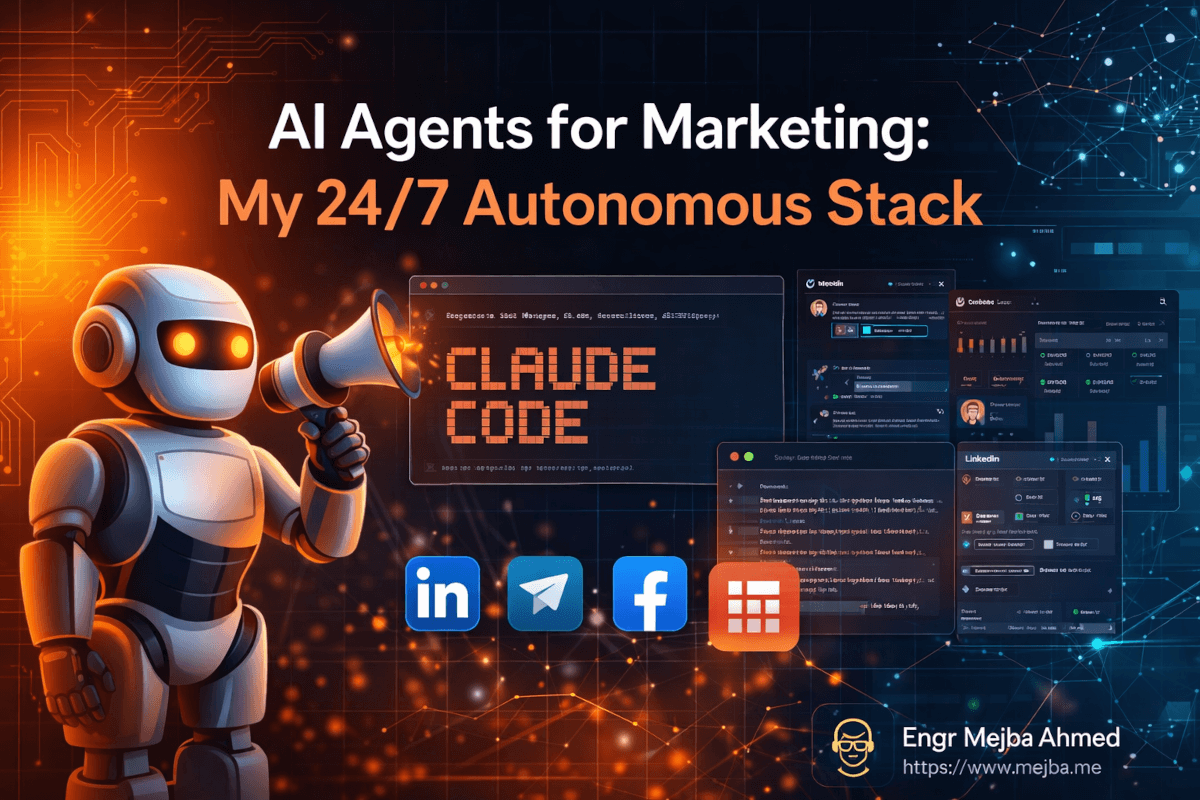
Vor drei Monaten sah ich zu, wie eine Facebook-Werbekampagne sich selbst 72 Stunden lang am Laufen hielt — leistungsschwache Anzeigen pausierte, Budget an Gewinner umverteilte, neue Zielgruppendaten sammelte — während ich ein Laravel-Authentifizierungsproblem für einen völlig anderen Kunden debuggte.
Das ist keine Prahlerei. Es ist eine Beschreibung dessen, was jetzt tatsächlich möglich ist, wenn man aufhört, KI als Schreibassistenten zu betrachten, und anfängt, sie als autonomes Betriebssystem zu sehen.
Ich baue seit Jahren Software. Laravel-Anwendungen ausgeliefert, Kubernetes-Cluster bereitgestellt, mehr CI/CD-Pipelines geschrieben als ich zählen möchte. Aber nichts hatte mich wirklich auf das seltsame Gefühl vorbereitet, zuzusehen, wie ein Agenten-Schwarm Marketingaufgaben erledigte, die ich früher manuell machte — Aufgaben, die einst ganze Arbeitstage verschlangen. Es fühlte sich anfangs falsch an. Als würde ich meinen Kalender betrügen.
Das Überraschendste war nicht die Automatisierung selbst. Es war, wie viel Marketing einfach sich wiederholende Musterarbeit ist, die als Strategie verkleidet ist. Post-Engagement-Tracking. Kalt-E-Mail-Sequenzierung. Anzeigenvariant-Tests. Das sind keine kreativen Aufgaben, die tiefes menschliches Urteilsvermögen erfordern. Es sind deterministische Workflows, die darauf warten, an etwas übergeben zu werden, das niemals schläft und niemals abgelenkt wird.
Aber hier ist, was niemand im "KI für Marketing"-Bereich wirklich sagt: Die meisten Tutorials sind entweder zu abstrakt zum Implementieren oder so anbieterspezifisch, dass sie aufhören zu funktionieren, sobald sich eine API ändert. Was ich teilen möchte, ist die echte Architektur — die spezifischen Tools, die tatsächlichen Fehlerpunkte und ehrliche Ergebnisse aus Monaten des Produktionseinsatzes.
Und es gibt einen Teil dieser Einrichtung, den die meisten Marketer völlig überspringen: das Stück, das aus einem Automatisierungsexperiment etwas macht, das sich ohne einen selbst weiter verbessert. Ich werde es weiter unten im Detail behandeln — und es ist der Grund, warum dieser gesamte Stack tatsächlich skaliert.
Warum Marketing zum Perfekten Ziel für Autonome KI Wurde
Der Grund, warum Marketingaufgaben so automatisierbar sind, liegt nicht darin, dass sie einfach sind. Es liegt daran, dass sie vorhersehbar sind.
Denken Sie darüber nach, was eine Kaltakquise-Sequenz tatsächlich erfordert:
- Die richtigen Kontakte finden (Scraping, Datenanreicherung)
- Ihre Kontaktdaten validieren (E-Mail-Verifizierung)
- Eine Nachricht erstellen (Vorlage plus Personalisierungsebene)
- Sie zum richtigen Zeitpunkt versenden (Planung)
- Basierend auf Antworten nachfassen (bedingte Logik)
- Ergebnisse verfolgen und anpassen (Analytics plus Feedback-Schleife)
Jeder einzelne dieser Schritte kann als Funktionsaufruf ausgedrückt werden. Wenn man es so betrachtet, sieht man Marketing-Workflows nicht mehr als kreative Unternehmungen, sondern als Datenpipelines mit einer menschlich klingenden Ausgabeschicht.
Mein erster Versuch, dies zu automatisieren, war mit Shell-Skripten und Cron-Jobs im Jahr 2023. Es funktionierte — kaum. Das Problem war Brüchigkeit. Eine API-Schemaänderung, ein Rate-Limit-Treffer, und das Ganze brach lautlos zusammen. Ich würde nach einer Woche zurückkommen und null gesendete E-Mails vorfinden, ohne Fehlerprotokolle, die irgendeinen Sinn ergaben.
Was alles veränderte, war Claude Code und MCP-Architektur (Multi-Cloud-Plattform). Nicht weil sich die zugrundeliegenden Aufgaben änderten, sondern weil die Orchestrierungsschicht intelligent wurde. Anstatt starrer Skripte, die katastrophal scheiterten, hatte ich Agenten, die einen Fehler beobachten, über das Schiefgelaufene nachdenken, einen alternativen Ansatz versuchen und mit Kontext berichten konnten.
Das ist der eigentliche Unterschied zwischen Automatisierung und Agency. Und sobald man es funktionieren spürt, kann man nicht mehr zurück zum manuellen Tun.
Der Stack: Jedes Tool und Genau Warum Es Dabei Ist
Bevor wir zur Implementierung kommen, sieht mein aktueller Marketing-Agenten-Stack so aus. Jedes Tool verdient seinen Platz — nichts ist dabei, weil es auf einem YouTube-Video im Trend war.
Claude Code ist das Gehirn. Es koordiniert alles andere, schreibt Integrationsskripte, debuggt Ausfälle und verarbeitet die Reasoning-Schicht, wenn etwas Unerwartetes passiert. Das Ausführen auf claude-opus-4-6 über API gibt Agenten genug Fähigkeit, um Randfälle zu behandeln, die ein einfacheres System in zwei Teile brechen würden.
Phantom Buster übernimmt das LinkedIn-Scraping. Ja, günstigere Alternativen existieren. Aber die Zuverlässigkeit von Phantom Buster und die Tiefe ihrer Phantom-Bibliothek — speziell der LinkedIn Post Engager Phantom — bedeutet, dass ich nicht jedes Mal Scraper neu bauen muss, wenn LinkedIn seine Front-End-DOM-Struktur anpasst.
Instantly AI ist die Kalt-E-Mail-Plattform. Ich evaluierte drei Wettbewerber, bevor ich hier landete: Smartlead, Reply.io und Lemlist. Instantly gewann bei Zustellbarkeitsinfrastruktur und API-Dokumentationsqualität. Diese beiden Faktoren zählen mehr als jede UI-Funktion, wenn man Automatisierung in großem Maßstab betreibt.
Apollo API füllt die E-Mail-Findungslücken. Wenn ich ein LinkedIn-Profil habe, aber keine E-Mail-Adresse, gibt Apollos Anreicherungs-API in etwa 73% der Fälle eine verifizierte geschäftliche E-Mail-Adresse zurück. Die anderen 27% werden verworfen — saubere Listen sind wertvoller als große.
Million Verifier validiert E-Mails, bevor etwas gesendet wird. Die Zustellbarkeit von Kalt-E-Mails bricht schnell zusammen, wenn man in großem Maßstab an ungültige Adressen sendet. Dieser Schritt ist nicht verhandelbar.
Railway ist, wo alles läuft. Nicht Heroku, nicht ein VPS, den ich betreuen muss. Railway lässt mich eine Node.js- oder Python-Umgebung hochfahren, mit einem Git-Push deployen und herunterfahren, wenn die Aufgabe abgeschlossen ist. Für Batch-Jobs, die nachts nach einem Zeitplan laufen müssen, ist dies genau das richtige Deployment-Modell. On-Demand-Infrastruktur, die tatsächlich das kostet, was sie sollte.
Facebook Ads API ist die Kraft für bezahlte Akquisition. Alles, was Menschen manuell im Ads Manager tun — Anzeigensets erstellen, Creatives hochladen, Leistungsdaten abrufen, Kampagnen pausieren — hat einen API-Endpunkt. Die meisten Marketer wissen das nicht. Diejenigen, die es wissen, haben meistens nicht die technische Kapazität, es zu nutzen. Agenten haben nichts als Zeit.
Perplexity API hält die Agenten aktuell. Wenn ich die Schmerzpunkte einer bestimmten Zielgruppe verstehen muss, kann ich einen Agenten veranlassen, Perplexity nach aktuellen Reddit- und Twitter-Diskussionen zum Thema abzufragen, diese in spezifische Schmerzpunktsprache zu synthetisieren und diese Sprache direkt in Anzeigentexte zu verwenden. Echte Worte von echten Menschen — das ist, was Texte wirklich resonieren lässt.
React plus HTML Canvas ist die kreative Schicht für die Anzeigengenerierung. Dazu mehr in Kürze, denn es klinkt wahrscheinlich nach dem seltsamsten Teil des Stacks und ist auch einer der effektivsten.
Nun ist hier, wo die meisten Artikel aufhören. Sie listen die Tools auf und machen weiter. Was sie überspringen, ist, wie diese Teile tatsächlich verbunden sind — und die Verbindungen sind, wo 80% der eigentlichen Arbeit steckt.
Den LinkedIn-Pipeline Aufbauen: Von Post-Engagement zur E-Mail-Kampagne
Das unmittelbar wertvollste, was ich baute, war der LinkedIn-Engagement-Scraper plus Kalt-E-Mail-Pipeline. Hier ist der spezifische Workflow, inklusive Fehlerpunkte — denn die Fehlerpunkte sind, was man tatsächlich antreffen wird.
Schritt 1: Auslösen bei Post-Engagement
Veröffentlichen Sie einen Inhalt auf LinkedIn — idealerweise etwas mit einer kostenlosen Ressource. Eine Vorlage, eine Checkliste, ein kurzer Leitfaden. Wenn Menschen kommentieren oder reagieren, scrapt Phantom Busters LinkedIn Post Engager Phantom diese Profile automatisch über Webhook.
// Phantom Buster webhook output lands here
app.post('/phantom-webhook', async (req, res) => {
  const { profiles } = req.body;

  // Filter for profiles we haven't already processed
  const newProfiles = await filterExistingContacts(profiles);

  // Queue for enrichment
  await queueForEnrichment(newProfiles);

  res.json({ queued: newProfiles.length });
});
Der Webhook bedeutet, dass es keine Polling-Schleife gibt. Phantom Buster läuft nach seinem Zeitplan und pusht Daten, wenn sie bereit sind. Mein Server wacht auf, verarbeitet und geht zurück in den Leerlauf.
Schritt 2: Anreichern und Verifizieren
Jedes Profil durchläuft Apollo zur E-Mail-Anreicherung, dann Million Verifier zur Validierung. Etwa 27% der Kontakte fallen hier heraus — Apollo kann keine E-Mail finden, oder Million Verifier markiert die Adresse als riskant. Das ist in Ordnung. Eine kleinere, sauberere Liste übertrifft eine große, schmutzige dramatisch.
async def enrich_profile(profile):
    # Apollo enrichment call
    apollo_response = await apollo.enrich(
        first_name=profile.first_name,
        last_name=profile.last_name,
        linkedin_url=profile.linkedin_url,
        domain=profile.company_domain
    )

    if not apollo_response.email:
        return None

    # Verify email quality before it touches any campaign
    verification = await million_verifier.verify(apollo_response.email)

    # Only 'ok' and 'catch_all' are acceptable
    if verification.result not in ['ok', 'catch_all']:
        return None

    return {**profile, 'email': apollo_response.email, 'verified': True}
Schritt 3: Zur Instantly-Kampagne Hinzufügen
Verifizierte Kontakte werden automatisch zu einer bestimmten Instantly-Kampagne hinzugefügt. Die Kampagne ist mit einer dreistufigen Sequenz vorgefertigt: erste Kontaktaufnahme, ein wertschöpfendes Follow-up an Tag 4 und eine direkte Anfrage an Tag 9.
await instantly.addContact({
  campaign_id: process.env.INSTANTLY_CAMPAIGN_ID,
  email: contact.email,
  first_name: contact.firstName,
  company: contact.company,
  custom_variables: {
    linkedin_post_title: triggerPost.title,
    // Personalize based on how they engaged
    engagement_type: contact.engagementType  // 'comment' or 'reaction'
  }
});
Profi-Tipp: Personalisieren Sie die erste E-Mail basierend auf dem Engagement-Typ. Jemand, der kommentiert hat, erhält eine spezifische Referenz auf den Inhalt seines Kommentars. Jemand, der nur reagiert hat, erhält eine wärmere, aber weniger spezifische Eröffnung. Diese kleine Personalisierungsverbesserung verbessert die Antwortquoten messbar und kostet fast nichts zur Implementierung.
Die gesamte Pipeline von LinkedIn-Engagement bis Kontakt-in-Kampagne läuft in etwa 4 Minuten pro Batch. Manuell war dies früher ein 2-Stunden-Prozess, den ich bestenfalls einmal pro Woche durchführte. Jetzt läuft es nächtlich ohne meine Beteiligung.
Wenn Sie die LinkedIn-Pipeline durchgearbeitet haben und sie Sinn ergibt, verstehen Sie bereits 70% der agentenbasierten Marketingweise. Das Facebook-Anzeigensystem ist, wo die Dinge deutlich interessanter — und mächtiger — werden.
Der Massen-Anzeigengenerator: 50 Varianten in 8 Minuten
Ich hasste früher wirklich die Facebook-Anzeigenerstellung. Nicht weil Anzeigen nicht funktionieren — das tun sie — sondern weil der kreative Prozess ein ständiger Engpass war. Hooks erdenken, Texte schreiben, Bilder für verschiedene Platzierungen anpassen, A/B-Tests einrichten... es konnte einen ganzen Freitagmittag für eine einzige Kampagnenstartung verbrauchen.
Der agentenbasierte Ansatz eliminiert dies fast vollständig.
Schritt 1: Echte Schmerzpunkte Recherchieren
Bevor ein einziges Wort Anzeigentext geschrieben wird, fragt der Agent Perplexity nach aktuellen Social-Media-Diskussionen über die tatsächlichen Frustrationen der Zielgruppe. Reddit-Threads, YouTube-Kommentare, Twitter-Diskussionen — alles ist über API durchsuchbar.
pain_points = await perplexity.search(
    query=f"people frustrated by {target_topic} site:reddit.com OR site:twitter.com",
    date_range="last_30_days",
    max_results=20
)

# Extract the specific language people use
# "I can't figure out why..." / "spent three hours on..." / "nobody tells you that..."
language_patterns = extract_pain_language(pain_points)
Die Ausgabe ist echter Wortschatz — die genauen Phrasen, die Menschen verwenden, um ihre Frustrationen zu beschreiben. Anzeigentext, der in der eigenen Sprache der Zielgruppe geschrieben ist, konvertiert dramatisch besser als Text, der von jemandem geschrieben wurde, der rät, was ihnen wichtig ist. Dieser Schritt allein verbesserte meine Anzeigenrelevanz-Scores merklich.
Schritt 2: Anzeigen-Creatives über React-Komponenten Generieren
Dies ist der Teil, der seltsam klingt, bis man ihn funktionieren sieht: Anzeigen-Creatives als React-Komponenten gebaut, auf Canvas gerendert, als Bilder exportiert. Kein Midjourney. Kein Stable Diffusion. Keine API-Kosten pro Bild.
// AdCreative.jsx — renders at exactly Facebook's required dimensions
const AdCreative = ({ headline, subtext, cta, colorScheme, format }) => {
  const dimensions = {
    square: { width: 1080, height: 1080 },
    story: { width: 1080, height: 1920 },
    landscape: { width: 1200, height: 628 }
  };

  const { width, height } = dimensions[format];

  return (
    <div style={{
      width,
      height,
      background: colorScheme.background,
      display: 'flex',
      flexDirection: 'column',
      justifyContent: 'center',
      padding: '80px',
      fontFamily: 'Inter, sans-serif'
    }}>
      <h1 style={{
        fontSize: format === 'landscape' ? 52 : 72,
        color: colorScheme.primary,
        lineHeight: 1.1,
        fontWeight: 700,
        margin: 0
      }}>
        {headline}
      </h1>
      <p style={{
        fontSize: format === 'landscape' ? 28 : 36,
        color: colorScheme.secondary,
        marginTop: 24,
        lineHeight: 1.4
      }}>
        {subtext}
      </p>
      <div style={{
        marginTop: 48,
        background: colorScheme.cta,
        color: '#fff',
        padding: '20px 40px',
        borderRadius: 8,
        display: 'inline-block',
        fontSize: 24,
        fontWeight: 600,
        width: 'fit-content'
      }}>
        {cta}
      </div>
    </div>
  );
};
Führen Sie dies durch Puppeteer für headless Rendering, machen Sie einen Screenshot jeder Variante, und Sie haben produktionsreife Anzeigen-Creatives. Ich kann 50 Varianten in drei Formaten (quadratisch, Story, Querformat) in etwa 8 Minuten generieren. Jede testet einen anderen Headline-Ansatz, ein anderes Farbschema, einen anderen CTA.
Die Kosten pro Creative-Variante: praktisch null. Vergleichen Sie dies mit Premium-KI-Bildgeneratoren bei $0,04–$0,08 pro Bild für 50+ Varianten pro Kampagne. Die Einsparungen summieren sich schnell, wenn man mehrere Kampagnen gleichzeitig betreibt.
Schritt 3: Massen-Upload über Facebook Ads API
Hier ist, wo gut dokumentierte APIs mehr als alles andere zählen. Die Facebook Ads API macht alles im Ads Manager programmatisch zugänglich.
const uploadBatch = async (creatives, adSetId) => {
  const ads = await Promise.all(
    creatives.map(async (creative) => {
      // Upload image to Facebook's CDN first
      const imageHash = await facebookAds.uploadImage({
        account_id: process.env.FB_ACCOUNT_ID,
        filename: creative.imagePath
      });

      // Create the ad creative object
      const adCreative = await facebookAds.createAdCreative({
        account_id: process.env.FB_ACCOUNT_ID,
        image_hash: imageHash.hash,
        title: creative.headline,
        body: creative.bodyText,
        call_to_action: {
          type: 'LEARN_MORE',
          value: { link: creative.destinationUrl }
        }
      });

      // Create the ad — paused for review before activation
      return facebookAds.createAd({
        name: `Variant_${creative.id}`,
        adset_id: adSetId,
        creative: { creative_id: adCreative.id },
        status: 'PAUSED'  // Always start paused. Always.
      });
    })
  );

  return ads;
};
Alle Anzeigen gehen zunächst als Entwürfe ein. Ich mache eine 10-minütige Überprüfungsrunde — prüfe auf offensichtlich Falsches, auf Text, der das Ziel verfehlt hat — und aktiviere dann den Batch. Ab diesem Punkt übernimmt der Optimierungsagent.
Die Offene Schleife, Die Ich Früher Angedeutet Habe: Kampagnenoptimierung
Hier ist das Stück, das ich am Anfang angekündigt habe — der Teil, den die meisten Marketer überspringen, das Ding, das dieses System wirklich skalierbar macht.
Kontinuierliche Kampagnenoptimierung.
Anzeigen zu erstellen ist unkompliziert. Die meisten Menschen bauen Automatisierung, die Kampagnen erstellt und dann eine Woche später manuell Ergebnisse prüft, wobei sie Bauchgefühl-Anpassungen auf Basis unvollständiger Daten vornehmen. Das ist wie einen Rennmotor zu bauen und ihn dann nie zu tunen. Man bekommt eine gewisse Leistungsverbesserung, aber nirgends annähernd das, was möglich ist.
Der Optimierungsagent läuft alle 6 Stunden. Er holt Kampagnenleistungsdaten aus der Facebook Ads API, wendet einen auf den Kampagnentyp abgestimmten Scoring-Algorithmus an und ergreift direkte Maßnahmen:
async def optimize_campaigns():
    campaigns = await fb_ads.get_active_campaigns(
        account_id=os.environ['FB_ACCOUNT_ID']
    )

    for campaign in campaigns:
        ads = await fb_ads.get_ads(
            campaign_id=campaign['id'],
            fields=['id', 'name', 'spend', 'impressions',
                   'clicks', 'ctr', 'cpp', 'reach', 'status']
        )

        for ad in ads:
            spend = float(ad.get('spend', 0))
            impressions = int(ad.get('impressions', 0))
            clicks = int(ad.get('clicks', 0))
            ctr = clicks / impressions if impressions > 0 else 0

            # Minimum spend threshold before making decisions
            # ($15 gives statistically meaningful data without wasting budget)
            if spend < 15:
                continue

            # Pause underperformers
            if ctr < 0.008:  # Below 0.8% CTR
                await fb_ads.update_ad(ad['id'], {'status': 'PAUSED'})
                await log_decision(
                    action='paused',
                    ad_id=ad['id'],
                    reason=f"CTR {ctr:.3%} below threshold after ${spend:.2f} spend"
                )

            # Scale winners: duplicate into new ad set with higher budget
            elif ctr > 0.025 and spend > 30:  # Above 2.5% CTR after $30 spend
                await duplicate_winning_ad(
                    ad=ad,
                    campaign_id=campaign['id'],
                    budget_multiplier=2.0
                )
                await log_decision(
                    action='scaled',
                    ad_id=ad['id'],
                    reason=f"CTR {ctr:.3%} — creating scaled ad set"
                )
Die Schwellenwerte sind einstellbar und ich passe sie basierend auf Kampagnentyp und Branchen-CTR-Benchmarks an. Was zählt, ist, dass diese Schleife konstant läuft — nicht wenn ich daran denke, mich einzuloggen und zu prüfen.
Im Laufe der Zeit verschiebt sich der Kampagnenmix. Gewinnende Anzeigen akkumulieren Budget. Verlierer werden früh gestrichen, bevor sie erhebliches Budget verbrennen. Der Gesamt-ROI verbessert sich ohne aktives Management. Das ist, was "autonom" wirklich bedeutet — nicht "ich habe es einmal eingerichtet", sondern "es wird besser, ohne dass ich an den Entscheidungen beteiligt bin."
Dieses System 4 Wochen lang auf einer Kampagne auszuführen, erzeugt Ergebnisse, die 8-10 Wochen manuelle Optimierung erfordern würden. Der Zinseszinseffekt ist real.
Ehrliche Fehler, Die Ich Beim Aufbau Gemacht Habe
Okay, der Teil, wo ich aufhöre, poliert zu sein.
Agenten zu früh vollständige Ausgabeautorisierung zu geben war mein teuerster Fehler. Ich hatte einen Agenten autorisiert, Facebook-Anzeigen zu aktivieren — nicht nur als Entwürfe zu erstellen, sondern sie tatsächlich für die Ausgabe zu aktivieren. Eines Nachts verursachte ein Rate-Limit-Fehler eine Wiederholungsschleife in meinem Upload-Skript. Ich wachte auf und fand 200+ duplizierte Anzeigen mit aktiven Budgets und eine Kreditkartenwarnung von Facebook. Gesamtverlust: etwa $340, bevor ich es bemerkte.
Lektion: Menschliche Überprüfungsgates für alles, was echtes Geld berührt. Nicht verhandelbar. Agenten entwerfen, Menschen aktivieren. Diese eine Regel hätte mir $340 und einen stressigen Morgen erspart.
LinkedIn-Automatisierung hat harte Grenzen, die die Phantom Buster-Dokumentation unterschätzt. LinkedIn erkennt aktiv und drosselt Scraping. Drücken Sie über etwa 80-100 Profil-Scrapings pro Tag hinaus und Sie sehen Verlangsamungen und gelegentliche temporäre Zugriffsbeschränkungen. Die Agenten benötigen eingebaute Rate-Limiting, exponentielles Backoff und müssen Signale respektieren, dass sie zu schnell vorgehen. Das lernte ich auf die langsame Art.
E-Mail-Aufwärmung existiert aus einem Grund. Instantly AI hat eingebaute Aufwärmfunktionalität, aber ich übersprang ihre empfohlene 3-wöchige Aufwärmperiode zunächst, weil ich ungeduldig war, mit den Kampagnen zu beginnen. Meine Zustellbarkeit erlitt zwei Wochen lang einen erheblichen Einbruch, bevor ich diagnostizierte, was passiert war, und den Aufwärmprozess ordnungsgemäß neu startete. Drei Wochen fühlen sich lang an. Das sind sie nicht. Es ist der Unterschied zwischen dem Landen im Posteingang und dem Training von Spam-Filtern, Ihre Domain zu hassen.
KI-generierte Texte brauchen eine menschliche kreative Schicht. Die Agenten sind hervorragend in Skalierung und Iteration. Sie sind wirklich schwach bei originellen kreativen Hooks. Die am besten performenden Anzeigen, die ich geschaltet habe, hatten Headlines, die von mir geschrieben wurden — nicht generiert, nicht vorgeschlagen, sondern tatsächlich auf Basis des emotionalen Verstehens der Zielgruppe formuliert. Ich verwende KI, um 20 Variationen eines menschlich geschriebenen Hooks zu generieren, teste alle und lasse Daten den Gewinner wählen. Dieser Hybrid schlägt reine KI-Generierung mit einer konstanten Marge.
Meine Prognose: Die Marketing-Teams, die gedeihen, wenn diese Technologie reift, werden nicht diejenigen sein, die alles an Agenten übergeben haben. Es werden diejenigen sein, die identifiziert haben, welche 20% ihrer Arbeit wirklich menschliches Urteil erfordern — Positionierung, Narrativ, emotionale Resonanz — und diesen Raum schützten, während sie alles darum herum automatisierten.
Wie die Tatsächlichen Zahlen Nach Drei Monaten Aussehen
Nach drei Monaten Produktionsbetrieb ist hier, was ich ehrlich berichten kann.
LinkedIn-zu-E-Mail-Pipeline:
- Durchschnittlich gescrapte Profile pro Woche: ~200
- Nach Anreicherung und Verifizierung: ~140 Kontakte (70% Ausbeute)
- Kalt-E-Mail-Öffnungsrate: 38% (Branchenbenchmark: 21%)
- Antwortquote: 7,2% (Branchenbenchmark: 2-3%)
- Zeitinvestition: 30 Minuten pro Woche für Überprüfung gegenüber früher 8+ Stunden
Facebook-Anzeigenleistung:
- Zeit zum Starten eines 50-Varianten-Tests: 8 Minuten gegenüber manuell 2+ Tagen
- Erkennung von Underperformern: 48-72 Stunden mit kontinuierlicher Optimierung gegenüber 1-2 Wochen wöchentlicher manueller Überprüfung
- Kostensenkung pro Klick über 3 Wochen Optimierung: etwa 31%
- Verschwendetes Werbebudget für bestätigte Verlierer: stark gesunken, weil sie pausiert werden, bevor sie Budget verbrennen
Podcast-Outreach (am kürzesten hinzugefügt):
- Erster Batch: Outreach an 45 Podcast-Hosts, automatisiert über Refonic E-Mail-Scraping und Instantly-Sequenzierung
- Gebuchte Interview-Calls in 3 Wochen: 8
- Vorherige manuelle Rate: 2-3 pro Monat mit erheblichem Aufwand
Das sind keine theoretischen Verbesserungen. Sie sind real, messbar, mit ehrlichem Kontext versehen. Die LinkedIn-Pipeline allein spart etwa 6 Stunden pro Woche. Über einen Monat sind das 24 Stunden, die ich in eigentliche strategische Arbeit — und in den Aufbau von mehr Automatisierung — umleite.
Die Anzeigenoptimierung ist schwieriger als eine einzige Zahl auszudrücken, weil sie sich zusammensetzt. Aber Underperformer 72 Stunden früher als ich manuell zu pausieren, spart 15-25% des Werbebudgets, das sonst an bewiesene Verlierer gegangen wäre. Über ein aktives Facebook-Kampagnenbudget ist das bedeutendes Geld.
Wo Man Anfängt, Wenn Man Das Zum Ersten Mal Aufbaut
Wählen Sie einen Workflow, nicht alle. Die LinkedIn-Pipeline ist der richtige Ausgangspunkt, weil die Feedback-Schleife schnell ist und die Fehlerkosten null sind — kein echtes Geld ist daran beteiligt, das Scraping und die Anreicherung richtig hinzubekommen.
Bringen Sie das End-to-End zum Laufen, bevor Sie Facebook-Anzeigen anfassen. Ernsthaft. Die LinkedIn-Pipeline lehrt Sie alles, was Sie über Webhook-Handling, Datenanreicherungs-APIs und Rate-Limiting wissen müssen, bevor Sie mit einem System arbeiten, das tatsächlich Ihr Geld ausgeben kann, wenn etwas schiefläuft.
Was Sie vor dem Start benötigen:
- Claude Code mit API-Zugang (claude-opus-4-6 für die Orchestrierungsschicht)
- Phantom Buster-Konto (ihr Basisplan reicht zum Starten)
- Apollo API-Schlüssel (Starter-Plan deckt das anfangs benötigte Volumen)
- Million Verifier-Guthaben (in Bulk kaufen, günstig)
- Instantly AI-Konto (erlauben Sie 3 volle Wochen Aufwärmung vor dem Versenden)
- Railway-Konto für Deployment
Die monatlichen Gesamtkosten für einen Solo-Betreiber, der dies mit moderatem Volumen betreibt: etwa $180-220 über alle Plattformen. Die Zeitersparnis rechtfertigt dies in der zweiten Woche.
Domänenwissen zählt mehr als Programmierfähigkeit in dieser Einrichtung. Mein Vorteil liegt nicht darin, ein besserer Programmierer als die meisten Marketer zu sein — es liegt darin, sowohl den Marketing-Workflow als auch die technische Implementierung tief genug zu verstehen, um Fehlerpunkte zu erkennen, bevor sie in die Produktion gelangen. Wenn Sie ein starker Marketer mit begrenzter Programmiererfahrung sind, beschreiben Sie Claude Code in einfacher Sprache, was Sie bauen möchten, und lassen Sie es die Integrationsskripte schreiben. Das ist ein praktikabler Ansatz, mit dem Vorbehalt, dass Sie genug verstehen müssen, um zu prüfen, was es produziert.
Das Ding, das niemand deutlich über diese Art von Automatisierung sagt, ist, dass sie Urteilsvermögen nicht ersetzt — sie verstärkt es. Schlechte Marketingstrategie, in großem Maßstab automatisiert, scheitert schneller und teurer als schlechtes Marketing, das manuell betrieben wird. Agenten sind Multiplikatoren. Sie multiplizieren das, was man hineinsteckt.
Bringen Sie zuerst die Strategie in Ordnung. Verstehen Sie Ihre Zielgruppe, Ihr Angebot und was Ihre Outreach tatsächlich von allem anderen unterscheidet, das in jemandes Posteingang landet. Bauen Sie dann das System um dieses Verständnis.
Sobald das Verständnis solide ist und das System läuft, werden Sie etwas wirklich Seltsames erleben: Marketing-Arbeit, die passiert, ohne dass Sie daran beteiligt sind. Ihr Kalender öffnet sich. Ihr Fokus verschiebt sich von der Ausführung zur Richtung. Und Sie fangen an zu fragen, was noch übergeben werden kann.
Diese Frage — was kann ich noch automatisieren — ist jetzt die produktivste Frage im Toolkit eines Solo-Gründers.
Was ist eine Marketing-Aufgabe, die Sie diese Woche manuell gemacht haben und die Ihr Urteil eigentlich nicht erforderte? Kartieren Sie sie. Schauen Sie sich jeden Schritt an. Fragen Sie sich dann, welche Sie von Hand erledigen, die laufen könnten, während Sie schlafen.
Die Infrastruktur, um diese Schritte zu übergeben, existiert bereits. Die einzige Frage ist, ob Sie die Brücke bauen werden.
🤝 Lass Uns Zusammenarbeiten
Möchten Sie KI-Systeme aufbauen, Workflows automatisieren oder Ihre technische Infrastruktur skalieren? Ich helfe gerne.
- 🔗 Fiverr (individuelle Builds & Integrationen): fiverr.com/s/EgxYmWD
- 🌐 Portfolio: mejba.me
- 🏢 Ramlit Limited (Unternehmenslösungen): ramlit.com
- 🎨 ColorPark (Design & Branding): colorpark.io
- 🛡 xCyberSecurity (Sicherheitsdienstleistungen): xcybersecurity.io