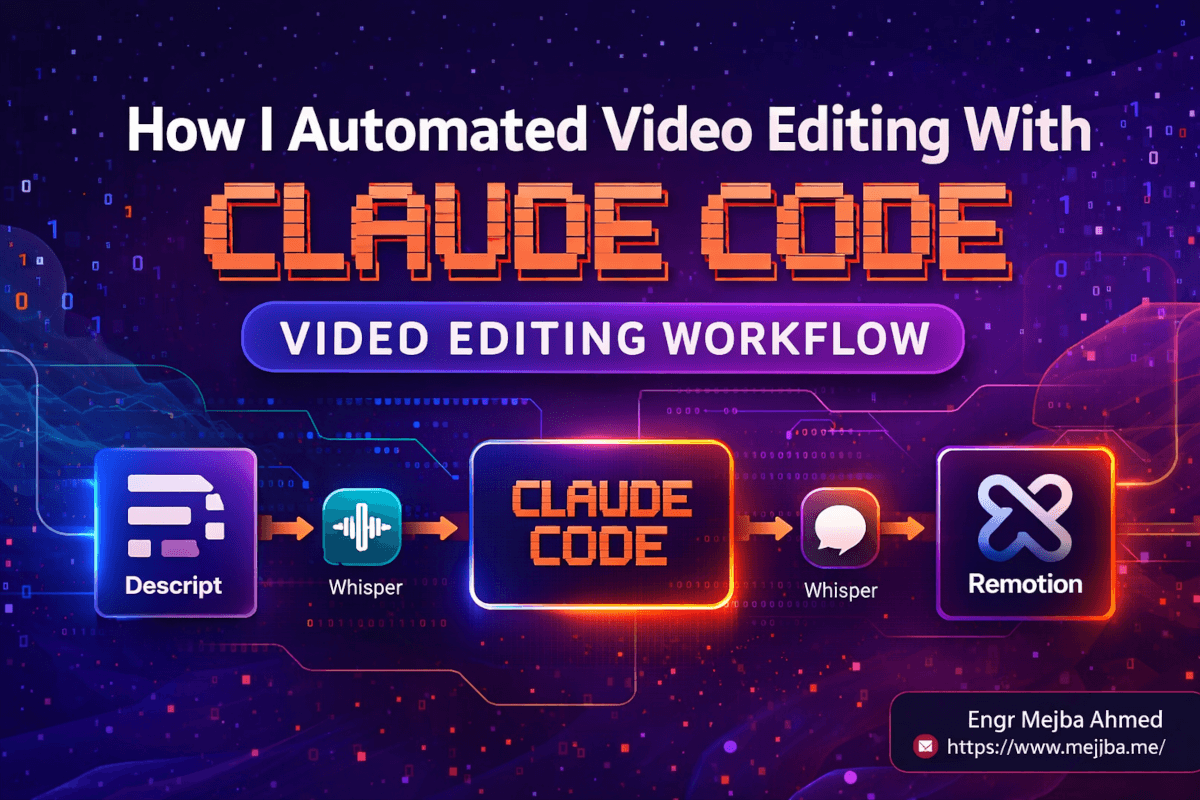
How I Automated Video Editing With Claude Code
For six months, I was lying to myself.
Every time someone asked me how long it took to edit one of my videos, I'd say "a couple of hours" with the casual tone of a person not currently drowning. The truth was closer to four. Sometimes six. On bad weeks, I'd start editing a Monday recording on Wednesday night and finish it Friday at 1 a.m. with cold coffee on my desk and the conviction that I had to stop doing this with my own hands.
The breaking point wasn't dramatic. It was a Tuesday in March. I had three raw recordings stacked up, a client deadline sitting in the next tab, and an old Adobe timeline open with 74 cuts I'd made that afternoon. I looked at the progress bar — 23% through the first video — and did the math. Three videos. Six hours each. Eighteen hours of dragging audio waveforms and trimming filler words before I could ship a single one.
I closed the timeline. I opened Claude Code. And I told myself I wasn't going back.
What came out of that week is the workflow I'm about to walk you through. It's not a theoretical pipeline I sketched on a whiteboard. It's the actual stack I now use to turn raw 30-minute recordings into polished, captioned, music-scored videos in under ten minutes of hands-on time. The core insight — the one that changed everything — is that Claude Code isn't the editor. It's the conductor. Everything else in the pipeline is an instrument, and the instruments are already excellent. They just needed someone to hand them sheet music.
Here's the uncomfortable part I want to get out of the way early: this workflow will not replace your taste. If anything, it magnifies it. The parts of editing where taste matters — pacing, emphasis, tone, which 3-second moment makes the whole video land — are more important now, not less. What the pipeline removes is the mechanical grind around those decisions. The clicking. The scrubbing. The ear fatigue. The 45th time you manually cut a "uhm" that nobody would miss.
Let me show you how it works, starting with the piece nobody told me was the most important.
The Part Most People Get Wrong First
When developers first try to automate video editing with AI, they almost always reach for the same hammer: "I'll write a Python script that uses FFmpeg to cut silences and generate a highlight reel." I tried that. It produced videos that felt like they were made by a robot having a seizure. Cuts landed on consonants. Pauses that mattered got trimmed. The personality of the recording evaporated.
The lesson: audio-level automation is not editing. Editing is a semantic task, not an acoustic one. You don't cut based on the presence of silence — you cut based on the meaning of what was said. And until this year, that distinction made full automation essentially impossible.
What changed is that we now have tools sitting at three different layers of abstraction, and Claude Code can orchestrate all three at once:
- The semantic layer — text-based editing in Descript, where the transcript is the timeline
- The precision layer — timestamped Whisper transcripts that tell you to the millisecond when every word was spoken
- The rendering layer — Remotion, a React framework where animations and overlays are code you can generate programmatically
The magic isn't in any one of those tools. It's in the fact that Claude Code can read the output of one, reason about it, and feed it into the next — with the context of what the whole video is supposed to become. That's what I mean when I say Claude Code is the conductor.
But before we get to the orchestration, you need to see the raw pipeline, layer by layer. Because if you don't understand what each tool is doing and why, the prompts I hand you at the end won't make sense.
The Full Pipeline, Layer by Layer
I'm going to walk through this in the order the video actually moves through the system. Seven stages. Each one solves a specific problem that used to eat my afternoons.
Stage 1: Raw Recording Into Descript
The moment I finish recording, the MOV files go straight into Descript. Not Final Cut. Not Premiere. Not a folder where they sit for three days while I psych myself up to edit them.
Descript is the most misunderstood tool in the modern creator stack. People think it's "Google Docs for video," which is cute but undersells it. What Descript actually does is convert your video into a first-class text object. The transcript becomes the timeline. Delete a sentence from the transcript, and the corresponding section of video disappears. Rearrange paragraphs, and the video reorders itself.
The first pass I do in Descript is ruthless. I scan the transcript for three things:
- Repeated sentences — the moments where I said something, paused, and said it again slightly better. I keep the second take. Highlight, delete.
- Dead-end tangents — the places where I started explaining something, realized it was the wrong angle, and pivoted. Entire paragraph goes.
- Bad takes — full chunks where the energy was off or I lost my place. Gone.
This is the part of editing where taste is non-negotiable. I don't want Claude Code making these calls. I want a human brain reading the transcript and deciding which version of me is the one that ships. It takes about 8 minutes on a 30-minute raw recording.
On the Descript Creator plan, which runs $24/month on annual billing as of April 2026, you get 30 hours of media processing and 800 AI credits — more than enough for a weekly publishing cadence. The free tier is capped at 60 minutes per month, which is a good way to test-drive the text-based editing flow without committing.
By the end of Stage 1, the video is semantically clean. Every sentence that's in the transcript is a sentence I actually want in the final cut. But it still breathes weird. Which brings us to the second pass.
Stage 2: Descript's AI Gap Shortening
Here's where the tool earns its pricing. Descript has a feature called "Shorten Word Gaps" that scans the audio and detects every pause between words longer than a threshold I set. I pin it at 0.2 seconds. Anything longer gets auto-tightened.
The first time I ran this, I almost didn't ship the result because I thought it would sound choppy. It didn't. It sounded like I'd spent twenty minutes per video carefully tuning the pacing — like every pause was intentional. On a 30-minute recording, this alone shaves about 2 minutes of airtime, but more importantly, it raises the perceived production quality by roughly a full tier. People told me my energy sounded higher. My energy hadn't changed. The silence between my words had just been cut in half.
Side note — I tested thresholds from 0.15 to 0.35 seconds. Under 0.2, the audio starts sounding compressed and anxious. Over 0.25, the pacing improvement gets invisible. 0.2 is the sweet spot for my speaking cadence. Yours might differ by a few hundredths of a second. Try three thresholds on the same clip and pick by ear — don't outsource this decision.
There's an optional detour here: Descript also has a "Remove Filler Words" tool that strips "um," "ah," "like," and similar verbal tics automatically. I use it selectively. On technical explanations, I let it run full power. On storytelling moments, I turn it off — fillers are part of human rhythm, and stripping them all makes you sound like a TTS engine. Taste call.
By the end of Stage 2, the audio is tight. What I export from Descript is a single clean MP4 — no graphics, no music, no captions. Just the speaker, talking, at the pacing I want. This file is the base layer that everything else will be stacked on top of.
Stage 3: Music From Epidemic Sound
I pull background music from Epidemic Sound for one reason that has nothing to do with aesthetics: copyright safety. Every track on the platform is licensed for content creators to use on monetized channels without claim disputes. I've watched friends lose months of ad revenue to a single uncleared track in an intro. Not worth it. Ever.
The selection criteria I use:
- Instrumental only (lyrics fight with speech in a way that's exhausting to listen to)
- Tempo between 80-110 BPM (fast enough to create energy, slow enough not to compete)
- Harmonic key that doesn't clash with my speaking register
- Duration at least 90 seconds longer than the video, so I have room to fade
I download the WAV, drop it into my project folder, and move on. This stage takes maybe 90 seconds once you've built your own "go-to" playlist of five or six tracks you rotate through.
Stage 4: FFmpeg Audio Extraction
Now the pipeline starts getting programmatic. I need to do two things: mix the music under the speaker audio, and generate a perfect transcription with timestamps for the overlay stage.
First, I extract the speaker audio from the Descript export using FFmpeg:
ffmpeg -i descript-export.mp4 \
  -vn \
  -acodec pcm_s16le \
  -ar 16000 \
  -ac 1 \
  speaker.wav
That gives me a mono 16kHz WAV, which is the input format Whisper likes best. Then I build the mixed master audio — speaker at 0 dB, music ducked to -18 dB under the speaker, with a 2-second fade in and 3-second fade out:
ffmpeg -i speaker.wav -i music.wav \
  -filter_complex "[1:a]volume=0.13,afade=t=in:st=0:d=2,afade=t=out:st=VIDEO_END-3:d=3[music]; \
                   [0:a][music]amix=inputs=2:duration=first:dropout_transition=2[out]" \
  -map "[out]" master-audio.wav
I used to write these filter_complex chains from scratch and debug them for twenty minutes at a time. Now I paste the audio metadata and the desired mix into Claude Code and ask it to generate the command. Every single time, it's correct on the first try. Every time.
Stage 5: Whisper For Timestamped Transcription
Descript already gave me a transcript, so why do I need another one? Because Descript's transcript exists for human editing. Whisper's transcript exists for machine composition.
When I send speaker.wav to the OpenAI Whisper API at $0.006 per minute (as of April 2026), what comes back isn't just text — it's every word with a start time and an end time accurate to the millisecond. For a 10-minute video, the API call costs 6 cents and takes about 40 seconds. For the entire cost of one Starbucks latte, I can transcribe over 500 minutes of audio with frame-accurate timing.
Here's the Python I use — nothing fancy, this is literally what runs:
from openai import OpenAI
import json

client = OpenAI()

with open("speaker.wav", "rb") as audio_file:
    transcript = client.audio.transcriptions.create(
        model="whisper-1",
        file=audio_file,
        response_format="verbose_json",
        timestamp_granularities=["word"]
    )

with open("transcript.json", "w") as f:
    json.dump(transcript.model_dump(), f, indent=2)
The timestamp_granularities=["word"] parameter is the whole game. Without it, you get sentence-level timestamps, which are useless for animated captions. With it, you get a JSON object where every single word has a start and end field. This file becomes the input that drives every overlay in the next stage.
If you care about cost optimization, GPT-4o Mini Transcribe runs at $0.003 per minute — half the price of Whisper — but word-level timestamp precision varies. For my use case (animated captions where every word needs to flash on the exact millisecond it's spoken), Whisper is still the right call. For bulk transcription of podcasts, Mini is fine.
Stage 6: Remotion For Programmatic Graphics
This is where Claude Code stops being an assistant and becomes the engine. Remotion is a React-based framework for rendering videos as code, and the latest release line (currently on version 4.0.448 as of early April 2026) ships a Claude Code integration that makes prompting a composition feel like prompting a landing page.
The way Remotion works: every frame of your video is a React component. Animations are interpolation functions of the current frame number. Text overlays are JSX. A 60-second video at 30 fps is just 1,800 renders of a component tree, stitched into an MP4 at the end. If that sounds like a lot of engineering for a text overlay, it is — but here's what you get in return:
- Caption overlays driven directly from the Whisper JSON. No manual timing. No dragging keyframes. The word "automation" appears on screen exactly when it's spoken because the component reads
transcript.jsonand matches the current frame against word timestamps. - Brand-consistent graphics across every video. My lower-thirds, my intro card, my outro CTA — they're all React components that accept props. Different video? Different props. Same design system. I never redo them.
- Version control that actually works. The entire video is a Git repo. Diffs show what changed. Branches isolate experiments. Pull requests review visual changes the same way they review code changes.
The component that blew my mind the first time it worked is the animated caption. I asked Claude Code to build it from a single prompt: "Build a Remotion component that reads transcript.json, renders each word as an overlay at the bottom third of the screen, and highlights the currently-spoken word in the brand color. Typography: Inter, 56px, 800 weight. Stroke: 3px black. Currently-spoken color: #8B5CF6."
Forty-five seconds later, I had a working component. It rendered perfectly on the first try. I've iterated on it since — better easing curves, shadow tweaks, a subtle pop animation on word change — but the foundation Claude Code produced has carried every video I've shipped since.
There's one open loop I planted earlier that I want to resolve here, because it's the thing that almost made me quit Remotion entirely. The catch: the first time you open a Remotion project with a long video and a large transcript, the preview in Remotion Studio stutters. Hard. The fps drops, the timeline lags, and you think you've done something terribly wrong. You haven't. Remotion renders the preview in real-time on a single thread, and once your composition gets complex, that thread can't keep up. The fix is counterintuitive — render a short segment of the final output, watch the MP4, then go back to editing code. Don't trust the live preview for pacing decisions on anything over 60 seconds.
Stage 7: Remotion Studio + Claude Code For Preview and Final Render
The last stage happens with two windows open on my desktop: Remotion Studio on the left, Claude Code on the right. This is where the conductor metaphor becomes literal.
My loop looks like this:
- Preview in Remotion Studio. Scrub through the composition. Look for timing issues, graphic glitches, anything that feels off.
- Describe the fix to Claude Code. "The brand logo in the intro appears at frame 12 but needs to land on the beat at frame 18." "The caption highlight color is too dim — push it to #A78BFA." "Add a 0.5-second crossfade between the intro card and the main content."
- Let Claude Code edit the component. Because Remotion compositions are React, every change is a code edit. Claude Code makes the edit, Remotion Studio hot-reloads, and I see the result in seconds.
- Repeat until the preview looks right.
- Render the final MP4 from the terminal.
npx remotion render. Walk away. Come back in 3-5 minutes with a finished video.
This loop is the thing. This is where the 3-6 hour edit collapses into minutes of hands-on time. Because the moment I describe what's wrong instead of dragging what's wrong, the multiplier kicks in. Ten revision passes in an hour used to be a good afternoon. Now it's a warm-up.
If you'd rather skip the full Claude Code + Remotion build-out and just prompt videos directly, I've written a companion post on Remotion's agent skills for Claude Code covering the lighter-weight entry point. But if you're shipping videos weekly, investing in the full pipeline pays for itself inside the first month.
The Human Verification Pass I Refuse To Skip
Here's the part I was taught the hard way: one stray duplicate sentence will destroy trust in the entire workflow.
The first video I shipped with the full pipeline had a moment where I said a sentence, paused for a sip of coffee, then said the exact same sentence slightly differently. Descript's AI-generated transcript caught it on the second pass but not the first — because my cadence during the pause fooled the "repeated sentence" detector. The final rendered video had the sentence twice, back-to-back, with a weird half-second jump cut between them.
I didn't catch it until a viewer DM'd me about it four hours after publication. That was the last video I shipped without a final human verification pass.
Now, every video gets one last watch-through at 1.5x speed with my finger on the spacebar. I'm not looking for fine edits — those are all handled. I'm looking for the specific failure modes the pipeline can miss:
- Repeated sentences where I paused between takes and the silence hid the duplication
- Captions that misspelled a technical term (Whisper sometimes writes "react" when I said "React")
- Music cues that don't line up with section breaks
- Any moment where the rendered graphics didn't match my intent
This pass takes 4-6 minutes on a 10-minute video. It's non-negotiable. I've tried skipping it twice and regretted it both times.
What Actually Surprised Me
I went into this expecting the win to be "less time." What I got was different.
Consistency shocked me. When every video is produced by the same pipeline with the same components, they start looking like episodes of the same show instead of random uploads from a tired person. Subscribers noticed before I did. The comment "your videos are looking really polished lately" started showing up, and the truth is I spent less time on them, not more.
Revision speed changed what I'm willing to try. When an edit pass takes two minutes instead of two hours, you experiment. You try the unusual music choice. You add the risky joke. You move the hook earlier. The cost of "oops, back it out" is so low that creative ambition expands to fill the time you used to spend on mechanical work.
Claude Code's orchestration muscle surprised me most. I knew it could write Remotion components. I didn't know it could hold the entire pipeline state in its head — read the Descript export, know the Whisper output is waiting, generate the FFmpeg command, scaffold the Remotion composition, and debug the render errors — all in one session. This is the thing generic "AI video editors" cannot do. They work one step at a time. Claude Code plays the whole song.
And the non-technical creator angle I want to be honest about: you don't need to know React to run this workflow. You need to know how to describe what you want. The setup complexity lives in the first prompt, not the CLI. If you can tell Claude Code "I want an animated caption component that reads transcript.json and highlights the current word in purple," you can run this pipeline without writing JSX yourself. Claude Code will write it. You'll run it. The MP4 will render.
The ceiling is higher if you understand the code. The floor, though, is lower than most developer tutorials will admit.
Where I Still Hit Walls
I want to give you the honest map, not the brochure version.
Music syncing is still manual. I haven't found a reliable way to automatically time section breaks in the video to beat drops in the music. I do this by ear, tweaking the Sequence start times in Remotion until the transitions feel right. Maybe a future version of Claude Code reads audio waveforms and suggests cut points. For now, my ears decide.
Whisper misspells jargon. Every video about Claude Code, Remotion, TypeScript, or any branded technical term requires a search-and-replace pass on the transcript JSON before it hits Remotion. I wrote a small Python script with a dictionary of common corrections, and Claude Code maintains that dictionary for me. But I still eyeball the captions before rendering.
Rendering time scales with composition complexity. A 10-minute video with simple captions renders in 3 minutes on my M2 MacBook Pro. Add particle effects, complex easing curves, and multi-layer compositing, and that same video takes 12-15 minutes. This isn't a workflow flaw — it's physics. But if you're chasing the "ten-minute turnaround" dream, keep your effects budget modest.
The Remotion Studio preview lags, as I mentioned earlier. Anything past 60-90 seconds of composition length gets stuttery. Work in shorter segments, render previews as MP4s, and don't trust the real-time scrubber for pacing decisions on long videos.
The Measurable Shift
I've been running this full pipeline for eight weeks as of April 2026. Here's what the numbers look like, grounded in my own logs rather than invented benchmarks:
- Average hands-on editing time per video: Down from roughly 4 hours to about 25 minutes — and most of that 25 is Stage 1 (ruthless transcript editing) and Stage 7 (human verification). The machine-driven middle stages add maybe 6-8 minutes of active attention.
- Publishing cadence: I'm shipping 2-3 videos a week now, up from 1 on a good week. The bottleneck moved from editing time to recording time, which is a much better problem to have.
- Consistency across videos: Every video now uses the same caption style, lower-third, intro card, and outro CTA. Before, each video had slight visual drift because I was rebuilding graphics by hand. That drift is gone.
I'm deliberately not quoting specific "revenue up X%" numbers because I don't have clean attribution and I won't fake it. What I'll say is that shipping three times more content without degrading quality created the compounding effect you'd expect. The channel grew. The inbound grew. The case studies for Ramlit started pulling in enterprise conversations because I could actually show the work instead of describing it.
The One Thing I'd Tell Myself Six Months Ago
Start with the pipeline, not the tools.
The mistake I made in month one was trying to master Descript, then master Remotion, then master Whisper — as if each tool was a separate skill. The breakthrough came when I stopped treating them as individual tools and started treating them as stages in a single pipeline that Claude Code would orchestrate.
Once you make that mental shift, the question stops being "how do I learn Remotion?" and starts being "how do I describe what I want this stage to produce, and how does that output feed the next stage?" That's a question you can answer in a single afternoon with Claude Code on the other side of the conversation, iterating with you until the pipeline flows.
Six months ago, I was dragging clips in a timeline at 1 a.m. on a Friday, burned out and resentful of my own content. Tonight, I wrote this post, recorded a 28-minute video about the same topic, and by the time you're reading this, that video will be live — processed through the exact pipeline I just walked you through. Total hands-on time from raw recording to published MP4: probably 40 minutes, most of which was spent watching and approving, not clicking.
The videos I used to lose weekends to are now the thing I ship while the coffee is still hot. The hours that used to vanish into timeline scrubbing are hours I now spend doing the work that actually matters — thinking, writing, shipping, building. That's the trade I wanted all along. It turns out the tool to make it happen wasn't a better editor. It was a better conductor.
If you're sitting on a hard drive full of raw footage and a calendar full of deadlines, here's my challenge: pick one video. Just one. Run it through this pipeline end-to-end this weekend. Not perfectly — you'll mess up the first render, the captions will be off, the music will fight the speaker. That's fine. By the second video, the pipeline starts fitting your hand. By the fifth, you'll wonder how you ever edited any other way.
The timeline isn't coming back. And honestly? I don't miss it.
FAQ
Frequently Asked Questions
Everything you need to know about this topic
No — you can run the full pipeline without writing JSX yourself. Claude Code scaffolds the Remotion components from plain-English descriptions, and Remotion Studio lets you preview the result. Knowing React raises the ceiling of what you can customize, but it's not required to ship your first video. For a deeper walkthrough of the Claude Code + Remotion pairing, see the Remotion + Claude Code workflow section above.
For a 10-minute finished video, expect roughly $0.06 for Whisper API transcription, a prorated share of Descript's Creator plan at $24/month, an Epidemic Sound subscription starting around $15/month, and your Claude Code subscription. All-in for a weekly publishing cadence, you're looking at $40-60/month in tool costs regardless of how many videos you ship — which is the whole point of the fixed-cost pipeline.
Claude Code can drive FFmpeg directly for simple cuts, concatenations, and audio mixing — and that alone is useful for basic edits. Remotion enters the picture when you want programmatic graphics, animated captions, or branded overlays that update automatically across videos. For a raw-cut workflow without graphics, you can skip Remotion entirely and still save hours per video.
Repeated sentences that sneak past the transcript cleanup pass. Descript's AI gap shortening and text-based editor catch most of them, but recordings with long coffee pauses between takes can fool the duplicate detector. The fix is a mandatory human verification pass at 1.5x speed before publishing — 4-6 minutes of spacebar-ready watching that catches the failures the pipeline can't.
Whisper at $0.006/minute is the better choice for animated captions that need word-level timestamp precision. GPT-4o Mini Transcribe at $0.003/minute is excellent for bulk transcription where you just need accurate text, but word-level timing varies. For the Remotion caption overlay workflow specifically, stick with Whisper and use the timestamp_granularities=["word"] parameter.
Let's Work Together
Looking to build AI systems, automate workflows, or scale your tech infrastructure? I'd love to help.
- Fiverr (custom builds & integrations): fiverr.com/s/EgxYmWD
- Portfolio: mejba.me
- Ramlit Limited (enterprise solutions): ramlit.com
- ColorPark (design & branding): colorpark.io
- xCyberSecurity (security services): xcybersecurity.io