Every AWS Amplify deployment ships with a working *.amplifyapp.com URL, and the day you connect a custom domain you quietly acquire an SEO problem: the same site now lives at two addresses, both indexable, both collecting links. I've spent the last two years diagnosing exactly what duplicate URL surfaces do to a site's search presence — on my own site, a canonicalization mistake helped crash indexed pages from about 7,000 to 1,700, and clawing that back took months. So when I say the Amplify redirect is worth doing properly on day one, that's not theory. It's scar tissue.
Here's the full implementation — three methods ranked, the verification checklist most guides skip, and what actually happens in Search Console afterward.
Why two live domains is a real problem, not a theoretical one
Google's own documentation on site moves is clear that permanent redirects transfer signals to the target URL. What the documentation doesn't dramatize is what happens without the redirect, and this is the part I've watched play out in real Search Console data:
Your signals split instead of consolidating. Some visitors and some backlinks land on the Amplify URL, some on the custom domain. Neither version accumulates full authority. This isn't a "penalty" in the algorithmic-action sense — it's simpler and dumber: you built one site's worth of equity and spread it across two hosts.
Google chooses canonicals for you, and its choices drift. When identical content is reachable at two hosts and you haven't declared a preference with redirects and canonical tags, Google picks per-URL. In my locale-canonicalization work on this site, I watched crawled-not-indexed counts pile into five figures largely because near-duplicate URL surfaces gave Google too many versions to arbitrate. It doesn't fail loudly. It fails as slow index erosion you notice a quarter later.
Crawl budget burns on the wrong host. Every Amplify-domain crawl is a crawl your canonical domain didn't get.
The fix costs about ten minutes. The absence of the fix costs you in a currency you can't see until Search Console shows you the bill.
Use a 308, and know why
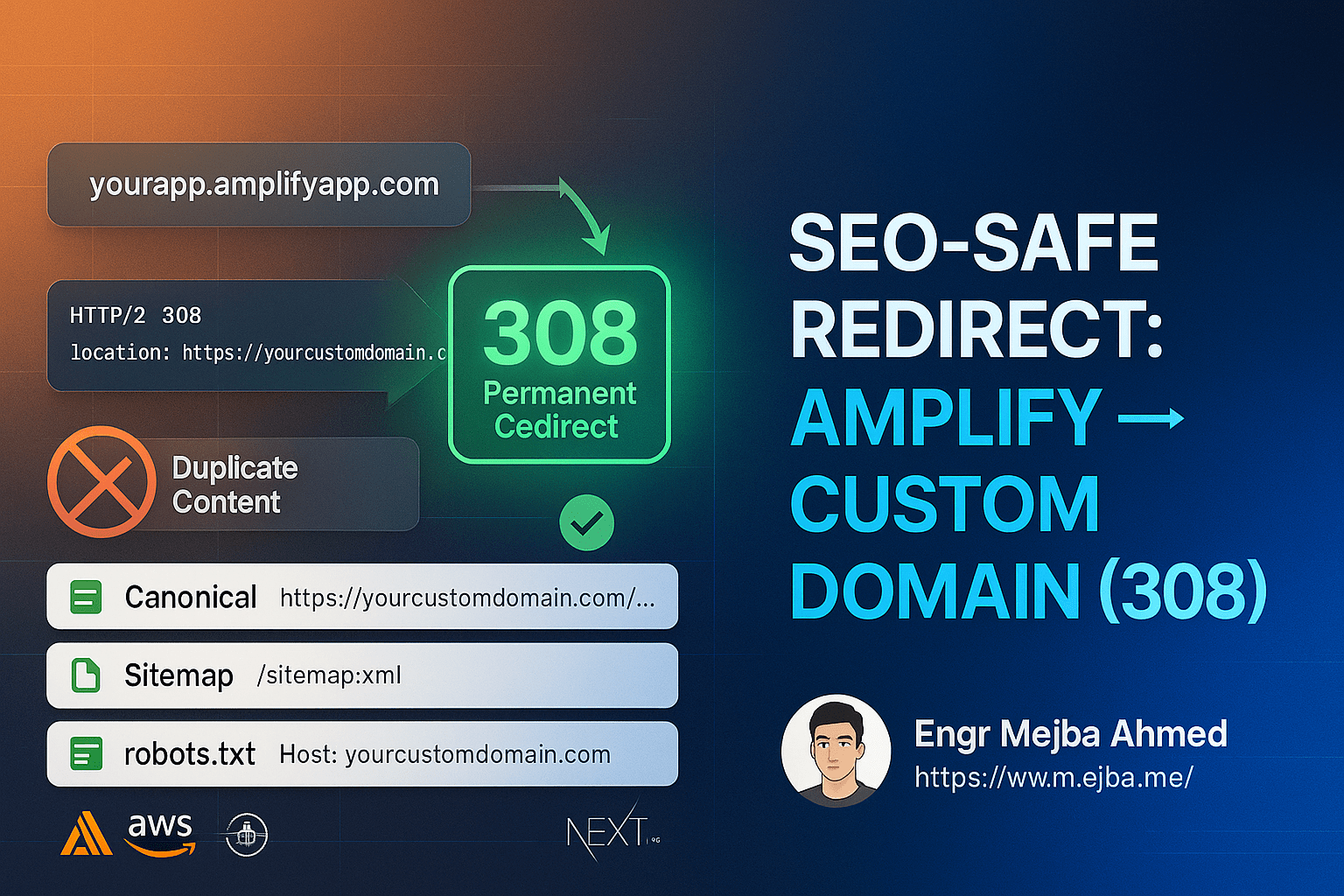
Most SEO guides say 301. For a modern app, prefer 308 Permanent Redirect (RFC 7538): it carries the same permanent-move signal search engines consolidate on, but unlike a 301 it's guaranteed to preserve the HTTP method and request body. A 301 may quietly convert POST to GET — irrelevant for a blog page, very relevant the day a form or API call transits your redirect. Same SEO outcome, fewer sharp edges. What you must not use is a 302/307: temporary redirects tell Google to keep the old URL indexed, which is the opposite of what you want.
Method 1: Next.js config redirects (recommended)
Version-controlled, deploys with every push, no console clicking. In next.config.mjs:
const nextConfig = {
  async redirects() {
    return [
      {
        source: '/:path*',
        has: [
          {
            type: 'host',
            value: '(?<amplifyDomain>.*\\.amplifyapp\\.com)',
          },
        ],
        destination: 'https://yourcustomdomain.com/:path*',
        permanent: true, // Next.js issues a 308
      },
    ];
  },
};

export default nextConfig;
The host matcher catches any *.amplifyapp.com request — including branch-preview subdomains — and forwards the full path. Note that permanent: true in Next.js emits a 308, which is exactly what you want. If you need branch previews to stay reachable for your team, tighten the pattern to your production app's exact Amplify hostname instead of the wildcard.
Method 2: Next.js middleware
For cases needing runtime logic. Create middleware.ts in the project root:
import type { NextRequest } from 'next/server';
import { NextResponse } from 'next/server';

export function middleware(req: NextRequest) {
  const host = req.headers.get('host') || '';
  if (host.endsWith('.amplifyapp.com')) {
    const url = new URL(req.url);
    url.hostname = 'yourcustomdomain.com';
    url.protocol = 'https:';
    return NextResponse.redirect(url, 308);
  }
  return NextResponse.next();
}

export const config = {
  matcher: [
    '/((?!_next/static|_next/image|favicon.ico|robots.txt|sitemap.xml).*)',
  ],
};
The matcher exclusion is not optional polish — without it the middleware runs on every static asset request, paying compute for redirects no crawler cares about. Config redirects are cheaper when your rule is static; save middleware for redirects that genuinely need per-request logic.
Method 3: Amplify Console rewrites
Infrastructure-level, executes at the CDN edge, works for non-Next.js apps. In the Amplify Console: your app → Hosting → Rewrites and redirects → Manage:
[
  {
    "source": "https://<your-app>.amplifyapp.com/<*>",
    "target": "https://yourcustomdomain.com/<*>",
    "status": "308",
    "condition": null
  }
]
Fastest option, but it lives outside your repo — which means it's the rule your successor won't know exists. If you use it, document it in the README.
The verification pass that actually protects your rankings
The redirect is a third of the job. The part that bit me on my own site was everything that generates URLs — canonicals, sitemaps, structured data — still pointing at the wrong host after the redirect went live. Redirecting the front door while your metadata advertises the side entrance sends Google mixed signals, and mixed signals are how canonical arbitration goes wrong.
1. The site-URL environment variable. In Amplify Console → Environment variables, whatever your app uses as its base URL (SITE_URL, NEXT_PUBLIC_SITE_URL) must be the custom domain — https, no trailing slash. Every canonical tag, sitemap entry, and OG tag downstream inherits this one value, which makes it the highest-leverage line in the whole migration.
2. Confirm the redirect itself:
curl -I https://yourapp.amplifyapp.com/some-page
# expect: HTTP/2 308
# expect: location: https://yourcustomdomain.com/some-page
Test a deep path, not just the homepage — a homepage-only redirect with 404ing deep paths is a classic console-rule mistake.
3. View source on a few pages. <link rel="canonical"> must reference the custom domain. So must og:url and any @id/url fields in your JSON-LD. Structured data pointing at the Amplify host is a surprisingly common leftover.
4. Check the sitemap at the custom domain. Zero amplifyapp.com URLs, and robots.txt should reference the custom-domain sitemap. If the sitemap still emits Amplify URLs, your environment variable didn't take — rebuild.
5. Search Console, both properties. Add and verify the custom domain if you haven't, submit the sitemap, and use URL Inspection on a couple of redirected Amplify URLs to confirm Google sees the 308. Keeping the Amplify-domain property around (if you had one) is useful — you want to watch its impressions decay to zero.
What to expect afterward — the honest version
I'm not going to hand you a table of invented percentages; nobody has measured "ranking loss from an unredirected Amplify domain" in a controlled way, and anyone quoting exact figures is decorating. What I can tell you from watching consolidations and de-consolidations in my own Search Console data:
Discovery is fast, consolidation is not. Google typically notices permanent redirects within days, but replacing indexed URLs and consolidating signals plays out over weeks, paced by your crawl frequency. My site's index recovery after the canonicalization fix took roughly a quarter to fully settle — smaller sites with cleaner histories move faster.
The graph to watch is impressions by host. Custom-domain impressions should climb as Amplify-domain impressions decay. Flat Amplify impressions after a month means some surface — a stray canonical, an old sitemap, hardcoded internal links — is still feeding Google the old host.
It is never too late. If both domains have been live for months, implement the redirect now. Consolidation works in your favor from the day the 308 ships; the equity that was split starts flowing to one place.
I run this kind of check continuously rather than as a one-off — my automated SEO checks with Claude Code routines covers how I keep canonical and sitemap drift from re-emerging, and my SEO toolkit audit workflow is the deeper diagnostic pass. It's also worth understanding that AI crawlers and search crawlers treat your URLs differently — one more reason a single canonical host matters more every year.
The one-paragraph summary: ship a 308 from every Amplify path to the same path on your custom domain, make the environment variable that generates your URLs point at the custom domain, verify canonicals, sitemap, and structured data all agree, then watch Search Console until the old host's impressions flatline. Domain migrations without ranking loss are a large part of what I do for clients — if yours is higher-stakes than a side project, my services page covers exactly this kind of engagement.