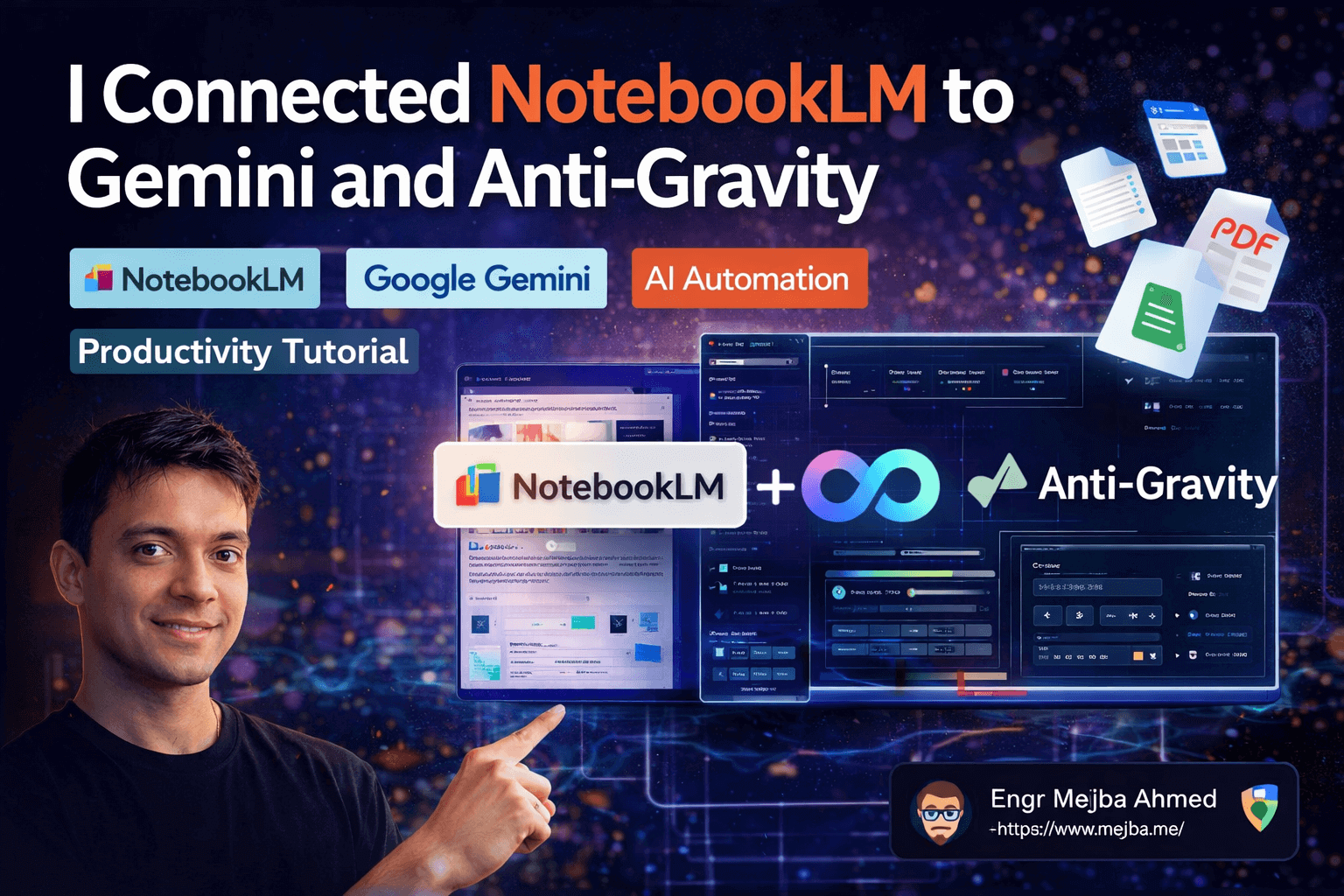
I Connected NotebookLM to Gemini and Anti-Gravity
Three weeks ago I had seventeen Google Docs, nine PDFs, a half-finished business plan, and a Notion database that was supposed to tie everything together but mostly just made me feel organized while accomplishing nothing. My knowledge was scattered across tools like shrapnel. Every time I needed to pull insights from multiple sources, I'd spend twenty minutes just finding the right files before I could even start thinking.
Then I connected NotebookLM to Gemini and a platform called Anti-Gravity, and something clicked that I wasn't expecting. Not a small improvement. A fundamental shift in how I interact with my own information. Within an hour, I had a queryable knowledge library that pulled answers from twenty-plus documents simultaneously, a personalized 90-day business roadmap generated from my actual data, and an interactive web application — complete with sliders, calculators, and progress trackers — built from a single sentence prompt.
The part that still messes with my head? I didn't write a single line of code. I didn't manually organize anything. I just connected three tools that Google quietly made compatible with each other, and the compound effect was something none of them could do alone.
Most people know NotebookLM exists. Fewer people know about the recent upgrades that turned it from a neat experiment into a legitimate productivity engine. Almost nobody knows what happens when you wire it into Gemini's multi-notebook reasoning and Anti-Gravity's automation layer. That gap between "almost nobody knows" and "this is genuinely powerful" is exactly where this post lives.
What Changed in NotebookLM (And Why It Matters Now)
NotebookLM has been around for a while, and if you tried it six months ago and thought "nice toy, not useful enough," I get it. I had the same reaction. But Google shipped a wave of updates recently that pushed it past the tipping point from interesting demo to daily-use tool.
The biggest change: you can now export notebooks as editable PowerPoint presentations. Not static screenshots. Not PDFs you can't modify. Actual .pptx files with editable text, movable elements, and customizable layouts. This feature is rolling out gradually — US accounts got it first — but when it lands in your account, the workflow implications are significant.
Image editing inside notebooks is another quiet addition. You can revise or replace images at any point, which sounds minor until you realize it means your notebook isn't a frozen snapshot anymore. It's a living document that evolves as your thinking evolves.
But here's the upgrade that changed my workflow the most: custom slide deck styles. NotebookLM can now generate presentations in styles you define, including styles reverse-engineered from external sources. I tested this by screenshotting a design from Landbook — a site I like for clean SaaS aesthetics — and feeding that screenshot to Gemini along with a prompt asking it to extract the brand philosophy, color scheme, typography, and visual mood. Gemini's multimodal capabilities (it understands images and text together) pulled out a detailed style description that I then fed back into NotebookLM as a style directive.
The result was a slide deck that looked like it came from a design agency, not an AI tool. Specific color values. Consistent typography. A visual mood that matched the reference I'd provided. The whole process took about four minutes.
I want to pause on that because it represents something important. The workflow wasn't "type a prompt and hope for the best." It was a deliberate chain: find a visual reference, extract its essence with Gemini's multimodal understanding, refine the extraction prompt with a model like Glido for optimization, then feed the refined instructions back into the generation pipeline. Each step made the next one better. That layered approach — not any single feature — is what produces results that actually impress people.
But NotebookLM by itself, even with these upgrades, has a ceiling. It can only work with one notebook at a time. It can only answer questions from the data it contains. It has no awareness of your calendar, your emails, or the other eighteen notebooks sitting right next to the one you're querying. Breaking through that ceiling requires Gemini — and breaking through Gemini's ceiling requires Anti-Gravity.
Gemini Turns NotebookLM Into Something Much Bigger
The integration between Gemini and NotebookLM introduced a capability that sounds simple but changes everything: you can chat with multiple notebooks simultaneously.
NotebookLM on its own is like a librarian who only has access to one book. Ask a question, get an answer from that one source. Useful, but limited. Gemini is like a librarian with access to the entire library — it can pull from multiple notebooks at once, cross-reference between them, and synthesize insights that no single notebook contains.
I tested this with a real scenario. I had separate notebooks for competitive intelligence, marketing strategy, product roadmap, and customer feedback. In NotebookLM, I'd have to open each one individually and mentally stitch the insights together myself. With Gemini, I asked a single question — "Based on our competitive landscape and customer feedback, what product features should we prioritize for Q3?" — and it pulled relevant data from all four notebooks, weighted the insights, and gave me a prioritized recommendation with reasoning.
That's not summarization. That's synthesis. There's a massive difference.
Gemini also introduced personal intelligence, which is the feature that made me sit up and reconsider how much I trust Google with my data. When enabled, Gemini can access your Gmail, Google Calendar, YouTube search history, and Google Drive to provide context-aware answers. You can toggle it on and off per conversation, which helps — but when it's on, the specificity jumps dramatically.
Imagine asking Gemini: "Based on the marketing notebook and my recent email threads with the design team, what's the most realistic timeline for launching the new landing page?" It doesn't just pull from the notebook. It checks your email conversations for context about team availability, checks your calendar for conflicting deadlines, and gives you an answer that accounts for your actual situation. Not a generic "it depends" answer. A specific, grounded-in-your-reality answer.
I'll be honest — the personal intelligence feature is still rolling out and it's not perfect. Sometimes it surfaces irrelevant email threads. Occasionally it misinterprets calendar context. But even at 70% accuracy, it's producing answers that are more useful than what I could synthesize manually in twice the time.
Here's the mental model that finally helped me understand the architecture:
| Component | Role | Analogy |
|---|---|---|
| NotebookLM | Local knowledge storage | A filing cabinet — organized, but passive |
| Gemini | Multi-source reasoning engine | A research analyst who reads all your files and thinks across them |
| Personal Intelligence | Context layer | Your personal assistant who knows your schedule, emails, and habits |
Each layer adds capability the previous one can't provide. NotebookLM stores and retrieves. Gemini reasons across multiple stores. Personal intelligence grounds that reasoning in your actual life. Stack all three and you get something that feels less like a tool and more like a colleague who's read everything you've ever written.
But even this stack has a limitation: it's read-only. It can analyze, synthesize, and recommend — but it can't create artifacts, build applications, or automate multi-step workflows. That's where Anti-Gravity enters the picture, and where things get genuinely wild.
Anti-Gravity: The Automation Layer That Ties Everything Together
Anti-Gravity is the piece of this puzzle that most people haven't heard of, and it's the piece that transforms the NotebookLM + Gemini combination from "impressive research tool" into "full-stack productivity engine."
When you connect Anti-Gravity to NotebookLM — a process that involves copying connection info, authenticating through a browser popup, and a one-time token setup — it unlocks 29 distinct features that can programmatically create content from your notebooks. Audio overviews. Video summaries. Infographics. Slide decks. Reports. Mind maps. Flashcards. Quizzes. Data tables. All generated automatically from the knowledge already sitting in your notebooks.
I ran the connection process on a Tuesday afternoon. It took about three minutes, including the authentication step. The token auto-refreshes, so you only go through the setup once. After that, Anti-Gravity and NotebookLM talk to each other seamlessly.
The first thing I did was test the most basic capability: generating a PowerPoint from a notebook. One prompt. Thirty seconds later, I had a Google Slides deck that I could open in Keynote, edit freely, and present to a client. For anyone whose NotebookLM account doesn't have the native PowerPoint export yet (it's still rolling out region by region), this is an immediate workaround — and honestly, the Anti-Gravity version gave me more formatting control than the native feature anyway.
But the basic stuff isn't why Anti-Gravity matters. The five use cases I discovered over the following week are why I'm writing this post. Each one built on the previous one, and by the fifth, I was using a workflow that would have taken me days to set up manually — if I could have set it up at all.
What follows isn't hypothetical. I ran every single one of these workflows myself, and I'm going to walk through exactly what I did, what worked, what didn't, and what I'd do differently next time.
Use Case 1: Building a Queryable "Alexandria" Library
The first thing I built was what I've been calling my Alexandria library — a centralized, queryable knowledge base that holds everything from HR policies to competitive intelligence to technical documentation.
The concept is straightforward. You store multiple documents inside Anti-Gravity, organized by topic. When you query the system, it intelligently determines which notebooks and documents are relevant to your question and pulls only from those sources. This matters because it doesn't burn through token limits by reading everything — it's selective, like a librarian who knows which shelf to check before walking across the entire library.
I loaded in competitive intelligence reports for three companies I'm tracking, a set of internal process documents, and a collection of research papers on AI automation trends. Then I asked: "What pricing strategies are my top two competitors using, and how do they compare to the approach outlined in our internal strategy doc?"
The answer pulled from exactly the right sources, cross-referenced competitor data with our internal positioning, and identified two specific gaps in our strategy that I hadn't noticed. Total time from question to insight: about twelve seconds.
Here's the customization hack that made this ten times more useful. Anti-Gravity lets you add a global context file — I named mine brain.md — that describes who you are, what you care about, and what your goals are. This context gets applied to every query automatically. So instead of generic answers, every response is filtered through my specific situation.
My brain.md includes my role, my current projects, my business goals for the quarter, and my preferred communication style. After adding it, the quality of responses jumped noticeably. Questions about marketing strategy returned answers framed around my specific market. Questions about technical architecture returned answers that accounted for the stack I actually use. The global context file is a small investment — mine is about 200 words — that compounds across every single interaction.
One thing I'd do differently: organize your notebooks by domain rather than by project from the start. I initially organized by project (Client A, Client B, Internal) and found that cross-project queries were less accurate than cross-domain queries (Marketing, Engineering, Finance). The system reasons better across topical boundaries than organizational ones.
Use Case 2: NotebookLM as a Free RAG Database
This use case made me question why I was paying for vector database services.
RAG — Retrieval Augmented Generation — is the technique behind most modern AI knowledge bases. You store documents in a database, and when you ask a question, the system retrieves relevant chunks before generating an answer. Services like Pinecone charge real money for this. NotebookLM, connected through Anti-Gravity, does it for free.
I tested this by creating a notebook that pulled files directly from my Google Drive. The integration is live — you can search your Drive from within NotebookLM and import relevant files into a notebook automatically. I created a notebook around "customer acquisition strategies" and let it pull in every relevant document it could find.
The results weren't perfect. Some irrelevant files got included. The relevance matching still needs work. But the core workflow — ask a question, get an answer grounded in your actual documents — worked remarkably well for a zero-cost solution.
Where this gets practical: customer support knowledge bases. Load your product documentation, FAQ sheets, and support ticket history into a NotebookLM notebook. Connect it through Anti-Gravity. Now you have a queryable support database that can answer customer questions with answers grounded in your actual documentation — not hallucinated responses from a model that's never seen your product.
I tested this with a set of documentation for a side project. Asked twenty questions that a customer might ask. Sixteen of the twenty answers were accurate and well-grounded. Three were partially correct but missing context. One was wrong. For a free tool with ten minutes of setup, that 80% accuracy rate on first attempt is genuinely competitive with paid alternatives that take hours to configure.
Pro tip: The quality of your RAG responses depends heavily on the quality of your source documents. Garbage in, garbage out applies here more than anywhere. Spend time making sure your uploaded documents are well-structured, clearly written, and free of contradictory information. I found that cleaning up three poorly formatted docs improved my answer accuracy from about 70% to 85%.
Use Case 3: The "Brain and Hands" Approach
This is where the workflow went from "useful productivity tool" to "I need to rethink how I plan projects."
Anti-Gravity can query multiple notebooks simultaneously using a powerful reasoning model — currently Claude Opus for the heaviest tasks. But the real trick is combining notebook knowledge with fresh, personalized context that you provide in the prompt.
I tested this with a scenario pulled from real life. I had notebooks covering e-commerce strategy, marketing channels, and customer retention. I asked Anti-Gravity: "Using the knowledge in my strategy notebooks plus this context — I run an e-commerce business doing $20,000/month selling specialty coffee and bottles in Dubai — create a 90-day launch roadmap for scaling to $50,000/month."
What came back wasn't a generic "here's how to grow an e-commerce business" template. It was a roadmap that referenced specific strategies from my notebooks, adapted them to the Dubai market, accounted for the coffee and bottle niche, and structured the 90 days into phases with specific milestones. It even referenced regional marketing channels that are popular in the UAE that I hadn't thought to include.
The "brain and hands" metaphor is useful. NotebookLM + Gemini is the brain — it holds knowledge and reasons across it. Anti-Gravity is the hands — it takes that reasoning and turns it into artifacts you can actually use. The brain thinks; the hands build.
Anti-Gravity saved the roadmap as a NotebookLM file automatically, which means it became part of my knowledge base. Next time I query related topics, that roadmap is available as context. The system gets smarter as you use it, because every output becomes a potential input for future queries.
When Anti-Gravity also accessed my email and calendar data (with permission), the specificity went even further. It knew about upcoming meetings, pending decisions from email threads, and time constraints from my calendar. The roadmap it generated accounted for a two-week period in month two where my calendar was packed — it front-loaded critical tasks before that window and scheduled lighter work during it.
That level of contextual awareness from an automated system still surprises me every time I see it.
Use Case 4: Building Interactive Software From Notebook Content
This was the use case that made me call a friend at midnight to say "you need to see this."
Anti-Gravity has a software creation capability that turns notebook content into interactive applications. Not static reports. Not PDFs. Functional, interactive tools with dynamic elements.
I took the 90-day launch roadmap from Use Case 3 and prompted: "Turn this roadmap into an interactive one-pager with progress tracking sliders, note fields for each phase, and a revenue projection calculator."
What I got back was a fully functional web application. Sliders that tracked completion percentage for each phase. Input fields where I could add notes and updates. A calculator that projected monthly revenue based on variables I could adjust — ad budget, conversion rate, average order value. Dynamic visualizations showing monthly traffic projections and revenue curves.
Built from a single prompt. From content that was already in my notebook.
I kept testing. "Add a section that calculates customer acquisition cost based on the marketing budget inputs." Done. "Include a Gantt chart view of the 90-day timeline." Done. Each addition took about thirty seconds. The application grew more sophisticated with every prompt, and because it was built on the notebook content, all the strategic context was baked in.
The gap between imagination and creation has never been smaller. I used to describe features to developers and wait days or weeks. Now I describe them to Anti-Gravity and watch them materialize in real time. This isn't replacing developers — complex production applications still need human engineering. But for internal tools, planning aids, client demos, and prototypes? The cycle time dropped from days to minutes.
I should be transparent about limitations here. The generated applications are functional but not production-grade. The code is clean enough for internal use and demos, but you wouldn't deploy it to thousands of users without significant refinement. Styling is decent but generic. Complex state management and edge cases still need human attention. Think of it as getting to a working prototype at unprecedented speed — not as skipping the development process entirely.
Use Case 5: Presentation Generation on Autopilot
The fifth use case is the simplest to explain and possibly the most immediately useful for anyone who creates presentations regularly.
Using a free Anti-Gravity skill, you can convert any NotebookLM content into PowerPoint or Google Slides presentations. This works even if your NotebookLM account doesn't have the native export feature yet.
I generated a Google Slides deck from a notebook about AI automation trends. The process took one prompt and about forty-five seconds. The deck opened in Keynote on my Mac, fully editable, with slides that followed a logical narrative arc pulled from the notebook content.
The quality surprised me. Slide titles were concise. Bullet points were appropriately condensed (not just paragraphs pasted onto slides). Visual hierarchy was reasonable. Was it as good as a deck designed by a presentation specialist? No. Was it 80% of the way there in under a minute? Absolutely.
For context, I typically spend two to three hours building a presentation from scratch. With this workflow, I spend one minute generating the base and thirty to forty-five minutes refining it. That's roughly a 70% time reduction on presentation creation.
The workflow I've settled into: generate the deck from notebook content, export it, open it in my preferred editor (Keynote or Google Slides), refine the visuals and narrative flow, and present. The AI handles the heavy lifting of content organization and initial design. I handle the judgment calls about what to emphasize, what to cut, and how to structure the story for the specific audience.
The Honest Parts Nobody Mentions
I've painted a pretty exciting picture, and I stand behind everything I've described — these workflows genuinely work and they've changed how I operate. But I'd be doing you a disservice if I didn't mention the rough edges.
The learning curve is front-loaded and steeper than the marketing suggests. Connecting three platforms together means three sets of documentation, three authentication flows, and three mental models that you need to hold simultaneously. My first afternoon was more frustration than productivity. By day three, things clicked. By week two, the workflows were automatic. But that first day? I nearly gave up twice.
Personal intelligence features are powerful but unpredictable. When Gemini pulls from your email and calendar, it sometimes surfaces irrelevant context that throws off the answer. I've had queries about product strategy that inexplicably included references to a personal dinner reservation from my calendar. The toggle to turn personal intelligence on and off per conversation is essential — I keep it off by default and only enable it when I specifically want that contextual layer.
Token usage can spike unexpectedly. When Anti-Gravity queries multiple notebooks with a powerful model like Claude Opus, the token consumption is real. I hit my daily limit once during heavy experimentation. The Alexandria library approach (where the system selectively queries relevant documents) helps manage this, but it's worth monitoring if you're on a limited plan.
Not everything is free. NotebookLM and the basic Gemini features are free. Anti-Gravity has a free tier that covers most of what I described. But heavy usage — particularly the software generation and multi-notebook reasoning with premium models — can push you into paid territory. My total cost for a month of moderate-to-heavy usage was about what I'd spend on two fancy coffees. Not expensive, but not zero.
The quality of outputs depends entirely on the quality of your inputs. Poorly organized notebooks produce mediocre results. Vague prompts produce generic outputs. The system amplifies what you feed it — both the good and the bad. I spent a full day reorganizing my notebooks before I started getting consistently impressive results. That upfront investment was worth every minute.
What This Stack Looks Like in Six Months
Something I keep coming back to: the three tools I connected are all actively developing. NotebookLM is shipping features monthly. Gemini's personal intelligence is expanding its data sources. Anti-Gravity adds new skills regularly — it already has 29 and that number keeps growing. The workflows I described today are built on the earliest, roughest versions of these integrations.
Six months from now, I expect the connection process to be seamless — possibly a single click rather than the manual authentication flow I described. I expect personal intelligence to be more accurate and cover more data sources. I expect the software generation to produce more polished outputs. And I expect new use cases that none of us have thought of yet, because the compound effect of improving three tools simultaneously tends to produce capabilities that weren't on anyone's roadmap.
The people who will benefit most from those future capabilities are the ones who understand the architecture now. Not because the current tools are perfect — they aren't. But because the mental model you build today (notebooks as knowledge stores, Gemini as the reasoning layer, Anti-Gravity as the automation layer) will transfer directly to whatever these tools become tomorrow.
My friend Jack Roberts, whose demonstration first showed me this integration, described Anti-Gravity as a "cheat code for productivity." I used to think that was hyperbole. After three weeks of daily use, I think it's actually underselling it. A cheat code gives you an advantage in a game you're already playing. This stack changes the game itself.
So here's what I'd suggest. Pick one of the five use cases — whichever one maps closest to a real problem you're dealing with right now — and build it this week. Not next month. Not "when I have time." This week. The setup takes ten minutes. The first useful output takes another ten. And by the end of the hour, you'll have either discovered something genuinely valuable for your workflow — or you'll have strong opinions about what doesn't work yet.
Either way, you'll know something that most people in your field don't.
What would you build first?
Let's Work Together
Looking to build AI systems, automate workflows, or scale your tech infrastructure? I'd love to help.
- Fiverr (custom builds & integrations): fiverr.com/s/EgxYmWD
- Portfolio: mejba.me
- Ramlit Limited (enterprise solutions): ramlit.com
- ColorPark (design & branding): colorpark.io
- xCyberSecurity (security services): xcybersecurity.io