On a Tuesday morning at 7:14 AM, my phone buzzed with an iMessage. I assumed it was my brother — he's the only person who texts me that early. It wasn't.
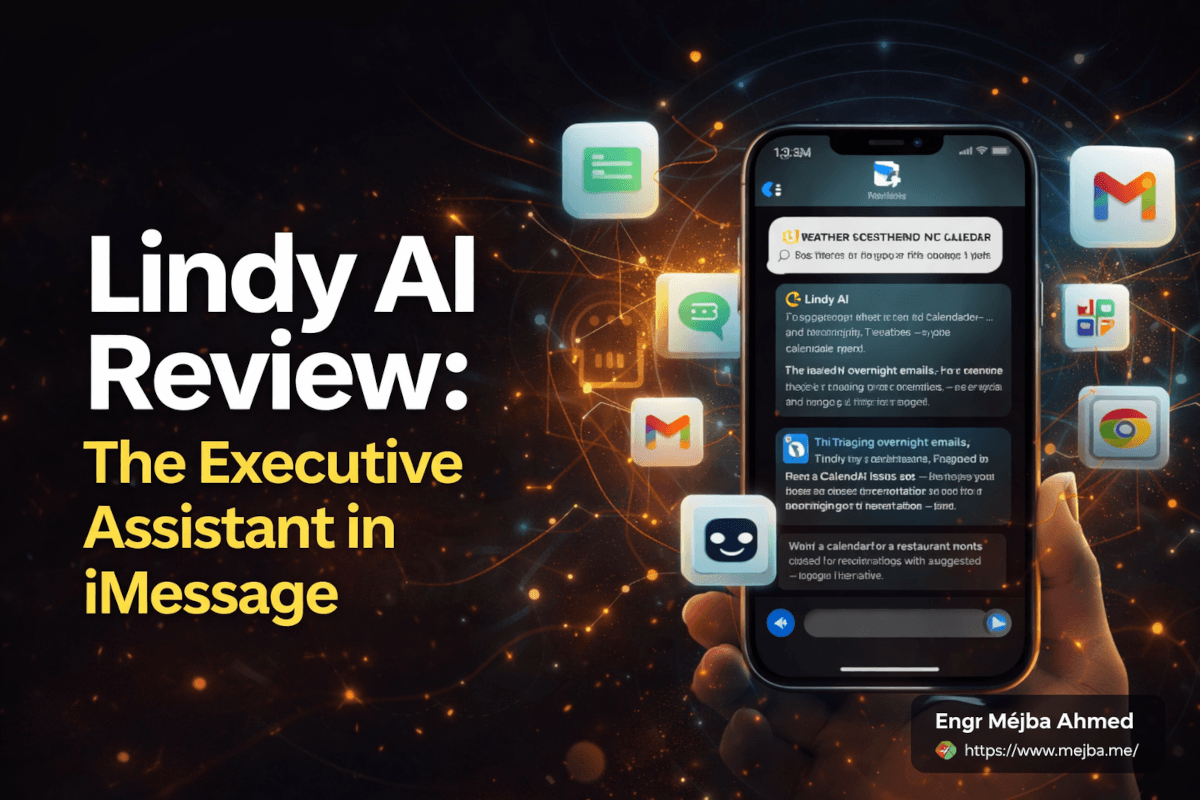
It was a text summary of my day. Three meetings. Two that needed prep notes (already drafted, link below). Sixty-three emails triaged overnight, forty-one archived, twelve replies already written and waiting for me to review. One calendar conflict flagged — a dinner reservation at a restaurant that had apparently closed for renovations. Alternative suggestion attached.
The text was lowercase. Casual. It ended with "lmk if you want me to push the 2pm to next week, your thursday afternoon is already loaded."
That was my first real interaction with Lindy AI. And I sat there in bed staring at it for a solid minute because it genuinely felt like a text from a human assistant who already knew my life better than I did.
I've been testing AI assistants for two years now. I've built agents from scratch with the Anthropic SDK. I run Claude Code in my terminal daily. I've reviewed every major autonomous agent platform that's hit the market. Most of them are built for people like me — developers who want control, customization, and the ability to break things and rebuild them.
Lindy is not built for people like me.
And that's exactly why I wanted to test it. Because after spending a solid two weeks using it as my actual executive assistant — not a toy, not a demo, but the real thing managing real emails, real meetings, and real commitments — I came away with an opinion I didn't expect to have.
There's a specific moment in the second week when Lindy caught something I would have completely missed. I'll get to that. But first, you need to understand why this product exists in a completely different category than every other AI agent I've tested.
Why Lindy AI Isn't Another Agent Platform
Let me get this out of the way early. Lindy AI is not a power tool. It's not a framework. It's not something you configure, extend, or build custom workflows on top of. If you're looking for the most flexible, most customizable, most technically impressive AI agent platform, this isn't it.
Lindy is an opinionated product that does a narrow set of things extremely well.
The founders describe it as an executive assistant that lives inside iMessage. That description sounds reductive until you actually use it. Because the real insight isn't that it uses iMessage as an interface — it's that the entire product is designed around the assumption that you're a busy professional who doesn't have time to learn how to use another tool.
Setup took me about two minutes. Phone number. Authorize Gmail, Google Calendar, Notion. Done. No workflows to build. No prompts to write. No custom skills to configure. The thing starts working immediately.
Compare that to what it takes to get a custom Claude agent running for email triage. I've built those. The initial version takes a day if you know what you're doing. Iterating on tone, handling edge cases, adding connectors — that's a week or more of work. And at the end of all that effort, you have a bespoke tool that only you can use and only you understand how to maintain.
Lindy gives you 90% of that same outcome in two minutes.
The founder Flo Crivello made a comparison that stuck with me. He described the AI agent market as splitting into two categories: the iPhone approach and the Android approach. Opinionated versus flexible. Polished versus powerful. Out-of-the-box versus build-your-own. Lindy is deliberately the iPhone. And after two weeks of using it, I finally understand who that design choice is actually for.
It's for the person I sometimes wish I could be. The person who just wants the thing to work.
The iMessage Interface Choice That Changes Everything
I was skeptical of the iMessage thing. It felt gimmicky. Like a marketing hook. Why would the interface matter that much?
Here's why it matters. I check iMessage roughly 400 times a day. I already have notification habits built around it. My muscle memory lives there. When Lindy sends me a message, I see it immediately — not because I chose to check some app, but because the message pops up in the exact same place my wife and my closest friends send me messages.
The psychological shift is bigger than I expected. When an AI assistant lives in a dedicated app, you have to go find it. That extra step — opening the app, waiting for it to load, finding the conversation — creates friction. And friction kills usage patterns.
When the AI lives in the place you're already looking, it disappears into your workflow.
I started getting proactive messages throughout the day without even thinking about it. "your 3pm with sarah got moved, want me to shuffle the rest of your afternoon?" I'd reply "yes" while walking to the kitchen. Done. No app opened. No context switch. No productivity theater.
The voice memo integration makes this even smoother. I can send a voice memo saying "remind me to email john about the invoice tomorrow morning and also check if we heard back from the design team on the new mockups" and it just handles it. No typing. No opening a notes app. No rewriting the reminder to make it parseable.
There's also a screenshot feature that turned out to be wildly useful. Screenshot a concert poster, send it to Lindy, and it creates a calendar event with the date, venue, and time pulled from the image. Screenshot a receipt and it files it in whatever expense tracking system you've connected. Screenshot an email thread and it creates a follow-up task with the relevant context.
This is the kind of workflow design that only happens when a team has really thought about how busy people actually live with their phones.
What Lindy Actually Does All Day
Let me walk through what Lindy was actually doing during my two-week test, because the abstract description undersells it.
The Morning Brief
Every morning at 7 AM, Lindy sends a briefing text. It looks like this: weather, calendar summary for the day, count of overnight emails and how they were triaged, meeting prep notes for any meetings that need them, flagged issues that need my attention, and any pending decisions from the previous day that I hadn't resolved.
The first time I got one of these, I thought it was a one-time template. By day three I realized it was dynamically generated based on what had actually happened overnight and what was coming up. By day five I was waking up and checking it before I checked anything else — including my actual inbox.
That was the moment I realized I was starting to trust it.
Email Triage That Isn't Garbage
I've tested probably a dozen email triage tools. Almost all of them are garbage. They either archive important emails by accident, send cringeworthy auto-replies that make you sound like a robot, or require so much configuration that you could have just handled the emails yourself in the time it takes to train them.
Lindy's email triage is the first one I've used that I actually trusted to operate unsupervised after about four days.
Here's how it worked. Lindy read every incoming email, categorized it (urgent, important, newsletter, noise, etc.), archived the noise, flagged the urgent stuff in the morning brief, and drafted replies for anything it could answer based on context it had already gathered from previous emails, calendar events, and connected notes.
The drafted replies were the surprising part. They actually sounded like me. Not perfectly — I could tell they were drafts — but close enough that I was editing 20% of the text and shipping the rest. The tone-matching is real, not marketing fluff. Lindy apparently trained heavily on casual, lowercase, humanlike responses because the default AI assistant voice is too formal and nobody wants to send emails that sound like a press release.
Here's the number that mattered to me. In week one, I spent about 45 minutes a day on email. In week two, that dropped to roughly 12 minutes. Most of those 12 minutes were reviewing and approving drafts Lindy had already written.
Meeting Prep That Made Me Look Prepared
Before every meeting, I got a prep note. It included who I was meeting with, what we'd talked about in previous interactions (pulled from email threads, past meeting notes, and CRM data), any relevant context from shared documents, and a suggested agenda if the meeting didn't already have one.
One meeting during my test was with a potential client I hadn't spoken to in about four months. I had completely forgotten the context of our last conversation. Lindy's prep note reminded me: we'd discussed a specific technical challenge with their Laravel application, I'd suggested a particular approach, and they'd said they needed to review budget with their team. The prep note literally said "good opening question: did you get board approval for the project scope we discussed in december?"
I asked that question verbatim. The client was visibly impressed that I remembered. I didn't. Lindy did.
That was the moment in week two I mentioned earlier. The one where I realized this tool was doing something I would have completely missed. And it wasn't a dramatic "AI changed my life" moment — it was the quiet kind of useful where you think "oh, that was genuinely helpful" and then keep moving.
Those are the moments that actually matter. The ones that compound over hundreds of interactions a week.
The Calendar Intelligence Nobody Talks About
Lindy handles calendar management the way you'd hope a human assistant would. It doesn't just schedule meetings. It notices things.
It noticed when I had three back-to-back calls with no buffer time and asked if I wanted to add 15-minute gaps. It noticed when a dinner reservation conflicted with a meeting that had been moved and suggested rebooking the dinner. It noticed when I'd scheduled a workout on the same day as a 6 AM flight and flagged that I was probably going to miss it.
The rescheduling is where this gets genuinely impressive. I asked Lindy to move a meeting once, and instead of just finding any open slot, it analyzed the other person's availability (from previous email exchanges), proposed three options, and told me which one was most likely to work based on their past scheduling patterns. When I confirmed, it sent the reschedule email in a tone that matched the relationship — formal for a client, casual for a colleague.
If you've ever manually rescheduled a week of meetings after a flight delay, you know how much cognitive load that offloads.
Where Lindy Actually Falls Short
I'm not going to pretend this is a flawless tool. It has real limitations, and some of them matter depending on what you actually need.
The first limitation is the power ceiling. Lindy is deliberately not flexible. You can't build custom workflows. You can't write your own prompts. You can't fine-tune its behavior beyond a basic settings panel. If you want an AI that does something specific and unusual — like monitoring API endpoints, or running custom research pipelines, or orchestrating multi-agent workflows — Lindy won't do it. You need a different tool for that. This is by design, and the tradeoff is real.
The second limitation is the integration depth. Lindy connects to 100+ tools, and the pricing page will tell you it supports thousands more through Pipedream. But depth matters more than count. The deep integrations (Gmail, Google Calendar, Notion, Slack) work beautifully. The shallow ones are inconsistent. I connected it to a custom CRM I use and the experience was noticeably worse than Gmail — more errors, less intelligence, more manual supervision needed.
The third limitation is the credits system. The $49/month plan comes with 5,000 task credits. That's enough for most people, most of the time. But complex automations burn through credits faster than you'd expect. A single meeting prep that involves reading five past email threads and summarizing a shared document might consume 15-20 credits. Multiply that across a busy week and you can hit the ceiling. I didn't during my two-week test, but I could see a heavy power user hitting it easily.
The fourth limitation is the one I care about most, and it's harder to quantify. Lindy sometimes gets confident about things it shouldn't be confident about. It drafted a reply once that confidently stated a project timeline I hadn't actually agreed to. I caught it before sending, but if I'd been more trusting — if I'd been auto-sending Lindy's drafts after a few successful weeks — that could have been a real problem.
Trust has to be earned gradually with tools like this. And even then, you can't fully check out of the review loop. At least not yet.
How Lindy Compares to the Power-User AI Tools
Since I spend most of my time in the power-user end of the AI tool spectrum, I want to draw a clear comparison. Because the question I kept getting when I mentioned I was testing Lindy was "how does it compare to Claude?"
The honest answer is that it doesn't compete with Claude. They're solving different problems.
Claude, particularly through Claude Code or the Agent SDK, is a platform. It's raw capability. You build what you want with it. If you want an email triage agent, you build one. If you want a research pipeline, you build one. The power is unlimited — but so is the setup time, the maintenance burden, and the technical knowledge required to make it useful.
Lindy is a product. It's a pre-built executive assistant with pre-built workflows and an opinionated interface. You don't build anything. You plug in your tools and it works.
If you're a developer comfortable writing Python or TypeScript, you can build a more powerful version of Lindy yourself in a week using the Anthropic SDK. I've done it. It's fun, it's educational, and the end result is more flexible. But there's a cost most developers underestimate: the ongoing maintenance. Every API change, every edge case, every tone adjustment becomes your problem. Your custom tool becomes a tiny side project you're now responsible for forever.
Lindy offloads that entire burden. You pay $49 a month and it's someone else's problem to keep it working. For busy professionals whose time is genuinely worth more than $49/month — which is basically anyone running a business — that tradeoff is obvious once you think about it clearly.
For a deeper look at the power-user end of this spectrum, see my breakdown of Claude Co vs building custom agents — the contrast makes Lindy's design choices much clearer.
The mental model I landed on is this. Lindy is for your operations. Claude is for your products. If you're building AI into your software, use Claude. If you're drowning in email and meetings and want something to take the operational load off your plate, use Lindy. The smart move for most people running businesses is probably both.
Who Lindy AI Is Actually For
After two weeks of heavy testing, here's my honest read on who should use this tool.
Solo operators running multiple things. The founder calls this the "chief everything officer" — you're the CEO, the salesperson, the customer support rep, and the person who orders office supplies. Your time is fractured across too many contexts. Lindy is essentially adding a half-time executive assistant to your life for $49 a month, and the ROI calculation is trivial if you're charging any meaningful hourly rate for your work.
Busy executives who already have a human assistant. This surprised me. The Lindy team apparently designed it to work alongside human assistants, not replace them. You can add your assistant to group chats with Lindy, and Lindy silently logs tasks and keeps context without interfering. For an executive who has a human handling complex interpersonal work, Lindy handles the repetitive operational work that a human assistant shouldn't have to do.
Consultants and freelancers with multiple clients. If you're juggling five clients, five inboxes worth of context, and five sets of ongoing projects, the cognitive load is brutal. Lindy maintains context across all of them in a way that makes you feel less scattered. This is probably the use case where I saw the biggest gains during my test.
Sales professionals dealing with lead response time. Fast response to new leads is a known conversion driver, and Lindy's proactive email drafting is well-suited for this. If you're the first person to respond to a hot lead, you often win the deal. Lindy makes that response automatic.
Who should probably skip it: developers who enjoy building their own tools, power users who need custom workflows, people whose work doesn't involve much email or scheduling, and anyone looking for deep technical automation rather than operational assistance. Lindy is not a tool for everyone, and the team is explicit about that.
The $49/Month Question
Let's talk pricing honestly, because this is where a lot of reviews get weirdly vague.
Lindy's entry plan is $49/month (technically $49.99) with 5,000 task credits. That's the plan I tested. For the vast majority of professional users, this is enough. The team says it covers more than 90% of users comfortably.
What does that translate to in real usage? During my two-week test, I used approximately 1,800 credits. I was actively testing the tool, pushing it on email triage, meeting prep, calendar management, and research tasks. If I'd been using it at a normal pace instead of aggressively testing, I'd have used maybe 1,200-1,500 credits for two weeks. So roughly 2,500-3,000 credits per month for a typical busy user.
That leaves plenty of headroom for the $49 plan. Heavy power users who are doing continuous research tasks or running the thing like an always-on agent can hit the ceiling and need an upgrade. But those are edge cases, not the norm.
The real question isn't "is $49 a month expensive." The real question is "what's your hourly rate, and how many hours does this save you per week?" If Lindy saves you even two hours a week and your time is worth more than $6/hour, the math is trivial. For most professionals reading this, we're talking about a tool that pays for itself in the first morning of the first week.
I'll say this too — I expected to cancel my Lindy subscription at the end of my test period. That was my default assumption going in. "Test it, write the review, move on." I did not cancel. It's still running as I type this.
That's probably the most honest signal I can give you about whether this tool is worth it.
Lindy AI Executive Assistant: Common Questions
What is Lindy AI and how does it work?
Lindy AI is an AI-powered executive assistant that lives inside iMessage and connects to your email, calendar, Slack, Notion, CRM, and 100+ other tools. It proactively manages email triage, meeting prep, calendar scheduling, and follow-up tasks without requiring you to prompt it each time. Setup takes about two minutes via a phone number and Google authentication.
How much does Lindy AI cost in 2026?
Lindy's main plan starts at $49.99/month with 5,000 task credits, which covers more than 90% of typical users. Heavy power users running continuous automations may need an upgraded plan. Annual billing offers roughly a 17% discount.
Is Lindy AI better than Claude or ChatGPT for executive assistant tasks?
For out-of-the-box executive assistant work, Lindy is significantly faster to set up and more opinionated in a helpful way. Claude and ChatGPT are more powerful as general-purpose platforms but require you to build workflows yourself. The right choice depends on whether you want a ready-made product or a build-your-own toolkit.
Can Lindy AI work alongside a human executive assistant?
Yes. Lindy is explicitly designed to collaborate with human assistants through shared iMessage group chats. It silently logs tasks, maintains context, and handles repetitive operational work, freeing human assistants to focus on complex interpersonal work that AI still doesn't do well.
What are the main limitations of Lindy AI?
Lindy is deliberately not flexible. You can't build custom workflows, write your own prompts, or fine-tune agent behavior beyond basic settings. Deep integrations (Gmail, Calendar, Notion, Slack) work well, but shallower integrations are less reliable. It can occasionally draft overly confident replies, so human review of outgoing messages is still important.
The Text Message That Changed My Mind
Remember that 7:14 AM text I opened with? The one that felt like it came from a human assistant who already knew my life?
Here's what I think was actually happening in that moment. I wasn't impressed because the AI was smart. I've seen smarter AI. I was impressed because the AI was showing up in the place I was already looking, at the time I was already paying attention, with exactly the information I needed, in a tone that didn't feel like talking to a robot.
That's not a technological breakthrough. That's a product design breakthrough.
The AI industry has spent two years racing to build more powerful models, more flexible agents, more configurable tools. That race matters, and it's where most of my attention still lives. But Lindy reminded me that there's a parallel race happening that's easy to miss if you're deep in the power-user world — the race to make AI actually usable for people who don't want to build their own tools.
If you're reading this and you're drowning in email, calendar chaos, and the constant low-grade stress of feeling like you're missing something important, the question isn't whether Lindy is the most powerful AI tool on the market. The question is whether it removes enough friction from your daily operations to be worth $49 a month.
For me, the answer surprised me. Try it for two weeks with real work. Not a test project — your actual inbox, your actual calendar, your actual life. Then see if you cancel.
I didn't.
Whether Lindy Belongs in Your Pocket
Two weeks with Lindy AI as an executive assistant inside iMessage showed a real tool with a narrow sweet spot — great for lightweight scheduling and triage, less so for anything that needs deep context. Who it's for is the whole question, and the answer is "people who live in messages."
Try it on one recurring assistant task before you rely on it. My OpenClaw personal assistant build shows the DIY alternative.
If you want a custom assistant built for your workflow, that's something I do through Ramlit.