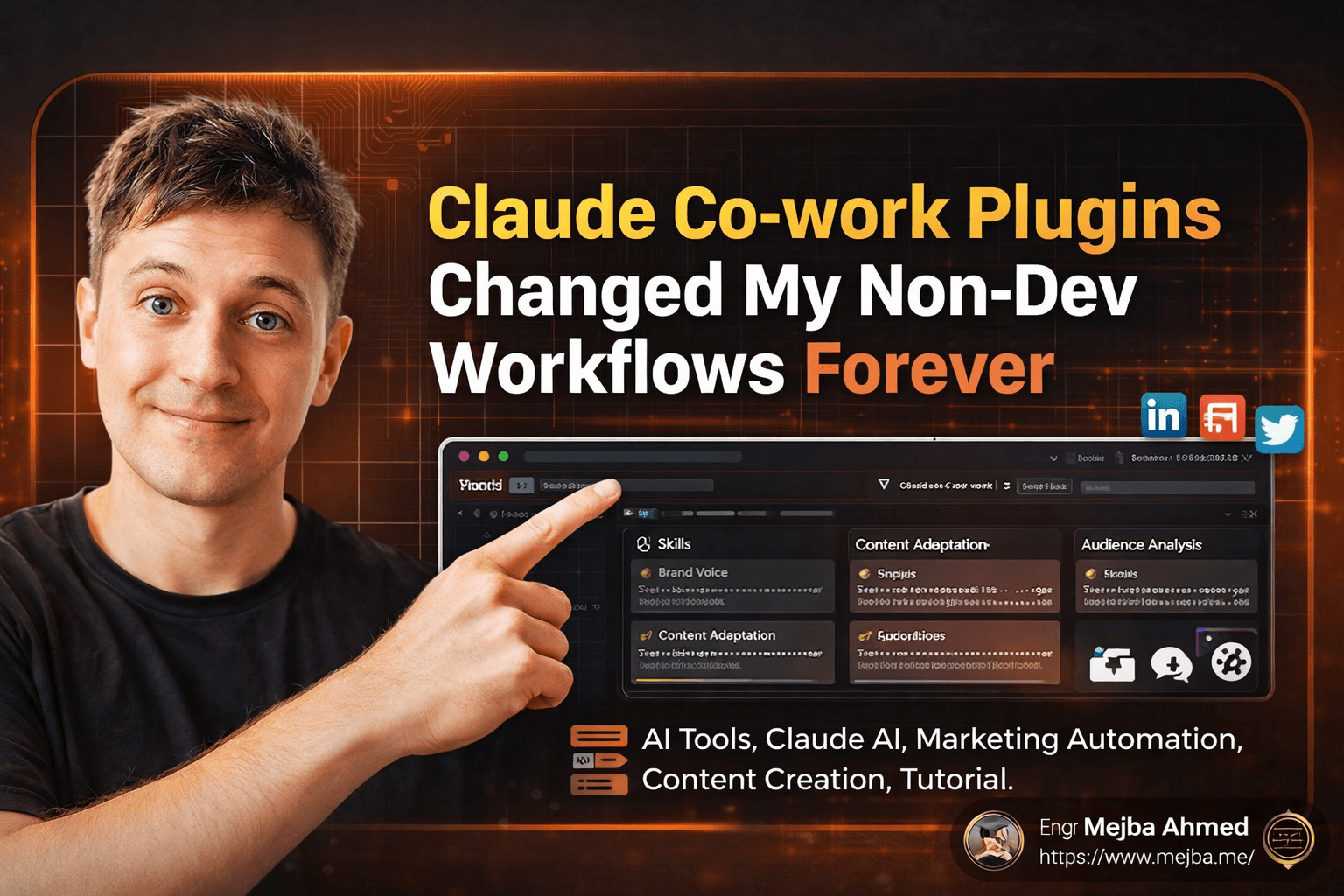
Hidden Claude Features: The Five You're Missing
I watched a colleague spend forty-five minutes copying the same context into Claude for the third time that week. Same role description. Same project background. Same formatting preferences. Every single conversation started from zero, like talking to someone with permanent amnesia.
That's when it hit me — most people use Claude the way they'd use a pocket calculator to do a spreadsheet's job. They type a question, get an answer, close the tab, and repeat tomorrow with the exact same setup ritual. I know because I did it too. For months.
Here's what bothers me about that: Claude was built to be a coding and reasoning powerhouse. The architecture behind it, the way Anthropic designed the model family — Haiku, Sonnet, Opus — none of it was optimized for writing your Tuesday status email. That works, sure. But it's like buying a Tesla and only using it to charge your phone in the garage.
I've spent hundreds of hours pushing Claude to its edges across my own projects — building AI agents, automating content pipelines, deploying production systems. And somewhere along the way, I stumbled into five features that most users either don't know about or actively ignore. The fifth one, specifically, broke my entire workflow open in a way I wasn't expecting.
But we'll get there. First, let me show you the one that saves roughly a full workday every month.
The Feature That Bought Me Back 24 Hours a Month
There's a specific kind of frustration that builds slowly. You don't notice it at first. You open Claude, you type "I'm a software engineer working on AI automation, I prefer concise responses, use code examples when possible, and don't give me fluffy introductions." You get a great response. Then you close the tab.
Next day, same thing. Same preamble. Same preferences. Same context dump.
I did the math once. Between explaining my role, my tech stack preferences, my communication style, and the project context — I was burning roughly eight to twelve minutes per session just on setup. Across a busy month with multiple daily sessions, that adds up to over a full day of work. Just telling Claude who I am.
The fix is embarrassingly simple, and I genuinely felt annoyed at myself for not finding it sooner.
Claude has a persistent memory system buried in Settings > General. You can define your name, your professional role, your work context, and your response preferences — and Claude remembers all of it across every single conversation. No more copying. No more explaining. You open a new chat and Claude already knows you're a senior engineer who wants code-first answers without the hand-holding.
Here's what my memory setup looks like:
- Name: Mejba (sometimes goes by Engr Mejba Ahmed)
- Role: Software Engineer, AI Developer, Cybersecurity Specialist
- Experience: Years of building production AI systems, Laravel apps, cloud infrastructure on AWS
- Style preferences: Practical, code-heavy, no filler, skip the disclaimers, assume I know the basics
That took me three minutes to set up. It's saved me hundreds of minutes since.
The difference in output quality is noticeable too. When Claude knows you're an experienced developer, it stops over-explaining for loops and starts giving you the actual nuanced answer. The responses feel like they're coming from a colleague who's worked with you for months — not a stranger you just met at a conference.
One thing most people miss: you can update this memory anytime. Working on a new project? Add it. Changed your focus from backend to AI automation? Update the context. The memory evolves with you, which means Claude evolves with you.
But persistent memory only solves half the problem. What about the documents, the data, the project-specific knowledge that changes week to week? That's where things get genuinely interesting.
Why I Stopped Uploading the Same PDFs Every Monday
Picture this scenario. You're working on a quarterly report. You've got sales data in a CSV, strategy notes in a PDF, last quarter's performance review in another document, and some competitor analysis your team shared. Every time you want Claude to help with analysis, you're hunting for files, uploading them, waiting for processing, and hoping Claude connects the dots between documents that have no obvious link to each other.
I did this for an embarrassing amount of time before discovering Project Hubs.
A Project Hub is basically Claude's version of a persistent workspace. You create one, give it a name, upload your documents once, set custom instructions, and then every conversation you start inside that hub has full access to everything. The documents stay. The context stays. New data gets added as it arrives. The hub grows with your project.
I set one up for a client project last month — AI content automation pipeline. Uploaded the system architecture doc, the API specs, three weeks of performance logs, and the brand guidelines. Then I added a custom instruction: "You are assisting with an AI content pipeline. Prioritize practical implementation advice. Reference the uploaded architecture doc when discussing system design decisions."
The difference was night and day.
Instead of Claude giving me generic answers about "content automation best practices," it started referencing specific endpoints from my API spec. It flagged a bottleneck in my pipeline that I'd missed because it had cross-referenced the architecture doc with the performance logs. No human asked it to do that — the hub context made it automatic.
Here's the part that surprised me most: you can share these hubs with your team on paid plans. Everyone on the project sees the same documents, follows the same custom instructions, and gets consistent answers. No more "Claude told me something different than what it told you" situations.
Think of it this way. Without Project Hubs, Claude is a brilliant consultant you hire fresh every morning — they're smart but know nothing about your business. With Project Hubs, Claude becomes a team member who's been sitting in every meeting, reading every document, and building context for weeks.
That's a fundamentally different tool. And most people never set one up.
The real power of Project Hubs shows up when you combine them with Claude's most underused capability — and I'm not talking about writing emails.
I Built a Dashboard in Six Minutes That Would've Taken Three Hours in Excel
Here's a confession that might sound strange coming from someone who works with AI daily: for the first few months of using Claude, I mostly used it for text. Drafting emails. Summarizing documents. Brainstorming blog outlines. Useful stuff, but — and I genuinely mean this — I was taking a Ferrari on a grocery run.
The moment I started treating Claude as a coding and automation tool instead of a writing assistant, everything changed.
Let me give you a concrete example. I had a CSV with three months of revenue data — broken down by region, product category, and profit margins. In the old workflow, I'd open Excel, spend twenty minutes cleaning the data, another thirty building pivot tables, then switch to Tableau or Google Sheets charts for visualization. Minimum three hours before I had something presentable.
With Claude, I pasted the CSV and typed: "Build me an interactive dashboard visualizing revenue by region, product categories, and profit trends. Make it filterable."
Six minutes later, I had a fully functional interactive dashboard. Filters worked. Charts were labeled. The profit trend line actually caught a seasonal dip I'd been manually tracking in a separate spreadsheet.
Six minutes versus three hours. That's not an incremental improvement — it's a category shift.
And this extends way beyond dashboards. I've used Claude to:
- Generate complete API endpoint scaffolds with error handling, validation, and tests
- Build data processing scripts that would've taken me half a day to write from scratch
- Create automation workflows that connect different parts of my infrastructure
- Debug production issues by feeding it logs and letting it trace the root cause
The key insight that took me too long to learn: not every task needs the same Claude model.
| Model | What It's Best At | When I Use It |
|---|---|---|
| Haiku | Quick answers, simple formatting, routine tasks | Everyday questions, quick lookups, email drafts |
| Sonnet | Balanced reasoning, solid code generation, analysis | Most professional work, code reviews, document analysis |
| Opus | Deep reasoning, complex multi-step coding, nuanced analysis | Architecture decisions, complex debugging, research synthesis |
Using Opus for a simple email draft burns tokens for no reason. Using Haiku for a complex system design gives you shallow output. Matching the model to the task is like choosing the right tool from a toolbox — a wrench works, but you don't use it to hammer nails.
I'll be honest: I wasted a lot of tokens before I figured this out. There's no shame in using Haiku for 60% of your daily work and saving Opus for the moments that actually need deep reasoning.
Speaking of deep reasoning — there's a specific feature most people either skip entirely or misunderstand, and it's the difference between getting a good answer and getting the right answer.
The 17-Second Difference Between a Summary and an Insight
Speed is seductive. When you ask Claude a question and get a response in three seconds, it feels efficient. Productive. Like you're moving fast.
But here's what I've learned the hard way, especially when dealing with complex documents: the fast answer and the correct answer are often two different things.
I tested this with a forty-seven-page McKinsey report on digital transformation. Not a simple document — dense methodology, interconnected frameworks, data tables referencing earlier sections. The kind of thing where surface-level reading misses the actual story the data is telling.
Normal mode response: Three seconds. Five bullet points. Clean summary. Hit the obvious talking points — digital maturity correlates with revenue growth, organizations need change management, technology alone isn't sufficient. Accurate, but nothing I couldn't have gotten from reading the executive summary myself.
Extended Thinking mode response: About twenty seconds. But the output was structurally different. Claude didn't just summarize — it connected ideas across sections. It noticed that the report's methodology for measuring digital maturity actually contradicted one of its own later recommendations. It identified a gap between the data tables and the narrative conclusions. It structured the analysis into layers: what the report says, what the data actually shows, and where the two diverge.
That twenty-second investment gave me an analysis that would have taken me over an hour of careful reading to produce myself.
Here's what's happening under the hood: Extended Thinking activates chain-of-thought reasoning. Instead of pattern-matching to generate a quick response, Claude works through the problem step by step — the same way you'd analyze a complex document if you actually sat down and read every page. It considers, reconsiders, cross-references, and builds a structured argument before giving you the answer.
The difference matters most in three scenarios I keep running into:
Complex document analysis. Any report over twenty pages with interconnected data. Extended Thinking catches relationships between sections that normal mode misses entirely.
Multi-step technical problems. When I'm debugging a system where the root cause is three layers deep — a configuration error triggering a caching issue that manifests as a timeout in a completely different service. Normal mode gives me the obvious guess. Extended Thinking traces the actual chain.
Strategic decision-making. When I need to evaluate trade-offs between three different architecture approaches, each with their own costs, risks, and long-term implications. The fast answer picks the most popular option. Extended Thinking actually weighs the trade-offs against my specific constraints.
My rule now is simple: if the question is worth asking, it's worth waiting seventeen extra seconds for the real answer. For quick factual lookups? Haiku, fast mode, done. For anything where being wrong costs me time or money? Extended Thinking, every single time.
And honestly, this feature alone would be worth the price of a Claude subscription. But there's one more feature that changed my workflow more than the other four combined — and it solves a problem I didn't even realize I had.
The Day Claude Stopped Being Trapped in a Box
Every AI tool I've used has the same fundamental limitation: it lives in isolation. Claude can't see your Google Drive. It can't read your Notion workspace. It can't check your Slack messages. It exists in a clean room — brilliant but blind to your actual work environment.
So you become the bridge. Download a file from Drive. Upload it to Claude. Copy the response. Paste it into Notion. Download the next file. Upload again. You're essentially acting as a human USB cable between your AI and your data.
Model Context Protocol — MCP — kills that entire workflow.
MCP is a protocol that Anthropic developed (and other AI platforms like ChatGPT and Gemini later adopted) that lets Claude connect directly to your external tools and data sources. Think of it as a universal adapter — like USB-C for AI. One protocol, hundreds of connections.
The first time I connected my Google Drive to Claude through MCP, I sat there for a minute just... processing what had happened. I typed a question about a project spec that was buried somewhere in my 200+ GB of Drive storage. Claude found the file, read it, and gave me an answer — without me downloading, uploading, or even knowing the exact file name.
That's not a productivity improvement. That's a different category of tool entirely.
Here are the integrations I use regularly:
Google Drive. Direct access to documents, spreadsheets, and PDFs without manual uploading. I ask Claude to "find the API documentation I wrote last month for the content pipeline" and it searches, locates, and reads the relevant file.
Notion. Claude reads my project databases, pulls context from wiki pages, and can reference meeting notes I haven't looked at in weeks. When I ask "what did we decide about the authentication approach for Project X," it checks my Notion workspace instead of making me dig through pages.
Slack. This one's more situational, but being able to ask Claude "what was the consensus in the #engineering channel about the deployment schedule" saves me from scrolling through hundreds of messages.
The setup process isn't complicated, but it's not exactly one-click either. You configure connectors in Claude's settings — each integration has its own authentication flow, and some require API keys or OAuth permissions. Took me about fifteen minutes to get Drive and Notion connected. Worth every second.
Here's what MCP really changes at a fundamental level: Claude stops being a tool you visit and starts being a layer across your entire workspace. Your documents, your databases, your team communication — Claude can access all of it when it needs context to give you a better answer.
I used to spend roughly twenty minutes per day just on the file-shuffle dance — downloading, uploading, formatting, re-uploading. Five days a week, that's over an hour and a half of pure friction. MCP eliminated almost all of it.
And the answers got better, because Claude wasn't working with whatever fragment I happened to upload. It had access to the full picture.
But I want to be honest about the limitations too, because most people writing about MCP skip this part entirely.
What Nobody Tells You About These Features
I'm going to break pattern here and tell you the things I wish someone had told me before I restructured my entire workflow around Claude.
Persistent memory isn't perfect. Claude sometimes "forgets" preferences in long conversations, especially when Extended Thinking is active. I've had sessions where my formatting preferences got ignored midway through because the model was allocating cognitive resources to the reasoning chain instead. The fix is to keep your memory instructions concise — bullet points, not paragraphs. Give Claude the essential context, not your autobiography.
Project Hubs have a document limit. You can't upload your entire company's document library and expect Claude to index it like a search engine. There's a practical ceiling on how much context a hub can hold and still produce accurate references. I learned this when I uploaded thirty-plus documents to a single hub and Claude started confusing details between files. Now I keep hubs focused — one project, one hub, relevant documents only.
Extended Thinking isn't always better. For simple factual questions, it can actually produce worse results because it overthinks straightforward answers. I've seen it generate five paragraphs of chain-of-thought reasoning for a question that needed a one-word response. Use it selectively.
MCP integrations can be flaky. Google Drive connectivity drops occasionally. Notion syncing lags behind real-time changes. Slack integration sometimes pulls messages out of chronological order. These aren't dealbreakers, but they're real friction points that the marketing materials don't mention.
Token costs add up fast. Opus with Extended Thinking on a large Project Hub full of documents burns through tokens at a rate that will surprise you. I monitor my usage weekly now. The smart play is to use Haiku for quick tasks, Sonnet for daily work, and only activate Opus + Extended Thinking for the sessions that genuinely need it.
None of these issues made me stop using the features. They just made me smarter about how I deploy them. And that distinction matters — being strategic about AI tool usage is itself a skill most people never develop.
What Changed After Ninety Days of Actually Using This Stuff
I didn't just test these features for a weekend and write about them. I've been running this setup for over three months now, and the numbers tell a clear story.
Time saved on context setup: ~45 minutes per week (persistent memory). That's roughly 30 hours over the ninety-day period. Not dramatic daily, but compounding weekly.
Document re-upload time eliminated: ~20 minutes per day (MCP + Project Hubs). Over ninety days, that's nearly 30 hours of pure file-management friction gone.
Dashboard and automation build time: Average reduction from 2-3 hours to 15-30 minutes per project. Across eight automation projects in that period, I estimate I saved 15+ hours.
Analysis quality improvement: Harder to quantify, but Extended Thinking caught three significant issues in client deliverables that I would have missed with normal-mode analysis. One of those was a data inconsistency in a proposal that could have cost us a contract. The value of that single catch justifies months of subscription costs.
Here's the metric that surprised me most: my average session length with Claude went down. Not up — down. Because I stopped wasting time on setup, file management, and re-explaining context, my actual question-to-answer cycle got shorter. I'm spending less time in Claude but getting more value out of it.
The quick wins come from persistent memory and model selection — you can set those up in under five minutes and see immediate benefits. The long-term compounding value comes from Project Hubs and MCP, which take more setup but fundamentally change how you interact with the tool.
If you're measuring ROI (and you should be), start tracking two things: how many minutes you spend per session on setup and context, and how often you're manually moving files between your storage and Claude. Those two numbers are your baseline. Anything these features shave off that baseline is pure recovered productivity.
The Real Question Nobody's Asking
Most articles about Claude features end with "go try these features." I'm going to push further.
What I described here — memory, project hubs, coding automation, extended thinking, MCP — these are individual tools. Powerful on their own, yes. But the real unlock isn't using them one at a time. It's combining them into a system.
Persistent memory defines who you are. Project Hubs hold what you're working on. MCP connects where your data lives. Extended Thinking determines how deeply Claude analyzes. And model selection controls the cost-performance ratio of every interaction.
When all five work together, Claude stops being an AI chatbot you visit. It becomes an operating layer across your professional life — a system that knows you, understands your projects, accesses your data, and reasons deeply when the situation demands it.
I've taken this a step further. I build specialized AI agents — Claude skills with defined roles and responsibilities — that handle specific types of work without me explaining anything from scratch. Content analysis agent. Code review agent. Security audit agent. Each one inherits the memory, connects through MCP, uses the right model, and operates within a dedicated Project Hub.
That's where things get genuinely exciting. Not just using Claude better — but building a team of specialized AI workers that operate on your behalf.
You've got the five foundations now. The question is: will you actually set them up this week, or will you go back to copying the same context into a new chat window tomorrow morning?
Your answer to that question is the only thing separating the 99% from the top 1% of Claude users. And honestly? The setup takes less time than you just spent reading this article.
Turning Features Into Habits
These hidden Claude features stick when you use each once on real work this week — capability you've tried once becomes capability you reach for automatically. My the Co-work test and 32 power hacks go deeper.
If you want your Claude usage leveled up, that's work I take on through Ramlit.