
Your queued Laravel job calls the Claude Messages API with a large max_tokens, and either the worker dies halfway through the request or the same job runs twice and you pay for two generations. After reading this you will be able to set the HTTP client timeout, the job timeout and the connection's retry_after in the right order, isolate long Claude jobs on their own connection, and decide when to stop raising timeouts and switch to streaming or Message Batches.
Why your queue worker kills or duplicates long Claude calls
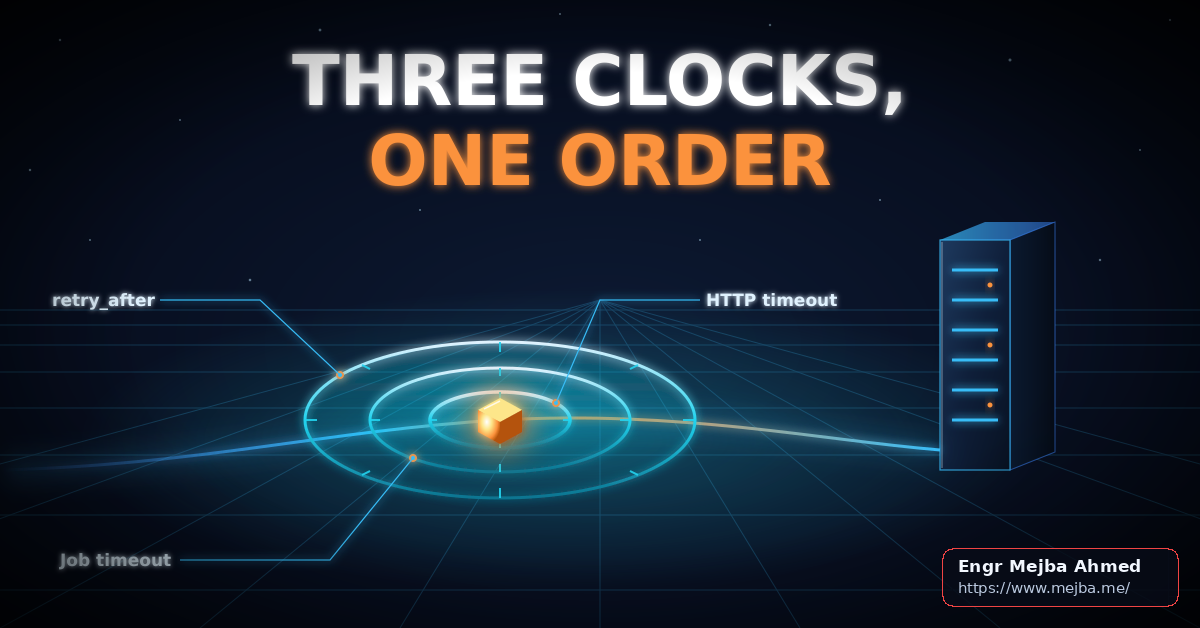
Three independent clocks run while a queued job waits for Claude, and each has its own default.
- The HTTP client wait. Laravel's HTTP client times out after 30 seconds by default and throws
Illuminate\Http\Client\ConnectionExceptionwhen that limit is exceeded. Connecting has a separate limit, 10 seconds by default (Laravel HTTP client docs). - The job timeout. The default is 60 seconds. If a job processes longer than that, "the worker processing the job will exit with an error," and a process manager typically restarts it (Laravel queue docs).
- The connection's
retry_after. This is set per queue connection. The documented Redis example reads it fromREDIS_QUEUE_RETRY_AFTERwith a fallback of 90 seconds (Laravel queue docs).
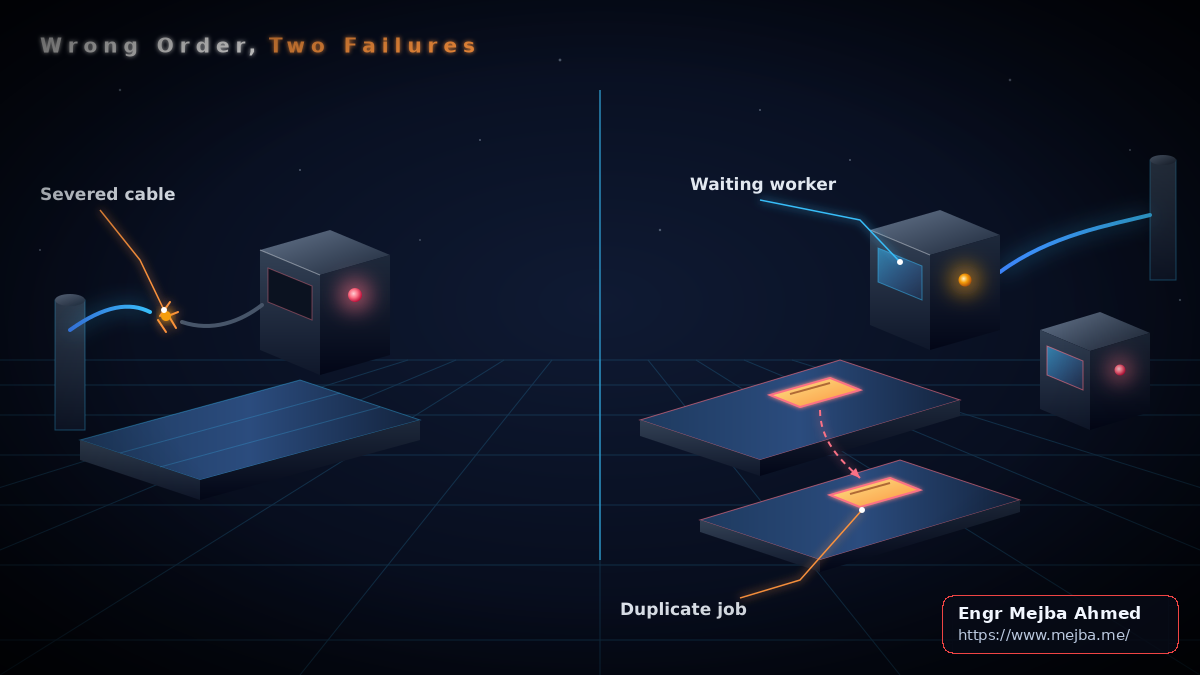
Here is how the wrong order turns into each symptom when a Claude response takes several minutes to generate:
| What you changed | What happens |
|---|---|
| Nothing (30 / 60 / 90) | The HTTP call throws ConnectionException at 30 seconds. |
| Raised HTTP timeout to 300, job still 60 | The worker exits at 60 seconds, mid-request. |
Raised HTTP and job timeout to 300, retry_after still 90 |
At 90 seconds the job becomes available again and a second worker can pick it up while the first is still waiting on Claude. |
A timed-out job also costs something: by default it "consumes one attempt and is released back to the queue (if retries are allowed)" (Laravel queue docs). If it keeps timing out until it exceeds its maximum attempts, it is marked as failed.
The tradeoff to notice is that raising one value alone only moves the failure to the next clock. Generation time grows with output length, so a bigger max_tokens puts pressure on all three at once. For background, see Tokens, Context Windows, and Why Long Prompts Cost More.
The three timeouts and the order they must follow
Laravel states the core rule directly: "a job's 'timeout' value should always be less than its 'retry after' value. Otherwise, the job may be re-attempted before it has actually finished executing or timed out" (Laravel queue docs). That sentence is the whole explanation for duplicate Claude jobs.
The job timeout alone does not protect you from a hung connection either. The same page warns that "IO blocking processes such as sockets or outgoing HTTP connections may not respect your specified timeout," and tells you to set a timeout through the library's own API, naming Guzzle specifically. For Laravel's HTTP client that means connectTimeout() and timeout() on every Claude request.
A few mechanics decide which job timeout actually applies:
- A
#[Timeout(...)]attribute on the job class takes precedence over the worker's--timeoutoption. - The PCNTL PHP extension must be installed for job timeouts to work at all.
--timeouthas no effect whenqueue:workruns with--once.
And one mechanic decides which retry_after applies: it lives on the connection, so every queue on that connection inherits the same value.
Design recommendation (not a documented formula): keep this inequality true, with headroom at every step.
HTTP attempts x (connectTimeout + timeout) + retry sleeps
  < job Timeout
  < retry_after of the job's connection
Because retry_after is shared by all queues on a connection, do not raise it on your existing redis connection. Define a dedicated connection for long Claude jobs instead. The values below are placeholders chosen to satisfy the inequality, not benchmarks:
// config/queue.php, inside 'connections'
'redis-claude' => [
    'driver' => 'redis',
    'connection' => env('REDIS_QUEUE_CONNECTION', 'default'),
    'queue' => 'claude',
    'retry_after' => env('REDIS_CLAUDE_RETRY_AFTER', 600),
    'block_for' => null,
    'after_commit' => false,
],
The shared redis connection keeps its own retry_after untouched. Start a separate worker for the new connection:
php artisan queue:work redis-claude --queue=claude
If your Redis queue connection uses a Redis Cluster, Laravel requires queue names to contain a key hash tag so all keys for a queue land in the same hash slot, so use a name like {claude} there (Laravel queue docs).
The tradeoff: a high retry_after also delays recovery when a worker genuinely crashes, because the job stays reserved until that window passes. Putting the long window only on redis-claude confines that delay to Claude jobs, while short jobs on redis keep recovering quickly.
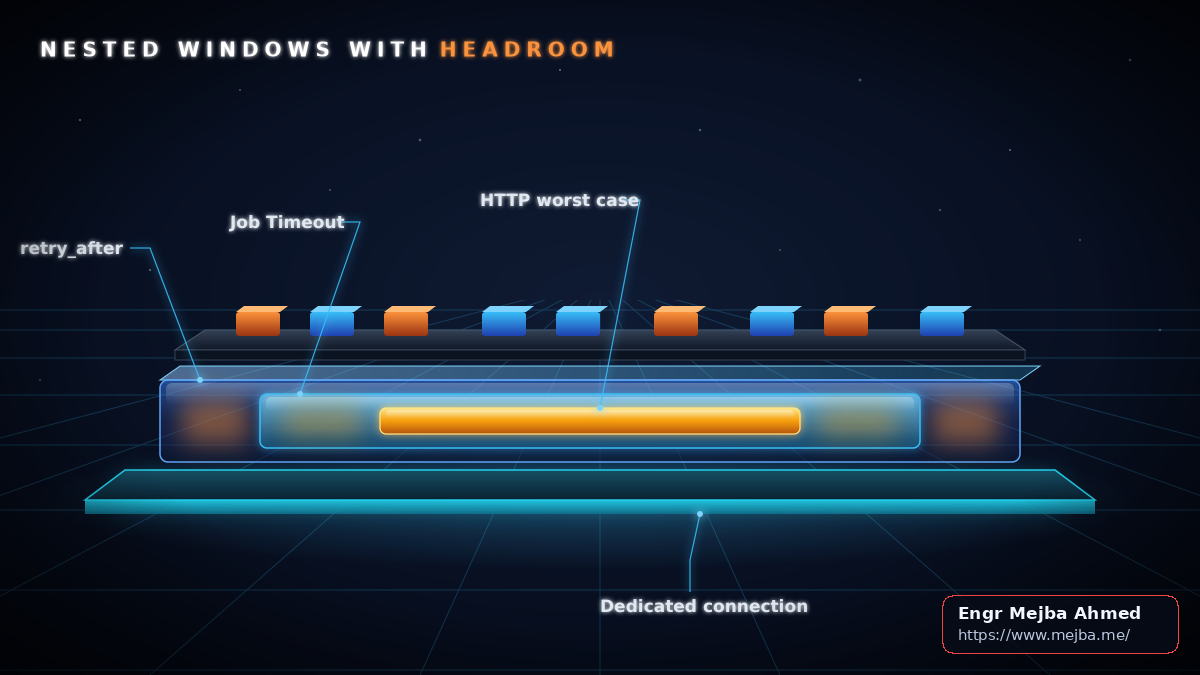
A Claude job with aligned timeouts
The job below sends itself to the dedicated connection and queue from its constructor, using the documented onConnection and onQueue methods. As an alternative, Laravel documents Queue::route, called from a service provider's boot method, to set a default connection and queue for specific job classes. Endpoint URL, headers, model and max_tokens all come from server-side config, so nothing is hardcoded.
#[Timeout(540)]
#[FailOnTimeout]
class GenerateClaudeReport implements ShouldQueue
{
    use Queueable;

    public function __construct(public string $prompt)
    {
        $this->onConnection('redis-claude');
        $this->onQueue('claude');
    }

    public function handle(): void
    {
        // Worst case: 2 attempts x (5s connect + 240s response) + 2s sleep = 492s
        // 492s < Timeout(540) < redis-claude retry_after (600)
        $response = Http::withHeaders(config('services.anthropic.headers'))
            ->connectTimeout(5)
            ->timeout(240)
            ->retry(2, 2000)
            ->post(config('services.anthropic.messages_url'), [
                'model' => config('services.anthropic.model'),
                'max_tokens' => config('services.anthropic.max_tokens'),
                'messages' => [['role' => 'user', 'content' => $this->prompt]],
            ]);

        // Persist $response->json() here.
    }
}
How each number maps to the documentation:
connectTimeout(5)andtimeout(240)replace the 10-second and 30-second HTTP client defaults.retry(2, 2000)means the request is attempted at most twice, with 2,000 milliseconds between attempts.retrytakes the maximum number of attempts and a wait in milliseconds (Laravel HTTP client docs). Every extra attempt adds a full connect and response window to the job's runtime, which is why the comment counts it.#[Timeout(540)]overrides whatever--timeoutthe worker was started with.#[FailOnTimeout]marks the job as failed when it times out, and it "will not be retried, regardless of the value set for tries" (Laravel queue docs).
Why FailOnTimeout fits here (recommendation): a non-streaming call that runs out the job's clock produced nothing you can keep, and re-running it pays for the whole generation again. Failing fast puts the job in your failed-jobs handling, where you can decide to shorten the prompt, lower max_tokens or move it to a batch.
HTTP retries versus queue-level tries
The two retry layers behave differently.
- HTTP retries inside the job stay within one job attempt and one time budget. They suit brief failures where a second request is likely to succeed quickly. The cost is that they eat into the job timeout, so the worst case must be counted.
- Queue-level retries restart the whole job. Each timeout consumes an attempt, and a retried attempt starts the generation from zero. They suit failures where waiting longer between tries helps.
For long generations, a small HTTP retry count plus FailOnTimeout keeps the worst case predictable. A failure case worth guarding against: someone bumps timeout(240) to timeout(400) without touching anything else, and the worst case becomes 812 seconds. The job now hits its own timeout first, but if someone also raises Timeout past 600, duplicates return. Keep the arithmetic in a comment next to the call, as above, so the next edit has to confront it.
Rate-limit and overload responses are a separate failure mode with their own retry rules. For background, see API Rate Limits, RPM, and TPM Explained.
When to stop raising timeouts: streaming or Message Batches
Aligned timeouts fix the ordering, but Anthropic's guidance says long non-streaming requests are the wrong tool past a point. The errors page advises: "Avoid setting a large max_tokens value without using the streaming Messages API or Message Batches API," because "some networks might drop idle connections after a variable period of time, which can cause the request to fail or time out without receiving a response" (Claude API errors). It recommends considering streaming or batches for long-running requests, especially those over 10 minutes, and notes that the Claude SDK validates that non-streaming Messages requests are not expected to exceed a 10-minute timeout.
The streaming guide adds that for requests with large max_tokens values, "the SDK requires streaming to avoid HTTP timeouts," and that the PHP SDK provides streaming through createStream() (Claude streaming docs). The SDK can also consume the stream internally and hand back the complete Message object, so streaming does not force you to process events as they arrive. Treat the 10-minute SDK check as a signal to switch approaches rather than as a guaranteed server limit for raw HTTP calls.
The Message Batches API takes a different route: requests are processed asynchronously, you poll for status and retrieve results when processing has ended, and most batches finish in less than an hour while costing 50 percent less (Claude batch processing docs). No connection has to stay open.
Decision guide (design recommendation):
- Output comfortably fits inside your HTTP timeout: keep the aligned non-streaming job above.
- A user is waiting on a long output: stream it.
- Nobody is waiting: dispatch a short job that submits a batch, and a scheduled job that polls for results.
The tradeoff with streaming inside a queued job is that the job still runs for as long as the generation does. The inequality does not go away: the job Timeout must still sit below the retry_after of the connection it runs on. For a comparison of client patterns, see OpenAI SDK vs Anthropic SDK: API Patterns Compared.
FAQ
Why does my Claude job run twice?
The job ran longer than the retry_after of its connection, so it became available again while the first worker was still busy. Laravel's rule is that the job timeout must be less than retry_after.
Does Http::timeout() stop the worker from killing my job?
No. It limits how long the HTTP client waits. The worker exits when the job timeout is exceeded, so the HTTP worst case, including retries, must be smaller than the job Timeout.
Can I just raise retry_after on my existing redis connection?
You can, but every queue on that connection inherits it, which slows recovery of crashed short jobs too. A dedicated connection such as redis-claude keeps the long window where it belongs.
Do I need PCNTL?
Yes. Laravel requires the PCNTL extension for job timeouts. Without it, the Timeout attribute will not stop a runaway job.
When should I use Message Batches instead? When nobody needs the answer immediately. Batches are processed asynchronously and you poll for results, so no long-lived connection is involved.
Check your three timeout values before the next deploy
- Search your Claude jobs for
Http::calls and recordconnectTimeout,timeoutandretryvalues. - Read each job's
#[Timeout]attribute and the--timeoutyour workers start with; the attribute wins. - Confirm Claude jobs dispatch to the dedicated connection through
onConnectionorQueue::route, then read that connection'sretry_afterinconfig/queue.php. - Do the arithmetic: HTTP worst case < job
Timeout<retry_after, with headroom at each step. - Confirm PCNTL is installed on every worker host and no Claude worker runs with
--once. - If
max_tokensis large, move the call to streaming or Message Batches instead of raising timeouts again. - Restart workers after config changes with
php artisan queue:restartso they load the new values.
Need a hand implementing this? See AI Integration for Laravel & WordPress — OpenAI & Claude.