My inbox had 41 unread emails at 5:00 a.m. and I hadn't touched my phone. By the time I woke up, 9 of them already had drafted replies sitting in Gmail, three calendar conflicts were flagged with proposed fixes, and the other 29 were sorted into a "you can ignore these" pile with a one-line reason next to each. I didn't open my laptop. I didn't type a single prompt that morning. Gemini Spark did all of it while I was asleep — because the night before, I'd told it to.
That's the part that rewired my expectations. Not the speed. The initiative.
Most AI assistants are vending machines. You put in a prompt, you get out an answer, and the moment the conversation ends, the thing forgets you exist. Gemini Spark is the first mainstream tool I've used that flips that relationship — it does work for you, on a schedule, across your actual apps, without you babysitting it. After a week of running it against my real Gmail, real calendar, and real Google Docs, I have opinions. Some of them surprised me.
The part nobody tells you in the launch demos: the magic isn't the agent. It's the two switches you flip before the agent does anything. Get those wrong and Spark is a glorified chatbot. Get them right and it starts feeling like an employee. I'll show you both — and the moment it tried to cancel a meeting I actually wanted to keep.
Gemini Spark in Plain Terms: Proactive, Not Reactive
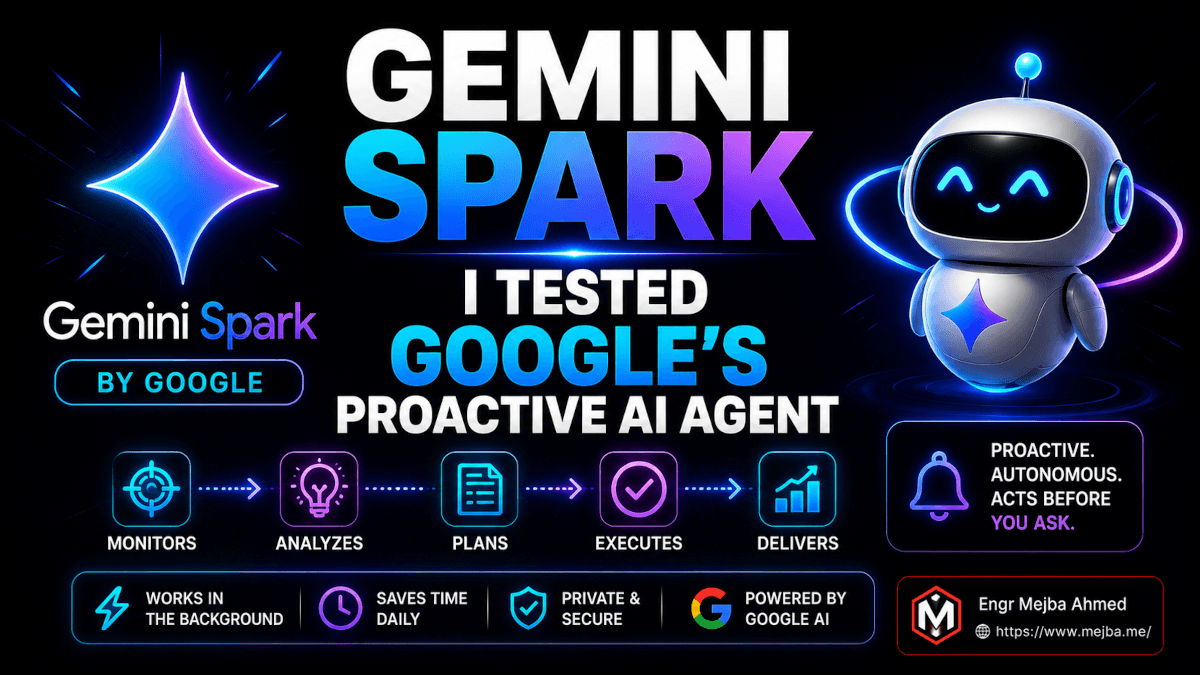
Gemini Spark is a proactive, always-on AI agent built into the Gemini app that executes multi-step tasks across your connected Google apps without waiting for you to prompt it each time. That one sentence already separates it from everything Gemini did before.
Let me draw the line clearly, because Google's own naming makes this confusing. Regular Gemini chat is reactive — it sits there until you say something, answers, and stops. Gemini Spark is proactive — you hand it a task, it goes off and works the steps on its own, checks back when it needs permission, and reports when it's done. Same app. Completely different posture.
If you've followed where the whole industry is heading, this won't shock you. I wrote earlier about how OpenAI Codex stacks up against Claude Code — every major player is sprinting toward the same finish line: an assistant that acts instead of just talks. Spark is Google's clearest move in that direction inside a consumer-facing app, not a developer terminal.
The reason this matters right now, in mid-2026, is timing. For the last year, "agentic AI" mostly lived in coding tools and developer SDKs. To actually get an agent doing chained work, you needed a terminal, an API key, and a tolerance for YAML. Spark drags that capability into a tap-to-open phone app your non-technical relatives already have installed. That's the shift. The barrier to running a real agent just dropped from "knows how to configure MCP servers" to "knows how to type a sentence."
I've spent two years building agent systems in Claude Code agent swarms and wiring up the Anthropic Agent SDK. So when I say Spark is approachable, understand the bar I'm measuring against. This is the first agentic tool I'd hand to my mother and expect her to get value out of it by lunch.
But "approachable" doesn't mean "automatic." There's setup. And the setup is where most people will quietly fail without realizing why their results are mediocre. Let me walk you through the exact two switches that decide whether Spark is brilliant or useless.
The Two Switches Nobody Mentions in the Demo
Open Spark and run a task cold — no setup — and you'll get something that feels like 2024 Gemini with extra steps. Disappointing. I almost wrote it off in the first hour. Then I found the two settings that actually power the thing.
Switch one: turn on Personal Intelligence (memory)
Buried in your personal intelligence settings is a memory toggle. Off by default for a lot of accounts. This is the single most important switch in the entire product.
With memory on, Spark learns across sessions. It remembers that I'm pescatarian. It remembers I travel in a truck camper, not a rental car. It remembers which clients I reply to within the hour and which can wait until Friday. None of that has to be re-explained. The agent carries context forward like a person who's worked with you for a month.
With memory off, every task starts from zero. You're back to spoon-feeding context into a prompt — which defeats the entire point. I tested both modes deliberately, running the same email-triage task with memory on and then off. With memory on, Spark correctly deprioritized three newsletters it had learned I never open. With memory off, it flagged those same newsletters as "needs reply." Same task, same inbox, wildly different output. The difference was one toggle.
Switch two: connect your apps
Spark is only as capable as the apps you wire into it. Connect Google Workspace — Gmail, Calendar, Docs, Drive — and you hand the agent the raw material it needs to do real work. Skip this and you've got an agent with no hands.
This is the trade most people will hesitate on, and honestly, they should think about it. You're giving an AI agent standing read-and-act access to your email and calendar. I'll come back to the privacy reality later, because it deserves real talk and not a hand-wave. For now, know this: the depth of integration directly determines the depth of what Spark can pull off. An agent that can read your inbox, cross-reference your calendar, and search the web in one task is operating on a different level than a chatbot working from whatever you paste in.
Flip both switches and something changes in how the tool behaves. It stops asking "what do you want me to write?" and starts asking "I noticed X — want me to handle it?" That's the moment it crosses from chatbot to assistant.
Now let me show you what that looks like with a real task I ran, step by step.
Watching Spark Triage My Inbox at 5 A.M.
The first serious task I gave Spark was the one that sold me. The prompt was almost insultingly simple:
"Find all emails from the past 12 hours and prioritize them."
Here's what it did with that, in order:
1. It scanned Gmail. Not just subject lines — it read the bodies, identified senders it recognized from memory, and grouped threads.
2. It cross-referenced my calendar. This is where it got interesting. An email asking to "move our Thursday call earlier" got matched against my actual Thursday calendar entry. Spark understood the email was about a specific event it could see, not an abstract request.
3. It searched relevant sources. For one email referencing a shipping delay, Spark pulled the tracking context to give me an informed reply instead of a "let me check and get back to you."
4. It separated action from noise. Emails needing a reply went into one bucket. Emails needing a calendar change went into another. Everything low-priority got dropped into an "ignored" summary with a one-line reason per item — which I loved, because it showed its reasoning instead of silently burying things.
5. It drafted the replies. Actual, send-ready drafts. In my voice, roughly. Not perfect — I edited two of nine — but the structure and tone were genuinely usable.
6. Here's the part that earned my trust. Before touching anything sensitive — before it would cancel an appointment or schedule a meeting — it stopped and asked. A drafted email sitting in Gmail is harmless; I can review it. But modifying my calendar is a real-world action with consequences. Spark drew exactly that line. It never moved an event without an explicit yes from me.
That confirmation step is the difference between a tool I trust and one I'd rip out within a day. I've watched plenty of agents barrel ahead and do something irreversible. Spark's instinct to pause at the threshold of a consequential action is, to me, the most important design decision in the whole product.
The end state, every morning: a stack of drafts ready to send, calendar fixes proposed but not executed, and a clean summary of what it chose to ignore and why. From a one-line prompt. That's the loop.
But running this manually every morning would be its own chore. The real unlock is making Spark do it without me prompting it at all. That's where Skills and Scheduling come in — and that's where Spark stops being a clever party trick and starts being infrastructure.
Skills: Teaching Spark to Repeat Itself
A Skill is a saved workflow. Instead of re-typing "find all emails from the past 12 hours and prioritize them" every single day, I save that whole sequence once, name it, and call it forever. Think of it as a function you define in plain English.
There are three ways to create one, and I tested all three.
Write it as text instructions. You can hand Spark a paragraph describing the steps you want and it'll build a Skill from it. Good for when you already know exactly what you want.
Build it manually inside the Skills interface, step by step. More control, slightly more tedious.
Generate it from a completed task — this is the one that feels like the future. After Spark finished my morning triage, I told it: "turn this into a Skill." It looked back at what it had just done and packaged the whole sequence into a reusable workflow. No re-specifying anything. It learned from the work it had already performed. I named mine "Inbox Manager."
That last method is the one I'd push everyone toward. You don't design the workflow up front and hope you got it right. You do the task once, see that it worked, then crystallize that exact successful run into something repeatable. It's the difference between writing a recipe from imagination versus writing it down after you've cooked the dish and it came out great.
This is a pattern I've been preaching for years in agent design — context beats configuration every single time. The agents that work best aren't the ones with the most elaborate up-front config. They're the ones that learn from real context and turn it into something reusable. Spark's "turn this into a Skill" feature is that philosophy shipped to a consumer app, and it's the smartest thing in the product.
If you'd rather have someone architect a full agentic workflow stack for your business — connected apps, custom skills, the whole pipeline — that's a chunk of what I do. You can see the kind of builds I take on at fiverr.com/s/EgxYmWD.
A Skill is powerful. But a Skill you still have to manually trigger is only half the win. The other half is making it fire on its own.
Scheduling: The Switch From Reactive to Proactive
Here's where the "5 a.m. without touching my phone" story actually comes from.
Spark lets you attach a Skill or task to a schedule or a trigger. Schedule means time-based — run my Inbox Manager Skill every morning at 5:00 a.m. Trigger means event-based — run something the moment a new email arrives, for example.
I set Inbox Manager to fire daily at 5:00 a.m. That's it. That was the whole configuration. From that point on, I stopped prompting it entirely. Every morning the work was simply done when I woke up, drafts waiting, calendar conflicts flagged for my approval.
Google has had Scheduled Actions in Gemini since June 2025 — recurring summaries, timed reminders, daily news digests, that sort of thing, gated behind Pro and Ultra subscriptions and capped at around 10 actions at a time. Spark's version is meaningfully more capable because the thing being scheduled isn't a simple summary. It's a multi-step agentic workflow that reads, reasons, cross-references, and drafts. The scheduling layer is familiar. What it's scheduling is not. In Google's own framing, this is one of Spark's three core components: Tasks are the instructions, Skills are the reusable workflows, and Schedules decide when they run. Get all three working together and you've got the full product.
Let me be precise about why this matters, because it's easy to underrate. The leap from "AI that answers when I ask" to "AI that does my recurring work before I'm even awake" is not incremental. It's categorical. One of them saves you typing. The other one removes the task from your life. I've felt this same shift before with Claude Code slash commands that automate my daily workflow — once a workflow runs on a schedule without you, you stop thinking about it at all. It moves from your to-do list to your background.
Combine the three concepts and you see the architecture clearly. Skills make a workflow reusable. Scheduling makes it autonomous. Personal Intelligence makes it personalized. Stack all three and you've got an agent that does your specific recurring work, your way, on its own clock. That's the actual product. Everything else is packaging.
Now, inbox triage is the easy demo. The task that genuinely impressed me was harder — it required Spark to synthesize scattered data from five different places into one coherent thing.
The Itinerary Test: Where Spark Actually Flexed
I wanted to push past email, so I gave Spark something messy. I asked it to build me a one-day travel itinerary. The catch: the information it needed was scattered across my entire Google account, and nowhere convenient.
Watch where it pulled from:
- A Google Doc with my loose, half-formed notes about a trip
- Emails containing booking confirmations and a ticket
- Calendar entries for commitments I already had locked that day
- The open web for things to do, hours, locations
- Personal Intelligence — it already knew I'm pescatarian and that I travel in a truck camper
Then it combined all of it into a single, coherent itinerary, written into a fresh Google Doc, that actually respected my existing calendar commitments and my personal preferences. It didn't suggest a steakhouse. It didn't route me somewhere a truck camper couldn't park. It slotted activities into the gaps around the meetings I couldn't move.
That's the standout capability, and it's worth naming precisely: Spark's real strength is synthesizing scattered, disconnected data plus everything it already knows about you into one tailored, actionable output. Any chatbot can write a generic itinerary. Almost none can read your actual booking emails, see your actual calendar, remember your actual diet, and produce a plan that respects all three at once.
This is the muscle that makes an agent feel less like a search box and more like an assistant who's been paying attention. It's not generating from nothing. It's generating from your life, assembled from fragments you forgot were even connected.
If that's the ceiling for a personal task, I wanted to know how high it goes for actual work. So I gave it a chained, multi-stage job.
The Multi-Step Work Test: Research, Build, Deliver
The last serious test I ran was a full content-management workflow, and this is the one that made me sit back. I asked Spark to analyze a YouTube channel's performance and report on it.
It chained the following, on its own:
It researched. Spark pulled performance data from files sitting in my Google Drive and relevant emails, gathering the raw numbers and context.
It created. From that analysis, it built a report — and then turned the key findings into actual Google Slides. Not a text summary. A real, structured slide deck.
It communicated. Then it drafted an email to deliver those slides to a second account, packaging the whole thing for handoff.
Research → content creation → communication. Three distinct stages, three different Google apps, one chained task. That's the shape of real knowledge work, and Spark walked the whole chain without me stepping in between stages.
I want to be measured here. The slides weren't agency-grade — I'd never ship them to a client without a pass. The report was solid but generic in places. This is not "fire your analyst" territory. But as a first draft of an entire multi-stage deliverable, produced from a single instruction across three apps? That's a genuinely new capability in a consumer app. The bottleneck moves from "do the work" to "review and polish the work," which is a much better place to be spending your time.
Spark is a great consumer entry point, but production-grade agentic pipelines for a company — connected to real data sources, with guardrails that fit the business — are a different engineering problem entirely. Don't confuse the two.
So it works. The honest question is: should you trust it? Let me give you the real talk, including the moment it nearly burned me.
Real Talk: Where Spark Worried Me
I don't write reviews that only list the good parts. Here's the honest ledger after a week.
The moment it almost messed up. During the inbox test, one email casually mentioned "let's skip Thursday's sync." Spark interpreted that as a request to cancel the calendar event and queued it up for my approval. Problem: that "sync" was a meeting I absolutely wanted to keep — the sender was being sarcastic. If Spark had auto-executed calendar changes, it would have cancelled a meeting I needed. It didn't, because of that confirmation step I praised earlier. This is the entire reason the human-in-the-loop design is non-negotiable. The agent will misread intent sometimes. The guardrail is what saves you. Never turn an agent like this loose on irreversible actions without confirmation.
The privacy trade is real, and you should sit with it. To get the good stuff, you grant an AI agent standing access to your email, calendar, and documents. That's not a small thing. I'm comfortable with it for my own accounts after reading what data Personal Intelligence retains, but I would think hard before connecting a Spark agent to a sensitive corporate Workspace without understanding your organization's data policies. The convenience is genuine. So is the exposure. Both are true at once.
Memory cuts both ways. Personal Intelligence is what makes Spark feel smart — and it's also a growing profile of your habits, preferences, and patterns living in Google's systems. If that makes you uneasy, you can leave memory off, but then you've got a far weaker product. There's no free lunch here, and I respect the tool more for not pretending otherwise.
Drafts still need a human. Two of nine email drafts needed real editing. The itinerary needed one tweak. The slides needed polish. Spark is a phenomenal first-drafter and a poor final-drafter. Treat its output as a 70%-done starting point, not a finished product, and you'll be happy. Treat it as done and hit send blindly, and it'll eventually embarrass you.
It's not a developer agent. If you want an agent that writes and ships production code, this is not that tool. Spark lives in the productivity layer: email, calendar, docs, research, slides. Know which problem you're solving before you pick the tool.
None of these are dealbreakers for me. They're the normal cost of running a real agent. The tools that pretend these trade-offs don't exist are the ones I distrust.
The Task Interface: How Spark Tells You What It's Doing
An agent that works in the background needs a way to show you its state without nagging you. Spark's task interface is quietly one of the best-designed parts of the product, and it took me a couple of days to fully appreciate the system.
Every task Spark runs gets a status indicator, and the system is dead simple once you learn it:
- No indicator at all means the task is completed and you've already reviewed it. Done and dusted, nothing for you to do.
- A solid blue dot means the task completed but you haven't looked at the result yet. This is your "go check this" signal — the drafts are ready, the report is built, come review it.
- A "needs input" state means Spark hit a wall and is waiting on your permission. This is the confirmation gate I keep praising — the agent paused at the threshold of a consequential action and won't proceed until you say so.
Why does a three-state indicator matter? Because the failure mode of background agents is opacity. If you can't tell what the agent did, what's waiting for you, and what it's blocked on, you lose trust fast and you go back to doing everything manually. I've abandoned agent tools for exactly this reason — they did work I couldn't see, and the not-knowing was worse than the manual effort.
Spark's three states map cleanly onto the three questions you actually have: Is it done? Do I need to look? Is it stuck waiting on me? Answer those at a glance and the agent stays trustworthy. This is a small UI decision that does enormous work for the relationship between you and the tool. Good agent design is mostly about making the agent's internal state legible to a human, and Spark nails it here.
There's a deeper principle worth naming. The reason I trust Spark with my inbox isn't that it never makes mistakes — I showed you earlier that it does. It's that the system makes its mistakes visible and reversible. A drafted reply I can read before sending. A calendar change I have to approve. A status dot that tells me to come look. Visibility plus reversibility equals trust. Speed alone never does.
Run Everything From Your Phone: The Cloud-Native Part
Here's a detail that's easy to skim past but genuinely matters: Spark runs entirely in the cloud. No laptop needs to be open. No machine has to stay awake.
Think about what that means for my 5 a.m. story. When Inbox Manager fired at five in the morning, my laptop was shut, my desktop was off, and my phone was on the nightstand doing nothing. Spark didn't need any of my hardware. The whole workflow — scanning Gmail, cross-referencing Calendar, drafting replies — executed on Google's infrastructure while every device I own was idle.
This is a real architectural advantage over agent setups that depend on your local machine. I've run plenty of agents that only work while a terminal session stays alive — close the laptop and the agent dies mid-task. Spark has no such dependency. Schedule it, walk away, and it runs regardless of what your devices are doing.
The flip side is mobile continuity. Because everything lives in the cloud, Spark syncs across your devices seamlessly. I can kick off a task from the Gemini mobile app on the train, review the result on my laptop at the office, and approve a calendar change from my phone over lunch. The agent doesn't care which screen you're looking at — the task lives in the cloud, and every device is just a window into it.
For anyone who's tried to build a personal automation system, you know this is usually the hard part. Keeping a workflow running 24/7 normally means a VPS, a cron job, a process manager, and a tolerance for things silently dying at 3 a.m. I've written about running long-lived agents on a VPS and the operational headache is real. Spark hands you cloud-native, always-on execution with zero infrastructure on your end. For a consumer app, that's a serious piece of engineering quietly doing its job.
So you've got a proactive agent, reusable Skills, autonomous scheduling, a legible task interface, and cloud execution that doesn't need your hardware. Stack all of that and you start to see why I keep calling this the bridge between chatbots and real agents.
Where Spark Sits Between a Chatbot and a Real Agent
Let me place Spark precisely on the spectrum, because "it's an AI agent" is too vague to be useful and the hype will tell you it's further along than it is.
On one end you've got pure chatbots — reactive, stateless, forgetting you the moment you close the tab. On the far end you've got full autonomous agents — the kind I build in Claude Code agent swarms that chain dozens of steps, write and run code, and operate with deep configuration. Spark lands deliberately in the middle, and that positioning is the whole point.
It's more than a chatbot because it acts proactively, remembers you, chains multiple steps, and runs on a schedule without prompting. It's less than a full developer agent because it stays inside the productivity layer, keeps a human in the loop on consequential actions, and trades raw power for approachability. That middle ground is exactly where most people actually live. The vast majority of humans don't need an agent that ships production code. They need one that handles their inbox, their calendar, and their recurring busywork — and they need it to be a tap away, not a terminal away.
This is the same shift I described in how agents are becoming an autonomous workforce: the agent stops being a thing you consult and becomes a thing that operates on your behalf. Spark is that idea, miniaturized and shipped to a phone app your whole family already has. The setup is intentionally minimal, but it's powerful precisely because of the connected apps and the memory layer underneath it. Strip those away and it collapses back into a chatbot. Wire them up and it operates like a junior assistant.
That's the honest assessment. Spark isn't going to replace a developer's agent stack, and it isn't trying to. It's bringing genuine agentic capability to the 99% of people who were never going to open a terminal — and that, frankly, is a bigger deal than another power-user tool.
What a Week With Spark Removed From My Plate
Let me be careful not to invent numbers I didn't measure. I'm not going to tell you Spark gave me back "10 hours a week" — I didn't run a stopwatch, and you shouldn't believe anyone who hands you a suspiciously round figure.
What I can tell you honestly: the morning inbox ritual that used to eat the first chunk of my day stopped being a thing I did. I woke up to drafts and decisions instead of a wall of unread mail. The mental load of "I need to process my inbox" simply left my head, because it was already handled by the time I was conscious. That's the change worth describing — not a number, a removed task.
The mechanism is the proof, not a metric. Because Spark scans, prioritizes, drafts, and waits for approval on its own schedule, the work genuinely moves off your plate and onto the agent's. That's not a productivity hack. It's a category of task disappearing from your day. You should expect that specific shift if you set it up correctly — memory on, apps connected, a Skill scheduled.
How do you know it's working? Simple test: after a few days, do you find yourself not opening Gemini to start your morning routine, because the routine already ran? If yes, it's working. If you're still manually prompting it every morning, you skipped the scheduling step and you're using a fraction of what you paid for.
Set realistic expectations on timing. The first day you'll fiddle with setup and probably feel underwhelmed. By day three, once memory has learned a bit and your first Skill is scheduled, it clicks. Give it a week before you judge it. Agents that learn from context get noticeably better with a few days of real use — that's the whole point of Personal Intelligence.
Should You Actually Use Gemini Spark?
First, the gate. As of late May 2026, Spark is Google AI Ultra only, US only, 18 and up. If you don't have Ultra, this isn't a "try it tonight" situation — it's a "decide whether the $99.99/month plan is worth it for you" situation. The good news is that price is less than half what Ultra cost a month ago, and the plan bundles more than Spark (20 TB of storage, a Google Cloud credit, and other perks). Note that the browser-agent extras — Project Mariner and Project Genie — are exclusive to the higher $200/month Ultra tier, not this entry plan, so don't buy in at $99.99 expecting them. The Daily Brief feature Google shipped alongside Spark — an automatic morning summary pulled from your calendar, email, and news — is a lighter taste of the same proactive philosophy if you want to feel the direction without the full agent.
If you clear that gate and you live inside Google Workspace — Gmail, Calendar, Docs, Drive — and you've got recurring multi-step busywork, Spark is the easiest on-ramp to real agentic automation I've found in a consumer app. The setup is two switches and a scheduled Skill. The payoff is recurring work that does itself.
If your work is mostly outside Google's ecosystem, or you need an agent for code, or you can't grant an AI standing access to sensitive accounts, the value drops sharply. Be honest with yourself about which camp you're in.
Remember that 5 a.m. inbox I opened with? The 41 unread emails I never touched? That's not a demo I staged. That's just Tuesday now. The thing that used to be the most tedious part of my morning became a thing that happens to me instead of a thing I do. And the only work I did to make that happen was flip two switches and schedule one Skill the night before.
Here's the challenge I'll leave you with. If you're on Google AI Ultra in the US, do this in the next 24 hours: open the Gemini app, turn on Personal Intelligence, connect your Workspace, and run one real task — your actual inbox, not a test prompt. Then tell Spark to turn it into a Skill and schedule it for tomorrow morning. Go to sleep. See what's waiting when you wake up. (Not on Ultra? Turn on Daily Brief instead and feel the lighter version of the same idea.) That single experiment will teach you more about where AI assistants are headed than any review I could write — including this one.
The age of AI that waits for you to ask is ending. The age of AI that already did it is here. Spark is the clearest sign I've seen that the line between "chatbot" and "coworker" is thinner than most people realize.
FAQ
Frequently Asked Questions
Everything you need to know about this topic
Gemini Spark is a proactive, 24/7 AI agent inside the Gemini app that executes multi-step tasks across your connected Google apps on its own — while regular Gemini chat only responds when you prompt it. The core difference is initiative: in Spark you assign tasks the agent works autonomously, rather than asking questions one at a time. See "Gemini Spark in Plain Terms" above for the full breakdown.
Gemini Spark is included with the Google AI Ultra plan, which Google cut to $99.99 per month at I/O 2026 (down from $249.99). At launch it's available only to Ultra subscribers in the United States, age 18 and up, plus select business users, with broader rollout expected later. See "Should You Actually Use Gemini Spark" above.
Enable memory in your Personal Intelligence settings so Spark learns your preferences, then connect your Google Workspace apps so it can read your Gmail, Calendar, Docs, and Drive. Those two switches determine whether Spark feels like a real agent or just a chatbot. The full walkthrough is in "The Two Switches Nobody Mentions" above.
Skills are saved workflows that let Spark repeat complex multi-step tasks without you re-typing the instructions. You can write them as text, build them manually, or — best of all — finish a task and tell Spark to "turn this into a Skill." Pair a Skill with a schedule and it runs automatically. Details are in the "Skills" section above.
Yes, Spark can run Skills and tasks on a time-based schedule (like every morning at 5:00 a.m.) or on event triggers (like when a new email arrives). This is what turns it from a reactive helper into a proactive agent that completes recurring work before you wake up. See "Scheduling" above for how I configured mine.
Spark requires confirmation before any sensitive or irreversible action, like cancelling a meeting or scheduling an event, which is a strong safety design. That said, you are granting an AI agent standing access to your email and calendar, so weigh the convenience against the exposure — especially for sensitive corporate accounts. I cover the full privacy trade-off in "Real Talk" above.
My Take After a Week With Spark
Gemini Spark isn't magic, and it isn't a developer's agent — but it's the first consumer tool I've used that genuinely moved a recurring task off my plate instead of just speeding it up. If you're on Ultra, turn on memory, connect Workspace, and schedule one Skill before you pass judgment on it. And if you'd rather have someone build a production-grade agentic workflow for your own business, that's the kind of work I take on over on Fiverr.