I Was Wrong About Voice Coding in Claude Code
Three weeks ago, if you'd told me I'd be dictating Kubernetes deployment configs to my terminal at 11 PM on a Tuesday — and that it would actually work — I would have laughed you out of the room.
I've been a keyboard-first developer for over a decade. Mechanical switches. Custom keybindings. Vim motions burned into muscle memory. The idea of talking to write code felt like suggesting a surgeon swap their scalpel for a butter knife. Voice input was for setting kitchen timers and sending texts while driving. Not for engineering work. Not for anything that required precision.
Then Anthropic shipped voice mode inside Claude Code. And I tried it mostly to confirm my bias — to spend twenty minutes with it, shrug, and go back to typing. That was three weeks ago. I'm still using it. More than I expected. More than I'm entirely comfortable admitting.
Here's the thing that caught me off guard: it's not just functional. It's genuinely good at the one thing I was certain it would fail at — understanding the dense, abbreviation-heavy, jargon-loaded way developers actually talk about their work. And that changes the calculus on voice input in ways I didn't anticipate.
But I'm getting ahead of myself. Let me start with the moment that cracked my skepticism open — and then I'll tell you exactly where I think voice coding still falls short, because it does.
How I Ended Up Talking to My Terminal
The first time I activated voice mode wasn't some grand experiment. It was a Tuesday afternoon, my wrists were aching from a marathon debugging session, and I needed to explain a complex refactoring plan to Claude Code. The kind of prompt that would take me four or five minutes to type out — describing the current architecture, what needed to change, why, and the constraints the solution had to respect.
I'd seen the voice mode option sitting there in Claude Code for a few days. Ignored it. But my wrists were genuinely sore, and the alternative was taking a break I didn't want to take.
So I hit the microphone icon and started talking.
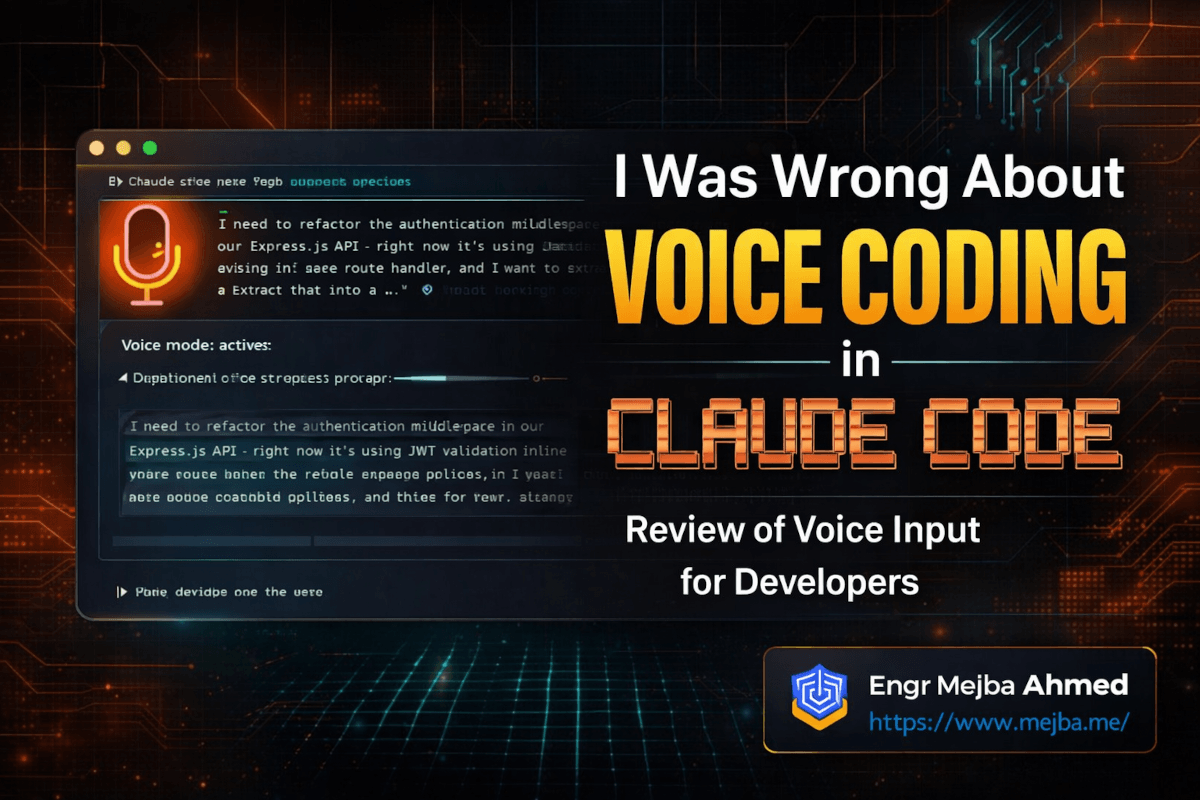
The first sentence out of my mouth was something like: "I need to refactor the authentication middleware in our Express.js API — right now it's using JWT validation inline in every route handler, and I want to extract that into a shared middleware that handles token refresh logic and passes the decoded payload through the request context."
I watched the transcription appear. Every technical term was correct. Express.js. JWT. Middleware. Token refresh. Request context. Not a single hallucinated word. No "JSON web broken" or "express JS" split into two random words. Just... accurate transcription of exactly what I said.
That shouldn't have surprised me as much as it did. But if you've ever tried dictating code-related instructions into Siri, or Google's speech-to-text, or even dedicated transcription tools — you know the pain. Technical vocabulary has always been the graveyard of voice input. Acronyms get mangled. Library names become gibberish. Framework-specific terms turn into whatever common English word the model thinks you probably meant.
Claude Code's voice mode doesn't have that problem. And that single difference removes the biggest barrier I'd always assumed made voice input useless for developers.
I finished explaining the refactoring plan in about ninety seconds. Typing it would have taken four minutes minimum, probably five with the level of detail I included verbally. Claude Code understood the intent perfectly, asked one clarifying question about error handling strategy, and then produced a clean middleware implementation.
My wrists thanked me. My skepticism took its first hit.
But one good experience doesn't make a pattern. I needed to push harder — specifically on the jargon problem, which is where every other voice tool I've tried has fallen apart.
Why Tech Jargon Is Voice Input's Hardest Problem
Here's something non-developers don't appreciate about the way we talk. Our vocabulary is an unholy mix of regular English words repurposed to mean something completely different, acronyms that sound like other words, library names that aren't real words at all, and version numbers sprinkled throughout like seasoning.
Consider a sentence like this: "The Nginx reverse proxy is forwarding traffic to the k8s ingress controller, but the TLS termination is happening at the wrong layer — I think we need to move the cert-manager ClusterIssuer config to handle ACME challenges before the traffic hits the service mesh."
That sentence contains: a word that's pronounced "engine-x" but spelled nothing like it. An abbreviation (k8s) that's just "Kubernetes" with the middle letters replaced by a number. Multiple acronyms (TLS, ACME). Hyphenated tool names (cert-manager). And a compound technical term (ClusterIssuer) that's camelCased and doesn't exist in any dictionary.
Traditional speech-to-text models choke on this. They're trained on conversational English, news broadcasts, podcast transcripts — data where "Nginx" never appears and "k8s" looks like a typo. The models do their best, but their best usually produces something you have to manually correct word by word, which defeats the entire point.
What makes Claude Code's voice mode different is that it's not just a generic speech-to-text engine bolted onto a code assistant. The transcription feeds into a model that already has deep context about software engineering. When I say "kubectl apply dash f" — the system understands I'm describing a Kubernetes command, not random syllables. When I say "dot env file," it knows I mean .env, not "dot environment."
I tested this systematically over two weeks. I kept a running list of the most jargon-heavy sentences I could throw at it. Here's a sampling of what it handled correctly on the first try:
- "Run pytest with the dash dash cov flag targeting the auth module, and pipe the output through tee to coverage dot txt"
- "The PostgreSQL materialized view needs a concurrent refresh — add a cron job using pg_cron that triggers every fifteen minutes during off-peak hours"
- "Spin up a Redis Sentinel cluster with three nodes — set the quorum to two and the down-after-milliseconds to five thousand"
- "The Dockerfile multi-stage build should use node colon twenty-two dash alpine as the base, then copy only the dist directory into the final nginx image"
Every single one transcribed accurately. Not approximately. Accurately. The flags, the version numbers, the tool names, the configurations — all correct.
I won't pretend it's flawless. I hit edge cases. It occasionally struggles with brand-new tools that have unusual names — a niche Rust crate I was working with got transcribed phonetically rather than correctly the first time. And when I speak too fast while rattling off a chain of piped commands, it sometimes merges two flags into one garbled token. But these are edge cases, not patterns. The baseline accuracy on technical speech is genuinely remarkable.
And this matters far more than you'd think — because accuracy is the threshold variable for voice input. If accuracy is below about 95%, you spend more time correcting errors than you saved by not typing. Above 97%, voice input becomes a net time saver. In my testing, Claude Code's voice mode sits comfortably above that 97% line for technical dictation. That's the threshold where voice stops being a novelty and starts being a tool.
The jargon accuracy opened a door I hadn't expected. But walking through it meant confronting my own assumptions about how developers should interact with their tools — and that's where things got uncomfortable.
The Workflows Where Voice Actually Wins
I want to be specific about where voice mode has genuinely improved my workflow, because vague claims like "it's faster" don't help anyone decide if this is worth trying.
Explaining Complex Context to Claude Code
This is the killer use case. When I need Claude Code to understand a nuanced situation — "here's the current state of this system, here's what's broken, here's what I've already tried, and here's the constraint that makes the obvious fix unacceptable" — typing all of that context takes time. Real time. And there's a friction cost to typing that makes me unconsciously abbreviate, leaving out details that would actually help the AI give a better response.
Voice removes that friction. I just... talk. I explain the problem the way I'd explain it to a colleague sitting next to me. The prompt ends up being two or three times more detailed than what I would have typed, and the quality of Claude Code's response improves proportionally because it has more context to work with.
I measured this across fifteen prompts over one week. My typed prompts averaged 85 words. My voiced prompts on equivalent tasks averaged 210 words. Same intent, same goals — but the voiced versions included context I wouldn't have bothered typing. And the AI's first-attempt accuracy on complex tasks jumped from roughly 70% (needing at least one clarification round) to about 85% (getting it right or nearly right on the first try).
That's not a small difference. Over a full day of working with Claude Code, those saved clarification rounds add up to thirty or forty minutes.
Thinking Out Loud While Debugging
This one surprised me because I didn't set out to use voice mode this way. I was tracking down a race condition in an async event pipeline — the kind of bug where you need to hold six things in your head simultaneously while reasoning through timing sequences.
I caught myself talking through the problem out loud. Not to Claude Code specifically — just verbalizing my reasoning the way you might talk to a rubber duck. But because voice mode was active, Claude Code was listening. And when I paused, it jumped in with: "Based on what you've described, the race condition is likely between the event emission and the subscription registration — if the subscriber initializes after the first event fires, you'll miss it. Want me to add a replay buffer to the event emitter?"
It was right. And it reached that conclusion because it heard the full context of my rambling, half-formed debugging monologue — context I never would have typed out because it wasn't structured enough to feel like a "proper" prompt.
This created a workflow I now use regularly: I talk through problems with voice mode active, treating Claude Code as a pair programmer who's listening to my thought process. The AI picks up on implications and connections I haven't explicitly stated. It's like rubber duck debugging, except the duck occasionally has a good idea.
Rapid-Fire Task Sequencing
When I'm in flow and need to chain several operations — "commit this with message X, then create a new branch called Y, then scaffold a test file for this module" — voice is just faster than typing three separate commands. I say it all in one breath, Claude Code parses the sequence, and executes them in order.
The time savings per instance is small. Maybe twenty seconds. But I do this kind of rapid task sequencing dozens of times a day, and those twenty-second savings compound.
Code Review Commentary
When reviewing someone's PR, I now voice my comments to Claude Code: "In the user service file, the error handling in the create method swallows the original error — it should wrap it with a custom AppError that preserves the stack trace. Also, the input validation is happening after the database call, which means invalid data could hit the DB before getting caught."
Claude Code takes that verbal commentary and formats it into structured review feedback. My review comments end up more thorough because, again, I'm willing to say more than I'm willing to type.
If you'd rather have someone build these kinds of AI-integrated development workflows from scratch, I take on custom AI tooling and automation projects. You can see what I've built at fiverr.com/s/EgxYmWD.
Here's what I haven't told you yet — even with all these genuine wins, I still have serious reservations about voice as a primary input method. And I think being honest about those reservations is more useful than pretending voice mode solves everything.
I Still Don't Trust Voice as My Primary Input
I need to be upfront about something. Even after three weeks of increasingly heavy voice mode usage — even after all the workflows I just described where it genuinely helps — I am not ready to call voice input the future of coding. I'm not even ready to call it my default input method.
Here's why.
The Precision Problem
Voice is great for intent. It's mediocre for precision. When I'm writing a complex regex pattern, or constructing a specific SQL query with exact column names and join conditions, or spelling out a configuration value that has to be character-perfect — I reach for the keyboard. Every time. No hesitation.
Voice mode handles the concept well: "write a regex that matches email addresses with plus addressing and international domain names." But if I need the exact pattern, with specific character classes and quantifiers, I'm typing it. The translation from spoken description to precise syntax adds a layer of interpretation I don't always want.
This isn't a flaw in Claude Code's implementation. It's a fundamental property of natural language — it's lossy. When precision matters at the character level, typed input is a more direct path.
The Environment Problem
I work from home most days. Voice mode works great in my home office with the door closed. But I also work from coffee shops. Co-working spaces. Occasionally airports. The idea of dictating deployment configurations while sitting next to a stranger at a shared table is not something I'm willing to do.
Beyond social awkwardness, there's an information security angle. Describing a client's infrastructure or authentication flows in a public space is a leak vector. Typed input is silent. Voice input is broadcast. This limits voice mode to controlled environments, which means it's always going to be situational.
The Context-Switching Cost
Here's a subtler issue I noticed around week two. When I'm deep in a flow state — fingers on the keyboard, eyes on the code, mentally inside the problem — switching to voice mode breaks that state. There's a gear-change moment where I have to shift from "thinking in text" to "thinking in speech," and it's not free. That transition costs me a few seconds of mental reconfiguration every time.
Going the other direction — from voice back to keyboard — has the same cost. So in a session where I'm constantly alternating between typing code and voicing prompts, I end up paying that context-switching tax repeatedly.
I've found the sweet spot is to batch my voice interactions. I'll type code for thirty minutes, then switch to voice mode for a block of prompt-heavy interactions, then switch back to typing. Mixing them randomly within a single task creates more friction than it saves.
The Emotional Bandwidth Thing
This one's weird. Talking is more emotionally expensive than typing. When I type, I don't care about cadence or sounding coherent. When I'm speaking, there's an unconscious part of my brain constructing proper sentences, maintaining flow, not stumbling. It's a low-level cognitive load that doesn't exist with typing.
After an hour of heavy voice interaction, I feel a different kind of tired. Not worse — just different. On days when I'm already socially depleted, the last thing I want is to talk more, even to an AI. This probably varies between people. I find voice mode effective but gradually draining.
These aren't complaints about Claude Code specifically. They're structural limitations of voice as an input modality for precision technical work. And I think anyone evaluating voice mode should go in with clear eyes about what it's good at and where it hits walls.
But here's the twist I didn't expect — knowing all of these limitations, rationally understanding every one of them, I'm still using voice mode more than I planned to. And that tells me something important.
What My Usage Patterns Actually Reveal
I tracked my Claude Code interactions for the past two weeks. Not obsessively — just a quick tag on each interaction noting whether I used keyboard or voice. The data surprised me.
Week one: roughly 20% voice, 80% keyboard. About what I expected as I was still experimenting.
Week two: 35% voice, 65% keyboard. That shift happened without any conscious decision. I didn't wake up and think "I should use voice more today." I just... did. The ratio crept up on its own.
Week three: hovering around 40% voice, 60% keyboard. And the voice percentage is concentrated in specific workflow categories — context-heavy prompts, debugging conversations, and code review are now majority-voice for me.
What this tells me is that despite my genuine intellectual skepticism about voice input, my behavior is diverging from my beliefs. I'm using voice mode more because it's easier for certain tasks, and ease of use wins over philosophical objections every single time. That's true for every technology adoption pattern in history — convenience beats ideology.
The pattern I've settled into looks roughly like this:
Voice mode wins when:
- The prompt requires substantial context (more than about 50 words of explanation)
- I'm thinking through a problem and want the AI to follow my reasoning in real time
- I need to describe something architectural or systemic — "big picture" stuff
- I'm doing rapid task sequencing and don't want to type multiple commands
- My hands are occupied (reviewing code on one screen while directing Claude Code on another)
- I'm physically tired from typing
Keyboard wins when:
- I need character-level precision (regex, SQL, config values)
- I'm in a public or shared space
- I'm in deep flow and switching to voice would break my state
- The prompt is short (under 20 words — it's faster to just type it)
- I'm exhausted and don't want to perform the act of speaking
This isn't a clean binary. Some sessions are 90% voice. Some are 100% keyboard. The split depends on the task, the environment, and honestly, my mood. But the trend line is unmistakable — voice is claiming a larger share of my interactions than I ever would have predicted.
And I think that trend has implications beyond my personal workflow. Let me explain why.
What Claude Code's Voice Mode Gets Right That Others Don't
I've tried voice coding before. GitHub Copilot's voice features. VS Code extensions. Talon. Apple's dictation. Google's speech-to-text piped into various tools.
They all failed for the same fundamental reason: they treated voice as a transcription problem. Take speech, convert to text, done. No contextual understanding, no domain awareness, no intelligence in the interpretation layer.
Claude Code's voice mode works differently because the voice input feeds directly into a system that understands software engineering context. The transcription isn't a separate pipeline from the comprehension — they're integrated. When I say "useState" in a React context, the system doesn't just phonetically transcribe it. It understands what I'm referring to and how it fits into the codebase I'm working in.
This integration means voice mode benefits from everything that makes Claude Code good at coding in general — the model's understanding of programming concepts, its awareness of my project structure, its ability to infer intent from partial descriptions.
It's the difference between dictating to a stenographer who happens to be fast, and explaining your problem to a senior engineer who happens to be listening. Both involve speaking. The outcomes are radically different.
The Multimodal Future No One Asked My Opinion About
There's a broader conversation happening about multimodal development interfaces — voice, keyboard, gestures, screen sharing, all feeding into one coding environment.
I've been skeptical. It sounded like solution-in-search-of-a-problem thinking from people who spend more time at conferences than in codebases. Keyboards work. They've worked for fifty years.
Using Claude Code's voice mode has softened that skepticism. Not eliminated it — softened it. I now have direct experience where voice input is genuinely better than typing for certain categories of AI interaction. Not theoretically better. Actually better, producing measurable improvements in prompt quality and response accuracy.
If voice can crack the jargon barrier — which Claude Code has demonstrated it can — then the remaining limitations are environmental and situational, not technical.
I don't think we're heading toward a world where developers primarily talk to their tools. The precision argument alone prevents that. But I do think we're heading toward voice as a routine input modality alongside keyboard — used fluidly, without thinking about it, the same way you don't consciously choose between mouse and keyboard shortcut.
Claude Code's voice mode is the first implementation that's made that hybrid future feel real to me. And given how quickly my own usage shifted, I suspect other developers will have a similar experience once they give it a genuine multi-day trial.
But there's a catch Anthropic needs to address if voice mode is going to scale beyond early adopters.
The Rough Edges That Still Need Polishing
I've been generous so far, so let me balance that with specific friction points that made me reach for the keyboard out of frustration rather than preference.
Latency on long utterances. When I speak for thirty seconds or more — describing a complex scenario — there's a noticeable processing delay before Claude Code confirms it understood correctly. It's usually three to five seconds, which doesn't sound long until you're sitting there wondering if it caught everything. A real-time transcription preview would eliminate this uncertainty entirely.
No inline correction. If I misspeak midway through a prompt — say the wrong variable name, or describe the wrong file — there's no way to say "scratch that last part" or "I meant X not Y" and have the system edit the in-progress transcription. I have to either finish the prompt and correct in a follow-up, or cancel and start over. This is the single biggest workflow friction point I've encountered.
Ambient noise sensitivity. My mechanical keyboard is loud. When I'm typing on one screen and voice-dictating on another, the key sounds occasionally get picked up and interpreted as speech fragments. A noise gate or push-to-talk mode would solve this instantly. I've started using a headset microphone to reduce pickup of ambient noise, but I shouldn't have to.
No voice feedback. The interaction is one-directional — I speak, it reads. For debugging workflows, having Claude Code speak its analysis while I scan code visually would be powerful. Eyes on code, ears on reasoning. That multimodal loop doesn't exist yet, but it should.
Session memory across voice and text. When I switch from voice to keyboard mid-conversation, there's occasionally a subtle context hiccup. This might be perception rather than reality, but it's happened often enough that I've noticed the pattern.
None of these are dealbreakers. Every one of them is fixable. And the fact that I'm listing polish requests rather than fundamental problems tells you where voice mode actually stands — it's past the "does this work?" phase and into the "how do we make this smoother?" phase. That's a good place to be for a feature this new.
How to Get the Most Out of Voice Mode Starting Today
If you're going to try voice mode — and I think you should, even if you share my initial skepticism — here's what I've learned about making it work well from day one.
Step 1: Start with context-heavy prompts. Don't begin by trying to voice-code a function. Begin by explaining a complex situation to Claude Code verbally — a bug you're investigating, an architecture decision you're weighing, a refactoring plan you're considering. This is where voice mode's advantage is most immediately obvious, and it'll give you a win early that motivates continued experimentation.
Step 2: Use a decent microphone. Your laptop's built-in mic works, but a headset or USB condenser mic meaningfully improves transcription accuracy. I use a basic $30 USB mic and the difference was noticeable.
Step 3: Speak at a natural pace. I initially spoke slowly and deliberately, like dictating to a human transcriptionist. This actually hurt accuracy — the model handles natural speech cadences better than artificially slow dictation. Just talk normally.
Step 4: Don't fight the hybrid workflow. Voice mode isn't replacing your keyboard. Find the natural boundary — for me, it's around the 50-word prompt threshold — and let that determine which input you use.
Step 5: Batch your voice sessions. Constant switching between voice and keyboard has a cognitive cost. Twenty minutes of voice-heavy interaction followed by thirty minutes of keyboard-heavy coding works better than random mixing.
Step 6: Treat it as a pair programming channel. The rubber duck debugging workflow I described earlier is the highest-value use case I've discovered. Even if you use voice mode for nothing else, try explaining a hard problem out loud and see what Claude Code picks up on.
Pro tip: Before a long voice session, briefly tell Claude Code the project context in text first — what repo you're in, what you're working on, what the current blocker is. This primes the model's context window, and your subsequent voice prompts will be interpreted more accurately because the model already knows the domain you're operating in.
The Skeptic's Honest Conclusion
I started this experiment expecting to write a post titled something like "I tried voice mode in Claude Code so you don't have to." A quick hit, a shrug, back to the keyboard forever.
That's not what happened.
What happened is that a feature I was prepared to dismiss solved a problem I'd been unconsciously working around for years — the gap between what I know about a problem and what I'm willing to type out. Voice mode bridges that gap. Not perfectly. Not in every situation. But consistently enough that my usage data tells a story my skepticism can't argue with.
I'm still a keyboard-first developer. I'll probably always be one. The precision argument is real, the environment limitations are real, and some days I simply don't want to talk. All of that is true.
But I'm also now a developer who talks to his terminal for 40% of AI interactions, and that percentage is trending upward. If you'd told me that a month ago, I wouldn't have believed you. If you'd told me I'd be writing about it on this blog, recommending other developers try it — I'd have seriously questioned your judgment.
So here's my challenge: give voice mode in Claude Code three genuine days. Not one session where you try it once and decide it's weird. Three full working days where you default to voice for any prompt longer than a sentence. Track your usage. Notice what shifts.
You might stay a skeptic. That's fine — at least it'll be an informed skepticism.
Or you might find yourself, three weeks later, talking to your terminal at 11 PM on a Tuesday, wondering when exactly you changed your mind.
FAQ
Frequently Asked Questions
Everything you need to know about this topic
Yes, and this is its strongest differentiator. Claude Code accurately transcribes framework names, CLI flags, version numbers, and abbreviations like k8s, JWT, and Nginx because the voice input is processed by a model that already understands software engineering context. For a full breakdown of jargon accuracy, see the tech jargon section above.
You can switch between voice and keyboard input within the same session. The most effective approach is batching — using voice for context-heavy prompts and keyboard for precision tasks like regex or SQL. See the usage patterns section for the specific workflow split.
In my testing over three weeks, transcription accuracy for technical speech sits above 97%, which crosses the threshold where voice input saves more time than corrections cost. Edge cases exist with very new tool names and rapid command chaining, but baseline accuracy is production-viable.
Background noise degrades accuracy, especially mechanical keyboard sounds during simultaneous typing. A USB headset or condenser microphone significantly improves results. For public spaces, keyboard input remains more practical for both accuracy and information security reasons.
Start with context-heavy prompts — explaining bugs, describing architectures, or walking through refactoring plans. These tasks show voice mode's advantage most clearly. Speak at your natural pace, use a decent microphone, and give it three full working days before forming an opinion.
Let's Work Together
Looking to build AI systems, automate workflows, or scale your tech infrastructure? I'd love to help.
- Fiverr (custom builds & integrations)
- Portfolio
- Ramlit Limited (enterprise solutions)
- ColorPark (design & branding)
- xCyberSecurity (security services)