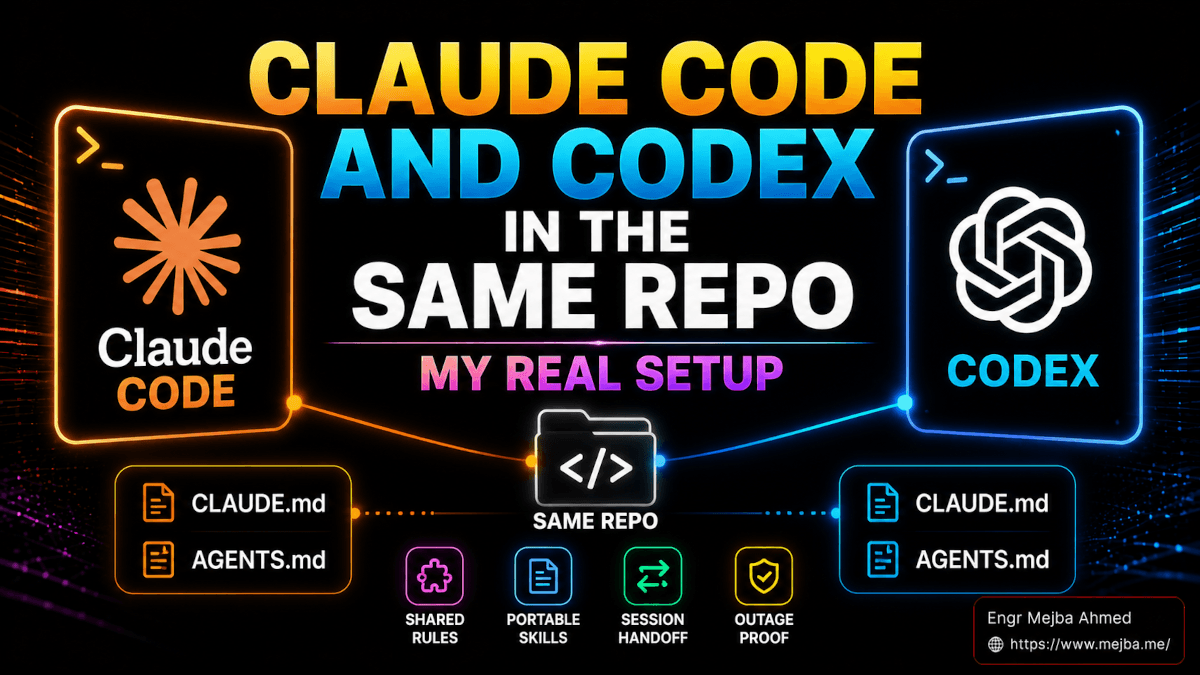
You can run Claude Code and Codex in the same repository by doing three things: give both CLIs a shared instructions file (usually AGENTS.md, with CLAUDE.md symlinked to it), keep your skills in one shared directory that both tools can reach, and write a short handoff document whenever you switch CLIs mid-task. That is the entire mechanism. But there is one exception to the symlink advice that almost nobody mentions, and I hit it on my own Laravel repo, so I will cover the standard setup and the exception.
The mindset matters more than the wiring: the CLI is interchangeable, the project knowledge is the asset. Right now my machine runs Claude Code 2.1.232 and codex-cli 0.144.6 side by side, both pointed at the same repositories, and switching between them costs me about a minute.
Why Run Two CLIs on One Codebase at All
Two reasons, both boring and both real.
First, provider incidents. Every major model provider has bad days. If your entire development workflow lives behind one API, one incident takes your afternoon. With a second CLI already configured against the same repo, an outage means switching terminal panes, not stopping work.
Second, the rut. Coding agents get stuck in a specific way: they pick an approach, it fails, and they refine the same approach harder instead of abandoning it. The cheapest fix I know is handing the same problem to a model from a different lineage. I write most code with Claude Code, then ask Codex to review the diff, because a model reviewing another model's work catches things neither catches in its own. I compared the two head-to-head in my Codex vs Claude Code test; the short version is that they fail differently, which is exactly why owning both is useful.
One Brain, Two Files: CLAUDE.md and AGENTS.md
Both CLIs read a project-level markdown file at startup. Claude Code reads CLAUDE.md. Codex reads AGENTS.md (documented in OpenAI's AGENTS.md guide). The format and intent are identical: what this project is, what the conventions are, what commands verify a change, what not to touch.
The standard advice, which works for most repos, is to pick AGENTS.md as the source of truth and symlink the other name to it:
# from the project root
mv CLAUDE.md AGENTS.md
ln -s AGENTS.md CLAUDE.md
Edit one file, both agents see it. AGENTS.md is the better canonical name because it has become the cross-vendor convention, and Claude Code follows the symlink without complaint.
The exception: when a tool owns one of the files
Here is where my own setup deviates, and why. On mejba.me, my Laravel portfolio and blog codebase, CLAUDE.md and AGENTS.md are deliberately separate files:
CLAUDE.mdis 110 lines I wrote by hand: project quirks, verify commands, conventions like "PHPUnit only, no Pest."AGENTS.mdis 439 lines generated by Laravel Boost, the official Laravel MCP server. Boost writes framework version-specific guidelines into that file and regenerates it when packages update.
If I symlinked them, one of two bad things would happen: Boost's regeneration would clobber my hand-written rules, or my edits would drift into a file a tool believes it owns. So the rule I actually follow is: symlink when both filenames are human-owned, keep them separate when a generator owns one, and put a line in the hand-written file telling agents the other exists. My CLAUDE.md literally says the AGENTS.md is auto-generated and should not be hand-edited. Both CLIs read both files' guidance and nothing fights.
That distinction is invisible until a tool like Boost enters the picture, and then it is the difference between a setup that self-maintains and one that silently corrupts itself.
The Folder Map: Where Each CLI Looks
| Concept | Claude Code | Codex CLI |
|---|---|---|
| Project instructions | CLAUDE.md |
AGENTS.md |
| Global config | ~/.claude/settings.json (JSON) |
~/.codex/config.toml (TOML) |
| Project overrides | .claude/settings.local.json |
[projects."<path>"] blocks in config.toml |
| Skills | ~/.claude/skills/ or .claude/skills/ |
~/.codex/skills/ |
| Shared skills | ~/.agents/skills/ (symlinked in) |
~/.agents/skills/ (symlinked in) |
| Reusable prompts | Skills and slash commands | Skills (custom prompts are deprecated) |
The config format gap is the first thing that trips people. Claude Code uses JSON; Codex uses TOML. You cannot paste one into the other. For flavor, here are real lines from my ~/.codex/config.toml:
model = "gpt-5.6-terra"
model_reasoning_effort = "xhigh"

[projects."/Users/mejba/Herd/mejba.me"]
trust_level = "trusted"
Codex handles per-project trust inside the global TOML file, where Claude Code splits project settings into .claude/settings.local.json inside the repo. Neither is wrong, but you have to know both shapes exist, because "why does Codex keep asking for approval in this repo" is almost always a missing trust_level line.
One more convergence worth knowing: OpenAI has deprecated Codex custom prompts in favor of skills. Both ecosystems have landed on the same primitive, a markdown file with frontmatter describing when it applies. That convergence is what makes the next section possible.
Skills Are the Portable Layer
The reason a two-CLI setup is cheap to maintain in 2026 is that skills port almost unchanged. On my machine the mechanism is a shared directory: portable skills live in ~/.agents/skills/, and the CLI-specific directories hold symlinks into it. Run ls -la ~/.claude/skills on my Mac and you see entries like:
caveman -> ../../.agents/skills/caveman
grill-me -> ../../.agents/skills/grill-me
handoff -> ../../.agents/skills/handoff
A .skill-lock.json in ~/.agents/ tracks where each skill was installed from (GitHub repo, folder hash, install date), so updates are auditable. Skills that only make sense in one tool stay native: my ~/.codex/skills/ has a handful of Codex-specific ones, and Claude-only skills sit unlinked in ~/.claude/skills/.
In practice, most skills written for Claude Code drop into Codex with zero edits. The ones that need work are skills that name Claude-specific tools ("use the Glob tool"): Codex has shell access but no tool called Glob, so you either rewrite those references as shell equivalents (find, rg --files) or accept flakier behavior. My caveman token-compression skill, which I covered in the caveman token-optimization writeup, ported with no changes because it only shapes output style, not tool calls.
Where the two ecosystems genuinely diverge is orchestration. Claude Code sub-agents auto-dispatch: the main agent reads every agent description and routes work when a task matches. Codex expects you to invoke things explicitly. If your workflow leans on a fleet of auto-routing sub-agents, that part does not port, and I keep it Claude-side. I wrote about when that orchestration layer is worth building in Claude Code dynamic workflows, explained.
The Handoff: Moving a Session Between CLIs
A shared instructions file gives both agents the same project knowledge, but not the same conversation state. Switch CLIs mid-task and the receiving agent knows your conventions and nothing about your last two hours. This is the point where most people abandon the two-CLI idea.
The fix is a handoff document. I keep a handoff skill in the shared skills directory whose entire job, quoting its own description, is to "compact the current conversation into a handoff document for another agent to pick up." It writes the active files, the current intent, the blockers, and the single next step to a temp file, and it deliberately does not duplicate anything already captured in commits, plans, or diffs; it references those by path instead. The receiving CLI's first instruction is "read the handoff file and continue."
A good handoff is 15 to 30 lines. Full file contents and conversation summaries are exactly what you leave out. I go deeper on the format and the multi-session failure modes in the handoff skill walkthrough, because the same document that moves work between Claude Code and Codex also moves work between today's session and Monday's.
How I Actually Split the Work
My default is Claude Code, because that is where my sub-agents, my MCP servers (this repo's .mcp.json wires up Laravel Boost), and eight-plus years of accumulated project conventions live. Codex earns its pane in three situations:
- Diff review. Claude Code writes, Codex reviews. Different training lineage, different blind spots.
- Second opinion on a stuck approach. Handoff file, switch panes, "read the handoff and propose a different approach."
- Provider incidents. When one API is having a day, the other pane keeps working with the same repo knowledge.
And to be honest about the other side: if you are new to agentic CLIs, do not start here. Learn one tool deeply, get its instructions file and a few skills right, then add the second. Running both from day one means every confusing behavior has two possible sources. The dual-CLI setup pays off once your livelihood depends on the agent being available, which for me it does.
Common Questions
Do CLAUDE.md and AGENTS.md need identical content?
No, they need non-conflicting content. Identical is easiest (symlink), but the mejba.me pattern above, a hand-written file plus a tool-generated one that reference each other, works fine as long as neither contradicts the other on things like package managers or test commands.
Can both CLIs edit the same files simultaneously?
They coordinate through the filesystem, not through each other, so two agents editing the same file in the same minute will stale-read. Run them on different files, or hand off explicitly. Git is the arbiter of truth.
Do I pay twice?
Yes. Claude Code bills through Anthropic, Codex through OpenAI, and there is no shared plan. Whether roughly doubling the subscription cost is worth it depends on how expensive a lost afternoon is for you.
I have wired this dual-CLI, shared-skills setup across every active repo I maintain, from Laravel monoliths to content pipelines, and it is one of the configurations clients ask me to reproduce most often. Do the instructions files first, the shared skills directory second, the handoff document last; teams who would rather not spend that week getting the ordering wrong hire me to do it, which is listed on my services page.